 MetaTrader 5
 エキスパート
 インディケータ
 ライブラリ
ライブラリ
 ユーティリティ
 ウィジェット
 ルール
ルール
YouTubeにあるマーケットチュートリアルビデオをご覧ください
ロボットや指標を購入する
仮想ホスティングで
EAを実行
EAを実行
ロボットや指標を購入前にテストする
マーケットで収入を得る
販売のためにプロダクトをプレゼンテーションする方法
MetaTrader 5のためのエキスパートアドバイザーとインディケータ - 400
 自動売買ロボットとインジケータを使用して、外国為替取引の収益性を高めます。 自動売買ロボットを使用すると、取引の開始と終了を自動化でき、インジケータは市場の行動をより正確に予測するのに役立ちます。
このページには、MetaTrader5アプリケーションのカタログが掲載されています。
自動売買ロボットとインジケータを使用して、外国為替取引の収益性を高めます。 自動売買ロボットを使用すると、取引の開始と終了を自動化でき、インジケータは市場の行動をより正確に予測するのに役立ちます。
このページには、MetaTrader5アプリケーションのカタログが掲載されています。 
TrendLimit - trading robot for the EURUSD currency pair on the M1 timeframe . Trades with or against the trend. Sets profit and loss limits. Changes limits. Parameters: AgainstTrend. If true, trades against the trend, otherwise trades with the trend. StopLoss. Sets a loss limit in points. If 0, there is no limit. TrailingStop. If true, when the price moves towards profit, it moves the loss limit in this direction. TakeProfit. Sets a profit limit in points. If 0, there is no limit. TrailingTake.

推奨設定 通貨ペア:XAUUSD(ゴールド) 口座タイプ:Netting & Hedging 対応 時間足:5分足(M5) 最低必要証拠金:200 USD 口座タイプ:スタンダード(手数料なし)/Raw(最適) 推奨ブローカー:IC Markets、IC Trading 推奨パラメーター Overbought(過買い): 70 Oversold(過売り): 30 リスク管理比率(RiskPercent): 1.0% TakeProfitPips(利確): 300 ピップス TrailStartPips(トレール開始): 3 ピップス TrailStopDistance(トレール幅): 3 ピップス Magic Number: 123456 最大ロット数(MaxLot): 0.01 バックテスト時は「1分足 OHLC モード」を使用してください。本 EA はローソク足の高値・安値・終値をもとに取引を行い、ティックごとの実行ではありません。 主なメリット シンプル&ルールベース RSI を使った明確な過買い/過売りシグナル 複雑な指標を排除し、理解・カスタマイズが容易 強化されたリス

J-Max_Fx New_Age_A.I-Bullion_Van_($) をご紹介します。この取引システムは、XAUUSD_(金) をH1時間枠で取引するように設計されています。この戦略は、買われ過ぎと売られ過ぎのゾーンと、サポートレベルとレジスタンスレベルに基づいています。
取引ペア:XAUUSD (金)
時間枠:H1
最低入金額:100ドル
EAはVPSで24時間年中無休で稼働
推奨ブローカー:Justmarkets、またはスプレッドの狭いブローカー
あなたの取引が成功することをお祈りしています!!!!!!!!!!!!!!!!!!!!!!!!!!!!!!!!!!!!!!!!!!!!!!!!!!!!!!!!!!!!!!!!!!!!!!!!!!!!!!!!!!!!!!!!!!!!!!!!!!!!!!!!!!!!!!!!!!!!!!!!!!!!!!!!!!!!!!!!!!!!!!!!!!!!!!!!!!!!!!!!!!!!!!!!!!!!!!!!!!!!!!!!!!!!!!!!!!!!!!!!!!!!!!!!!!!!!!!!!!!!!!!!!

Send me a message so I can send you the setfile
Want to get up to 8 free robots? Write to me to find out how. https://www.mql5.com/en/users/lwyxru/seller
Switch to correlation mode 設定ファイルは私のプロフィールにあります。
btcusd h1チャートで使用してください。
このEAは、2つの通貨ペアまたは商品間の価格相関に基づいて動作します。選択した商品間の正、負、またはカスタムの相関を検出し、取引できます。
主な機能: シンボル選択:
両方の商品に、現在のチャートシンボルまたはカスタムシンボルを使用できます。
初期化時にシンボルの存在を検証します。
相関の種類:
正の相関(0):一方が上昇すると、もう一方も追随すると予想されます。
負の相関(1):一方が上昇すると、もう一方は下落すると予想されます。
カスタム相関(2):金とBTCのような特定の関係の場合。
逆相関(3):SPXとV

## Signal Types
### Buy Signal - Appears when a bullish reversal pattern is detected - Green arrow appears below the candle - Candles turn green during signal duration - "BUY Signal" label appears with timestamp
### Sell Signal - Appears when a bearish reversal pattern is detected - Red arrow appears above the candle - Candles turn red during signal duration - "SELL Signal" label appears with timestamp
## Best Practices
1. **Timeframe Selection** - Works on all timeframes - Recommen
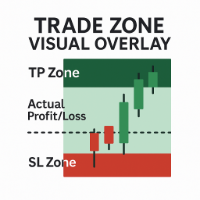
Trade Zone Visual Overlay – MT5対応のリアルタイム取引ゾーン表示ツール 手遅れになる前に、取引の状況を即座に可視化。 Trade Zone Visual Overlay は、現在の保有ポジションの重要なゾーンをチャート上に直接表示する強力なチャートツールです。明確な視認性を重視する裁量トレーダーのために設計されており、以下のゾーンを表示します: テイクプロフィットゾーン(TP) – 利益目標範囲をハイライト ストップロスゾーン(SL) – リスク範囲を明確に表示 実際の損益ゾーン – 手数料差引後のリアルタイムな損益進行状況を視覚化 カスタマイズ可能なカラーと手数料を考慮した閾値により、以下のような正確なスナップショットを得られます: 現在の取引が実質的に利益か損失か(コスト差引後) 現在価格がSLやTPからどれだけ離れているか リスクとリワードのバランスがチャート上で一目瞭然 機能: 現在の保有ポジションを自動検出 エントリーポイントから先を予測してゾーンを描画 手数料とスプレッド を考慮して実際の損益を反映 シンプルで邪魔にならないオーバーレイ – 取

OrionXAU は、**XAUUSD(ゴールド)**および US100 / Nasdaq 市場を対象としたアルゴリズム取引システムです。
スキャルピングとスイングトレードという 2 つの戦略を組み合わせ、長期安定性を目指したリスク管理構造を備えています。 対応市場 • XAUUSD(ゴールド)
• US100 / Nasdaq 2 つの戦略エンジン 1. スキャルピング • 日中取引
• 短時間の市場エクスポージャー
• 小さな値動きを狙う設計
• 厳格なリスク管理 2. スイングトレーディング • トレンドの継続動向を捉える
• 取引頻度は低い
• 小さな損失が頻繁
• 勝ちトレードは一般的に 非常に大きな利益 をもたらす バージョン 3.5 – 新機能 OrionXAU は以下の運用が可能です:
• ゴールドのみ、
• Nasdaq のみ、
• または同一口座で両方の市場を運用。 安全制御:
• 1 日最大 2 取引
• 市場ごとに最大 1 取引
• 最初の取引が損失の場合、2 回目の取引は行われない ただし、リスクを抑えるため、1 つの市場への運用を推奨します。 動作原理と

TrendPulse Pro EA: Captura las Grandes Tendencias del Forex con Precisión Automatizada y Riesgo Controlado ¿Cansado de perseguir el mercado o dejar que las emociones dicten tus operaciones? ¿Buscas un sistema fiable que aproveche las tendencias dominantes de forma automática? TrendPulse Pro EA es tu socio inteligente para MetaTrader 5. Diseñado meticulosamente por expertos, este Asesor Experto implementa una estrategia de seguimiento de tendencia híbrida y robusta, permitiéndote capitalizar los

The Star AI EURUSD – Precision Expert Advisor Powered by GPT I proudly present The Star AI EURUSD , my latest Expert Advisor, developed through in-depth analysis and artificial intelligence integration. This EA is specifically designed for the EURUSD, EURGBP, EURCHF, currency pair, ensuring hi gh performance in complex decision-making by leveraging the power of GPT-based forecasting and risk assessment. Built for serious traders who demand institutional-grade AI. Direct access to advanced model

This EA is a dynamic gold trading expert advisor for MetaTrader 5, operating on the 5-minute chart. It identifies Fair Value Gaps (FVG) in XAUUSD to initiate buy or sell cycles, placing market and limit orders strategically.
recommended capital is 3000$ for 0.01 base lot. do a lot of backtesting to ensure good settings.
Pair : XAU/USD backtested on a broker with 1:500 leverage and 5 year long backtest, see screenshot.
give it a try. dont think there is anything like this on the market. if yo

this EA is based on a Fair value gap strategy that i mastered over the past 10 years trading. it trades on the 1 min chart on XAU/USD. it is a set and forget EA. just load it and watch the magic. try it out if you want, give a positive comment. the only thing i recommend is a capital of 3000$ per 0.01 base lot. and do backtest a bit to find the best settings. on purchase i can give the best parameters , if wanted. just message me.

Have you ever asked yourself why your supply and demand zones fail , even when everything looks “perfect”? The truth is, you're not wrong — you're just watching the reaction, not the reason. It's not like those random currency strength meters that rely on lagging indicators like RSI, CCI, or similar tools mashed together to guess strength or weakness. That approach reacts to the past — not the cause. Pairs like EURUSD or USDJPY are just the outcomes . The real drivers? Currency indices an

Auto SL/TP Manager EA – Gestion Automatique Intelligente Auto SL/TP Manager EA est un Expert Advisor conçu pour automatiser la gestion des commandes avec une efficacité maximale et une grande discrétion. Il gère automatiquement : Le Stop Loss (SL) et le Take Profit (TP) Le Profit Lock (verrouillage progressif des bénéfices) Le Trailing Stop avec plusieurs méthodes avancées L' affichage masqué du SL et du TP pour plus de discrétion (non visible par le courtisan) C'est l'outil idéal pour les

Product Title: SuperTrend + Volume Confirmation Pro Product Description: Elevate your SuperTrend trading with the Volume Confirmation Pro indicator. This tool integrates sophisticated volume analysis directly into the SuperTrend framework, aiming to improve signal quality by assessing the strength and conviction behind trend movements. Go beyond simple price action and gain deeper insights into market dynamics. Overview: While the standard SuperTrend indicator offers clear trend direction, not

設定ファイルは私のプロフィールにあります
BTC/USDのボット操作の概要(H1)
この自動取引ボットは、1 時間ごと (H1) のチャートでボリンジャー バンドと RSI 戦略を組み合わせて、BTC/USD ペアで動作します。彼らの目標は、この非常に変動の激しい市場でリスクを慎重に管理しながら、ビットコインの大きな動きを捉えることです。
システムの仕組み:
シグナリング:
ボリンジャーバンド(期間50、偏差3.0)を使用して価格を分析する
この情報をRSI(期間11)と組み合わせてエントリーを確認します
価格が買われ過ぎ/売られ過ぎの状態とともに極端なバンドに触れたときにシグナルを生成します
リスク管理:
取引ごとに最小限のリスクで運用(資本の0.01%)
早期の決済を避けるために、ワイドストップ(40万ポイント)を使用する
長期的なトレンドを活用するためにロング利益(1,000,000ポイント)を獲得する
マーケットフィルター:
過度に高いスプレッド(20,000ポイント以上)での取引は避けてください
極端なボラティリティの期間中は取引を制限する
滑

DvrckSoft AI は、金融市場の新時代のために作成されたインテリジェントなトレーディング アドバイザーです。スピードと複雑さがますます増す世界において、DvrckSoft AI は自信を持って進むために必要な明瞭さと精度を提供します。単なる自動化ではありません。それはコードに具現化された知性です。
インテリジェント戦略:データから生まれ、現代に適応する
DvrckSoft AI は、高度な機械学習手法を使用して開発されたまったく新しい取引戦略に基づいています。過去の厳格なルールに基づく従来のアプローチとは異なり、DvrckSoft AI は市場行動から直接学習しました。
私たちは、XAUUSD インストルメントのデータを使用して、近代史上最もダイナミックかつ複雑な期間の 1 つである 2020 年から 2025 年にかけて DvrckSoft AI をトレーニングしました。この期間は、世界的な出来事、インフレの急上昇、地政学的な変化によって引き起こされた前例のない変動を伴います。このデータから学習するということは、DvrckSoft AI が昨日ではなく今日の市場の

Advanced Take-profit Stop-loss EA v1.00 — Expert Advisor Description ===================================================================
Overview: --------- This Expert Advisor (EA) automatically monitors and closes positions based on overall profit or loss levels. Its primary goal is to help traders manage risk and lock in gains by defining thresholds for take-profit and stop-loss either globally or per individual symbol.
Key Features: ------------- 1. **Global and Per-Symbol Thresholds:*

ICTニューヨークオープン・キルゾーン・インジケーターは 、 スマートマネー・コンセプト(SMC) 、 ICT取引モデル 、そして FX市場 における 流動性戦略を採用する トレーダー向けに設計されています。このツールは、機関投資家の取引量が大きな動きにつながる重要な時間帯である、 11:00~14:00 GMT の ニューヨークオープン・キルゾーン を表示します。このインジケーターは、 セッションレンジ 、 マーケットメーカーレンジ 、 流動性スイープ 、 FVGゾーン(フェアバリューギャップ) 、そして ブレイクアウトの機会を ハイライト表示し、 価格変動の激しい時間帯における価格動向 を包括的に把握できます。 このインジケーターは 、ニューヨークセッションのレンジ を タイムボックス でプロットし、セッションの 高値と安値 を描画することで、流動 性ハンティング 、 レンジスイープ 、 マーケットメーカートラップ の可能性を特定するのに役立ちます。FVG 検出機能は 、積極的な動きによって生じたギャップを表示し、潜在的な リトレースメントゾーン と 継続エリア

TickData Recorder (v1.3): Real Ticks Recording for Reliable Backtesting in MT5 Elevate the accuracy of your strategy testing significantly! Tired of unrealistic backtest results on standard MetaTrader 5 data that don't match your broker's conditions? "TickData Recorder" is your tool to solve this problem. This Expert Advisor meticulously records every single tick price change (time with milliseconds, Bid, Ask, Last, Volume) directly from your broker's server (FTMO, RoboForex, IC Markets,

The Kecia Market News Detector is a cutting-edge MT5 indicator designed to detect and quantify the impact of news events and market anomalies across multiple currency pairs in real-time. By leveraging 20+ advanced statistical metrics, this tool identifies abnormal market behavior, liquidity shifts, and volatility regimes often triggered by economic news, geopolitical events, or institutional order flow. Key Features: Multi-Symbol Dashboard : Monitor up to 30 currency pairs simultaneously in a

Golden Algo – Expert Advisor for MT5 Best Settings: Download SET File For XAUUSD Time Frame : 1 Min IMPORTANT! After your purchase, please contact me. Quick Overview Smart information window to monitor open trades and daily limits. News filter to prevent trading during important economic events. Daily money management to set maximum daily loss. Flexible risk management based on your ac
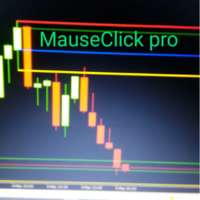
MauseClick Candle Pro – Marca velas importantes con un solo clic Precisión visual, líneas profesionales y persistencia total
¿Qué hace este indicador único?
Marca cualquier vela importante con un solo clic: Selecciona una vela y el indicador dibujará automáticamente sus zonas clave: Mecha de inicio Mecha de final Cuerpo de inicio Cuerpo de final
Marca múltiples velas a la vez: Analiza sin límites. Cada vela marcada se guarda individualmente.
Líneas profesionales y personaliza
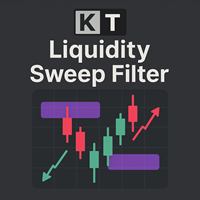
KT Liquidity Sweep Filter は、重要な流動性スイープゾーンを特定し、視覚的に強調表示するインジケーターです。これらのゾーンを明確なプライスアクションによる反発と適応型のトレンドフィルターと組み合わせることで、市場のトレンドに沿った正確な売買シグナルを生成します。 このインジケーターは、大きな流動性スイープゾーンと小さなゾーンを区別し、大きなゾーンには太い矢印、小さなゾーンには細い矢印で表示して、視認性を高めています。 大きな矢印: 主要な流動性スイープゾーンから発生する強い反転シグナルを示します。 小さな矢印: 二次的な流動性スイープゾーンからの弱めの反転シグナルを示します。
機能 トレンドに沿ったシグナル: ゴールドなどのトレンド性の強い銘柄において、トレンドに乗るための複数のエントリーポイントを提供します。 取引チャンスの増加: 強い反転と弱い反転の両方を明確に示すことで、より多くのエントリー機会を提供します。 カスタマイズ可能なトレンドフィルター: 取引対象の銘柄や時間足に合わせてシグナルを調整できます。 しきい値の調整: 主要スイープシグナルの感度を調

Gold/XAUUSD Entry Signals: The Long Entry Signal is triggered when the previous bar’s open price is above the linear regression value for a specified period, indicating potential upward momentum. The Short Entry Signal is activated when the previous bar’s open price falls below the linear regression line, signaling potential bearish movement. Trading Rule for Long Entries: A long position is opened at a dynamically adjusted price level, calculated using the lower band of the Keltner Channel a
MultiEMA – MT5 向 け のシンプルで 柔軟な移動 平均 概要 : 1つのチャート に 最大5本 のMA。既 定は 5/20 /5 0 /10 0/200。必要に応じ て交差 矢印を 表示し 、2本のMAが交 差した正確 な価格(補間 )に 、調整可能 な間隔 で描画します 。 主な 機能 : 各MA の独立 設定(期間 ・方式 EMA /SMA /SM MA/LWMA ・色・太 さ・表示)。 交差シグ ナル(任意) :Base/Cross MA を選択、矢 印の 間隔は Arrow_Price _Offset/Arrow _GapPoints で 調整。 軽 量・全シ ンボル/時間 足対応。 入力 : MA1. .MA5 :Show_MAx 、MAx _Period 、MAx _Type、MAx _Width。 Cross arrows :Show_C rossArrows 、Base_M A_Index /Cross _MA_Index (1. .5) 、Arrow_P rice_Offset 、Arrow_Gap Points 。上 矢 印=青 、下矢 印

What this indicator does. Detects candlestick patterns such as:
Hammer – indicates a possible bullish or bearish trend.
Engulfing – a strong momentum signal.
Doji – market uncertainty or potential reversal.
Three White Soldiers – a strong uptrend.
Three Black Crows – a strong downtrend.
Morning Star – the beginning of an uptrend.
Evening Star – the beginning of a downtrend.
Shows signals on the chart:
Can send a voice, email or pop-up notification when a pattern appears.

Это трендовый советник , который работает на четко поставленном тренде , бот адаптируется к разворотам цены ( не всегда ) в данном коде есть разные фишки которые частично отсекают входы когда идет коррекция или не большой разворот цены. Бот работает неплохо на XAUUSD EURUSD USDJPY ( изначально были выбраны эти пары так как они максимально трендовые ) Возможно вас смутит огромное количество Input(параметров) но переживать не стоит , так как эти параметры уже заточены под торговлю! Они нужны лишь

<<<<<<<<<<<<<<<<PREFERED TIME FRAME 5 MINT >>>>>>>>>>>>>>>> Enable Trailing Overview Eabotpro v1.09 is a fully automated Expert Advisor designed for reliable performance and consistent trade execution on Gold (XAUUSD). It incorporates clean logic, disciplined trade management, and optimized entry control. Built for traders who value efficiency, safety, and simplicity in automated systems.
Key Features - One trade per direction per session - Auto-close and reverse on signal change - Clean, sta

Advanced Volume Profile Analysis Tool for MetaTrader 5 The Kecia Volume Profile Order Finder provides traders with volume profile analysis capabilities. This MT5 indicator combines volume profile visualization with statistical calculations to help identify potential trading opportunities and suggests entry, stop loss, and take profit levels based on market structure. Market Profile Visualization Transform your chart with customizable volume profile visualizations: Multiple visualization options

The Heracles is made to beat the market, in backtests it does. The Heracles uses High and Low to identify the levels of potential reversal. The best parameters of the Heracles is set by default, and before changing them it is important to backtest them. This is our recommendations: 1) Best trading asset - EURUSD(or any major forex pairs) 2) Best timeframe - 1 Hour 3) Best leverage - from 1:5 to 1:30 4) Recommended balance - $300+(however the Heracles will immediately tell you if something went
DYJ NetPilot is an Expert Advisor (Utilities) developed for the MetaTrader5 platform, designed to optimize trade exits by dynamically calculating the weighted average price (Pmix) of all open positions and adjusting exit levels accordingly. Key Features: Pmix Calculation: Computes the weighted average price (Price Mix) of open positions, providing a clear reference point for trade management. Dynamic Exit Strategy: Identify the prevailing direction (long/short positions) within open orders

RexCatch EA is designed to recognize all forms of boxes or rectangles with the specified color which will later be used for order execution, both buy and sell in the form of Supply and demand. This EA is also able to read indicators installed on the chart that display box or rectangle shapes, such as the Supply Demand indicator or boxes and rectangles that are made manually by giving them the color as specified in the EA setting.
Can only open 1 order and will reopen the order when the active o

Product Description: FlexiDCA Trader FlexiDCA Trader is an automated trading tool (Expert Advisor - EA) designed for MetaTrader 5. It helps traders easily apply the Dollar-Cost Averaging (DCA) strategy and grid trading. The product is suitable for both beginners and experienced traders, especially effective with highly volatile pairs like XAU/USD (gold). Advantages Smart Automated Trading : Automatically opens orders based on technical indicators or supports manual trading, saving time. Flexibl

Introduction to the Storm Survivor Forex Scalping Robot Introducing our advanced Storm Survivor Forex Scalping Robot. The robot algorithm is built based on two indicators RSI and MA, to detect high-probability entry and exit points. It is combined with the DCA method to ensure every trade has the highest chance of success. The best currency pair to use with Storm Survivor is XAU/USD. This robot is perfect for traders who prefer scalping and want to capitalize on rapid price fluctuations without

PULSAR ZONE MT5 Indicator Description PULSAR ZONE is a custom MT5 indicator designed for signal zoning based on volume pressure and trend direction. Ideal for scalping volatile pairs, it provides clear visual cues for both entry and exit points. Key Features Lifebeat Signal A visual signal triggered when a trend reversal occurs with significant volume pressure. Displayed as a green (bullish) or red (bearish) arrow, it highlights high-probability entry opportunities. Entry Countdown Once

From REAL KNOWLEDGE to TRADE LIKE A PRO! CHoCH Power Indicator – Instant BOS & Demand/Supply Zone Detection Transform your gold trading with crystal-clear insights: Trade Gold Effortlessly on M1 & M5 Spot Demand/Supply Zones on M15 & H1 Automatic 61.8% Fibonacci Retracement on M5, M15 & H1 Works Best with SMA 420 Price above SMA420 → Only consider LONG Price below SMA420 → Only consider SHORT SCM Multi-Frame Fibo Suite Multi-Timeframe Swing Detection
• Auto-identify swing highs & lows
• Rea

️ PropShield is your automated guardian for proprietary trading firm challenges and funded accounts. If you've ever failed a challenge by exceeding the daily drawdown limit by just a few dollars, or if you struggle to enforce your own risk rules during volatile markets, PropShield is built for you. This is not a trading strategy - it's a safety system that watches your account 24/7, automatically closes positions when risk limits are breached, and keeps you on track to pass challenges and keep

Applied Silver BLT is a simple implementation of the ICT silver Bullet strategy. The strategy is intend for traders with a fair understanding of the time-based algorithmic model that involves catching trade entries within specific one-hour intervals during the trading day using S mart Money Concepts like liquidity and fair value gaps. Feel free to try and customize my bot. The AM session Silver Bullet (10:00 AM – 11:00 AM) The PM session Silver Bullet (02:00 PM – 03:00 PM) The Lond

Everest Peak EA is an Expert Advisor designed using multiple Moving Average indicators as a filter to make it more reliable to search entry point and follow the trend strategy. This EA can avoid trading in high impact news based on economic calendar to make sure it will entry in excellent condition. The best thing of this EA it can trade on any Forex Pairs, Crypto and Gold (XAUUSD) and you can change or optimize the indicator parameter. User can use default set to trade or to get better result,

How to Use 1. Setting the Parameters Momentum Period : Adjust based on the characteristics of the trading pair. Use lower values (8–12) for volatile pairs, and higher values (14–20) for more stable pairs. Accumulation Period : Adjust based on the timeframe. Use lower values (3–5) for lower timeframes (M5–M30), and higher values (5–10) for higher timeframes (H1–D1). Energy Burst Threshold : Set according to your desired sensitivity. Lower values (50–60) provide more frequent signals; higher value

CloseAllOrders Protected EA
One-Click Trade Manager with License Protection & Account-Currency P/L Targets Overview
This Expert Advisor provides three chart buttons to instantly close all trades, winning trades, or losing trades with a single click. You can also set a total floating profit or loss target in your account’s base currency; the EA will automatically close all positions when the target is reached and then disable itself until you enter a new limit. A built-in license check ensures
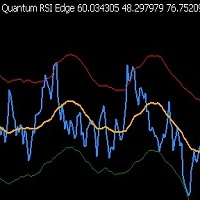
Quantum RSI Edge – RSIと動的ボラティリティチャネルを組み合わせたインディケーター RSI、移動平均線、統計的ボラティリティチャネルを統合し、高精度な売買シグナルを提供します。 特徴: 適応型の過買い/過売りレベル – 市場の状況に自動調整。 偽シグナルのフィルタリング – 標準偏差ベースの動的チャネル。 全ての市場・時間軸に対応 – FX、暗号資産、株式など。 視覚的に分かりやすい – カラーラインで素早く分析可能。 ️ 入力パラメータ: RsiPeriod (デフォルト: 14) – RSIの計算期間。 MaPeriod (デフォルト: 26) – RSIの平滑化移動平均。 DevPeriod (デフォルト: 100) – ボラティリティ計算期間。 Deviations (デフォルト: 1.3) – チャネルの幅。 取引ルール: 買い: RSIが下側バンドを上抜け + RSIがMAより上。 売り: RSIが上側バンドを下抜け + RSIがMAより下。

DRAGON SCALE User Guide Indicator Visualization The DRAGON SCALE indicator displays several visual elements on the chart: Scale Zone – Displayed as purple areas (accumulation zones) and red areas (distribution zones) surrounding the pivot level. Lifebeat Signal – Appears as an arrow below the candle when the price enters a critical zone. The color of the arrow indicates the direction (green for bullish, red for bearish, yellow for neutral). Entry Countdown – Appears as an arrow above the cand

Buy/Sell Volume Indicator with Pair Divergence for MT5 version "1.1" Description The Enhanced Buy/Sell Volume Indicator is a custom technical indicator designed for MetaTrader 5 (MT5) to analyze and visualize buy and sell tick volumes in a separate window. It provides traders with insights into market dynamics by highlighting volume dominance, balance, and divergence patterns. The indicator uses tick volume data to estimate buying and selling pressure, offering a detailed view of market sentime

Description: Advanced Position Closer EA monitors your open market orders per symbol, displays the counts directly on your chart, and automatically closes orders when configurable thresholds are met. It supports both global and per-symbol settings for direction, profit/loss filtering, and whether to close all matching orders or only those that passed your filters.
External Parameters:
1. GlobalMaxOpenOrders (int) - Sets a single maximum number of open market orders for every symbol. - 0

This strategy trades the GBP/USD forex pair on the H1 timeframe , utilizing two sets of Bollinger Bands (BB) with different periods and deviations. It generates long and short entry signals based on price rejection from the bands , identifying potential reversal points where price reacts to volatility boundaries. Long Entry Signal: The strategy generates a buy signal when the opening price is below the lower Bollinger Band for two different periods ( BBBarOpensPeriod1 and BBBarOpensPeriod2 ) af

ATR RiskMaster – Lot Size Calculator Based on ATR Volatility ATR RiskMaster 1.00 is a powerful utility (runs as an Expert Advisor or Indicator) designed to automate lot size calculation, stop-loss, and take-profit levels based on market volatility using the Average True Range (ATR). Perfect for traders who prioritize consistent risk management and precision. Inputs & Features Explained ️ RiskPercent (1.0%)
Defines the percentage of your account you want to risk per trade. For example, with

Advanced Analysis – Total Visual Clarity
The Ichimoku Dashboard features three powerful dashboards to deliver precise trading signals based on a proven methodology. The color-coded panel design allows users to instantly identify the status of each monitored financial instrument at a glance. The combined table of the "Ichimoku Dashboard" for MetaTrader 5 is a key component that integrates and synthesizes trading signals generated by the indicators, providing a clear and immediate overview to su

Flow – Hotkey Tool for Discretionary Traders Take full control of MT5 with your keyboard and mouse.
Flow is a powerful hotkey-based assistant designed specifically for discretionary traders who want to place orders, draw tools, and operate charts with speed and precision. No more right-click menus or wasting time. Just trade.
Key Features Order Execution Place pending Buy/Sell orders (limit or stop) instantly with just a mouse click. Stop Loss and Take Profit lines are automatically attac

GoldenPulse XAU Trend EA is a precision-engineered Expert Advisor built exclusively for trading XAUUSD (Gold). It utilizes a robust convergence of four powerful indicators—Standard Deviation, Stochastic Oscillator, Williams’ %R, and MACD Signal—to detect high-probability trend and momentum setups in the gold market. With a focus on volatility filtering, overbought/oversold reversals, and momentum confirmation, the EA dynamically adapts to changing gold price behavior.
Key Features:
Multi-i

LYNXの機能 LYNXは、ストキャスティクス、MACD、RSIの各指標を組み合わせて取引のエントリーシグナルを生成するエキスパートアドバイザーです。 あらゆる外国為替シンボル、あらゆる金属シンボルを取引します。主要なもの(USD、GBP、JPY、EUR、AUD、CAD、XAUの組み合わせ)を推奨します。 ユーザーは、各シンボルでこのロボットのインスタンスを実行することにより、任意の数のシンボルを並行して実行できます。 グリッド、マーチンゲール、ヘッジング戦略は使用しません。バックテストで指数関数的な成長を示す他のEAに惑わされないでください。 口座タイプ:ネッティングまたはヘッジング。常にネッティングルールを使用します。 初期残高、ロットサイズ、レバレッジは、ブローカーの制限の対象となります。 必要なユーザーレベル:初心者から上級トレーダーまで。ライブ取引を実行する前にパラメータを最適化することをお勧めするため、ユーザーはMetaTrader 5の最適化ツールを知っている必要があります。 ユーザーは、トレーニングデータに基づいて、高い年間収益率、低いリスク、高い勝率、高い期待収益、

The SuperTrend Advance Trading is a widely-used technical indicator based on SuperTrend Strategy + Price Action + EMA . How it works: - Buy/Sell Signals can be generated when the trend reverses, the conditions of Price action, TrendLine and EMA are met. - After the Signal appears, be patient and wait until the candle closes, at that time place the order as soon as possible. You may have time to review your entry, consider whether it is a good entry or not. - Carefully review the entry, up

Risk Management EA - Advanced Trading Tool with Visual Controls Description: This comprehensive Risk Management EA transforms your trading experience with an intuitive visual interface directly on your chart. Take full control of your trades with precise risk calculation, customizable entry/exit points, and one-click order execution. Key Features: Visual Trade Management : Drag-and-drop SL/TP lines with real-time profit/loss calculations Automated Risk-Based Position Sizing : Instantly calculate

Built on a realistic and structured day trading concept, this EA applies a breakout logic commonly used in professional environments. Its goal is to capture directional market movements following periods of consolidation, without employing high-risk techniques such as martingale or grid systems.
Strategy The system operates by placing pending orders at the extremes of a defined range (for example, between 08:00 and 09:00). This technique seeks to exploit breakouts that often set the market dir

CYP Trade Manager Pro MT5: The Trader's Edge in Position Management
Transform How You Manage Trades - Focus on What Matters Why Most Traders Fail - And How CYP Trade Manager Pro Solves It
Many traders have solid entry strategies but lack proper trade management - the key difference between professionals and amateurs. CYP Trade Manager Pro handles the critical "after entry" phase of trading that most EAs ignore, giving you the edge that institutional traders use every day. Who Is It For Manual

CowMeleon EA — Adaptive Market Logic | Smart Entries | Single Daily Trade Precision-crafted Expert Advisor designed for disciplined traders who value consistency, institutional logic, and real-time market reading. Overview CowMeleon EA is not your average bot. It executes only one carefully selected trade per day, based on a proprietary logic inspired by the techniques of institutional traders. Built for traders who seek quality over quantity — CowMeleon doesn't chase setups. It waits, w

Ay XAUUSD Expert ゴールド専用M15トレンド自動売買EA|安定型スキャル・デイトレ両対応
ゴールド自動売買の新定番! 高精度トレンド判定 × コツコツ型ロジック × 右肩上がりの実績! 「Ay XAUUSD Expert」は、ゴールド(XAUUSD)M15専用に設計された高性能トレンドEAです。 アップダウンの激しい相場にも強く、急変動でもブレない独自アルゴリズムを搭載。
<主な特徴> ・M15専用・ゴールド特化型EA(XAUUSD向け自動売買) ・独自ロジックでトレンドと押し目をしっかりキャッチ ・急変動やノイズにも強い安定稼働設計 ・資金管理・リスクコントロール自動化 ・毎日利益を積み上げるコツコツ型運用 ・パラメータ調整不要!デフォルトのまま即運用可能 ・バックテストでも右肩上がりの安定成績! ・スキャルピング・デイトレード両対応/長期運用も
<使い方> 通貨ペア:XAUUSD(ゴールド) 時間足 :M15(15分足)
<こんな方におすすめ> ・ゴールド自動売買で“安定して利益”を狙いたい方 ・どの期間でも右肩上がりのパフォーマンスを重視する方 ・トレ

Introduction Smart Trade Panel is a manual trading assistant for MetaTrader 5.
It allows you to perform simple actions such as Buy, Sell, Close All positions, or set a Break Even stop, with a single click. Full Description Smart Trade Panel – Manual Buy/Sell, Break Even, Close All EA for MetaTrader 5 This tool helps traders manage positions manually through a clean and accessible interface.
It can be used in different trading styles and helps simplify order execution on the chart. ️ Feat

Overview:
TrendPro is a cutting‑edge indicator built on the crossover of three customizable Exponential Moving Averages (EMAs). Designed for all timeframes, it accurately identifies bullish and bearish momentum zones, and plots clear buy/sell arrows. With an integrated side‑market filter and optional pop‑up alerts, TrendPro helps you seize every opportunity without noise or false signals. Key Features: Precise Trend Detection Utilizes three EMAs (default periods: 34, 55, 89) to gauge market dir

Discover Smarter, More Versatile Trading with Tabow 3.7 Tabow 3.7 is the latest evolution of our precision-built expert advisor (EA), designed to help traders identify potential tops and bottoms using the Awesome Oscillator (AO). This updated version significantly expands your strategic toolkit by embedding five distinct trading strategies directly into the code. Tabow 3.7 doesn't just execute trades; It integrates advanced internal conditions and dynamic trade management tools to deliver st

Our trading strategy is heavily influenced by the concept of Smart Money, where we first analyze market trends on the 1-hour timeframe. We identify the nearest supply or demand zones and appropriately segment them based on size and session—whether Asian, London, or New York. Each zone has specific expiration timings; if the price returns to the zone within these timeframes, we consider it a trading opportunity. If you have any questions or need further assistance, please feel free to contact us.

KingTrend — Price Action Trend Analysis Tool KingTrend is a trend-following indicator based on long-standing price action principles involving Highs, Lows, Open, and Close. The logic behind this tool comes from concepts passed on to me by my mentor and translated into code for consistent structure recognition. Features: Identifies market structure using price action logic Detects trend direction and key turning points Marks Higher Highs, Lower Lows, and extensions Suitable for discretionary or
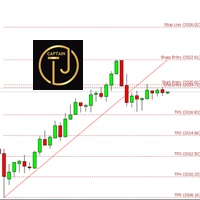
CTJMFiboSignal is The Power of Technical Analysis at Your Fingertips Embark on a seamless trading journey with CTJMFiboSignal , your go-to premium indicator for technical analysis mastery. Integrating advanced Fibonacci Retracement techniques with ZigZag patterns , this cutting-edge tool is designed to boost your confidence, adaptability, and accuracy in the ever-evolving world of market trading. Why CTJMFiboSignal Stands Out Supreme Accuracy:
Gain the upper hand in market analysis

Break Even Zone – Real-Time Floating P/L Visual Indicator Quick Overview:
Break Even Zone is a powerful visual indicator that automatically highlights your floating profit or loss directly on the chart. It displays a red zone when your open trades are in floating loss , and a green zone when they are in floating profit – helping you make smarter, faster decisions. ️ Key Features: Red Zone Block appears when your trades are in floating loss Green Zone Block shows up when trades are in f

CatRSI is a trading robot for the EURUSD currency pair on the M1 or M5 timeframe. The trading strategy uses the RSI (Relative Strength Index) indicator. To speed up the selection of parameter values (optimization), you can use opening prices, but you need to check the selected values on every ticks. By default, the parameter values are set for 5-digit quotes.
Parameters. Ret. If Ret is false, then when the oversold level is reached, a buy is made, and when the overbought level is reached

Momentum Echo – Real-Multi Currency Alert System Overview: Momentum Echo is a real-time alert system designed to monitor price with precision. It identifies aggressive market moves, capturing critical moments when price moves against the normal range signifying possible: Never miss a retracement even when away from your trading computer Stop hunts to eliminate retail positions Volatility breaks out of consolidation zones Price luring traders into premature entries Momentum surges confirm market

Gold EA: Proven Power for 1-Minute Gold Trading Transform your trading with our Gold EA, meticulously crafted for 1-minute charts and delivering over 2000% growth in 5 years from just $100-$1000 . No Martingale, No AI Gimmicks : Pure, time-tested strategies with robust money management, stop loss, and take profit for reliable performance across multiple charts. Flexible Trading Modes : Choose Fixed Balance for safe profits, Mark IV for bold growth, or %Balance for high rewards—combine Mark IV an
Freya AI é uma assistente virtual de ponta, desenvolvida exclusivamente para o mercado australiano, que utiliza o poder da inteligência artificial avançada para oferecer um desempenho incomparável. Projetada com algoritmos de aprendizado de máquina de última geração, a Freya AI combina processamento sofisticado de linguagem natural (PLN) com modelos de aprendizado profundo para proporcionar experiências intuitivas e fluidas ao usuário. Totalmente automatizada, esta assistente de IA é otimizada

Drawdown Guardian Pro (v2.8) - MT5用の強化された口座保護ツール! 壊滅的な損失が発生する前に阻止しましょう!「Drawdown Guardian Pro」は、MetaTrader 5口座を継続的に監視し、事前に定義された制限に達すると自動的に安全対策を適用する包括的なリスク管理ツールです。制御不能なEA、市場のボラティリティ、または感情的な手動取引からの保護に最適です。 主な機能 (v2.8): 多彩なドローダウン制限:固定(日次/全体、%または通貨単位)およびトレーリングドローダウンを監視。 絶対的なエクイティレベル:最小および最大の閾値を設定。 柔軟な時間フィルター:特定の時間帯や曜日に取引を許可またはブロック。 動的なリスク可視化:チャートがインジケーターに!背景色の変化と中央テキストが危険レベルを即座に通知。 カスタマイズ可能な主要アクション:管理対象の全/損失/利益ポジションを決済、新規取引をブロック、通知。 待機注文の削除:制限に達した場合に管理対象の待機注文を自動的に削除するオプション。 アクティブな事後ブロック:ブロック 後 に開かれた
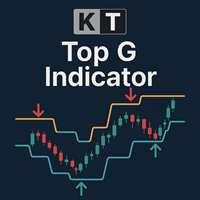
KT Top G は、価格アクションに基づいたインジケーターで、スマートなチャネル分析を組み合わせることで、潜在的な市場の天井と底を識別します。反転の可能性が検出されると、チャート上に太くて見やすい矢印を表示し、市場が反転する前に事前に通知します。 大きな矢印: 価格の勢いの変化や消耗を検出して、高確率な天井と底を示します。 小さな矢印: 低確率の反転ポイントを示しますが、市場が実際に反転する前に突破されることが多いです。
特徴 幅広い互換性: 通貨ペアはもちろん、株式、ETF、インデックスなどの他の金融商品でも使用可能です。 マルチタイムフレーム対応: スキャルピング用のM1とM5、スイングトレード用のH1、H4、D1でも優れたパフォーマンスを発揮します。 ミッドライン付きのチャネル内蔵: 矢印とともに、現在のレンジとトレンド方向を示す動的な価格チャネルを表示します。 リペイントなし: 矢印が一度表示されると消えることはなく、信頼性のあるシグナルを提供します。 ボラティリティへの適応性: チャネルの長さとスムージング係数を調整することで、急激な値動きにも対応できます。 個別アラート
MetaTraderマーケットは、他に類のない自動売買ロボットやテクニカル指標の販売場所です。
MQL5.community ユーザーメモを読んで、取引シグナルのコピー、フリーランサーによるカスタムアプリの開発、支払いシステムを経由した自動支払い、MQL5Cloud Networkなど、当社がトレーダーに対して提供するユニークなサービスについて詳しくご覧ください。

取引の機会を逃しています。
- 無料取引アプリ
- 8千を超えるシグナルをコピー
- 金融ニュースで金融マーケットを探索