 MetaTrader 5
 Experts
 지표
지표
 라이브러리
라이브러리
 유틸리티
유틸리티
 위젯
위젯
 규칙
규칙
MetaTrader 5용 Expert Advisor 및 지표 - 400
 트레이딩 로봇과 지표를 사용하여 외환 거래를 더 수익성 있게 만들 수 있습니다. 트레이딩용 로봇을 사용하면 개점 및 폐점 거래를 자동화할 수 있으며, 지표는 시장 행동을 보다 정확하게 예측할 수 있습니다.
이 페이지에는 MetaTrader 5 응용 프로그램의 카탈로그가 나와 있습니다.
트레이딩 로봇과 지표를 사용하여 외환 거래를 더 수익성 있게 만들 수 있습니다. 트레이딩용 로봇을 사용하면 개점 및 폐점 거래를 자동화할 수 있으며, 지표는 시장 행동을 보다 정확하게 예측할 수 있습니다.
이 페이지에는 MetaTrader 5 응용 프로그램의 카탈로그가 나와 있습니다. 
스마트 신호 및 자동화를 갖춘 트레이딩 도구 이 소프트웨어는 초보자부터 전문가까지 모든 수준의 트레이더를 지원하기 위해 설계되었으며, 스마트 트레이딩 신호와 자동화 기능을 제공합니다. 여러 시간 프레임 분석을 지원하여 거래 기회를 명확하게 파악할 수 있도록 도와줍니다. 실시간 매수/매도 신호를 제공하며, 이는 시장 데이터를 신중하게 분석하여 생성되므로 사용자가 더 정보에 기반한 거래 결정을 내릴 수 있습니다. 소프트웨어는 인기 있는 트레이딩 플랫폼인 MetaTrader 5와 원활하게 통합됩니다. 라이선스 옵션은 유연하며, 월별, 3개월, 6개월, 1년, 평생 라이선스를 포함합니다. 최대 5대의 기기에서 라이선스를 활성화할 수 있어 여러 기기에서 편리하게 사용할 수 있습니다. 라이선스 시스템은 안전하고 신뢰할 수 있으며, 사용자 접근을 보호하여 안전한 거래 환경을 보장합니다. 사용자 인터페이스는 초보자와 전문가 모두에게 친숙하며, 불필요한 복잡함 없이 거래 전략에 집중할 수 있도록

designed for precision Kecia RSI Pro is engineered to transform your technical analysis capabilities by providing unprecedented insight into market momentum and trend dynamics. Unlike standard RSI indicators that limit you to a single analysis approach, this advanced suite delivers 9 specialized RSI methodologies within one powerful tool, giving you a comprehensive view of market conditions from multiple analytical perspectives. What sets this indicator apart is its ability to adapt to various m

--- The EA is built on a powerful combination of three key elements: Zone Recovery Strategy – to recover from losing trades through smart hedging RSI Filtering – to avoid poor entries and improve precision ICT Macro Time Windows – to enter only during high-probability market hours While traditional Zone Recovery strategies can struggle in low volatility or ranging markets , this EA overcomes that weakness by integrating ICT (Inner Circle Trader) macro time logic . By executing trades onl

Black Swan Breakout EA – 낮은 변동성 이후의 정밀한 진입 DeMarker, Fractals, CCI와 같은 몇 가지 새로운 기능과 지표가 추가되었으며, 거래할 요일과 시간 필터도 추가되었습니다. 계정에서 숫자로 레버리지를 사용할 수 있는 기능도 추가되었습니다. 지금 가능한 최저 가격에 구매하시면 향후 업데이트 및 지원을 받으실 수 있습니다. 더 나은 결과를 위해 이 EA의 진화를 응원해주세요.
Black Swan Breakout EA는 MetaTrader 4/5용 자동 거래 시스템으로, 시장이 조용했던 시기 이후 발생하는 돌파 기회를 포착하여 거래를 실행합니다. 이 시스템은 Bollinger Bands(볼린저 밴드)를 사용해 가격 확장을 감지하며, 돌파의 강도와 품질을 확인할 수 있는 선택적 필터들을 포함하고 있습니다. 다양한 종목이나 시간대에 맞는 설정 파일(.set 파일)을 원하신다면, 친구 추가 후 메시지를 보내 주세요. 기꺼이 공유해 드리겠습니다. 전략

King ElChart – Advanced Dual-System AI for MetaTrader 5 Overview King ElChart is a premium Expert Advisor engineered for serious traders who demand accuracy, stability, and flexibility in every market condition. It combines adaptive logic, intelligent capital protection, and multi-phase trading control under one unified framework. Key Highlights - Dual-core architecture that dynamically adjusts to changing volatility - Smart position-management and recovery logic built for both short-ter

PMAX - Profit Maximizer Indicator for MetaTrader 5 A high-performance trend-following indicator inspired by the original TradingView version by @KivancOzbilgic. This indicator combines a moving average with ATR-based dynamic bands to create a precise, responsive trend system. It is designed to help traders detect early entries, stay in profitable trends longer, and avoid false breakouts. Key Features Fully adjustable MA type (EMA, SMA, SMMA, LWMA) Built-in ATR normalization for better
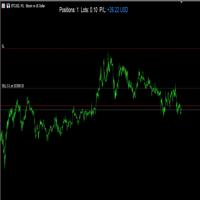
Live P/L Display – Real-time Position Summary
This indicator displays a clean and customizable summary of your current trading position directly on the chart. It shows: Number of open positions Total lot size Real-time profit/loss in USD
The profit/loss section is color-coded: Blue when in profit Red when in loss
Users can freely adjust: Font size X and Y position on the screen Text color for labels Display on/off toggles for each section
Perfect for scalpers and intraday traders w

The EMA Signal Display is a non-repainting, multi-EMA crossover indicator that visually tracks market trend changes using three exponential moving averages (EMAs): Fast EMA (7-period) Medium EMA (21-period) Slow EMA (50-period)
It automatically detects momentum shifts and plots BUY / SELL arrows directly on the chart when strong alignment occurs:
Signal Logic: BUY Signal: EMA 7 crosses above EMA 21, and both are above EMA 50 SELL Signal: EMA 7 crosses below EMA 21, and both are below EMA 50
개요 FxS RSI Pro EA for MT5는 여러 Relative Strength Index (RSI) 전략을 활용하여 자동 매매를 수행하는 Expert Advisor입니다. 무료 버전에서 제공되는 기능 외에도 Pro 버전에서는 손실 복구 방법, 트레일링 스탑 관리, 추가적인 리스크 관리 기능이 포함되어 있어 보다 유연한 운용이 가능합니다. 트레이딩 전략 본 Expert Advisor는 다음과 같은 트레이딩 모드를 제공합니다: RSI 과매수 및 과매도 – RSI가 사전에 설정된 과매수 또는 과매도 수준에 도달했을 때 포지션을 오픈합니다. RSI 다이버전스 – 가격과 RSI 간의 다이버전스를 감지하여 잠재적인 시장 반전을 식별합니다. RSI 추세 확인 – 포지션 진입 전에 RSI를 사용하여 추세 방향을 확인합니다. RSI & 이동평균 – RSI 분석과 이동평균 확인을 결합하여 신호를 생성합니다. RSI 브레이크아웃 – RSI 모멘텀을 기반으로 돌파 기회를 식별합니다. RSI 스캘

DGoldInfinity – 궁극의 전문 골드 자동매매 EA DGoldInfinity EA 는 XAUUSD( 금) 시장의 15 분 차트( M15) 에 최적화된 완전 자동화된 거래 시스템 ( Expert Advisor) 입니다.
고정밀 진입 전략, AI 기반의 고급 필터, 강력한 리스크 관리 및 규칙적인 거래 로직을 결합하여, 전문가 수준의 안정적이고 지속적인 수익을 목표로 설계되었습니다. 핵심 기능 1. 고정밀 스마트 진입 전략 다음과 같은 기술적 필터 사용: EMA, RSI, MA10, 스토캐스틱, 트렌드 필터 진입 전 철저한 시장 조건 분석 시장 변동성에 대응 가능한 ATR 기반의 동적 SL/ TP 자동 반전 매매 기능 : 포지션 방향이 틀리면 즉시 손절하고 반대 포지션 진입 2. 자동 리스크 관리 잔액 및 리스크 % 에 따라 자동으로 로트 크기 계산 2 가지 복구 전략 제공: 고정 로트( Fixed Lot) + 스텝 로트( Step Lot) 일일 손익/ 진입 횟
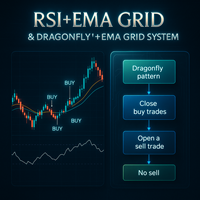
RSI+EMA Grid & Dragonfly+EMA Grid System The RSI+EMA Grid & Dragonfly+EMA Grid System is a sophisticated Expert Advisor (EA) developed for traders who seek both consistency and adaptability in dynamic market conditions. Combining two proven strategies, this EA is built for precision entries, controlled risk, and intelligent position management. Strategy 1: RSI + EMA Grid System This strategy uses a combination of the Relative Strength Index (RSI) and Exponential Moving Averages (EMAs) to identi

PrecisionSwing EA – Swing Trade Automation PrecisionSwing EA is an automated trading system developed to identify and trade swing movements, particularly on the 1-minute chart . It is designed for traders who prefer frequent entries on shorter timeframes, while maintaining flexibility to operate on higher timeframes as well. ️ Features: Designed for the 1-Minute Chart
Built to monitor short-term market movements and provide frequent trade setups. Multi-Timeframe Support
Although optim

Malaysian SnR Pro: Advanced Multi-Timeframe Support & Resistance Indicator Professional Support & Resistance Detection with Top-Down Analysis Malaysian SnR Pro is a comprehensive support and resistance indicator that implements advanced price analysis techniques used by institutional traders.
Using a sophisticated multi-timeframe approach, it identifies key market levels with precision and filters out market noise to reveal the most significant trading opportunities.
Key Features • Six Differe

Are you ready to break all limits in the market? LimitBreakerScalper v2 is not just an Expert Advisor — it’s an intelligent precision weapon built for scalpers who demand results. This EA doesn’t guess — it calculates. It waits. And when the time is right — it strikes with surgical accuracy. Powered by: Multi-EMA Trend Engine – ensures trades follow strong directional bias (EMA 5, 13, 50) Reversal Pattern Recognition – pinpoints perfect entry with deep candle analysis Engulfing Confirmation –

Gold Zombie is a professional automated trading solution developed specifically for traders seeking consistency, protection, and intelligent trade management in the gold market. Designed exclusively for XAUUSD on the H1 timeframe, the system combines advanced risk management technologies, adaptive trading logic, and comprehensive account protection mechanisms to create a reliable trading environment for both private traders and prop firm participants. Unlike many systems that rely on outdated ma

Introducing to Luxury Gold Scalper – The Next Evolution in Gold Trading Automation !
Discounted price : The price will increase by $300 with every 10 purchases. Final price $4999, Ask in private for more details!
( Trading Robot with Dynamic Risk Management ) Instead of using fixed stop-losses, this trading robot closes positions when they reach a certain percentage loss from initial trades. It also automatically closes positions when they reach a target profit percentage, securing gains

Goldmost – Precision Trading for XAUUSD This EA implements a multi-timeframe breakout strategy for XAUUSD, identifying critical support/resistance levels to execute trades with dynamic SL/TP adjustments, and intelligent exit protocols for optimized risk management.
The parameters are updated regularly to adapt to evolving market conditions. This ensures the model continuously adjusts to shifting sentiment, investor behavior, and emerging trends - keeping your strategy aligned with current marke

이 EA의 첫 번째 버전은 무료였지만, 트레이더들의 높은 수요로 인해 더 많은 필터와 향상된 정확도를 갖춘 Emilian II를 개발하게 되었습니다. MACD, ADX, 프랙탈 기능이 추가되었으며, 향후 고객 요청에 따라 더 많은 기능이 업데이트될 예정입니다. 지금 구매하시면 모든 향후 업데이트와 기술 지원을 받으실 수 있습니다. 현재는 가능한 가장 저렴한 가격으로 제공되며, 앞으로 가격은 점차 상승할 예정입니다. Emilian II는 이동 평균선의 교차와 선택 가능한 기술 지표 필터를 활용하여 유연하고 다중 시간 프레임 기반의 자동 매매를 수행하는 엑스퍼트 어드바이저입니다. RSI, CCI, DeMarker, 거래량, ADX, MACD, 프랙탈과 같은 잘 알려진 기술 지표를 기반으로 하여 상위 시간대의 흐름에 맞춘 진입과 정밀한 제어를 원하는 트레이더에게 적합합니다. 전략 로직 개요 Emilian II의 핵심 로직은 다음을 기반으로 합니다: EMA 교차
빠른 EMA가 느린 EMA

Unlock precision trading with the FVG MUSKX MTF —a next-generation tool engineered to transform your market analysis on MetaTrader 5. Designed with accuracy and usability in mind, this powerful indicator identifies Fair Value Gaps (FVGs) across multiple timeframes, giving traders a clear advantage in spotting institutional footprints and potential price imbalances. Key Features Sharp FVG Detection
Detect Fair Value Gaps with high precision across selected timeframes. Never miss a critical

이 시스템은 거래별 정밀한 리스크 계산과 간편한 RR(리스크 대비 보상 비율) 설정을 제공하며, 모든 거래 매개변수를 한눈에 모니터링할 수 있습니다. 원클릭 실행으로 새로운 주문을 간편하게 열고, 부분 청산, Break-Even 및 다양한 기능으로 거래를 관리하여 모든 거래를 완벽하게 제어할 수 있습니다 — 직관적인 조작, 광범위한 사용자 설정, 초고속 실행, 정밀한 리스크 제어, 지속적인 개발, 그리고 직접 지원을 모두 갖추고 있습니다.
필요한 모든 것: 설치 가이드 | 사용 가이드 | 데모 버전
주문 시각화 진입가, 손절매, 이익실현을 차트에 직접 시각화합니다. 새로운 주문을 정밀하게 계획하고 거래 실행 전에 모든 관련 매개변수를 한눈에 확인할 수 있습니다. 사용자 친화적인 인터페이스를 통해 표시되는 매개변수를 개별적으로 표시하거나 숨길 수 있어, 가장 중요한 정보에 집중할 수 있습니다.
리스크 관리 리스크 계산 시스템은 설정한 리스크와 SL

PitBull RSI The Elite Trading Edge That Top Traders Don't Want You to Discover URGENT: Limited-Time Special Pricing - Act Now Before It's Too Late Tired of watching potential profits slip away while others capitalize on market movements? PitBull RSI isn't just another trading robot – it's the unfair advantage serious traders have been using to extract consistent profits from volatile markets when everyone else is losing. Why Most Traders Will Miss This Opportunity The hard truth? 95% of ret

PythonX – GBPUSD M1 스캘퍼 정밀하게 설계됨. 빠르게 실행됨. 개인 트레이더를 위한 안정적인 자동매매 솔루션. 제품 개요 PythonX 는 GBPUSD 1분봉(M1) 전용으로 설계된 자동매매 프로그램(Expert Advisor)입니다. 그리드(Grid) 또는 마틴게일(Martingale) 전략 없이, 체계적이고 신중한 진입 논리를 기반으로 안정적인 성과를 추구합니다. 주요 특징 설치 후 즉시 사용 가능 – 별도의 최적화 불필요 재도색(Repaint) 없음 – 신호 조작 없음 마틴게일/그리드 방식 없음 – 고위험 회피 GBPUSD M1 전용 설계 최소 $500 자금으로도 시작 가능 초보자 및 숙련자 모두에게 적합 유의 사항 본 EA는 GBPUSD M1 차트에서만 작동 합니다 수익을 보장하지 않으며, 브로커 조건에 따라 결과는 달라질 수 있습니다 구매 전 반드시 데모 계정 혹은 백테스트로 확인 후 결정 하세요 본 제품은 고수익 보장을 전제로 하지 않으며, 도박성

골드가디언 - 소품 준비 완료 | 골드코어 시리즈의 첫 번째 제품
골드가디언은 단순한 전문가 어드바이저가 아닙니다.
엄격하고 현실적이며 강력한 트레이딩 로직을 통해 XAUUSD를 지배하도록 설계된 EA 제품군인 금 기반 자동 시스템인 GoldCore 시리즈의 첫 번째 릴리스입니다.
AI, 데이터 과학 및 알고리즘 트레이딩에 대한 깊은 배경을 가진 엔지니어 팀이 개발한 GoldGuardian은 실제 시장 전략 설계와 엄격한 정량적 검증을 결합합니다. 수년간의 경험, 엄격한 테스트, 누구나 고급 알고리즘 트레이딩을 이용할 수 있도록 하겠다는 비전의 결과물입니다.
주요 특징
프롭펌 호환 - 엄격한 챌린지 규칙을 준수하도록 제작됨
마틴 게일, 그리드 없음 - 실제 전략, 실제 로직
검증된 실거래 성과 - 실제 시장에서 포워드 테스트 완료
고급 도구를 사용하여 구축 - StrategyQuant X, QuantAnalyzer, AlgoWizard
다양한 위험 프로필 - 저위험

NexusGrid: XAUUSD를 위한 고급 알고리즘 그리드 엔진 금(XAUUSD)의 변동성에 맞춰 특별히 설계된 NexusGrid 는 실시간으로 시장 구조에 적응하도록 설계된 전문가 자문(EA) 프로그램입니다. 동적 그리드 간격, 8-in-1 진입 필터 매트릭스 및 명확한 위험 관리 프로토콜을 결합하여, NexusGrid는 고정되고 경직된 간격에 의존하지 않고 트렌드 확장 및 평균 회귀 구간을 모두 탐색하도록 구축되었습니다. 핵심 장점 적응형 그리드 간격: NexusGrid는 시장 구조적 행동을 활용하여 확장 중에는 간격을 넓히고 통합 단계에서는 간격을 좁혀 기존의 고정 간격 그리드를 대체합니다. 8가지 전술적 진입 필터: EA는 정교한 다중 지표 알고리즘을 사용하여 사용자가 맹목적으로 진입하는 대신 모멘텀과 추세 조건에 따라 초기 및 후속 바스켓 진입을 필터링할 수 있도록 합니다. 스마트 위험 헷징: 시장이 장기간 역전될 때 드로우다운을 관리하고 잉여 증거금을 보호하도록 설계된
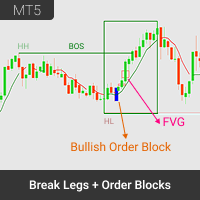
개요 Break Legs and Order Block Finder 는 MetaTrader 5용으로 설계된 최첨단 시장 구조 인디케이터로, 스마트머니 트레이더, 구조 기반 트레이더 및 기관 스타일 전략에 최적화되어 있습니다. BOS (Break of Structure) , MSS (Market Structure Shift) , FVG (Fair Value Gap) , OB (Order Block) 등 핵심 시장 이벤트를 자동으로 차트에 시각화합니다. 전문 트레이더 및 진지한 개인 투자자를 위해 제작된 이 도구는 실시간 명확성을 제공하며, 주요 구조적 전환점과 고확률 가격 구간을 정확하게 식별하여 자신감 있는 트레이딩 결정을 돕습니다. 주요 기능 멀티 스윙 피벗 감지: 사용자 정의 가능한 피벗 길이를 사용하여 고점과 저점을 자동으로 감지. 큰 흐름과 작은 변동 모두를 포착하며, 시장 구조를 다각도로 분석할 수 있습니다. BOS 및 MSS 감지: 차트에 BOS 및 MSS 발생 시점을 명확
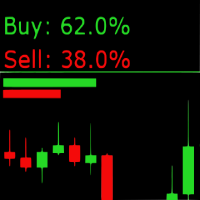
Sentiment Market Indicator: Real-Time Market Sentiment Display The Sentiment Market Indicator is a real-time MQL5 tool that displays current buy/sell sentiment directly on your MetaTrader 5 chart. Designed to support your technical analysis, it provides a visual representation of market positioning to help inform your decision-making process. Key Features Live Sentiment Display
View real-time percentage breakdowns of buy vs. sell sentiment. Customizable Alerts
Set specific thresholds for buy o
Unlock profitable buy setups with the DC Dynamic Scalping Indicator for Crash , purpose-built for consistent scalping and small account growth. This expertly crafted, non-repainting indicator detects optimal buy signals on Crash indices , ensuring you're in sync with the trend thanks to the built-in Dynamic Trend Filter . A clean blue background template is also included for seamless charting and visual clarity. Key Features: Trend-Based Signal Logic – The Dynamic Trend Filter ensures all b
Take your Boom trading to the next level with the DC Dynamic Scalping Indicator for Boom , engineered specifically for precision scalping and small account growth. This powerful, non-repainting indicator is designed to catch short-term selling opportunities on Boom indices, backed by our proprietary Dynamic Trend Filter that ensures you always trade in the direction of the prevailing trend. With a built-in blue background template , your charts are clean, focused, and ready for action. Key Fe
KT Trend Reversal Probability는 개선된 RSI 기반 알고리즘을 통해 트렌드 반전의 실시간 확률을 계산하는 지표입니다. 이 확률은 명확한 퍼센트 수치로 표시되어, 현재 추세가 약해지고 있는지 혹은 새로운 추세가 형성될 가능성이 있는지를 판단하는 데 도움을 줍니다. 진입 시점을 계획하든, 이탈 전략을 조정하든, 이 인디케이터는 데이터 기반의 판단력을 여러분의 트레이딩에 더해줍니다.
주요 기능
반전 확률을 퍼센트로 오실레이터 위에 직접 표시하여, 트레이더가 사전 대응할 수 있도록 돕습니다. 빠른 RSI와 느린 RSI 신호를 혼합한 사용자 지정 오실레이터를 사용해, 지연을 최소화하면서 반전 가능성을 감지합니다. 직관적인 색상 그라디언트를 통해 반전 확률의 강도를 시각적으로 표현하여, 한눈에 상태를 파악할 수 있습니다. 반전 확률이 임계값에 도달하거나 새로운 추세가 시작될 가능성이 감지되면 즉시 알림을 전송해 중요한 시장 전환을 놓치지 않도록 합니다. 오실레이터 주

****************该EA只针对【XAUUSD】设计,实际用于交易时,切勿用于【ERUUSD】货币对进行交易**************** **************因为涉及多时间维度取数,EA刚开始启动的时候可能没有数据和信号反馈,属于正常行为,无需过度担心**************
1、【简述】主要为趋势交易,严格筛选交易信号,一旦交易信号明确,快速交易。 2、【止损止盈】每月止盈15%,止损30%。 3、【特殊说明】严格的交易执行逻辑,一旦当月达到止盈止损后,坚决不再开仓,即便是后续出现了更好的交易机会。因为交易的最终目标是保持盈利,避免亏损。 4、【交易标的】主要的交易标的:XAUUSD,其他的不做交易。 5、【杠杆率】:1:500。 6、【资金使用控制】:单次交易资金使用率不超过2%,累计交易 资金使用率 不超过25%。 7、【信号简述】主要分为趋势交易,重点以均线趋势为主,当然会考虑波动率等技术指标,寻找最佳的交易机会。其次是快速波动交易,主要是用来捕捉市场行情的快速变化,分得一杯羹。 8、【最低交易金额】:100usd,测试是以10000usd进行

KT Gaussian Trend Filter는 가우시안 필터링과 선형 회귀 기반 스무딩을 결합하여 명확하고 정밀한 추세 분석을 제공합니다. 간단한 매수 및 매도 신호를 생성하며, 시장의 장기적 방향성을 효과적으로 강조합니다.
기능
완전한 사용자 설정이 가능한 가우시안 필터: 필터의 길이와 극값을 조절하여 스무딩 강도와 추세 선명도를 세밀하게 조정할 수 있습니다. 선형 회귀 보정 기능: 가우시안 필터링 결과를 추가적으로 보정하여 시장 변동성에 따른 오탐지 신호를 최소화합니다. 다중 시간대 스캐너: 여러 시간대에서 가우시안 추세 방향을 자동으로 감지하고 직관적인 대시보드에 표시합니다. 트레일링 밴드 기능: 기존 추세 내에서 깊은 되돌림 구간의 진입 타이밍을 쉽게 파악할 수 있습니다. 색상 설정 사용자화: 트레이딩 스타일과 차트 레이아웃에 맞춰 인디케이터의 색상을 자유롭게 변경할 수 있습니다. 내장 알림 기능: 팝업, 이메일, 푸시 알림, 사운드 등을 통한 즉각적인 알림 수신이 가능합니

Williams Fr actals (v 2 ) — 또렷 한 신 호 , 최소한 의 노 이즈 최 적화 된 프랙 탈 지 표 : 확인 된 고 점 /저점을 표시 하고 , 새 캔 들에서 만 계산 . ATR 과 클러 스터 로 불 필요 한 신호 를 걸 러냅니다 . 핵 심 기능 최적 화 : 새 캔들에서 계산; 필요 시에만 전체 재계산 깔끔 한 화 살표 : 색 /크기 /간 격 설정 가능 필 터 (옵션) : ATR 간격과 클러스터 내 최 강 프랙탈 유지 멀 티 타 임 프레임 : 현재 또는 선택 TF ; 현재 차 트 /종목 에 만 적용 입 력 (기본 값 ) Period : 14 Timeframe : 현재 또는 선택 Arrow Gap : 2 0 points ATR : Period 1 4, Multiplier 0.5 Cluster : 5봉 , 가격창 0. 3×ATR 참 고 : 프랙 탈은 기간 경 과 후 확정 되어 신 호가 자연스럽 게

RSI Momentum Scalper: Harness the Power of RSI Reversals for Precision Market Entries $199 (introductory price - 10 copies remaining at this price, final price will be $999)
Capitalize on Powerful RSI Reversal Signals
The RSI Momentum Scalper represents a significant evolution in technical trading, using the Relative Strength Index (RSI) – one of trading's most respected momentum indicators – to capture high-probability reversal opportunities. When RSI moves into oversold or overbought territ
Single TF SR Pro – Support and Resistance Indicator Single TF SR Pro is a technical analysis tool that automatically detects and displays key support and resistance levels on the chart based on local price extremums. The indicator is designed to work on a selected timeframe and shows only significant levels that appear repeatedly. Key Features Extremum- based level detection — the indicator identifies local highs and lows in historical price data, which are then grouped into common level

Real-Time Spread Display Tool
A real-time spread display tool is a specialized software or application designed to provide traders and investors with instant, live data on the spread —the difference between the bid price (the price at which buyers are willing to purchase an asset) and the ask price (the price at which sellers are willing to sell it)—for various financial instruments. This tool is critical in markets such as forex (FX), stocks, futures, and cryptocurrencies, where price f
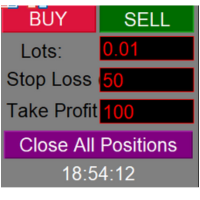
One - click position closing program featuring manual long/short trading and take - profit/stop - loss point settings.
In the rapidly changing environment of financial trading markets, efficient and precise trading operation tools are of utmost importance. This one-click position closing program is specifically designed to meet the diverse needs of traders.
The program's most prominent feature is its convenient "one-click position closing" function. Whether in forex, futures, or stock trading,

Xauusd Gold Blaster - Automated Gold Trading EA is for XAUUSD M15 only and will not trade on other symbols, Xauusd Gold Blaster is a robust Expert Advisor (EA) designed for automated trading on XAUUSD (Gold) using a proven EMA crossover strategy. Operating on the M15 timeframe, it combines fast and slow Exponential Moving Averages (EMAs) with a Advanced Logic of high-probability trade setups. The EA features re-entry logic, fixed stop loss, and customizable lot sizing, making it suitable for b

General Overview Trade 4 trading and management strategies in 1 system. "4 in 1 system" This trading system is built on simple, proven, and effective principles. In trading, getting the basics right is crucial, and we've focused on developing a system that is both realistic and reliable. With over a year of dedicated development and years of market experience behind it, this system is designed for consistency and safety—core values that matter to real traders. What sets this system apart is its

NeoPips Engine EA – 궁극의 트레이딩 혁명이 도래했습니다!
"트레이딩의 진정한 힘은 다른 사람들이 놓치는 것을 보는 것입니다. NeoPips Engine은 시장을 따라가는 것이 아니라, 시장을 정복합니다."
NeoPips Engine EA 소개: 당신의 똑똑한 트레이딩 동반자
NeoPips Engine EA는 평범한 트레이딩 로봇이 아닙니다. 정밀성, 적응력, 그리고 장기적인 성과를 요구하는 트레이더들을 위해 설계된 다차원적이고 AI에 최적화된 전문가 자문입니다.
경직된 규칙을 가진 구식 봇과 달리, NeoPips Engine은 살아있는 전략입니다. 실시간으로 시장에 대해 생각하고, 학습하고, 적응합니다.
이것은 단순한 자동화가 아니라, 진화의 움직임입니다.
차세대 인텔리전스: 당신을 자유롭게 하는 핵심 기능
AI 기반 의사 결정
동적 패턴 인식
예측 추세 분석
실시간 데이터 기반 스마트 진입/청산 로직
다중 엔진 전략

快速关仓,无需任何操作。 当前版本的一键关仓主要针对的是来不及手动关仓的情况,目前是不分交易标的类别,是对所有的持仓进行关仓。 未来可能升级的方向: 1、分类别、分标的关仓。 适用场景:开了多个标的的仓位,并且波动不一,快速频繁的波动影响了整体的判断。 2、增加只关闭盈利仓位、只关闭亏损仓位。 适用场景:持仓较多,趋势发生变化。 个人建议:一般建议选择一键全部关仓,因为如果行情与持仓方向一致,只关闭盈利仓位无形就是扩大了亏损。如果行情方向与持仓方向相反,只关闭亏损仓位,当前已盈利的后面又会变为亏损,盈利无法变现。 3、按照仓位顺序由大到小关仓、按照仓位顺序由小到大关仓。 适用 场景:行情发生波动,对于未来行情判断把握不确定的,可根据自己需求选择仓位关仓顺序,由大到小关仓的话,可以避免亏损的进一步扩大。 4、减小仓位量,保持绝对的安全距离。 适用 场景:对未来趋势相对确定,不想错过当前行情,但是认为当前持仓体量又有点大,想降低仓位。

multi-currency utility BTCUSD, XAUUSD, US100, US30, forex market. Convenient trading by drag and drop line to select entry price, stoploss, takeprofit, display risk-to-profit ratio when dragging. Choose fixlot or balance percentage or risk usd depending on each trader's strategy. The video was run on the5ers fund read account. thanks you. Risk management

Automatic Grid Trading
Places Buy Stop and Sell Stop orders in both directions with a defined step size. TP Flip Logic
When a trade hits Take Profit, a flip trade is opened in the opposite direction at the same level with a larger lot size — great for catching trend continuation. SL Retry System ( Optional)
If a trade hits Stop Loss, a retry order is placed at the same level to re- engage the opportunity. Live Stats Panel
Displays live account , trade , risk , and market stats in

메시지를 보내주시면 설정 파일을 보내드리겠습니다.
VPS에서 데모 계정으로 3개월 동안 테스트해 보시는 것을 권장합니다. (이 로봇에 적합한 VPS를 추천해 드리려면 직접 메시지를 보내주세요.) 필요에 맞게 조정하실 수 있습니다. 이 로봇은 수년간 검증된 전략이 아니라 도구라는 점을 기억하세요. Gold Trend Swing을 추천합니다.
이 로봇은 사용자가 설정한 특정 시간에만 거래를 개시하는 방식을 기반으로 합니다.
3. 주요 입력 매개변수 매개변수 기본값 설명 LotSize 1.0 거래량(위험 관리에 따라 조정). FastMAPeriod 빠른 이동평균(Fast MA)의 10개 기간(예: 10개 캔들). SlowMAPeriod 느린 이동평균(Slow MA)의 50개 기간(예: 50개 캔들). TimeFrame PERIOD_M5 이동평균 계산 기간(예: M5, H1). InverseLogic false 참이면 신호를 반전합니다. StopLoss_Points 55 SL 포인트

Silent Pressure EA is a fully automated trading system designed to identify moments in the market when the price is “under pressure” from both directions — buyers and sellers. It patiently waits for four consecutive candles that stay below a key price level, signaling low momentum or indecision. When a breakout candle appears with a specific size and strength, the EA confirms that one side has taken control and opens a position in that direction. The strategy relies on simplicity and clarity. Si
ATR Pulse Master
트렌드 및 변동성 필터가 포함된 스캘퍼 ️ 주요 설정 cSeconds — 가격 변동을 추적하는 시간(초 단위) PriceShotPercentATR — ATR의 백분율로 설정된 최소 가격 변동 RiskPercent — 계좌 잔액을 기준으로 하는 위험 비율 FixedLotSize — 고정 로트 크기 UseAutoLot — 자동 로트 계산 사용 ATRPeriod — ATR 지표의 기간 ATRMultiplierSL — 스톱로스의 ATR 배수 ATRMultiplierTP — 테이크프로핏의 ATR 배수 ATRMultiplierTrailing — 트레일링스톱의 ATR 배수 Slippage — 허용되는 최대 슬리피지 MagicNumber — 주문 식별을 위한 매직넘버 MaxSpread — 거래에 대한 최대 스프레드 StartHour / EndHour — 거래 시작 및 종료 시간 UseTradingTime — 거래 시간 제한을 사용 UseATRFilter

Price Alerts - Advanced Price Target Notifications
Never miss important price levels again! Price Alert Pro lets traders:
• Set unlimited price target alerts • Receive instant desktop and mobile notifications • Visually track progress to each target • Customize alert sounds and frequencies • Manage all alerts from an intuitive panel
Perfect for: - Breakout traders waiting for key levels - News traders monitoring reaction points - Position traders managing multiple targets - All traders who c

Crystal Ball – Trend-Backed Mean Reversion EA for MT5 Crystal Ball is not just another trading robot—it's a precision engine designed to capture the market’s natural rhythm. By combining the pullback-catching power of Mean Reversion with the momentum-following logic of Trend Trading , Crystal Ball enters trades with intention and exits with purpose. It’s built to avoid random noise, capitalize on structure, and adapt as the market moves. How It Works Wait for Deviation:
Crystal Ball wat
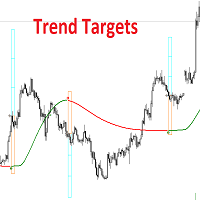
OVERVIEW
This script combines a smoothed trend-following model with dynamic price rejection logic and ATR-based target projection to give traders a complete visual framework for trading trend continuations. It overlays on price and automatically detects potential trend shifts, confirms rejections near dynamic support/resistance, and displays calculated stop-loss and take-profit levels to support structured risk-reward management. Unlike traditional indicators that only show trend direction or s

CatGrid is a trading robot for the EURUSD currency pair on the M1 timeframe. The trading strategy uses the RSI (Relative Strength Index) indicator. When the oversold level is reached, a buy is made, and when the overbought level is reached, a sell is made. If the order becomes loss, a grid of orders is built and closed with a profit. To speed up the selection of parameter values (optimization), you can use opening prices, but you need to check the selected values on every ticks.
Paramete

당신이 사용한 최고의 그리드 EA ( 스크린샷의 set 파일은 XAUUSD에만 사용하세요 ) 복잡한 시스템은 이제 그만. 이 EA는 골드(XAUUSD) 전용으로 설계 되었으며, 간단하지만 강력한 그리드 전략 을 통해 일관된 결과를 제공합니다. 왜 트레이더들이 이 EA를 선택하는가? XAUUSD 전용 최적화:
일반적인 그리드 EA와 달리, 이 EA는 골드의 고유한 변동성과 가격 행동에 맞게 조정되었습니다. 간단한 로직 – 강력한 실행력:
불필요한 지표 없이 가격 분석과 수학적 논리에 기반한 간단한 전략을 사용합니다. 자동 복구 시스템:
일시적인 드로우다운을 스마트하게 관리하고 자본을 보호합니다. 완전 자동화:
EA가 시장 분석, 진입, 포지션 관리 및 종료를 모두 자동으로 처리합니다. 낮은 유지 관리, 높은 성능:
한 번 설정하면, 추가 조정 없이 스스로 작동합니다. ️ 간단한 설정 EA를 설치하고, 로트 크기와 리스크 설정을 조정 한 후, E

What is Golden Osiris EA? Golden Osiris EA is a high-performance Expert Advisor (trading robot) specifically designed for trading XAUUSD (gold) on MetaTrader 5.
It combines a powerful algorithmic structure with adaptive logic to fully capitalize on market movements in the current trading environment.
Developed using the latest algorithmic updates, this EA analyzes key level breakouts, price action, and signals from technical indicators specially tuned for the gold market. Key Features:

Introduction: What is EA SentinelV2? Key Features : Risk Management System Entry & Exit Logic (Bollinger Bands, RSI, MA) Shadow Pending System Trailing Stop Mechanism News Filter (structure) Informative UI Panel Security & Error Validation Optimization & Performance Boost Performance Highlight 1-Year Backtest: $50 → $139 (Test Environment Details) Drawdown Info Profit Factor Reliability Across Timeframes Detailed Strategy Explanation Indicator Behavior Trade Conditions (Buy/Sell Signals) Entry

Fortune Pro is a next-generation trading system engineered for traders who demand precision, protection, and full operational control in modern market conditions. Designed specifically for XAUUSD on the H1 timeframe, Fortune Pro combines institutional-grade risk management, intelligent automation, and advanced execution technology into one complete trading environment. Backtested from 2021 to today, the system has demonstrated strong stability and resilience across volatile market conditions whi

Here’s an in- depth performance analysis in English for the DC Invest Matrix One Gold Enhanced bot , tested from January 1, 2025 to May 12, 2025 , using: Initial capital : $ 1,000 Fixed lot size : 0.1 lots per trade All trades have SL & TP No martingale or grid strategy used General Performance Metric Value Interpretation Total Net Profit $ 6,841.08 Strong profit, + 684% in ~ 4.5 months. Gross Profit $ 40,409.16 Bot captured large upward moves. Gross Loss -$ 33,568.08 Still high, but control

MT4 버전: https://www.mql5.com/en/market/product/138644 MT5 버전: https://www.mql5.com/en/market/product/138645
Marksman EA - 정밀한 진입. 깔끔한 실행. Marksman은 모든 포지션에 이익실현(Take Profit)과 손절매(Stop Loss)를 적용하여 단 한 번의 정밀한 진입으로 시장을 공략하도록 설계된 단일 샷 전략 기반 자동 전문가 자문(EA)입니다.
진정한 마크맨의 기술에서 영감을 받은 이 EA는 OsMA, 스토캐스틱 오실레이터(Stochastic Oscillator), 이동평균(MMA)을 결합하여 최고의 기회를 높은 정확도로 필터링합니다.
주요 기능: 원샷 진입: 하나의 포지션, 하나의 결정, 평균화 또는 마틴게일 없음.
완벽한 위험 관리: 각 포지션에 손절매(SL)와 이익실현(TP) 기능이 탑재되어 있어 숙련된 트레이더에게 이상적입니다.
삼중 필터 시스템: 세 가지
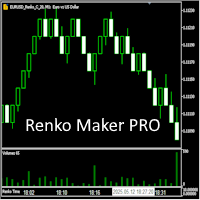
Revolution Renko Maker PRO — Инновационный Конструктор Ренко Графиков для MetaTrader 5
Создавайте идеальные ренко-бары с сохранением тиковых данных и реальных объемов — теперь с полной поддержкой индикаторов, советников и тестера стратегий!
Почему это лучше аналогов?
Возможность Обычные ренко Revolution Renko Maker PRO Разные типы баров Нет Да, три разных типа! Поддержка индикаторов Нет Да, любые! Работа в тестере стратеги

Overview
Our NeuroEQ is an institutional-grade, adaptive trading algorithm designed to trade efficiently across multiple asset classes. It leverages advanced quantitative strategies that are optimized for different market conditions, making it a robust solution for traders looking to maximize returns with minimal intervention. Key Features: Adaptive Strategy: The EA is capable of adapting to various market regimes, allowing it to adjust to trend-following , range-bound , and volatile market con

MATRIX ONE PRO - Elite Trading Bot by DC Invest Overview Introducing MATRIX ONE PRO , the ultimate Expert Advisor (EA) for MetaTrader 5, crafted by DC Invest to redefine automated trading. Designed for serious traders and investors, this bot delivers unparalleled performance, combining advanced multi-timeframe strategies, intelligent risk management, and cutting-edge features. With a proven track record of 1,326% growth in just 3 months, MATRIX ONE PRO is your key to consistent profits in the f
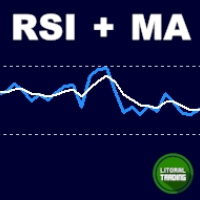
Applied RSI MA is a scalping EA that relies on two fundamental principles for entry. For a buy entry, the EMA should be at least 200 and the RSI to move into oversold (as user defined) territory and come back out. The reverse is true for a sell entry. It is important you understand the principle behind the bot functionality for efficient optimization. All the best.

The StrobeIndicatorDynamic is the indicator counterpart to the Strobe Expert Advisor, delivering a sophisticated trading strategy that generates precise entry signals through the integration of multiple technical indicators. Designed for MetaTrader 5, this advanced tool combines robust analytical capabilities with a streamlined user experience, catering to traders seeking both performance and ease of use. Key Features: Optimized Input Presets : Features a simplified input structure with five dis

Easy Starter Bot 봇 가격은 5개 판매될 때마다 두 배로 인상됩니다! Easy Starter Bot은 소액 자금이나 낮은 위험 선호도를 가진 트레이더를 위해 설계되었습니다.
이틀 만에 자금을 두 배로 늘리는 것을 기대하지 마세요. 이 EA는 공격적이거나 위험한 전략 없이 꾸준한 수익을 추구합니다. 더 높은 수익을 원한다면 입력값을 조정해 위험을 높일 수 있지만, 리스크 프로필 선택은 항상 본인의 몫입니다.
어떤 경우에도 언제든지 저희에게 연락하실 수 있습니다 . 이메일: tradeautosystemit@gmail.com . 가장 보수적인 모드에서, 1년 이상의 백테스트 동안 최대 밸런스 드로우다운은 단 224달러였으며, 트럼프 연설 및 연준의 통화정책 변화 등 변동성 높은 구간도 견뎠습니다. 소자본으로 봇을 테스트하고 싶으신 분은 마지막 슬라이드 에서 추천 설정 예시를 확인해 주세요. Plug & Relax – 자동매매, 스트레스 없이. 관심 가져주셔서 감사합

Vindicator Scope – Elite Scalping Indicator for MT5 Price: $195.00| Platform: MetaTrader 5 | License: Lifetime | Timeframes: M1–M15 recommended
Works On: Forex, Indices, Crypto, Synthetic Indices Precision. Speed. Structure. Vindicator Scope is your go-to weapon for intraday domination. Designed for scalpers and aggressive day traders, this indicator uses a unique partitioning system to dissect market behavior into actionable insight. No more chasing false breakouts or second-guessing price z

GoldScalper Script Category: Utilities (Script)
Version: 1.00
Author: Alfred Jaftha
Product Type: MQL5 Script Overview GoldScalper Script is a one‑click pending‑order generator for XAUUSDm, designed to lock in potential scalping entries based on H1 trend confirmation and M1 Bollinger Bands/ATR levels. Unlike an EA, this script executes a single trade setup when launched, making it ideal for traders who prefer manual control combined with algorithmic precision. Key Features Trend Confirmation: U

Berikut adalah versi deskripsi produk Close All Filter yang sudah diformat khusus untuk dipublikasikan di MQL5 Market : Close All Filter for MetaTrader 5 Version: 1.00
Author: Muhammad Fadhlan Overview Close All Filter is a powerful yet simple script for MetaTrader 5 that helps traders close multiple positions in bulk based on specific filters. Whether you want to lock in profits, cut losses, or clean up trades from a specific symbol or time period, this tool gives you full control in just

Alpha Signal Pro by FREENDIA: 궁극적인 멀티 인디케이터 트레이딩 전문가 어드바이저 개요:
Alpha Signal Pro by FREENDIA는 자동화된 정확하고 고성능의 트레이딩 솔루션을 찾고 있는 트레이더들을 위해 설계된 최첨단 전문가 어드바이저(EA)입니다. 여러 검증된 기술적 지표와 고급 리스크 관리 전략, 그리고 스마트한 트레이드 관리 기능을 결합하여 시장에서 지속적인 성공을 거두는 데 도움을 줍니다. Telegram을 통한 실시간 거래 알림과 모든 리스크 매개변수의 맞춤화 기능을 제공하는 Alpha Signal Pro는 최소한의 노력으로 수익을 극대화하려는 트레이더에게 진정한 게임 체인저가 될 것입니다. 주요 특징: 듀얼 EMA & MACD 교차 전략: Exponential Moving Average(EMA) 교차와 MACD 지표의 강점을 결합하여 매우 정확한 추세 추종 신호를 제공합니다. 포괄적인 볼륨 기반 진입: Volume Surge Confi

microEA.mq5 System 1. Core Trading Logic Basic Strategy : Uses a fast MA (10-period) and slow MA (20-period) crossover strategy with RSI filtering. Trend Confirmation : Evaluates trend strength by calculating the MA angle. Validates minimum volume (MinVolume) before entry. Additional Filters : Custom RSI thresholds for entries: Buy if RSI > 52, Sell if RSI < 48. Optional MACD filter for confirming sell signals. 2. Risk Management Dynamic Lot Size Calculation :

Ultra Band is a trend indicator designed for various type of traders ranging from Scalp to Long Term trader. Because it include the current bar price into the calculation, it looks like the repainting only after the bar closed then it's there forever. Strategy of choices for trading the Ultra Band: BUY at the Lower Band / SELL at the Upper Band then exit when price hit the opposite Band. SELL after retracement into Bearish cloud trend or touching the Upper Band, then target the most recent Low B

This is an EA targeting 5 major forex , please do not use it elsewhere. Please ensure internet health and meet the minimum funding requirements. The maximum capital should not exceed 100,000 USD Revenue depends on the product and current market conditions, with an expected monthly revenue of 5% -10%
Please ensure that the symbol name is as follows and do not run outside of them, otherwise profit cannot be guaranteed EURUSD GBPUSD USDCHF AUDUSD USDCAD Note that it does not include : USDJPY
P

Gold Crab Robot is a hedged EA for XAUUSD on the H1 chart,t hat combines three distinct signal sets and multiple indicators: Multi- Signal Strategy Structure Signal 1: Aroon Cross + ATR Break Detects crosses of the Aroon Up and Down lines. Entries via stop orders placed relative to the prior weekly high/ low, offset by ATR- based coefficients. Stop- Loss, Profit Target, and Trailing Stop are all dynamically set using ATR multipliers. Signal 2: Offset Aroon + BB Width Ratio Uses an offset Aroo

Here’s a professional product description for your OneClick28Chart script on the MQL5 Market: OneClick28Chart — Instantly Open All 28 Major FX Pairs Tired of manually opening chart windows one by one?
OneClick28Chart is your go-to utility script for quickly launching all 28 major forex pairs with just a single click — perfect for multi-timeframe traders, BBMA users, or scalpers who analyze numerous pairs simultaneously. Key Features: Instantly opens 28 standard forex charts (7 majors ×
MetaTrader 마켓은 거래 로봇과 기술 지표들의 독특한 스토어입니다.
MQL5.community 사용자 메모를 읽어보셔서 트레이더들에게 제공하는 고유한 서비스(거래 시그널 복사, 프리랜서가 개발한 맞춤형 애플리케이션, 결제 시스템 및 MQL5 클라우드 네트워크를 통한 자동 결제)에 대해 자세히 알아보십시오.
