 MetaTrader 5
 エキスパート
 インディケータ
 ライブラリ
ライブラリ
 ユーティリティ
 ウィジェット
 ルール
ルール
YouTubeにあるマーケットチュートリアルビデオをご覧ください
ロボットや指標を購入する
仮想ホスティングで
EAを実行
EAを実行
ロボットや指標を購入前にテストする
マーケットで収入を得る
販売のためにプロダクトをプレゼンテーションする方法
MetaTrader 5のためのテクニカル指標 - 78
 テクニカル指標からのシグナルは、株式および外国為替市場での取引の開始と終了に重要な役割を果たします。指標の本質は、将来の価格変動を予測することを目的とした金融銘柄価格の数学的変換です。
テクニカル指標をテストして、市場の動きとそれからの利益をより正確に予測します。
テクニカル指標からのシグナルは、株式および外国為替市場での取引の開始と終了に重要な役割を果たします。指標の本質は、将来の価格変動を予測することを目的とした金融銘柄価格の数学的変換です。
テクニカル指標をテストして、市場の動きとそれからの利益をより正確に予測します。 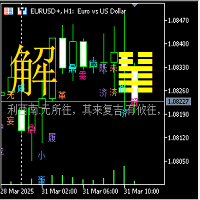
I Ching 64 Hexagram Change Indicator
1. Hexagram Indicator Description: (1) This 64 Hexagram Change Indicator is based on the Yin-Yang transformation thought of the "I Ching" philosophy in ancient Chinese culture, integrating the results of the long and short game of each candlestick K-line period of the financial trading K-line chart, using China's oldest prediction coding method, in the form of the I Ching 64 hexagrams, combining the Yin-Yang of each line of the hexagram with the Yin-Yang of
FREE

The RSI everyone uses. Finally READABLE.
RSI is one of the most famous indicators in the world... and one of the most misread. RSI Clarity Zones makes it crystal clear, with colored zones and a plain word.
️ WHAT YOU SEE • The RSI with its colored zones overbought / neutral / oversold • A label stating the state plainly: OVERBOUGHT, OVERSOLD or NEUTRAL • A flag when it crosses the 50 line (the momentum shift) ️
WHO IT'S FOR Beginners who want to understand RSI without memori
FREE

Lumen Chart Panel — a clean market panel for MetaTrader 5
Lumen Chart Panel puts your essential market context in one tidy panel on the chart: the countdown to the next candle, the current spread, the active trading session, server time, and the day's range with the live price inside it. No more crowding your chart with several small indicators or switching between terminal tabs to check the same things every day.
It is read-only — it shows information and nothing else. It places no trades, s
FREE

This indicator saves the chart as a template when you change the symbol. It also loads the template from the new symbol. Therefore you are able to save all objects that you have drawn on the chart. It is an addition to the Watchlist Indicator.
How to use it: - Pull the indicator to the chart - The first parameter defines which timeframes are saved into one file. An example: If you do not want to see a drawn object (e.g. line) from D1 in M1 you need to specify the timeframes.
- The default valu
FREE
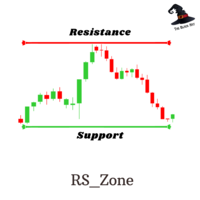
RS Zone is an Indicator used to plot the support and resistance levels of each asset. and each time period as we determine The principle for calculating support and resistance levels is based on the price range (Range SR) to see if there are points where the price repeatedly reverses at that price level or not. The total pot will be equal to the Total SR that we set. Example If Range SR is equal to 120, the system will choose to look at data going back 120 candlesticks to find whether there is a
FREE

Indicador Regressão Linear – Par de Ativos Indicador é um oscilador que faz o plot do Resíduo resultado da regressão linear entre os dois ativos inseridos como input do indicador, representado pela fórmula: Y = aX + b + R Onde Y é o valor do ativo dependente, X é o valor do ativo independente, a é a inclinação da reta entre os dois ativos, b é a intersecção da reta e R é o resíduo. O resíduo representa a quantidade da variabilidade que Y que o modelo ajustado não consegue explicar. E os resíduos
FREE

The Simple Dashboard is a dashboard where you can build your own strategy based on RSI, Stochastic, and Moving Average. You can define your own buy and sell signal conditions as you wish. For example, you can set a sell signal when RSI is at the 70 level and Stochastic is in a death cross, or even the opposite. The point is, set it however you like and apply your own custom configuration. That’s how simple it is.
FREE
GenMA MTF
The signal indicator WITHOUT REDRAWING gives recommendations on the direction of trading.
When the price moves through the internal channel, it gives signals (red and blue arrows) that recommend a possible change in the direction of the price movement up or down.
When the price crosses the external channel, it gives signals (yellow arrows), warning that a strong price movement is possible, which will not immediately change the direction of trading.
When the price crosses the avera
FREE

This indicator is designed according to the combination of WPR and Stoch indicators, when WPR goes up and Stoc goes up quickly too, the price may meet strong resistance, many times short order will take profit, but if the price break through it, Long positions are more likely to be profitable, and the reverse held true as well. You can adjust the parameters of WPR and Stoc to Adapt the symbol you operate. Click here to look the advanced edition: https://www.mql5.com/en/market/pro
FREE

The Luta Volatility Meter is an essential technical indicator for traders in MetaTrader 5 (MT5). It was developed by Eng. Lutandula to clearly measure and visualize market movement, helping you easily identify high and low volatility periods. By calculating the average daily trading range, this tool offers a simple yet powerful way to gauge market activity and potential movement for better trade timing Key Advantages Optimal Trade Timing: Helps you identify whether the market is slow (low vol
FREE

ATR Master – チャート上のボラティリティ・マスター! ATR Master は、 プロ仕様の ATR インジケーター で、重要なデータをチャート上に瞬時に表示します! 価格変動範囲の分析、移動距離の測定、残りの変動可能性の評価 に加え、ローソク足のタイマーや現在のスプレッドも監視できます。 なぜトレーダーは ATR Master を選ぶのか? 日次 ATR 分析 – その日の平均価格変動範囲を確認でき、選択した期間が括弧内に表示されます。
ATR 移動済み – 価格がすでに移動した pips 数を追跡。
ATR 残り – 価格がまだ動く余地があるかを判断。
ローソク足タイマー – 現在のバーが閉じるまでの残り時間を確認。
スプレッド監視 – 取引開始前に市場状況を把握。
言語選択 (JP/EN) – ワンクリックで表示言語を切り替え可能! ATR Master の主な特徴: リアルタイムデータ – 情報は遅延なく更新。
柔軟なカスタマイズ – カラー、サイズ、テキストの位置を調整可能。
簡単な操作性 – す
FREE
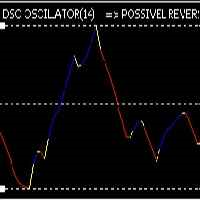
Recomended broker: https://tinyurl.com/5ftaha7c Indicator used to monitor price fluctuations in the market and discover possible reversals through reversal points or divergences in the indicator. All assets and all timeframes. SEE OUR RESULTS ON INSTAGRAM: https://www.instagram.com/diogo.cansi/ TELEGRAM GROUP = https://t.me/robosdsc More information by email dscinvestimentos@gmail.com or by Whatsapp 55-991372299
FREE

HARRAZ HUD BASIC - Your Gateway to Neural Trading Welcome to the future of market analysis. Harraz HUD Basic offers a glimpse into our advanced Artificial Intelligence trading ecosystem, designed to give you a clean, modern, and highly responsive Heads-Up Display directly on your MetaTrader 5 charts. CORE FEATURES (BASIC EDITION): 1. Live Neural AI Typewriter (Jarvis Mode) Experience an animated, real-time Heads-Up Display that types out market sentiment. It reads the underlying momentum
FREE

Non-proprietary study of Joe Dinapoli used for trend analysis. The indicator gives trend signals when the fast line penetrates the slow line. These signals remain intact until another penetration occurs. The signal is confirmed at the close of the period. It is applicable for all timeframes. Parameters Fast EMA: period of the fast moving average. Slow EMA: period of the slow moving average. Signal EMA: period of the signal line. ************************************
FREE

NeuraVault Pro v1.0 - Professional RSI Reversal Trading System Overview NeuraVault Pro is a professional automated trading system based on RSI (Relative Strength Index) reversals. It is designed to capture reversal opportunities in overbought and oversold zones, equipped with advanced filters and comprehensive risk management features. Trading Logic Core Strategy: RSI Reversal The EA captures reversal opportunities when the market reaches overbought or oversold zones: BUY Signal: RSI value drops
FREE

This indicator plots the calculated levels of the IBOV's "thousand" regions on the mini-index, where there is strong institutional commitment, based on their Options Lock positions. In this sense, players tend to defend their positions, acting on the mini-index. With these regions on the chart, you can use the concept of bipolarity to seek trades both in defense and in post-breakout testing. If you're interested, see the link where B3 provides information on options positions for these price lev
FREE

Hyper DM, Moving Distance from Moving Averages is an indicator that allows you to define the distance in points of the upper and lower bands in relation to the moving average in the middle.
Its operation is simple, it has configuration parameters of the moving average of the middle and based on it and the defined distance parameters of the upper and lower bands, it is plotted in the graph.
FREE

Initialize RSI with period 2 above the closing price. Initialize EMA with period 20 above the closing price. Buy condition: RSI < 15 (oversold). Closing price of 4 consecutive candles > EMA (uptrend). Place BUY signal at the bottom of the candle. Sell condition: RSI > 85 (oversold). Closing price of 4 consecutive candles < EMA (downtrend). Place SELL signal at the top of the candle
FREE

=== WHY THE TWO BEHAVIOURS ARE NOT THE SAME THING ===
"Repainting" gets used for two very different things, and mixing them up is the reason the harmful one goes unnoticed.
Intrabar movement. Any indicator built on the current price moves while the bar is still forming and settles when the bar closes. This is normal. It is not a defect, and it is not what breaks a backtest. It only matters if you act on a signal before the bar has closed - and then it matters a great deal, because the signal
FREE
The purpose of using Smart money index (SMI) or smart money flow index is to find out investors sentiment. The index was constructed by Don Hays and measures the market action. The indicator is based on intra-day price patterns. The beginning of the trading day is supposed to represent the trading by retail traders. The majority of retail traders overreact at the beginning of the trading day because of the overnight news and economic data. There is also a lot of buying on market orders and shor
FREE

PFG Risk Meter The PFG Risk Meter is a free companion indicator for the PropFirmGuardian EA Suite . It displays real-time daily and total drawdown as visual gauge panels on your chart, giving you instant visual feedback on your prop firm rule status. Features Live daily drawdown gauge Live total drawdown gauge Color-coded warning and danger zones Works on any symbol and timeframe Designed to run alongside the PropFirmGuardian EA Requirements This indicator is part of the PropFirmGuardian EA Suit
FREE
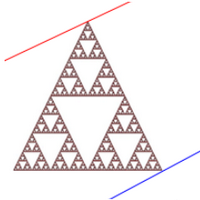
Канал фрактальной дивергенции базируется на паттернах фрактальной дивергенции , представляя их в виде канала, границы которого изменяются в момент появления очередного паттерна. Верхняя граница канала соответствует верхней части последнего найденного медвежьего паттерна фрактальной дивергенции. Нижняя граница канала - это нижняя часть последнего найденного бычьего паттерна (см. скриншот 1). По отношению к индикатору FractalDivergence_Patterns , канальная версия обладает теми же параметрами,
FREE
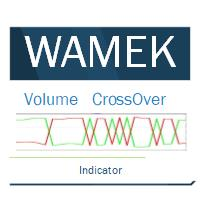
Volume Cross Over is an indicator that measure positive and negative volume flow in a financial instrument, such as a stock, commodity, or index. It is base on the idea of On-Balance Volume developed by Joseph Granville. However instead of trending lines, this indicator shows volume cross over. When the closing price of an asset is higher than the previous closing price, then the Bull volume is greater than zero and Bear volume is negative. It suggests that buying volume is dominating, and
FREE

TrendHunter AI Pro: The Ultimate Adaptive Trend & Channel System TrendHunter AI Pro is a next-generation trading indicator that utilizes advanced Pearson Correlation mathematics to automatically hunt for the strongest and most reliable trends in the market. Unlike traditional indicators that rely on fixed periods (like a 50 or 200 EMA), this algorithm reads the current market volatility and momentum to draw the most accurate trend channel on your chart. Advanced Auto-Selected Period Technology (
FREE

This dashboard is a complete technical command centre designed for traders who need real-time data and chart control without cluttering their workspace. It transforms a standard chart into an interactive, data-driven trading environment.
Here is a breakdown of what the Phoenix Tech Analysis dashboard offers: Real-Time Technical HUD The dashboard provides a "Heads-Up Display" that constantly calculates and displays: Trend Sentiment: Instantly tells you if the trend is Bullish or Bearish base
FREE
Provlepsisインジケーターへようこそ。
「Provlepsis」は、MQLマーケット向けに設計された高度なインジケーターです。 同じ時間帯の過去のローソク足を分析することで、市場の動きの潜在的な範囲を正確に計算し、将来の価格変動に関する貴重な洞察を提供します。 従来のATRインジケーターとは異なり、「Provlepsis」は時間の要素を考慮に入れており、異なる市場状況に適応するより強力なツールとなっています。 夜間には狭い範囲を予測し、活発な取引時間帯ではより広い範囲を予測します。 「Provlepsis」による包括的な範囲分析で、トレード戦略に競争力を持ちましょう。 Provlepsis インジケーターの長さとシフトを変更できるフルバージョンはこちらでご確認いただけます!
https://www.mql5.com/ja/market/product/98802
なぜProvlepsisを使用するのか
レンジベースのトレード:市場の動きの潜在的な範囲を特定する能力は、レンジベースのトレード戦略にとって価値があります。トレーダーは、指標を使用して予測される範囲内の主要なサポ
FREE
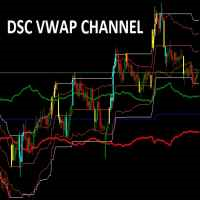
Indicador usado para sabermos os pontos de suporte de resistência no gráfico.
Funciona em todos ativos e timeframes.
Acerte exatamente os pontos de entradas e saídas das suas operações. SEE OUR RESULTS ON INSTAGRAM: https://www.instagram.com/diogo.cansi/ TELEGRAM GROUP = https://t.me/robosdsc More information by email dscinvestimentos@gmail.com or by Whatsapp 55-991372299
FREE
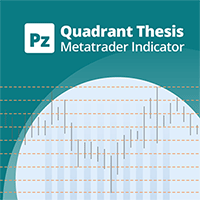
This is a general purpose indicator that displays colored lines at fixed and customizable price intervals, entered as parameters. It offers universal, constant, and familiar price ranges that allow quick and precise price analysis of a currency pair. With default parameters, this indicator implements The Quarters Theory , as described originally by Ilian Yotov . [ Installation Guide | Update Guide | Troubleshooting | FAQ | All Products | Get Help ] Easy to use No optimization needed Customiz
FREE

Blahtech Fisher Transform indicator is an oscillator that displays overbought and oversold locations on the chart. The Fisher Transform algorithm transforms prices with any distribution shape into a normal distribution. The end result is a curve with sharp turning points that may help to identify bullish or bearish trends. Fisher Transform values exceeding 1.66 on the daily chart are considered to be good areas for reversal trades. Links [ Install | Update | Training | All Products ]
F
FREE
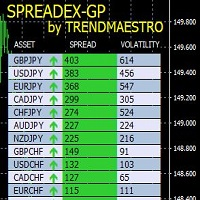
SPREADEX is an indicator for MT4 and MT5 that indicates the distance of an asset from the GP. The GP is the price of the underlying asset's true value, obtained by estimation. The GP is like a magnet; it attracts the asset's price with a high probability and within the same trading day. Therefore, SPREADEX indicates which assets are currently furthest from the GP in real time. This provides the trader with a point of view on which assets to focus on and look for any price reversal signals to obt
FREE
Time to Trade Trading timing indicator is based on market volatility through 2 ATR indicators to determine the timing of a transaction. The indicator determines the times when the market has strong volatility in trend. When histogram is greater than 0 (blue) is a strong market, when histogram is less than 0 (yellow) is a weak market. Should only trade within histograms greater than 0. Based on the histogram chart, the first histogram value is greater than 0 and the second histogram appears, this
FREE

Double Correlation indicator (free) plots two windowed correlations in a separate window. the size of window is taken as input before the two symbols to correlate to. Two symbols are taken as an input parameters as well as period length. and the two correlations are computed with the currently shown symbol ex: input GBPJPY and AUDNZD. current symbol EURUSD then the following will be computed corr(EURUSD,GBPJPY) and corr(EURUSD,AUDNZD) The indicator can be useful to run a multi-symbol pair trad
FREE
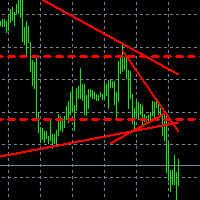
Что показывает на графике индикатор TrendBreak? 1 — рисует линию тренда до максимальных максимумов в 100 баров. 2 — рисует линию тренда до максимальных максимумов в 30 баров. 3 — рисует линию тренда до максимальных минимумов в 100 баров. 4 — рисует линию тренда до максимальных минимумов в 30 баров. И эти линии указывают на сжатие тренда. Также индикатор выбирает 100-й бар и рисует ровную линию к максимуму и минимуму.
FREE

Simple candle countdown - never again miss how much time is left to open a new bar!
This indicator doesn't plot any line on the chart - it uses only objects and calculates the time left to open a new bar.
You can set custom colors for the panel background and border and for the text color. Simple as that, the indicator is ready to use.
If you find any bugs, feel free to contact me.
FREE

Multi-period Parallel Random Oscillator 1. Main chart cycle main line and signal line 2. 15M 30M 1H fixed cycle signal line Mainly used to observe the overbought and oversold conditions of other cycles in the same chart。 Its main function is to identify moments of multi-cycle resonance, enabling you to better grasp opportunities for buying and selling points.
FREE

DESCRIPTION
MYTabogFX Market Structure is a clean, non-repainting indicator built to help traders identify key price action structure with clarity and precision. It highlights essential market structure movements such as Higher High (HH), Higher Low (HL), Lower High (LH), and Lower Low (LL), along with Break of Structure (BOS) and Change of Character (CHOCH). Designed for traders who rely on price action and structure-based strategies, this tool delivers a simplified, noise-free view of the
FREE

In trading, capital protection is everything. A single trade without a Stop Loss can wipe out profits, breach a funded account, or cause unnecessary emotional and financial damage within seconds. Even experienced traders can forget to place an SL during volatile market conditions or while managing multiple trades simultaneously. Since many Prop Firms enforce strict mandatory Stop Loss rules, one missing SL can instantly violate account conditions regardless of position size. STOP LOSS MONITOR is
FREE

Many traders use Price Action as entry and exit signal. Since the beginning of chart analysis, traders have found several candlestick patterns that can indicate possible "behaviors" of the market. Candlestick Pattern indicator is an indicator for MetaTrader platform that can detect many of these patterns and show them on screen or to alert traders about them. though they detect slightly different sets of candle patterns. Candlestick Pattern indicator also has a more modern look compared
FREE
VWAP (Volume Weighted Average Price) is a technical analysis indicator that shows the average price of an asset, weighted by trading volume, over a specified time period. It is calculated by dividing the total dollar value traded (price × volume) by the total volume. Formula: VWAP = sum(PRICE*VOLUME)/sum(VOLUME)
MM vwap have 4 options to set anchor:
Month Week Day Session Indicator will be updated in future.
FREE

Property of Vertical Capital Edition: Gugol_Quants About USA INDEXES QUANT_INDICATOR: This is a indicator created by math modulation to be used as a trading tool, which was developed in MQL. (MT5) This indicator is for use only with US500(S&P500), NAS100(Nasdaq Composite) and US30(Dow Jones). Signals are activated on "Open" Candle. It’s based on Intraday/Swing Trades whose main timeframe is H1, H2, H3 and H4. However you can use it with other assets by testing with the appropriate settings. *
FREE

RSIBandsTREND is a custom trend-focused indicator that enhances the classic RSI approach by visualizing dynamic upper and lower bands based on RSI calculations.
It plots three clean bands (upper, lower, and midline) directly on the chart, helping traders identify overbought and oversold zones with precision. Features: Three-band system: upper, lower, and center RSI lines EMA-smoothed RSI band calculation Clear trend zone visualization on chart Works on all timeframes (M1 to Monthly) Ideal
FREE

This minimalist indicator enables you to switch between timeframes using hotkeys, while displaying the symbol and the time remaining until the candle closes. You can customise the layout, font size and colours.
JustOnTime is a simple yet indispensable indicator
It displays the current symbol and timeframe Shows a real-time countdown to the close of the current candlestick
7 customisable slots: enter the timeframe and the key you want to assign to it (e.g. ‘H4’ → ‘4’)
Default hotkeys: 1 → M5,
FREE

Step Line Chart I created this indicator because I couldn't find a built-in step line chart in MT5, and I was tired of switching back and forth to TradingView just to see one. This is my very first indicator, originally made for my own personal use, and I am sharing it for anyone who might have the same need. What it does: Transforms the standard MT5 Line Chart into a clean Step Line chart based on Close prices. When attached, it automatically switches the chart mode to "Line Chart" and hides t
FREE

A lightweight, non-intrusive on-chart floating dashboard for MetaTrader 4 (MT4) and MetaTrader 5 (MT5) . It provides critical market telemetry and live account status directly inside the chart window with interactive drag-and-drop and minimize functionality. Key Features Interactive Drag & Drop: Click anywhere on the dashboard panel to reposition it seamlessly across the chart window. Automatic boundary detection keeps the panel within the chart frame. Smart Minimize / Expand Toggle ( _ / + ): C
FREE

If you are Looking Best indicators in Mql5 Market. Check these out!
SSS Scalping Smart Signals MT5 Indicator
Scalping Winning Signals Pro SWS
LTL Long Trend Locator
The Ultimate FXIFY Challenge Protection Dashboard for MetaTrader 5 Trade with Confidence. Stay Within the Rules. Pass Your FXIFY Challenge. Passing an FXIFY challenge requires more than profitable trading—it requires strict compliance with the firm's risk management rules. Many traders lose their funded opportunity not because o
FREE
The forex spread is the difference between a forex broker's sell rate and buy rate when exchanging or trading currencies . Spreads can be narrower or wider, depending on the currency involved, the time of day a trade is initiated, and economic conditions.
Forex Spread WatchDog :
This Forex indicator ensures that you are getting the best spreads while trading, and guards against broker spread widening.
FREE

ALBA GMT Detector PRO: The Ultimate Time-Sync Engine for MT5 Stop destroying your Expert Advisors with inaccurate backtests! Discover your broker's exact GMT offset instantly, flawlessly, and in real-time. The Silent Assassin of Algorithmic Trading Every professional trader and EA developer knows the backtesting nightmare. You buy or build a genius Expert Advisor, run a backtest, and get phenomenal results. But in live trading, it fails miserably. Why? GMT Offset Mismatch. Brokers change thei
FREE
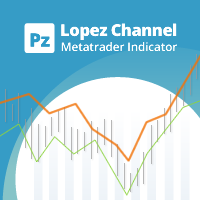
This multi-timeframe indicator identifies the market's tendency to trade within a narrow price band. [ Installation Guide | Update Guide | Troubleshooting | FAQ | All Products | Get Help ] It is easy to understand Finds overbought and oversold situations Draws at bar closing and does not backpaint The calculation timeframe is customizable The red line is the overbought price The green line is the oversold price It has straightforward trading implications. Look for buying opportunities when t
FREE

Standard PVSR is based on Pivot Points.
Steps to Setup the Indicator: Install the Custom Indicator; Set all the Lines Color, Width and Styles; Set visualization to All Timeframe; and DONE
It can be used for: All Pairs: Forex, Cryptocurrencies, Metals, Stocks, Indices etc. All Timeframe All Brokers All type of Trading Style like Scalping, Swing, Intraday, Short-Term, Long-Term etc. Multiple Chart
-->> For any Type of Support, Guidance, Setup Issue, EA Optimization, Input Setup etc. etc
FREE

Close Position Index (CPI) Close Position Index (CPI) is a normalized oscillator that measures the relative position of the closing price within recent market structure.
It transforms price into a value between 0 and 1 , allowing traders to quickly assess whether the market is trading near its highs, lows, or equilibrium.
Core Idea CPI answers a simple but powerful question: Where is the current close relative to recent price behavior? 0 → price near recent lows 1 → price near recent
FREE
キャンドル・アンプリチュード・オシレーター (Candle Amplitude Oscillator) キャンドル・アンプリチュード・オシレーターを使えば、市場のボラティリティを極めて明確に把握できます。この軽量かつ効率的なツールは、単なる価格分析を超え、各ローソク足に秘められた真のエネルギーを可視化し、より情報に基づいた取引判断をサポートします。 市場が活発か閑散かを推測する代わりに、このインジケーターはボラティリティを正確かつ標準化された方法で測定します。あらゆる金融商品と時間足で機能します。
キャンドル・アンプリチュードとは? キャンドル・アンプリチュードは、一本のローソク足が高値から安値まで動いた総距離を測定します。インジケーターは、その値幅を普遍的なパーセンテージ値に変換します。これにより、例えば動きの少ないFX通貨ペア(EUR/CHFなど)から、ボラティリティの高い暗号資産(ビットコインなど)まで、全く異なる金融商品のボラティリティを標準化された方法で比較できるという、決定的な利点が生まれます。2%の振幅バーは、どの市場でも同じ意味を持ちます。
インジケーターの仕組み
FREE
このインジケーターは、 高度な損失ポジションモニター であり、時間内に対応して資本を保護するのに役立つように設計されています。現在のシンボルで開いているすべての取引をリアルタイムで分析し、複数の時間軸でATRを使用してボラティリティを計算し、価格がストップロスにどれだけ近いかを判断します。 視覚的な線( ダイナミックストップロス と ブレークイーブン )と、各取引に関する主要情報が表示される ブルームバーグスタイルのパネル が表示されます。 残高に対する損失の割合 ストップロスまでの距離(pipsおよびATR倍数) 取引が開いてからの時間 直感的な色で表示される警告ステータス(警告、重大、または緊急) さらに、取引がリスクゾーンに入ると、音声アラートとプッシュ通知を送信します。 入力パラメータの説明 (Inputs) テクニカル設定 (Technical Settings) TimeframesToAnalyze: ATRの計算に使用される時間軸(例:"H1,H4,D1")。 ATRPeriod: ボラティリティを測定するためのATR期間。 MinATRValue: 狭すぎるゾーンを避
FREE

DaySpread MinMax — spread indicator with daily Min/Max What it shows: Current spread (Cur) Minimum spread for the current day (Min.day) Maximum spread for the current day (Max.day) How it works: Every 1 second the indicator reads Bid/Ask for the current symbol. Current spread is calculated as (Ask − Bid) / Point (in points). Min.day/Max.day are tracked during the day and reset when a new trading day starts (D1). The values are displayed on the chart as a compact text panel. You can drag the pan
FREE
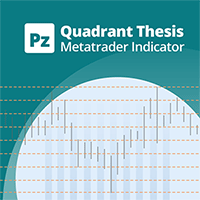
This is a general purpose indicator that displays colored lines at fixed and customizable price intervals, entered as parameters. It offers universal, constant, and familiar price ranges that allow quick and precise price analysis of a currency pair. With default parameters, this indicator implements The Quarters Theory , as described originally by Ilian Yotov . [ Installation Guide | Update Guide | Troubleshooting | FAQ | All Products | Get Help ] Easy to use No optimization needed Custom
FREE
Tick Speed Free povides a on-chart label of tick speed to allow you to see the ebb and flow of market activity. Observing rises and falls in tick speed may allow you to better time entries to reduce slippage and re-quotes.
Options include: - colores for low-mid-high tick speeds - placement and styling - prefix & suffix to customise the speed label
Troubleshooting: - Note, in the tester environment, tick timings are limited to what is supplied by the tester environment and it's speed
- If there
FREE
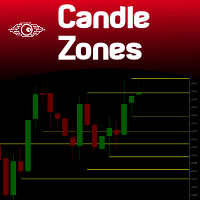
You probably heard about Candlesticks behaviors, which in most of the times could denote and trace Volume behaviors even if you are not watching Volume itself... Well, this indicator will do this. Naked traders love to rely solely on candlesticks patterns and with Candle Zones you can trap special patterns and DRAW THEM on your chart. As simple as that. There are several filters you can tweak in order to achieve the analysis you want. Just give it a try. After several months of testing, we think
FREE
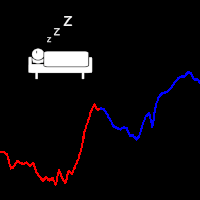
An easy indicator that simply shows the moment we connect to the market. We can easily see what has happened while we were gone because the line has two different colors that show the start time. It is only that, a visualization aid that allow us to mark the market behavior while it was night time in our country, or if we have stopped several hours. Input: Server start working date: Day of month Month Year Hour Minutes
FREE
KN DASHBOARD PRO – Smart Dashboard ️ Everything is displayed live on the chart: Give me a rating please
Number of open trades (Buy / Sell)
Total lot size
Daily, weekly, and monthly profit
Margin, balance, liquidity, and floating profit
Accurate real-time results monitoring system
This gives you complete control over performance without opening your trading history.
A quick breakdown of the indicator's function: This indicator displays a dashboard on the chart containin
FREE

This indicator is based on the MACD indicator
Also, some candlestick patterns are used in it to identify better signals
Can be used in all symbols
Can be used in all time frames
Easy to use method
Adequate settings
Settings: period: The number of candles used to calculate signals. pFast: Like the MACD indicator settings pSlow: Like the MACD indicator settings
alarmShow: If you want to receive an alert in Metatrader after receiving the signal, enable this setting alarmShowNoti: If you want to
FREE
This indicator is designed based on the Moving Origin indicator
When the moving origin indicator breaks the price, this indicator gives a signal
It is useful for better viewing of signals and analysis on them
Attributes: Can be used in all symbols Can be used in all time frames Too many signals Simple and quick settings Easy way to work
Settings: period: like moving average settings alarmShow: If you want to receive an alert in Metatrader after receiving the signal, enable this setting
alarmS
FREE
ContiStat restricted - Free DEMO version of the ContiStat indicator
Free version of the indicator is ment as DEMO of full paid version. Full functionality is available, however The indicator work only on M30 chart period . Find the ContiStat indicator for full functionality
Brief description The ContiStat indicator calculate statistic frequency of green (up) and red (down) movement in the chart and determine movement dynamics (silver curve). There are two key parameters to understand the ContiSt
FREE
Индикатор Color служит помощником для начинающего или опытного трейдера для выявления краткосрочного тренда или глобального в зависимости выбранного тайм фрейма, а так же для выявления флетовой зоны, которая очень хорошо видна в местах длинной проторговки в одной зоне индикатора Color. Индикатор не перерисовывается на завершённой свечи , но в моменте появления свечи и образования сигнала, может быть отклонён в прорисовке. Особенности работы индикатора Хорошо определяет тренд на волатильных инстр
FREE
Indicador IMI (Intraday Momentum Index) Descrição O Indicador IMI (Intraday Momentum Index) é uma poderosa ferramenta de análise técnica desenvolvida para identificar a força do momentum e potenciais reversões no mercado. Este indicador quantifica a relação entre ganhos e perdas durante um período específico, ajudando traders a avaliar a dinâmica atual do mercado. Características Oscila entre 0 e 100, facilitando a interpretação das condições de mercado Identifica com precisão áreas de sobrecomp
FREE

Unlock the Power of Scalping with this Essential Indicator for Any Currency Pair! Experience Crystal-Clear Buy/Sell Signals and Activate Instant Alerts for Maximum Precision.
Introducing the Ultimate Scalping Companion: Your Key to Precision Profits! Transform Your Trading Strategy with an Indicator that Stands the Test of Time! In the ever-evolving world of trading, consistent success hinges on smart risk management . While no tool can be the holy grail, our non-repainting indicator i
FREE

【秒足シリーズ】SecModeRSI 概要 本インジケーターは、通常の1分足では絶対に見えない
「秒足レベルの内部構造」 をリアルタイムで可視化する
【秒足シリーズ】の一部です。 一般的なインジは
1分に1回しか情報が更新されません。
しかし本ツールは独自の秒足エンジンにより、 1分間に60回(または指定秒数ごと)更新 内部の勢い・圧力・転換点をリアルタイム描画 TF(通常足)と Sec(秒足)のズレを視覚化 カスタムシンボル不要で秒足を扱える という、従来のインジでは不可能な“高解像度の相場認識”を実現します。 特徴 ① カスタムシンボル不要の秒足エンジン 一般的な秒足インジは、 カスタムシンボル作成 秒足データの保存 データ破損時の再生成 MT5が重くなる といった手間が必要です。 本ツールは カスタムシンボルを一切使いません。
ティックデータから内部的に秒足を生成するため、 設定が簡単 チャートが汚れない MT5が軽い VPSでも安定動作 という大きなメリットがあります。 ② TF × Sec の2ライン構成(先行性が見える) 通常足(TF)と秒足
FREE
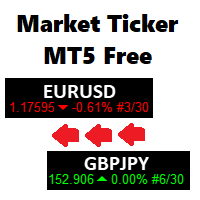
A scrolling Market Ticker that displays price changes from all symbols in the Market Watch list. Provides an easy snapshot of symbol prices, and keeps scrolling automatically while you trade and analyse the chart.
Options include: - MTF, eg choose to show price changes of the daily chart, or the hourly - use the live candle or the recently completed - font and background coloring
FREE

https://www.mql5.com/en/market/product/174770
Destek ve Direnç Göstergesi Pro - Kullanım Kılavuzu Bu araç, MetaTrader 5 üzerinde çalışan, fiyatın destek ve direnç seviyelerine yakınlığını anında takip eden, trend yönünü (EMA) gösteren ve bir fırsat ortaya çıktığında hem bilgisayarınıza hem de cep telefonunuza bildirim gönderen gelişmiş bir analiz panelidir. 1. MetaTrader 5'e Ekleme (Kurulum) Sol taraftaki Gezgin penceresini açın (Ctrl + N). Göstergeyi Göstergeler sekmesi altında bulabilirsini
FREE

Spread Ranking Panel Spread Ranking Panel is a compact MetaTrader 5 indicator that displays currency pairs ordered from the lowest to the highest spread. It scans the Market Watch symbols, filters forex pairs, and shows a clean on-chart ranking table to help traders quickly identify the pairs with the best trading conditions. Key Features Real-time spread ranking from lowest to highest Compact on-chart dashboard Shows spread in pips and points Displays up to 7 visible pairs Include or exclude sp
FREE
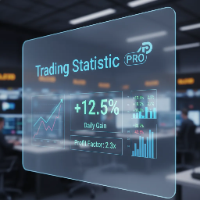
The statistical indicator for the metatrader 5 TradingStatisticPro collects statistical data on your trade, which makes it easier to assess the effectiveness of trading, the profit received and the risks. The indicator is compactly placed in the corner of the main chart of the terminal and displays the following information: 1. The profit earned. 2. Maximum drawdown. 3. The recovery factor. 4. Profit factor. 5. The ratio of profitable and unprofitable transactions (winrate). 6. Average profit a
FREE
This indicator will draw lines for previous day Highs and Lows, current day open price and current day price plus and minus ATR. This will provide an overview of the support and resistance for the price movement of the current trading day. The ATR is fixed to the 1 day period, so this indicator is suitable for the time frames lower than 1 day, i.e. 4HRTF, 1HRTF or 15MTF.
You can change the indicator looks but this is only applicable on Windows Platform. It will not work in Linux/Wine environme
FREE
MetaTraderプラットフォームのためのアプリのストアであるMetaTraderアプリストアで自動売買ロボットを購入する方法をご覧ください。
MQL5.community支払いシステムでは、PayPalや銀行カードおよび人気の支払いシステムを通してトランザクションをすることができます。ご満足いただけるように購入前に自動売買ロボットをテストすることを強くお勧めします。

取引の機会を逃しています。
- 無料取引アプリ
- 8千を超えるシグナルをコピー
- 金融ニュースで金融マーケットを探索