 MetaTrader 5
 エキスパート
 インディケータ
 ライブラリ
ライブラリ
 ユーティリティ
 ウィジェット
 ルール
ルール
YouTubeにあるマーケットチュートリアルビデオをご覧ください
ロボットや指標を購入する
仮想ホスティングで
EAを実行
EAを実行
ロボットや指標を購入前にテストする
マーケットで収入を得る
販売のためにプロダクトをプレゼンテーションする方法
MetaTrader 4のためのエキスパートアドバイザーとインディケータ - 81
 自動売買ロボットは市場取引を自動的に実行しますが、インジケータを使用すると、相場をより適切に分析し、価格行動を予測できます。
これらのアプリケーションを使用すると、より多くの機会を獲得しながら、より多くの情報に基づいた方法でMetaTrader4で取引を実行できるようになります。
自動売買ロボットは市場取引を自動的に実行しますが、インジケータを使用すると、相場をより適切に分析し、価格行動を予測できます。
これらのアプリケーションを使用すると、より多くの機会を獲得しながら、より多くの情報に基づいた方法でMetaTrader4で取引を実行できるようになります。 
An EA to export trading history for FXer - Journaling and Analytics. fxer.net Register Create an API token Put EA on any chart (any TF is fine) Fill in the API token Follow analytics for better trading At FXer, our mission is clear: to empower traders like you with the tools needed to excel in the ever-changing world of trading. We are committed to providing top-tier, data-driven market analysis and trading intelligence, ensuring you can make well-informed decisions, manage risks effectively, an
FREE

Full Automated Trading panel . it works on any trading instruments: Forex, Stocks, Futures, Indices, CFD, Bonds, Cryptocurrencies; interface minimization function; flexibility of use;
Join my channel and check video of it ===> https://t.me/Ash_TheTrader/4986
Features :
Auto SL and TP Auto Close partial Auto Trailing Session Time Alert Time of trading Alert Profit and Percentage and etc.
FREE

This utility manage your position risk by trailing stop with "Parabolic SAR" indicator value. Indicator Parameters SAR step(Parabolic SAR step value) SAR maximum(Parabolic SAR maximum value) Timeframes(Choose timeframes). Stop Place(put SL in current(open) candle or last close candle). Is the spread considered?(Set SL with considering to Spread or not, the choice is with you). Working with this utility is very simple, Just drag it onto the chart. There is no problem with multi-part trades. It is
FREE
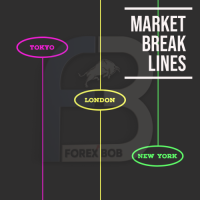
Market Break Lines is an utility tool to create a partition line at market openings/closings of Tokyo/London/NewYork sessions. This will help you to compare the market movements, volatility variations between the different markets.
Inputs: Inputs are simple to feed the time of Tokyo/London/NewYork sessions as per your broker server time Change Color and width of partition lines You can enable or disable any line (Hide/Show).
Please don't forget to support by giving handsome reviews/rating MT5
FREE

Tool converted from tradingview. A simple indicator that plots difference between 2 moving averages and depicts convergance/divergance in color coded format.
Anything <= 0 is red and shows a bearish trend whereas > 0 is green and shows bullish trend.
Adjust the input parameters as following for your preferred time frame :
4-Hr: Exponential, 15, 30
Daily: Exponential, 10, 20
Weekly: Exponential, 5, 10
FREE

Prints ALL current chart's symbol and timeframe as customizable labels, ensuring precise anchoring and automatic repositioning during window resizes, timeframe switches, or other chart events. It supports layered display options (background, forefront, or combined color modes) for enhanced visibility without obstructing price data. The accompanying script facilitates global application by attaching or updating the indicator across all open charts in a single execution, promoting efficiency in m
FREE

MT4持仓助手 由于限制 上传的版本是很老的版本 加载后 看EA的 " 关于 " 说明
PS: MT4持仓助手最新版 单文件 只能实现 部分功能 需要大量的指标辅助运行 使用前先打印EA快捷键说明文件 文件在网盘或Q群中 一般会在 助手安装包 的文件夹里
辅助性EA 订单半自动管理 自动设置止盈止损移动止损 分批平仓 划线模式 横线模式 布林带平仓 定时器追踪止盈止损等 同时有大量快捷键处理下单 改止盈止损 挂单等 省时省力。 新增了 副面板 有大量的指标 辅助订单管理 自动化相关的 程序 主要功能 1.6版本 加入了 复盘 测试模式下 可以模拟下单的功能 辅助性EA 订单半自动管理 自动设置止盈止损 移动止损 分批平仓 定时器追踪止盈止损等 划线模式 横线模式 短线追单 参考各种指标 执行一些操作 有大量快捷键处理下单 改止盈止损 挂单等 省时省力。 主要是解放双手,不用长时间盯盘 EA可以半自动的处理一些 订单 以后可能会增加自动化的功能
此代码是在GPL-3.0许可下发布的。
This code is released under the GPL
FREE
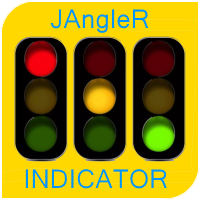
The oscillator indicator " JAngleR " is one of a series of three calculators of the angular deviation of the price chart of a trading instrument.
INPUT PARAMETER: DRAWs =128 - Number of bars to display the indicator in the chart history; Period_IND =14 - calculation period of the indicator in the number of bars; ma_period =1 - Moving Average Period; ma_method =MODE_SMA - moving Method; applied_price =PRICE_CLOSE - applied Moving Average Price. The values of the indicator indicators are degrees
FREE

Harrow Band is an indicator based on support and resistance values. This indicator provides six bands that indicate the nearest of support or resistance position. With this indicator, it will be easier to see where entry and exit points of a trade are located.
Pairs and Timeframes This indicator can be used in any pairs and timeframes, but it is recommended to use it in XAUUSD H1.
Parameters NumCandle - number of candles used to calculate the support and resistance position. BandColor - color
FREE

it's a combination of my rectangle and a line at half the distance of the between the upper part of a rectangle and the lower of the next rectangle /zone you can now select manual anchor where you put your own desired starting price example , 145 , for usdjpy or 3000 for gold 1.15000 for eurusd and any other It’s a pure charting indicator that builds a fixed-price zone grid: Anchor: Uses StartUpperPrice as the top of index 0 (fixed, not auto-shifting). Zones: Draws rectangles every StepPips , e
FREE

RaysFX Trade Info Ciao a tutti, sono entusiasta di presentarvi il nostro ultimo indicatore, RaysFX Trade Info . Questo strumento è stato progettato per fornire informazioni dettagliate sulle vostre operazioni di trading direttamente sul vostro grafico MT4. Caratteristiche principali Informazioni in tempo reale : RaysFX Trade Info fornisce informazioni in tempo reale sulle vostre operazioni aperte e chiuse. Potete vedere il profitto in punti, in valuta e in percentuale. Personalizzabile : L’in
FREE
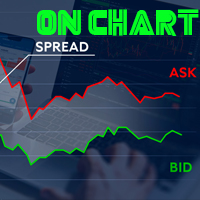
Indicador de Spread en Tiempo Real en la Gráfica Este indicador revolucionario te brinda una visión transparente y detallada del spread en tiempo real directamente en tu gráfica de trading. Diseñado para proporcionar información precisa y crucial, este indicador mejora tu capacidad para tomar decisiones informadas y optimizar tu rendimiento comercial. Características Destacadas: Visualización Instantánea: Observa el spread en tiempo real directamente sobre tu gráfica, eliminando la necesidad de
FREE

This is a script for quick evaluation and selection of the most appropriate signals from the available database. The list can be sorted (ascending or descending) by the following criteria: Position in the Rating of Signals; The number of subscribers; Date of signal monitoring start; ROI (Return on Investment); Trading result in pips; Number of trades; Signal subscription price; Account balance; Account growth in percent; Maximum drawdown. Signals can be filtered by the following criteria: Accoun
FREE

Adaptive MA is a simple modification of the moving averages (MAs) that allows displaying an average value line based on multiple MAs on the chart. The parameters allow you to set any number of MA periods. The number of parameters is equal to the number of moving averages applied in calculation.
At first, it may seem that nothing new has been invented and there is no sense in this approach. However, this impression is deceptive. As we know, the trends have different duration. Have you ever tried
FREE

This is a script for quick and easy placement of orders (Buy Stop, Sell Stop, Buy Limit, Sell Limit) to the user's choice. Simply drop the script on a chart part where you want to place the selected order. You can also set the automatic calculation of the lot size for the position, depending on the risk as a percentage. Also, you can use the script as a supplement to your trading strategy, since it is possible to specify a magic number. Features Fast placing of a required order (Buy Stop, Sell S
FREE
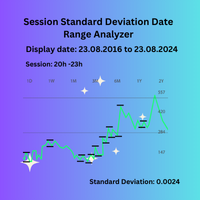
Session Standard Deviation Date Range Analyzer: Evaluate the standard deviation of each bar's price (high, low, close, open, weighted, median, and typical) within defined trading sessions and date ranges, providing detailed insights into price volatility and market behavior. **Note:** When the trading platform is closed, the indicator may not load correctly. To ensure it works, you may need to load the indicator, unload it, and then load it again. **Note:** This indicator can only be used with
FREE
This indicator allows to hide CCI oscillator (on all MT4 timeframes) from a date define by the user, with a vertical line (Alone) or a panel (with "Hidden Candles"). Indicator Inputs: Period Apply To Information on "Commodity Channel Index" indicator is available here: https://www.metatrader4.com/en/trading-platform/help/analytics/tech_indicators/commodity_channel_index ************************************************************* Hey traders!! Give me your feeds! We are a community here and
FREE
This indicator allows to hide Parabolic SAR (on all MT4 timeframes) from a date define by the user, with a vertical line (Alone) or a panel (with "Hidden Candles"). Indicator Inputs: Step Maximum Color Width Information on "Parabolic SAR" indicator is available here: https://www.metatrader4.com/en/trading-platform/help/analytics/tech_indicators/parabolic ************************************************************* Hey traders!! Give me your feeds! We are a community here and we have the sa
FREE
This indicator allows to hide Stochastic oscillator (on all MT4 timeframes) from a date define by the user, with a vertical line (Alone) or a panel (with "Hidden Candles"). Indicator Inputs: % K Period % D Period Slowing Apply To Method Information on "Stochastic Oscillator" indicator is available here: https://www.metatrader4.com/en/trading-platform/help/analytics/tech_indicators/stochastic_oscillator ************************************************************* Hey traders!! Give me your
FREE
This indicator allows to hide Bollinger Bands (on all MT4 timeframes) from a date define by the user, with a vertical line (Alone) or a panel (with "Hidden Candles"). Indicator Inputs: Period Deviations Shift Apply To Color Style Width Information on "Bollinger Bands" indicator is available here: https://www.metatrader4.com/en/trading-platform/help/analytics/tech_indicators/bollinger_bands ************************************************************* Hey traders!! Give me your feeds! We are
FREE

It computes BUY and SELL lot sizing in either % of balance or in fixed intervals. In market orders, this EA contains the adaptive slippage, logs tickets for instant confirmation of opening trades, and contains every market symbol at a glance. Real-time balance/equity display keeps margin health in view without tab-switching, toggling spread if needed for liquidity checks. Compact left-panel layout minimizes screen real estate, empowering blind trades where speed trumps overanalyze—perfect for
FREE

Утилита MQLTA Take Screenshot позволяет снимать скриншоты текущего графика прямо из самого графика. Утилита полезна для быстрого сохранения интересной ситуации и сохранения текущего графика перед открытием или закрытием ордера.
Как она работает? Take Screenshot использует встроенную функцию языка MQL4 для сохранения снимка текущего графика.
Как использовать утилиту Загрузите индикатор и выберите нужные параметры. Как только откроется панель, нажмите на значок сохранения, чтобы сделать снимок т
FREE

'BrokerInfo' is an indicator to show some information of account on the chart. You can to see on chart information about: GMT time. Broker time. Maximum simultaneously open orders. Leverage. Maximum lot size. Minimum lot size. Lot step. Stop level in pips. Symbol spread in pips.
You can to get source code from here .
Parameters SizeBackground – background size. PositionUpDn – position to show info on the chart.
FREE

Indicator for fast navigation through financial instruments. When you click on the button, you go to the chart of the financial instrument, the name of which was written on the button. In other words, the indicator opens or unfolds an existing chart window. For each chart, you can customize the name of the financial instrument, text color and background color; in total, you can customize symbols buttons that you trade often. The indicator can be installed on any charts for which you need to swit
FREE

Утилита Info Line представляет собой горизонтальную линию которая показывает общую прибыль (убыток) по всех ордерах открытых по валютной паре на график которой она установлена. Отображаемая информация: Количество пунктов от текущей цены до линии; Общая прибыль (убыток) по всех ордерах графика; Общее количество BUY лотов; Общее количество SELL лотов; Кроме того утилита "умеет" ставить стопы на выбранную цену (цену линии). В настройках можно выбрать: Отображать информацию только по BUY ордерам; О
FREE

Introducing the “Symbol Cost Info MT4” indicator – your ultimate tool for staying ahead in the forex market! This innovative indicator is designed to empower traders with real-time cost information, directly on their charts. Here’s why every trader needs the “Symbol Cost Info MT4” in their arsenal: Real-Time Spread Monitoring : Keep a close eye on the spread for any currency pair, ensuring you enter the market at the most cost-effective times. Pip Value at Your Fingertips : Instantly know t
FREE

This expert is a utility to help any trader to find the right lot size according to the risk he wants to take. It calculates the lot size based on account equity and added stop loss.
The utility can't to open or close position.
Attach the expert in the same symbol as the one you want to open position.
PARAMETERS LossPips - Stop loss in pips for your position. RiskPercent - Risk of equity you want to get.
FREE
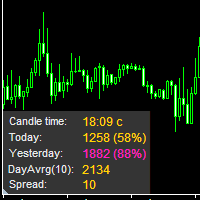
The information panel displays important trading information on the chart. Visual display of the information will help you to make a prompt and precise trading decision. Screenshots depict information which I use in my trading system. But you can add any other desired information. To do this contact me via MQL5 web-site. Displayed information: Time till the end of the current candle and formation of a new one. Time set format: hh:mm, if there is at least one full hour, or mm:ss, if you have les
FREE

The indicator sends a Screenshot of the chart to mail when a signal is received. It could be send from anyone timeframe and currency where installed the indicator. The indicator allows you to send messages to a mobile terminal and to mail. To send screenshots to the mail, you need the screensender.exe mail program. To create a signal, the following are used: horizontal lines / vertical lines / trend lines / Moving average.
The terminal does not allow sending screenshots to mail. Therefore, the
FREE

EA Manager RP is a simple yet powerful tool that can help protect your account from other EA's that don't have the features. This came about because I personally use a 3rd party EA for trading but it just doesn't have all the bells and whistles so this was my work around and it works great. I started off with a fully automated EA but unfortunately we can't have DLL imports here so this is the next best thing. What this EA does: Add a start and stop time Maximum open trades Days of the week you w
FREE

This Expert Advisor monitors all open trades and saves them to a CSV file whenever a change is detected. It’s a lightweight tool for exporting trade data from MetaTrader 4 in real time. What it does: Monitors all open positions on the terminal Detects changes (order type, volume, price, SL, TP, etc.) Writes updated trade data to a .csv file ( TradeCopy.csv ) Includes order ID, symbol, type, lot size, price, SL, and TP Saves files in the Common Files folder for easy access by other applications H
FREE

The Scientific Calculator is a script designed to compute science, engineering and mathematics expressions.
General Description
The expression to calculate must obey syntax rules and precedence order, being constituted by the following elements: Integer and real numbers. Mathematical operators for addition (+), subtraction (-), multiplication (*), division (/) and exponentiation (^). Mathematical and trigonometric functions . Curved parentheses (()) to define the precedence and co
FREE

Индикатор сглаженного DeMarker Oscillator (xDeM)
Входные параметры: Period - период усреднения Принцип работы
Индикатор перерассчитывает стандартный технический индикатор DeMarker Oscillato r (дважды усредняет получаемые значения). Период усреднения индикатора соответствует двойному периоду стандартного DeMarker Oscillato r . Например : xDeM с периодом усреднения 7 соответствует DeM c периодом 14. Индикаторный буфер не перерисовывается.
FREE

Product Description Trades Closer EA for MetaTrader 4 — the fastest and simplest way to close all your open or pending trades instantly with a single click. This tool is designed for traders who value speed, precision, and full control over their trading positions. With an intuitive and customizable interface, Trades Closer EA helps you manage orders efficiently, saving time and minimizing human error. Key Features Close open trades , pending orders , or both on any selected symbol instantly.
FREE

Plain — Semi-Automatic Trading, Your Direction
Plain keeps you in control: you choose the direction, and the EA handles the execution automatically. A clean, semi-automatic Expert Advisor for traders who want to call the bias and let automation do the rest.
What it does for you You set the direction: the EA opens and manages trades the way you decide. Hands-off execution: automation handles the mechanics once you've chosen the bias. Simple and transparent: no black box — you stay in charge. Fu
FREE

The VR Object Delete All script solves the problem of garbage on the chart. it is often necessary to completely clear the chart of everything that is put on it, comments, lines, objects. The script completely deletes everything, even those objects that are not visible. When working, VR Object Delete All writes everything it does in the terminal log, as well as the names of objects to delete. Displays the number of deleted objects as a separate line. in case of any errors, it will display an erro
FREE

This Expert Advisor captures and sends information about all open positions to a REST API server in real-time using HTTP POST requests. It is ideal for building synchronization tools, external monitoring systems, or custom trade copier solutions. What does this EA do? Iterates through all active orders in the account. Compares current positions with the previously sent ones. If any change is detected (SL, TP, price, symbol, volume, type, etc.), it sends updated information to the defined endpoi
FREE

这是一个交易辅助工具箱,并不是全自动交易的机器人 W10 系统请保持 100%的缩放比,如果超过这个值。按钮内的字体将超出按钮边框 常规: 一键下单、一键挂单、一键反手,自动设置止盈止损。 一键平仓、一键平多单(空单)、一键删除挂单。 一键反手、一键锁单、设置自动追踪止损。 根据画线追踪止损 非农: 消息突破单,可在非农或者其他重大消息时使用,在消息行情爆发前在当前价格上方 挂BUYSTOP,下方挂SELLSTOP。订单自动设置止盈止损。 划线下单: 支持最多四根做多趋势线或者做空趋势线并存。价格到达趋势线自动开单。 支持每根下单趋势线设置不同的仓位。 每根下单趋势线可以设置不同的止损趋势线、止盈趋势线。 支持止损止盈趋势线进行止损止盈追踪移动。 支持趋势线的“时效性”,如果价格运行到开单(止损、止盈)趋势线的右方仍未订单成交,则价格将永远不会接触到趋势线,策略失效。如需要请延长趋势线 杂项: 支持历史订单轨迹显示,可在图表显示历史记录中所有订单的下单轨迹,显示开仓价、平仓价、单量。 支持实时点差显示 支持平台信息显示,杠杆,一个点的价值,一手保证金,仓息,是否支持EA等等
FREE

DD Stopper for MT4 | Protect Your Account from Excess Drawdown DD Stopper is a lightweight and powerful risk management utility for MetaTrader 4 that automatically closes all trades when your account drawdown reaches a defined amount in USD. Protect your capital. Trade with discipline. Eliminate emotional decisions. What This Tool Does DD Stopper continuously monitors your account and: Tracks real-time drawdown (Balance vs Equity or floating loss) Closes all open trades instantly when the
FREE

Currency Explorer is the absolute tool for traders that want to know with quantified certainty the currency strength & weakness of each currency and to trade these by using applicable strategies. Our machine learning models run and provide the strength/weakness of each currency based on multiple factors besides price action. It provides the trader with a QUANTIFIED result for the strength of the 8 most popular and major currencies (EUR, USD, JPY, GBP, AUD, NZD, CAD and CHF) with a scale from 0-1
FREE

The Rapid Tester indicator is a very simple tester for the Rapid binary options trading system and Rapid Expert . Its objective is constructing a balance line on history data and calculation of statistics during CALL and PUT deals performed by the Rapid trading system for any of the six financial instruments: EURUSD, EURCHF, GBPUSD, GBPJPY, USDJPY or XAGUSD. The tester requires at least 100 5-minute bars in the history of a trading instrument. However, in order to obtain reliable statistics, you
FREE

Trades Viewer Free supports EURUSD only. Trades Viewer is a trading helper app for a serious trader. It offers several important data like day range, 22 days average range and predefined PL. It draws trades history and current open positions on a chart. It has a detail panel for viewing a particular trade with just a click on that trade. All these make it very convenient and straightforward to view your entry/exit positions and thus improve your trading system. Features Profit/loss of the curren
FREE

IntradayMagic прогнозирует характер ATR и тиковых объёмов на 1 сутки вперёд. Индикатор не перерисовывается и не отстаёт. Используя Intraday Magic вы можете значительно повысить качество торговли и избежать излишних рисков. По его показаниям можно детектировать кризисные состояния рынка и моменты разворота тренда, уточнять моменты и направления входов. Это бесплатная ознакомительная версия ограничена символами (парами) включающими GBP. Никаких иных ограничений нет. Для других пар вы можете исполь
FREE
RSI Signalz BASIC ---------------------------------------------------------------------------------------------------------------------------------------------------------------------------------------------------------------------------------------------------------------------------------------------------------------------- (IT DOES NOT TRADE FOR YOU. THIS IS TOO JUST HELP WITH MANUAL TRADING)
Fully Automated EA for marking good entry points for Longs and Shorts.
Default settings are to...
FREE

This indicator is a tool to show history orders on chart. Indicator show open time and price, close time and price and profit in pips on chart. It can to help the trader to see all history orders which are opened either manually or by an automated system.
You can to use indicator on any symbol and any time frame.
You can to get the source code from here .
Parameters
Delete Objects If Terminated Indicator - Delete objects of chart if terminate indicator. Size Fonts Of Info On Chart - Size of
FREE

This is a Demo version of PipsFactoryInd it is works only NZD/USD but full version is works on all currency pair.
This indicator is a collection of three indicators, it is 3 in 1: PipsFactoryDaily Click Here PipsFactoryWeekly Click Here PipsFactoryMonthly Click Here
This indicator depends on High and Low price of currency in the (Last day / Last week / Last Month) depends on user input, and then I made some secret equations to draw 10 lines.
Features:
You will know what exactly price you shoul
FREE

The utility displays information about performed trades on the current chart. The account history as well as a separate file can be used as a data source. The file format is set manually or selected from available templates.
Settings: Source - where to take data from, from_History - account history, from_File - csv file. File Name - file name. The file has to be located at ..\MQL4\Files\ directory of the terminal. File Format - select the file format from the list: MQ_Signals - file of trades f
FREE

The presented indicator is the author's implementation of the classic trading idea: Moving averages of different periods diverge over time on a strengthening trend and converge on a weakening trend. The proposed product allows you to clearly demonstrate: The direction of price movement; Temporary price rollbacks; Zones of multidirectional price movement. Namely: The indicator lines go up and diverge from each other - a strong bullish trend; The indicator lines go down and diverge from each othe
FREE
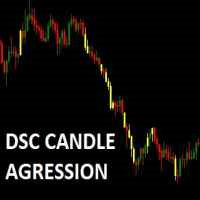
Corretora recomendada para usar esse indicador: https://tinyurl.com/5ftaha7c Indicador que pinta o candle de amarelo em pontos de muita agressão no mercado. Sempre que o mercado for se movimentar o candle irá ficar amarelo. Valido para todos ativos e todos timeframes. SEE OUR RESULTS ON INSTAGRAM: https://www.instagram.com/diogo.cansi/ TELEGRAM GROUP = https://t.me/robosdsc More information by email dscinvestimentos@gmail.com or by Whatsapp 55-991372299
FREE

This is an Expert Adviser use for manual trading as a background EA or combine with external EA to open orders. Loss Recovery Trading is one of your options to handle the lose positions instead of using stop loss by setting a zone recovery area and target to exit the turn rounds sequence.
How It Work? If the market goes against your first positions direction at the specific of losing points, the EA will open an opposite direction position with calculated larger lot size and also keep the first
FREE

Dexter EA is a 100% automatic robot that executes random orders of simultaneous buys and sells. For each losing operation, a management with an increase in the lot will begin, better known as “martingale” that will cause the price to fall back to the area where it was established. the profit the robot closes in profit or breakeven, depends on its configuration. I catalog it as a utility even though it works totally automatic because EVERY TRADER'S WORK IS NEEDED to be able to make it work corre
FREE

Open Popup Notification Please leave a review about this product to help other users benefit from it. " Free " Script to turn on pop-up notifications to view past trading alert messages including displaying account information. This script is compatible with MetaTrader 4 The script is easy to install and use, making it suitable for traders of all experience levels. There's nothing to worry about, including a freezing screen and any kind of effects on other chart windows. Disclaimer: This script
FREE

Tele Notify can help you send notifications for opened & closed trades to a Telegram channel or your personal Telegram. (see Master Notify for more options of notifications: price, equity, profit, etc. Get more EAs here ) Update: Now you can check your account info anytime from your Telegram by simple command: /check. This option is only valid when you use your Telegram User ID on EA inputs
******************************************************************************************** HOW TO SET U
FREE

You can use comercial or free AG version.
In comercial version you can trade all 28 pairs in your basket.
For free version for testing you can trade only 7 pairs for free
In version 1.20 change the indicator from CCFp to CSS -CurrencySlopeStrength
In algorithm release the construction of Baskets Differencial - 4 baskets
Signal algoritm AG for 28 pairs you can rent in mql5 shop
https://www.mql5.com/ru/market/product/94278
Signal algoritm AG for 7 pairs FREE version you can upload free
htt
FREE

T hinking encompasses a flow of ideas and associations that can lead to logical conclusions . Although thinking is an activity of an existential value for humans , there is still no consensus as to how it is adequately defined or understood. Thinking allows humans to make sense of, interpret, represent or model the world they experience, and to make predictions about that world. It is therefore helpful to an organism with needs, objectives, and desires as it makes plans or
FREE
BOSSTESTER (Binary Option Super System Tester) indicator is a simple tester for BOSS binary options trading system. Its objective is constructing a balance line on history data during CALL and PUT transactions performed by BOSS trading system. The tester requires at least 50 bars in history.
Inputs Initial Balance - initial balance. Investment Rate - investment rate. Losses Cover Ratio - loss coverage ratio. Payout - payout in %. Loss - loss in %. Trading Style - trading style: Super_Conservati
FREE

PropFolio Copy trading Hub Pro MT5 Slave: Cross-Platform Trade Copier Lightning-Fast Execution & Precision Risk Scaling for Retail and Prop Firm Traders The PropFolio Copy trading Hub Pro MT5 Slave is the receiving engine of the ultimate trade management ecosystem. Designed to work exclusively with the PropFolio Copytrading Hub Pro Master EA, this high-performance bridging tool allows you to instantly replicate trades across multiple accounts and platforms with sub-millisecond precision. Whethe
FREE

This is a Bot which send notifications every hour at your MT4 platform. The notification consists of four part. <<Clock>> + Your Message + Symbols + profit + Total # of Orders + Total profit Here is an example : 21:00 Hodor: #US30 $+40.31 GOLD $-5.31 Total 5 Orders $+35.00 If there is no order : 21:00 Hodor: HODOR signals: https://www.mql5.com/en/signals/977796
There is a private message parameter where you can enter your own message also. Hodor_Comment_OnOff_Flag removes the "Hodor i
FREE

The Position Selective Close is a multi-symbol multi-timeframe script used to close simultaneously various positions. General Description
The Position Selective Close possesses three operation modes (Intersection, Union and All) that control the way as four position features (symbol, magic number, type and profit) are used. The modes, available through the Selection Mode input parameter, relate to the features, available through the “Select by Feature” and “Feature” input pa
FREE

Msg2Lineはテキストボックスからフリーテキストやキャプチャを「LINE Messenger」に送信します。 グラフに線やマーク、コメントを書くと画像が送信されます。 自分宛またはグループ宛に送ることができます。とても便利でシンプルなツールです。 - フリーメッセージの送信
1. 編集ボックスにフリーテキストを入力します。 2. 送信ボタンを押します。
- フリーメッセージ+画像キャプチャの送信
1. 編集ボックスにテキストを入力します。 2. w/imgボタンを押します。
- キャプチャ画像の送信
1. w/IMGボタンを押すだけです。
*パラメータとしてLINE TOKENが必要です。 *このツールは「WebRequest」を使用
これは単純な機能ですが、LINEユーザーにとって便利なツールになるでしょう。
FREE

初心者のトレーダーが理解しやすいように、手数料がかからないトレーディングプラットフォームの口座情報パネルを作りました。
まず、取引する前にプラットフォームを理解する必要があります。
各プラットフォームの見積もりと商品仕様は、アカウント取引ルールと同じではありません。
パネルの色やサイズを調整でき、押すとパネルが動く場合があります。 パネルは注文しません、自信を持ってエキスパートをロードします 無料の製品をアップグレードしたい場合は、古い製品を市場から削除し、MT4を再起動してから再度ダウンロードして、アップグレードされた無料の製品を使用する必要があります。
In order to make it easier for novice traders to understand, I made a trading platform account information panel, which does not charge any fees. First of all, you must understand the platform before trading. The
FREE

日常の取引から抜け出し、魔法の世界に少しの間飛び込む機会があります。私はあなたの注意を引くためにゲームを提示します-カードトリック。 mql言語では、エキスパートアドバイザー、インジケーター、スクリプトだけでなく、そのような小さなゲームも作成できます。 私はトレーダーでありプログラマーであるだけでなく、自由な時間にカードトリックを見せたいと思っています。それが起こったので、お気に入りのトリックの1つをデジタル化することにしました。焦点に多くのメンタリズムが含まれていることを考えると、それは簡単ではありませんでした。 トリックは、珍しいカードのデッキによって示されます。これらは優れた紙のカード「ロシア風」です。 1903年2月に冬宮殿で開催された、コートボールの参加者の衣装を繰り返した、衣装を着た人物が描かれたこのトランプのデッキ。カードのスケッチは、1911年にドイツのカードゲームDondorf(Frankfurt am Main)の工場で開発されました。王、婦人、ジャックの服は17世紀のスタイルで作られています。エース-古代ロシアの武器と鎧に囲まれた盾の画像。カード自体はサンクトペテ
FREE

このスクリプトは、さまざまなウィンドウ関数の重みを評価するように設計されています。これらのウィンドウ機能に基づいて構築されたインジケーターは、 https://www.mql5.com/ru/market/product/72160 からダウンロードできます。 入力パラメータ: iPeriod –インジケーター期間。 iPeriod> = 2 iCenterは、ウィンドウ関数の中心が配置される参照のインデックスです。デフォルトでは、このパラメーターは0です。ウィンドウの中心はインジケーターの中心と一致します。 1 <= iCenter <= iPeriodの場合、ウィンドウ関数の中心がシフトし、その結果、インジケーターのいくつかの特性が変化します。図1では、中心の選択がウィンドウ機能とインジケーターの表示にどのように影響するかを確認できます。このパラメータは、0.5刻みで変更できます。 Histogramwidth-ヒストグラムの幅。 Histogramcolor-ヒストグラムの色。 Showduration-期間を表示します。 スクリーンショット-このオプションを有効にすると、画像
FREE

HM(水平マークアップ)は、水平レベルの手動マーキング用に設計されています。 マークアップには、レベルとその価格値が含まれています。 線の太さと色、および価格の値は設定で設定されます。 レベルは、時間枠にローカルに配置することも、すべての時間枠に対して公に設定することもできます。
彼の仕事はとても簡単です:
1)-あなたがレベルをマークアップするために設定で設定したキーを押してください;
2)-行を目的の場所に持ってきます;
3)-マウスの右ボタンをクリックすると、レベルがリンクされています。
将来的には、これらのレベルを移動して調整することができます。
チャートから削除された後、インジケータはそれ自体のレベルをきれいにしません。 それらは手動で削除する必要があります。
最も効果的なアプリケーションは、選択した取引商品の異なる設定を持つ複数のHMSを一度に使用することです。
入力:
線のスタイル-線のスタイル
線幅-線の太さ
マークスタイル-値札のサイズ
Mark offset(ピクセル)-画面の左端に対するオフセットをマークします
線の色-線とラ
FREE

Titan Smart Layer Assistant Powerful Trading Assistant for Professional Trade Management Most trading robots try to replace the trader . Titan Smart Layer Assistant does the opposite. It is designed to empower traders , not replace them. Built for the MetaTrader 4 platform, Titan acts as a professional trading assistant that helps traders manage positions with precision, discipline, and structured execution. Instead of blindly opening trades, Titan focuses on what matters most: intelligent trade
FREE

市場全体のすべてのシンボルの利益の可能性を分析するためのシンプルなスクリプト。 各期間の最小および最大利益をパーセントおよびステップ数で指定できます。 スクリプトは、構成に応じて最も興味深い記号を見つけます。
あなたはあなたが取引の正しい選択をするのを助けることができる市場全体の迅速で最新の分析を得るでしょう、あなたは二度と機会を逃すことはありません。
市場全体のすべてのシンボルの利益の可能性を分析するためのシンプルなスクリプト。 各期間の最小および最大利益をパーセントおよびステップ数で指定できます。 スクリプトは、構成に応じて最も興味深い記号を見つけます。
あなたはあなたが取引の正しい選択をするのを助けることができる市場全体の迅速で最新の分析を得るでしょう、あなたは二度と機会を逃すことはありません。
FREE

www tradepositive .lat
ALGO Smart Flow Risk Manager (Keyboard Edition)
Have you ever spotted the perfect entry but hesitated so long calculating the lot size that the price ran away without you? Or has a bad streak ever wiped out 20% of your account because you didn't know when to stop? The ALGO Smart Flow Risk Manager is not an automated trading bot. It is a professional Execution Tool designed strictly for Manual Traders who demand speed, structure, and discipline. We turn your
FREE

Ego Guard is an advanced Expert Advisor designed to safeguard account equity by implementing robust risk management measures. This EA closely monitors account activity and intervenes when necessary to prevent excessive risk exposure. Specifically, Ego Guard automatically disables any other Expert Advisors that attempt to open trades exceeding the predefined risk threshold. By effectively managing trade volume and ensuring adherence to risk management principles, Ego Guard provides traders with p
FREE

Bollinger Bands TP Guardian
このユーティリティExpert Advisorは、ボリンジャーバンドを使用してオープンオーダーのテイクプロフィット(TP)レベルを変更し、手動で取引を実行した後のトレード管理を改善し、ハンズフリーにします。 主な機能 TPの自動調整: EAはオープンオーダーのTPを自動的に調整します。 ボリンジャーバンドとの統合: TPレベルは、ボリンジャーバンドのアッパーバンド、ミドルバンド、またはロワーバンドを使用して設定されます。 カスタマイズ可能な設定: ユーザーは、ボリンジャーバンドのパラメータとTP変更の頻度を指定できます。 簡単な操作: チャートにアタッチすると、EAは手動で介入する必要なくバックグラウンドで機能します。 使用方法 EAをチャートにアタッチします。 EAの設定で、目的の利益目標レベルとして使用するボリンジャーバンドライン(アッパー、ミドル、またはロワー)を選択します。 ボリンジャーバンドのパラメータを設定します。 その後、EAは、そのシンボル上のオープンオーダーのTPを調整し始めます。 パラメータ Bands P
FREE

Советник риск-менеджер с огромным арсеналом возможностей защиты вашего депозита. Для инвесторов, которые решили передать капитал в доверительное управление. Когда у трейдера нет доступа к настройкам - нивелирует торговые риски. А также для трейдеров, которые осознали необходимость стороннего контроля за их торговлей для улучшения торговых результатов. Для максимальных результатов - должен стоять на отдельном VPS сервере и у трейдера не должно быть возможности менять настройки в торговый период.
FREE
MetaTraderマーケットはMetaTraderプラットフォームのためのアプリを購入するための便利で安全な場所を提供します。エキスパートアドバイザーとインディケータをストラテジーテスターの中でテストするためにターミナルから無料のデモバージョンをダウンロードしてください。
パフォーマンスをモニターするためにいろいろなモードでアプリをテストし、MQL5.community支払いシステムを使ってお望みのプロダクトの支払いをしてください。

取引の機会を逃しています。
- 無料取引アプリ
- 8千を超えるシグナルをコピー
- 金融ニュースで金融マーケットを探索