 MetaTrader 5
 エキスパート
 インディケータ
 ライブラリ
ライブラリ
 ユーティリティ
 ウィジェット
 ルール
ルール
YouTubeにあるマーケットチュートリアルビデオをご覧ください
ロボットや指標を購入する
仮想ホスティングで
EAを実行
EAを実行
ロボットや指標を購入前にテストする
マーケットで収入を得る
販売のためにプロダクトをプレゼンテーションする方法
MetaTrader 4のための新しいエキスパートアドバイザーとインディケータ - 337
 自動売買ロボットは市場取引を自動的に実行しますが、インジケータを使用すると、相場をより適切に分析し、価格行動を予測できます。
これらのアプリケーションを使用すると、より多くの機会を獲得しながら、より多くの情報に基づいた方法でMetaTrader4で取引を実行できるようになります。
自動売買ロボットは市場取引を自動的に実行しますが、インジケータを使用すると、相場をより適切に分析し、価格行動を予測できます。
これらのアプリケーションを使用すると、より多くの機会を獲得しながら、より多くの情報に基づいた方法でMetaTrader4で取引を実行できるようになります。 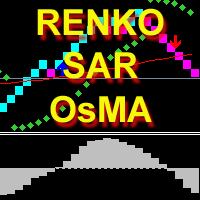
The indicator calculates and displays renko bars using Moving Average, Parabolic SAR and OsMA data as well as provides buy/sell signals. Renko is a non-trivial price display method. Instead of displaying each bar within a time interval, only the bars where the price moved a certain number of points are shown. Renko bars do not depend on a time interval, therefore the indicator works on any timeframe without losing its efficiency. The buy signal is generated when the OsMA indicator crosses the ze

Operation principles The Expert Advisor works on any timeframe and symbol. The robot analyzes the relative MAs position. Pending orders are opened after the necessary conditions are met. No next order is opened till the previous one is closed. The server time is analyzed when opening orders. The EA opens orders in the most appropriate trading periods. A lot volume ratio is used when entering the market. The lot volume is changed during trading. You only need to set six parameters.
Parameters Se

MMMAlligator EA strategy: The robot uses its internal Alligator indicator all the time and does a calculation to determine the prices trends. If it indicates the price will be bullish, it sends a buy order. If the Alligator indicates the price will be bearish, it sends a sell order; It will not send an order unless the calculations determines a good trend of profit; Like all MMM products it is also programmed to minimize your losses and protect your money from the hostile market. We have protect

The strategy is Based on the calculations of weighted volatility and related items. It uses a trading algorithm based on the price movement for avoidance trend conditions. Volatile market occurs 80% of the time. In this case, it is of great possibility to use the low volatility of EURCHF. When the trend of market, EA will stop work automatically, into the "smart avoidance state". When the market returns volatile, Transaction automatically return to normal! This EA does not use martingale or g

Nowadays a lot of traders need to open more positions for the same pair, because one position is not usually the best possible position, thus a lot of trades are accumulated, sometimes with different lot sizes, and not easy to calculate the breakeven price of all opened positions, for solving this issue the Breakeven Price indicator was created. Breakeven Price is an MT4 indicator which calculates real time the breakeven price of all Buy & Sell positions opened by trader or EAs. It shows real ti
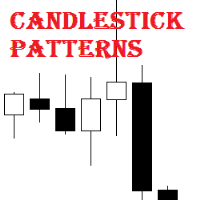
Candlestick Patterns MT4 is a simple and convenient indicator able to define 29 candle patterns.
Advantages Defines and highlights 29 candle patterns; Estimated trading direction is shown as an arrow; Each candlestick pattern can be disabled in the settings; The indicator can be used as an arrow indicator in EAs.
Parameters TextSize - chart text size; TextColor - chart text color; Alert - enable/disable alerts; ---------- Candlestick Patterns ------------- - settings separator; AdvanceBlock ;
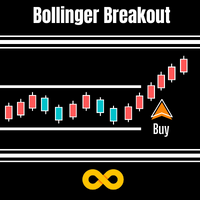
Bollinger Breakout Trader tells the trader when the market is about to breakout from a non-volatile period. Non volatility usually means its building up steam for more good moves in future. A signal is formed when this switch from non-volatile to volatile occurs. These periods are measured by both Bollinger Bands and Keltner Channels. Bollinger Bands measure the standard deviation of price from the Moving Average which results in an expanding and contracting channel. Keltner Channels are based o

Buffer Scan analyzses your custom indicator buffers with iCustom function on a certain period of history (configurable by the user) and writes buffers’s data to a csv file. The script helps determine buffers’ numbers, through which the indicator transfers any data, for example, the appearance of arrows, a particular color, a certain line and other information. The utility scans all 512 indicator buffers but it records to a csv file only those of them which have data. If a buffer does not transf

取引環境を考慮したブレイクアウトシグナル ACB Breakout Arrows は、価格が落ち着いた局面の後に発生する方向性のあるブレイクアウトを検出し、買いまたは売りの矢印でセットアップを表示します。矢印は検出されたブレイクアウトパターンを示すものであり、すべてのシグナルが大きな値動きにつながることを保証するものではありません。 買い矢印は強気のブレイクアウトセットアップを、売り矢印は弱気のセットアップを示します。価格はブレイクアウト領域を再テストしたり、以前のレンジ内に戻ったりする可能性があるため、エントリー前に周辺の市場構造、トレンド方向、近くのサポートやレジスタンスを確認してください。 チャート上で取引を計画 インジケーターは各シグナルの周辺に実用的な参考レベルを表示できます。 Stop Loss: 選択したバー数から計算される保護レベル。 Quick Profit: 早期決済、部分利確、または建値移動の判断に使える近い目標。 Take Profit: ブレイクアウトの動きを保有する場合に利用できる、より遠い目標レベル。 これらのレベルは一貫した計画作りを助けますが、ポジショ

Future Price 将来の価格-インジケーターは、相場の履歴での一致の検索に基づいて、将来の価格変動の予想されるオプションを示します。インジケーターは2つのモードで動作します。1つ目は指定された数のオプションを列挙して表示し、2つ目は1つのセットオプションを表示します。
設定の説明 Static_VARIANTS = 0; -表示するオプションを設定します。= 0の場合、オプションの反復が機能します。 TOTAL_VARIANTS = 20; -オプションのセットの数を設定します。30以下をお勧めします Time_Seconds_Show = 3; -特定のセットからの1つのオプションの最小表示時間、最大時間は次の見積もりの到着時間によって制限されます Future_Bars = 50; -将来表示されるバーの数、60以下をお勧めします History_Bars = 636; -履歴内の分析されたバーの数

Hammering Lite ロボットはHammeringExpert Advisorのバージョンであり、複数通貨取引がない点で異なります。 設定: Period_Indicators-トレーディングシグナルのインジケーターを計算するための平均期間 Filter_Indicators-インジケーターフィルターの設定 Method_Indicators-インジケーターの平均化方法 Applied_Indicators-中古インジケーター価格 TimeFrame_Indicators-インジケーターのチャート期間 StopLoss_Percent-損失レベル(パーセント単位)。番号はマイナス記号「-」で指定されます(例:-33)。 Trailing_Start-トロールの開始レベル。その後、トロールが行われます。言い換えれば、トロールがオンになります TrailingStop-固定トロールサイズ TrailingStep-トロールステップ MagicNumber-注文のマジックナンバー ロット-固定ボリュームのサイズ。 0 MMで動作します(お金の管理) リスク-取引量を計算する際
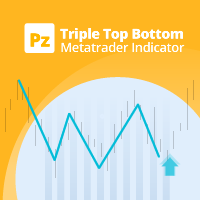
トリプルの上下パターンは、トレンドの反転を予測するために使用されるチャートパターンの一種です。このパターンは、価格がほぼ同じ価格レベルで3つのピークを作成するときに発生します。 3番目のピーク付近でレジスタンスが跳ね返るということは、買いの関心が枯渇しつつあることを明確に示しており、これは反転が起きようとしていることを示しています。 [ インストールガイド | 更新ガイド | トラブルシューティング | よくある質問 | すべての製品 ] クリアな取引シグナル カスタマイズ可能な色とサイズ パフォーマンス統計を実装します カスタマイズ可能なフィボナッチリトレースメントレベル 適切なストップロスおよび利益レベルを表示します
インジケーターを使用して、継続パターンまたは反転パターンを見つけることができます 電子メール/音声/視覚アラートを実装します これらのパターンは拡張でき、インジケーターは再描画によってパターンに追従します。ただし、インジケーターはトレードを容易にするためにツイストを実装します。トレードをシグナルする前に正しい方向へのドンチャンブレイクアウトを待機し、シグナルを非常に

Turns Area Alert インジケーターは、シグナルを警告することにより、潜在的な価格逆転のゾーンを示します。
移動平均指標とRSI指数指標に基づいて、それらの違いを示します。 インジケーター設定の説明: EMA_Period-移動平均インジケーターを計算するための平均期間 EMA_Method-平均化メソッド。任意の列挙値にすることができます。SMAは単純平均、EMAは指数平均、SMMAは平滑化平均、LWMAは線形加重平均です。 EMA_Price-中古価格。列挙値の1つにすることができます。 CLOSE-終値。 OPEN-始値。 HIGH-その期間の最高価格。 LOW-その期間の最低価格。中央値-中央値、(高+低)/ 2。 TYPICAL-典型的な価格、(高値+安値+終値)/ 3。加重-加重終値、(高値+安値+終値+終値)/ 4。 RSI_Period-RSIインデックスを計算するための平均期間。 PSI_Price-中古価格。 EMA_Priceに似ています。 level_up_alert-シグナルの上位レベル。 level_dn_alert-シグナルの下位レベル。

Professional OB/OS Oscillator Is the digital momentum indicator , based on our ob/os formula and algorithm of digital output signal .
It shows you when price goes on OverBought/OverSold position and also OverBought/OverSold of Trend .
In the middle is an adjustable " Stop_level ". Above and below this area you should not trade .
Precise; above Stop_level - stop going long , below Stop_level - stop going short .
Min/Max indicator values are +-100%, but the scale is +-110% just for “easy look”.
Th

Why use virtual SL / TP? Broker stop/freeze level limitations Hidden exits for scalping strategies Advanced trailing logic not available in standard MT tools Additional safety layer for EAs and manual trading Stop Loss modes (4 types): Fixed Stop Loss - Classic fixed SL defined in points. Trailing Stop Loss - Standard trailing following the price. Trailing to Breakeven - Stop Loss moves to the trade open price once profit conditions are met. Trailing by jumps (advanced mode) - A multi-step

Trailing Stop Universal MT4 / MT5 utility is a multifunctional tool for protecting floating profit on open positions and reducing possible risks in trading. To realize these goals, the tool offers the user the following features. Breakeven function - transfers a position to breakeven when the profit of the position allows it. If this function is enabled and the conditions of its operation are met, it moves the StopLoss order to the opening price of the position or even to the profitable area of

The indicator analyzes the volume scale and splits it into two components - seller volumes and buyer volumes, and also calculates the delta and cumulative delta. The indicator does not flicker or redraw, its calculation and plotting are performed fairly quickly, while using the data from the smaller (relative to the current) periods. The indicator operation modes can be switched using the Mode input variable: Buy - display only the buyer volumes. Sell - display only the seller volumes. BuySell -
FREE

"Just copier" is designed to copy trading without any complicated settings. The copy can be done in one PC. One EA can be set as master (provider) or slave (receiver). The receiver lot can be set to multiple providers lots. Please also check this product at fxina.hostingerapp.com. Any type of copy is available. MT4 -> MT5 MT4 -> MT4 MT5 -> MT5 MT5 -> MT4 If you want to copy MT4 -> MT5 or MT5 -> MT4, please purchase "Just copier" for MT4 and "Just copier" for MT5 separately. Just Copier can copy

The indicator displays the moment the price reaches an extreme level, including an invisible one (due to screen size limitations). Even small peaks and bottoms are considered extreme points. The level is shown as a trend line extending for a distance from the current candle (bar) to the left. The level has two values: distance (in bars) for the extreme point in a straight line to the left and distance (in bars) from the current candle (bar) to the extreme point (see the screenshots). The indicat

It is the same of Advanced Arrow indicator but shows the signal of 8 currencies pairs at the same time on 5 Timeframes without any TPs line or SL.
Features You will know when exactly you should enter the market. This indicator does not repaint it's signals.
Signal Types and Timeframes Used You can use this indicator on any timeframes but i recommend you to use it on H1, H4 frames. The indicator gives you four signals (Ready to Buy "RBuy", Ready to Sell "RSell", Buy, Sell). When RBuy appear you

Unlike the free version, this Expert Advisor uses a news filter and additional filters to determine the trend. It protects orders with the help of locking. The robot uses martingale. This EA use pending orders. Sooner or later martingale can lose the deposit, it is recommended to control the trading of the EA while analyzing the market. The EA trades on any symbol. The minimum recommended deposit is $1000 (it is better to start with a cent account). The EA works on M1 timeframe. MarSe for MT5 h
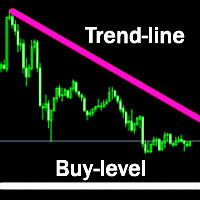
The indicator plots a trend line and determines the levels for opening trades, in case the price goes "too far" away from the trend level. More detailed information is available in the screenshots.
Settings Away from the trend line - distance from the trend line to the trades level; Arrow Signal for deals - enable displaying an arrow when the price reaches the trades level; Size of Arrow - size of the arrow; Alert Signal for deals - enable generating alerts when the price reaches the trades lev

Scalper GBP is a scalper EA intended for trading EURGBP, GBPUSD and GBPCAD. The fundamental principles of the Scalper GBP are similar to the principles of the Yogi EA . The introduction of new functions, the revision of market entry logic and other changes allowed to adapt to trading new pairs. The Expert Advisor does not require optimization and will not become obsolete over time. The Expert Advisor does not use hedging, martingale, grid strategies, arbitrage, etc. Most of the settings are alre

The "Chart synchronization" utility (the SynchronizeCharts indicator) can help traders in simultaneous trading on multiple financial instruments, as it automatically scrolls all or selected charts of the terminal according to the position of the master chart. Four charts are shown in the screenshot 1. The EURUSD chart is the master chart, as the SynchronizeCharts indicator is attached to it. As a result, the other three charts are displayed on the timeline starting from 2017.02.17 23:15. Any fu

EAINDY-ENVELOPES is an expert adviser based on Envelopes indicator. An order takes place when current market price touched the Upper or Lower bands of Envelopes and then reversed back in range of Upper and Lower bands. Filters by RSI to ensure that the price will not exceed over the oversold nor under overbought levels. This Expert Advisor is intended for trading EURUSD H4. Terminal - MT4.
Input Parameters Risk management Type: Currency: Specifies risk in currency, for example trade for 5% of $

The Gann Box (or Gann Square) is a market analysis method based on the "Mathematical formula for market predictions" article by W.D. Gann. This indicator can plot three models of Squares: 90, 52(104), 144. There are six variants of grids and two variants of arcs. You can plot multiple squares on one chart simultaneously
Parameters Square — selection of a Gann square model: 90 — square of 90 (or square of nine); 52 (104) — square of 52 (or 104); 144 — universal square of 144; 144 (full) — "full

Speed ticks インジケーターはダニの速度を測定します。 1秒間のティック数。これは、セットアップで指定されたティック数を出現時間で割ったものとして計算されます。 ダニの出現の伴奏は、スピーカーアイコンが付いたボタンでオフにすることができます。緑-オン、赤-オフ。
インジケーター設定の説明 number_ticks-計算を開始するティック数。計算は、指定されたティック数全体が表示された後にのみ開始されます。 _corner-テキストとボタンのアンカーコーナー、デフォルトでは右下隅 clr_back-背景色 clr_border-境界線の色 clr_text-テキストの色 width_border-境界線の太さ file_sound1-最初のサウンドファイル file_sound2-2番目のサウンドファイル
The Pivot Levels Expert Advisor is based on the Pivot levels indicator. The EA trades a very simple strategy - daily reversal.
Averaging and martingale are used in the process of trading, it trades instant and pending orders, does not use stop loss or take profit. Orders are opened and closed only at a signal.
System settings martingale mode – martingale type. martingale geometric progression – geometric progression step. martingale arithmetic progression – arithmetic progression step. lotsize
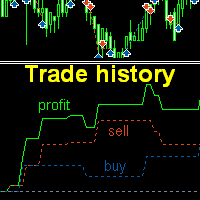
The indicator plots charts of profit taken at the Close of candles for closed (or partially closed) long and short orders individually. The indicator allows to filter orders by the current symbol, specified expert ID (magic number) a nd the presence (absence) of a substring in a order comment , to set the start time and the periodicity of profit reset (daily, weekly or monthly) to calculate the profit chart. The indicator also displays the floating (not fixed) profit of the opened orders at the

The Envelopes Trailing Stop is a tool that implements trailing of the stop loss order after the price based on the Envelopes trend indicator. The utility provides all the necessary parameters for customization, which allows to select the optimal configuration for any user. The EA allows to choose the trailing line depending on the type of the trade. For example, buy trades can be trailed based on the lower line of the indicator, and sell trades can be trailed based on the upper line. The Magic p

The Parabolic SAR Trailing is a utility that provides a trailing stop based on the Parabolic SAR indicator. Moving the stop loss order according to the values of this indicator is considered to be the most popular solutions for trailing, as this trend indicator follows the price. The utility can work with deals on all trading instruments or on the selected instrument. Thanks to the Magic parameter, it is possible to provide joint operation with other experts and management of the stop loss order

Swing High Low Pattern Recognition is a great indicator able to fix price levels and analyze the market swings. Swing High Low uses a dynamic approach of analysis that allows you to identify easily the best entry levels. The indicator using the minimum and maximum periods of the previous candles to analyze the impulsive movement and finally it sets the entry levels. The entry levels are: fast, good and best . The best is the last confirm of the swing. For a correct use we advise to wait the comp

3xEMA Golden Cross Alert is indicator signal strategy trading by 3 Exponential Moving Average (EMA). It'll alert signal on next bar open with an audio or pop up on the chart when EMA signal cross above/below 3 periods EMA for Buy/Sell and Exit alert signal. BUY/SELL: When Short term's EMA > Medium term's EMA > Long term's EMA = Buy Signal When Short term's EMA < Medium term's EMA < Long term's EMA = Buy Signal Exit: When Short term's EMA < Medium term's EMA > Long term's EMA = Exit Signal for Bu

This is the Free version of the product: https://www.mql5.com/en/market/product/19928 Free version limitations: Only EURUSD trades are copied. Trade Copier Global: The name speaks for itself. This copier allows you to copy orders between MT4 terminals even if they are not installed on the same computer.
Features Copying trades between MT4 terminals around the world with a short delay. Automatically recognizes symbol prefixes. Can connect many Slaves to the same Master. Supports pending and mark
FREE

inLuk Trade Duplicator is a powerful tool to copy trade locally between multiple broker at different terminal. This is an ideal solution for fund manager or signal provider, who want to share his trade with the others globally on his own rules.
Demo version here ( https://www.mql5.com/en/market/product/20884 )
Features Switchable between Server or Client role within one tool. Easy & friendly interface usage. Drag able panel Customization of user interface using expert input Auto recognize and
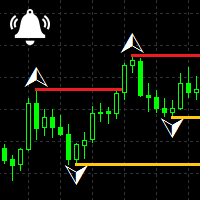
Fractals Notifier MT4 is a modification of Bill Williams' Fractals indicator. The fractal consists of two sets of arrows - up (upper fractals) and down (lower fractals). Each fractal satisfies the following conditions: Upper fractal - maximum (high) of a signal bar exceeds or is equal to maximums of all bars from the range to the left and to the right; Lower fractal - minimum (low) of a signal bar is less or equal to minimums of all bars from the range to the left and to the right. Unlike a stan

The indicator provides volume delta analysis and visualization. It calculates tick volumes for buys and sells separately, and their delta on every bar, and displays volumes by price clusters (cells) for a specified number of recent bars. This is a special, more descriptive version of the indicator VolumeDelta . This is a limited substitution of market delta (market depth) analysis, which is normally based on real volumes, but they are not available on Forex. The indicator displays the following

EaINDY Stochastic is an Expert Adviser based on Stochastic Oscillator indicator. An order takes place whenever the reversal of the current market price is above the overbought level or below the oversold level. RSI filters are used to ensure that the price will not exceed over the oversold nor under overbought levels. This Expert Advisor is intended for trading EURUSD H4. Terminal - MT4.
Inputs RISK MANAGEMENT Type: Currency: Specifies risk in currency, for example trade for 5% of $5000 balance

Price Action Strength indicator uses the purest form of data available in the market (price action) to indicate the strength of the market move. Reading price action and measuring its strength is a subjective matter and it is a technique that takes years to master. The purpose of the indicator is to make the reading of the price action strength as objective as possible. The indicator is far more advanced then default oscillators, because in addition to the price movement and its direction, the P

Phaser Evo is a fully automated trading system. It is designed to take advantage from big and fast movements of the market and it can potentially be used in any kind of financial instrument. It is released with a portfolio of 8 different pairs already optimized, anyway there are no limitations in the development of new configurations. The stop loss is always set but only for safety reason, the robot usually closes the losing positions before stops are reached. When a profit trade is taken, it ca

Martex is a moderately aggressive EA working on a martingale strategy with hedge. The EA independently monitors the risk and, if the risk is high, takes measures to exit the market with a minimum profit. In the hedging mode, the EA independently leaves the "lock" with a profit. A complete guide to the Martex EA can be found in the "Comments" section. Benefits automatic magic number, individual for each currency pair; automatic breakeven and automatic trailing stop; at high risk, reducing the mar

Comb インジケータは、ハニカムグリッドまたは正六角形を表示します。標準のトレーディングターミナルグリッドの代替。 インジケーター設定の説明: color_comb-グリッドカラー width-幅、例:解像度が1920 * 1080の画面の場合は22、解像度が1366 * 768の画面の場合は15など。 高さ-高さ。たとえば、解像度が1920 * 1080の画面の場合は6、解像度が1366 * 768の画面の場合は4など。 インジケータは、ハニカムグリッドまたは正六角形を表示します。標準のトレーディングターミナルグリッドの代替。 インジケーター設定の説明: color_comb-グリッドカラー width-幅、例:解像度が1920 * 1080の画面の場合は22、解像度が1366 * 768の画面の場合は15など。 高さ-高さ。たとえば、解像度が1920 * 1080の画面の場合は6、解像度が1366 * 768の画面の場合は4など。
FREE
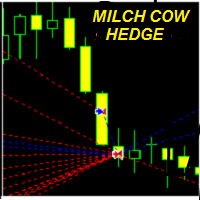
MILCH COW HEDGE V1.12 EA is primarily a Hedging Strategy. Expert support is to seize every opportunity in any direction. Not just opens the deals, but chooses the right time to close the open positions to begin trading again.
We recommend the use of an expert with a pair of high volatility for the currency, such as GBPAUD, AUDCAD Testing expert during the period from 01.01.2016 until 09.12.2016 profit doubled four times to account Experts interface allows the user to directly trading open order

Pivot Points is used by traders to objectively determine potential support and resistance levels. Pivots can be extremely useful in Forex since many currency pairs usually fluctuate between these levels. Most of the time, price ranges between R1 and S1. Pivot points can be used by range, breakout, and trend traders. Range-bound Forex traders will enter a buy order near identified levels of support and a sell order when the pair nears resistance. But there is more one method to determine Pivot po

This expert trades on price action. It does not use signals from indicators but creates a statistics-based custom channel for entry and exit of trades. Due to independence of indicators, the expert can be optimized for several currency pairs and trading times. Each trade position is protected by stop-loss, both hidden and visible. No martingale, hedging or grid. The expert uses 3 different strategies within the same channel for entry and exit. Each opens only 1 trade at a time. Please find a sig
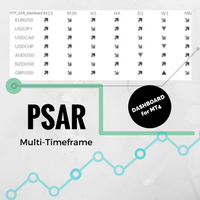
Multi-timeframe Parabolic SAR dashboard allows you to add and monitor PSAR trends. The multi-timeframe Parabolic SAR dashboard will save you a lot of time and gives you a single view of the markets using PSAR. In short, you can just view one window and get a snapshot of up to 21 instruments on your MT4 platform. The indicator opens in a sub-window. Below are the features of the PSAR Dashboard Indicator Modify PSAR Settings: The PSAR Dashboard comes with default PSAR settings of 0.02 (Step) and 0
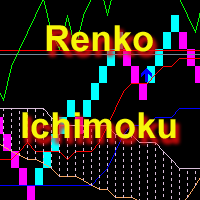
The indicator displays Renko bars, uses their data to calculate and display the Ichimoku Kinko Hyo indicator and provides buy/sell signals. Renko is a non-trivial price display method. Instead of displaying each bar within a time interval, only the bars where the price moved a certain number of points are shown. Renko bars do not depend on a time interval, therefore the indicator works on any timeframe without losing its efficiency. Indicator generates two signals: When the Tenkan-Sen line is ab

Yogi EA is scalping Expert Advisor for EURCHF and GBPCHF. The EA performs a complex analysis, which reveals a quiet phase of the market to trade. The Expert Advisor does not use hedging, martingale, grid strategies, arbitrage, etc. Most of the settings are already integrated into the EA code. All you need to do is to select the currency pair, adjust the WET (Western European Time) time zone in the EA parameters and to start trading. Working timeframe - M15. Real account monitoring is available i

Copy Trade Copier Expert Advisor copies orders to several trading accounts (regardless of a broker) if their respective MetaTrader 4 terminals are opened on a single PC/VPS. This resource-saving trade copier features rich functionality, as well as easy and flexible settings. The EA may copy from multiple (unlimited) initial accounts to a single target one or from a single initial account to multiple (unlimited) target ones. The work of other EAs and manual trading on initial and target accounts

Dolphin EA is a grid Expert Advisor. It opens a grid of orders located at a specified level from each other. An order direction is defined by the built-in filters. No stop loss is used. All orders are closed by take profit. The EA works on any timeframe.
Parameters Filtr - number of points from the average for opening orders (for example, 200). 0 - disabled. AutoTakeProfit - enable take profit auto detection. Take profit should not be less than the TakeProfit parameter. TakeProfit - take profit

NIP Trading is a fully automated Expert Advisor. It works by using several different strategies at the same. Most of the strategies are trend following except for some trend reversal entry points which use Stop Orders when identified. Different strategies use different take profit and stop loss levels as well as trailing stop values, making the expert advisor very flexible to different market conditions. No martingale. No arbitrage.
Settings All trades have stop loss. Some trades have fixed tak

You may see how Martingale EAs crudely re-open doubled size new trades in fixed steps and continue this rudimentary decisions until to reach account call margin; this is a big problem. The resolution to this problem is a Smart EA that calculates accurate entry points for every single order, a Safe EA that observes market volatility to exit from high risk situations and conditions, and finally a Steady EA to satisfy traders and investors for a long period.
This is why this EA is called Smart Sa

現在30%オフ 初心者にもエキスパートトレーダーにも最適なソリューション このインジケーターは独自の機能と新しい公式を多数内蔵しており、ユニークで高品質かつ手頃な取引ツールです。このアップデートでは、2つの時間枠ゾーンを表示できるようになります。より長いTFだけでなく、チャートTFとより長いTF(ネストゾーンを表示)の両方を表示できます。すべてのSupply Demandトレーダーの皆さんのお気に召すはずです。:)
重要情報の公開 Advanced Supply Demandの可能性を最大化するには、 https://www.mql5.com/ja/blogs/post/720245 にアクセスしてください。 エントリーまたはターゲットの正確なトリガーポイントを正確に特定できれば取引がどのように改善されるか想像してみてください。新しい基盤となるアルゴリズムに基づいて構築されているため、買い手と売り手の間の潜在的な不均衡をさらに簡単に特定できます。これは、最も強い需要と供給のゾーンと、過去のパフォーマンス(古いゾーンを表示)がグラフィカルに表現されるためです。これらの機能は、最適な
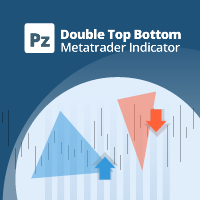
このインディケーターはダブルトップとダブルボトムの反転パターンを見つけ、ブレイクアウトを使用して取引シグナルを発生させます。 [ インストールガイド | 更新ガイド | トラブルシューティング | よくある質問 | すべての製品 ]
クリアな取引シグナル カスタマイズ可能な色とサイズ パフォーマンス統計を実装します カスタマイズ可能なフィボナッチリトレースメントレベル 適切なストップロスとテイクプロフィットのレベルを表示します 電子メール/音声/視覚アラートを実装します これらのパターンは拡張でき、インジケーターは再描画によってパターンに追従します。ただし、インジケーターはトレードを容易にするためにツイストを実装します。トレードをシグナルする前に正しい方向へのドンチャンブレイクアウトを待機し、シグナルを非常に信頼性が高く、ほとんど再描画しません。
入力パラメータ
振幅:振幅は、代替価格ポイント間のバーの最小量を表します。大きなパターンを見つけるには、振幅パラメーターを大きくします。小さなパターンを見つけるには、振幅パラメーターを小さくします。 最小リトレースメント:パターンに

Your Personal Assistant is an Expert Advisor for semi-automatic Forex trading. It is designed for trades who trade manually or prefer semi-automatic trading. Suitable for trading currencies, metals and CFD. The EA helps the trader in managing the open positions, as well as open deals using virtual pending orders based on graphical horizontal and/or trend lines. Thus, positions can be opened by the following method, including their joint use: Market orders (positions are opened by the trader) Pen
The Expert Advisor trades the signals from an artificial neural network. Network with one hidden layer. Presence of a signal is checked at the closing of the specified period, which significantly increases the optimization and testing speed. It differs from the previous version by a number of additional features: works with pending orders; subsequent trades are opened with a lot increased by the specified step; moves the trade to breakeven a specified time after it was opened; closes trades at t
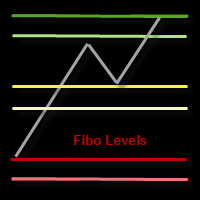
This indicator draws the Fibonacci -38.2, -17, 38.2, 61.8, 117, 138 levels for the last closed H1, H4, Daily, Weekly and Monthly candle.
Features Automatic display of the most important Fibonacci levels.
Parameters TimeFrame: Choose which timeframe you want Fibonacci levels to be based on.
SetLabels: Visible/invisible Fibonacci level labels.
Labels Position : Position of Fibonacci level labels (Right - Left - Middle).
FontSize: Font size of Fibonacci level labels. c38: Color of level 38.2%.
The indicator Box Chart is a very useful analysis tool that allows you to know the value of the range in points. The range is written in a label and also it is draw in a rectangle. This indicator works on multi timeframe and you can upload more indicators on same chart to analyze more time frames ranges. The analysis of the range is done following W. G. Gann school. The observation of the range on little time frame returns some good information of trend or reversal. Box Chart is a simple indicat

The Intraday Momentum Index ( IMI ) is a technical indicator that combines aspects of Candlestick Analysis with the Relative Strength Index ( RSI ). The Intraday Momentum Index indicator concept remains similar to RSI and includes the consideration for intraday open and close prices. The IMI indicator establishes a relationship between a security open and close price over the duration of a trading day, instead of how the open and close prices vary between different days. As it takes into conside
Work order The EA works on any timeframe and any currency pair. During operation, the EA analyzes a wide range of variables and indicators. Once necessary conditions occur, the EA opens a pending order. The EA doesn't open another order until you the previous one is closed. The EA contains the TrailingStop block, enabling you to move STOPLOSS following the price movement. The EX performs most effectively on EURUSD, GBPUSD, USDCHF, but also can be used on any other currency pair. For best result,
Closing Orders At Specified Time is a utility which helps you to close opened orders and delete pending orders at a specified time - especially when you cannot be online and do it by yourself at that time. You can schedule a specific time for closing orders, and additionally you can choose what type of orders should be closed (all, only opened or only pending), what symbols (all or you can enter names of three symbols) and with what Magic Number. You can also select to close only profitable or o
The Volatility Pro is a professional indicator for the MetaTrader 4 platform This indicator can be used to calculate the volatility using two methods. It is also possible to apply a moving average to the volatility histogram. This indicator allows to easily identify the bars with high volatility, and it will also be useful for traders who trade the volatility breakouts.
By purchasing this indicator, you will receive: Excellent indicator signals. Free product support. Regular updates. Unique ind

The Fx-PIOT indicator determines the movement direction of a financial instrument using a combined signal: the main signal + 2 filters. The screenshots were taken in real-time mode (/ Date=2017.01.24 / Symbol=NZDJPY / TF=H1 /). The main signal is displayed as arrows (Up / Down) + possible reversal zones. Calculation is made using the Open, Close, High and Low prices. Filter #1 is a trend filter determining trend on the D1 time-frame; it outputs a message: "Buy Signal" / "Wait for Signal" / "Sell

This indicator is designed for binary options. Based on proprietary divergence of the CCI indicator. A sell signal: A down arrow appears on the chart. A buy signal: An up arrow appears on the chart.
Input parameters History - the number of bars in history for calculation Period CCI - period of the CCI technical indicator Up border - overbought limit for calculation of the divergence Down border - oversold limit for calculation of the divergence Price - price for the indicator calculation Alerts
FREE

The Expert Advisor of the Forex Fraus is designed for scalping the EURUSD (for five-digit quotes) and adapted for the accounts with fast execution of orders.
Operation Principle When a signal is received, the orders are opened by accumulation using tick data; The robot does not apply indicators and other analytical systems. The signals are calculated using H1 and M1 chart processing results; The EA has three operation modes; Normal : uses the filter for trend trading; Turbo : uses the filter th
FREE

The Close script is a simple tool that allows traders to close their trades by three methods. Just run the script and choose the close method.
Closing methods Symbol - Allows closing all open trades for a specific symbol. All_Trades - Allows closing all open trades. Magic_Number - Allows closing all open trades according to their magic number. Recommendation AutoTrading functions must be activated. If the AutoTrading function is disabled, the script will not work. EA should be stopped.
FREE
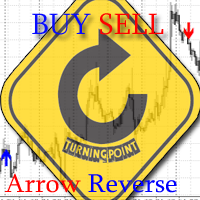
The indicator shows the market reversals as arrows. The reversal signals are based on observation of the market behavior. It is based on the principles of searching for extremums, volumes and Price Action. The indicator provides signals on the following principles: Search for the end of the ascending/descending trend Search for the reversal pattern based on Price Action Confirmation of the reversal by the contract volume. The indicator also features an alert triggered when the arrow appears. The

MT5 version available here: MT5 Drawer . This tool allows you to draw on the chart using keyboard shortcuts. It also provides some custom drawing tools for your convenience. You can configure 3 variants for each tool (6 for advanced patterns), which you will be able to choose from dashboard. There is also, a possibility to define up to 30 quick access keys that skips the dashboard step and goes straight to drawing. Here are the list of supported tools: Advanced Pattern - draws two triangles Ris

When using CCI (Commodity Channel Index) oscillator, the waiting time till the next signal can be long enough depending on a timeframe. CCI Alerts indicator prevents you from missing the indicator signals. It is a good alternative for the standard CCI indicator. Once there appears a CCI signal on the required level, the indicator will notify you with a sound or push, so you will never miss an entry. This is especially significant if you follow the indicator in different timeframes and currency p

ReLSOved indicator is primarily directed at traders using trading strategies based on the price action patterns. The indicator knows exactly where the rails go! The "rails" are the five patterns of the famous Price Action strategy - Rails, Outside bar (OVB), Reversal pivot points (PPR), Wide range bar (WRB) and Inside Bar False BreakOut - IB-FB, which is known as Fakey among the fans of Price Action trading. They can be used together or in various combinations (the display of each pattern is cus
MetaTraderマーケットが取引戦略とテクニカル指標を販売するための最適な場所である理由をご存じですか?宣伝もソフトウェア保護も必要なく、支払いのトラブルもないことです。これらはすべて、MetaTraderマーケットで提供されます。

取引の機会を逃しています。
- 無料取引アプリ
- 8千を超えるシグナルをコピー
- 金融ニュースで金融マーケットを探索