 MetaTrader 5
 エキスパート
 インディケータ
 ライブラリ
 ユーティリティ
 ウィジェット
 ルール
YouTubeにあるマーケットチュートリアルビデオをご覧ください
ロボットや指標を購入する
仮想ホスティングで
EAを実行
EAを実行
ロボットや指標を購入前にテストする
マーケットで収入を得る
販売のためにプロダクトをプレゼンテーションする方法
MetaTrader 4のための無料のエキスパートアドバイザーとインディケータ - 70
 自動売買ロボットは市場取引を自動的に実行しますが、インジケータを使用すると、相場をより適切に分析し、価格行動を予測できます。
これらのアプリケーションを使用すると、より多くの機会を獲得しながら、より多くの情報に基づいた方法でMetaTrader4で取引を実行できるようになります。

The EA automatically opens the orders when price crossing/touching lines, which were drawn by the user. Two scenarios are possible. When you expect the price to stay in the channel. When you expect that the price will not remain in the channel after the break off it. If you want use first scenario - you must set in settings Trade mode = “False_Breaking_Channel”. If you want use second scenario - you must set in settings Trade mode = “Breaking_Channel”. When you run EA, you must draw two trend li
FREE

Dexter EA is a 100% automatic robot that executes random orders of simultaneous buys and sells. For each losing operation, a management with an increase in the lot will begin, better known as “martingale” that will cause the price to fall back to the area where it was established. the profit the robot closes in profit or breakeven, depends on its configuration. I catalog it as a utility even though it works totally automatic because EVERY TRADER'S WORK IS NEEDED to be able to make it work corre
FREE

Open Popup Notification Please leave a review about this product to help other users benefit from it. " Free " Script to turn on pop-up notifications to view past trading alert messages including displaying account information. This script is compatible with MetaTrader 4 The script is easy to install and use, making it suitable for traders of all experience levels. There's nothing to worry about, including a freezing screen and any kind of effects on other chart windows. Disclaimer: This script
FREE

Trade Space PRO Профессиональная торговая панель для MT4. Главное ПРЕИМУЩЕСТВО - все настройки выведены на график символа. Запоминаются автоматически для каждого символа отдельно. Трейдинг/риски/блок контроля новостей и тайминга/панель сигналов . Вся важная информация отображается на панелях. Вам нужно только открыть позицию одним щелчком мыши. Управление открытой позицией так же просто, насколько это возможно: вы можете легко настроить уровни Стоп Лосса (S/L) и Тейк Профита (T/P). В о
FREE
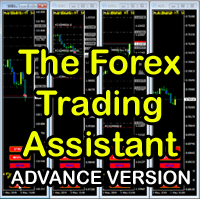
The Forex Trading Assistant is a trading utility that speeds up our execution of orders. The lot size is automatically computed based on the risk-on-balance you set in the input window. The pip value will be based on your risk-on-balance. Hence, the total stoploss is the actual risk computed based on your risk-on-balance per trade. Morever, you can drag your Order Line, Stoploss Line, and Takeprofit Line just like dragging a horizontal line on your chart. The following are the inputs. ( Click D
FREE
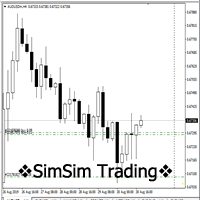
"SimSim Expert Assistant" утилита для сопровождению сделок трейдера в терминале МТ4. Утилита бесплатная, пользуйтесь. Кроме того, утилита открывает сделки по сигналам индикаторов SimSim Trading (через глобальные). Параметр индикатора "Signal shaping for SimSim Expert Assistan" указывает на это.
Как работать с утилитой. Expert Assistant работает в терминале МТ4 и устанавливается в папку Expert, в утилите нет ни одного параметра при старте. Все параметры находятся в списке глобальных переменных
FREE
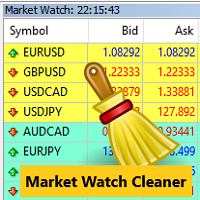
Clean up Market Watch from unused symbols.
If you use multiple advisors and terminals on the same account your Market Watch windows may get filled with unused symbols from orders and positions opened on other terminals. Every symbol in the Market Watch consumes cpu power and bandwidth to get constantly updated and if you are on a vps you want to minimize resources consumption. Market Watch Cleaner helps you with that by periodically cleaning your Market Watch window from unused symbols.
Param
FREE

We use Price Action and Japanese Candlesticks at important price zones and standard times to open positions and use Risk/Reward: 1/2 - 0.2%/trade. Recommended symbol: EURUSD, GBPUSD, AUDUSD, USDCAD, USDJPY, GBPJPY, EURJPY. Contact me: Gmail: fifund.cuscare@gmail.com, Facebook , Twitter , Instagram . Product: Metatrader4 , Metatrader5 . Broker references: Exness , ICMarket , FBS .
FREE

The Tick Data Record is a multi-symbol multi-timeframe Expert Advisor that records tick data for later graphical representation and analysis. General Description
The Tick Data Record offers a(n) alternative/complement to the online/offline price charts displayed through the MT4/MT5 platform. The Expert Advisor permits to write and save the current/history values of Time, Bid, Ask, Spread, Last and Volume to a text file (“.txt”). The idea is to copy/open the obtained register to/in a spr
FREE

ABCMarketsControldemo is a demo version of the ABCMarketsControl utility that manages already opened trades on any symbol by moving them to a breakeven when the price reaches a certain level. Besides, if the price goes further in favorable direction, the utility moves Stop Loss and Take Profit accordingly. You can check the utility operation in the strategy tester on any symbol on a period from January 1 to December 21, 2017 by setting the time_start_buy_demo and/or time_start_sell_demo paramete
FREE
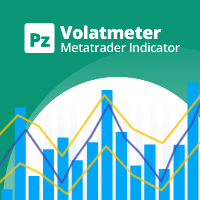
This indicator measures volatility in a multi-timeframe fashion aiming at identifying flat markets, volatility spikes and price movement cycles in the market. [ Installation Guide | Update Guide | Troubleshooting | FAQ | All Products | Get Help ] Trade when volatility is on your side Identify short-term volatility and price spikes Find volatility cycles at a glance The indicator is non-repainting The ingredients of the indicator are the following... The green histogram is the current bar v
FREE

A utility for automatically detecting the GMT offset of your broker To use the utility, place it in the Scripts folder of the terminal data directory, enable WebRequest in the terminal settings and add the address https://www.worldtimeserver.com/ to the list of allowed ones. Run the Check GMT script on the chart with any currency pair There is only one setting in the script: site = https://www.worldtimeserver.com/ just for your convenience. Copy this address from the script setti
FREE

EA TradingPanel X advanced is a based on our free product TradingPanel X free version : Integrated News Feature Dynamic Take Profit (Trail Step) Multiple Trade handling Extended Ordermanagement Profit & Lot Informations Market Informations The EA has integrated dynamic Take Profit (Trail), this means, if you reach your defined TP it gives you the chance to follow on the Trend by dynamic TP & SL and extend your profits. Also a News Filter function is integrated. The EA working with real TP & SL n
FREE
Jarfac Trades Extractor Description: Le "Jarfac Trades Extractor" est un script MQL4 conçu pour les traders qui souhaitent exporter et analyser leurs trades historiques. En un seul clic, le script génère un fichier CSV contenant des informations détaillées sur chaque trade exécuté pendant une période spécifiée. Caractéristiques principales : Filtrage par Période : Définissez une période personnalisée pour l'extraction. Possibilité de désactiver le filtrage par période. Filtrage par Commentaire :
FREE

Not everyone can write an indicator. But anyone can have an idea. The indicator Universal Separate Window Free , which takes as an input parameter the formula by which the indicator line will be drawn, will help to implement it. This indicator is intended for use in the separate chart window.
All indicators of the series Universal :
Main window Separate window Free MT4 Universal Main Window Free MT5 Universal Main Window Free MT5 MT4 Universal Separate Window Free MT5 Universal Separate Window
FREE

インジケーターには、現在のサーバー時間と、現在のバーがチャート上で閉じるまでの時間が表示されます。 情報は、トレーダーが取引セッションを開始するために、ろうそくが閉じるのを待っているときに、ニュースリリースの瞬間に非常に便利です。 フォントサイズと色は、チャートテンプレートに合わせて調整できます。
設定: テキストの色-表示テキストの色 テキストサイズ-表示テキストのサイズ
あなたが指標について肯定的なフィードバックを残すなら、私は非常に喜んでいます。 あなたの武器で見たい他の指標やその他のツールを議論に書いてください。 新しいロボットの更新とリリースを逃さないように友人として私を追加-> Dmitrii Korchagin
市場で私の他の製品を参照してください-> 私の製品
私のロボットはすぐにリリースされますが、その間に、それがどのように取引されるかを見てください-> Hewer Signal
FREE

TRAILINATOR is a unique Solution to use different Trailing-Stop Variants and change your settings via Remotecontrol. You configure your Trailing-Stop for a specified Symbol only once. This setting will be used for all your Positions of the same Symbol. Currently we support these different Trailing-Stops: Standard : works like you use in Metatrader Terminal, starts trailing if your profit is greater than trailing stop Start after points : trailing stop will start after your defined points in p
FREE

Market Dashboard FREE Indicator gives you advanced information’s about your selected Symbols in MarketWatch
Features
Daily Price Movements (M1 – D1) RSI Values with Highlight Function for your current Timeframe & H1 & H4 Profit per Symbol and traded lots (buy & sell) EMA 5 – 100 based on selected period Swap Information (which direction is positive) FIBO Info & Tracking (highlighted FIBO Levels close to current price – based on selected period) One Click ChartOpen this Version is limited to 2
FREE

The Order Selective Delete is a multi-symbol multi-timeframe script used to delete simultaneously various pending orders. General Description
The Order Selective Delete possesses three operation modes (Intersection, Union and All) that control the way as three pending order features (symbol, magic number and type) are used. The modes, available through the Selection Mode input parameter, relate to the features, available through the “Select by Feature” and “Feature” input pa
FREE

The Position Selective Close is a multi-symbol multi-timeframe script used to close simultaneously various positions. General Description
The Position Selective Close possesses three operation modes (Intersection, Union and All) that control the way as four position features (symbol, magic number, type and profit) are used. The modes, available through the Selection Mode input parameter, relate to the features, available through the “Select by Feature” and “Feature” input pa
FREE

This simple free script will allow you to show your trade levels on the chart without disclosing their size. If the chart has no trade levels, the script will plot them using a white horizontal line for the order price, a red one for the stop loss and a blue one for the take profit. If the chart already shows trade levels, the script will delete them, this will allow avoiding doubling trade level indications. Every trade level line will contain in its description the ticket of the order.
Tip:
FREE
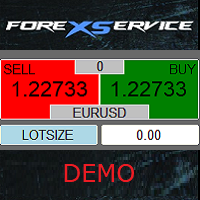
Important! Demo version will work only on EURGBP. One Click Trader is a tool designed for MetaTrader 4 platform, which enables you to take your trading to the next level. It enables you to open, manage and close your trades in simple an efficient way by just one click of your mouse button. Up arrow minimizes the OCT panel Down arrow maximizes the OCT panel Right arrow displays the next panel with additional features Left arrow hides the panel with additional features Red SELL button enables you
FREE

️ Prop Circuit Breaker MT4 Prop Circuit Breaker is an advanced, high-performance risk management utility designed exclusively for the MetaTrader 4 platform. This EA does not execute trades . Instead, it acts as an automated security shield, protecting your funded or challenge accounts from catastrophic losses and ensuring complete rule compliance. Whether you are manually trading or running a commercial EA that lacks built-in drawdown protection, Prop Circuit Breaker continuously monitors you
FREE

JVH Trading Information Panel v3.93 Professional Trading Dashboard for MetaTrader 4 The JVH Trading Information Panel is an advanced, real-time trading dashboard for MetaTrader 4 , designed to give traders a clear, structured overview of risk, performance and execution quality — all in one clean, dark-themed panel. Built for retail traders and prop-firm traders (FTMO, FundedNext, etc.) who require accurate, equity-based risk tracking and professional-level statistics. Key Advantages Liv
FREE

BB PullBreak Signal F r e e Version
Only Work on GBPUSD Pair. Consider Buy Paid Version for ALL Pair Use This is an EA that can provide notifications when a candle breaks or a pullback or retrace occurs. This makes it very easy for us, especially those who are used to trading using Bollinger Bands. Usually we often experience missing signals from Bollinger Bands if we trade manually without the help of tools. This tool can provide notifications via email, telegram or MT4 mobile. You just need
FREE
This demo EA only sends text messages to a predefined Telegram channel ( there is no need to confiure telegram ). The messages can be customized to show information about the trading activity. Also it shows the daily account PnL. Several instances of this EA can be used simultaneously from the same MT4 terminal but ensure that each one has different EA ID number (setting B16) I have tested this EA with forex symbols but it should work fine with any MT4 symbol (e.g. indexes, commodities, stocks,
FREE

Super Copier GG Free Super Copier GG Full Version Super Copier GG Full FREE
Super Copier G&G Free (Symbol USDCHF and EURAUD only, Max three order) Expert Advisor copies orders to several trading accounts (regardless of a broker) if their respective MetaTrader 4 terminals are opened on a single PC/VPS. The EA may copy from multiple (unlimited) initial accounts to a single target one or from a single initial account to multiple (unlimited) target ones. The work of other EAs and manual tradin
FREE

The script automatically downloads historical data for all instruments from the "Market Watch" window, on all timeframes from M1 to MN1. It is recommended to use the script before launching multi-symbol and multi-timeframe indicators that work simultaneously with many instruments. Features: To download quotes, the script uses the MQL API only. This is a necessary requirement for publishing programs on the MQL-Market. This method is fast enough, but effective in not all cases. A more reliable (bu
FREE

Powered by SVX Strategies Quant Team This indicator is part of our internal toolkit for institutional volatility analysis. We are releasing it for free to support the retail trading community. Looking for Automated Results?
Manual execution is prone to human error. If you prefer consistent results managed by our team, you can copy our official algorithms directly on MQL5: Copy "Friday Pulse" (Conservative/Stable) Copy "SVX AI Systems" (High Growth) ABOUT ADAPTIVE RSI BANDS
Unlike traditional R
FREE
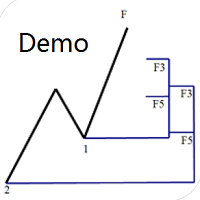
Dinapoli Levels Expansion and Retracement Demo An auxiliary tool written specifically for the DiNapoli point trading method. This is a trial version and there are no restrictions on the XAUUSD H4. Official version https://www.mql5.com/en/market/product/32213
The main function:
1. You can directly draw multiple sets of Fibonacci retracements, and the relationship between important return points is clear at a glance.
2. You can draw Fibonacci extensions, the ratio has three kinds of 0.618, 1, 1
FREE

Auto Close is an expert advisor that can assist you with your money and risk management rules. The EA can monitor your Balance, Equity, Margin, Global Profit and Global Loss and alert you in case any of these reaches a specified threshold. This Demo Version has Notification and Close features disabled, full version can be found https://www.mql5.com/en/market/product/29141
How does it work? Load the Auto Close EA in the chart and set the parameters you want to keep monitored. If any of the risk
FREE

This is a light version of OneClickWonder. It has a limitation of lotsize ( 0.01 ) and also the trade direction (only SELL ) and magic number is fiexd (magic number = 11 ) ------------------------------------ OneClickWonder manages open trades by Magic Number and Symbol , providing: · Individual or Basket Trailing Stop · Optional Averaging system (adds new trades automatically) · OneClickOrder buttons (BUY / SELL directly from chart) · Works
FREE
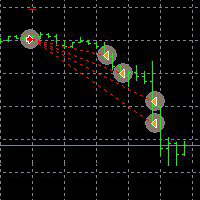
This Demo Version will only work with CHFJPY
For the full version :
For English go here: https://www.mql5.com/en/market/product/41117
For Spanish go here: https://www.mql5.com/en/market/product/41141
This EA does partial close to your positions every certain pips, and can move your Stop Loss to Break Even (Open Proce + 1 pip) when one of the partial close is made. The EA handles all trades of the chart symbol. It can be used with any pair or instrument on MT4. This EA will remember the sta
FREE

This is a free demo version for USDJPY only. Here is the link to full version: https://www.mql5.com/en/market/product/25912 This product has no input parameters. The product helps you to open and close orders faster, include instant and pending orders. It helps you to open order faster and easier, to make an order you simply click on the button.
Buttons List BUY/SELL: to open instant Buy or Sell orders. BUY STOP/BUY LIMIT/SELL STOP/SELL LIMIT: to open pending order. The distance to the current
FREE

BRiCK is a simple and versatile Utility.
By combining Experts, Indicators and utilities like the Lego block, various trading styles can be realized. "BetByTrade" is a utility to automatically add / close positions when trading. If you open the position in the trade pool, if the calculation result of the betting method exceeds the initial lot, the utility will order additional.
If you close the position in the trade pool, if the position that was additionally ordered by the utility remains, it w
FREE

Indicator Profitability Check Introduction: IPC means "Indicator Profitability Check". Some features will be locked in free version. Also you cannot check result more than 1 month. For paid version, please visit: https://www.mql5.com/en/market/product/45247 Here Indicator Profitability Check is a custom script which will check the profitability of a buy-sell arrow based custom indicator’s signal profitability. So traders who are very confusing for a buy-sell arrow based custom signal indicato
FREE

This Expert Advisor sends an email notification, generates an alert or outputs a message to the journal (depending on the settings) every time a new order is opened (buy, sell, limit, stop). It also sends a similar message about closure of orders. The EA can be useful for those who want to always be informed of which orders had been opened/closed on the account. Limitations: In this demo version, notifications are available only for the GBPCHF currency pair. To use notifications on all currency
FREE

️ This is a FREE version of the tool. Developed by a practicing trader with 12 years of live trading experience (verified tax records, 51 Finam certificates). Looking for professional trading solutions (Volume Profile, SMC, Risk Manager)? Author's full lineup of PRO indicators: https://www.mql5.com/en/users/musa1994/seller Official website and portfolio: https://developer-mql4-mql5.netlify.app/ SpreadMonitor is a professional indicator for MetaTrader 4 that color-codes candlesticks based
FREE

This is a Semi Automated OTE EA based on the free teachings of ICT. One of the biggest challenges in trading is related to executing and managing trades. After analyzing charts, draw an OTE Fibonacci and turn on the EA. It will automatically execute orders based on the Fibonacci level of your placement and protect any open positions when in profit. Please review the documentation that accompanies this product.
Auto Lot Calculation Based on Risk Percent
Auto SL and TP
Auto BE
Risk Per
FREE
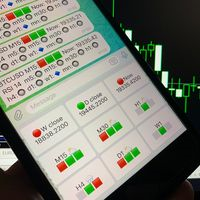
Telegram Candle Map Barometer. I wanted to create an informer that would show in the direction of the candle shadows where the price is moving. When I made the first timeframe, I realized that by combining several, I get an excellent breakout entry indicator. You need to create a Telegram bot for getting an API. Copy main ex4 file to Experts folder and use with settings. Download and enjoy, even receiving signals from MetaTrader, this is true when trading on any exchange. What we have inside: Mi
FREE

Simple Stats is utility for history management. Allowing you to clearly see trading performance for each symbol separately , and so it helps you to find the most and the worst profitable type of trades based on past results. History period depends on settings of your terminal, so if you want to get report for each month, you have to use custom period and run SIMPLE STATS for each. SS will distinguish reports with filename - each history report is named with account number and date of the oldest
FREE

Convenient and easy to use mini-panel, which displays the profitability from January to the current month .
This will help to quickly evaluate the results of transactions without resorting to monitoring the account.
Data is updated automatically
Each panel element can be configured with its own color and transparency .
There are English and Russian languages.
The panel can be run in the strategy tester and see how it is built.
Monthly profitability is calculated using the fo
FREE
TradingDesk Demo – Performance Analyse MT4 This is a Demo version of TradingDesk indicator which is limited to show only EURUSD. Full version can be found here: https://www.mql5.com/en/market/product/40189
TradingDesk analysed MetaTrader 4 historical data by Symbol, Magic Number, Trade or Comment. All these evaluations will be displayed in real time on your MetaTrader 4 chart window.
All this information will be displayed in the following dashboards: account info General information about the
FREE

Demo version of the paid product - Copy MT4 copier , limited to lot size of 0.01 Universal copier of deals from MetaTrader 4 to MetaTrader 4 ( MT5<->MT5 version is available ; with both versions, you can copy MetaTrader 5<->MetaTrader 4, MetaTrader 4<->MetaTrader 5, MetaTrader 5<->MetaTrader 5, MetaTrader 4<->MetaTrader 4). Spread filter. Select the best price (start copying positions with a profit or loss). Configure the lot size, fixed or ratio-based (provider signals can be copied with an inc
FREE
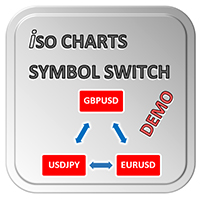
With Symbol Switch you can easily change the symbol of all open charts without losing your analysis or template. Easily monitor many symbols with only one monitor. Auto save\load analysis separately for each symbol (including all graphical analysis and attached indicators). The indicator shows the symbols which are visible in your MT4 "Market Watch" window. To add\remove a symbol just add\remove it from MT4 "Market Watch" window. Monitoring all symbols profit with the panel. Works with all broke
FREE

Price Alert EA for MT4 – Customizable Alert System with Intuitive Chart Interface The CFN Price Alerts EA is a powerful yet easy-to-use Expert Advisor designed for traders who want full control over price level alerts directly from their MT4 charts. No need to manually set alerts through MT4’s native system – this EA gives you an on-chart interface to quickly set, view, and remove price alerts with flexibility. Key Features: Set unlimited price alerts directly on your chart. Visual display
FREE

This is a free trial version of ScalTradeAssist Pro ( https://www.mql5.com/en/market/product/25920 ) You can use all functions of the tool without any restriction except the lot size. (fixed as 0.01)
I hope you'd like it and decide to purchase the professional version :)
Below is the explanation of the ScalTradeAssist Pro.
*If you see that the orders are not being placed, please check your spread setting, this tool watches it and never place orders if the spread is not matching.
ScalTradeAssis
FREE

R E F R E S H 28 C H A R T S For traders who use a tool like "Volatility Watcher" and "OBOS Watcher" that use the 28 pairs of 8 commonly traded currencies.
You can find "Volatility Watcher" here: https://www.mql5.com/en/market/product/46475 You can find "OBOS Watcher" here: https://www.mql5.com/en/market/product/47894 8 C O M M O N L Y T R A D E D C U R R E N C I E S EUR - Euro GBP - British Pound AUD - Australian Dollar NZD - New Zealand Dollar USD
FREE

Algorex Market Board は、その日の相場の流れを決める主要マーケットを、チャート上のコンパクトなボードにまとめて表示します:ダウ平均、ナスダック100、S&P 500、ゴールド、WTI原油、ドル指数、VIX。 各マーケットの表示内容
- 現在価格
- 本日の変化率
- ニューヨーク市場オープン(ニューヨーク時間09:30)からの変化率
- 本日の値幅が平均日次値幅(ADR)に占める割合
- トレンド矢印(H1終値とH1 EMA 20の比較) リスクランプ
ボードは株式、米ドル、VIXを比較します。
- RISK-ON:株高、ドル安、恐怖指数の低下
- RISK-OFF:株安、ドル高、恐怖指数の上昇
- MIXED:マーケットの方向が一致していない状態 どのブローカーでも動作
銘柄名はブローカーごとに異なります(US30、DJ30、WS30、US30Cashなど)。ボードはこれらを自動で見つけます。銘柄名を手動で入力することもできます。ブローカーにドル指数がない場合は、EURUSD、USDJPY、GBPUSD、USDCAD、USDSEK、USDCHFからICEの公
FREE

Algorex FVG Marker は、Fair Value Gap(3本のローソク足による不均衡)を落ち着いた見やすいゾーンとして描画します。 強気と弱気のギャップを別々の色で表示 一部が埋められたギャップは、まだ開いている部分まで縮小し、色が薄くなります 完全に埋められたギャップはチャートから削除されます 各ゾーン内に50%ラインを表示可能(オプション) ATR による最小ギャップサイズ設定で、小さなノイズのギャップを無視 色はどのチャート背景にもなじみ、配色テーマを変えると自動で調整されます 価格が未充填ゾーンに触れたときのアラート(オプション) すべてのゾーンの表示/非表示を切り替える小さなボタン 入力パラメータ 言語 さかのぼってスキャンするバー数、方向ごとの未充填ゾーンの最大数 ATR(14) による最小サイズ 50%ラインの表示、タッチアラート 強気・弱気の色、不透明度 切り替えボタンの表示 パネルサイズ 100 % ~ 150 %
FREE

無料の MT4 トレードパネル&注文管理ツール:損切りリスクからの自動ロット計算、チャート上でのエントリー・損切り・利確ラインのドラッグ操作、手数料・スワップ込みのワンクリック建値決済、チャート内蔵の注文管理・分析パネルに対応。注文ボタンを押すまで注文は一切送信されません。Windows 版および Mac / Wine 版 MetaTrader 4 で動作します。
売買方向を選ぶと、エントリー・利確・損切りが下書きラインとしてチャートに現れます。チャート上で位置を調整し、ロットとリスクを確認してから発注できます。チャート下の注文パネルには、スマホ版や他の EA からの取引も含めてすべて記録されます。
日々のトレードで変わること • 損切り幅からロットを自動計算:リスクを金額または有効証拠金の%で入力して損切りラインをドラッグすると、損切り幅に応じてロット数が自動計算されます。 • チャート上でそのまま注文変更:ラインをドラッグ(離した時点で反映)するか、ライン右端の価格欄に直接入力。注文ダイアログを開く必要はありません。 • ワンクリックで建値決済:ポジションラインの鍵ボタンで損切
FREE

Algorex Theme Switcher は、丁寧に調整された6つの配色テーマと、自分のテーマを保存できる6つの枠を、チャートの隅のコンパクトなパネルにまとめています。ワンクリックで、このチャートまたは開いているすべてのチャートの色を変更できます。テンプレートの読み込みとは異なり、変わるのは色だけです。EA、インジケーター、描画オブジェクトはそのまま残ります。 内蔵テーマ Zurich Snow:スレート色のローソク足の明るいテーマ Amber Terminal:黒い背景に琥珀色のローソク足 Midnight:濃紺の背景に青いローソク足 Forest:深緑の背景に砂色のローソク足 Sepia:目に優しい柔らかな紙の色調 High Contrast:白い背景に鮮やかな緑と赤 自分のテーマ チャートを好みの色に設定し(F8、色タブ)、空いている枠でSaveをクリック 6つの枠、それぞれ入力項目で名前を設定可能 テーマを削除するには小さなxを2回クリック 保存したテーマは再起動後も残り、同じパソコン上のすべてのMetaTrader 4とMetaTrader 5で共有されます 入力項目 表
FREE

Algorex Candle Timer は、毎回のエントリー前に確認する情報を、チャート上のコンパクトなパネルひとつにまとめて表示します。 現在のローソク足の確定までのカウントダウンをゴールドで表示し、確定直前に赤に変わります(M1:残り10秒、M5:残り30秒、M15以上:残り1分) 進行中のローソク足の横にもカウントダウンを表示 スプレッドをポイントとpipsで表示 本日の値幅と、平均日次値幅(ADR)をどれだけ消化したか チャートの時間足のATR ニューヨーク時間、ローカル時間、サーバー時間(夏時間は自動で対応) 現在のセッション:アジア、ロンドン、ロンドン/NYプレマーケット、ニューヨーク午前・午後、週末 ローソク足確定の数秒前に任意でアラート 入力項目 表示言語 パネルの表示位置 進行中のローソク足の横のカウントダウン ADRの日数、ATRの期間 確定前アラートの秒数(0 = オフ) ローカル時計の名称と基準(中央ヨーロッパ時間またはパソコンの時計) パネルサイズ 100 % から 150 %
FREE

Supertrend Trend Fill with Change Alerts MT4 は、TV 互換の Supertrend を MetaTrader 4 で使えるようにしたものです。TradingView をお使いなら、標準の「Supertrend」をご存じでしょう。上昇トレンドの間は価格の下に緑の線、下降トレンドの間は価格の上に赤の線、線とローソク足の間には薄い色の帯。この MT4 用インジケーターは、その計算と見た目を再現します。
何のための道具か:今のトレンドの向きと、どこで向きが変わりうるかを見るためのものです。何ではないか:売買のサインでも予測でもありません。チャート上で向きが変わっても、この先の値動きについては何も示しません。
計算の要点 設定項目 | 初期値 | TradingView と同じか ATR Length | 10 | 同じ Factor | 3.0 | 同じ ATR の方式 | RMA(ワイルダー) | 同じ(SMA は
FREE

Prior Day Week Month Levels with Touch Alerts MT4 は、前日・前週・前月の高値と安値を MetaTrader 4 のチャートに表示します。描き方は TradingView でおなじみの形です。細い水平線と、右端に短いラベルと価格。追加で、前日の終値と今日の始値、価格が線に触れたときのアラートも使えます。
表示されるもの 線 | 意味 | 初期の見た目 PDH | 前日の高値 | 青 #2962FF、実線 PDL | 前日の安値 | 青 #2962FF、実線 PWH | 前週の高値 | オレンジ #FF9800、破線 PWL | 前週の安値 | オレンジ #FF9800、破線 PMH | 前月の高値 | 紫 #9C27B0、一点鎖線 PML | 前月の安値 | 紫 #9C27B0、一点鎖線 PDC | 前日の終値 | グレー、点線(オフ) DO | 今日の始値 | シアン、点線(オフ) 今の期間の線は、その期間の始まりから最新の足+15本まで引きます(Extend、0〜500)。「Periods to draw」を 2 以上(最大 5
FREE

Candle Countdown Tag with Spread MT4 は、TradingView 風の残り時間の札を MT4 のチャートに出します。最新の足の横の小さな札で、足が終わるまでの時間と今のスプレッドが分かります。任意で、ほかの2つの時間足の残り時間と、次の足が始まる時刻も出せます。機能はそれだけです。売買、アラート、シグナルはありません。
1つの札に最大5行 行 | 表示の例 | 設定 チャートの時間足 | 12:41 | 初期値で表示 追加の時間足1 | H4 02:12:41 | オフ(時間足を選ぶと表示) 追加の時間足2 | D1 13:12:41 | オフ 次の足の始まり | 次の足 火 08:00 | オフ。サーバー時刻か PC の時刻 スプレッド | スプレッド 1.2 pips | 表示。pips/ポイント/価格差 時間の形:1時間未満は mm:ss、1日未満は hh:mm:ss、それ以上は「Nd hh:mm:ss」。 銘柄の取引セッションが閉まっている間は札が灰色になり、次のセッションまで「市場休止中」と「再開まで …」を出します。
置き場
FREE

VWAP Band Fills with Anchored VWAP MT4 は、TradingView の VWAP を MetaTrader 4 で使えるようにしたものです。TradingView 標準の「VWAP」をお使いなら、同じ入力項目(Anchor Period、Source、Offset、Bands Calculation Mode、Bands Multiplier #1〜#3、Hide VWAP on 1D or Above)、同じ式(Pine の ta.vwap)、同じ色で使えます。さらに、縦線をドラッグした足から始まるアンカー付き VWAP も出せます。
計算式 各アンカー期間の中で、足ごとに: VWAP = Σ(ソース × ティック出来高)÷ Σ ティック出来高 標準偏差 = √(Σ(ティック出来高 × ソース²)÷ Σ ティック出来高 − VWAP²) 帯 #n = VWAP ± 標準偏差 × 倍率 #n(Percentage のときは VWAP × 1% × 倍率) 次の期間の最初の足で、すべて足し直します。
設定できること 項目 | 選べるもの
FREE

需要・供給ゾーンを手で引くと、毎回少しずつ違ってしまいませんか。この MetaTrader 4 用の無料インジケーターは、下に全文を書いた1つの固定の規則でゾーンを描きます。どのゾーンも、ご自分で確かめられます。 考え方:実体が ATR の X 倍以上ある「強いローソク足」の直前には、実体の小さな足が1〜10本の「ベース」として残ります。陽線の強い足がベースの上で引ければ需要ゾーン、陰線の強い足がベースの下で引ければ供給ゾーンです。本インジケーターはこの範囲を表示するだけです。売買のシグナルは出さず、注文もせず、ゾーンで価格が反応するという意味もありません。
計算方法 1. ローソク足の True Range = max(高値, 前の足の終値) − min(安値, 前の足の終値)。 2. ATR = 強い足の直前 N 本の True Range の単純平均(強い足そのものは含めません)。 3. 強い足 = |終値 − 始値| が X × ATR 以上。 4. ベース = 強い足のすぐ前から過去へ、実体が Y × ATR 以下の足が続く部分(最大本数まで)。すぐ前の足が小さくなければ
FREE

MNFM Trade Splitter MT4 is an order management utility for placing three pending orders from one plan. The orders share one entry price and one stop loss, with a separate take profit for each order.
Choose Buy or Sell and select a Stop or Limit entry. Enter the total lot size, entry price, shared stop loss distance, and three take profit distances. All distances are in points. Review the lot size and price of each order, then select Execute Trade Plan and confirm the submission.
The utility ch
FREE

MNFM Session Activity shows the indicative trading hours of the Sydney, Tokyo, London, and New York forex sessions. The timeline marks each opening and closing, highlights active sessions, and shows the current time in your computer’s local time zone by default. The Hourly Price Movement chart compares today’s completed hourly high–low ranges with the average for the same hours across up to 14 historical trading days. Values are in points for the chart symbol and depend on the broker’s available
FREE

MNFM Spread History records your broker’s bid–ask spread for the chart symbol, in points. It is a read-only indicator.
The dashboard shows broker and local clocks, the current recording hour, the most recent completed recorded hour, and a chart of up to 60 recent readings with the current spread in points and a right-side scale. Number of Readings counts valid samples. Middle Spread is the median. 95% Equal or Below is the spread level at or below which at least 95% of readings fall. Highest Sp
FREE

TradeMath は読み取り専用のスクリプトです。実行した口座の決済済み取引を読み取り、これまでの取引を表す5つの数値を表示します。注文の発注、変更、決済は一切行いません。過去を測定するだけで、何も予測しません。 5つの数値 期待値 :勝率 x 平均利益 - 敗率 x 平均損失 = コスト差引後の1取引あたりの平均損益。純損益とプロフィットファクターも表示します。 コスト :スワップ、手数料、その他費用の金額と、総利益に占める割合。 ドローダウン :決済済み取引ベースの残高の最大下落、現在の残高がピークからどれだけ下にあるか、回復に必要な上昇率。 連敗 :最長の連敗数と、その長さの連敗が1取引あたりのリスク 1 %、2 %、5 % でどれだけの損失になるか。 運の検定 :平均損益の t 統計量。結果が運と区別できるかどうか、また判断にはこの種の取引がおよそ何回必要かを示します。 使い方 MetaTrader 4 では、最初に「口座履歴」タブを開き、右クリックして「全履歴」を選択してください。スクリプトはそのタブに表示されている内容だけを読み取ります。 ナビゲーターから TradeMa
FREE

Get your DuoFX indicator alerts on Telegram and Discord, with a chart screenshot, without staring at the terminal. Free, for DuoFX products only This relay forwards alerts from DuoFX indicators and tools that have the "Send to DuoFX Alert Relay" option. It does not forward alerts from other indicators or Expert Advisors. Supported today: DuoFX Divergence Scanner (version 1.3 and later and DuoFX Currency Strength Meter 1.1 and later). More DuoFX tools get the option in their next updates; the cur
FREE

MNFM Closure lets you review and close existing positions or cancel pending orders from one chart panel. It executes only after you confirm a preview.
Getting started 1. Attach the utility to a chart. Enable automated trading and allow trading for this utility if you want it to execute confirmed closures. 2. Choose a closure action. Review the tickets, direction, lots and estimated net. Use Include to adjust the selection where available. 3. Confirm the displayed plan or cancel. After execution
FREE

AurumEdge Risk Guard MT4 は、チャート上に置く無料のポジションサイズ計算ツールです。
使い方 チャートに2本の破線が表示されます:赤いストップロスラインと緑のテイクプロフィットラインです。赤いラインをストップを置きたい位置までドラッグすると、パネルにすぐ次の内容が表示されます: - 選んだリスクに対するロットサイズ(リスク%はパネルに直接入力) - リスク金額と、ブローカーのロットステップに丸めた後の実際の% - BUY または SELL(ストップが価格のどちら側にあるかで判定) - リスクリワード比と、テイクプロフィットラインでの利益 - 必要証拠金と現在のスプレッド
安全な設計 - ロットサイズは常に切り捨てられるため、設定以上のリスクを取ることはありません。 - 最小ロットでも設定以上のリスクになる場合は、パネルが警告します。 - 計算するだけで、取引を開いたり、決済したり、変更したりすることはありません。
設定 - 1取引あたりのリスク(%)、残高または有効証拠金基準 - 口座通貨での固定リスク(任意) - 初期ストップ距離(ATR基準)と初期リ
FREE

MNFM Manual Entry MT4 is a compact manual trading utility for MetaTrader 4. Set the lot size in the dashboard and click BUY or SELL to send one market order on the current chart symbol. Each order is opened with Magic Number 0 and the comment “MNFM Manual Entry”. The dashboard displays open buy and sell net results and counts positions with Magic Number 0.
This utility does not open trades automatically. It does not place pending orders, read news, or manage stop loss, take profit, trailing sto
FREE

Monitoraggio completo dei drawdown storici - Expert Advisor per MetaTrader 4 Descrizione del prodotto (descrizione del mercato): Smetti di fare supposizioni sulla tua reale esposizione al rischio. Scopri immediatamente il tuo peggior calo storico. Il Full History Drawdown Monitor è un'utility professionale essenziale per la gestione del rischio, sviluppata per MetaTrader 4 (MT4). A differenza dei report o dei monitor standard del terminale, che calcolano il drawdown solo dal momento in cui veng
FREE

GoldSniper is a precision algorithmic scalper built exclusively for XAUUSD (Gold). Engineered for traders who demand consistency, transparency, and capital protection.
WHY GOLDSNIPER?
Passed all MT5 Strategy Tester examinations → 0 execution errors | 0 margin failures | 0 modification errors
Strict 1:1 Risk-to-Reward on EVERY trade → SL distance = TP distance. Always. No exceptions.
EMA 20 Trend Filter → O
FREE

MNFM Performance Monitor MT4
A read-only dashboard for comparing trading results by order magic number and symbol. It does not open, modify or close orders, and does not provide trading signals.
Features - Closed-ticket net profit after commission and swap. - Current floating profit including recorded commission and swap. - Views by magic number, symbol and open market-order exposure. - Rolling 7-day and 30-day periods, or all loaded history. - Closed-ticket win rate, profit factor and longest
FREE

MNFM Equity Protection MT4 monitors account equity relative to cumulative deposits. Choose activation and liquidation thresholds on the dashboard. Default: activate after +30% growth and request liquidation at 0%. Immediate activation and negative thresholds are available.
Upon triggering, it closes other charts in this terminal to stop attached Expert Advisors, removes pending orders and requests closure of all account positions across all symbols and magic numbers. Other terminals, devices an
FREE
MetaTraderマーケットはトレーダーのための自動売買ロボットやテクニカル指標を備えており、 ターミナルから直接利用することができます。
MQL5.community支払いシステムはMetaTraderサービス上のトランザクションのためにMQL5.comサイトに登録したすべてのユーザーに利用可能です。WebMoney、PayPal または銀行カードを使っての入金や出金が可能です。

取引の機会を逃しています。
- 無料取引アプリ
- 8千を超えるシグナルをコピー
- 金融ニュースで金融マーケットを探索