 MetaTrader 5
 エキスパート
 インディケータ
 ライブラリ
ライブラリ
 ユーティリティ
 ウィジェット
 ルール
ルール
YouTubeにあるマーケットチュートリアルビデオをご覧ください
ロボットや指標を購入する
仮想ホスティングで
EAを実行
EAを実行
ロボットや指標を購入前にテストする
マーケットで収入を得る
販売のためにプロダクトをプレゼンテーションする方法
MetaTrader 4のための無料のエキスパートアドバイザーとインディケータ - 68
 自動売買ロボットは市場取引を自動的に実行しますが、インジケータを使用すると、相場をより適切に分析し、価格行動を予測できます。
これらのアプリケーションを使用すると、より多くの機会を獲得しながら、より多くの情報に基づいた方法でMetaTrader4で取引を実行できるようになります。
自動売買ロボットは市場取引を自動的に実行しますが、インジケータを使用すると、相場をより適切に分析し、価格行動を予測できます。
これらのアプリケーションを使用すると、より多くの機会を獲得しながら、より多くの情報に基づいた方法でMetaTrader4で取引を実行できるようになります。 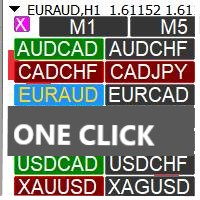
Profit Loss Symbols Dashboard Dashboard displays all manually entered pairs in settings and shows their profit loss information. One click to navigate between all pairs on one chart. Dashboard can be hide or displayed. Green Colour: Symbol(s) in Profit Red Colour: Symbol(s) in Loss Blue Colour: Current Chart Yellow Colour: Timeframe Selected
TRY HAWA GOLD WITH 80% WIN RATE
MT4 VERSION: https://www.mql5.com/en/market/product/58832 MT5 VERSIION: https://www.mql5.com/en/market/product/59276
Pleas
FREE

Не ИИ (Not AI). Индикатор (счетчик) тикового объема, прошедшего на покупку и продажу. Представляет интерес для выявления зон поддержек и сопротивлений. Работает на активном рынке. Не перерисовывается. Вначале, когда индикатор только присоединен к графику, в его окне ничего не отображается. По мере накопления «живой» истории тиков, он начинает отрисовывать гистограмму объемов. Зеленые столбики показывают количество изменений цены на покупку, красные – на продажу. Синяя ломаная линия, проходящая п
FREE
Version History Date Version Changes 07/09/2022 1.10 Initial released Description The RedeeCash RSI is your typical RSI indicator with the three latest RSI calculations exposed as global variables for easier integration with scripts and expert advisors. Code Sample To invoke this indicator from an EA or script, call the iCustom metatrader function, iCustom ( Symbol (), PERIOD_CURRENT , "Market/RedeeCash RSI" , 14 , 1 , 0 ); string RSIVarName = StringConcatenate ( Symbol (), "_rsi" ); string RSIP
FREE
Об индикаторе CandTimer: Крайне простой индикатор CandTimer. Индикатор CandTimer показывает оставшееся время свечи. Работает для таймфреймов: М1 (Минутный таймфрейм); М5 (Пятиминутный таймфрейм); М15 (Пятнадцатиминутный таймфрейм); М30 (Тридцатиминутный таймфрейм); Н1 (Часовой таймфрейм); Н4 (Четырехчасовой таймфрейм); D1 (Дневной таймфрейм); W1 (Недельный таймфрейм); MN (Месячный таймфрейм). Таймер отображается в виде чисел на графике в часах, минутах и секундах.
FREE
Your feedback is valuable and appreciated.
I appreciate feedback on where the application is weak and what improvements or features would be beneficial.
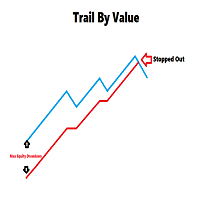
This is a utility for setting trailing stops by value. Trailing stops are great tools for locking in profits as a trade progresses. When trades progress towards potential targets confidence in the trade should be reflected in management of the trade. Market exposure persists for the duration of the trade, and the choice to remain in a trade is
FREE

### Description This Expert Advisor is designed to instantly close active positions and/or pending orders based on user-defined criteria. It supports filtering by trade type, magic number, and symbol scope, and is optimized for fast execution.
### Features - Close buy trades, sell trades, or both. - Filter by symbol: close trades on current chart only or across all symbols. - Filter by magic number or close all trades regardless of magic. - Set maximum allowed slippage for execution control. -
FREE

Have you ever lost your mind? Cause you open multiple positions try to revenge the market or sometime open double, triple position to maximize the profit? if you are win it is okay, but how about if you lose? So "MaxOrdersWarning" may remind your consciousness not to open too many orders in the same time.
How to use - Drag and drop Indicator on your chart. - Set the limitation number of your position ( per Chart Symbol that you open )
Then what's next?
If you reaches the limit, the background
FREE
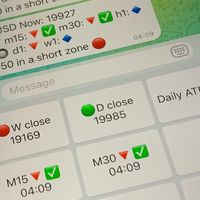
Did you know that additional telegram info panel will reduce your trade loosing? Today I was interested in completing a Telegram bot that shows the time of a confirmed exit from the overbought / oversold zones inside the buttons. Each button with timeframe will show where was used trade entry time signal. This happens at the close of the RSI period and also the closing of the bar in the opposite direction of the previous bar. There is also an indication of ATR level, Daily close price, Weekly c
FREE

Fast Position Copier - Reciver Tool This is Fast and Simple position copier from MT4-----> MT4.
Copying positions requires two bots : Master/Slave. Master ( Sender Position ) Slave ( Reciver Position) This is a Master version (Sender) and you need to download a Slave version from HERE . This tool is suitable for using to copy positions and manage them from a MetaTrader on one or more MetaTraders located on a server or computer. MetaTraders must be installed side by side.
FREE

This indicator shows both GMT time and your broker's time on the chart.
Simply attach the indicator to a chart, and you will see the GMT time and your broker's time displayed in the top left corner, as shown in the screenshot. By using this indicator, you can always stay informed about your broker's time, which is especially useful during daylight saving changes.
You won't have to worry about whether your broker follows the US or EU schedule, as the indicator automatically adjusts to reflect an
FREE

The script allows selecting the required 'Filter level' value of the AIS-MTF indicator. Run the script on the required chart and selected timeframe. Once its operation is complete, the HPS.csv file will be created in the Files folder. Open the file. You will see three columns. The 'Filter lvl' column represents the value of the 'Filter level' for the AIS-MTF indicator. Am. dev. - degree and direction of the indicator's deviation from the price level (sorted in ascending order). Negative values i
FREE
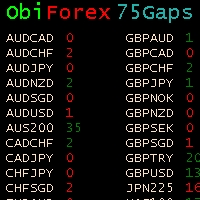
Gaps Size 75 - Market Gap Indicator The Gaps Size 75 indicator reveals the gaps between the current day and the previous day, aiding your trading decisions. It is designed for the "END OF WEEK GAPS" strategy, allowing you to identify potential opportunities. This indicator supports up to 75 currency pairs, with additional pairs available upon request. The columns are color-coded for easy interpretation. For inquiries regarding the weekend gaps strategy, kindly send a private message. Gaps Size 7
FREE
The Tetris — the most famous time killer is now on MT. Game develops active logic, attention and speed of decision making. This is a classic version of the game, no frills, but you can still adjust the size of the glass, the scale of the game, the color of the figures, and the desired speed. The game is made as an indicator. Control Keys: 'WASD' or 'Cursor' or 'NUMPAD'. S — Start new game. C — Continue previous game. P — pause on / off. Space — drop a figure. Esc— exit to menu.
FREE

Acceleration/Deceleration Technical Indicator (AC) measures acceleration and deceleration of the current driving force. This indicator will change direction before any changes in the driving force, which, it its turn, will change its direction before the price. If you realize that Acceleration/Deceleration is a signal of an earlier warning, it gives you evident advantages. But, a classical AC indicator does not include any input parameter. In the source file we can see that this indicator are us
FREE
Operations Monitor It is a simple but powerful monitor, which allows not to use the Terminal to have a cleaner chart.
Informs about all the operations opened in that Asset: Number of Open Operations Lost / profit Account Percentage Volume operated Colors: RED: the sum of operations is lost BLUE: the sum of operations is in profits Fonts: Allows change the font size.
FREE

This script is a part of the Sounder_TopBottomLevels product which is intended to alarm the trader by sound when a Symbol's price goes above or below certain level(s). One of the product's features is a handy operation. You manage the levels by dragging lines on the chart with the mouse. Another feature is an optional Windows application which shows the chart that currently alarms the trader (this script contains this application, when you launch this script in the terminal it unpacks the applic
FREE

This utility manage your position risk by trailing stop with "Parabolic SAR" indicator value. Indicator Parameters SAR step(Parabolic SAR step value) SAR maximum(Parabolic SAR maximum value) Timeframes(Choose timeframes). Stop Place(put SL in current(open) candle or last close candle). Is the spread considered?(Set SL with considering to Spread or not, the choice is with you). Working with this utility is very simple, Just drag it onto the chart. There is no problem with multi-part trades. It is
FREE

This script can generated a text file including Account information such as Account Number Account Name Account Leverage Account Balance MT4 Location Data Folder Location Demo / Real Account Stop Out Mode Stop Out Level etc. Enjoy the script. Please leave a comment or send me an email if you have any idea. The Script is developed by Steve Wan (Eamil: fxac01@gmail.com)
FREE
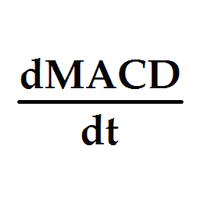
Индикатор выводит первые производные двух MACD. По умолчанию, желтая MACD является более быстрой, чем синяя MACD. В настройках можно задать подходящие вам параметры для каждой из MACD. Одновременное изменение знака производных может являться дополнительным сигналом разворота. Входные параметры
Yellow MACD fast EMA period Yellow MACD slow EMA period Blue MACD fast EMA period Blue MACD slow EMA period
FREE

Индикатор сглаженного Moving Average (xMA)
Входные параметры: xMA Period - период усреднения xMA Method - метод усреднения ( 0-SMA | 1-EMA | 2-SMMA | 3 - LWMA) xMA Price - используемая цена ( 0 - CLOSE | 1 - OPEN | 2 - HIGH | 3 - LOW | 4 - MEDIAN | 5 - TYPICAL | 6 - WEIGHTED) xMA Color - цвет индикаторной линии xMA Width - толщина индикаторной линии
Принцип работы
Индикатор перерассчитывает стандартный технический индикатор Moving Average (дважды усредняет получаемые значения iMA). Период с
FREE

A very fast way to save your chart template.
Set the keyboard shortcut to further speed up the operation.
The script allows you to save a template with a specific prefix, with the current date or with the chart timeframe. The symbol is saved automatically. Script parameters: Prefix - prefix for the template name. Can be empty. With date - true = template name will containt current date With timeframe - true = template name will containt timeframe of the current chart
FREE

Never miss an opportunity with a pending order But if market structure changes or during events it can act against you
It is better to place pending orders with expire time
This tool will be helpful for you with preset expire time
Buy Limit : This order is placed below the current market price. Traders use it when they anticipate a pullback or retracement before the price continues to rise. Sell Limit : This order is placed above the current market price. It’s used when a trader expe
FREE

The Ultimate Indicator For Trading Trend This indicator clearly shows you the strength of the market in one direction or the other, which means that you can trade knowing you are either with or against the market. When used in conjunction with the +3R principles you are sure to have some serious results. The +3R Principles Routine - This is when you trade and how often Rules - This is the rule you follow Risk:Reward - This is the percentage amount of your account which is at risk Whether you t
FREE

Ever thought of your broker stop hunting your stop losses? Incognito SL and TP is exactly what you need! As promised, version 1.1 now has the SL and TP lines that can easily be adjusted by the user. ========================================== INPUTS: SL: Exact price you want the orders for the chart symbol to close when this SL price was hit. Set to 0 for no SL. TP: Exact price you want the orders for the chart symbol to close when this TP price was hit. Set to 0 for no TP. ======================
FREE
This is an additional Tool for Line Alarm Tool for sending Telegram Notification when price reaches a Horizontal Line Line Alarm Tool is an indicator so it can work in coexistence with Expert Advisor, but Sending Telegram Message from MT4 can only be performed by an Expert Advisor. Thus, this additional tool was created.
Get the Line Alarm Tool here: https://www.mql5.com/en/market/product/81723
How to Enable Telegram Notifications? Open: Tools -> Options -> Expert Advisors -> Allow W
FREE
Recommended Broker and Utility Capabilities For optimal use of this utility, it is advisable to choose a broker like RoboForex or a similar one that offers fast order execution and low spreads. Utility Description: The purpose of this utility is to manage market orders, including opening new trades and optimizing losing positions using an internal algorithm. The utility incorporates trend filtering and various types of trailing stops and take profits, making it versatile for trading any instrum
FREE

Introduction
This will calculate the risk taken only on EURUSD on going trades (both market order or pending) in dollar or euro. The risk is depending upon the lot size and stoploss you choose for the trade. Trades it consider
Only EURUSD Types of Trades
Direct Market order Pending Trades Please note Customization is also available for the function. For more details feel free to contact.
FREE

The trading panel is designed to limit the risks of working advisors on one account, it is also possible to limit the risks of manually opened transactions.
The panel provides an opportunity for each advisor to select a part of the deposit in percentage or in the account currency that you can risk. When the specified values are reached, the trading panel will close the positions of this EA or deals opened manually.
You can set full account protection in percentage or account currency, under
FREE

"Statistics by magic pro" is a program that provides statistics after entering a magic number. You can simultaneously track up to 10 statistics for different magic numbers in one chart window. The program is very easy to use. The program should be run on any free chart. In the EDIT field on the chart, you should enter the magic number. Entering "0" will erase the statistics in that window. The operation of the program can be stopped by selecting the statistics off option. After selecting it, the
FREE

It is so very disappointing when the price does not have enough points to achieve Take Profit and makes a reversal. This EA sets virtual levels near the TakeProfit levels. This EA sets virtual levels next to TakeProfit orders. If these levels are reached by price, breakeven or trailing stop is applied for an order. This is a free version of the EA. It works only on NZDUSD.
Features This EA does not set new orders. The aim of this EA is to manage stop losses of existing orders that are set by an
FREE

Индикатор сглаженного MACD (xMACD)
Входные параметры: Fast EMA Period - период быстрой EMA Slow EMA Period - период медленной EMA Signal SMA Period - период сигнальной SMA Applied Price - тип цены (0 - CLOSE | 1 - OPEN | 2 - HIGH | 3 - LOW | 4 - MEDIAN | 5 - TYPICAL | 6 - WEIGHTED) Принцип работы Индикатор перерассчитывает стандартный технический индикатор MACD (дважды усредняет получаемые значения). Индикаторный буфер не перерисовывается.
FREE

The Swap Detector is an essential MQL4 utility that displays the swap costs of any instrument when applied to a chart. It helps traders make informed decisions by visually indicating the swap value in customizable colors— green for positive (good) and red for negative (bad) by default. This tool ensures transparency in overnight holding costs, enabling better trade planning and risk management
FREE

The indicator searches for matches in history for a specified range of the latest known oscillated Moving Average data.
Found matches are indicated on the graph as colored fields. Analysis of historical data (the behavior of quotes in history) will help make decisions in trading.
The matches found are updated when a new bar is opened (i.e., the calculation is performed upon opening prices).
The value of the increase accuracy (Accuracy) must be changed with a decrease in the timeframe, and de
FREE
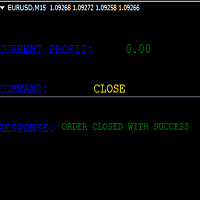
KEYBOARD CONTROL TRADING This script allows you to buy, sell or close positions using the keys on your keyboard. This allows you to create shortcuts to place buy or sell orders or to close an open position.
Setting:
LOT: To choose the lot size of your order.
TAKE PROFIT PIPS: To set your take profit in pips
STOP LOSS PIPS: To set the stop loss in pips
KEY FOR BUYING: To choose the keyboard touch to buy: -Up : To choose the UP direction key to place purchases -B : To choose the direction k
FREE

Update History 28 – Instantly Refresh Historical Data for 28 Major Currency Pairs Keep your market analysis accurate and up to date with Update History 28 , a powerful script that refreshes historical data for 28 major forex pairs in MT4 with just one click. No more manually updating charts—this tool ensures you always have the latest price history for precise trading decisions. Key Features: One-Click Data Refresh – Instantly update historical data for 28 major forex pairs.
Enhanced Mar
FREE
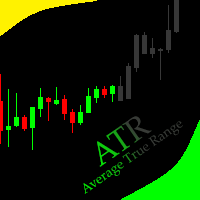
This indicator allows to hide ATR oscillator (on all MT4 timeframes) from a date define by the user, with a vertical line (Alone) or a panel (with "Hidden Candles"). Indicator Inputs: Period Information on "Average True Range" indicator is available here: https://www.metatrader4.com/en/trading-platform/help/analytics/tech_indicators/average_true_range ************************************************************* Hey traders!! Give me your feeds! We are a community here and we have the same
FREE
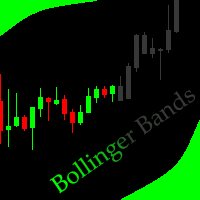
This indicator allows to hide Bollinger Bands (on all MT4 timeframes) from a date define by the user, with a vertical line (Alone) or a panel (with "Hidden Candles"). Indicator Inputs: Period Deviations Shift Apply To Color Style Width Information on "Bollinger Bands" indicator is available here: https://www.metatrader4.com/en/trading-platform/help/analytics/tech_indicators/bollinger_bands ************************************************************* Hey traders!! Give me your feeds! We are
FREE
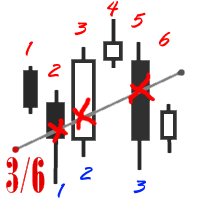
The utility simplifies the search for maximum bars accumulation levels. These levels can be used both for technical analysis and trading actions, like setting a stop loss or pending orders. Additional analytical methods are recommended for levels confirmation.
How it works Сounter mode (enabled by default). In the Сounter mode, draw a trend line on the chart and the utility will specify its length in bars as well as the number of bars the line crosses. When moving a trend line, the utility re-c
FREE

Customize your charts with this simple utility.
Choose in the 24 pre-built color sets, or use your own colors, save them to re-use them later.
You can also add a text label on your chart.
--- Chart Colors--
Color Set : 24 prebuilt color sets (select "Custom" to use colors below) Background color Foreground color Grid color Chart Up color Chart Down color Candle Bull color Candle Bear color Line color Volumes color --- Label--- Text Label : Type the text you want to appear on the chart Label P
FREE
WalkForwardReporter is a script creating HTML reports from walk-forward optimization results generated by WalkForwardOptimizer (WFO) library. It allows you to easily view and analyze your expert adviser (EA) performance and robustness in unknown trading conditions of future. You may find more details about walk-forward optimization in Wikipedia . Once you have performed optimization using WFO, the library generates a CSV-file and special global variables with resulting data. Copy the CSV-file fr
FREE

This indicator allows you to monitor the vitals of your account and notifies of some events, in accordance with user settings. Keep your finger on the pulse of trading.
Control elements
Main panel of the indicator shows the following values: chart symbol, bid/ask prices, spread, free margin, equity, total number of orders and total profit/loss.
There are also two buttons: "Alarm" and "Mute". "Alarm" button starts up a timer, which will notify user in a period of time, defined in the settings. I
FREE
This indicator shows the value of returns in the selected time frame .
They are calculated as logarithm of returns , rather than price or raw returns. For small returns, arithmetic and logarithmic returns will be similar. The benefit of using returns, versus prices, is normalization. It is possible measures all variables in a comparable metric despite originating from price series of unequal values.
Inputs You can display data both as a Histogram or a Line It's also possible to display th
FREE

Watch a few videos in the playlist, turn on subtitles, and select a translation into your language. MOPS ( Managing Open PositionS ) is an expert advisor for managing open trades. Its key features include sending notifications to Telegram and automatically closing all positions when specified virtual take-profit and stop-loss levels are reached for all currency pairs, a specific pair, or a "magic number." The advisor not only sends sound alerts and push notifications to the mobile app but also
FREE

This expert is a utility to help any trader to find the right lot size according to the risk he wants to take. It calculates the lot size based on account equity and added stop loss.
The utility can't to open or close position.
Attach the expert in the same symbol as the one you want to open position.
PARAMETERS LossPips - Stop loss in pips for your position. RiskPercent - Risk of equity you want to get.
FREE
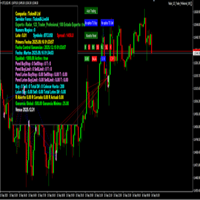
importante el archivo debe llamarse tal cual sino no funciona Radar_123_Trader_Profesional_100.ex4
Estrategia escalera inversa al 100% sirve para el probador de estrategias y combina bien los escalones necesarios para crear ganancias minimas y maximas. Se debe configurar el tamaño de los escalones dependiendo al simbolo que se necesita generar ganancias diarias. Configurar e cierre de operaciones en una ganancia minima con punto exacto de trailing stop. como se configura cuenta real https:
FREE

This Expert Advisor monitors all open trades and saves them to a CSV file whenever a change is detected. It’s a lightweight tool for exporting trade data from MetaTrader 4 in real time. What it does: Monitors all open positions on the terminal Detects changes (order type, volume, price, SL, TP, etc.) Writes updated trade data to a .csv file ( TradeCopy.csv ) Includes order ID, symbol, type, lot size, price, SL, and TP Saves files in the Common Files folder for easy access by other applications H
FREE

ExpertLines is a productivity expert to open orders by the breaking of the buy or sell lines, providing risk x reward and pips information on every trade. The expert can close the opened order by virtual lines of stop loss and take profit or by close buy or sell button. He also has a trailing stop resource if enabled. All this in a fast and easy way. Arm your trade with ExpertLines and have a good trade.
Main Parameters Magic_Number - It is the magic number that the expert advisor uses to ident
FREE

The SymbolicTimeFramingUniverse indicator for MetaTrader 4 (MT4) is designed to enhance chart navigation by displaying the current symbol and timeframe as stacked labels directly on the chart window. It provides precise alignment and customization options, including positioning in the center or corners, adjustable offsets, font styling, and layer controls for visibility (such as background placement or color flashing). This tool supports professional trading workflows by ensuring quick identific
FREE

Price Change Indicator Introduction The Price Change Indicator is a powerful tool designed to help traders identify significant price movements over a specified period. By calculating and visualizing percentage changes between current and historical prices, it allows traders to quickly spot potential trading opportunities when markets show unusual volatility or momentum. Features Real-time monitoring of price changes Visual histogram display when changes exceed threshold Text display showing cur
FREE

Price Aler t can help you send notifications to your personal Telegram when the price crosses a preset value. Additionally, you can check your MT4/5 account info anytime from your Telegram by simple command: /check . Get more free useful EAs here !
HOW TO SET UP? * Get inputs for EA: - Telegram Bot Token: Create a Telegram bot by @BotFather , and save your Bot Token. Find your bot by username & press "start". - Telegram User ID: Use your User ID by chatting with @ userinfobot *
FREE

This free utility is a must to manage your risk.
Very easy to calculate a new position size (number of lots), based on: Your equity
Your risk per trade (% of equity) Your entry price Your stop loss This utility gives the right information to enter the market. A paid version is also available, Ofir Calculator+, to open the trade by a single click. Telegram Setup instruction
Open your Telegram APP and search for "BotFather" Type /start and click/type /newbot to create a new bot Give your bot
FREE

An on‑chart, data‑driven pre‑trade planner that turns your broker’s live market properties into clear, actionable numbers. It consolidates spread, commission, swaps, ATR‑based stop/targets, pip/point value and 10 risk‑profile lot sizes into one compact panel that auto‑scales to any chart size. The display is direction‑agnostic (no LONG/SHORT duplication) and emphasizes total trade cost and true risk/reward before you click “Buy/Sell.” What it shows (at a glance) Time & price context (Local/Serv
FREE

Product Description Trades Closer EA for MetaTrader 4 — the fastest and simplest way to close all your open or pending trades instantly with a single click. This tool is designed for traders who value speed, precision, and full control over their trading positions. With an intuitive and customizable interface, Trades Closer EA helps you manage orders efficiently, saving time and minimizing human error. Key Features Close open trades , pending orders , or both on any selected symbol instantly.
FREE
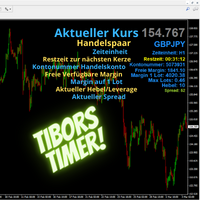
Tibors Timer - Indikator zur Übersicht und Klarheit im Chart
Dieser Indikator wurde von mir geschrieben, da ich oftmals die wichtigsten Informationen während eines Trades bzw. im Chart mühevoll suchen musste. Bitte täglich neu in den Chart ziehen. Er zeigt folgendes an: - Akuteller Kurs - Aktuelles Handelspaar - Die Zeiteinheit - Die Restzeit zur nächsten Kerzenbildung - Die Nummer des Handelskontos - Die Frei Verfügbare Margin - Margin auf 1 Lot - Der Aktuelle Hebel - Der Aktuelle Spprea
FREE

This utility adds a customizable button to your MetaTrader 4 chart, allowing you to close all open orders with a single click. The button's position automatically adjusts based on the chart size, ensuring it remains visible and accessible. Customize the button's appearance, text, and tooltip to suit your preferences. Simplify your trading workflow and manage your open positions more efficiently with this convenient tool. The UPDATES Would be based on your feedback!
Features: Single-click button
FREE

EUR INDEX
The Currency Index Project is ONE part of a thorough Forex study. Many people do not know the theoretical basis that drives currency exchange rates to move on the market. With this set of tools you will be able to have a more complete view of the entire market by analyzing not only the single currency of an exchange, but all the exchange rates that make up that currency by looking at a single window!
The indicator faithfully represents the real index of a single currency present in a
FREE

AUD INDEX
The Currency Index Project is ONE part of a thorough Forex study. Many people do not know the theoretical basis that drives currency exchange rates to move on the market. With this set of tools you will be able to have a more complete view of the entire market by analyzing not only the single currency of an exchange, but all the exchange rates that make up that currency by looking at a single window!
The indicator faithfully represents the real index of a single currency present in a
FREE
This script permits to delete the pending orders or close the market positions on platform. Very simple to use. Upload the script on the chart and the script will done the work for you following the input values.
An utility to manage very quickly your trading.
Input Values TypeOrders Only BUY (delete or close only BUY) Only SELL (delete or close only SELL) BUY and SELL (delete or close ALL) Type Positions (close only market orders) Only STOP (delete STOP pending orders) Only LIMIT (delete LIMIT
FREE

This Expert Advisor captures and sends information about all open positions to a REST API server in real-time using HTTP POST requests. It is ideal for building synchronization tools, external monitoring systems, or custom trade copier solutions. What does this EA do? Iterates through all active orders in the account. Compares current positions with the previously sent ones. If any change is detected (SL, TP, price, symbol, volume, type, etc.), it sends updated information to the defined endpoi
FREE

TelegramTradeReports - Your Trading Always Under Control The price will increase by $50 after every 10 sales TelegramTradeReports is the essential Expert Advisor for the trader who never wants to miss a beat. Instantly connect your MT4 terminal to your Telegram account, sending real-time notifications on every trading event and periodic reports on your account performance.
Ideal for those who manage Expert Advisors, signals, or discretionary trading and need to monitor account activity eve
FREE
Script Deleting the Hunter The script is developed for fast deletion of pending orders, Up and Dn border lines, as well as arrows (symbols) which appear when an order is placed.
Features: Can delete all pending orders of the current chart in one go Can delete all pending orders of the current account in one go Can delete only those orders which have specified magic number Can delete lines which show the channel's border, support and resistance levels marked Up and Dn Can delete all arrows (symb
FREE

If you need to follow more than 1 open position , you would ike to use this simple TrailingStop EA.
Input 1 You have 4 options to set the TrailingStop , Follow the positions of the graph's symbol. Follow a position that has a given ticket number. Follow the positions that has a given Magic number. Follow All the positions. Input 2 Ticket Number ( if 2nd option is selected as input 1) Input 3
Magic Number ( if 3rd option is selected as input 1) Input 4
Trailing Stop amount in Pips Input 5
2
FREE

The presented indicator is the author's implementation of the classic trading idea: Moving averages of different periods diverge over time on a strengthening trend and converge on a weakening trend. The proposed product allows you to clearly demonstrate: The direction of price movement; Temporary price rollbacks; Zones of multidirectional price movement. Namely: The indicator lines go up and diverge from each other - a strong bullish trend; The indicator lines go down and diverge from each othe
FREE

Telegram BrealOut Ichimoku Lite The Expert Advisor will help you forward all alert from MetaTrader 4 to Telegram channel
Parameters Channel Name - Name of your channel Token - create bot on Telegram and get token. AlertonTelegram - true to activate AlertonMobile - true to activate AlertonEmail - true to activate Customize moku Setting (Pro Version) Customize Comment (Pro Version) Add Customizable Signal Name(Pro Version)
Important Note
- You must allow WebRequest and add the https://a
FREE

Abiroid Multi Slope indicator allows you to calculate a Slope Histogram for any line of any indicator . Histogram is for 1 slope line only, but slope values can be calculated for 3 lines total. To have multiple histograms, add as many Slope indicators for custom indicators as you like on chart. You just need to provide the Indicator name, buffer value, slope's period and max number of bars back. By default it has slope calculation for TDI_v4.ex4 indicator. There is no way to specify parameters f
FREE

Signal Tester and Trader is an Expert Advisor that is capable to reading most indicators (except for indicator that has string as an input). Custom backtest the signal on a live chart and trade the signal on live account [Full Version Only] .
The expert has 2 modes: Backtest mode (custom backtest on current indicator and strategy settings) Trading mode (trade based on current indicator and strategy settings) [Full Version Only] Available Indicator types: Two cross indicator: indicator that gen
FREE

Demo version of the paid product - Copy MT4 copier , limited to lot size of 0.01 Universal copier of deals from MetaTrader 4 to MetaTrader 4 ( MT5<->MT5 version is available ; with both versions, you can copy MetaTrader 5<->MetaTrader 4, MetaTrader 4<->MetaTrader 5, MetaTrader 5<->MetaTrader 5, MetaTrader 4<->MetaTrader 4). Spread filter. Select the best price (start copying positions with a profit or loss). Configure the lot size, fixed or ratio-based (provider signals can be copied with an inc
FREE

Dexter EA is a 100% automatic robot that executes random orders of simultaneous buys and sells. For each losing operation, a management with an increase in the lot will begin, better known as “martingale” that will cause the price to fall back to the area where it was established. the profit the robot closes in profit or breakeven, depends on its configuration. I catalog it as a utility even though it works totally automatic because EVERY TRADER'S WORK IS NEEDED to be able to make it work corre
FREE

Features It is a demo version of All inOne indicator It works only on EURUSD, but the full version works on all currency pairs. All in One indicator is a simple indicator, it makes you know about 8 indicators in all timeframes simultaneously at a single glance. Stochastic RSI Moving Average (MA) Parabolic SAR ADX MACD CCI Last Candle (Candle) In all timeframes (M1, M5, M15, M30, H1, H4, D1, MN) at the same time.
Parameters Stochastic: PercentK : Period of the %K line. PercentD : Period of the %
FREE

Open Popup Notification Please leave a review about this product to help other users benefit from it. " Free " Script to turn on pop-up notifications to view past trading alert messages including displaying account information. This script is compatible with MetaTrader 4 The script is easy to install and use, making it suitable for traders of all experience levels. There's nothing to worry about, including a freezing screen and any kind of effects on other chart windows. Disclaimer: This script
FREE
MetaTraderプラットフォームのためのアプリのストアであるMetaTraderアプリストアで自動売買ロボットを購入する方法をご覧ください。
MQL5.community支払いシステムでは、PayPalや銀行カードおよび人気の支払いシステムを通してトランザクションをすることができます。ご満足いただけるように購入前に自動売買ロボットをテストすることを強くお勧めします。

取引の機会を逃しています。
- 無料取引アプリ
- 8千を超えるシグナルをコピー
- 金融ニュースで金融マーケットを探索