Local Trade Relay

  • Utilità
  • Kim Seongyu
    Kim Seongyu
    I approach investing by asking what drives an investment’s return, what could undermine it, and what evidence would change my view.
  • Versione: 1.2
  • Aggiornato: 24 novembre 2026
  • Attivazioni: 5

Overview

Use one desktop terminal to follow selected market positions in another. Attach Local Trade Relay to a chart in each terminal and give the pair a channel name. The sender reads its account. The receiver starts in Preview and shows the symbol, side and lot size it would request. Execution is a separate choice in the receiver inputs.

This edition runs on MT5 hedging accounts that allow individual ticket closes. Install the corresponding MT4 edition for an MT4 endpoint. The two terminals must run on the same computer and reach the same folder. Each channel connects one sender to one receiver.

Quick start

  1. Attach the edition for each terminal to any chart. Set Local channel to the same name on both, for example desk-a . Use lowercase letters, digits, a hyphen or an underscore.
  2. Choose Sender on the source chart. Select the source symbols and magic number you want to follow. Manual positions have magic zero and require Include manual.
  3. Choose Preview receiver on the destination chart. Set any symbol mappings and the lot factor. Watch for Previewing receiver actions and check the proposed symbol, direction and size.
  4. To try the connection without an account position, enable Example data on both charts. The sender publishes a fictional 0.20-lot EURUSD buy. Add EURUSD=EURUSD.demo and a lot factor of 0.50 on the receiver to see a proposed 0.10-lot buy. The example runs in its own folder and supports Sender and Preview only.
  5. To follow account positions, switch off Example data on both charts and check Preview on a demo pair. When you choose Execution receiver, enable automated trading in the destination terminal and in the EA properties. A fresh destination quote and a current sender snapshot are required.

Try the Market demo in Strategy Tester

Select Local Trade Relay, enable visual mode and start a test over a period with at least five historical ticks spaced 15 simulated seconds apart. The SAMPLE DATA panel follows a fictional EURUSD position through five snapshots. At a lot factor of 0.50, the receiver previews a 0.20-lot open, updates its protection, reduces 0.10 lots and closes the remaining 0.10 lots after two exit observations. The last screen keeps the totals visible. Run it again with a smaller lot cap or turn off Mirror stops, Follow reductions or Follow closes to see the effect. The walkthrough runs in memory, requires one terminal and submits zero orders.

Inputs

Input Effect
Role, local channel, example data Choose Sender, Preview receiver or Execution receiver. A blank channel shows setup instructions. Example data uses fictional positions and quotes.
Storage Common Files is the default for two terminals under one Windows user. For a managed installation, Linked Terminal Files reads the product's folder under each terminal's MQL4/Files or MQL5/Files . Both product folders must already lead to the same private local directory. The folder is LocalTradeRelay for accounts and LocalTradeRelayExamples for examples.
Sender symbols, sender magic, include manual Enter exact names separated by commas, or leave the symbol list empty for all. Magic -1 accepts eligible magic numbers. Manual positions require the separate switch. The reserved receiver magic and positions marked by the relay are excluded.
Receiver symbol map Enter exact pairs such as EURUSD=EURUSD.a,XAUUSD=GOLD . Unlisted names pass through unchanged. Match equivalent contracts, quote currencies and price units before enabling execution.
Receiver magic Reserve one positive magic number on the destination account for this channel. A position with that magic and unclear ownership pauses processing.
Lot factor, maximum lots Multiply source lots by the factor, cap each copied position, then round down to the destination volume step. The defaults are 1.0 and 1.0 lot.
Mirror stops Copy absolute stop-loss and take-profit prices, including removal. Stops round outward to the destination price tick and are checked against its distance rules.
Follow reductions, follow closes Follow partial reductions and confirmed full exits independently. A new open carries its requested protective prices in the same request.
Maximum entry age, maximum entry gap Defaults are 90 seconds and 50 destination points. Positions over either limit wait. Zero disables the corresponding limit.
Deviation, stale seconds Request up to 10 destination points of price deviation by default. Broker execution rules determine the fill. The default snapshot expiry is 8 seconds.

Examples

  • Copy one strategy. On the sender, select magic 77 and symbols EURUSD,GBPUSD . A manual EURUSD position and a position with magic 99 stay outside the channel.
  • Reduce at half size. A 0.40-lot source position produces a 0.20-lot target at a 0.50 factor. If the source drops to 0.20 lots, the receiver can reduce its own 0.20 lots to 0.10 lots. The destination must support those sizes.
  • Resume after a disconnect. Reattachment reads the saved receiver ledger first. If someone changes the receiver's SL or TP before its previous edit is confirmed, the receiver can still follow a source reduction. A full exit requires two distinct fresh publications confirming the source has disappeared.

Limits and operating notes

  • Market buys and sells are supported. Buy Limit, Sell Limit, Buy Stop, Sell Stop, Buy Stop Limit and Sell Stop Limit orders are outside the relay. A filled pending order becomes eligible when it appears as a market position. A position opened and closed between snapshots may never be seen.
  • Each source entry opens at most one destination position. If a destination stop or a manual close ends it, the ledger retains that exit while the source is open. Partial fills and manual reductions are never topped up. A positive source remainder smaller than the destination minimum leaves at least one tradable minimum lot when possible.
  • The sender verifies disappearing positions using broker history. For MT4 endpoints, a broker may issue a replacement ticket after a partial close. Missing history or an ambiguous replacement pauses the affected flow. Receiving stops and prices can be different across brokers.
  • Each snapshot can carry up to 256 eligible positions. If the inventory changes while it is being scanned or exceeds that limit, the sender keeps the last complete publication.
  • A timeout or an uncertain broker response holds the recorded request until ownership or completion can be verified. Check the status panel, Experts journal and broker history before intervening. A definite rejection can be retried after 15 seconds while the source remains eligible.
  • Keep the channel's ledger, filters, mapping, sizing, magic and management switches with the pair. To change these settings, finish managing its open positions and start a new channel. Keep its folder private and available to both terminals. Unattended monitoring requires both terminals to stay open.
  • Paired account copying requires two desktop terminals. This edition supports MT5 hedging accounts with individually closable tickets. The destination broker sets the prices, margin requirements, contract sizes and available volume.

Prodotti consigliati
ZF Equity Protector Premium v2.0 The Ultimate Daily Loss Breaker for Smart Traders & Prop Firm Hunters Have you ever blown a Prop Firm account just because of "one bad day"? Or has emotional revenge trading destroyed weeks of hard-earned profits in a matter of hours? Put an end to account destruction right now. ZF Equity Protector Premium v2.0 is an advanced automated safety system (EA) specifically engineered to be your capital's ultimate line of defense. This EA acts as a cold, calculated circ
NEXA Pivot Rebound Basic 1. Panoramica NEXA Pivot Rebound Basic è un Expert Advisor progettato per identificare possibili inversioni di prezzo in prossimità dei livelli Pivot giornalieri (S1 e R1). Il sistema funziona sulla piattaforma MetaTrader 5 ed è ottimizzato per il timeframe M15. I livelli Pivot giornalieri vengono calcolati sulla base del massimo, minimo e prezzo di chiusura del giorno precedente. Tali livelli sono combinati con gli indicatori RSI e Stochastic per generare segnali di ing
Introduction to Order Risk Panel Pro EA Order Risk Panel Pro EA is the professional version of the simple Order Risk Management EA. Order Risk Panel Pro EA incorporate three powerful features in one. The three powerful features include the visual trading & Risk Management, the Harmonic Volatility Line indicator and Trade Statistics Panel. For all these three features, you get the price of one. Firstly, Order Risk Panel Pro provides the highly efficient visual trading feature. You do not have to
Conviction Gold
Archiva Coporation
Set risk. Run EA. No parameter maze. Conviction Gold è un Expert Advisor con gestione del rischio per XAUUSD su MetaTrader 5. Un modello di punteggio interno dimensiona ogni ingresso in base al livello di convinzione. Tu imposti il rischio e l'EA si occupa di valutazione, calcolo del volume ed esecuzione. Manuale utente Guida completa all'installazione e all'uso: https://www.mql5.com/en/blogs/post/770998 Si prega di leggere il manuale e di testare la demo gratuita nel tester di strategia
Smart Trend Scalper AI Smart Trend Scalper EA is an advanced MetaTrader 5 Expert Advisor designed for traders who want to capture short-term market movements while keeping entries, position management and risk control synchronized with the prevailing market structure. The EA is built around a simple philosophy: Identify the dominant M15 direction → confirm the setup → enter quickly → manage winners intelligently → protect accumulated profit → react when market structure changes. Unlike a basic
NEXA Pivot Zone Breakout PRO (H1, GOLD) 1. Panoramica del prodotto NEXA Pivot Zone Breakout PRO è un Expert Advisor automatico progettato per operare nel timeframe H1. La strategia si basa sulla rottura e sul retest del livello Pivot giornaliero (P). Il prodotto è sviluppato principalmente per GOLD (XAUUSD). La logica combina i seguenti elementi: Livelli Pivot giornalieri (P, R1, S1) Conferma di rottura con candela a corpo forte su H1 Filtro di momentum tramite istogramma MACD Conferma del retes
-         What it does? Opens BUY (or SELL) orders automatically every X pips you decide. Closes each trade at your personal TP .  Works on any symbol: SP500, NAS100, GOLD, EURUSD, BTC... 100 % YOUR SETTINGS   What can you enter in the settings? - Trading direction: Buy or Sell - Entry level - Entry volume - Maximum number of buy orders - Maximum number of sell orders - Pips required for each new entry - Pips to take profit per trade - Stop Loss Level - Close all trades when SL level is hit Exam
H4DLineFib
Steven Wong Sing Seng
H4 Daily Line Fib is a MetaTrader 5 Expert Advisor that combines prior-day range daily entry lines with H4 Fibonacci retracement pending orders and basket-style martingale recovery. It is built for traders who want structured pullback entries with configurable grid recovery and optional prop-firm risk controls. Features • Prior-day high/low based daily buy and sell entry lines • H4 closed-bar touch confirmation with Fib limit or stop pending entries • Per-basket martingale grid with configura
Maximum Infinity Pro – EA Grid Avanzato per MT5 Maximum Infinity Pro è un Expert Advisor (EA) di livello professionale progettato per MetaTrader 5, che combina una logica di trading a griglia avanzata con una robusta gestione del rischio e strategie di entrata/uscita adattive. Questo EA è adatto sia ai trader principianti che a quelli esperti che desiderano una soluzione di trading affidabile, flessibile e completamente automatizzata. Caratteristiche Principali Sistema a Griglia Intelligente (S
Multiple markets  / One management framework Project No Gold (PNG) is a multi-market Expert Advisor for MetaTrader 5. It combines built-in strategies for USDJPY, silver, and US, Japanese, and German stock indices. Select your markets, adjust trading size by market, and manage the portfolio from a single chart. PNG combines strategy execution, position sizing, protection, and monitoring in one framework, designed to explore opportunities beyond gold.  What is Project No Gold? Account Monitoring
A robot that real-time supervise your open position and close it once the price level touches (or is close to touch) a previously selected trendline. You don't have to constantly watch your open position and wait for the proper time to close it. It automatically does this entire process and gives you time to spot new market opportunities. It can be attached to multiple charts and assist multiple open positions at the same time. Setup steps D raw   a trendline on chart  (using your mouse) Allow
Pending orders, positions, risk and schedules in one free MT5 workspace. Trading with UBS (Ultimate Breakout System), running several EAs, or managing manual trades alongside them? Ultimate Order Manager helps you find the right orders, see where risk is concentrated, and review exactly which tickets you are about to manage.  A complete toolkit, shared free I built UOM to bring the controls I wanted for my own trading into one practical workspace. I am sharing the complete toolkit free so othe
FREE
Xau Sovereign AES MechAES Exploiter - Trade the exact moments when institutional algorithms are forced to reboot. Xau Sovereign AES Mech  is an ultra-premium Expert Advisor built purely around the Algorithmic Exhaustion Syndrome (AES)- theory. Institutional High-Frequency Trading (HFT) bots have calculation limits. When the market experiences erratic volatility and volume drops, these algorithms become confused and enter a temporary "Standby" mode. Our AI-driven engine waits patiently for this
Meridian Edge Gold
Ignacio Agustin Mene Franco
MERIDIAN EDGE v1.0 — Institutional Series Worldinversor 2026 | Expert Advisor for MetaTrader 5 Meridian Edge v1.0 is an institutional-grade Expert Advisor that combines artificial intelligence, advanced quantitative analysis, and structural market recognition in a single autonomous execution engine. Designed for demanding traders seeking consistency and operational robustness. Artificial Intelligence Engine The core of the system integrates a bidirectional BiLSTM (Bidirectional Long Sho
NextGen Premium is an automated Expert Advisor for MetaTrader 5 designed primarily for XAUUSD (Gold). The EA uses a two-sided pending order grid. It places Buy Stop orders above the current market price and Sell Stop orders below the current market price. The EA does not use indicators or trend prediction to determine the trading direction. Orders are activated when market price reaches the corresponding pending order level. The EA is designed to maintain a structured grid and includes position
FusionFXS
Jae-hyeok Jang
Key Features and Strategy Multi-Currency Analysis: The EA monitors over 20 currency pairs simultaneously. It utilizes multiple technical indicators to assess market conditions. Hybrid Logic: The strategy combines trend-following principles with a controlled Martingale system to manage positions. Risk Management: The system implements Grid Hedging, Partial Stop Loss, Partial Close, and Carry Trades to manage capital exposure effectively. Entry Optimization: The algorithm is calibrated to identif
Atlas Aegis Lab
Petros Paplomatas
XAU/USD is not a preset on top of a generic engine here. It is the whole project , one instrument, one model stack, built for it and nothing else. It started as research rather than as a product. What you get is the software itself, running on your account, at your broker, with the risk settings under your hand. Three models that disagree Direction and size are scored by an ensemble: a transformer, a gradient-boosted tree ensemble, and a recurrent network. Same feature set, three different induc
Optch Gold
Oh Cheonghun
Designed to pass the FTMO Challenge. I recommend using under 0.2 lots for a $10K account and under 1 lot for a $100K account. The settings are RSI Length 26, Signal Length 10, RMA, HLCC4. Algorithm Introduction Strategy Description A rules-based XAUUSD trading system that combines key price level detection with trend-following execution. Core Logic: Identifies structural support/resistance zones and confirms directional entries using momentum and ATR volatility filters to control noise during
Short Description Swing Timing Breakout EA is a smart Expert Advisor for MetaTrader 5 that combines trend filtering, momentum timing, and dynamic risk management to capture high-probability swing and breakout opportunities. Full Description Swing Timing Breakout EA is a professional trading robot designed for MetaTrader 5, suitable for traders who want a balance between automation, control, and disciplined risk management. This EA uses a trend-following and momentum confirmation approach ,
Zic Zac De Midas
Job Israel Vargas Sarabia
ZIC ZAC DE MIDAS — Expert Advisor per gli indici statunitensi ZIC ZAC DE MIDAS è un sistema di trading automatizzato specificamente progettato per il trading sugli indici statunitensi (US500, US30, US100 e simili), che combina una logica di rientro a più livelli con diversi livelli di gestione del rischio per proteggere il capitale in scenari avversi. Il robot viene fornito preconfigurato con un set ottimizzato per l'S&P 500, focalizzato su operazioni a basso capitale (1.000 $) e drawdown
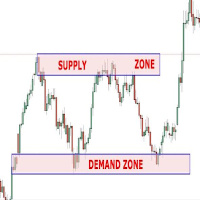
This Expert Advisor can be applied to many markets because It exploits basic supply/demand and price action concepts. It identifies the major rotation zones (PRZ), supply and demand zones and supports and resistances within major price trends. It buys at discount zones and sells at premium prices. It can and should be optimized through the Metatrader tester to find the best parameters to use for current market conditions. This is not a fixed strategy rather a full trading algo that will find whi
BTC Trade Master Pro is a powerful EA designed to operate on the MetaTrader 5 (MT5) platform, offering a range of features tailored for traders seeking risk control and flexibility in various market conditions. Key Features: No Risk-Amplifying Strategies: BTC Trade Master Pro does not use risky methods like Martingale or Grid strategies. Each trade is a single transaction with predefined stop-loss and take-profit levels. Built-in Stop-Loss and Take-Profit: Every trade is equipped with both stop-
Introduction to Support Resistance Indicator Support and Resistance are the important price levels to watch out during intraday market. These price levels are often tested before development of new trend or often stop the existing trend causing trend reversal at this point. Highly precise support and resistance are indispensable for experienced traders. Many typical trading strategies like breakout or trend reversal can be played well around these support and resistance levels. The Precision Sup
Piporyx EA MT5 – Breakout Pending Order Expert Advisor for XAUUSD Overview Piporyx EA MT5 is a breakout-based Expert Advisor for MetaTrader 5 designed for structured, rule-based trading with controlled risk management. This MT5 EA uses pending BuyStop and SellStop orders to capture confirmed market momentum during volatility expansion. The strategy is built for traders seeking a breakout strategy without martingale, grid, or high-risk recovery systems. It is optimized primarily for XAUUSD (Gold)
Robot Titan Rex
Cesar Juan Flores Navarro
Asesor Experto (EA) totalmente automático, opera sin ayuda del usuario, se llama Titan T-REX Robot (TTREX_EA),actualizado a la versión 2, diseñado a base de cálculos matemáticos y experiencia del diseñador plasmado en operaciones complejas que tratan de usar todas las herramientas propias posibles. Funciona con todas las criptomonedas y/o divisas del mercado Forex. No caduca, ni pasa de moda ya que se puede configurar el PERIODO desde M1..15, M30, H1.... Utiliza Scalping de forma moderada busca
Vi presentiamo il "Cherry Picker" EA: Rendi il tuo trading ancora più dolce! Proprio come scegliere le ciliegie più mature su una torta, il Cherry Picker EA seleziona solo le migliori opportunità di trading sul mercato MT5. Questo EA innovativo identifica con precisione i punti di ingresso ad alta probabilità, anche in condizioni di mercato complesse, massimizzando così i tuoi profitti. A differenza degli EA "scatola nera" che utilizzano reti neurali o ChatGPT, dove non è chiaro come vengono ott
Titolo: Auto Multi Support & Resistance Pro - Linee S/R Intelligenti [Descrizione] Smetti di tracciare linee manualmente! Lascia che "Auto Multi Support & Resistance Pro" trovi i punti pivot più precisi per il tuo scalping e day trading. Altamente ottimizzato per timeframe brevi (M1, M5, M15) e asset volatili come l'Oro (XAUUSD) e gli Indici, dove le false rotture sono comuni. [Caratteristiche Principali] 1. Generazione Automatica Multi-Linea: Traccia automaticamente il numero desiderato di l
FREE
Bring the TradingView Experience to Your MT5! Break free from the clunky, traditional default shapes of MT5. The 'True Color RR Manager' is a next-generation Risk/Reward management tool featuring a custom 'Transparency Illusion HEX Engine' that flawlessly replicates the modern TradingView style. It provides perfect visibility without obscuring your chart movements. Key Features Perfect TradingView Colors: Equipped with a custom HEX decoder, allowing you to use original TV colors with transp
Our "Trending Topik" Forex Expert Advisor works based on several non-lagging Forex indicators and combined with Supply Demand on RBR/DBD, Support Resisten , Fibonacci, OrderBlock/ICT, ADR Daily and support on timeframe M15 - Daily, searching current major trends with filter EMA 200 on Timeframe H1, H4,Daily, and looking for the best momentum with built-in Hidden Profit Fibo0/Support and Fibo100/Resisten,  Hidden Profit change trend EMA200, StopLoss, BreakEvent and Trailling. It works on multi pa
EA Maling Gold
Felin Sitohang
EA Maling Gold  is a fully automated EA designed to trade GOLD only. Suitable for any broker conditions.  Info Working symbol XAUUSD Working Timeframe: D1 Min deposit:  $400   For 0.01 Lot Min leverage 1:200 Features: Martingale Maximum positions at a time is 3 positions. Set your own risk Not sensitive to broker conditions  Easy to install Time Filters And Spread Limits
Gli utenti di questo prodotto hanno anche acquistato
Trade Assistant MT5
Evgeniy Kravchenko
4.43 (216)
It helps to calculate the risk per trade, the easy installation of a new order, order management with partial closing functions, trailing stop of 7 types and other useful functions. Additional materials and instructions Installation instructions - Application instructions Line function -   shows on the chart the Opening line, Stop Loss, Take Profit. With this function it is easy to set a new order and see its additional characteristics before opening.   Risk management  - The risk calculation
Forex Trade Manager MT5
InvestSoft
4.98 (693)
Benvenuto a Trade Manager EA, lo strumento definitivo per la gestione del rischio , progettato per rendere il trading più intuitivo, preciso ed efficiente. Non è solo uno strumento per l'esecuzione degli ordini, ma una soluzione completa per la pianificazione delle operazioni, la gestione delle posizioni e il controllo del rischio. Che tu sia un principiante, un trader avanzato o uno scalper che necessita di esecuzioni rapide, Trade Manager EA si adatta alle tue esigenze, offrendo flessibilità s
Local Trade Copier EA MT5
Juvenille Emperor Limited
4.94 (150)
Local Trade Copier EA MT5 è un trade copier rapido e flessibile per copiare e gestire operazioni tra più conti MetaTrader 5 sullo stesso computer Windows o Windows VPS. Combina la sincronizzazione locale delle operazioni con controlli lato Receiver per dimensione del lotto, gestione del rischio, filtraggio delle operazioni, mappatura dei simboli, gestione delle operazioni e protezione del conto. Configura i terminali Transmitter e Receiver in circa 1 minuto e copia operazioni manuali o aperte d
Telegram to MT5 MultiChannel Copier
Sergio Marquez Uroz
4.73 (26)
Black Week: acquisto a 69.99 USD. L'offerta termina venerdì 27 novembre. Telegram to MT5 Multi-Channel Copier   copia automaticamente i segnali di trading dai tuoi canali Telegram e Discord direttamente su MetaTrader 5. Niente bot, niente estensioni del browser, niente copia manuale. Il segnale arriva su Telegram o Discord e l'EA apre l'operazione nel tuo terminale in pochi secondi. E prima di copiare un canale, il backtester integrato ti mostra cosa avrebbe fatto quel canale sul tuo conto. Il p
FarmedHedge Pair Trading Dashboard
Tanapisit Tepawarapruek
5 (7)
Farmed Hedge Yield Farming | All Markets (Manual - Hybrid - Semi/Automated EA) VERIFIED TRADING RESULTS - Farmed Hedge Yield Axi Copy:  https://www.mql5.com/en/signals/2356376 - Farmed Hedge Yield Exn Copy:   https://www.mql5.com/en/signals/2356404 - Farmed Hedge Yield V Copy:  https://www.mql5.com/en/signals/2357156 IMPORTANT NOTICE: FarmedHedge is a MANUAL-FOCUSED TRADING UTILITY ,not a fully automated EA. Results shown on this Signal include manual trades and overall strategic management.
TradePanel MT5
Alfiya Fazylova
4.89 (175)
Trade Panel è un assistente commerciale multifunzionale. L'applicazione contiene più di 50 funzioni di trading per il trading manuale e permette di automatizzare la maggior parte delle attività commerciali. Istruzioni per l'applicazione: https://www.mql5.com/it/blogs/post/762331 Versione di prova dell'applicazione per un conto demo: https://www.mql5.com/it/blogs/post/762419 Come installare l'applicazione: https://www.mql5.com/it/blogs/post/762362 Come testare l'applicazione in modalità visuale:
EA Overfitter
Stephen J Martret
5 (4)
That backtest looks great. But will it still be making money tomorrow, next week, next month? EA Overfitter re-runs your EA on 100 price histories it has never seen. One score tells you if the edge is real. A backtest tells you what an EA did on one price history — the one that happened to occur. What you cannot tell from it is how much of that result was the strategy and how much was the particular path. EA Overfitter answers that. It builds up to 100 synthetic price histories your EA has n
Copia i segnali Telegram con le tue regole di trading Telegram to MT5 Signal Trader copia automaticamente i segnali di trading testuali dai canali e gruppi Telegram pubblici e privati in MetaTrader 5. Gestisci più fornitori e conti MT5 da un'unica applicazione desktop, con impostazioni di rischio e di trading specifiche per ogni fornitore . Per copiare i segnali non servono bot Telegram né configurazioni API. Accedi semplicemente con il tuo account Telegram tramite numero di telefono o codice QR
Exp COPYLOT CLIENT for MT5
Vladislav Andruschenko
3.97 (35)
Copiatore professionale di trade per MetaTrader 5 Un copiatore di trade veloce, professionale e affidabile per MetaTrader . COPYLOT consente di copiare operazioni Forex tra terminali MT4 e MT5 con supporto per conti Hedge e Netting . La versione MT5 di COPYLOT supporta: - MT5 Hedge → MT5 Hedge - MT5 Hedge → MT5 Netting - MT5 Netting → MT5 Hedge - MT5 Netting → MT5 Netting - MT4 → MT5 Hedge - MT4 → MT5 Netting Versione MT4 Descrizione completa + DEMO + PDF Come acquistare Come installare Come ot
AI Agents Supervisor
Ho Tuan Thang
5 (1)
AI Agent Supervisor is NOT an Expert Advisor. AI Agent Supervisor   is a   multi-agent AI risk & portfolio supervisor   that watches every EA on your account and intervenes in real time.  WANT AN AI PORTFOLIO MANAGER WATCHING YOUR FLEET 24/7?   Run your fleet on the same brokers I do:   IC MARKETS , IC TRADING   .  Unlike the centralized stock market, Forex has no single, unified price feed.  Every broker sources liquidity from different providers, creating unique data streams. The Supervisor r
The product will copy all telegram signal to MT5 ( which you are member) , also it can work as remote copier.  Easy to set up, copy order instant, can work with almost signal formats, image signal,  s upport to translate other language to English Work with all type of channel or group, even channel have "Restrict Saving Content", work with  multi channel, multi MT5 Work as remote copier: with signal have ticket number, it will copy exactly via ticket number. Support to backtest signal. How to s
================================================================================ POC BREAKOUT - V20.72. Full Professional Grade Toolkit ================================================================================ POC Breakout is a full MetaTrader 5 trading dashboard for discretionary traders who want breakout signals, Point of Control (POC) context, volume profiles, order flow, market structure, news, alerts, and advanced trade planning in one professional workspace. Attached directly to you
Power Candles Strategy Scanner: ricerca di setup multi-simbolo che si ottimizza da sola Uno scanner che suona a ogni minimo movimento ti abitua a ignorarlo. Una chiusura di candela movimentata, un avviso dopo l'altro, e l'unico setup su cui operi davvero affoga nel rumore. Power Candles Strategy Scanner esegue il motore auto-ottimizzante di Power Candles su ogni simbolo del tuo Market Watch e ti avvisa solo di ciò che supera i tuoi filtri: la forza dell'ultima candela chiusa, il rapporto rendime
Unlimited Trade Copier Pro MT5 is a tool to copy trade remotely to multiple MT4, MT5 and cTrader accounts at different computers/locations over internet. This is an ideal solution for you if you are a signal provider and want to copy your trades to other receivers globally on your own rules. One provider can copy trades to multiple receivers and one receiver can get trade from multiple providers as well. The provider can even set the subscription expiry for each receiver, so that receiver will n
Timeless Charts
Samuel Manoel De Souza
5 (9)
Timeless Charts è un'utilità di trading completa progettata per trader professionisti. Combina tipi di grafici personalizzati come Grafici a Secondi e Renko con analisi avanzata del flusso ordini tramite Footprints , Clusters , Profili di Volume , studi VWAP e strumenti di analisi ancorata per una visione più approfondita del mercato. Il trading e la gestione delle posizioni vengono eseguiti direttamente dal grafico tramite un pannello integrato di gestione delle operazioni , mentre Market Repla
News Trade EA MT5
Konstantin Kulikov
4.55 (11)
Presento un utile robot che io stesso utilizzo da diversi anni. Questo robot può essere utilizzato sia in modalità semiautomatica che completamente automatica. >>> Chat <<< Il programma contiene le impostazioni flessibili per fare trading sulle notizie del calendario economico. Non può essere verificato nel tester delle strategie. Soltanto il vero lavoro. Scarica l'ultimo archivio di impostazioni: https://www.mql5.com/en/blogs/post/747929 Monitoraggio dei segnali: https://www.mql5.com/en/signa
Exp5 VirtualTradePad PRO SE for MT5
Vladislav Andruschenko
5 (1)
VirtualTradePad PRO SE MT5 — centro di controllo professionale per il trading su MetaTrader 5 VirtualTradePad PRO SE è un pannello di trading premium basato sul grafico e un ambiente di gestione delle operazioni per MetaTrader 5 . È progettato per i trader che desiderano esecuzione più rapida, controllo più chiaro delle posizioni, gestione strutturata delle operazioni, pianificazione visiva dei livelli e un workflow professionale direttamente dal grafico. Non è soltanto un semplice pannello BUY
Strategy Builder offers an incredible amount of functionality. It combines a trade panel with configurable automation (covert indicators into an EA), real-time statistics (profit & draw down) plus automatic optimization of SL, TP/exit, trading hours, indicator inputs. Multiple indicators can be combined into an single alert/trade signal and can include custom indicators, even if just have ex4 file or purchased from Market. The system is easily configured via a CONFIG button and associated pop-u
Astro Trade MT5
Indra Maulana
5 (8)
25% discount on the release of the tool: only for the next 3 buyers Send a message to receive a demo version. AstroTrade Trading Assistant AstroTrade is a comprehensive multi-functional trading utility developed for the MetaTrader 5 platform. It integrates essential tools for trade execution, risk management, and technical monitoring into a single unified interface. The application is designed to assist traders in managing their daily operations through a visual and structured environment. Vi
VirtualTradePad One Click Trading Panel
Vladislav Andruschenko
4.59 (74)
Pannello di trading per MetaTrader 5 — controllo professionale del trading in un clic dal grafico e dalla tastiera Un pannello di trading avanzato progettato per trader attivi, pensato per aprire, gestire e chiudere operazioni molto più velocemente rispetto all’interfaccia standard di MetaTrader. Questa soluzione è dedicata a chi desidera controllare posizioni, ordini pendenti, profitto totale ed esecuzione da un unico spazio di lavoro professionale. Non si tratta di un semplice utilitario. È u
News Filter EA
Rashed Samir
5 (2)
News Filter EA: Advanced Algo Trading Assistant News Filter EA is an advanced algo trading assistant designed to enhance your trading experience. By using the News Filter EA , you can integrate a Forex economic news filter into your existing expert advisor, even if you do not have access to its source code. In addition to the news filter, you can also specify trading days and hours for your expert. The News Filter EA also includes risk management  and equity protection features. MT4 Version Ma
Hai trovato un ottimo segnale, ma il lotto di un fornitore è troppo piccolo? Hai bisogno di un volume di posizione maggiore, ma le impostazioni del terminale sono troppo scadenti? Signal Lot Manager aumenterà il volume della posizione del fornitore mediante un ordine duplicato del volume necessario. Basta impostare una dimensione del lotto e un nome di un segnale da cui copiare gli ordini. Signal Lot Manager è un'utilità moltiplicatrice di lotti per duplicare gli ordini sul tuo terminale. La fon
SMC Trade Pilot MT5
Prime Horizon
5 (1)
Expert advisor order block, BOS e ChoCH per MetaTrader 5, con avvisi su Telegram SMC Trade Pilot MT5 legge la struttura di mercato sul vostro grafico e invia il segnale su Telegram. Segnala le rotture di struttura (BOS) e i cambi di carattere (ChoCH), disegna order block con punteggio di forza , traccia i fair value gap (FVG) e i liquidity sweep, mostra un volume profile con point of control, value area high e value area low, e riassume tutto in un pannello compatto con modulo multi-timeframe, p
KT Equity Protector MT5
KEENBASE SOFTWARE SOLUTIONS
3.6 (5)
An equity protection EA for MetaTrader that enforces your loss limits and profit target for you: when your account reaches a rule you set, it closes your trades on every symbol, before one bad day turns into a lost account. It suits prop firm challenges and personal accounts alike. Attach it to one chart, answer a few questions in the on-chart setup wizard, and it watches your whole account in the background while you trade by hand or with other EAs. What it protects Daily loss limit: a percenta
Trade Manager DashPlus
Henry Lyubomir Wallace
4.85 (13)
DashPlus è uno strumento avanzato di gestione delle operazioni progettato per migliorare l'efficienza e l'efficacia del trading sulla piattaforma MetaTrader 5. Offre una suite completa di funzionalità, tra cui calcolo del rischio, gestione degli ordini, sistemi di griglia avanzati, strumenti basati su grafici e analisi delle prestazioni. Caratteristiche Principali 1. Griglia di Recupero Implementa un sistema di griglia flessibile e di media per gestire le operazioni in condizioni di mercato avve
TradingView-grade charts, native in MT5, with Pine Script v4 and up support A complete charting replacement built inside MetaTrader 5: a custom rendering engine, a Pine Script v4-v6 interpreter, 10+ built-in indicators, professional drawing tools, multi-chart layouts, a forex sessions overview, a bar replay simulator, and an integrated trade manager with risk-based position sizing. One license. Free updates for life. Why ChartZephyr MT5 gives you world-class execution. Its charting engine hasn't
Custom Alerts MT5
Daniel Stein
5 (8)
Custom Alerts: Monitora più mercati e non perdere mai un setup importante Panoramica Custom Alerts è una soluzione dinamica per i trader che desiderano monitorare più strumenti da un unico punto centrale. Integrando i dati dei nostri strumenti principali — come FX Power, FX Volume, FX Dynamic, FX Levels e IX Power — Custom Alerts ti avvisa automaticamente degli sviluppi cruciali del mercato, senza dover passare continuamente da un grafico all'altro o rischiare di perdere opportunità importanti
Assistente di trading sul grafico e pannello di gestione del rischio Strumento completo sul grafico con Stop Loss (SL) e Take Profit (TP) multi-mode (ATR, R:R, punti, valuta del conto), analisi in tempo reale e calendario economico Ergotick Trade Manager è un pannello di trading professionale tutto-en-uno, progettato per trader discrezionali, candidati ai challenge delle prop firm e scalper. Unisce il calcolo automatico e istantaneo della dimensione del lotto, impostazioni multi-mode per Stop Lo
Trade Dashboard MT5
Fatemeh Ameri
4.94 (135)
Trade Dashboard simplifies how you open, manage, and control your trades, with built-in lot size calculation. It allows you to execute trades, manage risk, and control positions directly on the chart, with tools such as partial close, breakeven, and trailing stop. Designed to reduce manual work and help you stay focused on your trading decisions. A demo version is available for testing. Detailed explanations of features are provided within the MQL5 platform. Installation instructions are include
Trade Assistant 38 in 1
Makarii Gubaydullin
4.91 (23)
Strumento multifunzionale: Calcolatore di Lotto, Ordini Grid, Rapporto R/R, Gestore di Trade, Zone di Domanda e Offerta, Price Action e molto altro Versione Demo   |   Manuale Utente L'Assistente di Trading   non funziona nel tester di strategie : puoi scaricare la   Versione Demo QUI  per testare l' utilità . Contattami   per qualsiasi domanda  / idee di miglioramento / in caso di bug riscontrato Se hai bisogno di una versione MT4, è disponibile qui Semplifica, accelera e automatizza il tuo  
Altri dall’autore
Choose a stop and see how much volume fits your cash risk budget. Move the entry, stop and target lines on the price chart. A separate panel shows the lot size, estimated stop loss in the deposit currency, estimated target after costs and reward-to-risk. The planner places no trades. Start a plan Attach the indicator to the instrument you intend to trade. Choose equity, balance or a fixed cash amount as the budget basis. Choose Buy or Sell . The initial entry uses the current ask or bid. The in
FREE
How long did a breakout hold before price returned to the opening range? Review recent sessions on one chart. See the opening high and low, the first close outside the range and the first later candle that touched the broken boundary. Select Show bars to center the chart on the event and mark the original levels. Review a session Try the free demo in the MT4 or MT5 visual Strategy Tester. Keep the 08:00 start and 15-minute opening range, turn on Show example and let the test play. In the fictio
Which trades made up your EA's net result? Choose a broker-date range, find your EA by name or magic number and select Postings . Each posting shows the original ticket, broker time, symbol, allocation source, gross P/L, commission, swap, fees and net amount in the deposit currency. Try it on MT4 or MT5. Turn on Show example , then choose Week and All symbols . The fictional account shows 27 USD net. Magic 2101 contributed 43 USD. Select Postings to see ticket 900104 with 32 USD net, then use t
Check which M1 bars you can corroborate with quote updates that your MT4 terminal observed. Attach the indicator to the chart you want to monitor. Each colored hour opens a summary of its completed minutes. The CSV gives you the evidence for each minute. Try an example In desktop MT4, open View → Strategy Tester , choose Indicators and select Tick Coverage Map . Choose a symbol and timeframe with price history, leave the indicator inputs at their defaults and press Start . The visual chart opens
FREE
Track how pending orders on your account open relative to the requested levels you saw before activation. Attach the indicator to one chart and leave MT4 connected. The monitor observes pending orders across the account. The chart opens on its own symbol, and Next symbol cycles through symbols that have loaded tickets in the five-week window. Try the Market demo Download the demo in desktop MT4. Open View → Strategy Tester , select Indicators and choose Fill Drift Monitor . Select a symbol and t
Overview Follow selected market trades from one desktop terminal in another. Local Trade Relay can read an MT4 source account or serve as its destination. Each chart shows its role, the channel status and the positions it is publishing or would act on. Preview is the default receiver mode. Use this edition at an MT4 endpoint. For a pair containing MT5, install the MT5 edition at that endpoint and select a hedging account that allows individual ticket closes. Both terminals run on the same compu
NeuroQuant: Built for GOLD NeuroQuant is a next-generation trading solution specially designed for GOLD, leveraging advanced AI and neural networks to dominate this high-potential market. Symbol: XAUUSD (GOLD) Timeframe: 4H & 1H Capital: $1,000+ Broker: Any broker Account Type: Lower spread preferred Leverage: 1:25 ~ 1:500 VPS: Preferred to maximize your profit Lot Size: 0.01 ~ Why NeuroQuant Excels in GOLD: Exceptional Backtest Results: In 2024 backtests, short positions achieved over  62.5%
Tick Coverage Map shows where your MT5 terminal returned ticks for the M1 bars in a selected date range. Use it before a backtest to find dates that need a closer look. Each calendar cell compares observed M1 minutes with minutes containing at least one returned tick. Click a date to inspect consecutive zero-tick intervals. Switch the detail view to see unresolved minutes when history was unavailable or still synchronizing. Minutes without an M1 bar have their own count. Inputs and controls Sym
FREE
Fill Drift Monitor helps you find changes in execution quality across several EAs in one MT5 account. Start with the chart symbol or open All symbols to compare this week with a baseline pooled from the previous four completed broker-server weeks. Each week shows the signed median, the 90th percentile of adverse fills, and measured versus total deals. Positive values mean worse execution and negative values mean better execution. Values and ranking differences use each symbol's own points. Sele
Rangehound Gold gives you two ways to trail hourly gold breakouts in one MetaTrader 5 Expert Advisor. Gold Breakout and Gold Trend use the same entry rule on XAUUSD. In the free MT5 Strategy Tester demo, change just the Strategy input to compare their stops and exits on your broker's price history. Choose a strategy Gold Breakout (default) uses a trailing distance of twice the 14-bar hourly average true range (ATR). Gold Trend uses four ATRs while the trend filter is active and two otherwise. A
How long did a breakout hold before price returned to the opening range? Review recent sessions on one chart. See the opening high and low, the first close outside the range and the first later candle that touched the broken boundary. Select Show bars to center the chart on the event and mark the original levels. Review a session Try the free demo in the MT4 or MT5 visual Strategy Tester. Keep the 08:00 start and 15-minute opening range, turn on Show example and let the test play. In the fictio
Which trades made up your EA's net result? Choose a broker-date range, find your EA by name or magic number and select Postings . Each posting shows the original ticket, broker time, symbol, allocation source, gross P/L, commission, swap, fees and net amount in the deposit currency. Try it on MT4 or MT5. Turn on Show example , then choose Week and All symbols . The fictional account shows 27 USD net. Magic 2101 contributed 43 USD. Select Postings to see ticket 900104 with 32 USD net, then use t
Find the first recorded Bid or Ask that touched a stop or target after a confirmed range breakout. The chart labels the direction and price of the breakout. For the selected signal, the panel gives the entry quote, spread, model levels, first-touch price and broker timestamps down to milliseconds. The first screenshot follows a gold M1 short from 24 November 2026 at 04:51 broker time. The first Bid was 3638.29 at 04:52:00.234. The stop level was 3640.72. At 04:54:12.834 the Ask was still 3640.68
Review where an entry landed relative to the prices that attracted activity earlier in its session. Attach Deal Entry Profile to an MT5 chart and select one of your account’s entry deals on that symbol. The panel reconstructs the price distribution using only the broker records that precede the deal. The chart marks the entry price and time. Read a profile The gold histogram row contains the point of control (POC), the busiest displayed price row. Teal rows form a contiguous value area containin
Filtro:
Nessuna recensione
Rispondi alla recensione