FVG Day Trading
- Indicatori
- Versione: 1.0
- Attivazioni: 5

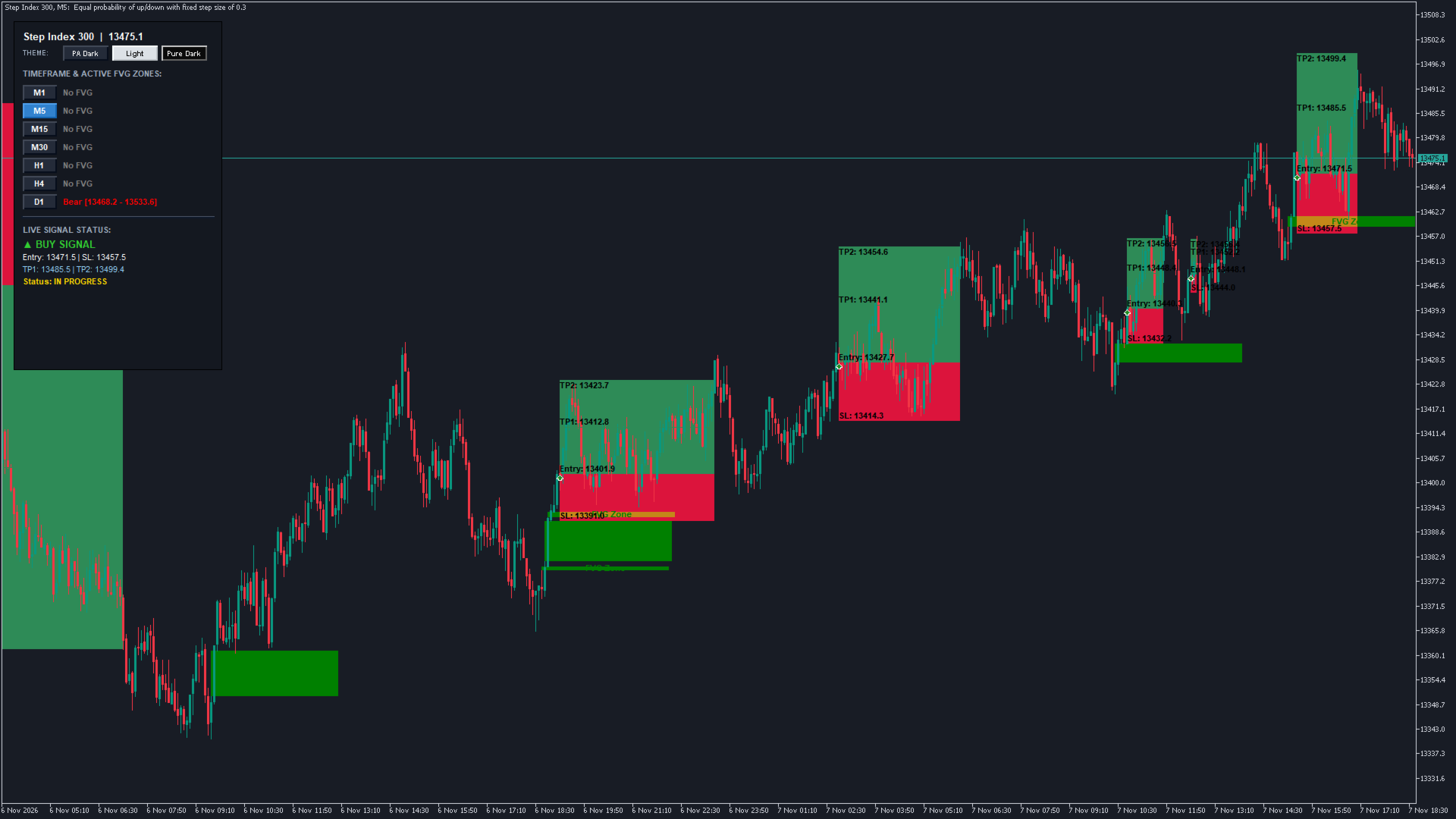
A Smart Money Concepts (SMC) indicator for MetaTrader 5 that automates Fair Value Gap (FVG) detection, Multi-Timeframe (MTF) confluence, EMA trend filtering, dynamic 3-target Risk/Reward management, and an on-chart TradeZella-style Monthly Calendar Journal.
Key Features
1. Smart Money FVG Engine
-
Auto-Detection: Automatically plots Bullish and Bearish Fair Value Gaps across historical and live candles.
-
Auto-Mitigation Cleanup: Removes invalidated gap boxes once fully filled by price action.
-
Centered Zone Labels: Displays bold "FVG Zone" tags centered horizontally and vertically inside each box.
2. Multi-Timeframe (MTF) & Dual-EMA Trend Filter
-
MTF Confluence Scanner: Automatically pairs timeframes
-
EMA 50 Trigger: Requires price to close strictly above EMA 50 for Buys and below EMA 50 for Sells.
-
EMA 200 Macro Trend Filter: Confirms macro trend alignment on both the current chart and higher timeframe.
3. Dynamic 3-Target Risk/Reward (RRR) Execution
-
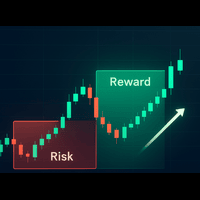
Auto-Growing Pastel Boxes: Visual RRR boxes (soft pastel red for risk, soft mint green for reward) that auto-extend forward candle-by-candle with live price action until completion.
-
EMA-Anchored Stop Loss: Dynamic SL set at the top of EMA 50 / rejection high for Sells, and bottom of EMA 50 / rejection low for Buys.
-
3 Take-Profit Targets: Configurable multi-targets (TP1 @ 1.0R, TP2 @ 2.0R, TP3 @ 3.0R).
-
Permanent ✓ Achieved Checkmarks: Targets update to TP1 ✓ Achieved: [Price] when hit, retaining the checkmark even if price retraces.
-
Auto-Remove on SL: Automatically erases the RRR box if Stop Loss is hit to keep the chart clutter-free.
-
Wingdings 233/234 Signals: Up/down arrows paired with bold "BUY" / "SELL" labels.
-
One Trade at a Time: Blocks overlapping setups until the active trade reaches TP3 or SL.
4. Interactive Left-Side Dashboard & Themes
-
3 One-Click Themes: Instantly toggle between PA Dark (TradingView Navy), Light, and Pure Dark.
-
Live Symbol & Price: Real-time header with live bid quotes.
-
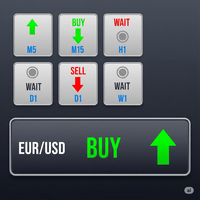
Multi-TF Matrix (M1–D1): Clickable timeframe tiles to jump timeframes instantly, each displaying the active FVG status and price range for that timeframe.
-
Live Signal Monitor: Bottom display tracking entry, SL, TP levels, hit progress, and overall setup status ( IN PROGRESS / REACHED / STOPPED OUT).
-
Fitted Action Buttons: Two flush panel buttons for [ Journal ] and [ Screenshot ].
5. TradeZella-Style Monthly Calendar Journal
-
1040×750 Interactive Modal: Pops up on click with a [ ✕ Close ] button.
-
Full Month Grid: Sunday–Saturday calendar displaying real account history (DEAL_ENTRY_OUT).
-
Color-Coded Daily Tiles:
-
Green Days ($ > 0): Teal tile with net profit, trade count, and badges (TARGET REACHED, CONTRACT WINNER).
-
Red Days ($ < 0): Maroon tile with net loss, trade count, and badges (STOP LOSS HIT, GAP MITIGATED).
-
Neutral Days: Dark slate background with muted date markers.
-
-
Month Navigation: Built-in [ ◄ Prev Month ] and [ Next Month ► ] buttons.
-
Readability: Minimum font size 10 bold text across all figures and metrics.
6. Alerts & Performance
-
Multi-Channel Alerts: Formatted signal alerts ( Symbol, Direction, Entry, TP1, TP2, TP3, SL) sent via Terminal Pop-up and MT5 Mobile Push Notifications.
-
Zero-Spam: Alerts fire strictly upon the close of the rejection trigger candle.
-
Zero-Blink Architecture: Independent object prefixes eliminate chart flickering and terminal lag.