QuickLineAlert
- Indicatori
- Versione: 1.0
- Attivazioni: 5

"QuickLineAlert" – Smart and Fast Price Level Indicator (MT5)
"QuickLineAlert" is a tool designed for the MetaTrader 5 platform, created to maximize the speed and simplify the marking of price levels. It is perfectly suited for active traders (especially scalpers and day traders) who need to react instantly to market changes without long and tedious setups. You just press a button, place a line, and let the indicator do its job.
🚀 Main Advantages:
-
Fully Automated (No Need to Choose Direction) Unlike standard MT5 alerts, you no longer need to worry about which side the price will cross the level from. Just place the line, and the indicator automatically detects whether the crossover happened from the bottom up or from the top down.
-
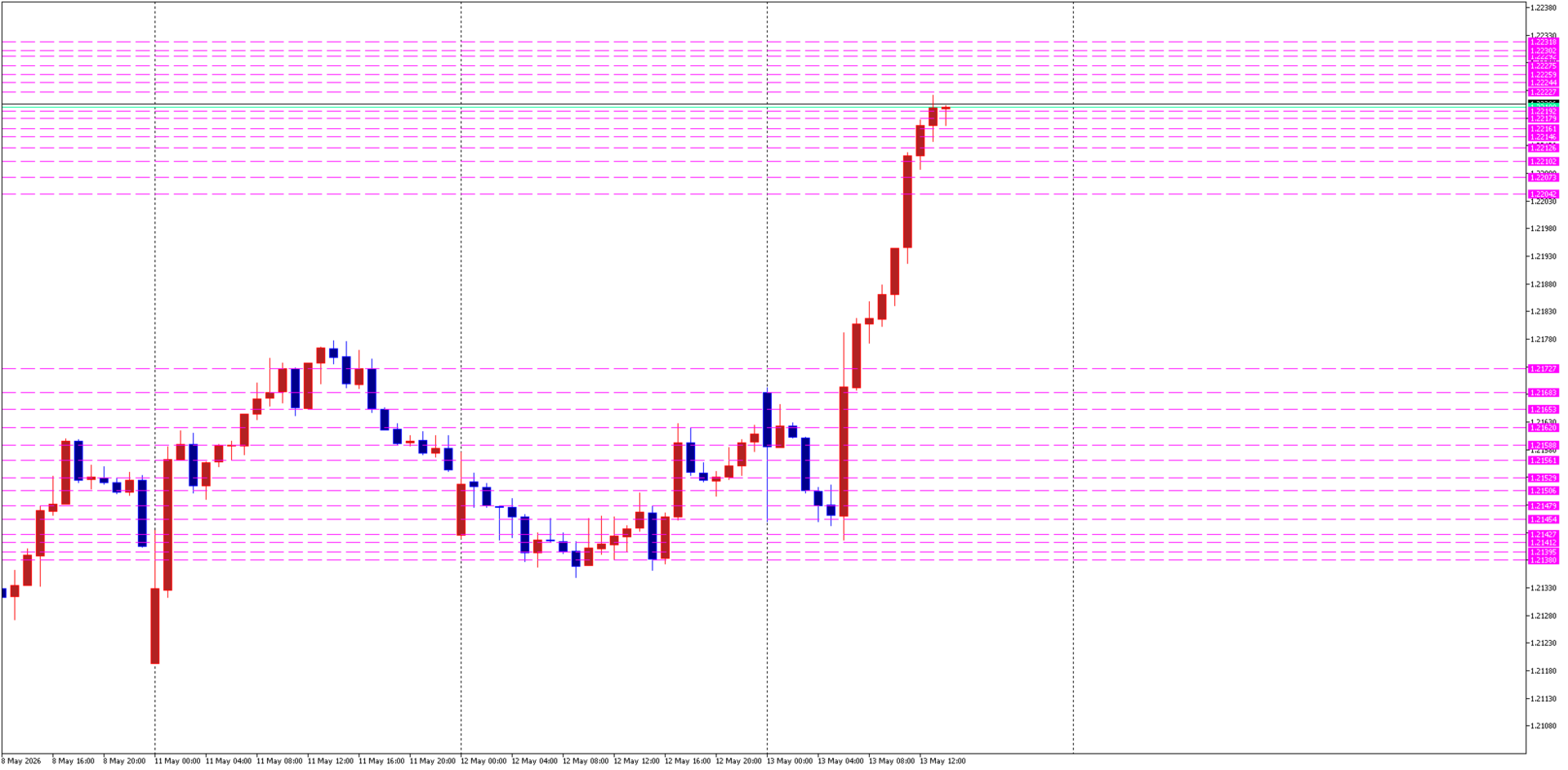
Unlimited Number of Lines You can draw 100 lines on the chart if you want – mark all your important support, resistance, liquidity, or breakout levels. The indicator will effortlessly track them all simultaneously.
-
Lightning-Fast Drawing and Deleting No more opening long menus or object lists.
-
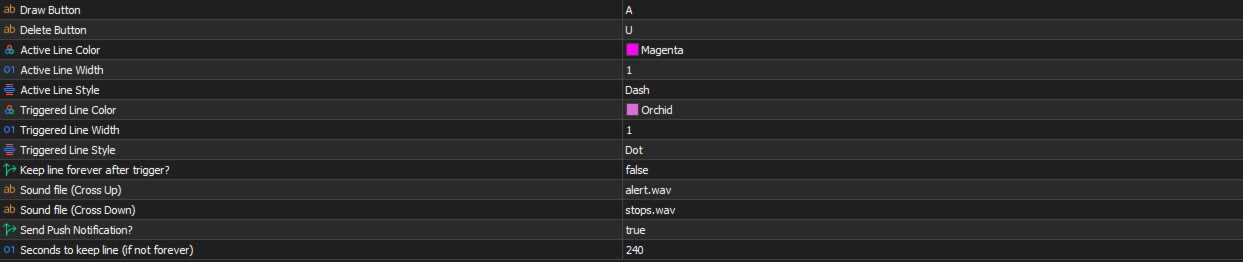
Drawing: Press the draw key (e.g., "A") and click your mouse anywhere on the chart.
-
Deleting: Simply hover your mouse cursor over an unnecessary line and press the delete key (e.g., "U"). The line closest to the mouse is deleted instantly.
-
-
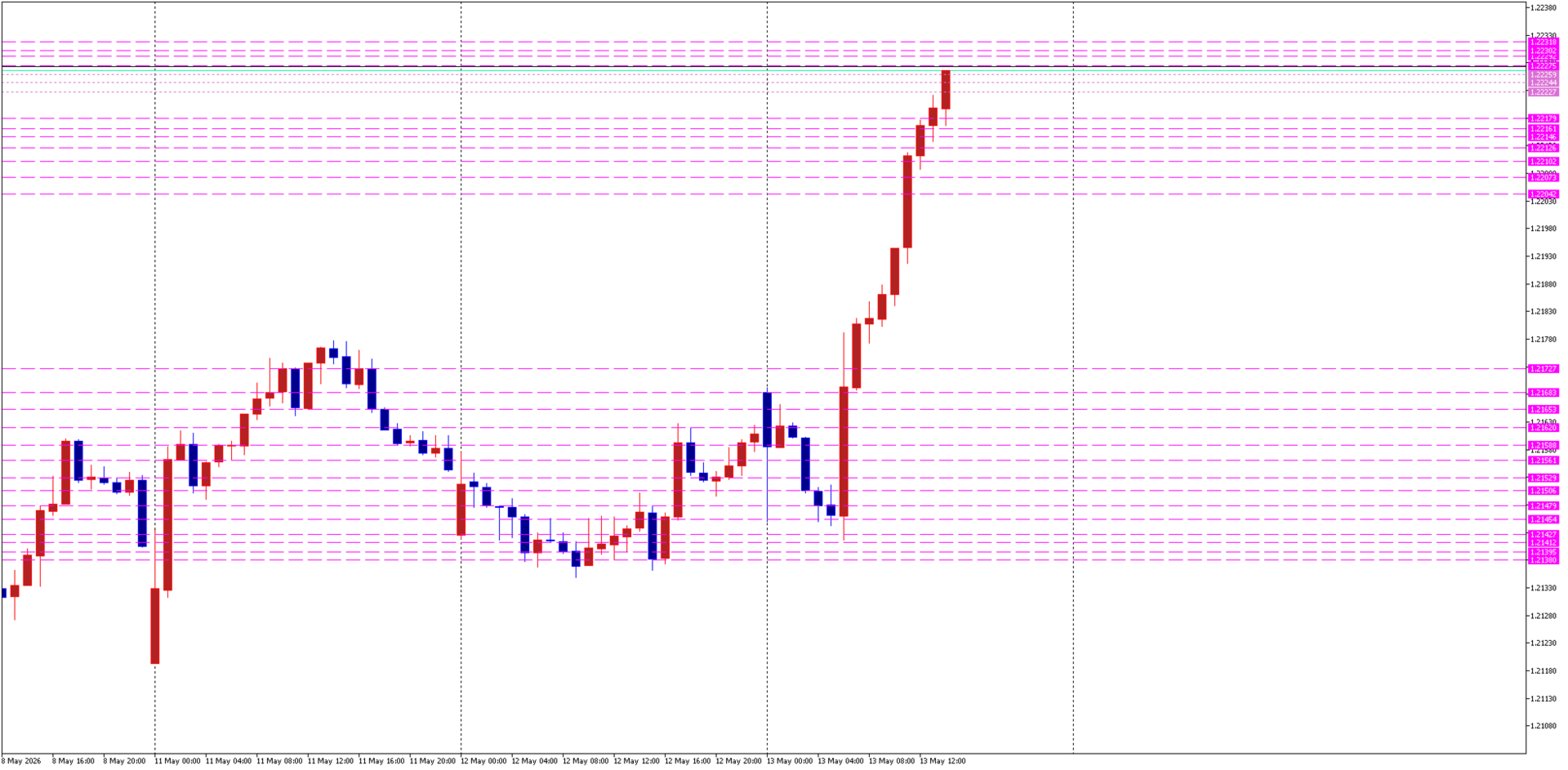
Smart Line Visibility After Triggering This is one of the most useful features! When the price crosses a level and the alert triggers, the line doesn't just disappear (which is very annoying when you want to look back and see exactly where your level was). A triggered line changes its color and style (becomes visually less active) and stays on the chart for the exact amount of time you set (in seconds). There is also an option to keep it on the chart forever after it triggers.
-
Two-Way Sound Indication and Push Notifications The indicator features two separate sound file settings. One sound is dedicated to an upward cross, and another for a downward cross. This allows you to instantly understand the market direction from the sound alone, without even looking at the screen. If you step away from the computer, the system can send Push notifications directly to your phone.
Quick Guide:
-
Press A and click with the mouse to place a line.
-
Wait for the trigger (you will hear a different sound depending on the crossover direction).
-
To delete a line, hover your mouse over it and press U.