FxBears Matrix Pro
- Indicatori
-
Rachid Lafhil
 I am RACHID, the Co Manager of Forex Bears Company that provide the most powerful trading tools in the financial markets.
 - Versione: 1.0
- Attivazioni: 5
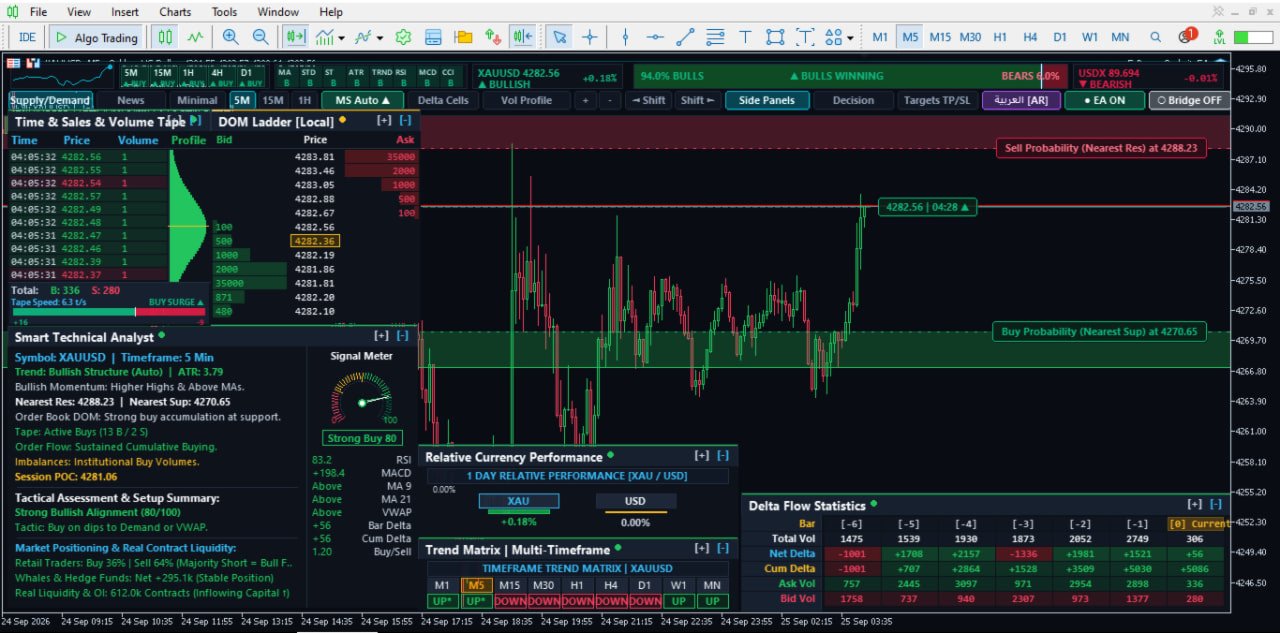
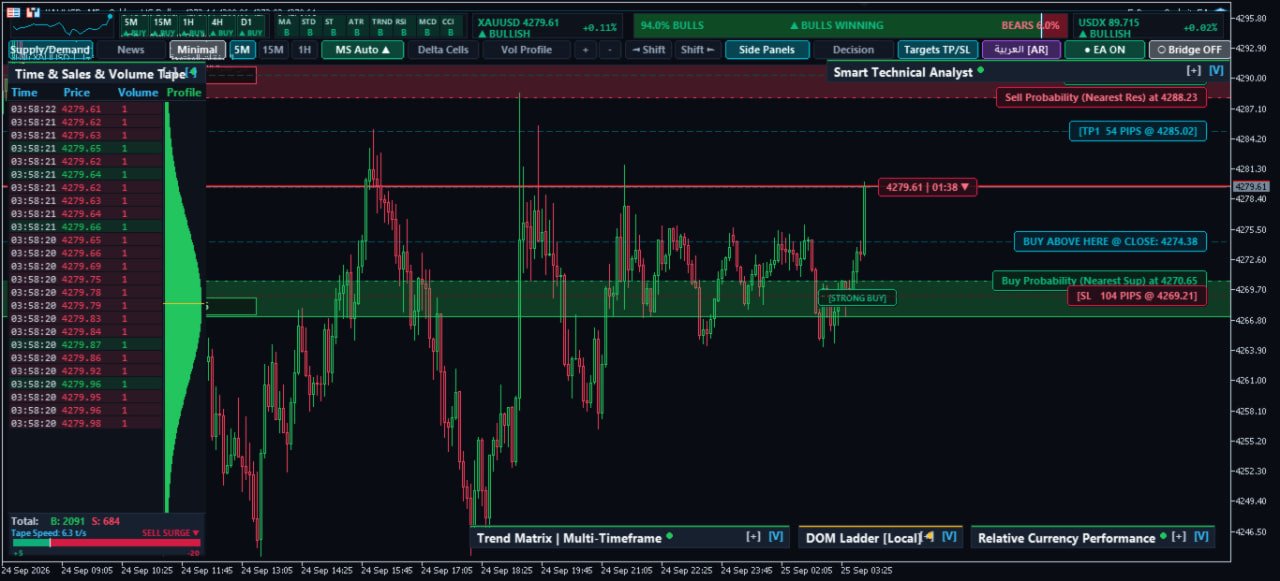
FxBears Matrix Pro is a next-generation institutional trading terminal developed natively for MetaTrader 5. It bridges the gap between traditional retail technical analysis and hedge-fund-level order execution by revealing what happens inside and behind every candlestick.
By visualizing true market depth (DOM Level-2), real-time Footprint clusters with imbalance detection, dynamic Cumulative Delta, and an aggressive Time & Sales tape, Matrix Pro equips scalpers, day traders, and prop-firm participants with the transparency needed to trade alongside institutional market makers.
🌟 Key Features
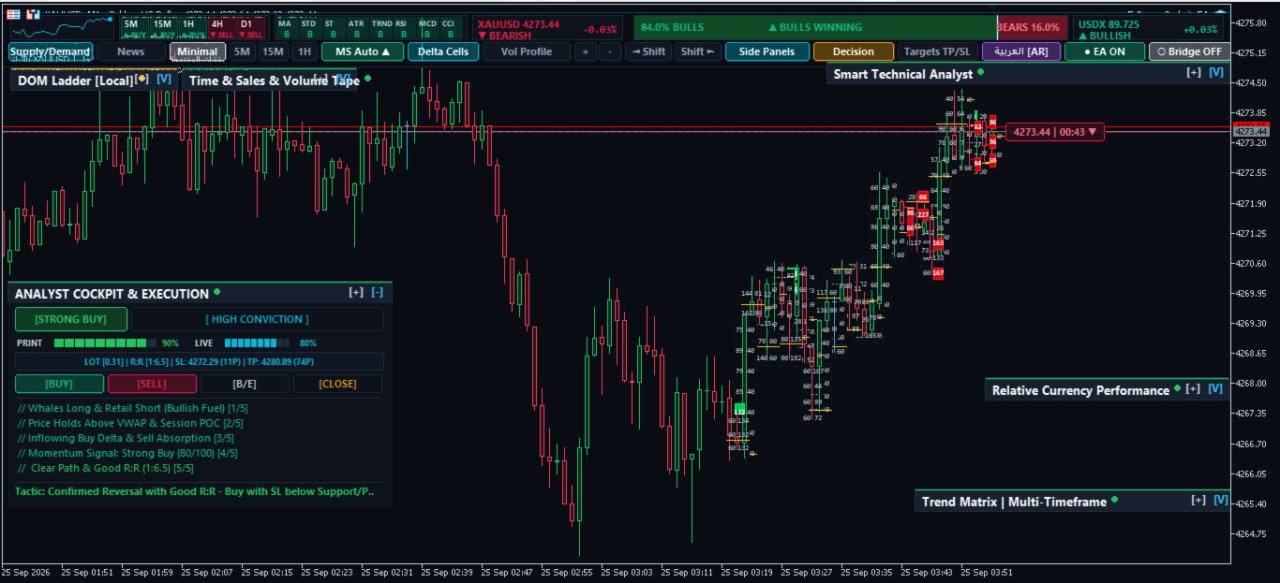
1. Cluster Footprint Engine (Volume By Price)
- Bid × Ask Inside Candles: Displays exact executed contracts at every price tick inside each candlestick.
- Volume Imbalance Detection: Highlights aggressive buying or selling imbalances with vibrant visual cues when one side outweighs the other by your chosen ratio (e.g., 250% to 500%+).
- Point of Control (POC): Automatically identifies and outlines the highest volume cluster in every candle.
- Independent Footprint Font Scaling: Fully customizable typography so cluster numbers stay crisp and readable at any zoom level.
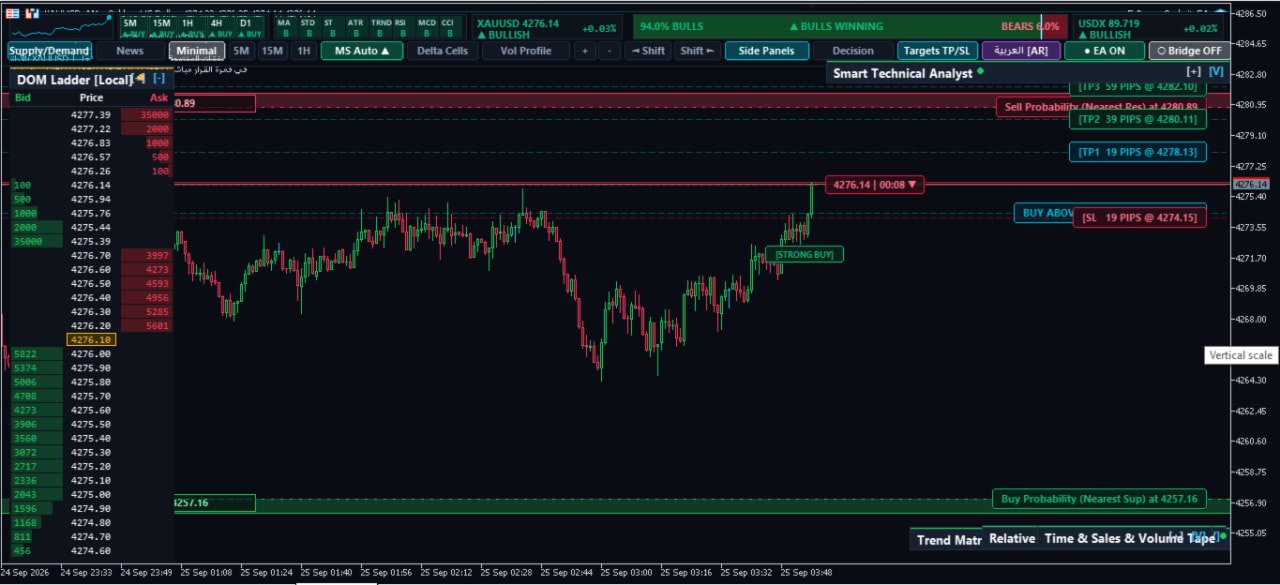
2. Institutional CME Level-2 DOM (Depth of Market) Ladder
- Fixed Price Grid Architecture: Clean, fixed-rung price ladder mirroring professional platforms like ATAS, Sierra Chart, and Bookmap.
- Real Institutional Liquidity: Displays true resting buy limit (Bids) and sell limit (Asks) contract walls before price reaches them.
- Pegged Order & Liquidity Chasing Tracking: Watch institutional market makers shift large liquidity walls in real time.
- Dynamic Spread & Mid-Price Highlighting: Instant visual tracking of the live market auction.
3. Real-Time Time & Sales (The Tape)
- Streams live aggressive market executions tick-by-tick.
- Color-coded trade flow: Green for aggressive buyers lifting the offer, Red for aggressive sellers hitting the bid.
- Quick volume sizing to spot iceberg orders and whale executions instantly.
4. Delta & Order Flow Cockpit
- Live Candle & Bar Delta: Measures the exact net difference between buying and selling pressure.
- Cumulative Delta & Bias Radar: Real-time sentiment engine calibrated to determine whether Bulls or Bears control the order flow.
- Directional Decision Card: Provides instant contextual bias to confirm entries and avoid fakeouts.
5. Institutional Workspace & UI Customization
- Floating Interactive Cards: Drag, resize, collapse, or reposition DOM, Analyst, Tape, and Decision cards anywhere on your chart.
- Ultra-Fast DirectX Canvas Rendering: Smooth 60 FPS performance without lagging your MetaTrader 5 terminal.
- Built-in Auto Dark Theme: Institutional high-contrast palette designed for long trading sessions.
- Bilingual Support: Instant 1-click toggle between English and Arabic.
🛠️ Input Parameters & Settings
- General Settings:
- InpAutoDarkTheme : Automatically applies the institutional dark theme and optimized chart shift.
- InpDefaultLanguage : Select your preferred language (English / Arabic).
- InpTextScale : Universal typography scaling (-1, 0, +1).
- Footprint & Imbalance:
- InpTickClusterSize : Tick aggregation size (e.g., 10 points for XAUUSD Gold).
- InpImbalanceRatio : Minimum volume multiplier to flag aggressive imbalance (Default: 2.5×).
- InpFootprintFontSize : Independent font size control for cluster text.
- Card & Module Visibility:
- Toggle DOM Ladder, Time & Sales Tape, Decision Card, Analyst Radar, Volume Profile, and Top Navigation bar independently.
📌 Recommendations & Best Practices
- Best Instruments: Ideal for XAUUSD (Gold), Major FX Pairs (EURUSD, GBPUSD, USDJPY), and Equity Indices (US30, NAS100).
- Recommended Timeframes: Optimized for M1, M5, and M15 for precise intraday scalping and order flow confirmations.
- System Requirement: Ensure "Allow DLL imports" is checked under Tools -> Options -> Expert Advisors and in the indicator's Dependencies tab.
💬 Support & Inquiries
For questions, setup guidance, or detailed user manuals, please leave a comment on the product page or contact us via private message. Upgrade your execution with FxBears Matrix Pro today!