Session Range Breakout
- Experts
-
Ravi Shakya
 I’m Ravi Shakya, an MT5 developer with 5 years of trading experience in NEPSE and Forex. I use Smart Money Concepts (SMC) and price action to create simple and useful trading indicators, tools, and Expert Advisors.
 - Versione: 2.83
- Attivazioni: 10
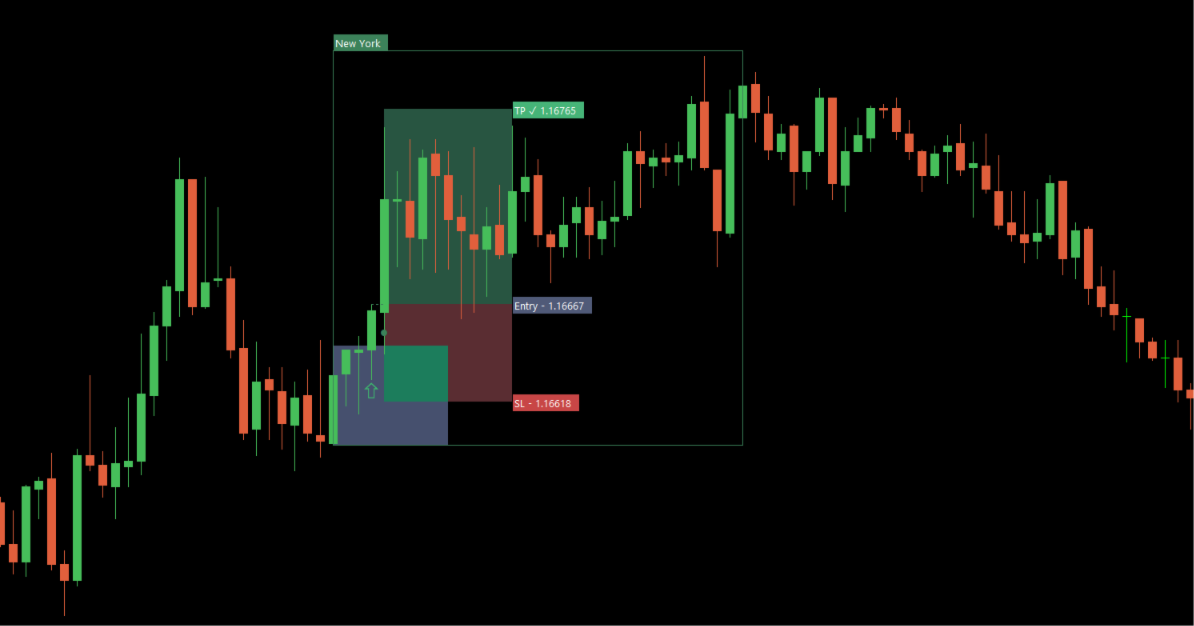
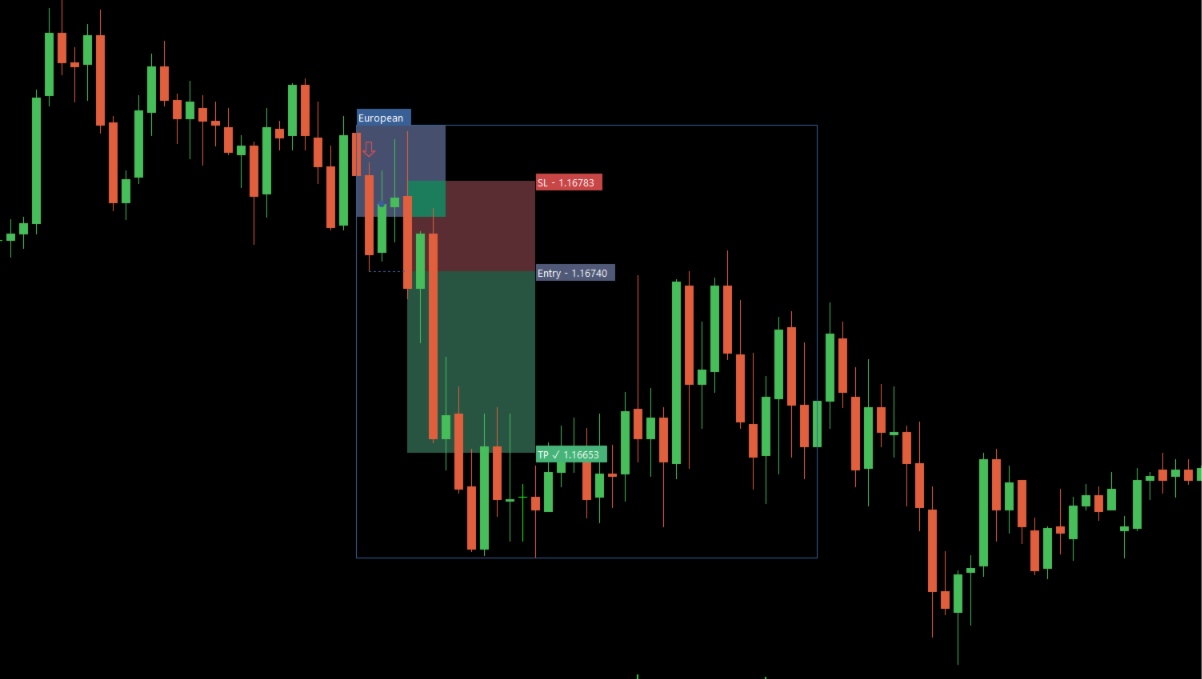
Session Range Breakout EA trades the opening range of a session and waits for price to come back before it commits. It does not enter on the break. When displacement takes price out of the range, the robot arms a pending limit order at the level and only takes the trade if price retests it.
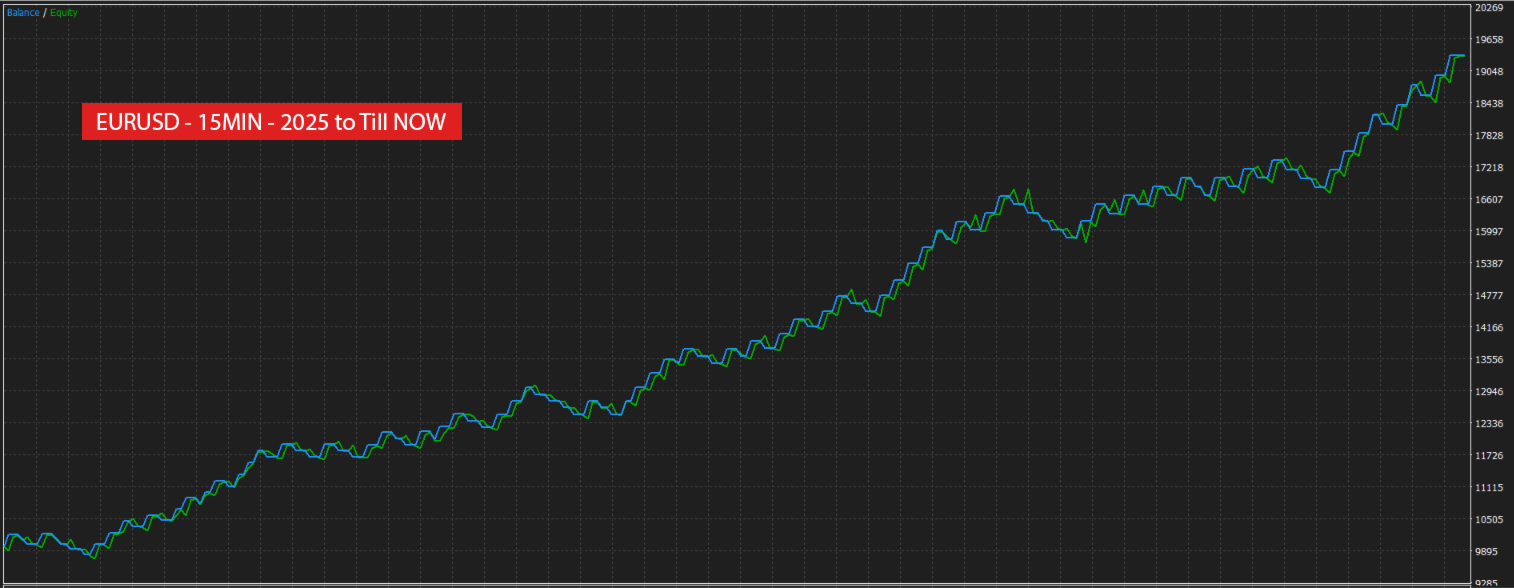
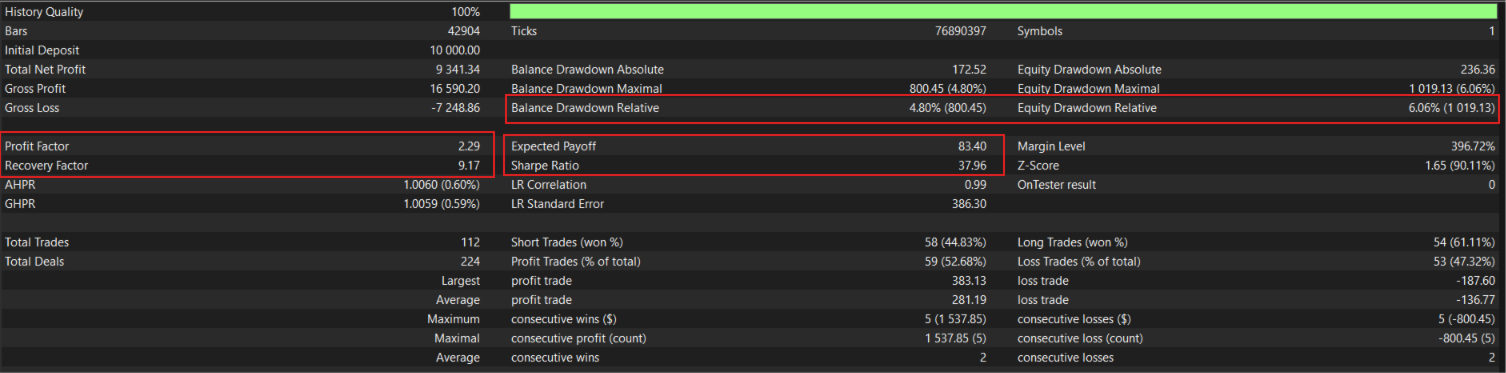
Timeframe : 15 MIN
Symbol : EURUSD
Default settings are built for EURUSD on the M15 opening range timeframe. Other symbols and timeframes are supported, but the stop buffer, minimum stop and session times should be adjusted for the instrument's typical range.
Read the full documentation on the product blog: [Complete User Guide]
The model
At the session open the robot builds an opening range from the first candle of your chosen timeframe. A close beyond that range is treated as displacement, and the extreme of the impulse leg is recorded.
A pending limit order is then placed, either at the opening range level itself or at the impulse extreme. An entry buffer in pips can sit the order slightly in front of the level so a shallow retest still fills.
From there the setup resolves in one of three ways. Price retests the level and the order fills, after which the trade runs to its stop or target. Price never returns and the unfilled order is cancelled at the session end. Or price closes back through the opposite side of the opening range, which invalidates the setup; the pending order is removed and the candle responsible is marked on the chart.
A filled trade is never closed by the session end. Once in the market it runs to its stop or its target.
Order execution
Real pending limit orders are placed with stop loss and take profit attached. Position size is calculated from a risk percentage of balance, or from a fixed lot. The robot checks free margin, broker stop distance and current spread before sending, and skips the setup if price has already passed the entry. Each order carries your magic number and comment, so it can run alongside other systems.
Exits
Two modes. A fixed target set by a risk-to-reward ratio, or a trailing stop with no fixed target. Four trailing methods are available: locking in fixed increments of R, the previous candle high and low, swing structure with adjustable strength, and ATR distance from the best close.
An optional breakeven step works in both modes. Once the trade has run a chosen distance in R, the stop moves to entry plus a buffer. Breakeven exits are recorded separately from wins and losses, so they do not distort the win rate.
Risk
The stop is placed from the entry candle high and low, or from ATR with its own period and multiplier, plus a buffer in pips. A minimum stop distance prevents a quiet market from producing a stop inside normal spread, and the target scales with it so the risk-to-reward ratio holds on every trade.
Funded and prop firm accounts
The robot was built with funded account rules in mind. Every trade carries a stop loss from the moment the order is placed, and position size is calculated from a fixed percentage of balance, so exposure per trade stays constant as the account grows or draws down. There is no grid, no martingale and no averaging into losing positions.
One setup is taken per session per day. The session windows and the day of week filter let you stay out of the periods your account rules restrict, a maximum spread filter blocks entries in thin conditions, and the minimum stop distance keeps the stop outside normal spread so a trade is not closed by noise.
On the chart
The robot draws the full model as it trades: session and opening range boxes, breakout arrows, the impulse level line, the retest marker, entry and exit markers, shaded risk and reward zones with price labels, and a marker on any candle that invalidated a setup. A statistics card for each session shows win rate, net result in R, targets reached, stops hit, breakeven exits, cancelled orders, open trades, profit factor, best and worst streak, the last ten results and a breakdown by weekday. Drawing is skipped in non visual testing, so optimisation is not slowed by it.
Alerts
Terminal alerts with sound and push notifications to your phone, switchable per event: setup armed, order filled, order cancelled, target reached, stop hit. Events are shared across charts so the same alert is not repeated on multiple windows.
Settings
Two configurable sessions with names and start and end times in server time, commonly set to the London and New York windows. Opening range timeframe, entry level and buffer, invalidation rule, stop method, buffer and minimum, risk-to-reward ratio, breakeven trigger and buffer, exit mode and trailing method, lot mode and risk percentage, magic number, maximum spread, and a day of week filter.
Session times are entered in your broker's server time. Test on your own broker's data and spread before running the robot on a live account.