SignalPilot Executor
- Experts
-
Tommy De Jesus Rosario Santiago
 I'm a specialized software developer focused on **algorithmic trading and financial automation**. I turn complex trading ideas into robust, reliable tools for **MetaTrader 5 (MQL5)** and **Python**.
 - Versione: 1.41
- Aggiornato: 23 luglio 2026
Requires the SignalPilot Pro indicator. SignalPilot Executor is the free companion EA
that turns SignalPilot Pro signals into trades, with the management done by you or
automatically.
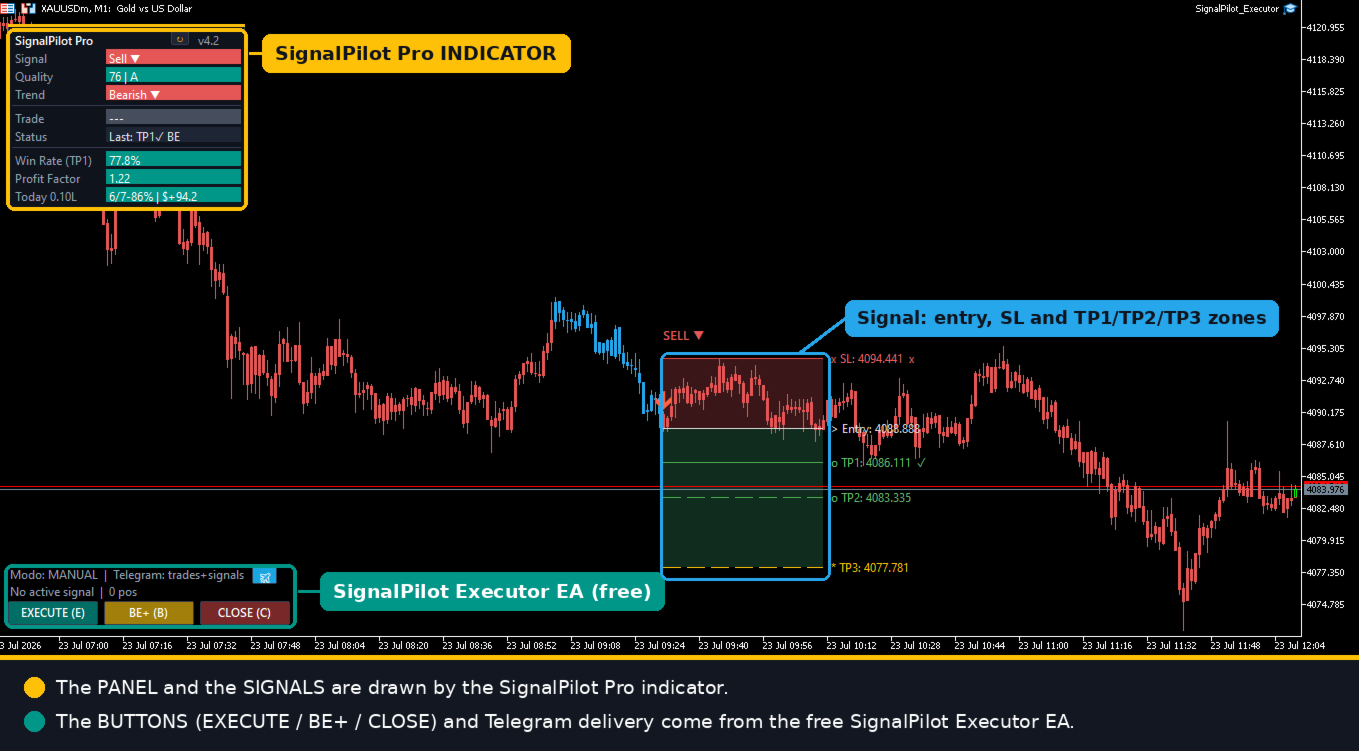
Attach the Executor to the same chart (or another chart of the same symbol) where the
indicator is running. When a signal appears, the EA picks it up with a complete plan ready:
entry, stop-loss and take-profit.
Execution. One click on EXECUTE (or the E key) opens the trade: a single position with
TP at TP3, or three positions with TP1/TP2/TP3 to scale out (needs a hedging account; on a
netting account it opens one, with a notice). A hard lot cap in two independent layers
prevents over-sizing, no matter what.
Management. The BE+ button (B key) trails the stop of all your positions: never below
break-even, following price at an ATR distance, and only forward, never back. Tap it
whenever you want to lock in more. CLOSE (C key) flattens everything instantly.
Two modes. In manual (default) you press the buttons and decide everything. In auto
(optional) the EA executes the signal as soon as it appears and, if enabled, moves to
break-even at the percentage you set. Auto mode runs unattended: test it on demo and use it
at your own responsibility.
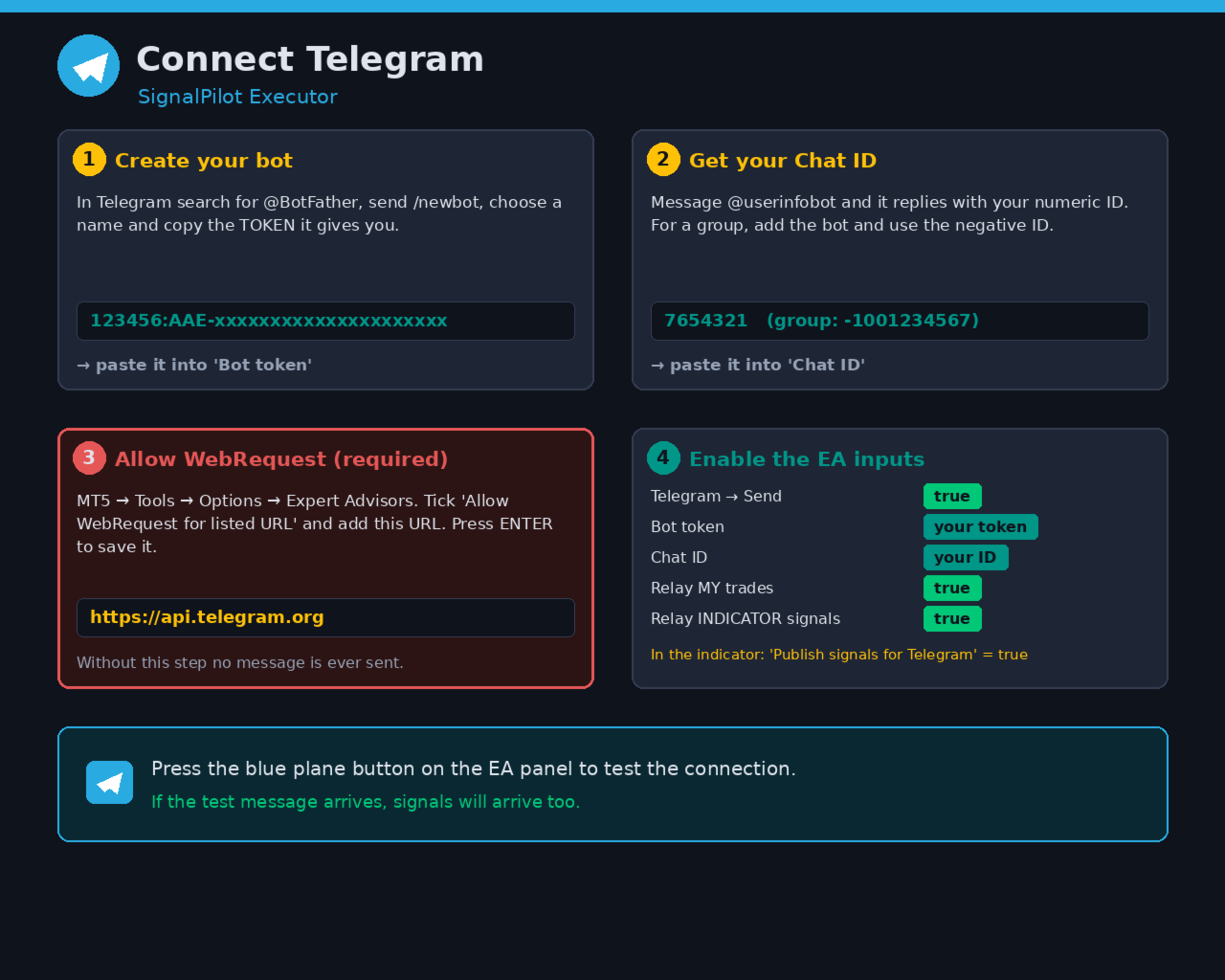
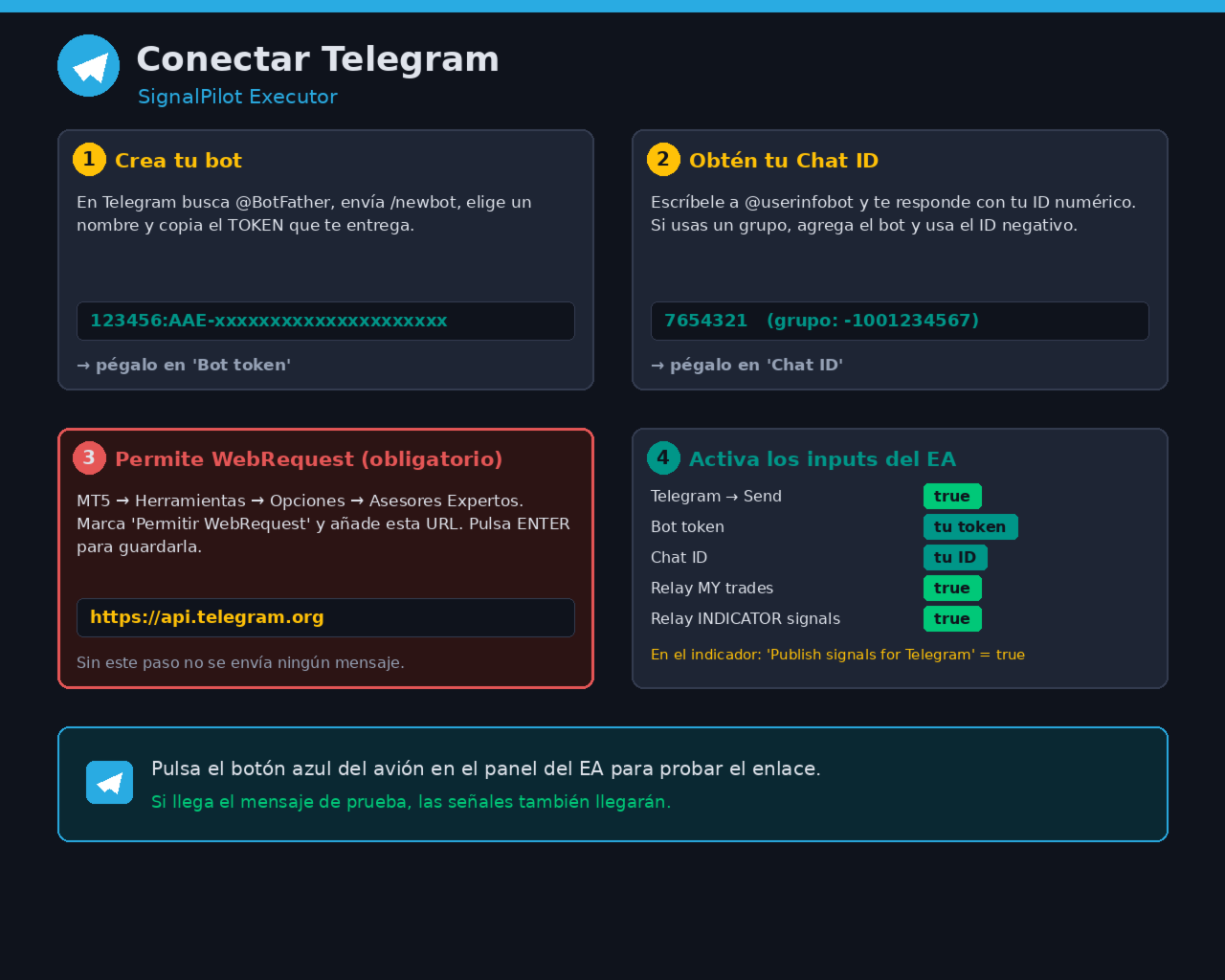
Built-in Telegram. No separate bridge: the Executor can relay to your bot both your
trades (executed, break-even, closed) and the indicator signals. One bot for both.
The BE+ and CLOSE buttons manage any position opened by the EA on the symbol; EXECUTE needs
a signal published by SignalPilot Pro. ALWAYS test on a demo account before trading live.
Trading involves risk of loss.
If you find it useful, please leave a comment - your feedback helps improve the tool.