Av7gold
- Experts
- Versione: 1.9
- Attivazioni: 5

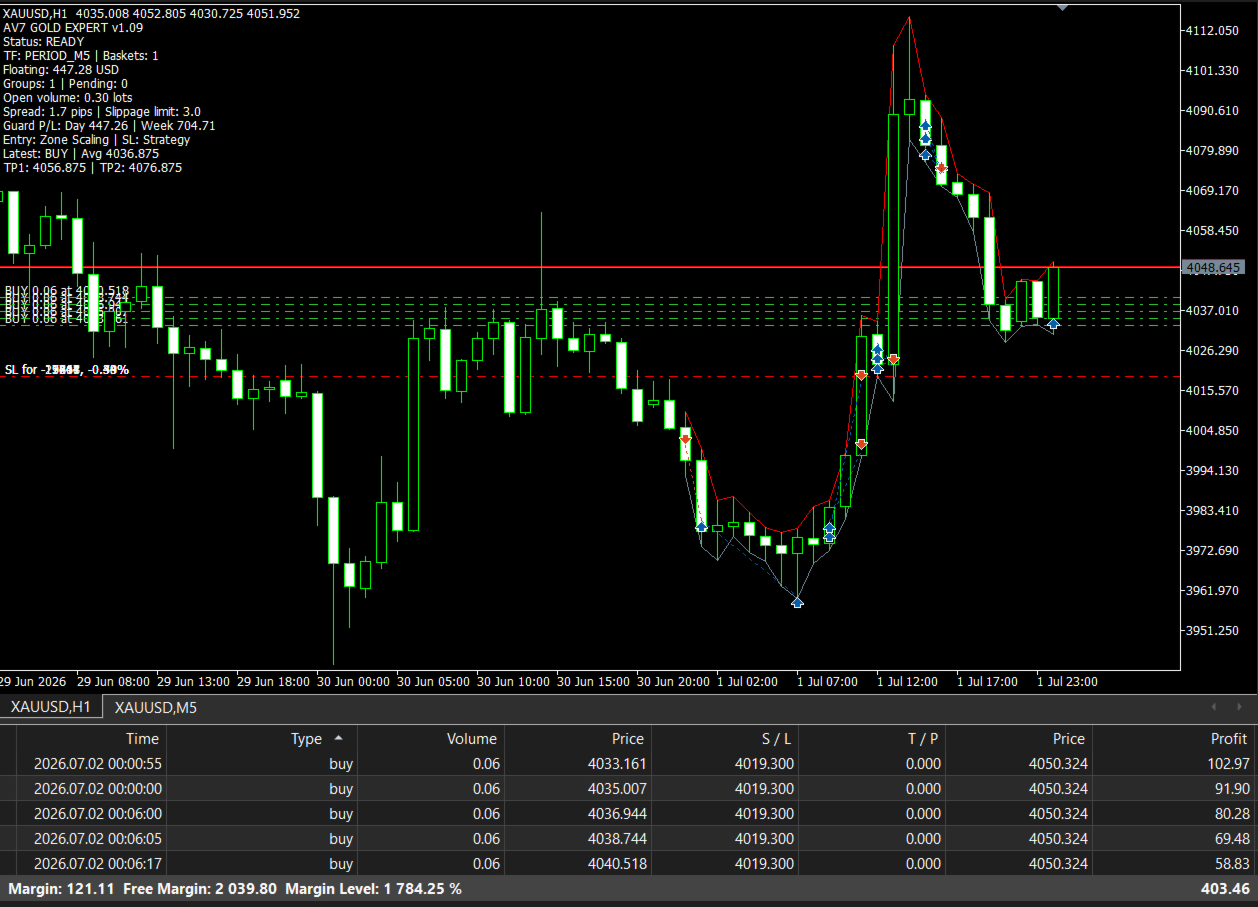
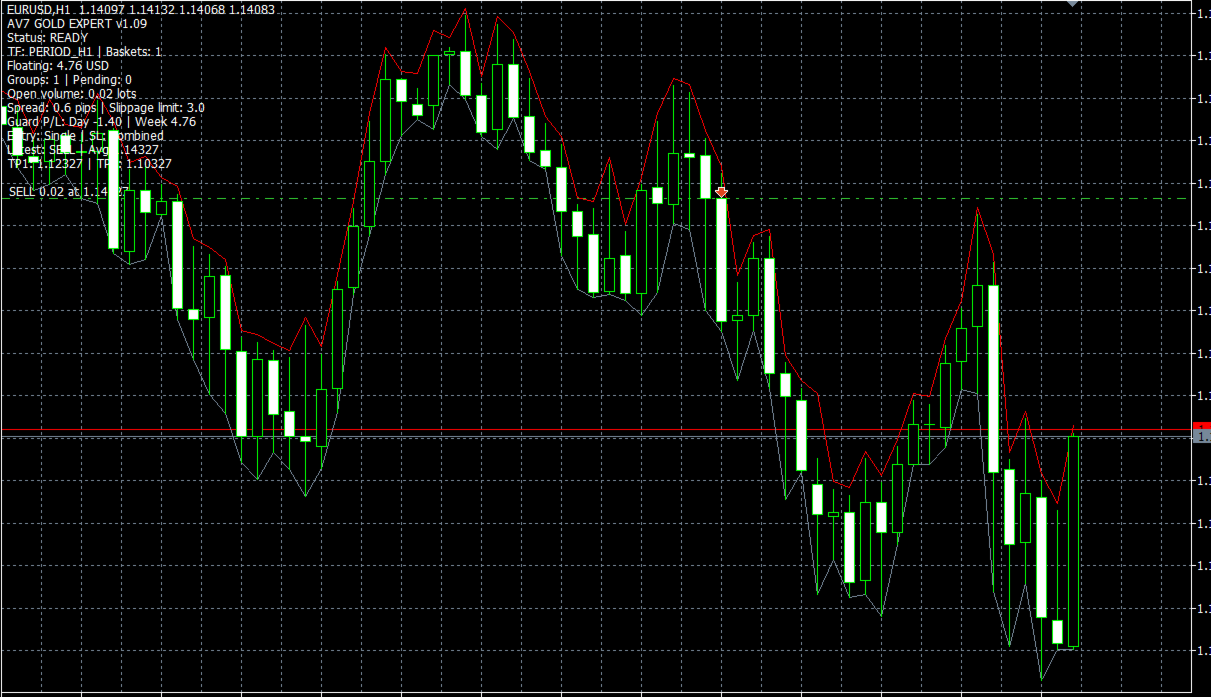
# AV7 Gold Expert AV7 Gold Expert is an automated trading system for MetaTrader 5. It is designed and calibrated primarily for XAUUSD and GOLD instruments. The Expert Advisor processes completed candles and manages each confirmed setup as a controlled trade basket. The internal signal formula is proprietary. A new entry is confirmed only after the required candle has closed. Unfinished candles are not used to confirm new trades. ## Main functions - Automated BUY and SELL execution - Closed-candle signal confirmation - Single Entry and Zone Scaling execution modes - Equal distribution of the selected total lot in Zone Scaling mode - TP1 partial close and TP2 final target - Breakeven protection after TP1 - Strategy, percentage and combined stop modes - Basket-level emergency protection - Daily and weekly profit and loss controls - Daily target protection with a configurable activation buffer - Automatic cancellation of unused pending orders after a favorable move - Same-direction signal grouping - Closure of the previous AV7 direction before a confirmed opposite entry - Recovery of active AV7 positions and orders after terminal restart - Duplicate-instance protection for the same account, symbol and Magic Number - Popup, push and sound notifications - Minimal and Standard chart views ## Instrument compatibility The recommended instruments are XAUUSD and GOLD. Common broker prefixes, suffixes and separators are recognized automatically, including symbol names such as XAUUSD, XAUUSDm, XAUUSD.r, XAUUSDc and GOLD. For verified non-standard Gold aliases, the Custom Gold Symbol option applies the configured AV7 Gold pip convention. On other symbols, the Expert Advisor derives a conventional pip size from the broker's digits and point specification. Parameters are calibrated for Gold, so every other instrument requires independent testing and suitable settings. ## Recommended initial setup - Platform: MetaTrader 5 - Instrument: XAUUSD or GOLD - Signal timeframe: M30 for best result - Entry mode: Single Entry - Total lot: 0.02 for initial demo testing, subject to the broker's volume rules - Pip size: 0.10 - TP1 distance: 200 pips - TP2 distance: 400 pips - TP1 close: 50 percent - Protection mode: Strategy SL best result - Basket loss limit: 5 percent - VPS: recommended for uninterrupted operation Under the default Gold convention, one AV7 pip is a 0.10 price movement. Therefore, 200 pips is a 20.00 price distance and 400 pips is a 40.00 price distance. This defines price distance and does not represent guaranteed account profit. ## Entry modes ### Single Entry The selected total lot is sent as one market entry after a signal is confirmed on a completed candle. ### Zone Scaling The selected total lot is divided equally across the selected number of price levels inside the confirmed execution zone. Depending on current price and broker restrictions, the Expert Advisor can use market, limit or stop requests for individual levels. The total lot must be compatible with the symbol's minimum volume, maximum volume, volume step, selected entry count and TP1 partial-close percentage. The Expert Advisor validates these requirements before trading. Example for a symbol with a 0.01 lot step and a 50 percent TP1 close: - Single Entry requires at least 0.02 total lots. - Five Zone Scaling entries require at least 0.10 total lots. Zone Scaling divides the selected total volume. It does not increase the lot size after a loss. ## Target management TP1 and TP2 are calculated from the weighted average entry price of the active basket. When TP1 is reached, the configured percentage of the active volume is closed. The remaining volume is protected at breakeven with the selected offset. If price reaches TP2, the remaining volume is closed. If price returns to breakeven after TP1, only the TP1 portion remains realized and the trade is not later classified as TP2. Unused pending orders belonging to the basket are cancelled when TP1 is processed. ## Protection modes ### Strategy SL Positions are closed after a completed candle confirms structural invalidation of the active execution zone. ### Loss Percentage The basket is closed when its combined realized and floating result reaches the selected percentage of the balance recorded when the basket was created. ### Combined Protection Structural invalidation and the selected basket percentage limit are both active. The first valid condition closes the affected trade or basket. Emergency Loss Percent is a final basket protection layer. When enabled, the Expert Advisor also attempts to place a broker-side emergency Stop Loss. The final execution can differ because of spread, commission, swap, price gaps, slippage, contract specifications and broker stop-level restrictions. Basket Loss Percent is a loss guard. It is not automatic risk-based lot sizing. The user is responsible for selecting the total lot. ## Daily and weekly controls Daily and weekly profit or loss limits can be disabled, entered in account currency or entered as a percentage of the relevant starting balance. The daily profit control offers two actions: - Close and Lock closes AV7 trades at the configured daily target and blocks new AV7 entries until the next broker day. - Protect Daily Target activates after the daily target plus a configurable account-currency buffer. New entries are blocked while the active basket continues under its normal TP and protection logic. If daily AV7 result returns to the protected floor, the remaining AV7 trades are closed. Daily and weekly calculations use AV7 trades for the current symbol and Magic Number. Gaps, slippage, fees or connection loss can cause the final result to differ from the requested limit. ## Same and opposite signals A confirmed signal in the same direction can add another group until the configured maximum is reached. No new group is added after TP1 has completed for the active basket. When an opposite signal is confirmed, the Expert Advisor first requests closure of its existing direction and pending orders. The new direction is started only after the previous AV7 basket is flat. ## Account and broker notes The Expert Advisor supports hedging and netting accounts. On a netting account, avoid combining AV7, manual trades or another Expert Advisor on the same symbol because the platform combines positions for that symbol. Execution can differ between brokers because of spread, commission, swap, leverage, liquidity, symbol specifications, stop levels and slippage. Test the Expert Advisor on a demo account with the intended broker and settings before using a live account. ## Installation 1. Install the product through the MetaTrader 5 Market. 2. Open the broker's XAUUSD or GOLD chart. 3. Attach AV7 Gold Expert to one chart. 4. Select the signal timeframe and trade settings. 5. Enable algorithmic trading in MetaTrader 5. 6. Confirm that the chart displays READY and the Experts journal contains no configuration error. 7. Keep MetaTrader 5 connected or use a VPS. Use a different Magic Number only for a deliberately separate configuration. Do not run duplicate instances with the same account, symbol and Magic Number. ## Risk notice Automated trading involves risk. Historical tests do not guarantee future results. Market conditions can change and losses can occur. Test the product, select an appropriate lot size and monitor its operation under the execution conditions of your broker.