PropGuardian
- Utilità
-
Timon-pascal Krueger
 Systematic index trader and MT5 developer from Germany.
I trade my own capital and funded accounts, including a live FTMO account, with time anchored breakout strategies on DAX, FTSE, Dow and Nasdaq. - Versione: 1.20
- Aggiornato: 7 settembre 2026
- Attivazioni: 10
PropGuardian watches your prop firm account in real time and closes everything before the daily loss or the maximum drawdown rule is hit. Then it locks the day, so one bad hour cannot become a lost account.
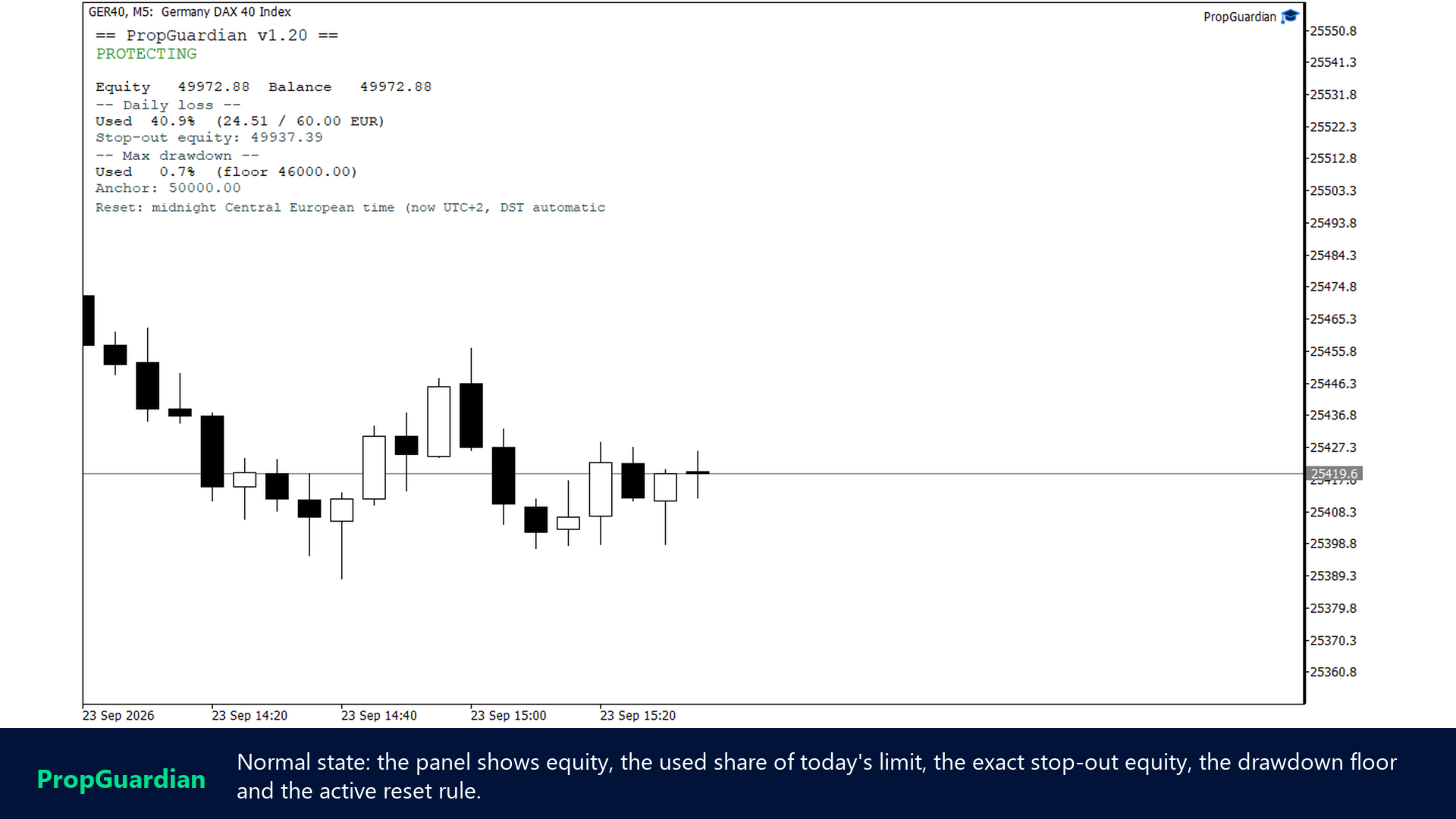
Setup takes a minute: attach it to one chart (any symbol), pick the preset for your firm or enter your own limits, and the panel shows your stop-out equity from that moment on.
Try it first
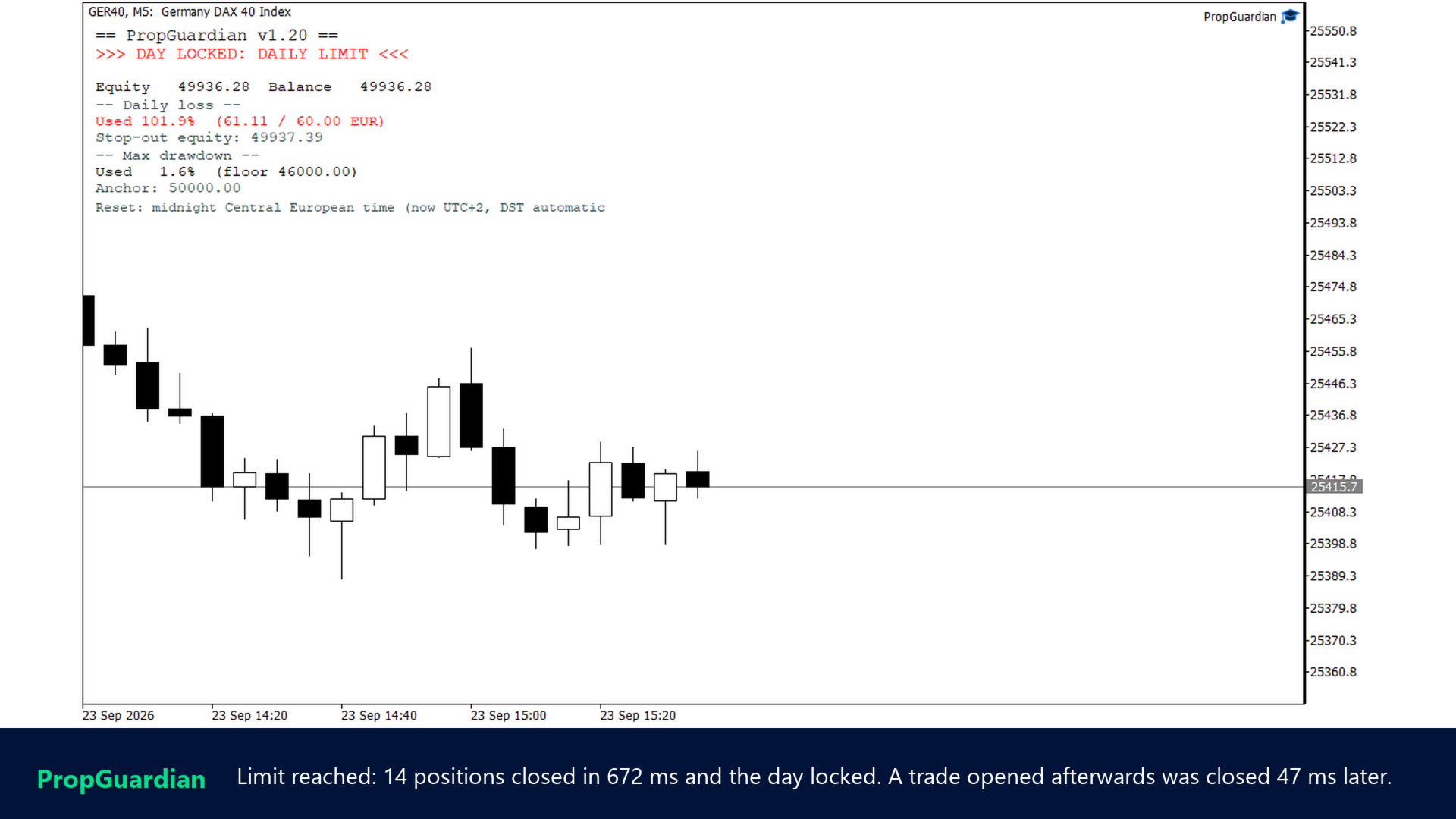
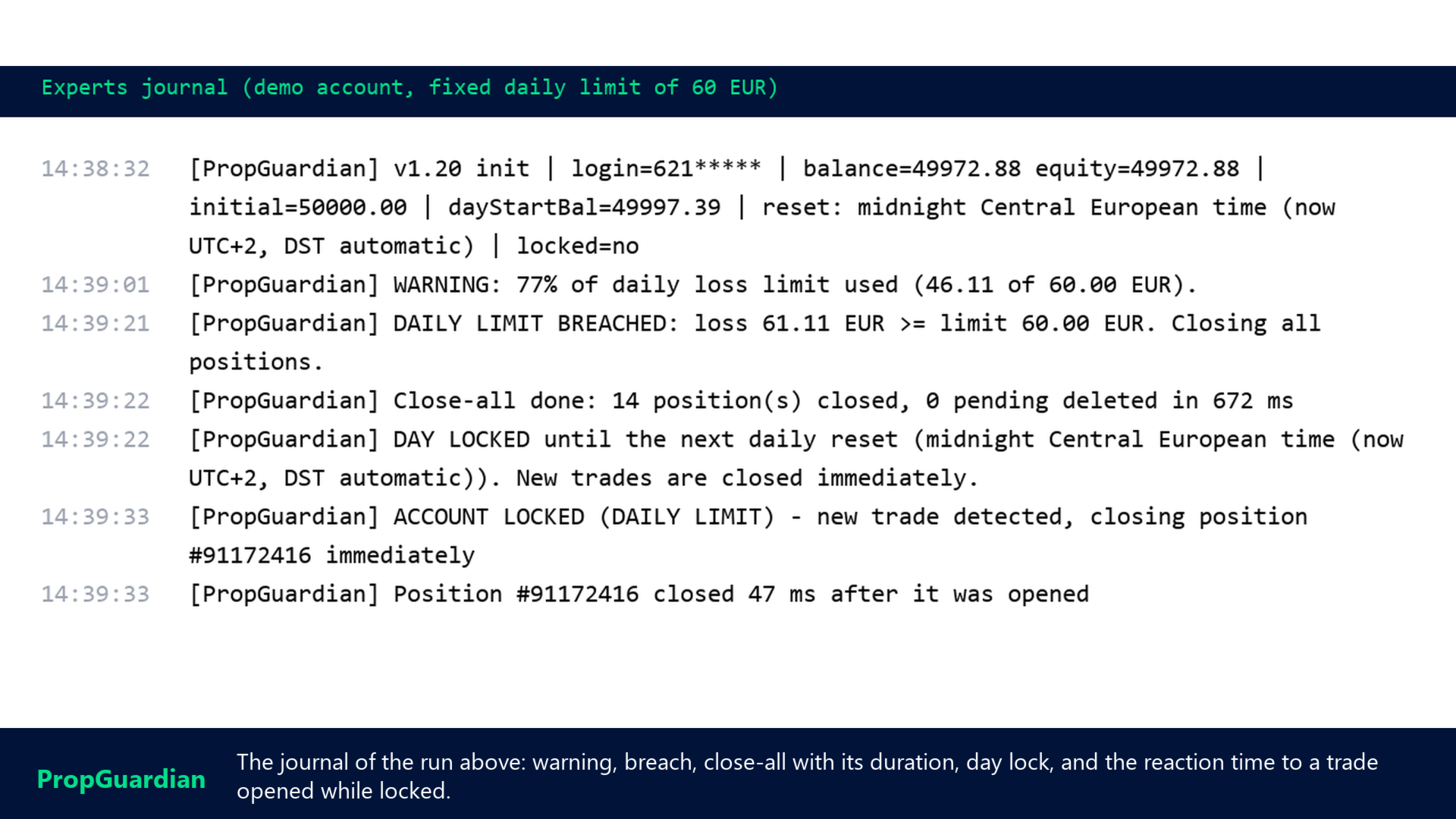
Run PropGuardian in the strategy tester in visual mode: a scripted losing day shows the early warning, the breach, the close-all, the day lock, a trade opened while locked and closed within milliseconds, and the daily reset, three times in a row. Every step is one journal line and one panel state. Set "Scripted demo day" to false to test your own inputs.
Guides
Setup guide (attach, presets, reset time, panel, notifications) | What's new in 1.20 | Questions: use the Comments tab of this product or send me a message.
What PropGuardian does for you
It acts before the firm does. Every preset arms half a point below the firm's daily limit and one point below its maximum drawdown, for example 4.5 and 9 percent instead of 5 and 10. Breach detection is tick based, and in a fast market the realized loss can overshoot the configured level by a few points before the close executes. The margin exists to absorb exactly that.
The lock survives a restart. Most protection tools count from the moment they were attached, so a terminal restart or a VPS reboot silently resets them. PropGuardian stores its state per account login and restores it on startup, including an active lock and the day-start values.
The daily reset matches your firm, with daylight saving handled. Broker server midnight, a fixed GMT offset, midnight Central European time or 5 PM New York, the last two with automatic summer and winter time. Your firm's day does not end at your broker's midnight, and you should not have to edit an offset twice a year.
Three drawdown models. Static from the initial balance, trailing from the highest balance, or trailing from the highest equity, matching the way different firms measure maximum drawdown.
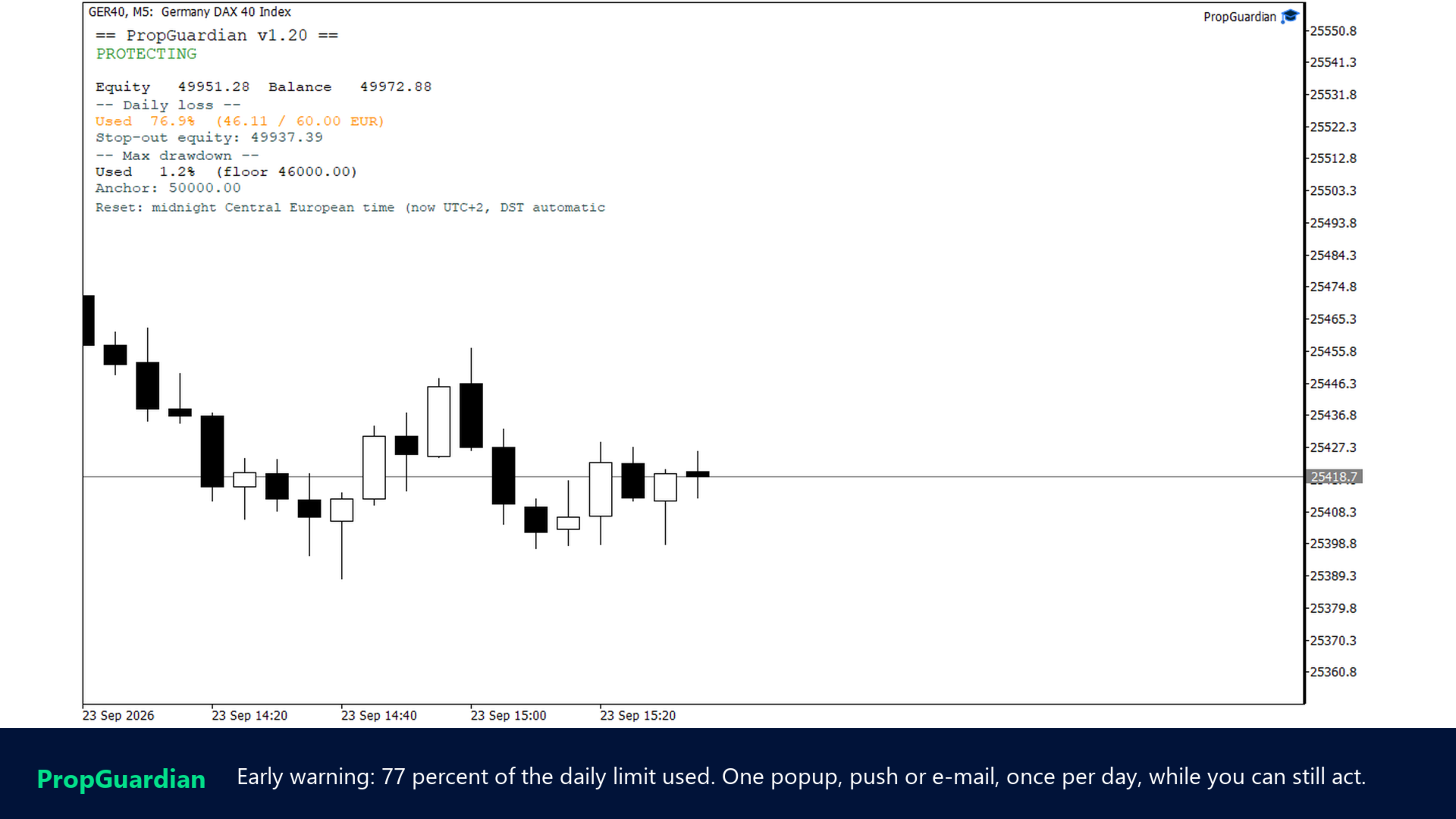
One warning, then action. At a configurable share of the limit (default 70 percent) you get one warning as popup, push or e-mail. At the limit PropGuardian closes all positions, deletes pending orders and locks the day. While locked, any new trade from any EA or manual entry is closed at once, and the journal shows the reaction time in milliseconds.
It guards the whole account from one chart. Your EAs, your manual trades, everything. Filling mode detection with retry makes the close-all work across brokers; permission and margin checks run before every request. A one second timer keeps it awake on quiet charts, where pure OnTick tools sleep.
Other tools can read it. PropGuardian publishes its state as a global variable ( PropGuardian_<login>_State , 1 = free, 0 = locked). My PropSizer shows it on the chart and my PropMirror stops copying while the account is locked.
Presets (rules as of September 2026)
FTMO style, FundedNext style, The5ers High Stakes style, FundingPips 2-Step style, Alpha Capital Pro 10% style, Goat Funded 2-Step style, Maven 2-Step style, a generic Trailing firm, Conservative, and Custom. Each preset sets the daily basis (initial or day-start), the drawdown model and the reset time of that firm. Firms change their rules; check the current ones before you rely on a preset. PropGuardian is not affiliated with or endorsed by any prop firm.
Where it fits
- One instance per account, on any chart. Several instances with different settings would compete over the same state.
- Challenge, evaluation and funded accounts at any broker; MT5 hedging and netting accounts.
- Market products cannot switch off Algo Trading (no DLLs allowed), so during a lock PropGuardian cannot prevent another EA from opening a trade. It closes the trade immediately instead, which costs one spread per attempt.
- Attached for the first time in the middle of a day, the day-start equity is approximated from the realized history; restarts on the same day restore the exact value.
- Removing the EA from the chart wipes its stored state on purpose. That is the manual reset, and it also means the lock is only as strong as your discipline not to remove it.
Activations
One purchase includes 10 activations. An activation belongs to a computer or VPS, not to an account, so one machine can guard several accounts in several terminals.
Feature list
- Daily loss limit as percent of initial balance, percent of day-start reference, or fixed money amount
- Day-start reference: balance, equity, or the higher of both
- Maximum drawdown limit, static or trailing (balance or equity)
- Optional profit target with lock after reaching it
- Four daily reset modes, two of them with automatic daylight saving
- Ten presets with built in safety margin
- Early warning at a configurable percentage, once per day
- Actions: alert only, close all, close all and lock
- Instant close of trades opened while locked, reaction time in the journal
- State persisted per login, restored after restarts and reboots
- Pre-flight checks: trading permission, margin, symbol tradable
- Filling mode detection with retry
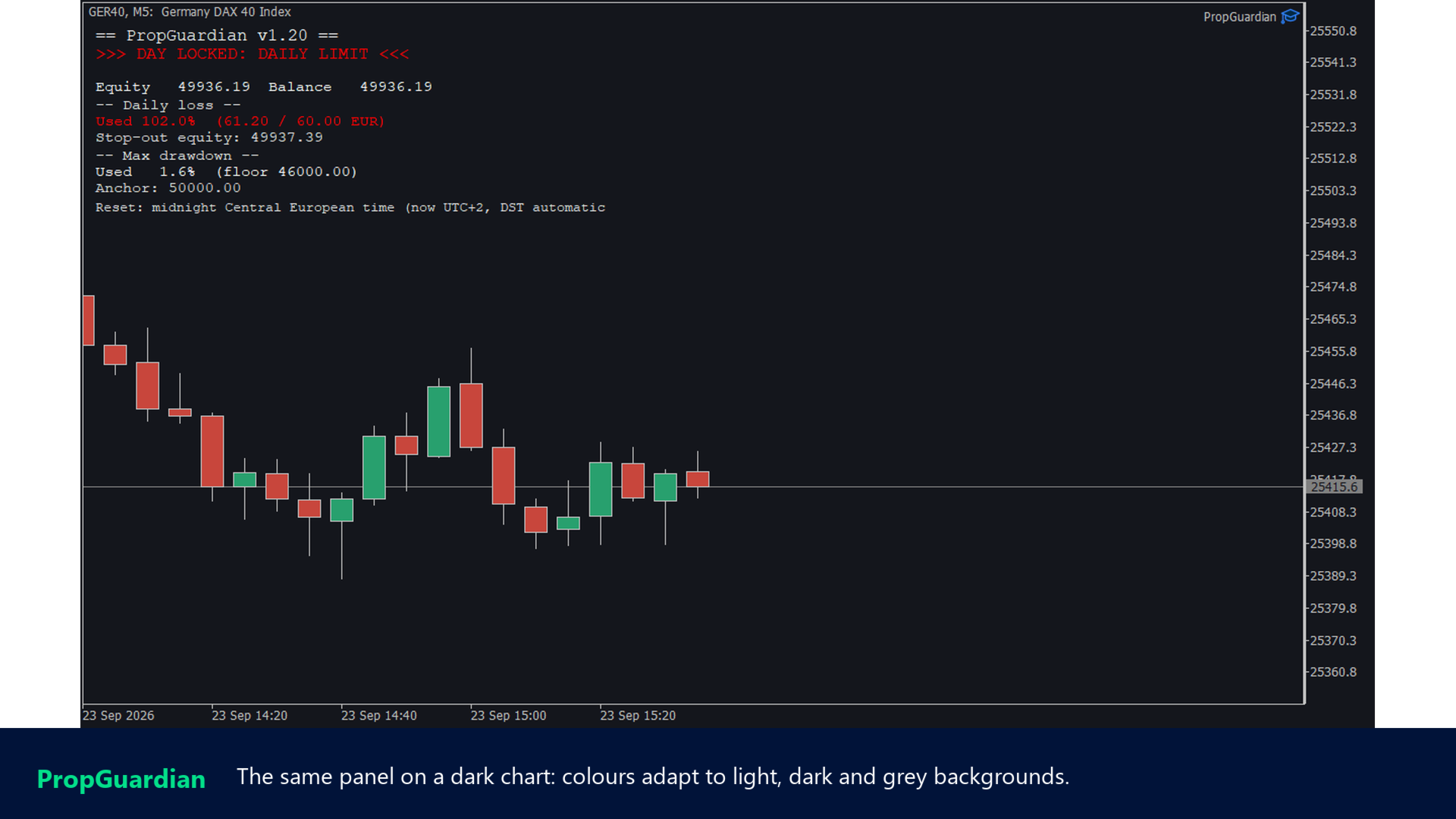
- Panel with used limit, stop-out equity, drawdown floor and active reset rule, colours for light, dark and grey charts
- Popup, push and e-mail notifications
- State exported as global variable for other EAs
- Privacy mode: account number masked in the journal
- Strategy tester demo day
Quick start
- Attach PropGuardian to one chart. The symbol does not matter, it guards the account.
- Choose the preset for your firm, or Custom with your own limits.
- Check that Algo Trading is on and the panel says PROTECTING, with your stop-out equity and drawdown floor.
- Optional: enter your MetaQuotes ID in the terminal options to get the warning on your phone.
Support and reviews
If something does not behave as described, write to me first through the Comments tab or a direct message with the journal lines, and I will look at it. If PropGuardian has kept an account of yours alive, a review on this page helps other traders find it. My other tools for prop firm accounts are PropMirror (trade copier between your own accounts), PropSizer (free lot calculator) and PropCorrelation (free correlation matrix): all my products.