Gold Shield Pro EA MT5
- Experts
- Versione: 1.60
- Aggiornato: 15 luglio 2026

Desclaimer: Please backtest on MQL5 suggested list of Brokers Reliable MetaTrader 5 (MT5) brokers 2026
Product name
GoldShield Pro MT5
Short description
Risk-controlled MetaTrader 5 Expert Advisor for XAUUSD trading with multi-timeframe confirmation, three-stage take profit handling, break-even protection, spread control, session filters, news filtering, and daily loss protection.
Product description
GoldShield Pro v1.5 is a risk-controlled MetaTrader 5 Expert Advisor designed primarily for XAUUSD trading. It uses a selective multi-timeframe approach with structured trade management, three-stage take profit handling, automatic break-even protection after TP1, spread filtering, session controls, and daily loss protection.
Version 1.5 adds enhanced protection for volatile market conditions, including configurable USD high-impact news filtering through the MT5 Economic Calendar and market-stress protection to help reduce exposure during abnormal volatility, spread spikes, and sharp price movement.
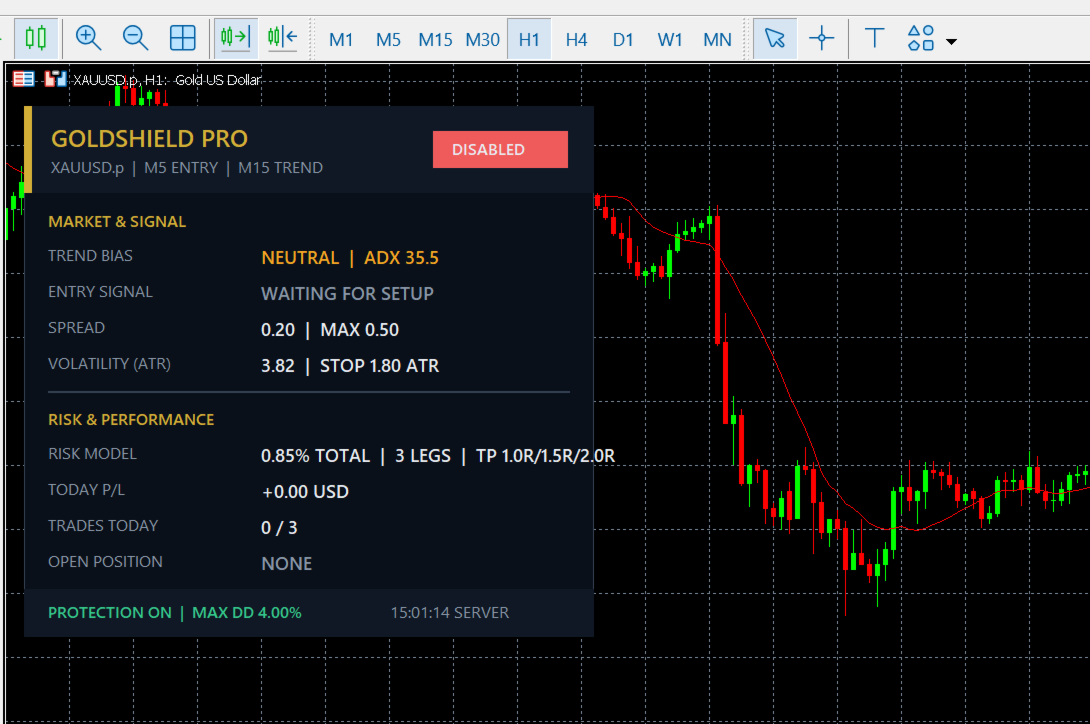
The EA includes a clean on-chart dashboard showing trading status, risk state, session activity, open position status, and protection mode. Trading days, time windows, risk settings, TP levels, spread limits, news filters, and stress controls are fully configurable.
GoldShield Pro v1.5 does not use martingale, grid, averaging, or recovery lot escalation. It is intended for traders who prefer controlled risk, selective entries, and transparent position management.
Recommended for MT5 hedging accounts. Always test on demo and adjust settings for your broker’s symbol, spread, leverage, execution, and account conditions before live trading.
Recommended use
| Item | Value |
|---|---|
| Recommended symbol | XAUUSD / Gold |
| Recommended timeframe | M15 |
| Recommended account type | Hedging account |
| Platform | MetaTrader 5 |
| First use | Test first in the Strategy Tester and then on a demo account using your own broker conditions |
Main features
-
Risk-based position sizing
-
Daily loss limit setting
-
Maximum trades per day setting
-
One-position-at-a-time option
-
Buy and sell direction control
-
Weekday trading filters
-
Optional trading time windows
-
Spread limit setting
-
Slippage setting
-
Three-stage take profit handling
-
Automatic break-even protection after TP1
-
Trailing management
-
Configurable USD high-impact news filter
-
Market-stress protection for abnormal volatility, spread spikes, and sharp price movement
-
On-chart dashboard showing trading status, risk state, session activity, open position status, and protection mode
-
Friday entry control
-
Weekend handling
-
No martingale
-
No grid
-
No averaging recovery
-
No recovery lot escalation
Important inputs
GoldShield Pro MT5 includes user inputs for risk control, schedule control, execution behaviour, market protection, and trade management. The internal confirmation process remains inside the Expert Advisor and is not described in public listing text.
| Input area | Purpose |
|---|---|
| Risk per trade | Controls percentage-based position sizing and allows the user to adjust trade size according to account conditions and personal risk preference. |
| Maximum daily loss | Sets a daily loss limit for the EA. When the selected limit is reached, the EA can stop opening new trades. If enabled, it may also close active positions according to the user setting. |
| Maximum trades per day | Limits the number of trades that can be opened during one trading day. This is intended to keep trading frequency controlled. |
| One position at a time | Keeps only one active position for the selected symbol when enabled. This can help reduce overlapping exposure from the same Expert Advisor. |
| Trading day filter | Allows the user to enable or disable trading for individual weekdays. |
| Trading time windows | Allows trading to be limited to selected periods of the broker server day. |
| Spread limit | Prevents new trades when the spread is above the selected value. |
| Slippage setting | Defines the allowed execution deviation when orders are sent to the broker. |
| Take profit levels | Allows structured three-stage take profit handling. |
| Break-even management | Allows the EA to adjust the stop loss after the trade reaches the configured movement level, including automatic break-even protection after TP1. |
| Trailing management | Allows the EA to manage the stop loss after the trade has moved by the selected amount. |
| News filter | Allows filtering around configurable USD high-impact news events through the MT5 Economic Calendar. |
| Market-stress protection | Helps reduce exposure during abnormal volatility, spread spikes, and sharp price movement. |
| Friday and weekend handling | Includes settings to block new Friday entries after a selected hour and to manage open positions before the weekend. |
| Trade direction control | Allows both buy and sell trades, or restricts the EA to buy-only or sell-only operation. |
The following controls may be useful for traders who want more control over risk, trading schedule, and execution behaviour:
-
Individual weekday filters for more control over active trading days
-
Optional multiple trading time windows for limiting trading to selected market periods
-
Daily loss control with the option to stop further trading when the configured limit is reached
-
One-position-at-a-time mode for reducing repeated exposure on the same symbol
-
Spread and slippage controls for adapting execution behaviour to broker conditions
-
Three-stage take profit handling with automatic break-even protection after TP1
-
Configurable USD high-impact news filtering through the MT5 Economic Calendar
-
Market-stress protection for volatile conditions, spread spikes, and sharp price movement
-
Friday entry control and weekend handling for users who prefer to reduce exposure near market close
-
Break-even and trailing management settings for automated position management after entry
These inputs are designed to give the user control over risk, schedule, market protection, and execution behaviour without disclosing the internal confirmation process of the EA.
Suggested first use-
Test the EA in the MetaTrader 5 Strategy Tester first.
-
Then test it on a demo account using your own broker conditions.
-
Check that the correct broker symbol is selected, for example XAUUSD, GOLD, or your broker’s specific symbol name.
-
Review spread, commission, leverage, slippage, and execution quality before live trading.
-
Use a risk setting that matches your own risk tolerance and account rules.
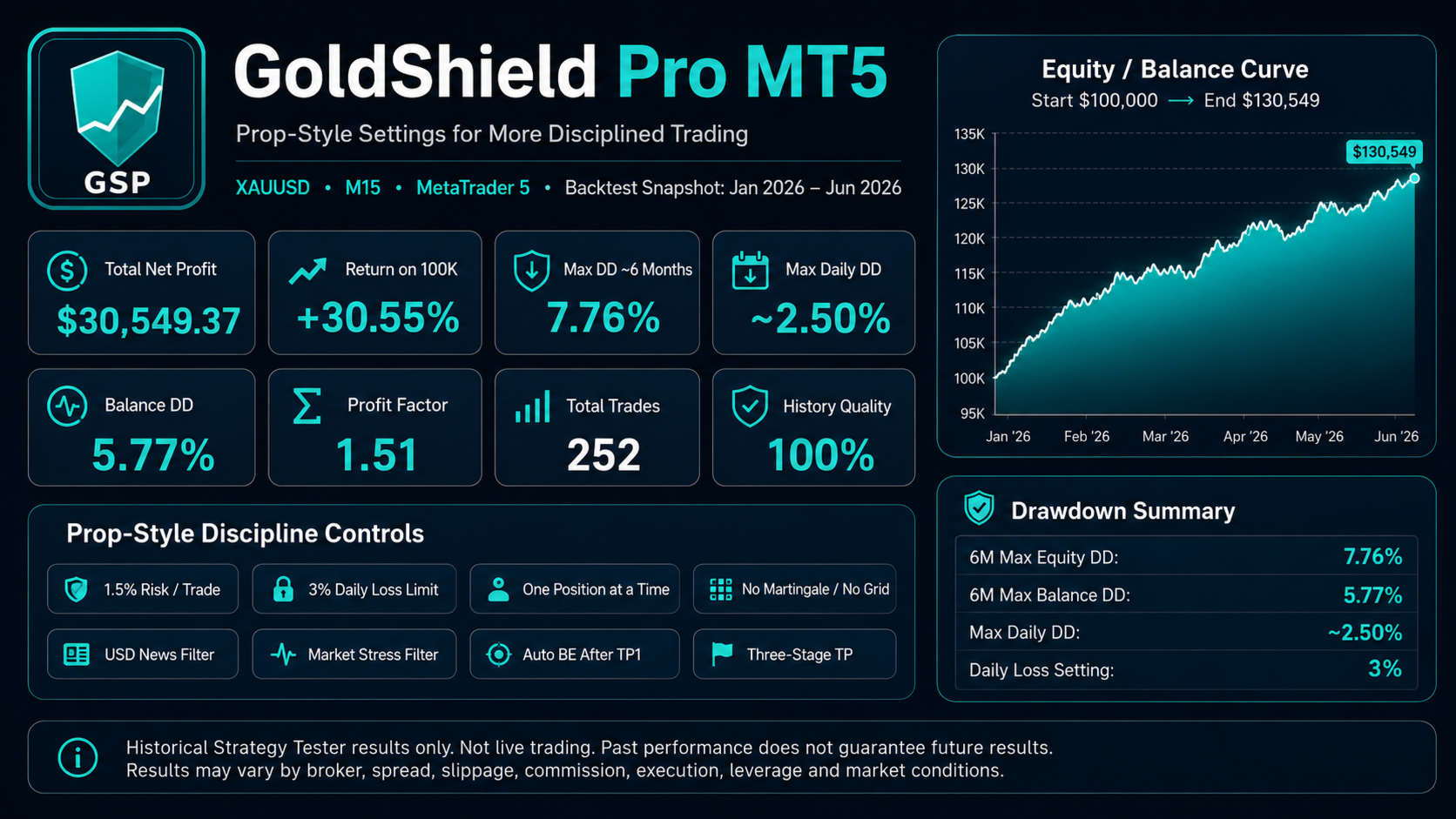
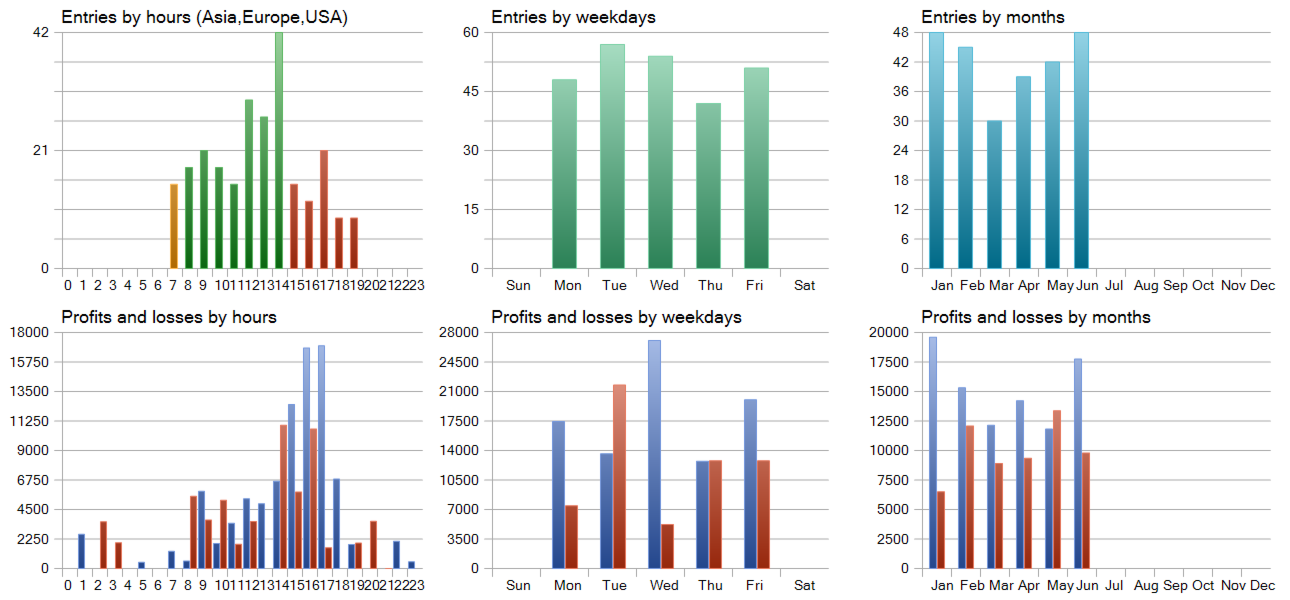
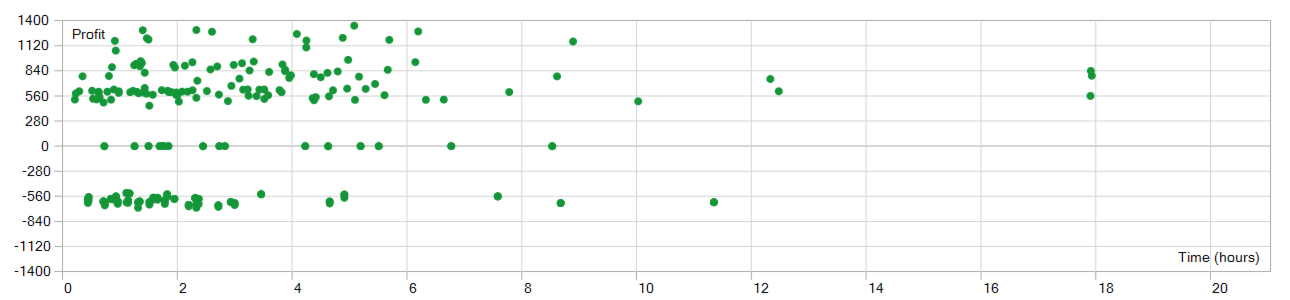
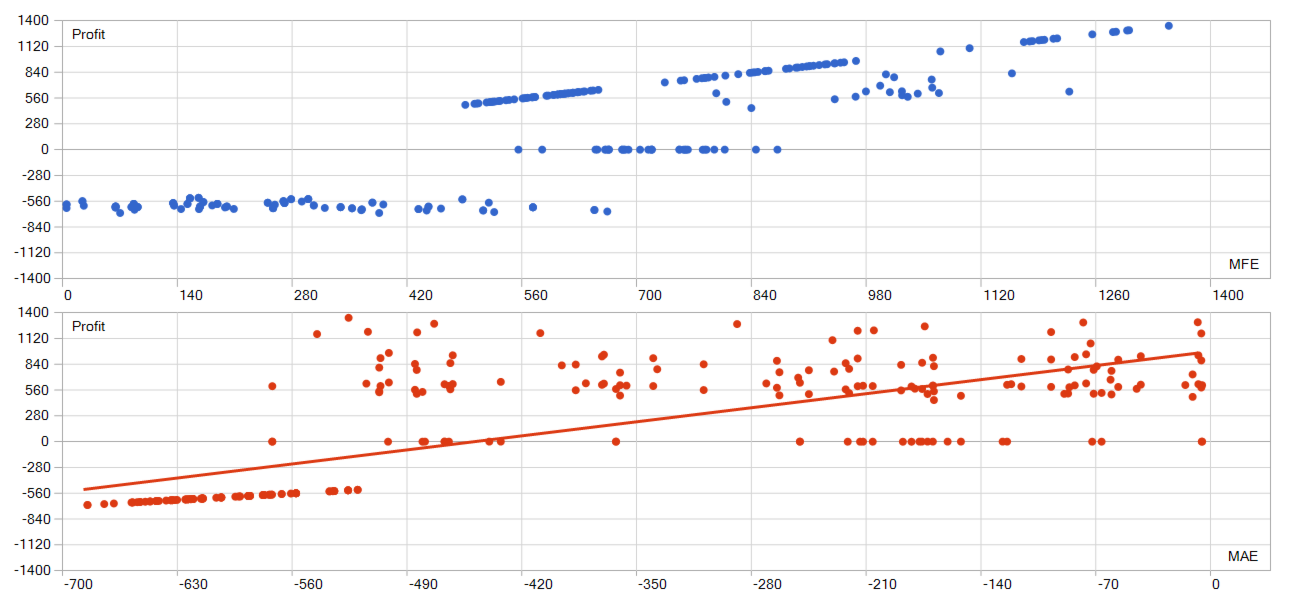
The screenshots show historical Strategy Tester information. These results are not live trading results and do not guarantee future performance.
Trading involves risk. Results can vary because of spread, commission, slippage, liquidity, broker settings, account type, leverage, execution quality, symbol specification, and market conditions. Always test the EA using your own broker conditions before live trading.
Version notesVersion 1.5: Initial public Market version prepared for GoldShield Pro MT5. Includes XAUUSD trading logic, risk settings, schedule controls, execution filters, three-stage take profit handling, break-even protection, news filtering, market-stress protection, dashboard display, and automated trade management settings.
CopyrightGoldShield Pro MT5 © 2026. All rights reserved.