Engulfing ProBot EA
- Experts
- Versione: 1.30
- Aggiornato: 19 luglio 2026
- Attivazioni: 10

Important Usage Information
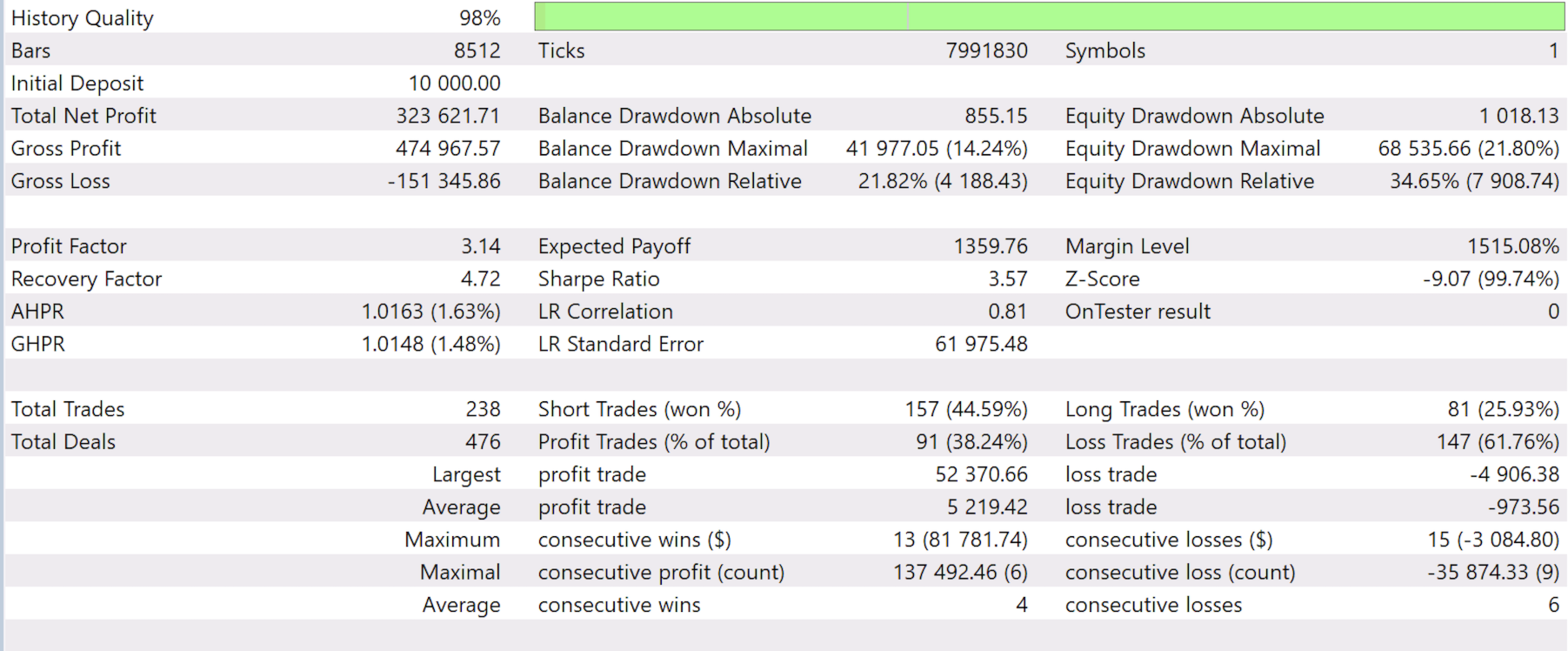
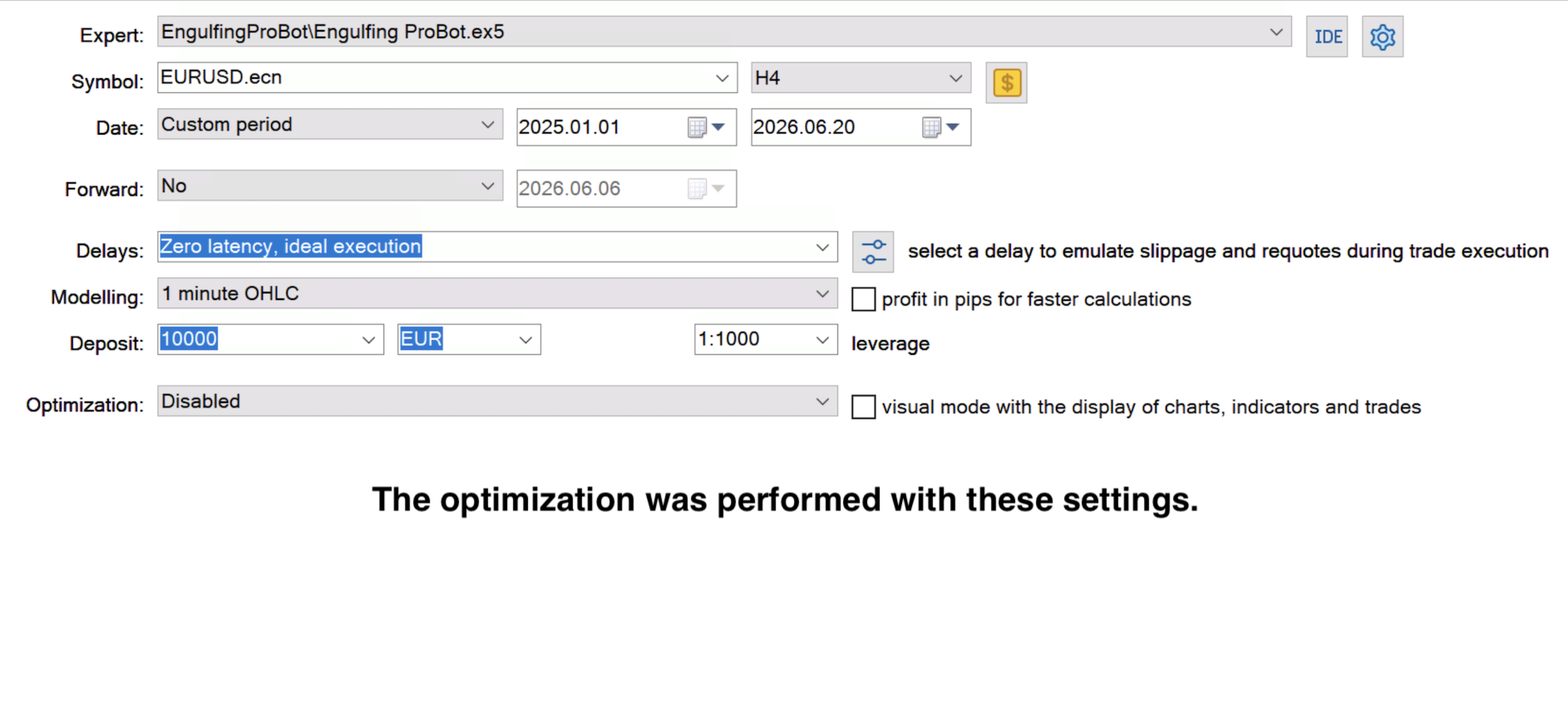
The Engulfing ProBot strategy was originally designed and tested primarily on the H4 (4-Hour) timeframe. Although the EA can technically be used on lower timeframes such as H1, M30, M15 or M5, these timeframes usually require significantly different parameter settings and optimization results. Running the default settings on lower timeframes is strongly discouraged and may result in substantial losses.The EA was primarily developed for Forex currency pairs.
Never trade any instrument without optimization.
Failure to optimize the EA for a specific instrument may result in significant losses.
Past results, backtests and optimizations do not guarantee future profitability.
There is no Expert Advisor capable of generating guaranteed profits under all market conditions.
Always use proper risk management and never trade with money you cannot afford to lose.
Strategy Overview
Engulfing ProBot is an automated trading system for MetaTrader 5 based on engulfing candlestick patterns.
The EA searches for bullish and bearish engulfing formations and validates them using multiple optional confirmation filters. Depending on the configuration, the system can use swing validation, RSI filters, Awesome Oscillator confirmation and SuperTrend trend confirmation before opening a trade.
The robot supports multiple money management methods, automatic break-even protection and optional scale-in position building.
Trades can be managed using fixed Take Profit targets or dynamic RSI-based exit methods.
The goal of the strategy is to trade only when price action, trend and momentum align in the same direction.
Settings
- MagicNumber
Default Value: 123456
Unique identifier used by the EA to recognize and manage its own trades.Use a different Magic Number if multiple Expert Advisors are running on the same account.
- Debug
Default Value: true
Enables detailed logging in the MT5 Experts tab.
Recommended:
Enable during testing and disable during live trading if detailed logs are not required.
- MaxSpreadPoints
Default Value: 50
Defines the maximum allowed spread for opening a new trade.If the current spread exceeds this value, the EA will skip the setup and wait for better market conditions.
Example:
MaxSpreadPoints = 50
Current spread = 55
Result: No trade is opened.
Special Value:
MaxSpreadPoints = 0
Disables spread filtering completely.
- MinCandleSize
Default Value: 120
Defines the minimum size of the engulfing candle in points.Small candles are often market noise and generally produce weaker signals.
Higher values:
* Fewer trades
* Stronger setups
Lower values:
* More trades
* More aggressive entries
- MaxCandleSize
Default Value: 1300
Defines the maximum allowed engulfing candle size.This filter helps avoid entries after unusually large candles often caused by high volatility or news events.
Higher values:
* More setups accepted
Lower values:
* More conservative filtering
- BodyRatio
Default Value: 1.2
Defines how much larger the engulfing candle body must be compared to the previous candle body.
Example:
Previous candle body = 100 points
BodyRatio = 1.2
Required engulfing body = 120 points or larger
Higher values:
* Stronger engulfing patterns
* Fewer trades
Lower values:
* More setups
* Less strict validation
- WickToBodyRatio
Default Value: 5.0
Controls the maximum wick size relative to the candle body. Large wicks often indicate uncertainty rather than strong directional movement.
Lower values:
* Cleaner setups
* Fewer signals
Higher values:
*More setups accepted
- WeakGap
Default Value: 20
Provides tolerance when validating engulfing conditions.This helps prevent valid setups from being rejected because of very small price differences caused by spread or broker feed variations.
Higher values:
* More setups accepted
Lower values:
* Stricter engulfing validation
- SwingLookback
Default Value: 6
Defines how many previous candles are checked when validating a swing high or swing low.
The purpose of this filter is to ensure that the engulfing setup forms at a meaningful market turning point.
Higher values:
* Stronger swing confirmation
* Fewer trades
Lower values:
* More trades
* Less strict filtering
Example:
SwingLookback = 1
Only the engulfing setup itself is considered.
SwingLookback = 6
The setup must remain significant compared to the previous six candles.
- EntryLongMaxRSI
Default Value: 65
Maximum RSI value allowed for long entries.
If RSI is above this value, no long trade will be opened.
Purpose:
Helps avoid buying after excessive upward movement.
- EntryShortMinRSI
Default Value: 35
Minimum RSI value allowed for short entries.
If RSI is below this value, no short trade will be opened.
Helps avoid selling after excessive downward movement.
- LongExitRSI
Default Value: 70
Defines the RSI level that activates RSI exit monitoring for long trades.
Once RSI reaches this level, the selected RSI exit logic becomes active.
- ShortExitRSI
Default Value: 30
Defines the RSI level that activates RSI exit monitoring for short trades.
Once RSI reaches this level, the selected RSI exit logic becomes active.
- RSISlowdown
Default Value: true
Enables RSI Slowdown exits.
How it works:
For long trades, the EA waits until RSI enters the exit zone above LongExitRSI.
The trade is closed when RSI later falls back below the exit level.
For short trades, the opposite logic is applied.
Purpose:
Attempts to keep trades open while momentum remains strong.
- RSIReversal
Default Value: true
Enables RSI Reversal exits.
How it works:
After RSI enters the exit zone, the EA records the most extreme RSI value reached.
The trade is closed when RSI begins reversing from that extreme.
Purpose:
Attempts to capture profits near the end of strong market moves.
- SupertrendATRPeriod
Default Value: 22
Defines the ATR period used by the SuperTrend indicator.
Lower values:
* Faster trend changes
* More signals
Higher values:
* Smoother trend detection
* Fewer false signals
- SupertrendATRMultiplier
Default Value: 3.0
Controls the sensitivity of the SuperTrend indicator.
Lower values:
* Earlier trend changes
* More trades
Higher values:
* Stronger trend confirmation
* Fewer trades
- SupertrendTakeWicksIntoAccount
Default Value: true
Determines whether candle wicks are included when evaluating SuperTrend reversals.
Values:
* true = wicks included
* false = close prices only
Using wicks makes SuperTrend react faster to market movement.
- MoneyMode
Default Value: Fixed Lot
Determines how position size is calculated.
Available modes:
* Fixed Lot
* Fixed Risk Money
* Risk Percent
- FixedLot ( Base lot) !!
Default Value: 0.01
Used when MoneyMode is set to Fixed Lot.
Every trade will open using the specified lot size.
Example:
FixedLot = 0.10
All base positions open with 0.10 lots.
- FixedRiskMoney
Default Value: 10.0
Used when MoneyMode is set to Fixed Risk Money AND UseScaleIn=false.
The EA automatically calculates position size so that the maximum loss equals the specified amount.
Example:
FixedRiskMoney = $10
The stop loss is sized so that the maximum risk is approximately $10.
- RiskPercent (BASE risk) !!
Default Value: 1.0
Used when MoneyMode is set to Risk Percent.
The EA calculates position size based on account balance.
Example:
Balance = $1,000
RiskPercent = 1%
Maximum risk per trade = approximately $10.
- UseBreakEven
Default Value: false
Enables automatic break-even protection.
When activated, the stop loss can be moved to the base trade entry price after price moves a specified distance in profit.
- BreakEvenBodyMult
Default Value: 1.0
Defines when break-even is triggered.
The trigger distance is calculated using the engulfing candle body size.
Example:
Body size = 100 points
BreakEvenBodyMult = 1.0
Break-even activates after 100 points of favorable movement.
BreakEvenBodyMult = 1.5
Break-even activates after 150 points of favorable movement.
- UseTP
Default Value: false
Enables fixed Take Profit targets.
When disabled, trades are managed using RSI exit logic.
Automatic Safety Feature:
If UseTP is disabled and both RSI exit methods are disabled, the EA automatically enables Take Profit protection to prevent trades from remaining open indefinitely.
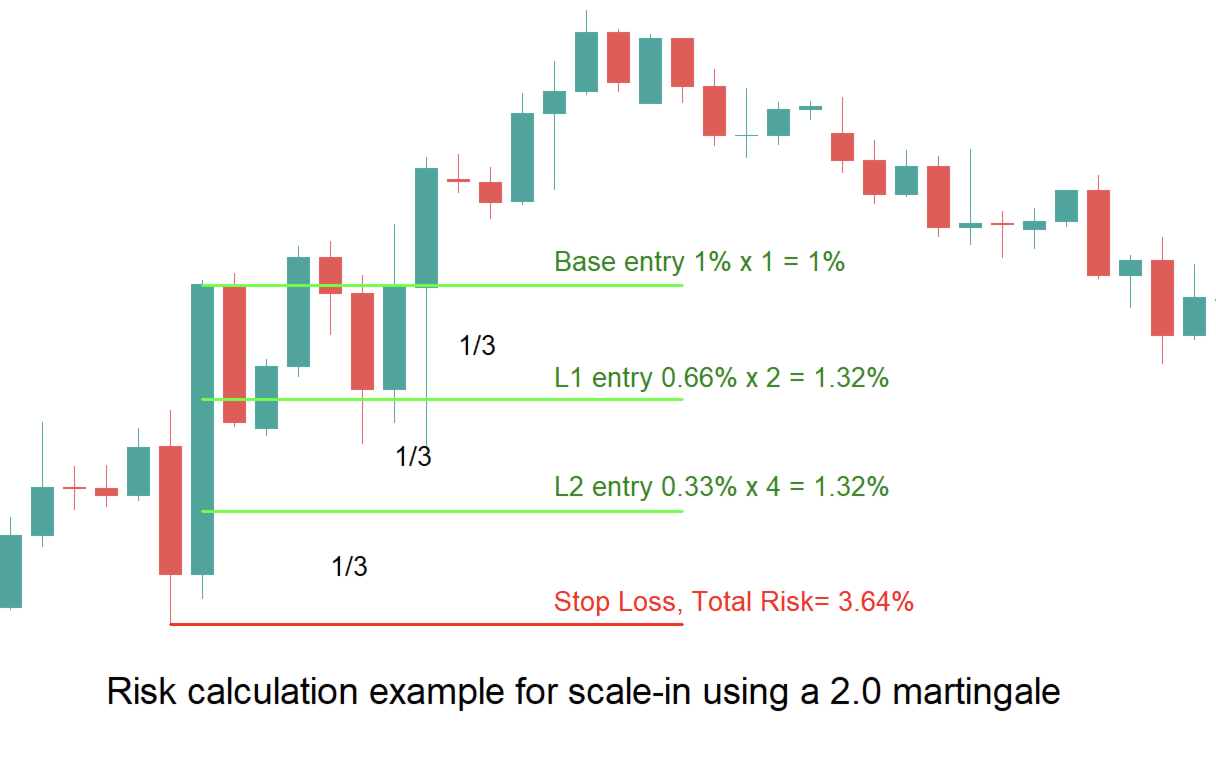
- UseScaleIn
Default Value: true
Enables additional position building after the base trade is opened.
When disabled, only the base position is traded.
- ScaleInMode
Default Value: STOP
Determines how additional positions are placed.
Available modes:
LIMIT
Additional positions are placed immediately as pending limit orders.
STOP
Additional positions are armed and only placed when price reaches the configured trigger conditions.
- ScaleInMultiplier
Default Value: 2.0
Defines the position size multiplier used for additional scale-in levels.
Example:
Base Lot = 0.10
ScaleInMultiplier = 1.5
Result:
Base = 0.10
L1 = 0.15
L2 = 0.225
- PendingStopShiftPoints
Default Value: 30
Used only in STOP scale-in mode.
Defines how far beyond the scale-in level price must move before the pending stop order is placed.
Higher values:
* More confirmation
* Fewer scale-in activations
Lower values:
* Faster scale-in placement
* More aggressive position building
Risk Warning!
Trading Forex, CFDs, Indices and Commodities involves significant risk.
Past performance does not guarantee future results.
Always test the strategy on a demo account and use appropriate risk management before trading with real funds.