MTF Channel Panel
- Indicatori
- Versione: 1.1
- Aggiornato: 18 marzo 2026
- Attivazioni: 5

MTF Channel Panel
MTF Channel Panel is an analytical indicator for MetaTrader 5 that displays channel information from multiple timeframes in a single panel.
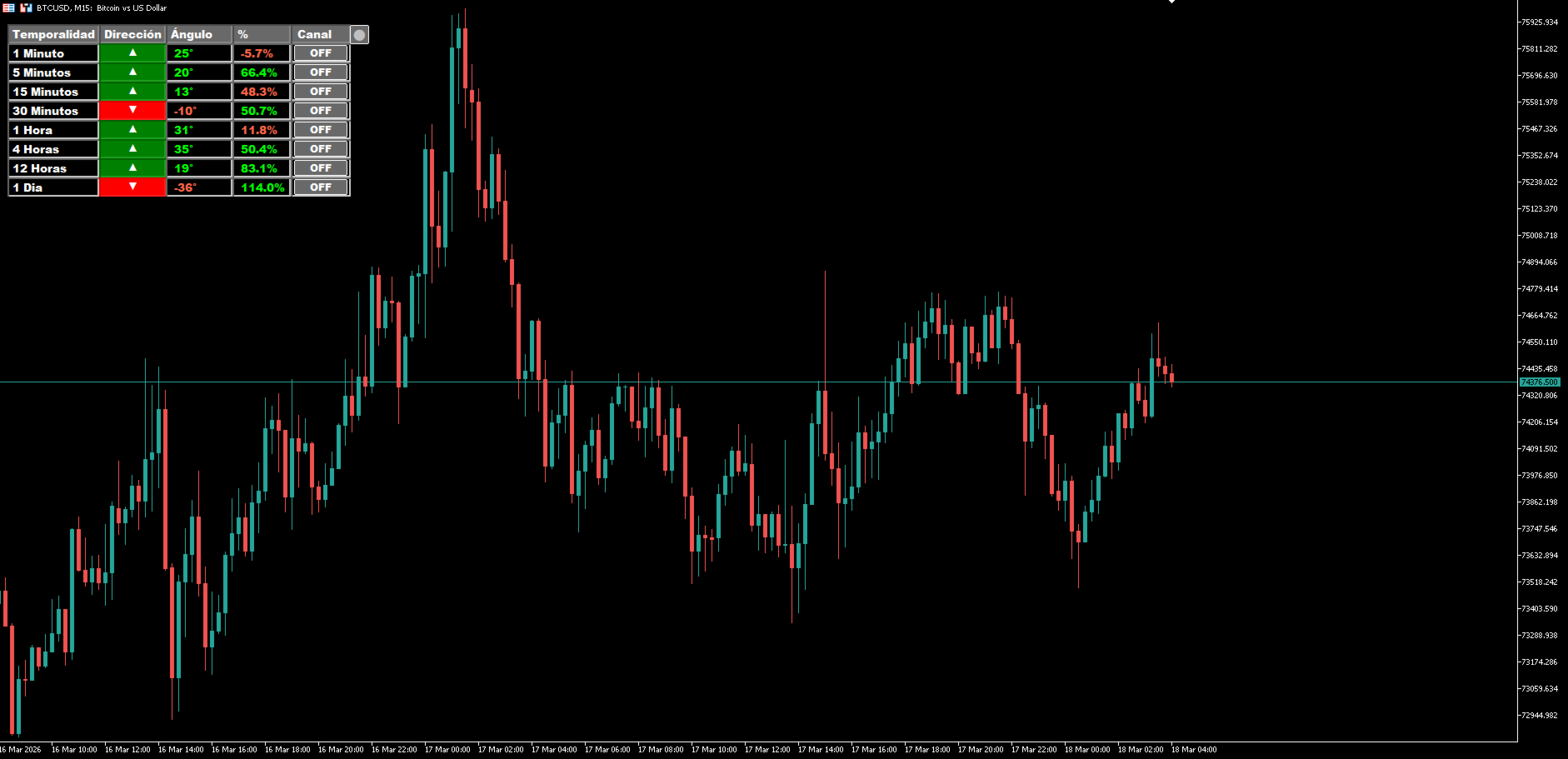
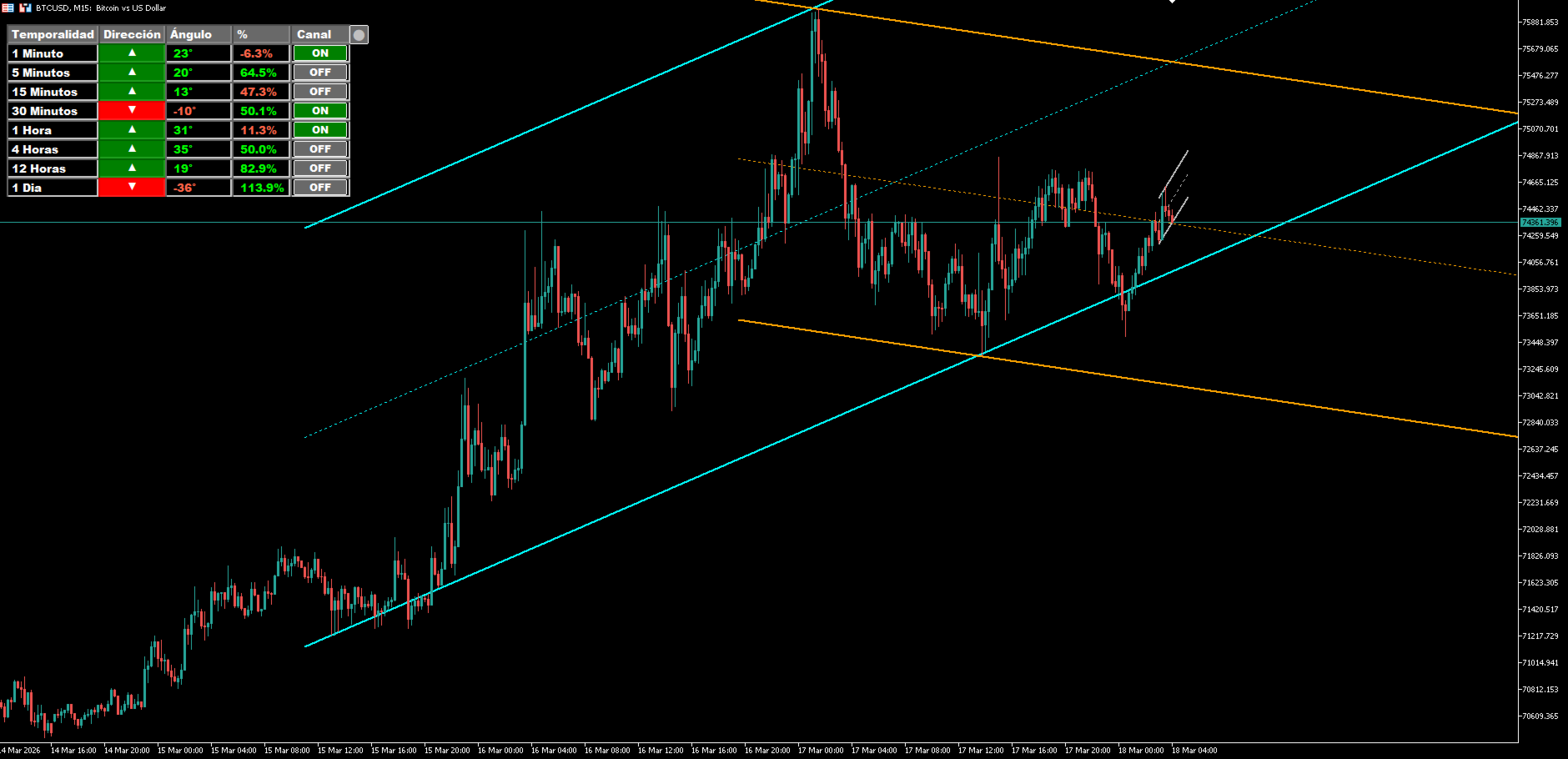
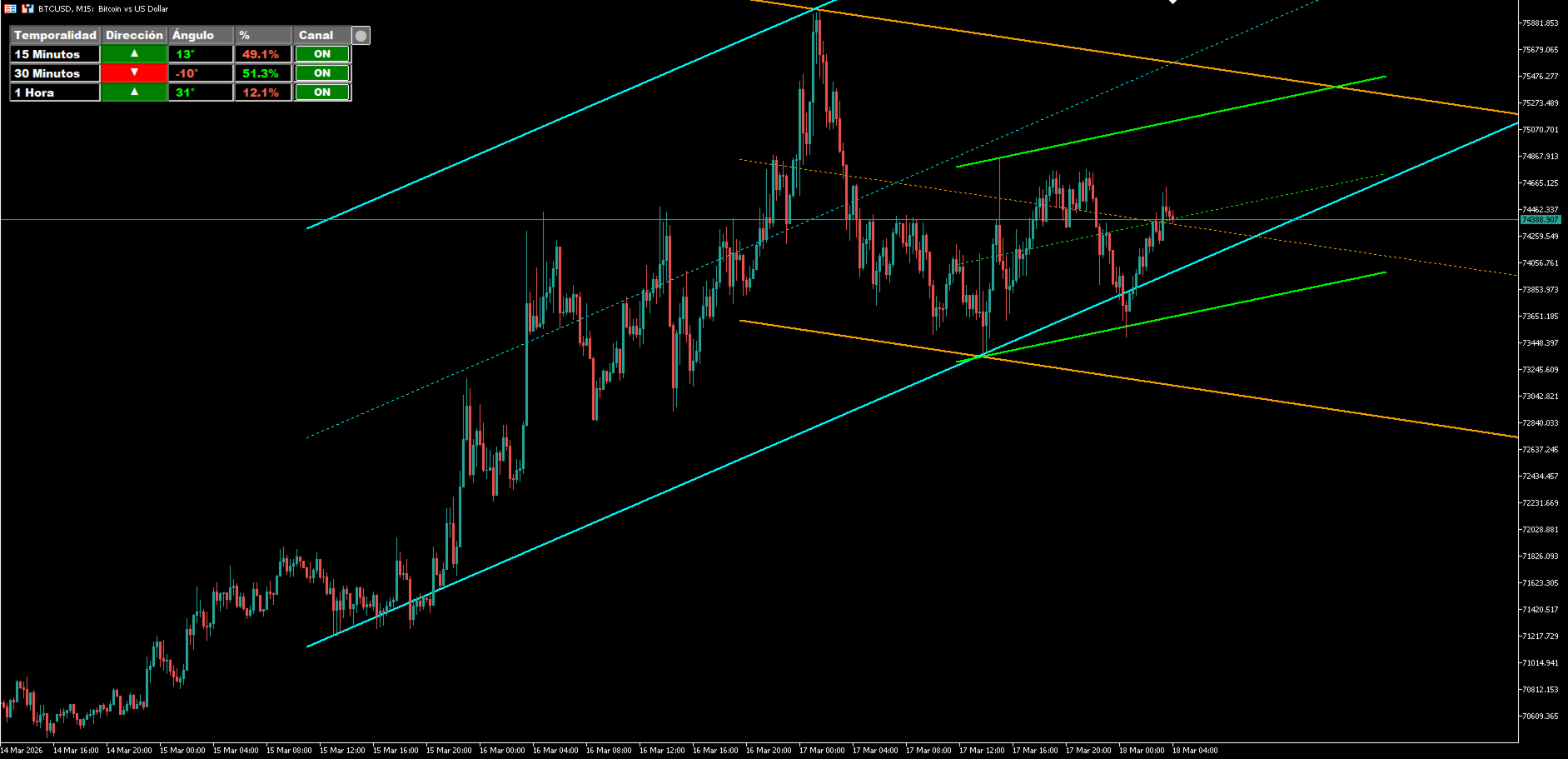
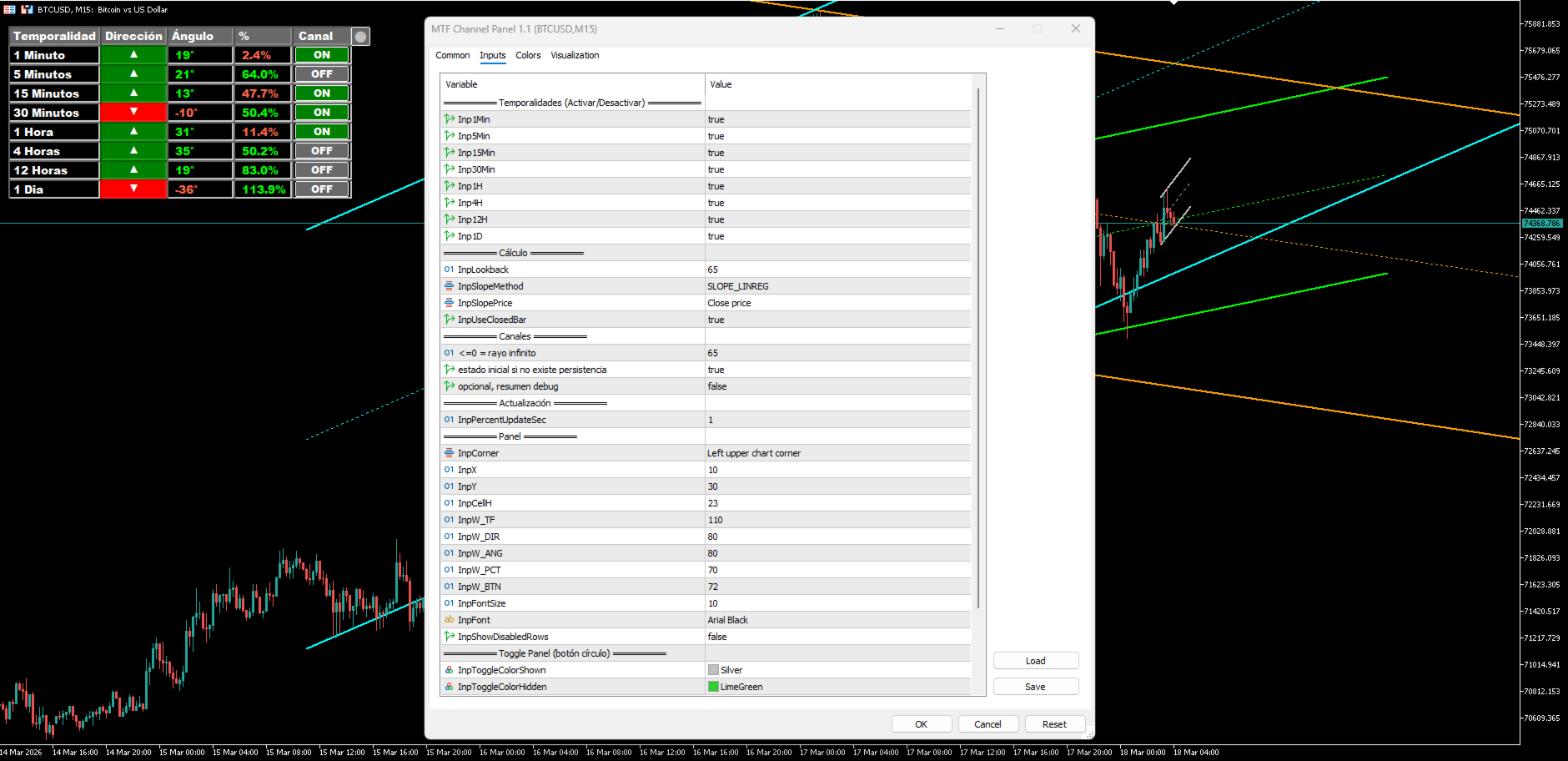
For each enabled timeframe, the indicator displays the calculated channel direction, its angle, and the current price position within the projected channel. Each row also includes an ON/OFF control that allows the corresponding channel to be displayed or removed independently from the chart.
The indicator is designed to provide a summarized multi-timeframe view without displaying all channels simultaneously. The user can compare the conditions shown in the panel and activate only the channels that require additional visual inspection.
Panel Operation
The Direction column displays the calculated channel direction for each timeframe. Angle shows the corresponding slope or inclination. Percent represents the current price position within the projected channel.
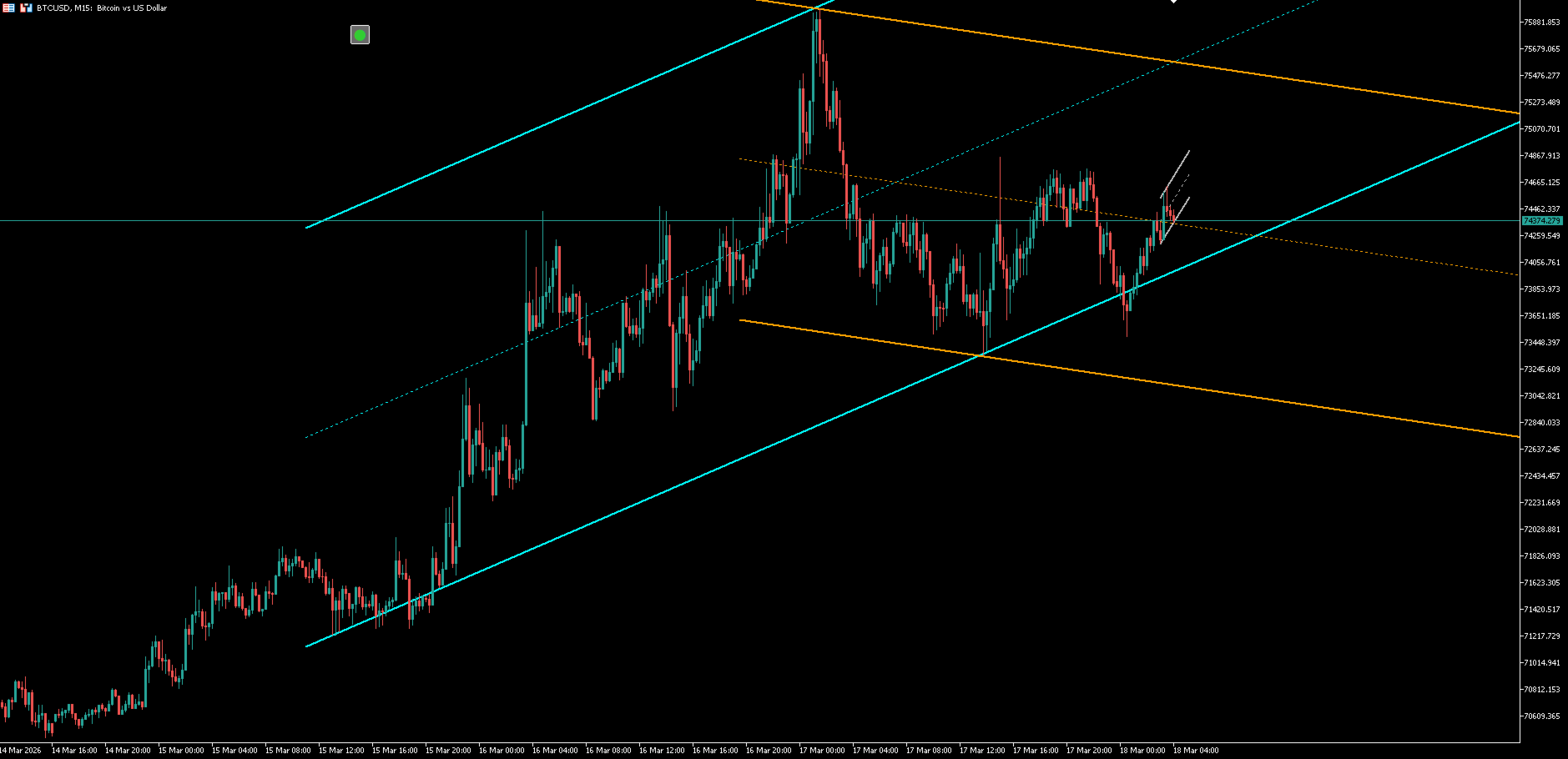
The channel control on each row allows the channel for that timeframe to be displayed or removed independently. The complete panel can also be shown or hidden using its visibility control.
This allows summarized information to remain available in the panel while detailed channels are displayed only when required.
Timeframes and Settings
The indicator can work with M1, M5, M15, M30, H1, H4, H12, and D1. Each timeframe can be enabled or disabled independently through Inp1Min, Inp5Min, Inp15Min, Inp30Min, Inp1H, Inp4H, Inp12H, and Inp1D.
InpLookback defines the number of bars used to calculate the channel structure. InpSlopeMethod selects the method used for the slope calculation, while InpSlopePrice defines the applied price. InpUseClosedBar determines whether the calculation uses a closed bar or the current bar.
InpProjectionBars controls the number of bars used to project the channel forward. InpDefaultChannelOn defines the initial channel state when the indicator is loaded, and InpShowLabel controls the optional information label.
InpPercentUpdateSec defines the panel update interval. Additional settings control the panel position and appearance, row visibility, and timeframe channel controls.
Important Information
MTF Channel Panel is a visual analytical tool. Direction, Angle, and Percent represent conditions calculated by the indicator and can be used to compare different timeframes and review the current price position within the displayed channels.
The indicator does not open, modify, or close trades and does not perform automatic trading. The displayed information does not constitute a prediction or guarantee of future price movements.