EasyGrid PRO
- Utilità
- Versione: 1.2
- Aggiornato: 5 marzo 2026
- Attivazioni: 5

Short Description:
Visual grid EA — ATR-adaptive spacing, preview, scanner & safety
---
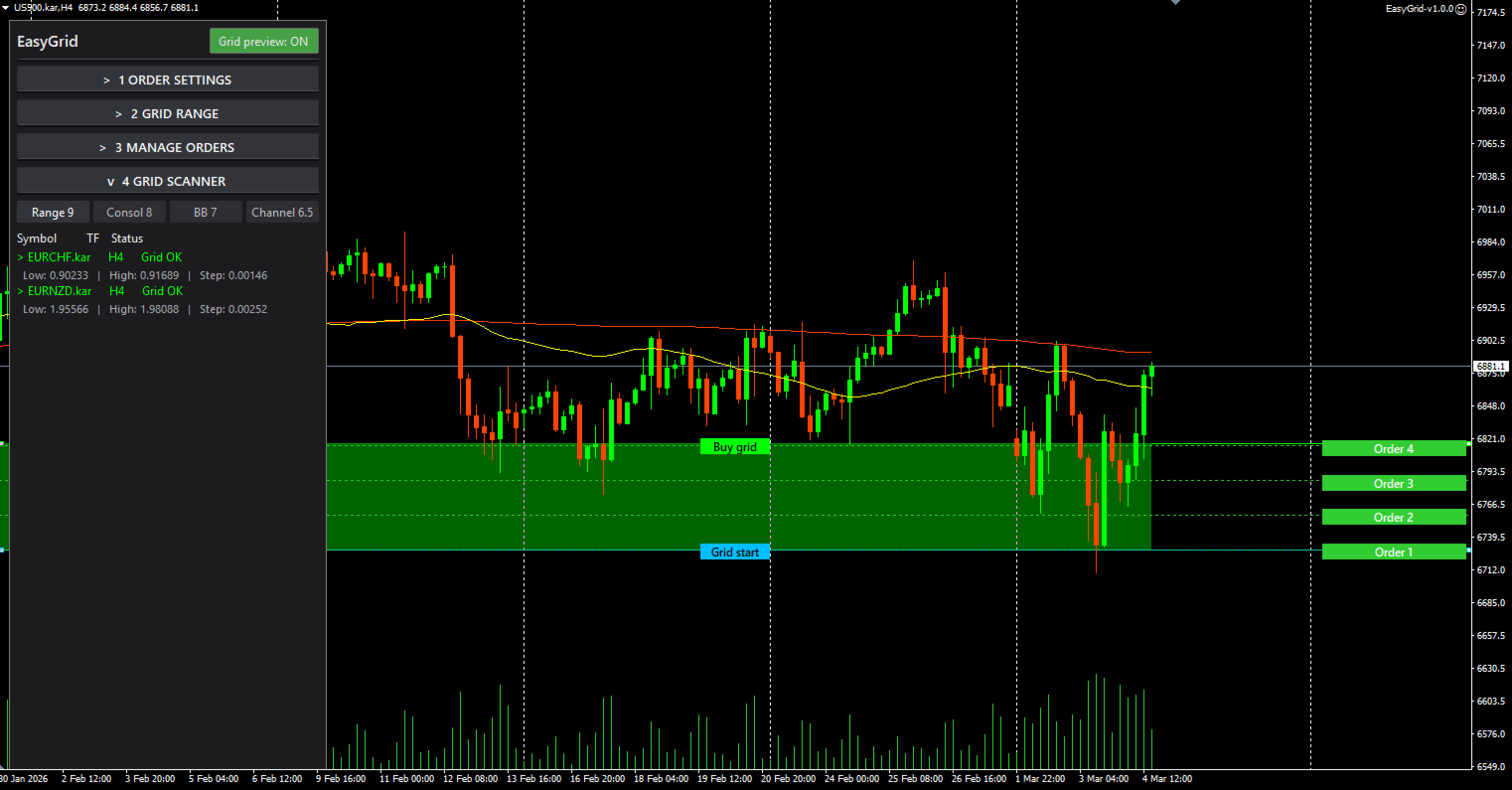
EasyGrid PRO is a visual grid trading tool for ranging and consolidating markets. Define a price range on the chart, and the EA places pending orders with ATR-adaptive spacing — all in one click. Built-in grid preview, safety checks, and a multi-instrument scanner help you trade smarter.
How It Works
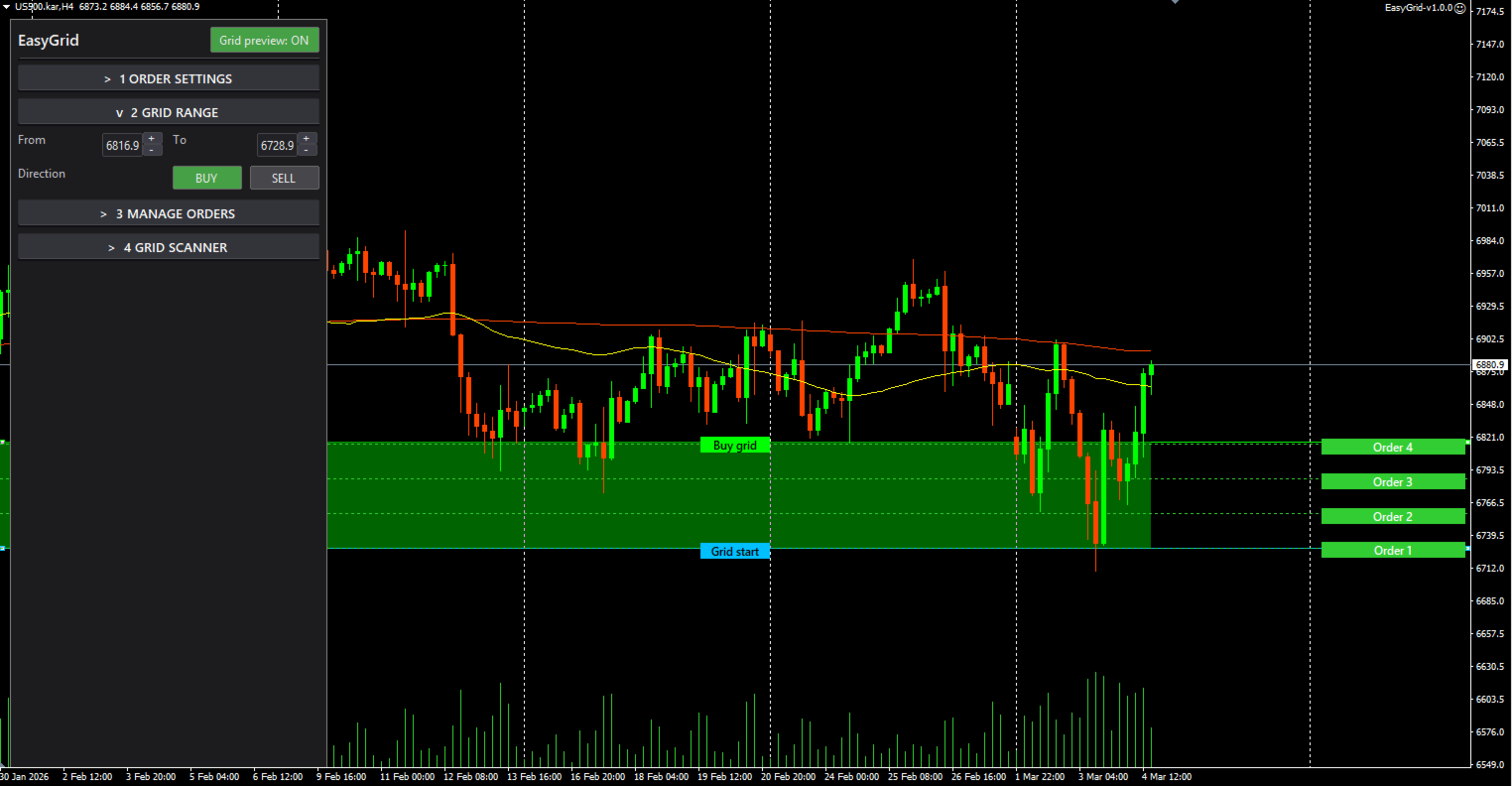
1. Drag two lines (P1 / P2) on the chart to set your grid range — or type prices directly in the panel.
2. The EA calculates grid spacing from ATR × multiplier, so the step adapts to current volatility — no fixed-pip guessing.
3. Choose direction: Buy or Sell.
4. Click Place Grid — all pending orders are placed instantly.
5. Click Cancel Orders to remove them just as fast.
Grid Preview
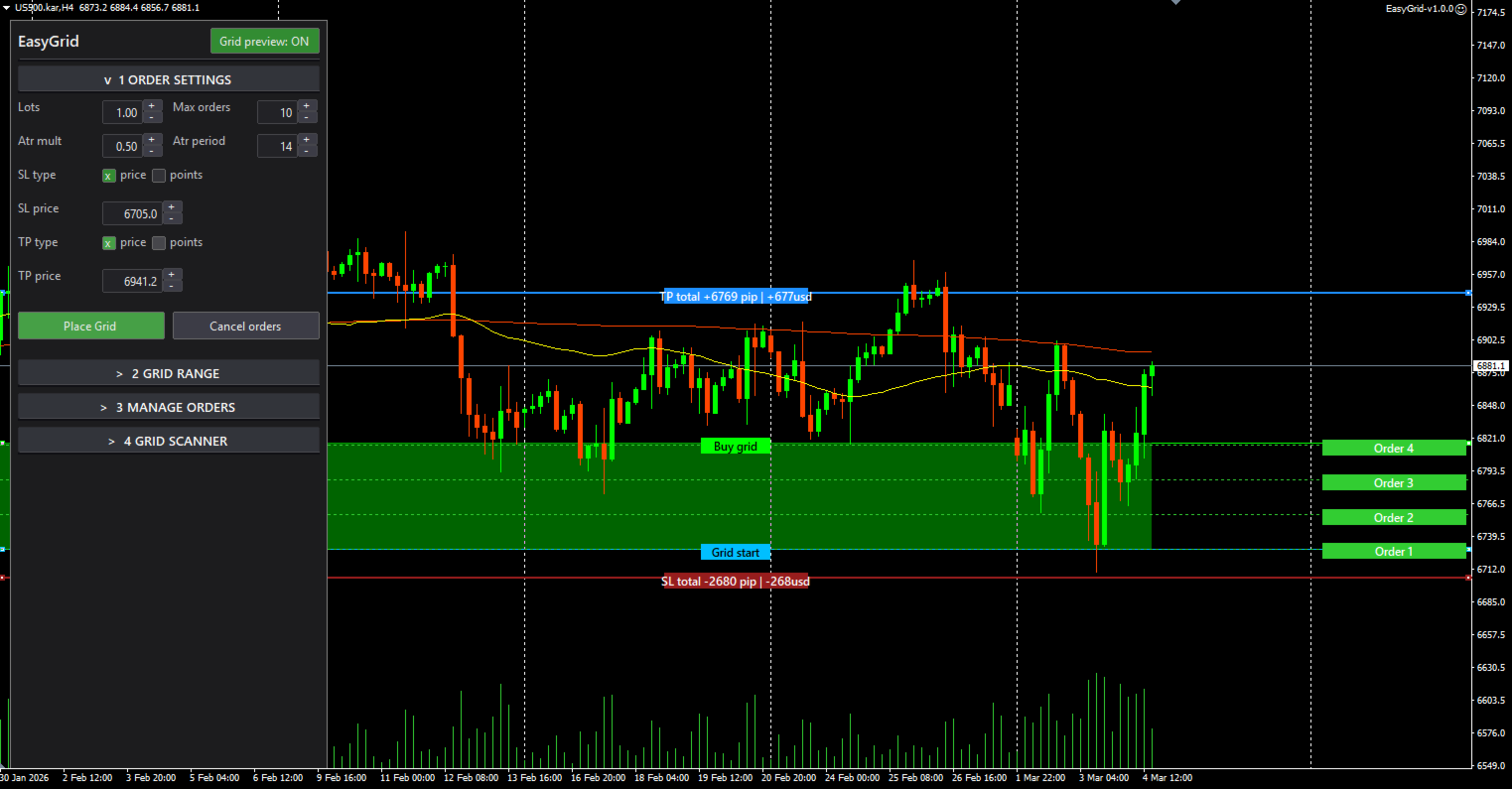
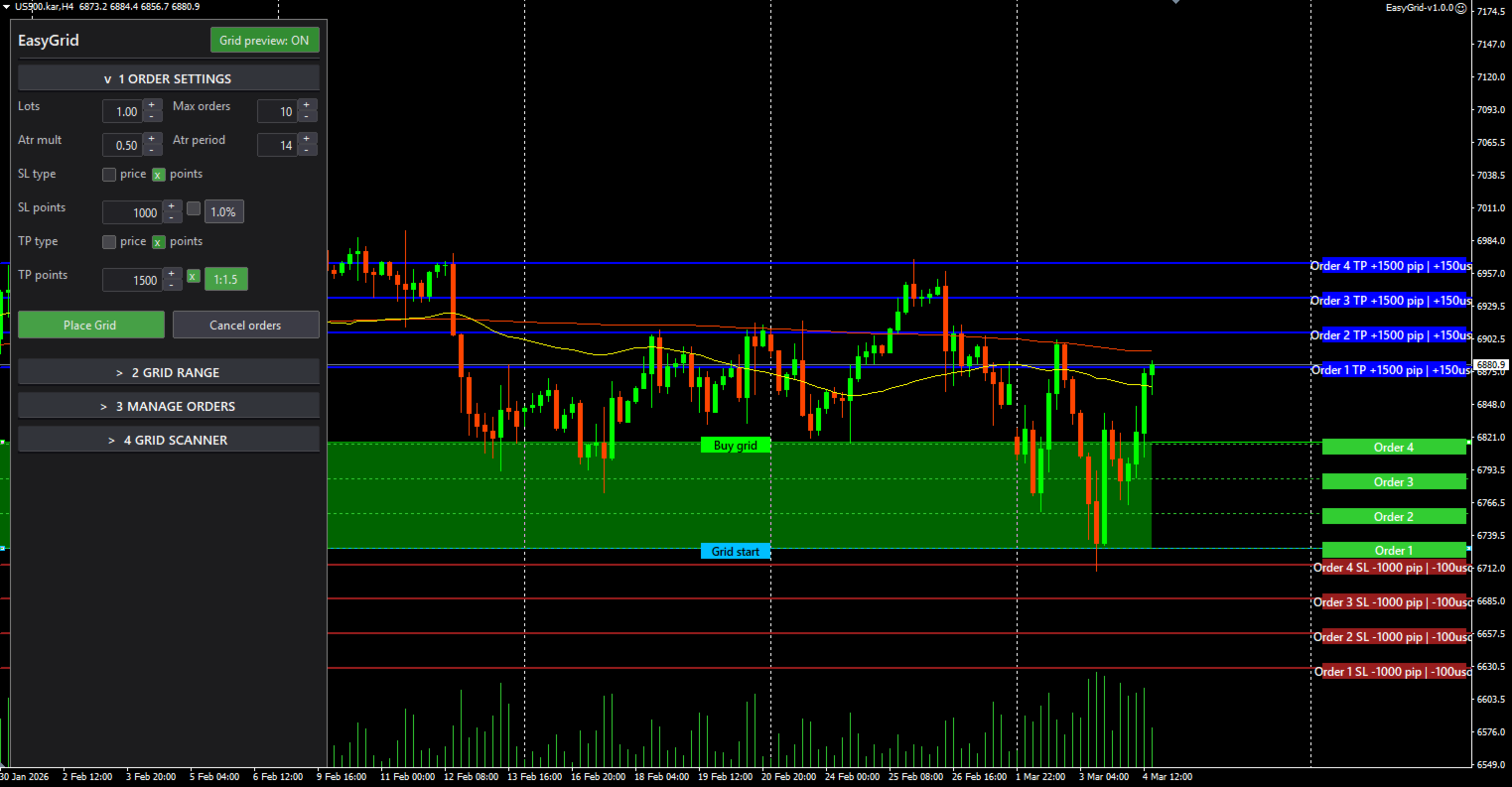
Toggle Grid Preview from the panel header to see every grid level drawn on the chart before you commit. SL and TP lines are included in the preview when set. No surprises — see exactly what you're about to place.
Flexible SL / TP
- SL: one fixed price for all orders, or set in points per order.
- TP: fixed price, points, or as a ratio to SL (1:1, 1:1.5, 1:2, and more).
- Configure once, apply to the entire grid.
Smart Panel
The panel adapts its height to content — no wasted space. Four collapsible sections:
- Order Settings — lot size, SL/TP, direction
- Grid Range — P1/P2 prices with left-aligned fields, spinners (±) for quick adjustment
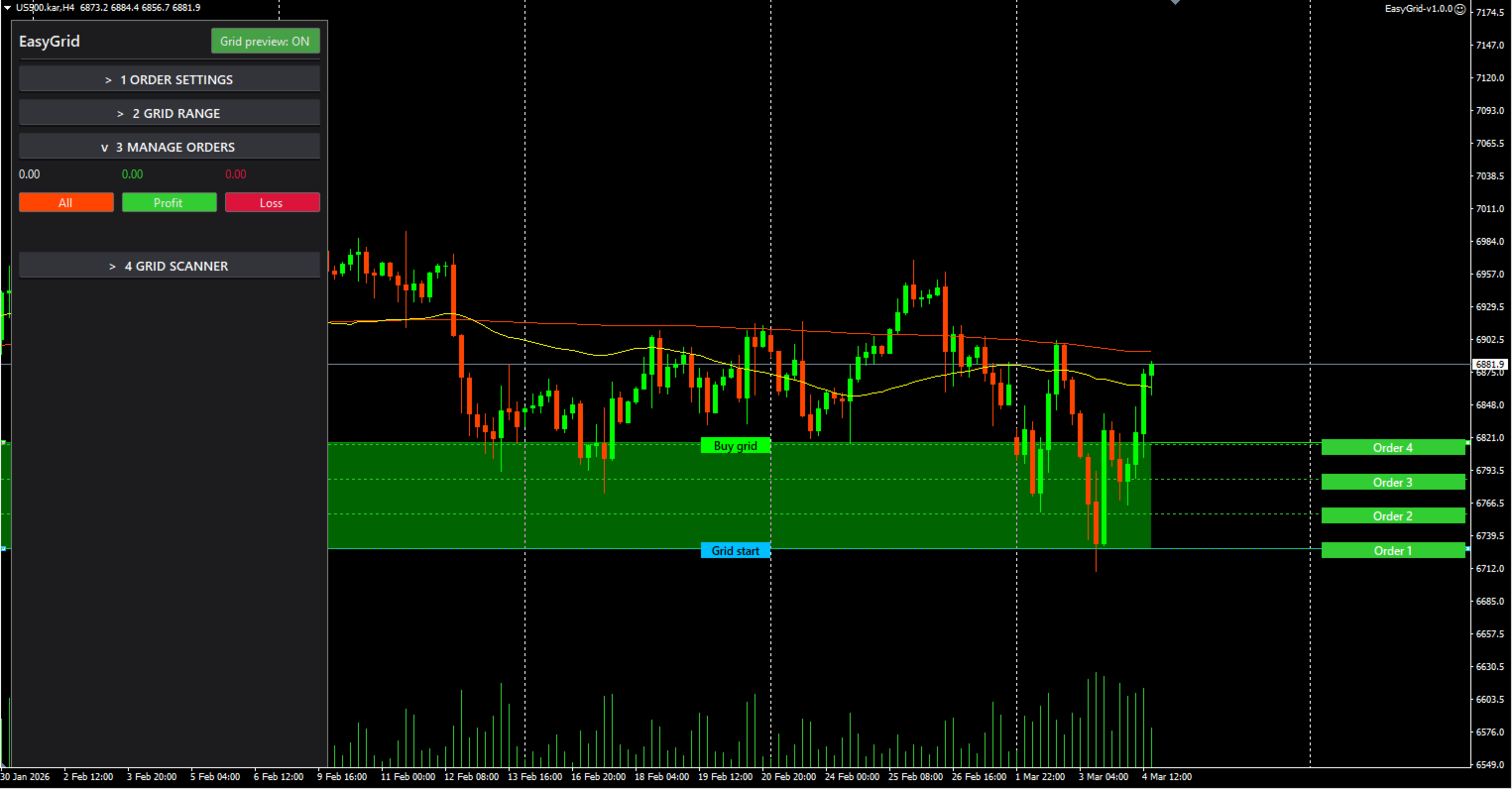
- Manage Orders — close All / Profit only / Loss only (filtered by Magic number)
- Grid Scanner — find the best instruments for grid trading
Colors and sizes are fully customizable via inputs.
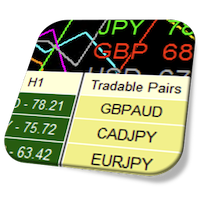
Grid Scanner
Scans multiple instruments on your chosen timeframe and filters the best grid candidates. Four strategy filters:
- Range — classic range-bound conditions
- Consol — consolidation patterns
- BB — Bollinger Band squeeze setups
- Channel — price channel formations
Each result shows symbol, timeframe, and status. Click any row to open that chart — with grid lines drawn automatically if applicable. The scanner auto-refreshes at a configurable interval.
If no instruments match: a clear "No suitable instruments at this timeframe" message — no guessing.
Grid Safety
Before placing a grid, check the Grid Safety section. It analyzes key indicators:
- ADX — low / falling = favorable for range
- ATR — stable / declining = favorable
- RSI — mid-range, no extremes
- Bollinger Bands — squeezing, price inside bands
- Structure — no new highs/lows, tight range
Summary: Safe Grid flag — helps you avoid placing grids in strong trends.
Visual Features
- Range fill between P1/P2 lines — green when the grid step is valid, red when it isn't
- Price tags next to each line showing the current value
- AutoTrading status indicator in the panel header
- Drag lines freely — the panel updates in real time
Who Is This For?
- Traders who work range-bound / mean reversion strategies
- Anyone tired of manually calculating grid levels and spacing
- Traders who want visual confirmation before placing orders
- Multi-instrument traders who need a scanner to find the best setups
Recommendations
- Start on a demo account to explore all features
- Use Grid Preview before every placement
- Check Grid Safety before committing
- Use the Scanner to find instruments with favorable conditions
- Manage risk with appropriate SL settings
---
Tags: grid trading, ATR, pending orders, range trading, mean reversion, scanner, risk management, visual trading, consolidation, grid EA