ZigZag Pro ATR
- Indicatori
- Versione: 1.0
- Attivazioni: 5

Product Description
ZigZag Pro ATR - Smart Swing Detection That Adapts to Market Volatility
Tired of standard ZigZag indicators that work only in specific market conditions? ZigZag Pro ATR is the professional solution. This advanced swing detection tool automatically adapts to changing volatility using ATR (Average True Range), giving you cleaner signals and a clearer view of the true market structure.
Stop constantly adjusting parameters manually. Our indicator intelligently filters out market noise, highlighting only the most significant price swings to help you make better trading decisions.
🌟 Key Advantages
-
Smart Volatility Adaptation: The unique ATR-based deviation ensures optimal performance in both calm and volatile markets without manual adjustments.
-
Multi-Timeframe Analysis: See the bigger picture instantly with the built-in Higher Timeframe (HTF) overlay, helping you align your trades with the dominant trend.
-
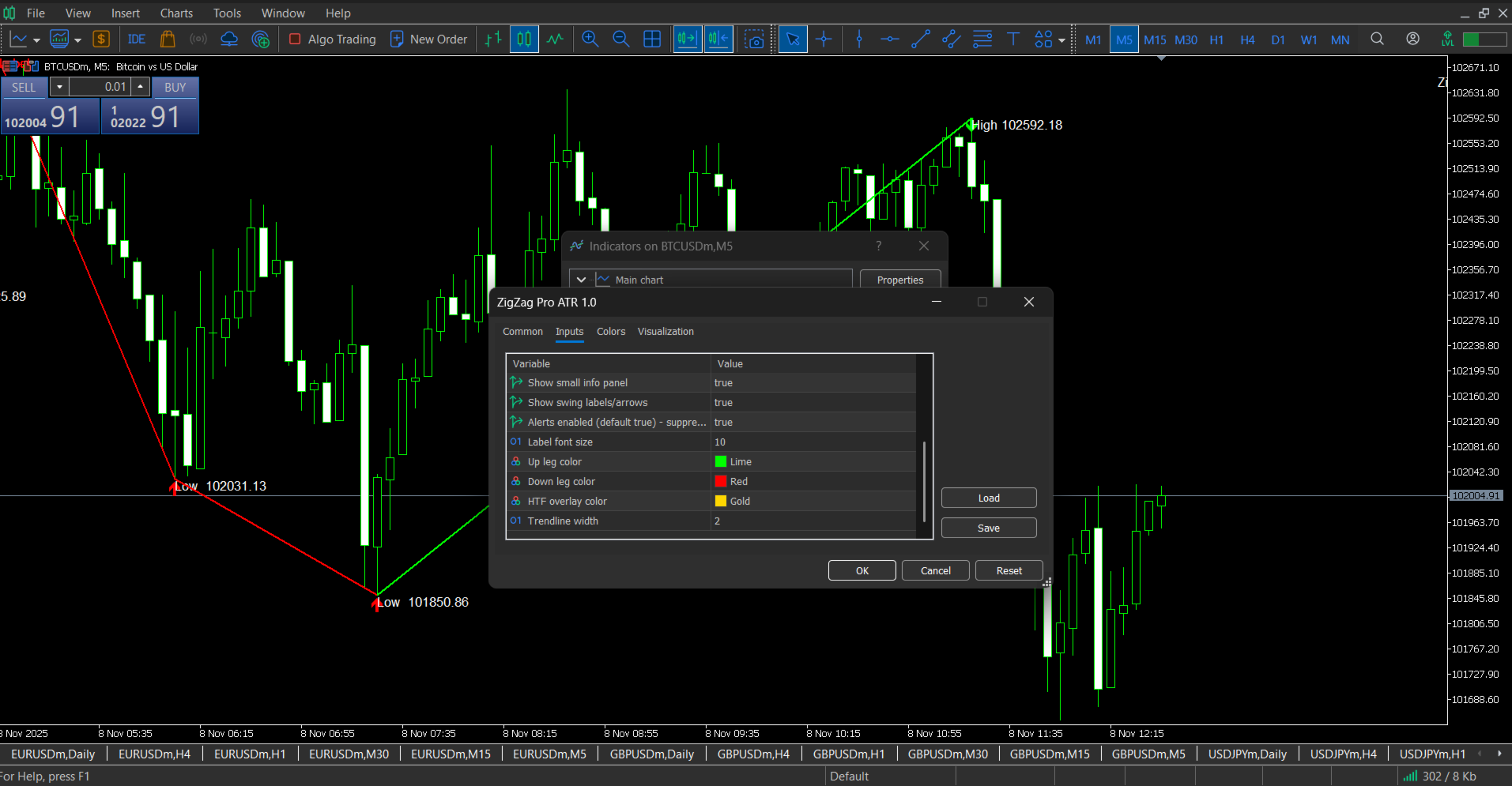
Professional Visualization: Clean, customizable display with color-coded swings and optional price labels for maximum clarity.
-
Optimized Performance: Advanced coding ensures smooth operation without slowing down your trading platform.
-
Instant Notifications: Receive alerts via pop-up, push notification, or email when new significant swings form, ensuring you never miss a trading opportunity.
⚙️ Input Parameters
Core Swing Detection Settings
-
Depth ( 12 ) - Minimum number of bars between swing points. Higher values detect larger, more significant swings.
-
Use_ATR ( true ) - Switches between static and dynamic deviation. Keep enabled for adaptive volatility-based performance.
-
Deviation ( 5.0 ) - Static deviation in points. Only used when ATR mode is disabled.
-
ATR_Period ( 14 ) - Period for the Average True Range calculation.
-
ATR_Multiplier ( 2.0 ) - Multiplier for the ATR value. Increase for fewer, larger swings; decrease for more sensitive detection.
Visual & Display Settings
-
Show_HTF ( true ) - Toggles the higher timeframe overlay display.
-
HTF ( PERIOD_H1 ) - Timeframe for the HTF overlay (e.g., H1, H4, D1).
-
Show_Labels ( true ) - Displays price labels and arrows at swing points.
-
Show_InfoPanel ( true ) - Shows information panel with trend direction and swing statistics.
-
UpColor ( clrLime ) - Color for upward trending swings.
-
DownColor ( clrRed ) - Color for downward trending swings.
-
HTFColor ( clrGold ) - Color for higher timeframe overlay.
-
LineWidth ( 2 ) - Width of the ZigZag trend lines.
Alert & Notification Settings
-
AlertsEnabled ( true ) - Enables/disables all alert notifications.
-
LabelFontSize ( 10 ) - Font size for swing labels and information panel.
💡 How to Use in Your Trading
-
Trend Identification: Observe the ZigZag direction - consecutive higher highs/lows indicate uptrends; lower highs/lows indicate downtrends.
-
Pullback Entries: In established trends, look for entry opportunities when price retraces to previous swing levels that align with Fibonacci retracements or HTF support/resistance.
-
Risk Management: Place Stop-Loss orders beyond the most recent significant swing point identified by the indicator.
-
Multi-Timeframe Confirmation: Use the HTF overlay to ensure you're trading in the direction of the larger trend for higher probability setups.
Ideal For: Swing trading, trend identification, support/resistance analysis, and market structure analysis across all timeframes and trading instruments.
Download ZigZag Pro ATR today and experience professional-grade swing analysis that adapts to your markets!