UseCustomSettings
- Indicatori
- Tao He
- Versione: 1.3
- Attivazioni: 5
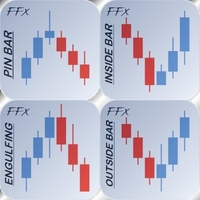
Pinbar Monitor (Metatrader Indicator) - attempts to monitor Pinbars (or "Pin bars" or "Pin bars") and mark them by placing a "smiley face" symbol below bullish Pinbars or above bearish Pinbars. It is a pure price behavior indicator that does not use any standard technical indicators in its code. The settings for Pinbar monitoring can be modified by inputting parameters. The Pinbar monitor can issue platform alerts or email alerts for monitoring. This indicator is applicable to MT4 and MT5 platforms.
input parameters
CountBars (default=0) - The maximum number of bars used to detect pinbars. 0=All.
Display Distance (default=5) - The distance from the candlestick chart to the pinbar "smiley face" symbol.
UseAlerts (default=true) - Causes this metric to sound platform alerts for Pinbar monitoring.
UseEmailAlerts (default=false) - Causes this metric to issue email alerts for Pinbar monitoring. You can set up emails through Tools ->Options ->Email on Metatrader.
UseNotifications (default=false) - Causes metrics to send push notification alerts for Pinbar monitoring. The notification should be set correctly in Metatrader, using the following steps: Tools ->Options ->Notifications.
UseCustoms Settings (default=false) - Apply the custom Pinbar monitoring parameters described below to the indicators.
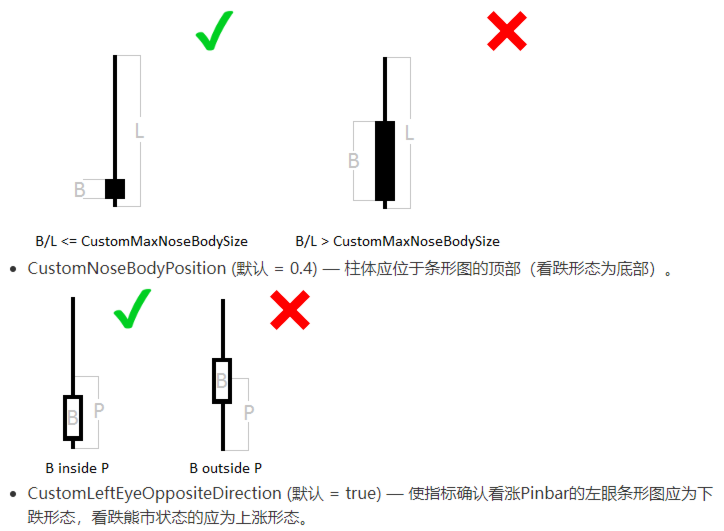
Custom MaxNoseBody Size (default=0.33) - The maximum allowed column/length ratio for a bar chart.
Optimal usage cycle: 30 minutes