Custom Alert Lines
- Indicatori
- Versione: 1.0

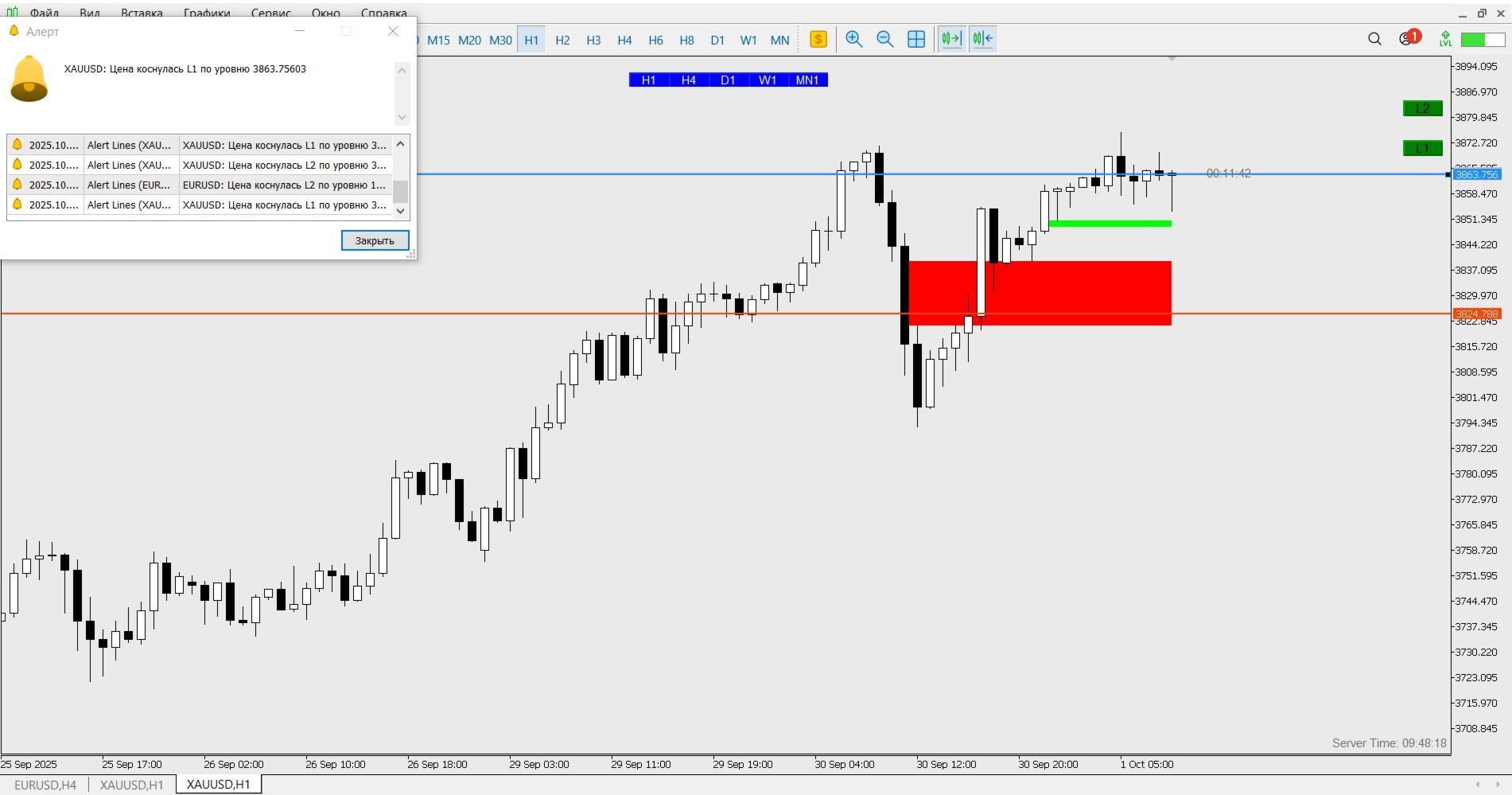
The Custom Alert Lines.mq5 Indicator is designed to create two horizontal lines on the chart that serve as levels for alerts when the price crosses them.
Key Functions and Features
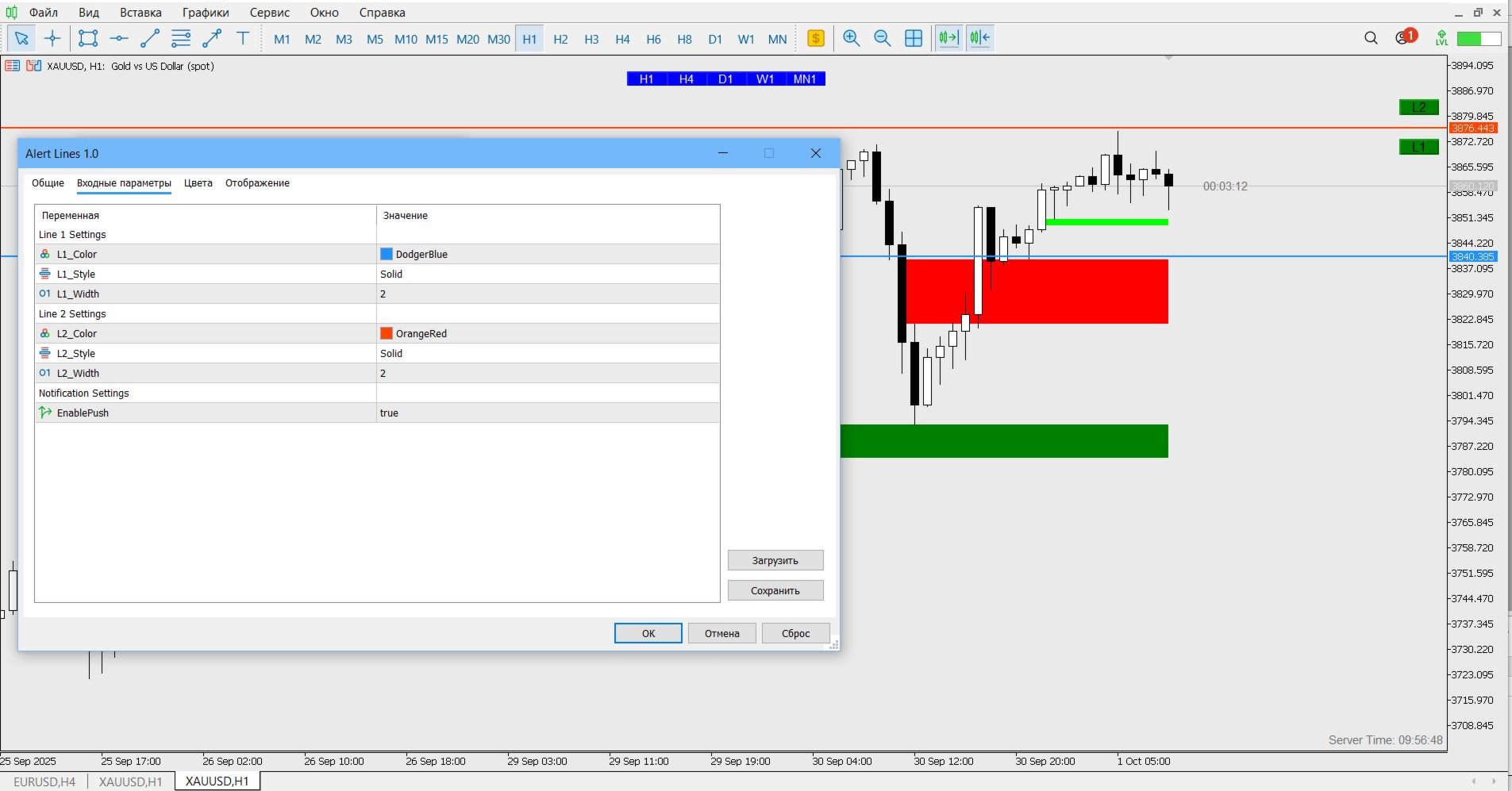
- Two Customizable Lines (L1 and L2): The indicator allows the user to set the color, style, and thickness for each of the two lines via input parameters.
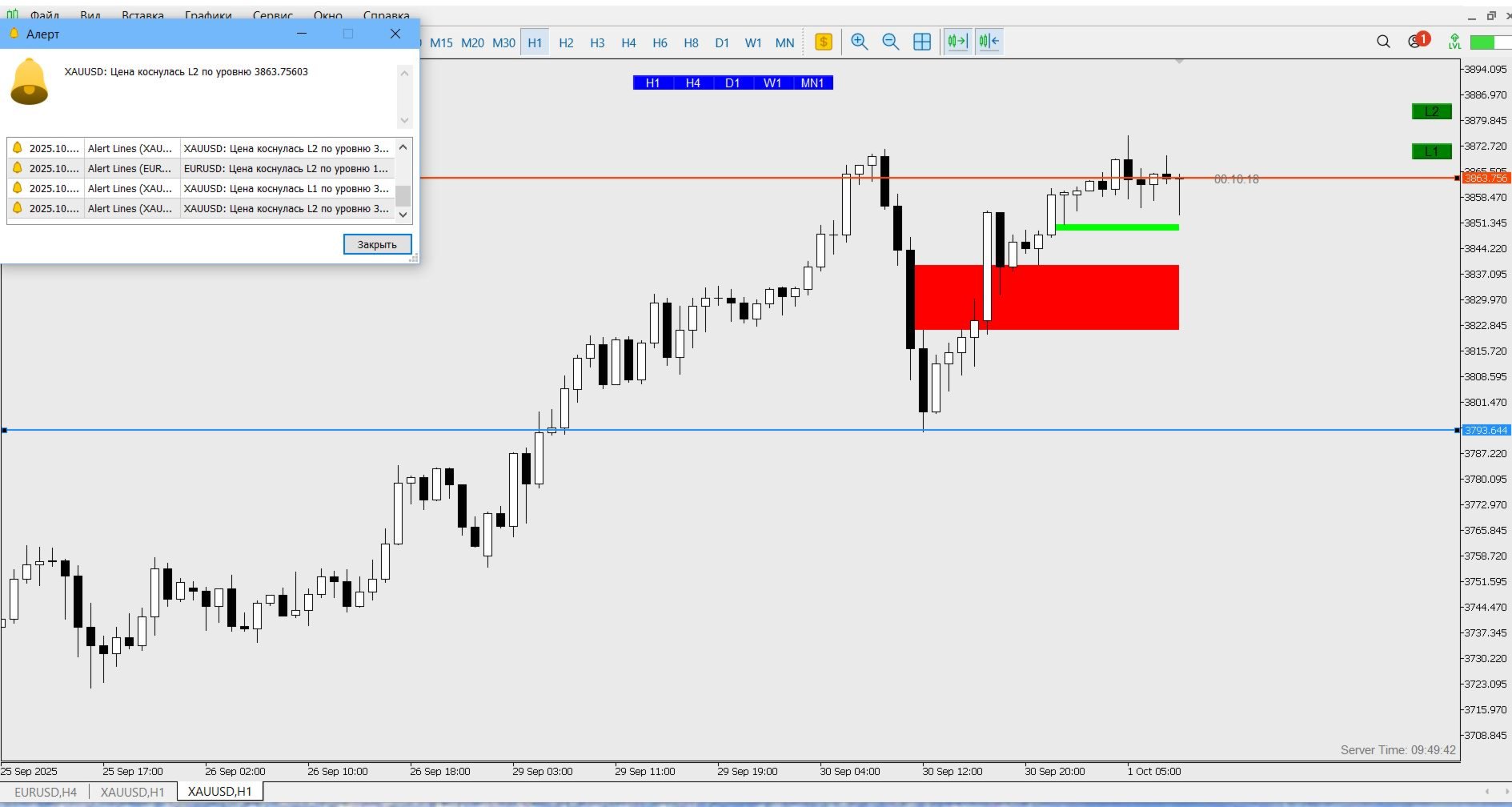
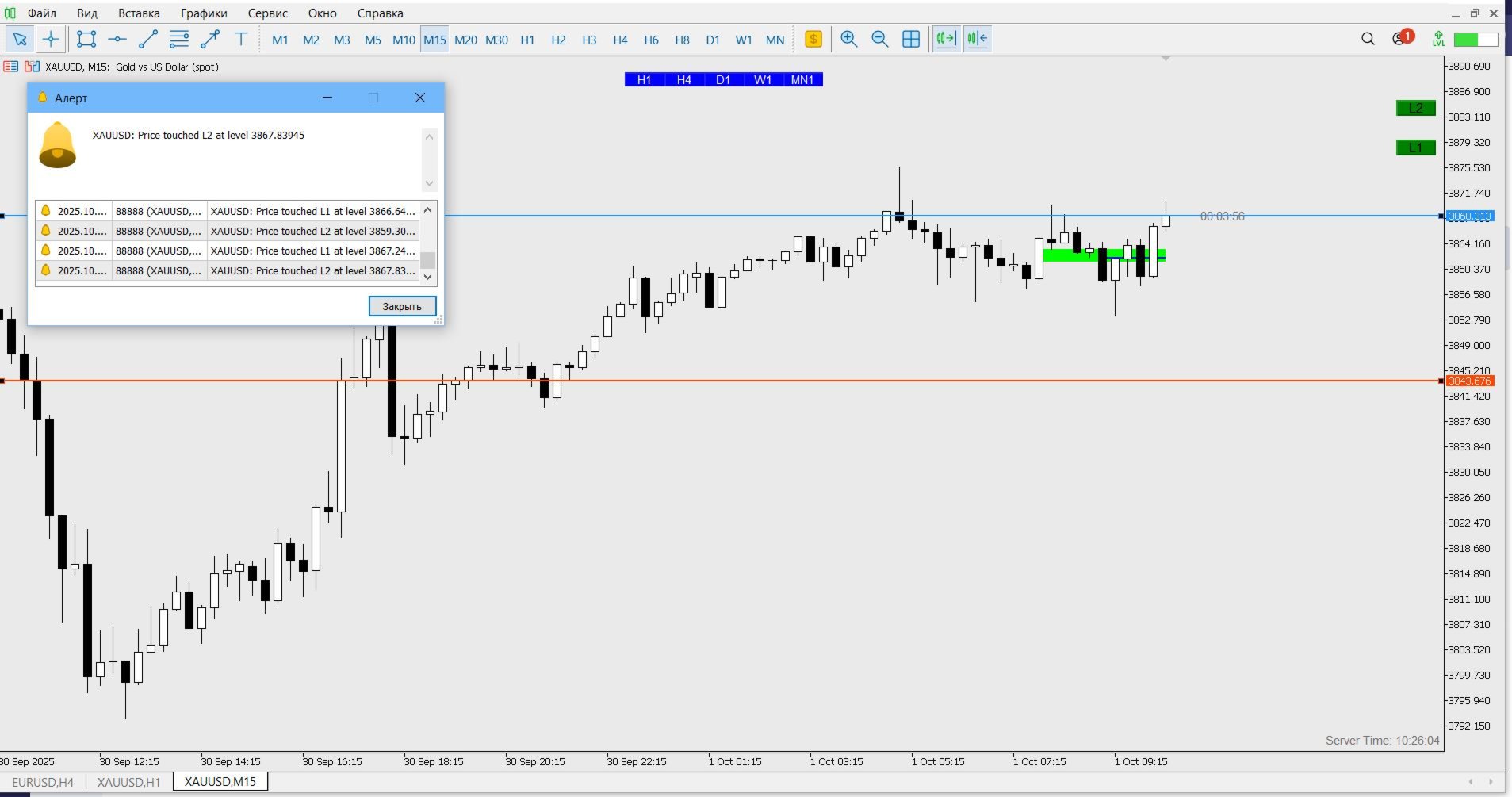
- Crossing Alerts: The indicator monitors when the closing price of the current bar crosses the level of one of the lines. Upon crossing, a pop-up alert is generated and, if necessary, a Push notification is sent to the mobile device (if EnablePush is enabled in the settings).
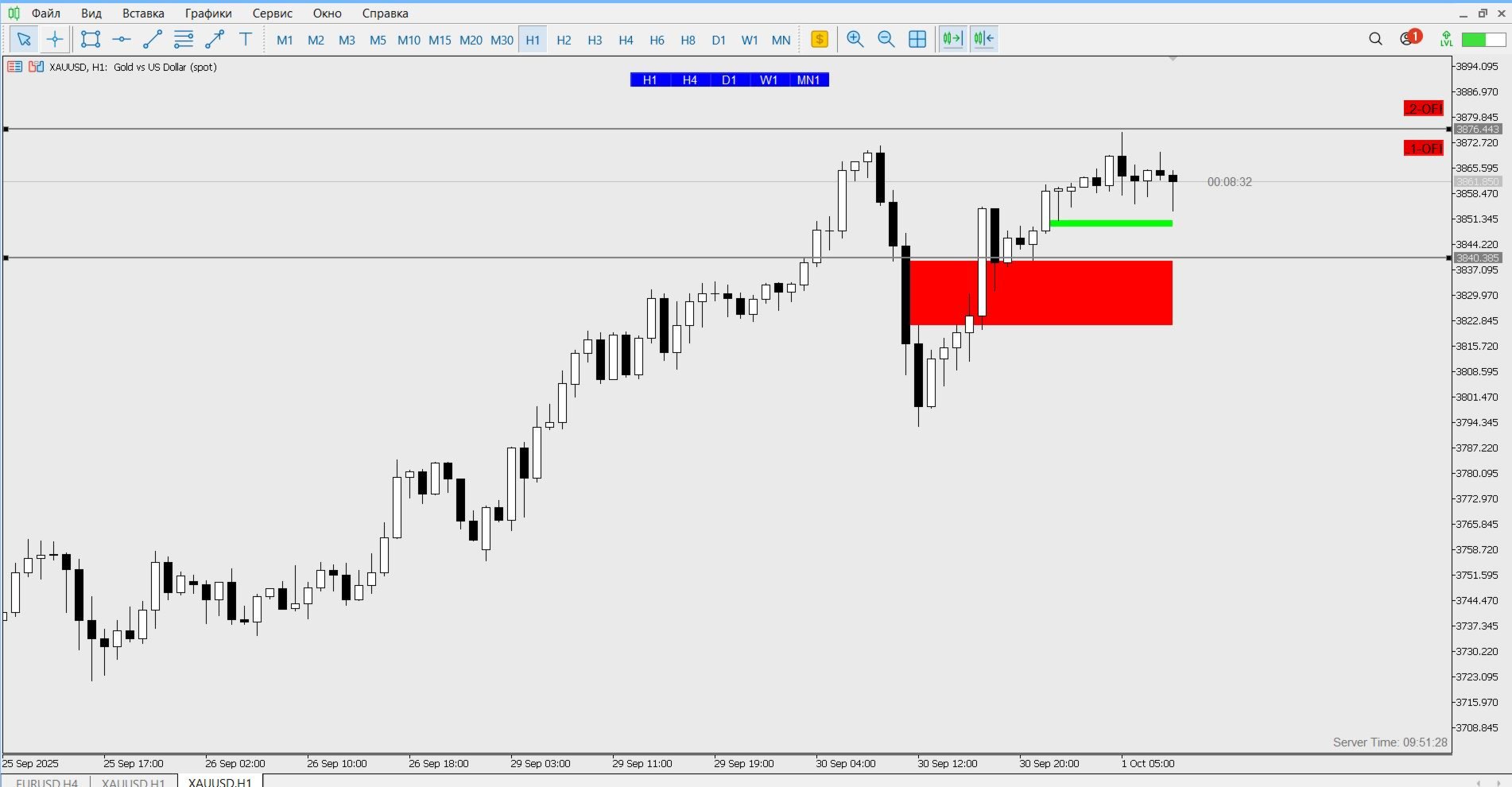
- Activity Toggle (Buttons): Two buttons (L1 and L2) are added to the chart, allowing the user to enable/disable (activate/deactivate) the alert for the corresponding line. An active button is highlighted green, and an inactive one is highlighted red.
- Level Saving: The indicator saves the current price levels of the lines in the terminal's global variables. This means that upon reloading the terminal or reopening the chart, the lines will be set to the same levels where the user left them.
- Line Dragging: The lines are graphical objects that can be dragged with the mouse to a new price level. When they are dragged, their new levels are automatically saved.
- Alert Control: The alert is triggered only once per bar (candlestick), preventing repeated triggers on the same bar.
Summary
This is a convenient tool for traders who need to quickly set important price levels with customizable sound and push-alerts, with the ability to turn alerts on/off directly on the chart and save the levels between sessions.