TrendLens user guide: reading the higher-timeframe trend on any chart
26 ottobre 2026, 01:58

0
9
1. The trend candles
Each candle is coloured by the trend of the timeframe you select in the panel:
- Green: the higher timeframe is in an uptrend.
- Red: it is in a downtrend.
- Grey: the trend is not clear. These are the sideways or weak phases where many traders lose money by forcing trades.
The trend is defined on the selected timeframe with two EMAs and the ADX:
- Up: fast EMA above slow EMA, close above the fast EMA, ADX above the minimum.
- Down: the opposite.
- Uncertain: everything else.
Every chart candle uses the last CLOSED candle of the higher timeframe, so colours and arrows never change afterwards. This is what "no repaint" means here.
Which timeframe to choose? A common rule is 4 to 6 times the chart timeframe: M5 or M15 chart with H1 trend, H1 chart with H4 trend, H4 chart with D1 trend.
2. Arrows and the trade plan
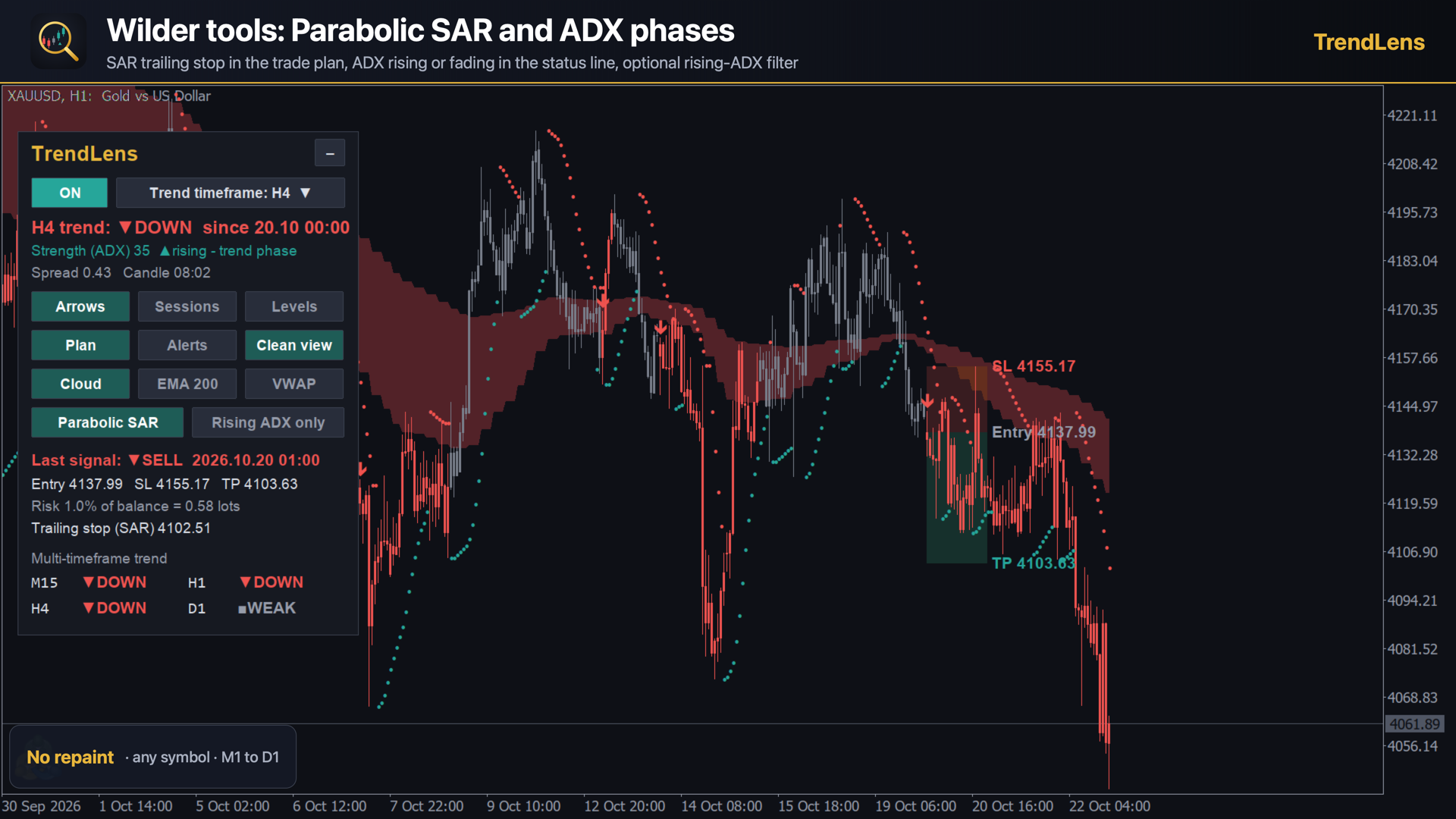
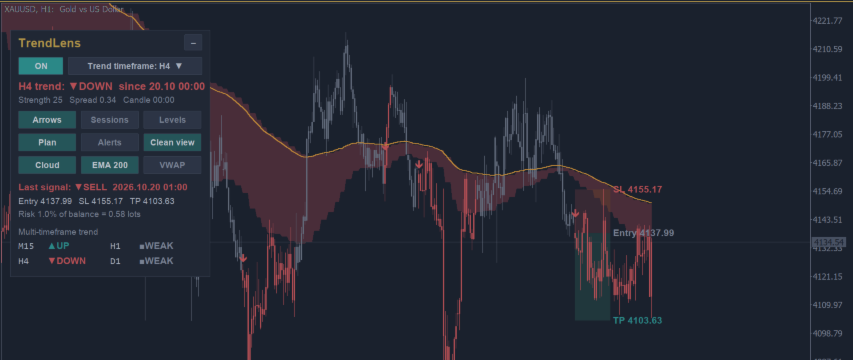
An arrow appears on the first candle after a confirmed trend change. For the last arrow TrendLens draws a trade plan:
- Entry at the open of the signal candle.
- Suggested stop loss and take profit, based on the ATR (1.5 x ATR and 3 x ATR by default, both adjustable).
- The lot size that risks the % of balance you choose (1% by default), calculated with your broker's contract values.
The plan is a starting point for risk management, not a trading signal to follow blindly. If price has already moved far from the entry, the plan is no longer valid.
3. Trend cloud, EMA 200 and daily VWAP
- The trend cloud shades the area between the fast and slow EMA of the trend timeframe: you see why the candles have their colour and how far price is from the trend.
- The EMA 200 of the chart timeframe is the classic line between bull and bear markets.
- The daily VWAP is the volume-weighted average price of the day. Intraday traders use it as a "fair price" and as support or resistance.
4. Parabolic SAR and ADX phases (Welles Wilder)
- Parabolic SAR dots work as a trailing stop that follows the trend. The trade plan shows where the SAR stop is now and warns you when the SAR flips against the trade.
- The status line shows whether the ADX is rising (trend phase) or fading (range risk).
- Optional "ADX rising only" filter: candles turn grey as soon as the trend weakens.
- Optional phase alerts: ADX falling below 40 (a range may start) and ADX turning up above 20 (the trend may resume).
5. Pivots, levels and sessions
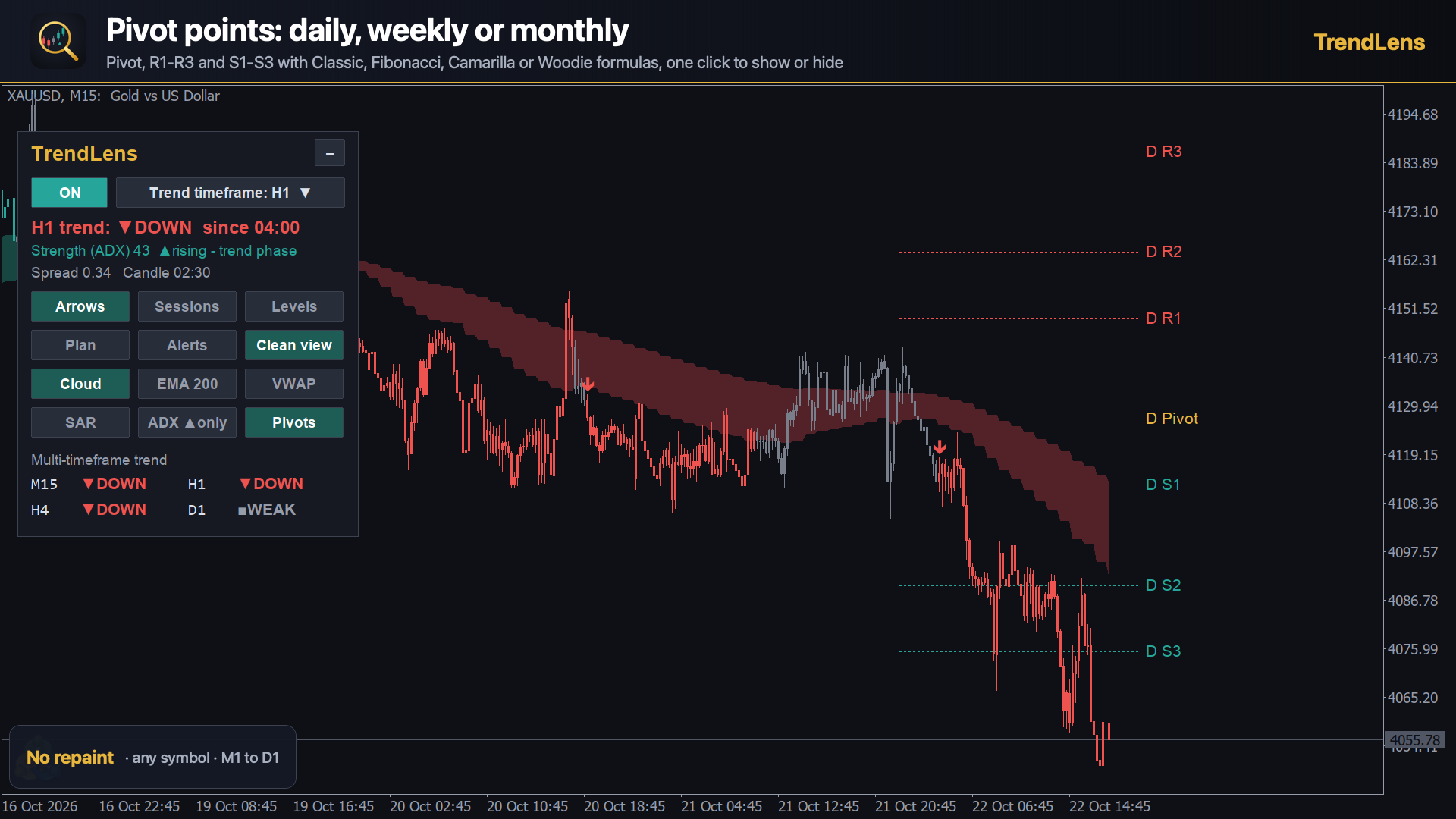
- Pivot points (Classic, Fibonacci, Camarilla or Woodie), daily, weekly or monthly.
- Previous-day high and low and today's open.
- Sydney, Tokyo, London and New York session boxes with their range.
6. The panel
Everything is one click away: ON/OFF, trend timeframe menu, switches for every feature, the multi-timeframe dashboard (M15, H1, H4, D1) and a minimize button for a clean chart. Your choices are saved for each chart.
7. A simple routine
1. Choose the trend timeframe (for example H1 on an M15 chart).
2. Look for trades only in the direction of the candle colour. Grey = wait.
3. Use the arrow and the trade plan to define entry, stop loss and size.
4. Check the ADX line: rising is better than fading.
5. Use pivots, VWAP and the previous-day levels as targets or areas to be careful.
Free trend candles only: https://www.mql5.com/en/market/product/203185
TrendLens is an indicator: it does not open trades. Trading involves risk.
File:
3_-_Fasi_incerte_oro_M15.png
450 kb
8_-_Pivot.png
211 kb