Graphic rotator MT5

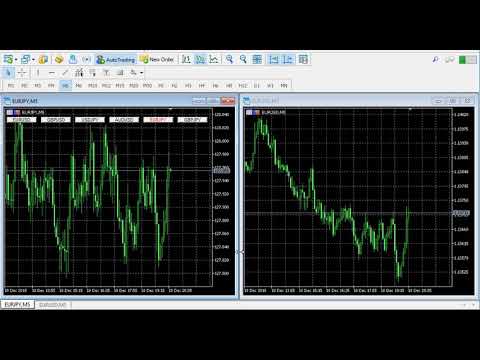
  • This indicator helps you control several pairs in a small workspace, therefore, it is not necessary to open several charts on the platform to do so.
  • The indicator shows sequentially up to 6 different pairs, besides that each of these pairs has a button with which you can stop the indicator to observe the selected pair.
  • Place the indicator on a chart to monitor several pairs and the rest of your space use it on the chart of the pair you wish to observe in detail.

      Parameters

  • Observation_time: Set the observation time in seconds.
  • Symbol_1: Place the symbol.
  • Symbol_2: Place the symbol.
  • Symbol_3: Place the symbol.
  • Symbol_4: Place the symbol.
  • Symbol_5: Place the symbol.
  • Symbol_6: Place the symbol.

Video Graphic rotator MT5
Produits recommandés
Position Size Tool
Filipp Pavlov
5 (1)
Position Size Tool is an on-chart trading tool that lets you manage trades entirely with your mouse and hotkeys — switch between preset risk percentages, place orders with instant position sizing, see live SL/TP distances and risk/reward, and close positions partially with a click. Download Demo version  Demo is limited to EURUSD pair on demo account on 1 hour timeframe. Key Features: Market/pending orders by mouse & hotkeys with auto risk-based sizing. Change risk % with A/S hotkeys. Change aut
Danko DTC Panel
Ricardo Almeida Branco
Do not buy before seeing the Danko Trend Color product, as this panel is a way to view a summary of this indicator on various timeframes. The Danko DTC Panel utility allows you to look at the trend in up to 5 timeframes. When clicking on the timeframe texts, a new window will open with the indicator plotted on the screen so you can see the complete chart. The width of the panel, with the amount of candles you want to see, is customizable, see the images below. Ao clicar nos textos dos timeframe
ICT PD Arrays Trader
Aesen Noah Remolacio Perez
Attention All ICT Students! This indispensable tool is a must-have addition to your trading arsenal... Introducing the ICT PD Arrays Trader: Empower your trading with this innovative utility designed to enhance and simplify your ICT trading strategy and maximize your potential profits.  How does it work? It's simple yet highly effective. Begin by placing a rectangle on your trading chart and assigning it a name like 'ict' or any preferred identifier. This allows the system to accurately ident
DailyHighLow MT5
Komi Eyram F Kahoho
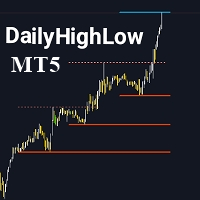
N'oubliez pas de noter l'indicateur afin de m'aider en visibilité. L'indicateur DailyHighLow pour MetaTrader 5 (MT5) est un outil sophistiqué pour suivre les mouvements de prix quotidiens. Conçu pour les traders ayant besoin d'informations claires et exploitables sur les plus hauts et les plus bas du marché, cet indicateur trace automatiquement des lignes de tendance basées sur les prix les plus élevés et les plus bas sur une période personnalisable. Principales Caractéristiques : Personnalisat
FREE
Sync In Many Ways MT5
Sa No Tsuyoshi Kokorozashi
Description This is a Utility tool for MT5 which will make our chart analysis task quite more efficient and save large amount of time. As for chart analysis, some are watching out several symbol simultaneously with single timeframe and others are trading only one single pair with   multi timeframe analysis. For both, a common troublesome issue is “scroll chart to look back” or “draw chart objects” in multi charts at the same time.  Especially for those who are trading with multi timeframe soluti
Prenez le contrôle de votre routine de trading sans effort avec le Trades Time Manager révolutionnaire. Cet outil puissant automatise l'exécution des ordres à des moments précis, transformant votre approche de trading. Créez des listes de tâches personnalisées pour diverses actions commerciales, de l'achat à la définition des commandes, le tout sans intervention manuelle. Guide d'installation et d'entrées de Trades Time Manager Si vous souhaitez recevoir des notifications sur l'EA, ajoutez notre
Symbol Changer Panel
Nasimul Haque Choudhury
Symbol Changer Panel – Smart Symbol Switcher with Live P/L Status Trade faster. Navigate smarter. Stay in control. Symbol Changer Panel is a lightweight, high-performance chart panel for MetaTrader 5 that allows you to instantly switch between symbols while monitoring real-time profit and loss status directly from your chart window. Why You Need This Indicator Instant Symbol Switching – Change trading instruments with one click without opening Market Watch repeatedly. Live Profit/Loss Color D
This EA has been developed, tested and traded live on NASDAQ M15 TF. Everything is ready for immediate use on real account. Very SIMPLE STRATEGY with only FEW PARAMETERS.  Strategy is based on  EXPANSION ON THE DAILY CHART .   It enters if volatility raise after some time of consolidation .  It uses  STOP   pending orders with  ATR STOP LOSS.   To catch the profits is a  TRAILING PROFIT  function in the strategy.  EA has been backtested on more than 10-year long tick data with 99% quality of mo
Trade Dashboard MT5
Fatemeh Ameri
4.94 (119)
Tired of complex order placement and manual calculations? Trade Dashboard is your solution. With its user-friendly interface, placing orders becomes effortless, by a single click, you can open trades, set stop loss and take profit levels, manage trade lot size, and calculate risk to reward ratios, allowing you to only focus on your strategy. Say goodbye to manual calculations and streamline your trading experience with Trade Dashboard. Download  Demo Version  right now. You can find  Details of
Strategy Manager is a  Multi-Time-Frame & Multi-Currency  Dashboard for  Metatrader 4 and 5. Thanks to a free, external graphical user interface, build your own strategy by combining any indicators and loading them into the dashboard to see the result ! In addition, you can precisely  set-up your Auto-trading & Notifications and use indicators for Stop-Loss, partial profit or limit. Filter your automatic trading & notifications with forex calendar and more. Open and Manage your orders directly w
Sinaleiro Trader
Renato Takahashi
O Sinaleiro Trader é o robô de daytrade que usa multiníveis de acordo com a abertura do dia. Assim, a cada rompimento dos níveis, o robô emite ordens de compra ou venda, de acordo com a tendência. Os stops podem ser fixos ou dinâmicos de acordo com os níveis. É possível configurar a distância do sinaleiro, bem como horários de trades e dias da semana. Alterar o parâmetro BR1 para BR.
Statistics Boom and Crash
Marcelo Jose Patino Vargas
SYSTEM DESCRIPTION Our MT5 EA uses an advanced statistical system to determine the optimal time to open sell positions on the BOOM 1000, BOOM 500, and BOOM 300 assets. Based on rigorous market data analysis, the EA identifies the moment when there is a 90% probability of a bearish candle, allowing our users to enter a sell position with maximum confidence in success. This data-driven approach is the key to achieving profitable and consistent trades in BOOM 1000, and our EA is designed to autom
Trade Utility Pro
Sovannara Voan
3.88 (83)
Trade Utility Pro is a bot utility designed to help you manage trades more easily, quickly, and accurately. This utility features a control panel interface and supports MetaTrader 5 exclusively. This utility does not link to any account information or external sources, ensuring safety. Main Features: Open Trade Support: Lot size calculation Fixed Lot: Custom input lot required Money Risk Lot: Automatically calculated based on stop loss and money risk Account % Risk Lot: Automatically calculated
FREE
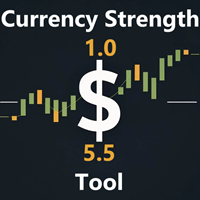
" Currency Strength Tool " is a straightforward and user-friendly indicator designed for analyzing the strength of eight major currencies based on daily price changes of currency pairs. It displays information compactly on the chart in three rows, providing traders with insights into current market dynamics. The indicator serves as an analytical tool, aiding in making informed trading decisions. It appears as follows: -7.3%  0.5%  0.2%   6.4%  1.2%   3.2%   4.1%   0.4%  (daily change) USD    E
FREE
Arrêtez de deviner. Commencez à trader avec un avantage statistique. Les indices boursiers ne se négocient pas comme le forex. Ils ont des sessions définies, des gaps overnight et suivent des modèles statistiques prévisibles. Cet indicateur vous fournit les données de probabilité dont vous avez besoin pour trader des indices comme le DAX, S&P 500 et Dow Jones avec confiance. Ce qui le rend différent La plupart des indicateurs vous montrent ce qui s'est passé. Celui-ci vous montre ce qui va proba
PropGuard OS — The Airbag for Your Prop-Trading Account Risk Manager | Trade Panel | Prop Firm EA | FTMO & Funding Pips Ready Be honest: How did you really lose your last challenge? Was it the strategy? Probably not. It was that one moment : The moment a small loss turned into a revenge trade. The moment you “just quickly” bent the rules. The moment your brain screamed “BUY” while your plan said “STOP”. You wouldn’t drive a car without a seatbelt. So why risk a $100,000 account without PropGuar
Un seul graphique. Un contrôle total. Ne perdez plus de temps à gérer les objets, les couleurs et les paramètres de chaque graphique séparément.       Gestionnaire de synchronisation de graphiques   , vous pouvez       synchronisez, copiez et contrôlez tous vos graphiques MetaTrader       instantanément, en utilisant un seul panneau et quelques raccourcis. Dessinez une fois, actualisez partout. Ouvrez et fermez vos graphiques d'un simple clic. Gardez votre espace de travail propre grâce à      
The indicator compares quotes of a given symbol and a synthetic quote calculated from two specified referential symbols. The indicator is useful for checking Forex symbol behavior via corresponding stock indices and detecting their convergence/divergence which can forecast future price movements. The main idea is that all stock indices are quoted in particular currencies and therefore demonstrate correlation with Forex pairs where these currencies are used. When market makers decide to "buy" one
The professional browser of News and Trading Sessions is now available in MetaTrader 5. Now all the most important market information is collected on one dial! News located on the Time scale. Planning your working time has never been so easy and convenient ... The news scale can be switched a day, two, a week, a month forward or backward (see the details in the short video). All news updates in real time. Thanks to the built-in filters, you can configure the display of news by importance, cou
Position Limit Monitor: Efficient Control of Your Trading Operations Have you ever worried about having too many open trades simultaneously? Would you like precise control over the maximum number of positions in your account? Position Limit Monitor is the solution you need. Main Features: • Real-time monitoring: Constantly supervises the number of open positions in your account. • Customizable limit: Easily set the maximum number of positions you want to keep open. • Automatic closure: When the
CChart
Rong Bin Su
Overview In the fast-paced world of forex and financial markets, quick reactions and precise decision-making are crucial. However, the standard MetaTrader 5 terminal only supports a minimum of 1-minute charts, limiting traders' sensitivity to market fluctuations. To address this issue, we introduce the Second-Level Chart Candlestick Indicator , allowing you to effortlessly view and analyze market dynamics from 1 second to 30 seconds on a sub-chart. Key Features Support for Multiple Second-Level
LineaResultadoyEjecucion
Juan Luis De Frutos Blanco
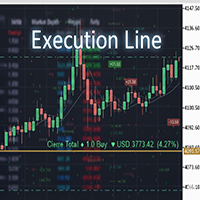
Result and Execution line, which shows the net global position, the expected profit at a given price level, and its percentage of the account balance. Additionally, with the line unselected, it executes position and/or order closing actions. You can move the line from one price to another by selecting it, to obtain information on the closing result of positions at different price levels. If you wish to close trades and/or orders, select this option in the EA parameters and then deselect the li
FREE
Chart datetime navigator
Lawrence Chiiambb Mkandawi
The Problem Every Trader Faces Every serious trader knows the struggle: Wasted time   scrolling through years of data to find specific dates Missed opportunities   because you can't quickly jump to historical patterns Frustrating navigation   with manual scrolling that never lands exactly where you need No quick way   to mark important dates for future reference Inconsistent chart positioning   when trying to compare different time periods These inefficiencies cost you valuable analysis time and
LotMaster AI
Oleksandr Kashyrnyi
LotMaster AI – Calcul Intelligent des Lots & Gestion des Risques ! Calcul automatique de la taille des lots et protection du capital pour un trading sécurisé et stable ! Qu'est-ce que LotMaster AI ? Cet expert advisor calcule automatiquement la taille du lot en fonction de votre capital et du pourcentage de risque sélectionné. Plus besoin de deviner combien de lots ouvrir – LotMaster AI le fait pour vous , en tenant compte du Stop Loss et des conditions du marché . Fonctionnalités pr
Gann Box MT5
Frederic Jacques Collomb
L'indicateur Gann Box est un outil puissant et polyvalent conçu pour aider les traders à identifier et exploiter les niveaux clés du marché. Cet indicateur permet de dessiner un rectangle sur le graphique, qui est automatiquement divisé en plusieurs zones avec des niveaux stratégiques  0, 0.25, 0.50, 075, 1 . Lorsque le prix touche un de ces niveaux, des alertes se déclenchent, offrant ainsi une aide précieuse pour les décisions de trading. Vous savez instantanément l'évolution du marché par ra
Product Description: GODFX EXECUTIONER v1.00 Take Control of Your Trading with Institutional-Grade Precision. The GODFX Executioner is not just a trade manager; it is a professional-grade command center for MetaTrader 5. Designed for scalpers and day traders who demand speed, it combines advanced risk management with intuitive visual tools to ensure you never have to calculate a lot size or fumble with orders again. Key Features: Dynamic Visual Planning: Drag-and-drop SL and TP lines on y
FREE
OnePunch Ryoku
Iago Otero Marino
# ONEPUNCH TRAIL BE — MQL5 Market Listing (EN) - Product version: 5.10 - File: [ ONE_PUNCH_RYOKU.mq5 ]( file:///c:/Users/iagoo/Desktop/NEW%20RYOKU%20BOT%20-%20SAFETRADE/ONE_PUNCH_RYOKU/ONE_PUNCH_RYOKU.mq5 ) ## Overview - Burst-based EA with professional equity management and per-position money management. - Warmup mode reduces sensitivity to start day and market regime. - Equity trailing lock protects real profit against sharp reversals. - BreakEven and trailing are decoupled to avoid interna
Timeless Charts
Samuel Manoel De Souza
5 (3)
Timeless Charts est une solution de graphiques avancée conçue pour les traders professionnels qui ont besoin de graphiques personnalisés / unités de temps personnalisées – y compris les graphiques en secondes / unités de temps en secondes, les graphiques Renko / barres Renko, les graphiques en clusters / footprints et des outils avancés similaires à ceux disponibles sur les plateformes les plus populaires. Contrairement aux graphiques hors ligne traditionnels ou aux simples indicateurs personnal
Amaterasu FX
Michael Prescott Burney
Amaterasu FX: Illuminate Your USD/JPY H1 Trading with the Overdrive Feature Harness the Power of Precision with Amaterasu FX Step into a new era of forex trading with Amaterasu FX , the state-of-the-art Expert Advisor (EA) meticulously crafted for USD/JPY trading on the H1 chart. Powered by advanced algorithms and enhanced with the innovative Overdrive feature , Amaterasu FX is designed to maximize your trading potential by leveraging an exceptionally high win rate proven over the last 20 years
OrderHelper script is super easy and trader friendly to use. It would boost your trading experience. Because it is designed to open one to multiple orders quickly with just one click. Besides using the OrderHelper script, traders can define various parameters for open orders such as the symbol, order type, lot size, stoploss, takeprofit and more. Basically, with this script traders can manage their open orders more efficiently and save their trading time. OrderHelper manages: Open the number of
Les acheteurs de ce produit ont également acheté
Trade Assistant MT5
Evgeniy Kravchenko
4.42 (207)
It helps to calculate the risk per trade, the easy installation of a new order, order management with partial closing functions, trailing stop of 7 types and other useful functions. Additional materials and instructions Installation instructions - Application instructions - Trial version of the application for a demo account Line function -   shows on the chart the Opening line, Stop Loss, Take Profit. With this function it is easy to set a new order and see its additional characteristics bef
Bienvenue sur Trade Manager EA, l’outil ultime de gestion des risques conçu pour rendre le trading plus intuitif, précis et efficace. Ce n’est pas seulement un outil d’exécution d’ordres ; c’est une solution complète pour la planification des trades, la gestion des positions et le contrôle des risques. Que vous soyez débutant, trader expérimenté ou scalpeur ayant besoin d’une exécution rapide, Trade Manager EA s’adapte à vos besoins, offrant une flexibilité sur tous les marchés, des devises et i
Local Trade Copier EA MT5
Juvenille Emperor Limited
4.96 (132)
Découvrez une expérience exceptionnellement rapide de copie de trades avec le   Local Trade Copier EA MT5 . Avec sa configuration facile en 1 minute, ce copieur de trades vous permet de copier des trades entre plusieurs terminaux MetaTrader sur le même ordinateur Windows ou Windows VPS avec des vitesses de copie ultra-rapides de moins de 0.5 seconde. Que vous soyez un trader débutant ou professionnel, le   Local Trade Copier EA MT5   offre une large gamme d'options pour le personnaliser en fonc
TradePanel MT5
Alfiya Fazylova
4.87 (149)
Trade Panel est un assistant commercial multifonction. L'application contient plus de 50 fonctions de trading pour le trading manuel et permet d'automatiser la plupart des tâches commerciales. Avant l'achat, vous pouvez tester la version de démonstration sur un compte de démonstration. Télécharger la version d'essai de l'application pour un compte de démonstration : https://www.mql5.com/fr/blogs/post/762644 . Instructions complètes ici . Commerce. Permet d'effectuer des opérations commerciales e
Version Bêta Le Telegram to MT5 Signal Trader est presque prêt pour la sortie officielle en version alpha. Certaines fonctionnalités sont encore en développement et vous pourriez rencontrer de petits bugs. Si vous rencontrez des problèmes, merci de les signaler, vos retours aident à améliorer le logiciel pour tout le monde. Telegram to MT5 Signal Trader est un outil puissant qui copie automatiquement les signaux de trading depuis des chaînes ou groupes Telegram vers votre compte MetaTrader 5 .
HINN Lazy Trader
ALGOFLOW OÜ
5 (2)
The core idea: using the user interface, you configure the parameters the chart must meet before entering a position (or positions), choose which entry models to use, and set the rules for when trading and planning should end. Lazy Trader  handles the rest: it  takes over all the routine chart watching and execution! full description  :: 3 key videos [1] ->  [2]   ->  [3] What can it do? - Understands Larry Williams market structure - Understands swing market structure by Michael Huddleston
Exp COPYLOT CLIENT for MT5
Vladislav Andruschenko
3.82 (34)
Le copieur commercial pour MT5 est un copieur commercial pour la plate-forme МetaТrader 5   . Il copie les transactions de change   entre       tous les comptes   MT5   -   MT5, MT4   -   MT5 pour la version COPYLOT MT5 (ou MT4   -   MT4 MT5   -   MT4 pour la version COPYLOT MT4) Copieur fiable ! Version MT4 Description complète   +DEMO +PDF Comment acheter Comment installer     Comment obtenir des fichiers journaux     Comment tester et optimiser     Tous les produits de Expforex Vous pouvez
MT5 to Telegram Signal Provider est un utilitaire facile à utiliser et entièrement personnalisable qui permet l'envoi de signaux spécifiés vers un chat, un canal ou un groupe Telegram, transformant ainsi votre compte en fournisseur de signaux. Contrairement à la plupart des produits concurrents, il n'utilise pas d'importations DLL. [ Démonstration ] [ Manuel ] [ Version MT4 ] [ Version Discord ] [ Canal Telegram ]  New: [ Telegram To MT5 ] Configuration Un guide utilisateur étape par étape est
VERIFIED TRADING RESULTS - Farmed Hedge Yield Axi Copy:  https://www.mql5.com/en/signals/2356376 - Farmed Hedge Yield Exn Copy:   https://www.mql5.com/en/signals/2356404 - Farmed Hedge Yield V Copy:  https://www.mql5.com/en/signals/2357156 Contact me via private message to receive the User Manual and Setup. * Thai Lauguage Support Available Farmed Hedge Yield Farming - Professional Pair Trading Dashboard (Manual - Hybrid - Semi/Automated EA) VERSION 3 - WILD HARVEST UPDATE Trading Approac
Copy Cat More Trade Copier MT5 (Chat Copieur MT5) est un copieur de trades local et un framework complet de gestion des risques et d'exécution conçu pour les défis commerciaux d'aujourd'hui. Des défis de prop firms à la gestion de portefeuille personnel, il s'adapte à chaque situation avec une combinaison d'exécution robuste, de protection du capital, de configuration flexible et de gestion avancée des trades. Le copieur fonctionne à la fois en mode Master (expéditeur) et Slave (récepteur), avec
The product will copy all telegram signal to MT5 ( which you are member) , also it can work as remote copier.  Easy to set up, copy order instant, can work with almost signal formats, image signal,  s upport to translate other language to English Work with all type of channel or group, even channel have "Restrict Saving Content", work with  multi channel, multi MT5 Work as remote copier: with signal have ticket number, it will copy exactly via ticket number. Support to backtest signal. How to s
HINN MagicEntry Extra
ALGOFLOW OÜ
4.71 (14)
HINN MAGIC ENTRY – the ultimate tool for entry and position management! Place orders by selecting a level directly on the chart! full description   ::  demo-version  :: 60-sec-video-description Key features: - Market, limit, and pending orders - Automatic lot size calculation - Automatic spread and commission accounting - Unlimited partitial take-profits  - Breakeven and trailing stop-loss and take-profit  functions - Invalidation leves - Intuitive, adaptive, and customizable interface - Works
Panneau de trading pour trader en 1 clic.   Travailler avec des positions et des commandes!   Trading à partir du graphique ou du clavier. Avec notre panneau de trading, vous pouvez exécuter des transactions en un seul clic directement depuis le graphique et effectuer des opérations de trading 30 fois plus rapidement qu'avec le contrôle MetaTrader standard. Les calculs automatiques des paramètres et des fonctions rendent le trading plus rapide et plus pratique pour les traders. Des conseils grap
Equity Protect Pro : Votre expert en protection de compte complet pour un trading en toute sérénité Si vous recherchez des fonctionnalités telles que la protection de compte, la protection des capitaux propres, la protection de portefeuille, la protection multi-stratégies, la protection des bénéfices, la prise de bénéfices, la sécurité de trading, les programmes de contrôle des risques, le contrôle automatique des risques, la liquidation automatique, la liquidation conditionnelle, la liquidatio
Telegram To MT5 Receiver
Levi Dane Benjamin
4.31 (16)
Copiez les signaux de n'importe quel canal dont vous êtes membre (y compris les canaux privés et restreints) directement sur votre MT5.  Cet outil a été conçu en pensant à l'utilisateur et offre de nombreuses fonctionnalités nécessaires pour gérer et surveiller les trades. Ce produit est présenté dans une interface graphique conviviale et attrayante. Personnalisez vos paramètres et commencez à utiliser le produit en quelques minutes ! Guide de l'utilisateur + Démo  | Version MT4 | Version Disc
Advanced Dashboard Ultra
Mirel Daniel Gheonu
5 (1)
Stats Dashboard & Journal ULTRA pour MT5 Le Centre de Commandement de Trading Complet : Analytique, Automatisation & Intelligence des Actualités. Stats Dashboard ULTRA est l'évolution ultime de l'outil d'analyse Pro. Il transforme MetaTrader 5 en une station de trading professionnelle, combinant une analyse de performance de niveau institutionnel avec une protection automatisée contre les actualités et des métriques psychologiques avancées. Conçu pour les traders manuels et les gestionnaires de
Footprint Chart Pro — Professional OrderFlow EA for MetaTrader 5 Version 6.34 | Professional tool for real traders | Institutional-Grade Visualization DEMO USERS - PLEASE SELECT EVERY TICK / REAL TICK WHEN TESTING AND YOU HAVE DOWNLOADED HISTORICAL DATA. IF YOU SEE A WAITING SCREEN AND IT IS NOT DOWNLOADING, IT MEANS YOU HAVE LOW HISTORICAL DATA. TRY 1 MIN AND 5 MIN FIRST ON 1 DAY DATA. ONE DAY DATA SHOULD BE THE NEWEST AND MOST CURRENT DATE. PLEASE WAIT UNTIL THE MARKET HAS ROLLED OVER PERIOD.
Trade Manager DaneTrades
Levi Dane Benjamin
4.36 (28)
Trade Manager pour vous aider à entrer et sortir rapidement des transactions tout en calculant automatiquement votre risque. Y compris des fonctionnalités pour vous aider à éviter le sur-trading, le trading de vengeance et le trading émotionnel. Les transactions peuvent être gérées automatiquement et les mesures de performances du compte peuvent être visualisées dans un graphique. Ces fonctionnalités rendent ce panneau idéal pour tous les traders manuels et contribuent à améliorer la plateforme
The News Filter MT5
Leolouiski Gan
4.75 (20)
Ce produit filtre tous les conseillers experts et les graphiques manuels pendant les heures de publication des actualités, de sorte que vous n'avez pas à vous soucier des pics de prix soudains qui pourraient détruire vos configurations de trading manuelles ou les transactions entrées par d'autres conseillers experts. Ce produit est également livré avec un système de gestion des ordres complet qui peut gérer vos positions ouvertes et vos ordres en attente avant la publication de toute actualité.
Entry In The Zone with SMC Multi Timeframe is a real-time market analysis tool developed based on Smart Money Concepts (SMC). It is designed to analyze market structure, price direction, reversal points, and key zones across multiple timeframes in a systematic way. The system displays Points of Interest (POI) and real-time No Repaint signals, with instant alerts when price reaches key zones or when signals occur within those zones. It functions as both an Indicator and a Signal System (2-in-1),
AntiOverfit PRO MT5
Enrique Enguix
5 (3)
L’erreur silencieuse du Market qui vous coûte de l’argent (et que même beaucoup de développeurs ne voient pas) Un beau backtest peut vous coûter des centaines, voire des milliers de dollars. La plupart des traders perdent leur argent avant même d’ouvrir leur première position en réel : ils le perdent au moment où ils achètent un Expert Advisor en se basant uniquement sur une courbe verte. Soyons honnêtes : la plupart des développeurs du Market n’essaient pas de vous tromper volontairement. Ils
ManHedger MT5
Peter Mueller
4.83 (6)
THIS EA IS A SEMI-AUTO EA, IT NEEDS USER INPUT. Manual & Test Version Please TEST this product before BUYING  and watch my video about it. The price of the ManHedger will increase to 250$ after 20 copies sold. Contact me for user support or bug reports or if you want the MT4 version! MT4 Version  I do not guarantee any profits or financial success using this EA. With this Expert Advisor, you can: Implement your own Zone Recovery strategy to capitalize on trending markets. Create Grid trading s
Trade Manager DashPlus
Henry Lyubomir Wallace
5 (13)
DashPlus est un outil de gestion de trading avancé conçu pour améliorer l'efficacité et la performance de vos transactions sur la plateforme MetaTrader 5. Il offre un ensemble complet de fonctionnalités, incluant le calcul des risques, la gestion des ordres, des systèmes de grilles avancés, des outils basés sur les graphiques et des analyses de performance. Fonctionnalités principales 1. Grille de récupération Implémente un système de grille flexible et de moyenne pour gérer les transactions dan
The Expert Advisor is a comprehensive risk manager helping users to control their trading activities. With this tool being a safeguard you can easily configure various risk parameters. When any limit is exceeded, the risk manager can force close opened positions, close other EAs, and even close the terminal to prevent emotional trading that doesn't correspond to your trading strategy. Risk Manager Settings Account Protection Check min equity limit to close all (account currency) - check the min
Ultimate Extractor
Clifton Creath
5 (9)
Ultimate Extractor - Professional Trading Analytics for MT5 *****this is the local HTML version of Ultimate Extractor. For the online version please reach out to me directly****** Ultimate Extractor transforms your MetaTrader 5 trading history into actionable insights with comprehensive analytics, interactive charts, and real-time performance tracking. What It Does Automatically analyzes your MT5 trading history across all Expert Advisors and generates detailed HTML reports with interactive vi
Anchor Trade Manager
Kalinskie Gilliam
5 (1)
Anchor: The EA Manager A coordination system for traders running multiple EAs. Anchor ensures only one EA can trade at a time, preventing conflicting positions and keeping your portfolio safer. Attach Anchor to any chart. Configure your EAs and their magic numbers. Anchor handles the rest. Built for portfolios. Built for discipline. Built for prop firms. The Problem Running multiple EAs on the same account creates risk. Two gold EAs can open opposite positions on the same candle. Three EA
Pulsar Terminal est un produit de Pulsar Technologies, une marque d' Astralys LLC . Pulsar Terminal est un utilitaire complémentaire pour MetaTrader 5. C'est une interface visuelle combinée à des outils d'exécution dans une application compagnon connectée à votre compte MetaTrader 5 via un Expert Advisor . Nous utilisons une application compagnon pour maximiser les capacités de l'outil et fournir une interface visuelle et un flux de travail plus avancés que les panneaux MT5 standard. Pulsar Ter
YuClusters
Yury Kulikov
4.93 (43)
Attention: You can view the program operation in the free version  YuClusters DEMO .  YuClusters is a professional market analysis system. The trader has unique opportunities to analyze the flow of orders, trade volumes, price movements using various charts, profiles, indicators, and graphical objects. YuClusters operates on data based on Time&Sales or ticks information, depending on what is available in the quotes of a financial instrument. YuClusters allows you to build graphs by combining da
Ticket d’ordre, Panneau de trading, Gestion des risques, Trading manuel, Trailing Stop, Gestion des ordres, Exécution rapide — JoOrderTrade Pro — panneau d’exécution pour MetaTrader 5 Résumé JoOrderTrade Pro est un ticket graphique et panneau d’exécution destiné à la gestion manuelle des ordres dans MetaTrader 5. Il facilite la saisie d’ordres market et d’ordres en attente, la configuration du Stop Loss/Take Profit et fournit des outils de gestion des risques (Trailing Stop, Breakeven, système
Smart Stop Manager – Exécution automatique du stop-loss avec une précision professionnelle Présentation Smart Stop Manager est la couche d’exécution de la gamme Smart Stop, conçue pour les traders qui recherchent une gestion du stop-loss structurée, fiable et entièrement automatisée sur plusieurs positions ouvertes. Il surveille en continu toutes les opérations actives, calcule le niveau de stop optimal à l’aide de la logique de structure de marché Smart Stop, puis met à jour les stops automat
Plus de l'auteur
It can only be used in EURCHF / M15 . The Expert Advisor is a great tool that allows you to control your trade with ease and precision. The tool can be moved in the graphs and offers the following characteristics: Instant order entry with a single click. Entry of pending orders using price tags and trend lines. Instant order closure with a single click. Instant order closure using trend lines as output levels that the broker can not see. We can modify the way to enter and exit the market, allow
FREE
It can only be used in EURCHF . The Expert Advisor is a great tool that allows you to control your trade with ease and precision. The tool can be moved in the graphs and offers the following characteristics: Instant order entry with a single click. Entry of pending orders using price tags and trend lines. Instant order closure with a single click. Instant order closure using trend lines as output levels that the broker can not see. We can modify the way to enter and exit the market, allowing us
FREE
The Expert Advisor is a great tool that allows you to control your trade with ease and precision. The tool can be moved in the graphs and offers the following characteristics: Instant order entry with a single click. Entry of pending orders using price tags and trend lines. Instant order closure with a single click. Instant order closure using trend lines as output levels that the broker can not see. We can modify the way to enter and exit the market, allowing us to choose the way to do it. For
Pointer synchronization
Roger Perez Lugo
4 (1)
Pointer synchronization is an indicator with which the pointer can be synchronized in all the visible charts of the terminal. It shows a crossed cursor in all the visible charts of the terminal, in position relative to the cursor of the active chart. To activate the indicator, simply press the button that appears in one of the corners of the chart once the indicator is added to the chart. To deactivate the indicator, simply press the button again. Once the indicator has been deactivated, the cr
Candle clock
Roger Perez Lugo
This indicator shows the remaining time for the candle to close, even if the price does not change in value, the clock keeps counting backward. You can also program price alert levels using trend lines. It can be used together with Expert Advisors and other panels, such as Controller without limit . MT5 version       Instructions To set a price alert level, you must draw a trend line. Once the object has been drawn, it must be named so that the indicator recognizes the object. In the name, th
This indicator helps you control several pairs in a small workspace, therefore, it is not necessary to open several charts on the platform to do so. The indicator shows sequentially up to 6 different pairs, besides that each of these pairs has a button with which you can stop the indicator to observe the selected pair. Place the indicator on a chart to monitor several pairs and the rest of your space use it on the chart of the pair you wish to observe in detail.    MT5 version          Parameter
Object replicator is an indicator that allows you to replicate an object in one or as many charts as you like. This indicator is the solution to replicate part of your analysis in exactly the same position and price of a trend line, Fibonacci, vertical line, horizontal line, etc. Download the MT5 version   here Install the indicator on the source chart and follow the steps below: To activate the indicator, simply press the (Activate) button. Once the (Activate) button is pressed, a (Receive obj
Capital protector is an Expert Advisor who works based on the profit and loss of your account. Its functions include: Closing of all orders when a certain profit or loss is reached. Remove any other Expert Advisor installed on a secondary chart when a certain profit or loss is reached. Send a notification to the mobile when a certain loss or profit is reached.  To configure the Expert Advisor you will only have to program the loss limit that you are willing to lose or the profit limit that you
Pointer synchronization MT5 is an indicator with which the pointer can be synchronized in all the visible graphics of the terminal. It shows a cross cursor on all the visible graphics of the terminal, in position relative to the cursor of the active graph. To activate the indicator, simply press the button that appears in one of the corners of the chart once the indicator is added to the chart. To deactivate the indicator, simply press the button again. Once the indicator has been deactivated,
The Expert Advisor is a great tool that allows you to control your trade with ease and precision. The tool can be moved in the graphs and offers the following characteristics: Instant order entry with a single click. Entry of pending orders using price tags and trend lines. Instant order closure with a single click. Instant order closure using trend lines as output levels that the broker can not see. We can modify the way to enter and exit the market, allowing us to choose the way to do it. For
This indicator shows the remaining time for the candle to close, even if the price does not change in value, the clock keeps counting backward. You can also program price alert levels using trend lines. It can be used together with Expert Advisors and other panels, such as  Controller without limit MT5 MT4 version       Instructions To set a price alert level, you must draw a trend line. Once the object has been drawn, it must be named so that the indicator recognizes the object. In the name
Object replicator   is an indicator that allows you to replicate an object in one or as many charts as you like. This indicator is the solution to replicate part of your analysis in exactly the same position and price of a trend line, Fibonacci, vertical line, horizontal line, etc. Download the MT4 version   here Install the indicator on the source chart and follow the steps below: To activate the indicator, simply press the (Activate) button. Once the (Activate) button is pressed, a (Receive o
Capital protector MT5  is an Expert Advisor who works based on the profit and loss of your account. Its functions include: Closing of all orders when a certain profit or loss is reached. Remove any other Expert Advisor installed on a secondary chart when a certain profit or loss is reached. Send a notification to the mobile when a certain loss or profit is reached.  To configure the Expert Advisor you will only have to program the loss limit that you are willing to lose or the profit limit that
Filtrer:
Aucun avis
Répondre à l'avis