AMD Session Box
- Indicateurs
- Version: 1.0

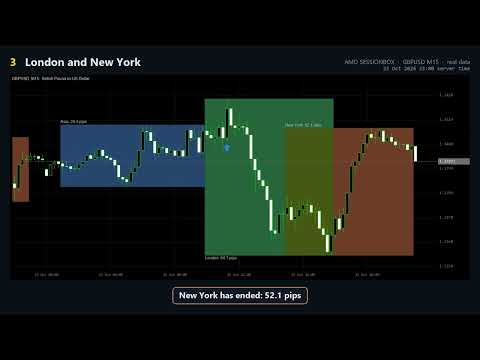
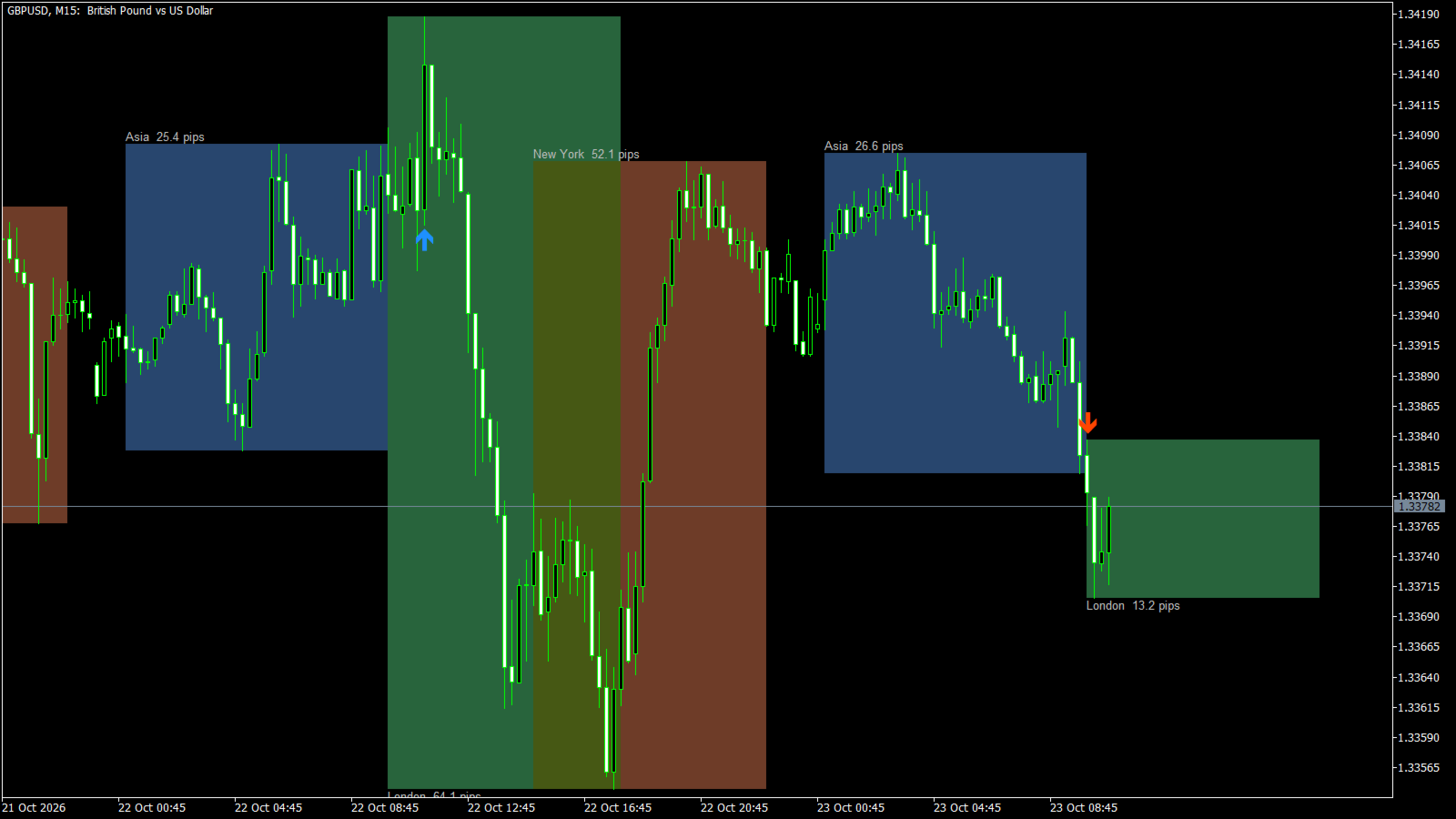
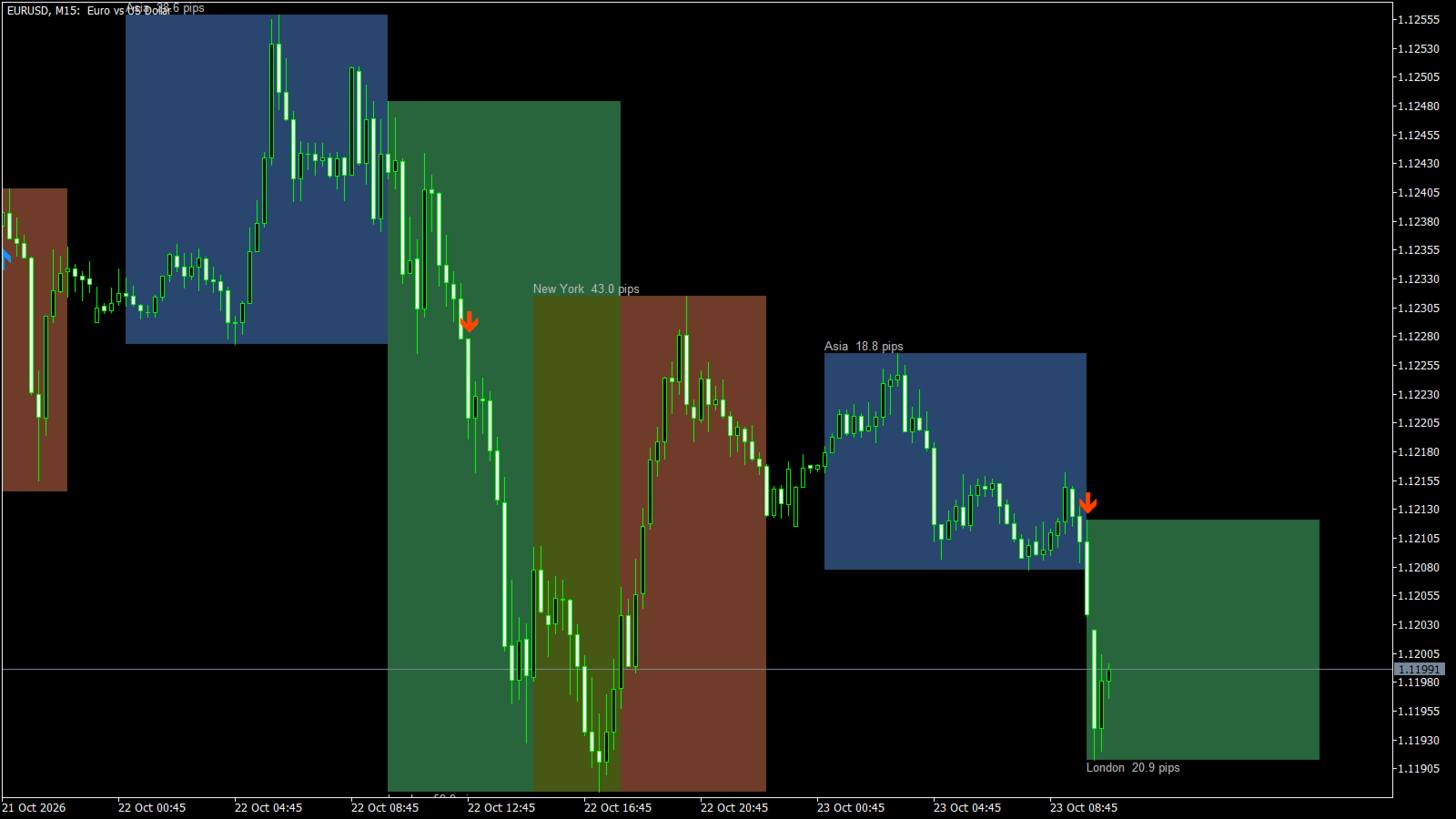
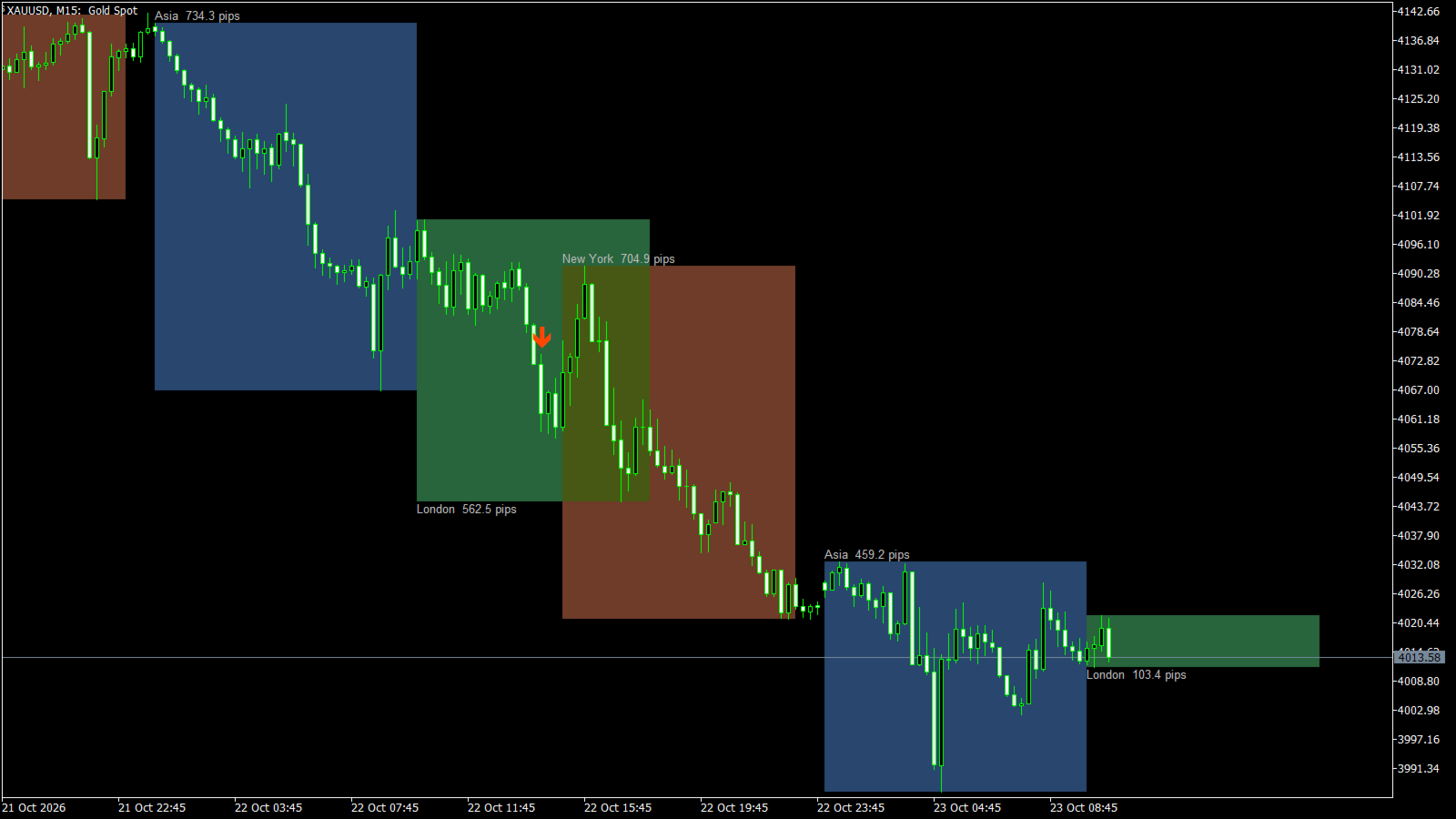
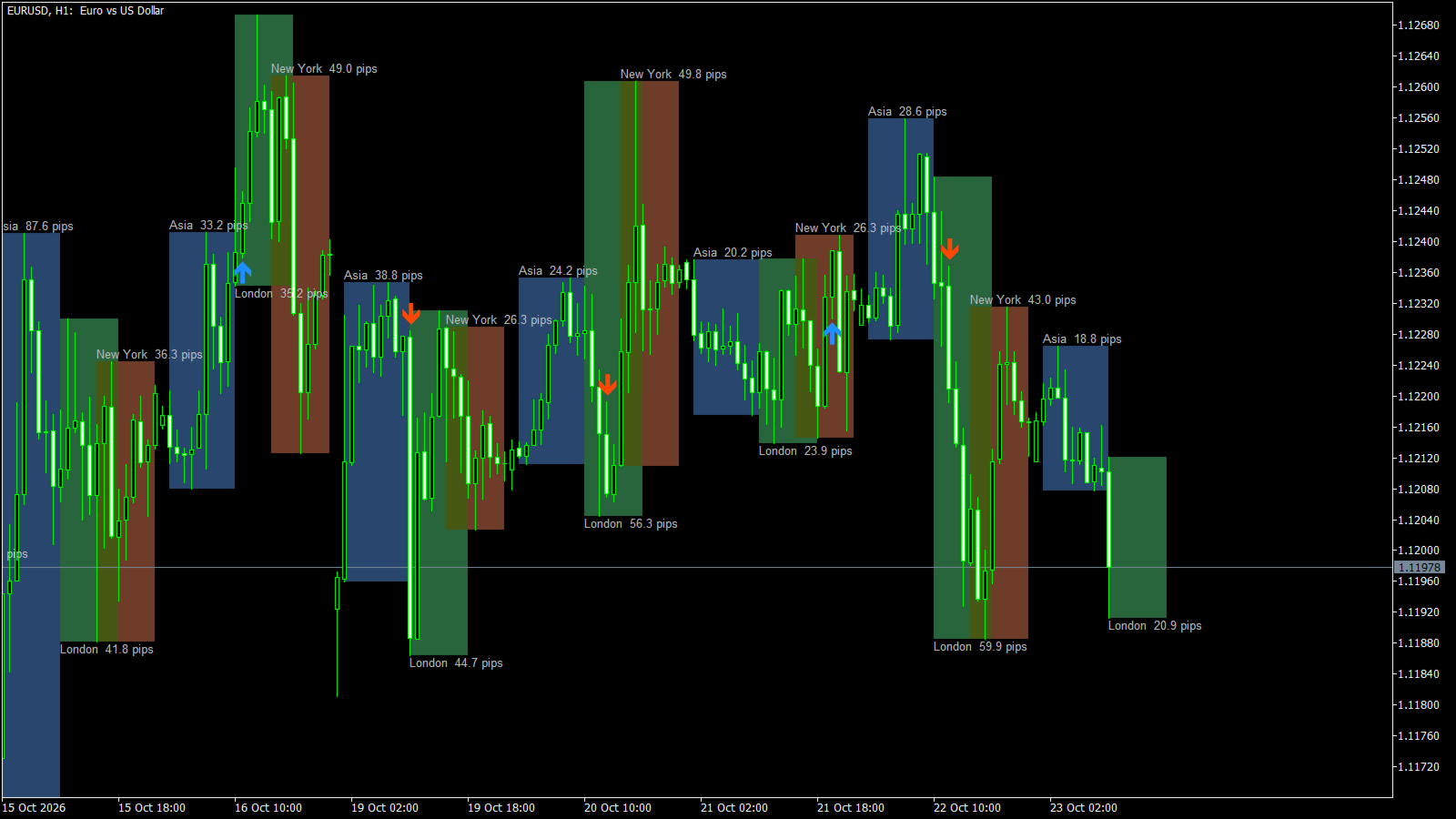
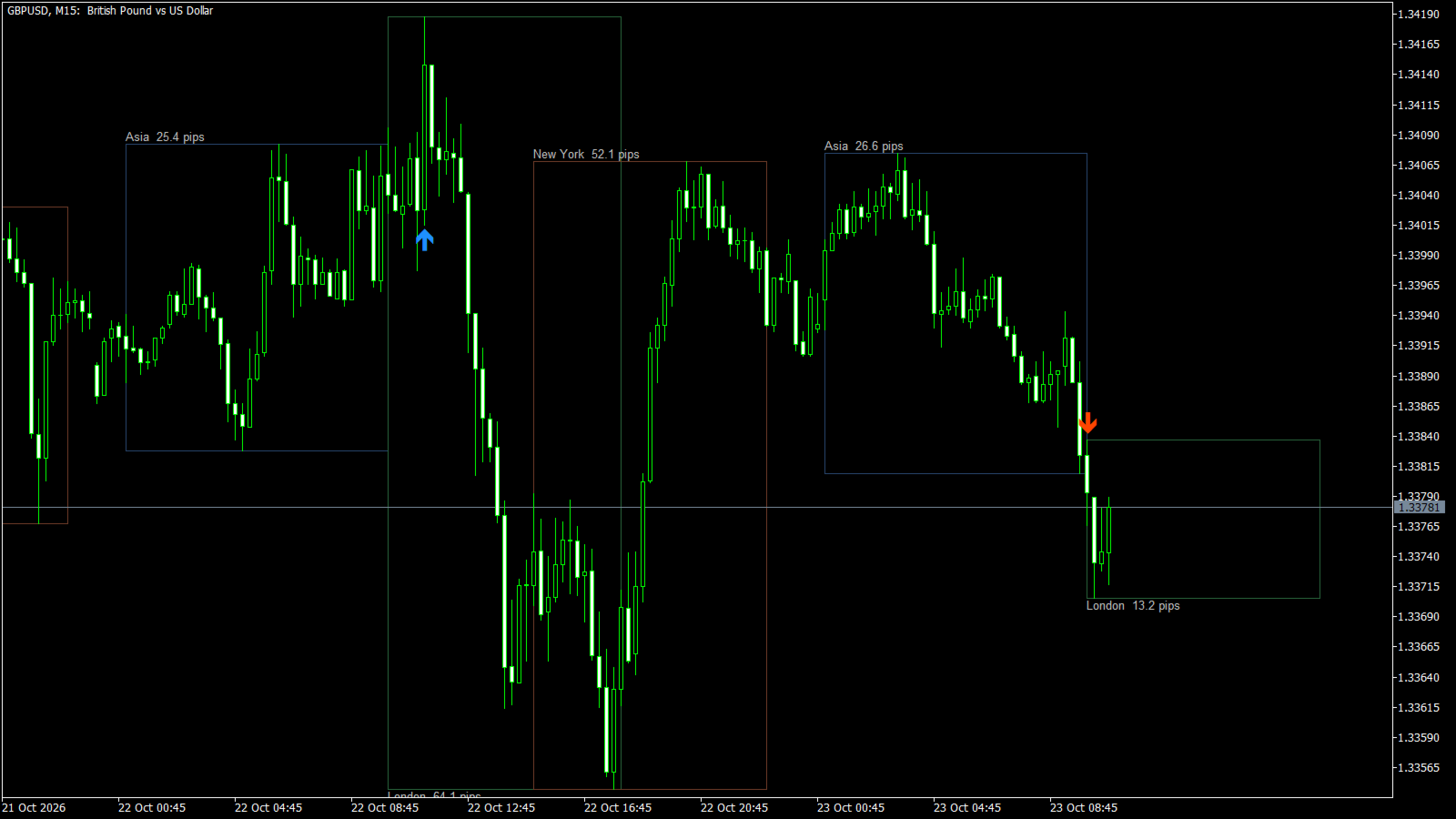
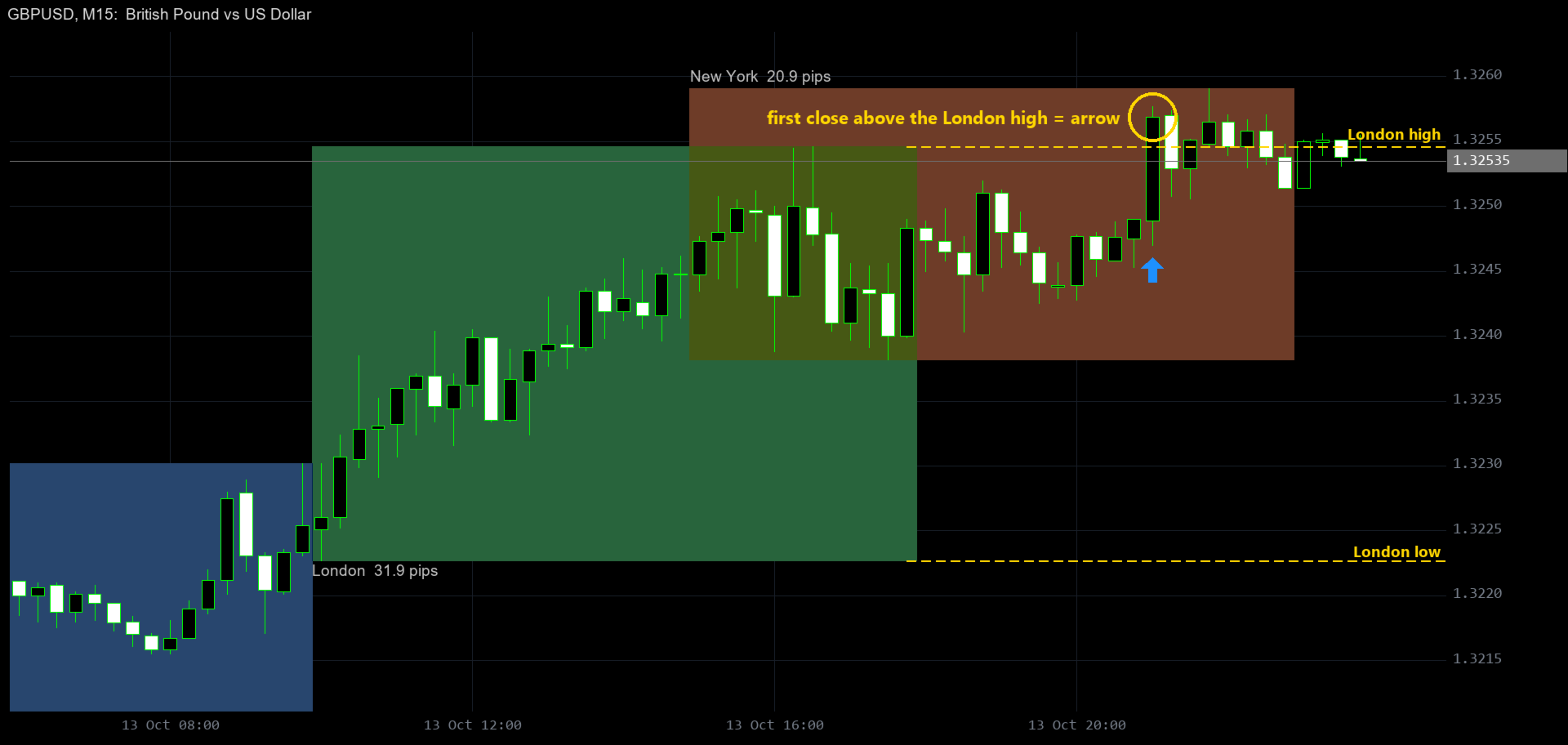
AMD SESSIONBOX draws the Asian, London and New York sessions on your chart as boxes: from the first bar of the session
to its end, and from the session high to the session low. Every box shows its range in pips, and an arrow marks the
first candle that closes outside the range of the session you choose. Popup, push and email alerts are included.
WHAT YOU SEE ON THE CHART
- A box for every session: Asia (blue), London (green) and New York (brown) by default
- The overlap of two sessions (London + New York) in a mixed colour
- A label with the session name and its range, for example "Asia 25.4 pips"
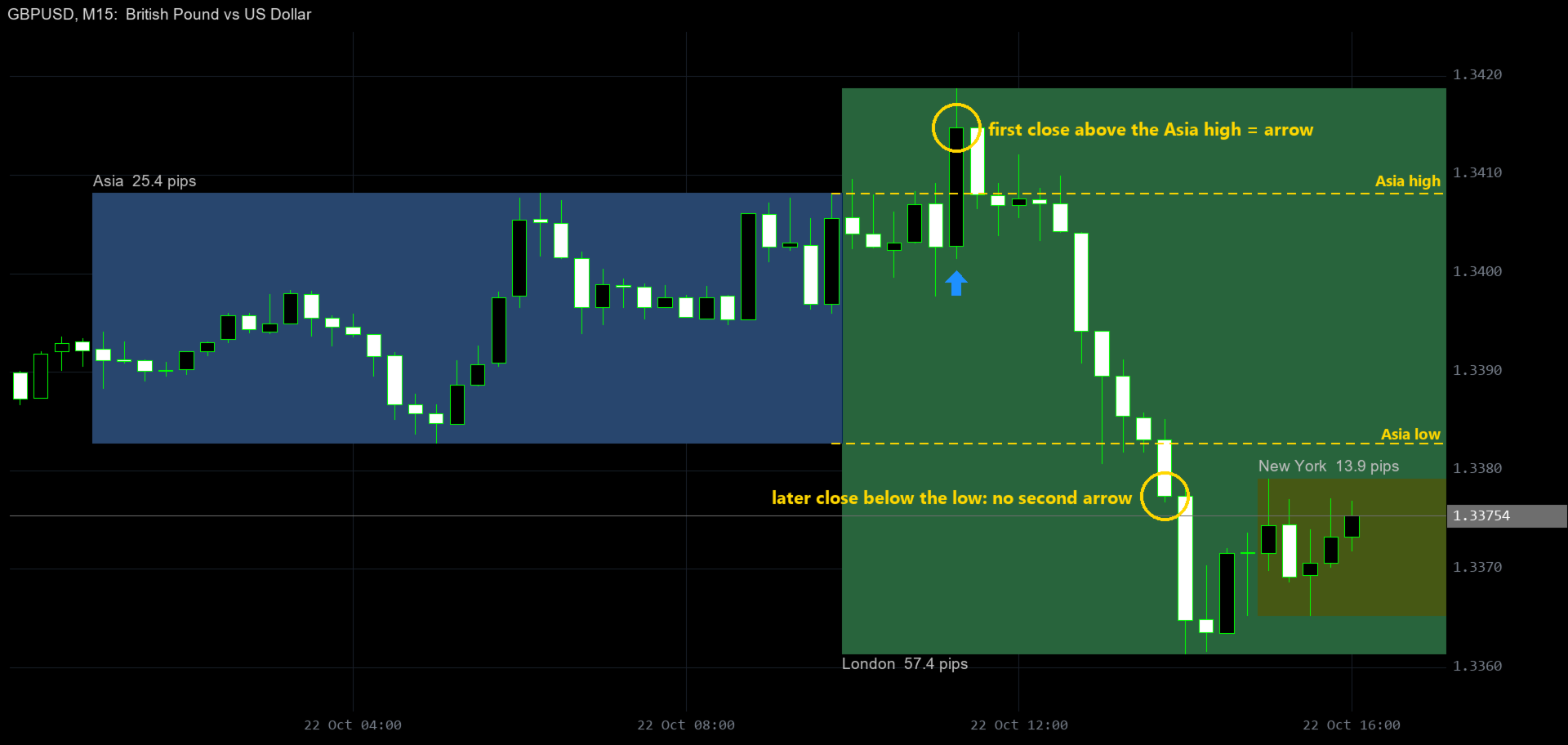
- A blue arrow under the first candle that closes above the session high, or a red arrow above the first candle that closes below the session low (for one session of your choice, Asia by default)
HOW IT WORKS
1. Boxes. For every trading day the indicator takes all bars that open between the session start and end time.
The box reaches to the session end, so a running session shows where it will finish. While the session runs, the box
grows with every new high or low; after the session has ended it never changes again.
2. Breakout arrows. Only after the session has ended, the first closed candle that closes outside the range gets an arrow.
Wicks never count. Only the first breakout counts: no second arrow until the same session starts again the next day.
3. Alerts. When an arrow appears on the candle that has just closed you can get a popup, a push notification or an email.
FEATURES
- Three fully configurable sessions: name, start, end and colour for each one
- Sessions that cross midnight are supported (for example 22:00 - 07:00)
- Range in pips on every box (1 pip = 10 points on 5- and 3-digit symbols, 0.1 on gold)
- Breakout arrows for Session 1, 2 or 3, or off
- Arrows never repaint: closed candles only, after the session has ended
- Filled boxes or outlines only, 1 - 500 days of history
- Buffers for EAs: 0 = breakout up, 1 = breakout down, 2 = session high, 3 = session low
- No DLL, no web requests, no file access
SERVER TIME (please read)
All session times are your broker's server time (the clock in Market Watch). The defaults fit the most common server time,
GMT+3 in summer / GMT+2 in winter: Asia 01:00 - 10:00, London 10:00 - 18:00, New York 15:00 - 23:00.
With a different server time, shift the start and end times by the difference. The PDF guide has a table for other brokers.
NOTES
- AMD SESSIONBOX is an analysis tool. It does not place trades, and an arrow is not a guaranteed signal.
- Works on every timeframe below D1; best on M5 - H1. On D1 and higher nothing is drawn.
- A full PDF user guide with real chart examples is available - send me a private message.
- Trading carries a high level of risk. Test on a demo account first.
INPUT PARAMETERS
================
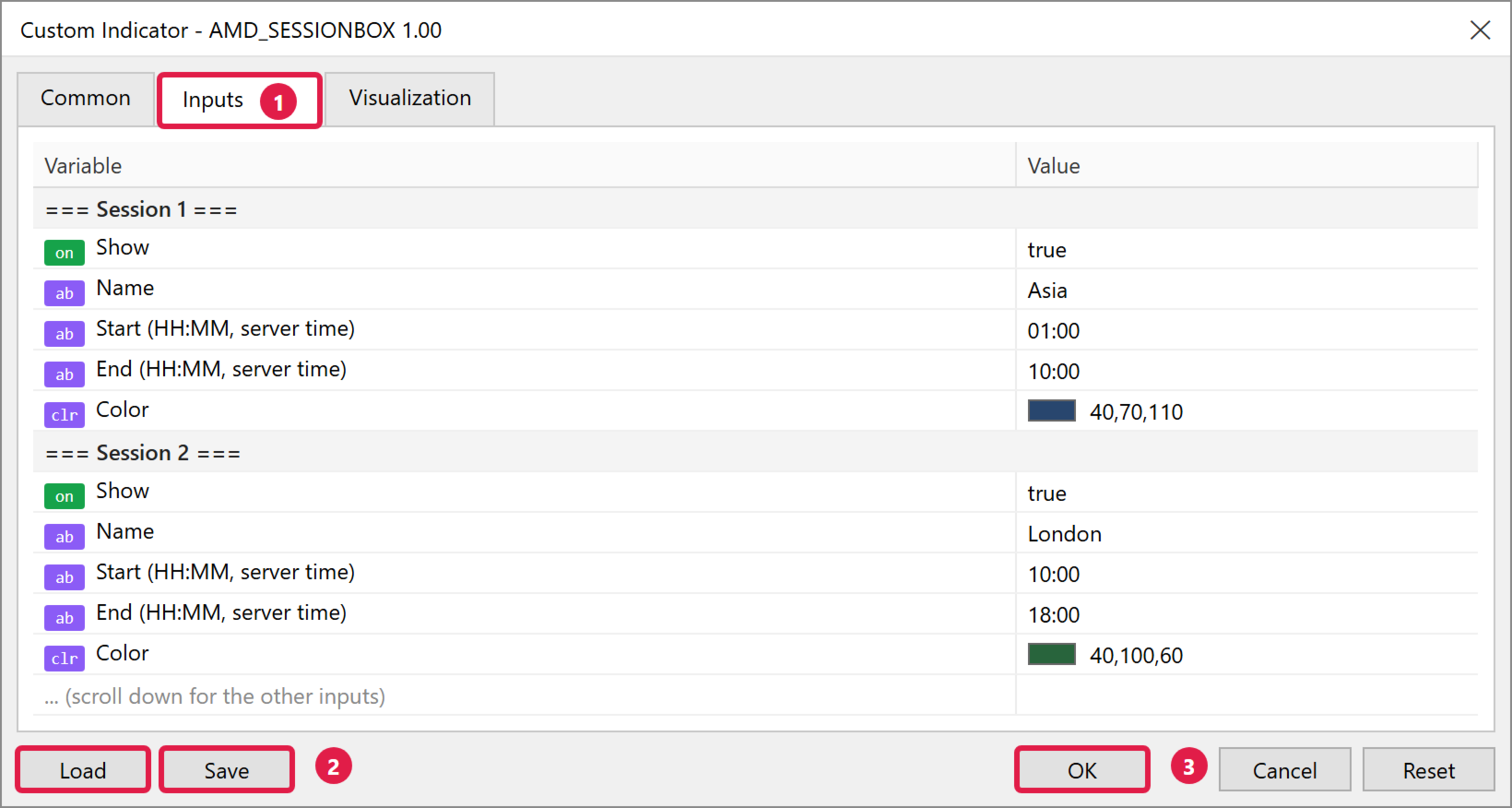
=== Session 1 / Session 2 / Session 3 ===
Show .......................... Draw this session (default true)
Name .......................... Label text (default Asia / London / New York)
Start (HH:MM, server time) .... Default 01:00 / 10:00 / 15:00
End (HH:MM, server time) ...... Default 10:00 / 18:00 / 23:00
Color ......................... Box colour
=== Display ===
Days to show .................. Default 10 (1 - 500)
Fill boxes .................... Filled boxes or outlines only (default true)
Show session name and range ... Default true
Label color ................... Default Silver
=== Breakout ===
Breakout arrows for ........... Off, Session 1, Session 2 or Session 3 (default Session 1)
=== Alerts ===
Popup alert ................... Default false
Push notification ............. Default false
Email ......................... Default false