AMD Straddle
- Experts
- Version: 1.0
- Activations: 5

AMD STRADDLE is a news volatility tool for XAUUSD. It is built for one job:
catching the fast move that often follows high-impact USD news (NFP, CPI, FOMC,
PPI, retail sales) and managing the trade automatically once it is triggered.
It is NOT an all-day, set-and-forget robot. You switch it on shortly before a
news release and switch it off after the news window is over. The built-in
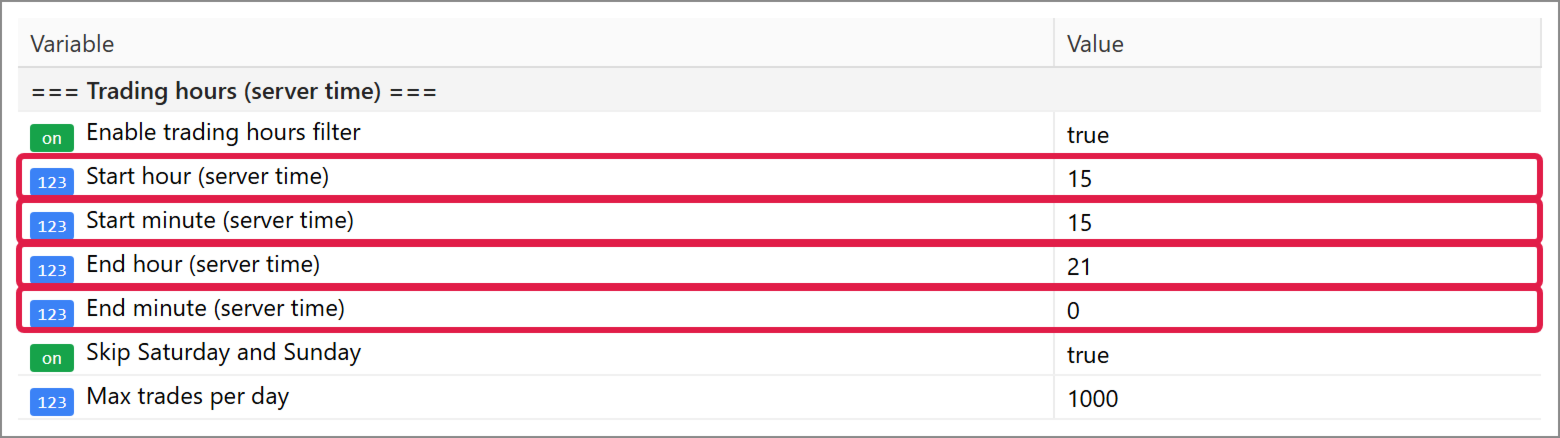
trading hours filter (hour and minute, server time) lets you define that window
in advance, so you do not need to sit in front of the chart.
HOW IT WORKS
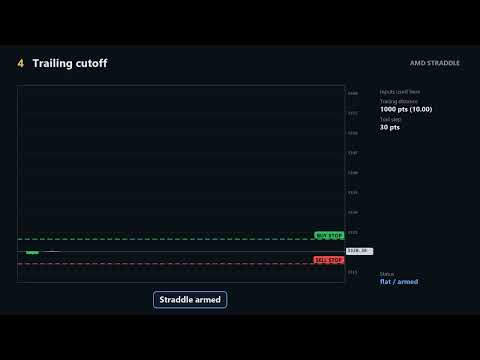
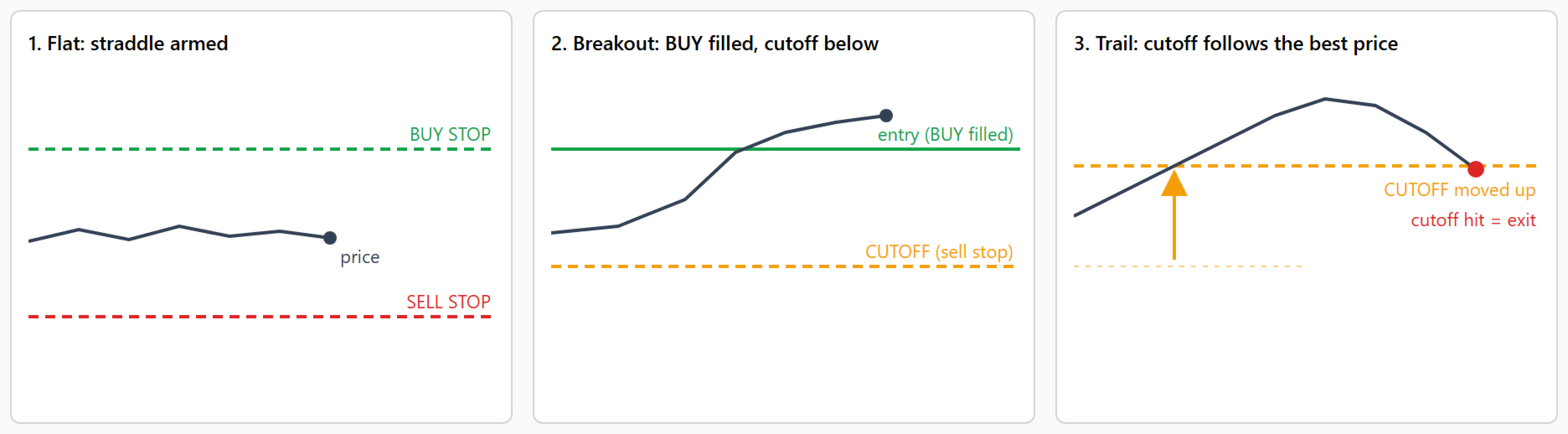
1. Inside your trading window the EA places a Buy Stop above and a Sell Stop
below the current price (straddle).
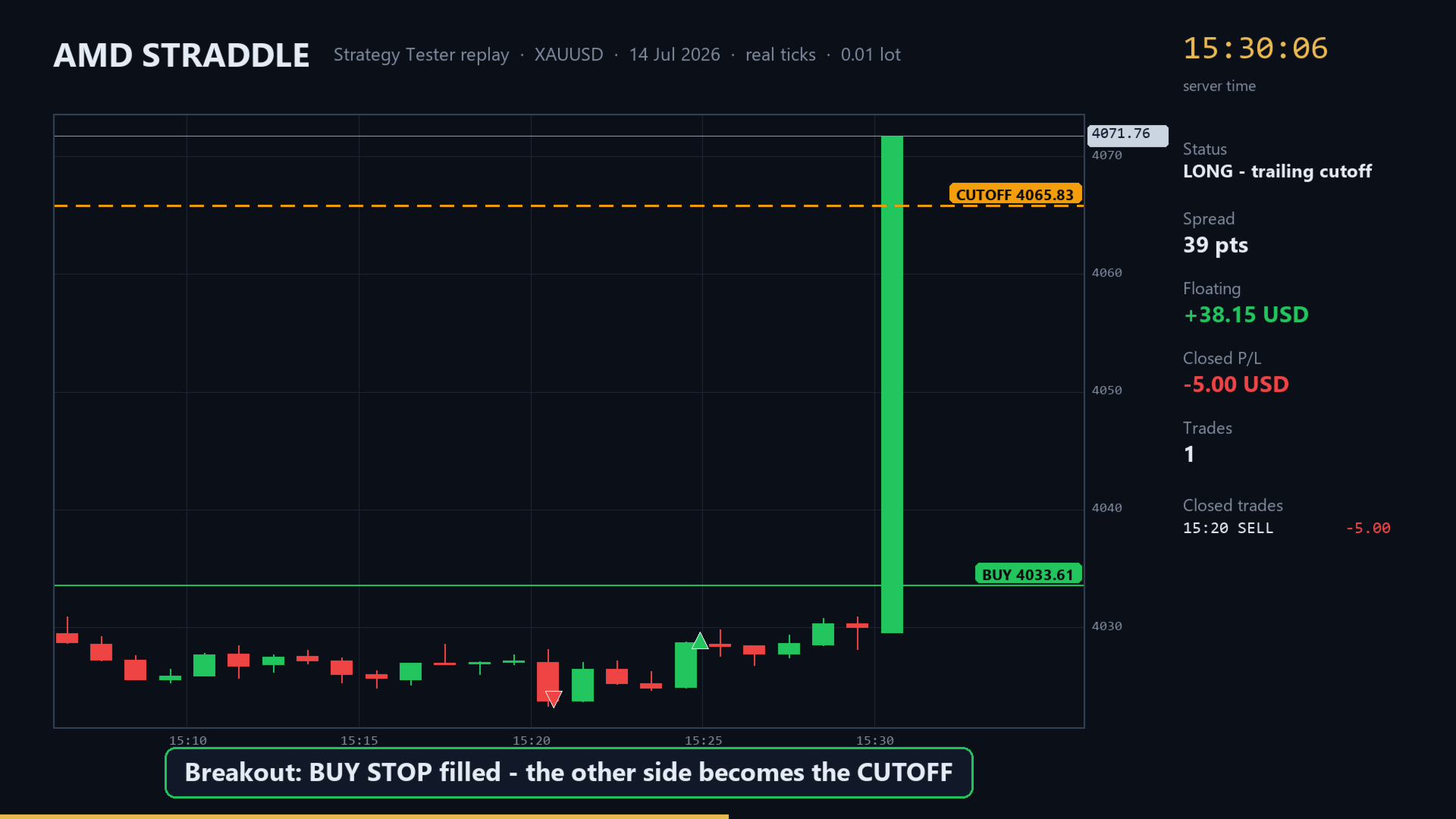
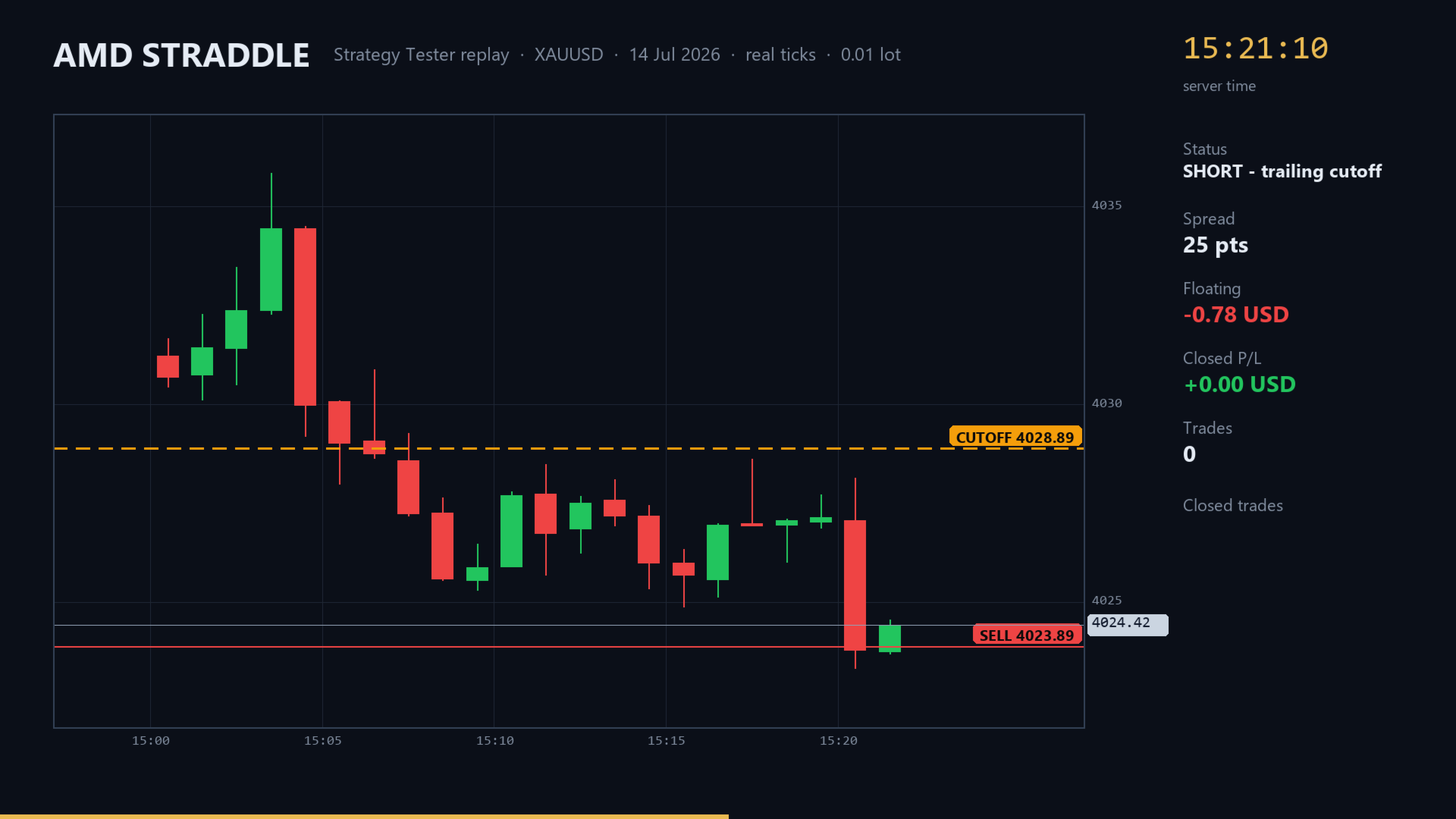
2. When the news spike triggers one side, the opposite order is removed and
replaced by a CUTOFF order on the other side of the position.
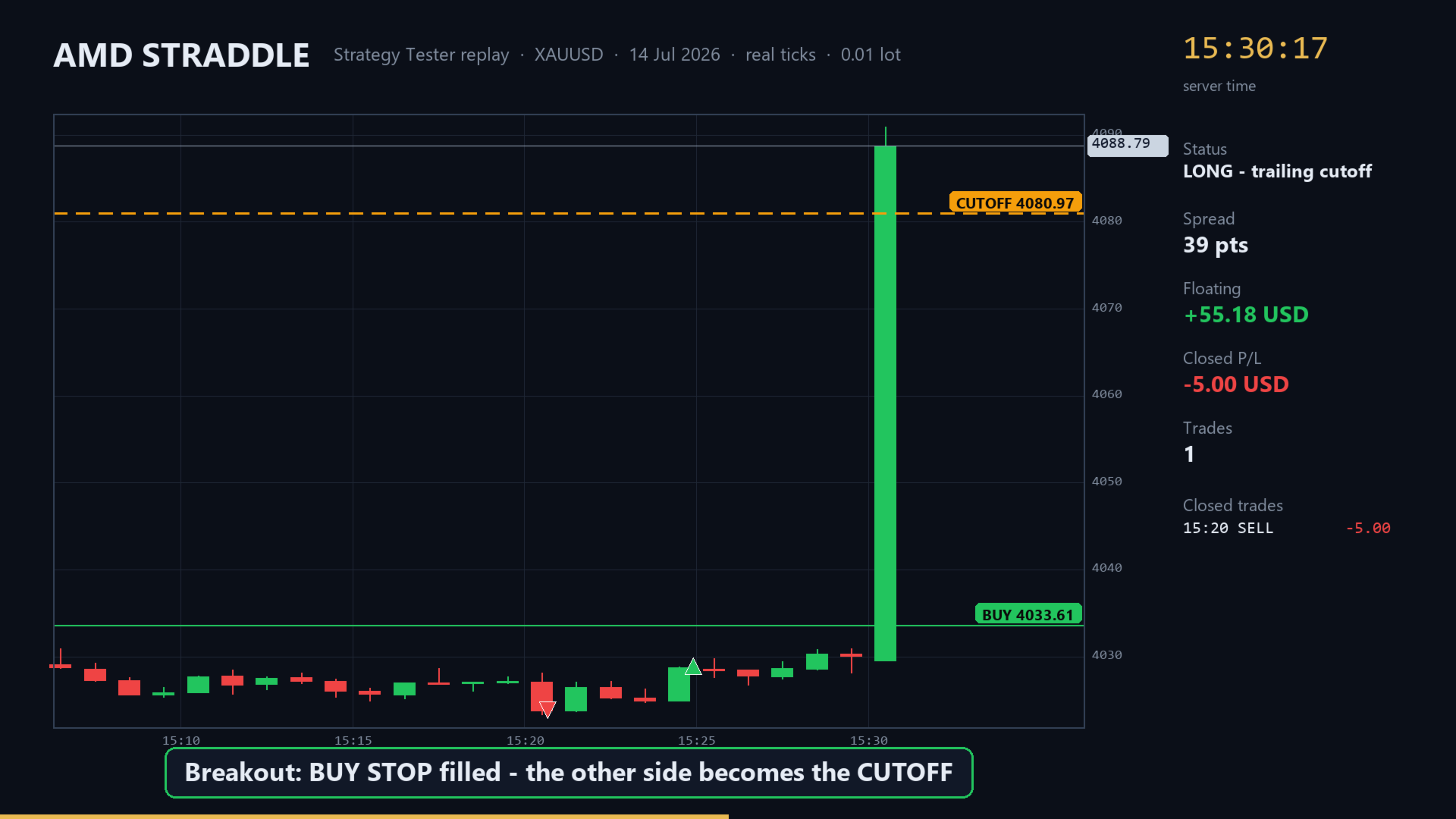
3. The cutoff order trails behind the best price reached, locking in profit as
the move continues, or limiting the loss if price reverses.
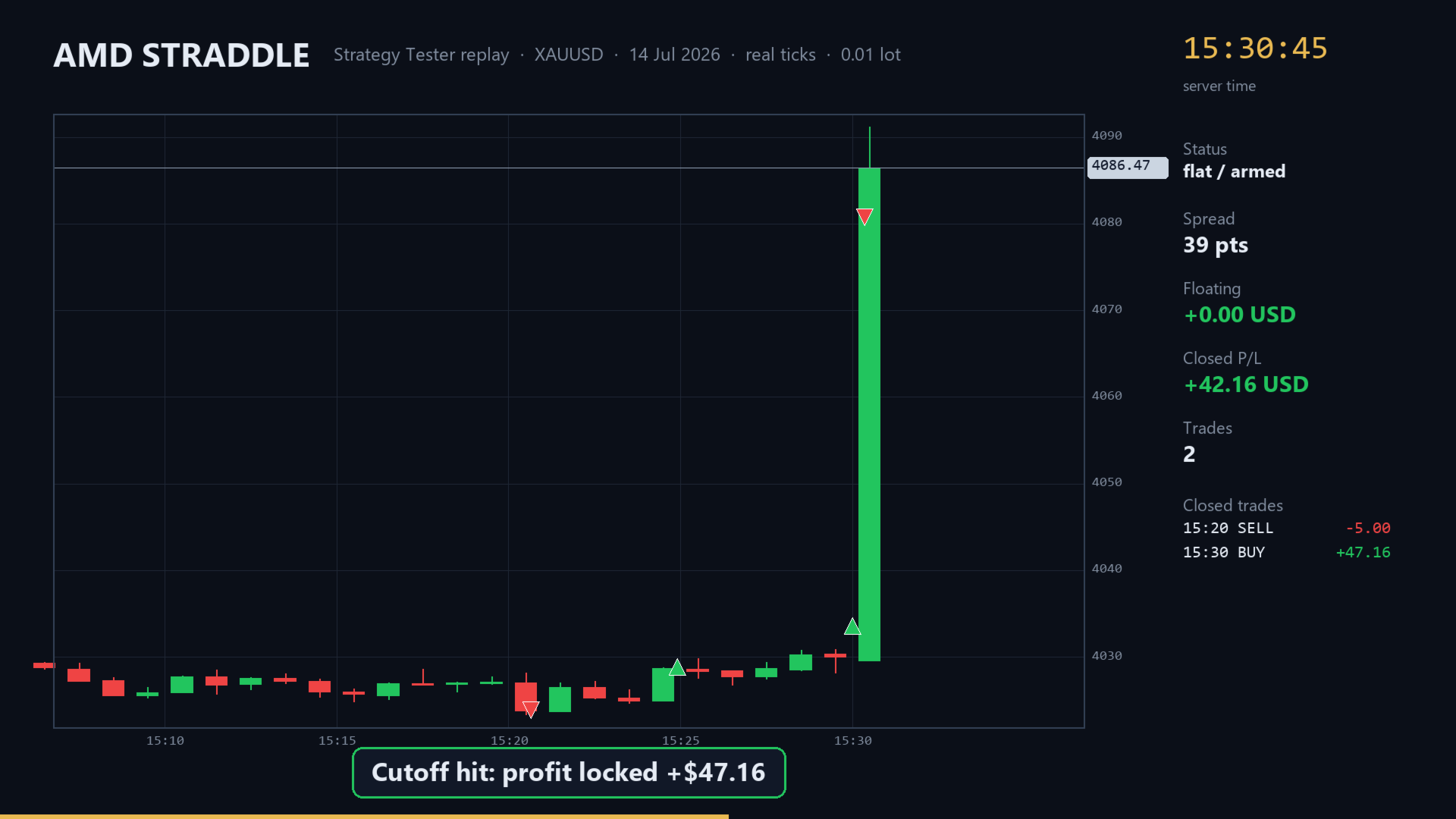
4. When the cutoff is hit, the position is closed. Optionally the EA can reverse
(stop-and-reverse) if price snaps back the other way.
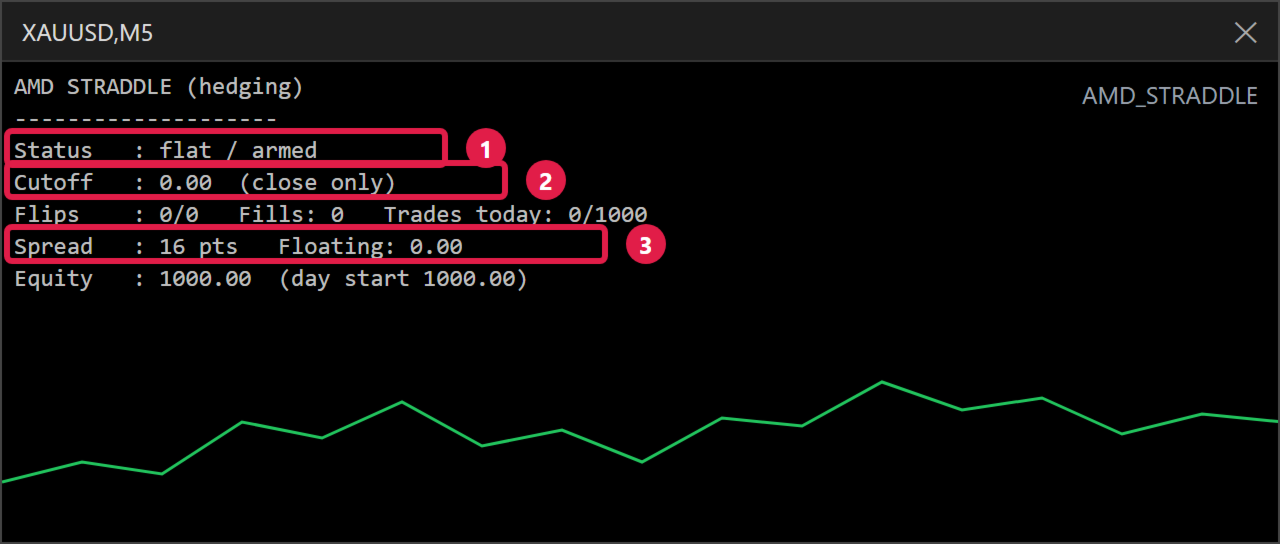
On netting accounts the cutoff is a real server-side stop order. On hedging
accounts it locks the position and the EA closes the old trade on the next tick.
If a cutoff order cannot be placed (margin or broker limits), the EA falls back
to a virtual cutoff and closes the position at market.
FEATURES
- Buy Stop / Sell Stop straddle with fixed-point or ATR-based distances
- Trailing cutoff with minimum step to avoid excessive modifications
- Optional break-even (trigger in points or in account currency)
- Optional take profit
- Cutoff mode: FLAT (close and wait) or REVERSE (stop-and-reverse) with a maximum number of consecutive reversals
- Cooldown bars after going flat
- Trading hours filter with minute precision (server time)
- Daily profit target and daily loss limit (% of balance or fixed money)
- Spread filter, broker stop/freeze level checks, margin checks, trade session checks
- Works on netting and hedging accounts
RECOMMENDED USE
- Symbol: XAUUSD. Working timeframe: M5 (input, chart timeframe does not matter)
- Before a high-impact USD news release, set: Start hour/minute = about 15 minutes before the release (server time) End hour/minute = about 10-15 minutes after the release (server time)
- Turn the EA off after the news day (disable Algo Trading or remove the EA)
- Start with the minimum lot and test on a demo account first
IMPORTANT - PLEASE READ
- News trading carries high risk. Spreads widen and slippage can be large at the moment of release. Stop orders may be filled far from the requested price.
- Results depend heavily on the broker (spread, execution, stop level) and on the news event itself. Some releases produce no clear direction and both sides of the straddle can be stopped out.
- Past results, backtests and videos do not guarantee future results.
- Backtesting news behaviour in the Strategy Tester is only an approximation. Use "Every tick based on real ticks" for the most realistic test.
AMD STRADDLE - INPUT PARAMETERS
===============================
(paste into the product description or the "Comments/Instructions" section)
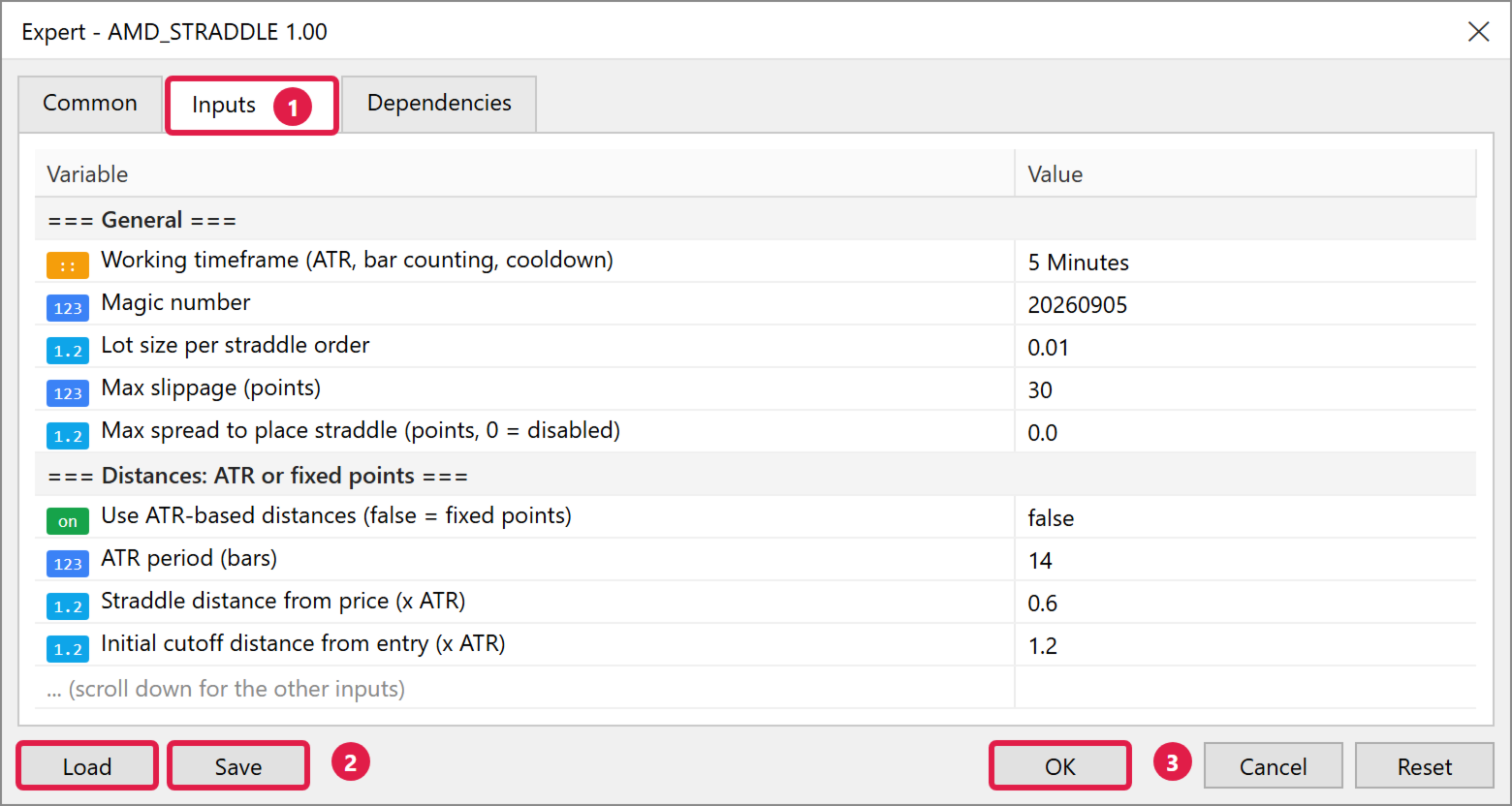
=== General ===
Working timeframe ............. Timeframe used for ATR, bar counting and cooldown (default M5)
Magic number .................. Unique ID of the EA's orders
Lot size per straddle order ... Volume of each Buy Stop / Sell Stop (default 0.01)
Max slippage (points) ......... Allowed slippage for market closes
Max spread (points) ........... Do not place the straddle above this spread (0 = disabled)
=== Distances: ATR or fixed points ===
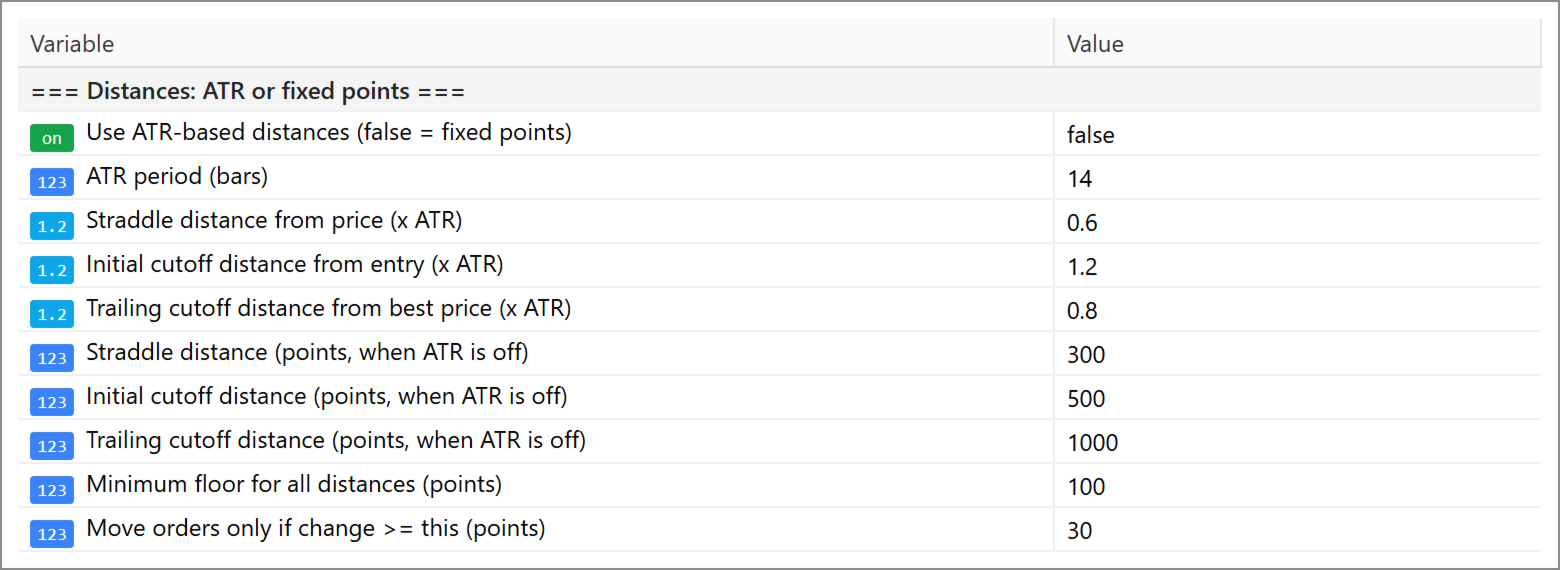
Use ATR-based distances ....... true = distances follow ATR, false = fixed points
ATR period .................... ATR period in bars
Straddle distance (x ATR) ..... Distance of the stop orders from price
Initial cutoff distance (x ATR) Distance of the first cutoff from entry
Trailing cutoff distance (x ATR) Distance of the trailing cutoff from the best price
Straddle distance (points) .... Used when ATR is off (default 300)
Initial cutoff distance (points) Used when ATR is off (default 500)
Trailing cutoff distance (points) Used when ATR is off (default 1000)
Minimum floor (points) ........ Minimum for all distances
Trail step (points) ........... Orders are moved only if the change is at least this
=== Break-even ===
Move cutoff to break-even ..... Enable break-even
BE trigger (money) ............ Floating profit that triggers BE (0 = use points)
BE trigger (points) ........... Profit in points that triggers BE
BE lock (points) .............. Cutoff is placed at entry + N points
=== Cutoff behavior ===
Cutoff mode ................... FLAT = close and wait, REVERSE = close and open opposite
Max consecutive reversals ..... 0 = unlimited
Cooldown (bars) ............... Waiting time after going flat
Re-anchor straddle on new bar . Move straddle levels with price on every new bar
=== Take profit (optional) ===
Take profit (points) .......... 0 = disabled, exit by trailing cutoff only
=== Trading hours (server time) ===
Enable trading hours filter ... Trade only inside the window below
Start hour / Start minute ..... Window start (server time)
End hour / End minute ......... Window end (server time)
Skip Saturday and Sunday ...... Weekend filter
Max trades per day ............ Daily trade limit
=== Daily protection ===
Daily profit target (%) ....... Stop for the day when reached (0 = disabled)
Daily loss limit (%) .......... Stop for the day when reached (0 = disabled)
Daily target / loss (money) ... Used when the % values are 0