Matrix Algo EA Scalper
- Experts
- Version: 1.3
- Activations: 5

# Pending Breakout EA - Complete Matrix Edition
**Pending Breakout EA (Matrix Edition)** is a high-precision, fully automated breakout trading system engineered to capitalize on market volatility and momentum expansions. By placing dual pending stop orders (**Buy Stop & Sell Stop**) outside current market ranges, the EA captures early directional moves while protecting equity through flexible risk controls and interactive chart-level management.
Equipped with a built-in **Matrix Algo Interactive Dashboard**, traders can monitor live P&L, track floating drawdown, and manage trades directly from the MetaTrader 5 chart interface.
---
### 🌟 Key Features
* **Dual Directional Breakouts:** Simultaneously sets Buy Stop and Sell Stop orders at defined distances to capture momentum shifts in either direction.
* **Smart OCO (One-Cancels-the-Other) Logic:** When one pending order triggers or gets canceled, the opposite pending order is instantly cleared to prevent unnecessary exposure.
* **Dynamic ATR or Fixed Trailing Stop:** Secure profits dynamically using either standard Pip-based trailing or volatility-adaptive ATR trailing.
* **Interactive Chart Dashboard:** Pause/Start trading, inspect long/short P&L breakdowns, and trigger an emergency "Close All Trades" action with one click.
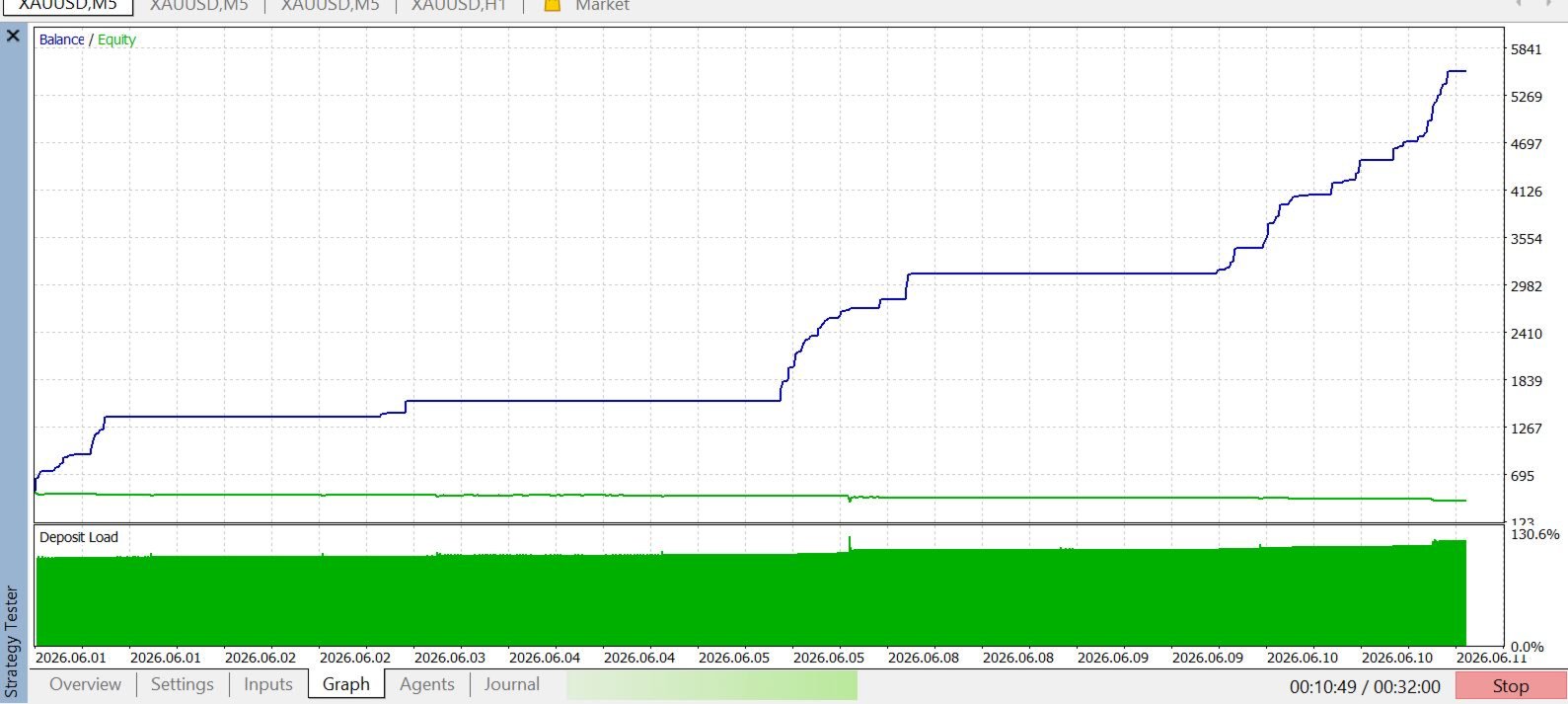
* **Backtest & Live Optimized:** Bypasses graphic processing overhead in the Strategy Tester for rapid multi-year optimization runs.
* **Spread & Time Filtering:** Define permitted trading hours and maximum allowable spread to avoid bad fills during market rollover or high-slippage news spikes.
---
### ⚙️ How It Works
1. **Range Calculation:** The EA calculates pending buy/sell distances using the current Bid/Ask prices adjusted for spread and account digits.
2. **Pending Placement:** Buy Stop and Sell Stop orders are placed with predefined Initial Stop Loss and Take Profit levels.
3. **Execution & Trailing:** As soon as price breaks out and triggers a pending order, the EA activates profit tracking and trailing stop management.
4. **Auto Cycle Restart:** When enabled (`EnableAutoRestart`), the EA automatically clears remaining orders after a trade closes and sets up the next breakout cycle.
---
### 📋 Input Parameters Breakdown
#### 🔹 Strategy Settings
* **Lot Size:** Fixed trading volume per order.
* **Pending Distance (Pips):** Distance in pips from current Ask/Bid to place Buy/Sell Stop orders.
* **Take Profit (Pips):** Take profit distance in pips.
* **Initial Stop Loss (Pips):** Hard stop loss distance in pips.
* **Trailing Distance (Pips):** Fixed distance for profit trailing (when ATR mode is off).
* **Enable Trailing Stop:** Toggle active trailing stop logic ON/OFF.
* **Use ATR Trailing:** Set to `true` to replace fixed pips trailing with dynamic ATR trailing.
* **ATR Period / ATR Multiplier:** Custom period and multiplier for ATR calculation.
* **Enable Auto Restart:** Automatically place new pending orders after position closure.
* **StartHour / EndHour:** Define active trading hours (0–23).
* **MaxSpread (Pips):** Maximum allowed spread to place trades or cycle pendings.
* **Magic Number:** Unique identifier for order management across multiple charts.
#### 🔹 Dashboard UI Customization
* **Allowed Drawdown %:** Threshold display value used on the live dashboard for monitoring drawdown risk.
---
### 💡 Recommended Setup & Usage
* **Asset Class:** XAUUSD (Gold), Forex Volatile Pairs (GBPUSD, EURUSD), and Major Indices.
* **Timeframes:** M5, M15, M30, or H1 depending on breakout frequency preferences.
* **Account Type:** ECN / Raw Spread account with low slippage execution.
* **VPS:** A low-latency Windows VPS is recommended for continuous, uninterrupted order tracking.