EA Performance Panel

5

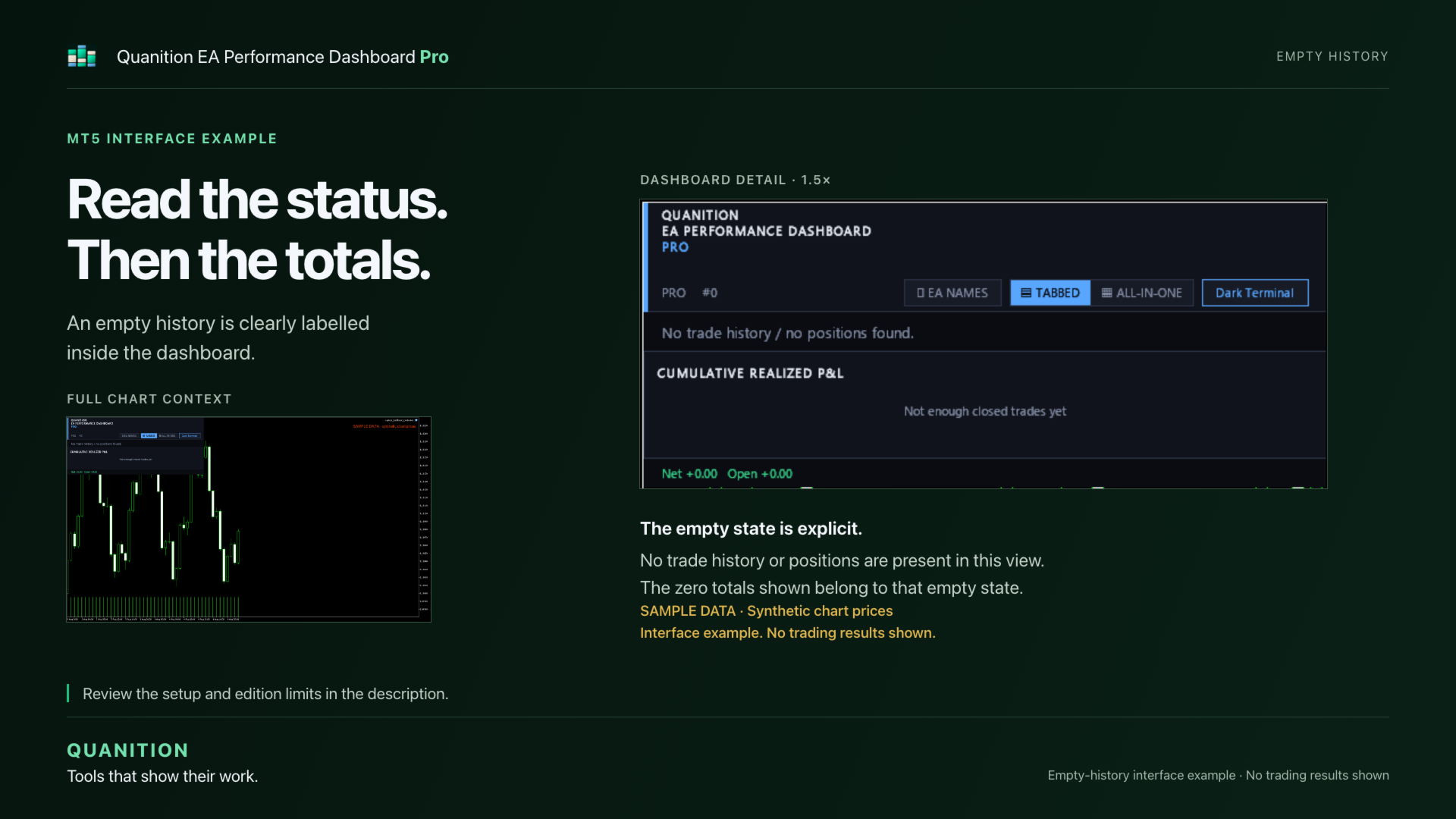
EA PERFORMANCE PANEL — your trading on one screen. Which robot is carrying the account, which one is bleeding, and what the months behind them look like, drawn over your chart.

A balance is an average, and averages hide things. This reads your closed trades and splits that single number back apart, by Magic Number.

This is the free edition. It runs on a live chart, on your real account, not only in the Strategy Tester.

THE PROBLEM

MetaTrader shows you one number: account profit. Run three EAs and that number tells you nothing about which one earned it — or which one is quietly bleeding while the others cover for it.

WHAT THIS DOES

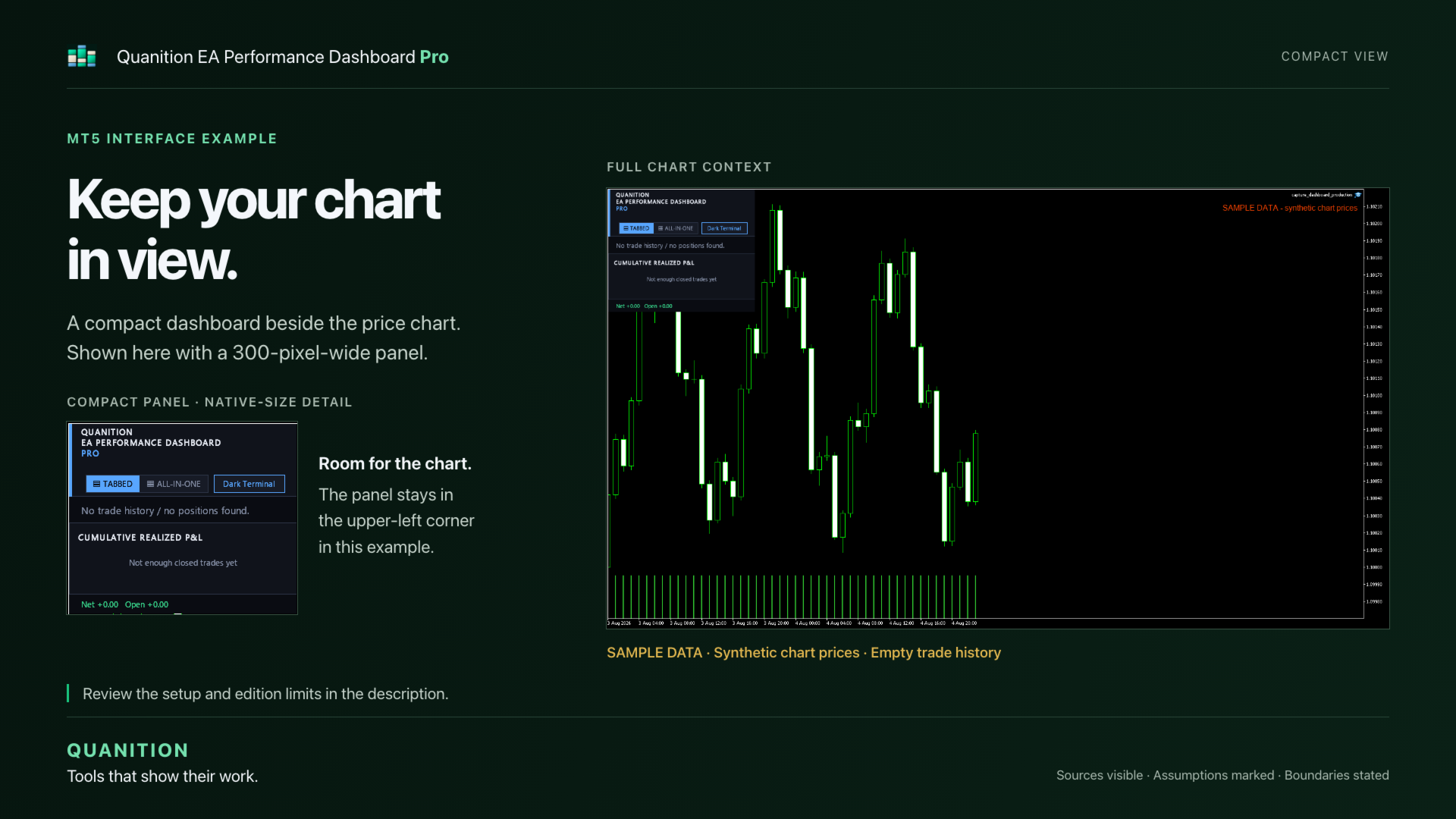
It reads your trade history and your open positions, groups everything by Magic Number, and puts it on the chart as a translucent full-screen HUD — or a compact corner panel if you prefer.

- OVERVIEW — KPI tiles, the per-EA table with a contribution bar, and the cumulative realized P&L curve.
- EAs — closes, gross profit, gross loss, profit factor, win rate, open P&L and net, per robot.
- RECENT — the tape of closed deals.
- EQUITY — the cumulative realized P&L curve.
- MONTHLY — a twelve-month heat grid for the current year.
- POSITIONS — open trades with symbol, direction, volume, entry, swap and live P&L.
- NEWS — the MetaTrader economic calendar.

Name your EAs from inside the panel: press EA NAMES, and every Magic Number the account has traded is listed with an edit box beside it. Unlimited names, even in this free edition.

BUILT PROPERLY

- No DLLs, no imported libraries. Pure MQL5 with the standard Canvas.
- Read-only. It never places, modifies or closes an order.
- Entry-side commission is included in the maths, so gross profit plus gross loss equals net — which matters on ECN and raw-spread accounts. Balance operations, credits, dividends and interest are excluded.
- Any symbol, any timeframe. It reads no price data.
- Interface in twenty languages, following your terminal: English, Japanese, Chinese, Korean, Russian, Spanish, Portuguese, German, French, Italian, Turkish, Polish, Dutch, Czech, Ukrainian, Indonesian, Thai, Vietnamese, Hindi and Arabic.

WHAT THE FREE EDITION LIMITS

Honest list, so nothing surprises you after installing:

 FreePaid
Robots listedTop 5 by impactEvery one of them
Click a robot to isolate itYes
PeriodsAll time, today+ YTD, 3M, 1M, 1W
Monthly gridThis yearEvery year you have traded
Drawdown band under the curveYes
Health verdict per robotYes
Daily / monthly report by mail and pushYes
Open P&L refreshEvery minuteFour times a second
Recent trades12 h behindLive
CalendarRelease timesCountdown to the next one
Themes / resizable layout1 / fixed2 / drag and it remembers

Everything else — every panel, unlimited EA names, any symbol, any timeframe, all twenty interface languages — is here, unrestricted.

If you only want to know which EA is winning right now, this edition is enough and it always will be. The paid edition exists for comparing periods and reading history.

SUPPORT

Questions and bug reports through the product page. Reviews are read and acted on — this edition improves because of them.

Avis 2
Bairon75
195
Bairon75 2026.07.28 14:07 
 

Thanks to the author. Very useful. Recommended.

Produits recommandés
Synchronizer
PATRICK PAARSCH
This Expert Advisor monitors all open positions across all symbols in MetaTrader 5. Whenever a Stop Loss (SL) or Take Profit (TP) is manually set or adjusted on any position, the EA automatically applies that value to all other open positions , regardless of symbol or order type (Buy/Sell). This ensures consistent and synchronized SL and TP levels across your account. Perfect for mobile trading via tablet or smartphone!
Trade Control Panel
Jerry Jilun Anak Liban
Trade Control Panel Function Normal One Click Function Close All Close All Profit Close All Loss Close All Pending Order Close All Sell Close All Buy Advance One Click Function 1.  Close Partial Lot Sell by Percent It will help you partial close for all open position by desire percent you wanted. No longer partial close one by one for every open position Manual input for desire percent 2. Close Partial Lot Buy by Percent It will help you partial close for all open position by desire percent
Close All in 1s
Seng Yang
4.71 (24)
Hello, Every one  A script to close all market positions and/or pending orders. ----------------------------------------------------------------------------------- This is Close All      market positions and/or pending orders button  You can close all orders in 1 second by one click  For advanced version:  Advanced:  https://www.mql5.com/en/market/product/77763           https://www.mql5.com/en/market/product/89311 Key:  1 Close all button: The script will close All orders market + pending
FREE
Bonjour les Traders! Je suis votre assistant commercial. Pas beaucoup de mots, laissez - moi vous parler de ma spécialité: 1. Je suis bon dans la gestion de vos positions, peu importe à quelle extrémité vous passez une commande, je peux vous aider à ajouter une ligne de stop raisonnable et à déplacer le stop loss en premier. 2. Je peux vous aider à éviter la hausse et la baisse, à éradiquer les faiblesses humaines qui ne tiennent pas leurs principes à la racine. 3. Je vais vous envoyer un messa
RRPP Script
Mikhail Ostashov
RRPP Script A script for placing a pending order prepared by the Risk Ratio Trade Panel indicator. Reads the entry price, Take Profit, Stop Loss and lot size directly from the indicator lines on the chart. Requirements The Risk Ratio Trade Panel indicator must be attached to the chart and the panel must be open before running the script. How it works Attach the Risk Ratio Trade Panel indicator to the chart, open the panel and set the Entry, TP and SL lines to the desired levels. Then run RRPP Sc
FREE
MultiChart Pro
Pablo Filipe Soares De Almeida
MultiChart Pro – Outil de gestion de graphiques pour MetaTrader 5 Cet Expert Advisor (EA) automatise l’ouverture et la configuration des graphiques dans MetaTrader 5. Il prend en charge jusqu’à quatre graphiques avec des périodes et des modèles spécifiques, y compris les graphiques hors ligne. Fonctionnalités Ouverture de graphiques : Ouvre jusqu’à trois graphiques supplémentaires (par ex. D1, M1, M15) et un graphique hors ligne (par ex. 10 secondes), tout en configurant le graphique actuel (par
Advanced Account Dashboard & Risk Monitor (MT5) This script provides a real-time on-chart dashboard for monitoring account performance, risk exposure, and execution conditions in MetaTrader 5. It is designed for traders who want clear visibility of account health and risk awareness during live trading or VPS operation. The script does not open trades and does not interfere with any strategy logic . Key Features Account Metrics Live equity, balance, and floating profit/loss Open position count an
FREE
MMTrade
Alexander Martynov
5 (4)
This tool is designed to quickly calculate the lot depending on the Stop Loss. The control is done by hot keys By default: 1 - Limit order price level 2 - Stop Loss Level 3 - Take Profit Level Space Bar - Open an order Escape - Cancel All 9 - Open 2 orders Market Order To open a Market order, click (2) and set up Stop Loss with the mouse If you want to put Take Profit - click (3) and set up Take Profit with the mouse
FREE
EA PERFORMANCE TERMINAL — everything on one screen. Every robot on your account, what each one is doing to your balance, and the months that got you here, drawn over your chart instead of buried in a report. A balance is an average, and averages hide things. One robot can quietly cover another's losses for months while the equity curve still looks calm. This reads your closed trades and splits that single number back apart, by Magic Number. A free edition is available, and it runs on a live char
Partial
Pablo Filipe Soares De Almeida
Partial Close Manager – Outil d’Ajustement du Volume de Transaction Cet outil permet d’effectuer des fermetures partielles sur les positions ouvertes dans MetaTrader 5. Fonctionnalités Fermeture Partielle : Fermez une partie de vos positions ouvertes en une seule action. Calcul du Volume : Calcule automatiquement le volume à fermer, sans saisie manuelle. Support Multi-Ordres : Applique la fermeture partielle à toutes les positions ouvertes du même symbole. Table Déplaçable : Cliquez et maintenez
ATR Stop Loss and Take Profit Calculator. Know your risk before you take the trade! Click any candle and instantly see your stop loss, take profit, and correct lot size, all calculated from ATR, scaled to your account. A useful back-testing and live trading tool.  If you find this indicator useful, please leave a review How It Works Click a candle. The indicator reads ATR at that bar, calculates SL and TP using your configured multipliers, and draws the levels on the chart. An info panel shows
FREE
Grid Trading EA is a semi-automated one-click trading EA for both Normal Trading and Grid/Martingale Trading . Normal Trading Simply click Buy or Sell directly from the chart. The EA will automatically manage trades by: Setting Stop Loss and Take Profit Managing Trailing Stop Grid / Martingale Trading (For Hedging Account Type Only) When Grid Trading mode is enabled, the EA will automatically open additional grid orders at specified distances while increasing the lot size based on your settings.
EA utility to help you with your Discipline for New Traders. When Balance Drop below set Daily Max Percentage Draw Down Balance. Any new trades open after the DD Threshold reached, Bot will close any new trades instantly and will keep canceling any pending orders placed as well until the Next Daily Candle is formed or EA is removed. Note: 1. Please Attached EA Utility before start trading for the day.  2. Set Timeframe before attaching EA utility to the chart. If timeframe changed after taking a
FREE
The EA supports closing orders based on the preset amount. It can close all orders on all pairs, or it can close orders based on Magic ID. Button "Close All" manual Input - Magic Number: Magic Number = 0: Close All pairs Magic Number diffrent 0: Close All with Magic - Money TP: Profitable in money.  the EA will close all orders - Money SL: Loss in money. the EA will close all orders Contact: t.me/nguyenvanbo128
FREE
AUTOTRAIL LM PRO MANAGER v3.30 Professional management of manual trades across all symbols Autotrail LM Pro Manager is a MetaTrader 5 Expert Advisor designed to automatically manage all manually opened positions, including trades on symbols other than the chart where the EA is installed. You do not need to attach the manager to every chart. For example, you can install it on a single XAUUSD chart and manage manual trades opened on: XAUUSD Forex pairs Indices Cryptocurrencies Metals Energies Othe
FREE
Ultimate MT5 to Telegram Public Channel sends controlled trades (via symbol, magic, comment) to a public telegram channel. It sends open and closed trades, including pending orders and TP/SL modifications, along with chart screenshots, to this public telegram channel. Additionally, you can send trade reports of open trades and summary profit/pip reports for day, week, or month. You can customize the design of the trade actions or reports with variables and emoticons.  A beautiful panel allows
FREE
ForexFanclub(FFC) : For detailed instructions and our official website, please visit my profile ! PidPro is a fully-featured, professional bulk order closing tool provided by Forex Fanclub, designed to maximize the efficiency of position management. Whether you are a scalper needing lightning-fast exits or managing a basket of positions from an Expert Advisor, PidPro provides the ultimate control. [Key Features] 1. Flexible Target Selection: Choose between "All Charts" to manage your entire acc
FREE
Advanced PolyLines
Felipe Monteiro Rodrigues
N'oubliez pas de laisser un commentaire et d'évaluer le produit si vous l'avez aimé ! Advanced PolyLines est un outil permettant de créer et de modifier des polylignes directement sur le graphique MetaTrader 5. Plusieurs segments peuvent être reliés dans une seule structure, ce qui facilite la création et la gestion des lignes utilisées pour l’analyse graphique. L’outil a été conçu pour simplifier le travail avec des structures composées de plusieurs segments. Les points connectés peuvent être
FREE
Click Trading
Jawad Tauheed
5 (2)
One Click Trading – Auto TP SL Developer TraderLinkz Version 1.00 Category Utility What it does Adds missing TP and SL to your manual trades and pending orders Sets them once per ticket Lets you move TP and SL afterward Works on hedging and netting accounts Scans on every tick and reacts on trade events Why you want it You place faster entries You get consistent risk and exit targets You reduce fat finger errors You keep full manual control Quick start Attach the EA to any chart Keep TP and SL e
FREE
Signals for Telegram
Elidio Xavier Guimaraes
It is a utility that posts customized messages on Telegram based on account trading activity. Once the utility is on the chart, with each new position opened from the same chart symbol the utility is added, a customized message will be sent to the Telegram group defined in the input parameters. The utility will post to the Telegram group if a new position is opened and if it is the same symbol as the chart the utility is running on. If you are using an Expert Advisor for Buy and Sell and want to
Stop juggling a lot-size calculator, a trade manager, and a fistful of indicators. Smart Risk Manager combines precise risk-based execution, complete position management, and a professional Market Structure toolkit in one clean, draggable panel — built for Forex, Metals, Indices, Crypto and CFDs. Plan a trade visually, see your exact lot size, risk and reward before you click, and manage every position straight from the chart with a single tap. Utility for MetaTrader 5. Trades manual entries
Trade Panel HotKey – MT5 Scalping Utility Fast Trade Panel HotKey is a lightweight MT5 trading utility designed for traders who need to open, manage, and close positions as quickly as possible . The main purpose of this tool is to reduce the time between a trading decision and execution. Instead of moving the mouse, opening order windows, or manually modifying multiple positions, most important actions can be performed instantly through customizable keyboard hotkeys or directly from the compact
**Forex Trade Manager Pro MT5** **Trade Manager MT5** est un utilitaire complet de gestion de transactions pour MetaTrader 5 qui vous donne un contrôle total sur chaque aspect de votre position, du moment où vous planifiez une transaction au moment où vous la clôturez. Il est conçu pour les traders qui prennent le risque au sérieux, du débutant qui construit sa discipline au scalpeur professionnel qui a besoin d'une exécution instantanée sur plusieurs positions. L'outil s'attache à n'importe
️ Trade Manager oneclick  ( Reverse Trade,  Partial Close,  Breakeven, Close All Running Trade )   control – Smart Manual Trade Control for MT5 Trade Manager oneclick control is a powerful yet lightweight trade management utility built for manual traders who want precise control over their open positions — directly from the MT5 chart. This EA does not open or close trades automatically based on any strategy. It simply provides one-click management tools to handle your running trades efficient
FREE
Look Back My Trading History MT5
Sa No Tsuyoshi Kokorozashi
5 (2)
Description This is a utility tool for MT5 reminding traders of all the entry points by highlighting trading history. For those who just started to learn trading, one of the most efficient tips to improve their trading skill is to look back their own trading history. However, trade history arrow shown on MT5 chart is simply too small to find out, which will keep traders away from reviewing their trade, especially stupid mistakes like overtrading. By clearly showing their trade history and face i
FREE
MQT Prop Guard DD MT5
Josue Fernando Servellon Fuentes
MQT Prop Guard DD protège les comptes de prop firm contre le dépassement de la limite de perte journalière et du drawdown total. Il surveille votre capital chaque seconde et ferme tout avant d'atteindre la limite journalière de votre challenge, puis bloque le trading jusqu'au reset quotidien suivant. Compatible avec les règles de prop firms comme FTMO, The5ers ou FundedNext (vérifiez toujours l'heure de reset et les limites exactes de votre firme). Comment ça marche (résumé de la logique) : À l'
FREE
PositionCalculatorMT5
Nguyen Duy Trung
4.44 (45)
Position Calculator calculates how many lots to trade based on: Entry and stop-loss levels Risk tolerance Account size (balance, equity, or even your savings account) Account currency Currency exchange rates - The main tab of the panel provides the primary control over the EA's functions and serves to output the most important calculation results: the position size, risk, reward, and risk-to-reward ratio. - The risk tab can help you assess current and potential risk and reward profile. Using a s
FREE
Key Benefits at a Glance: Lorentzian ML signal generation Majority voting across 3 timeframes Automatic market regime detection Smart equity recovery with group profit targets 1% risk‑based adaptive lot sizing ATR‑based dynamic SL/TP & trailing Emergency drawdown cut Live on‑chart info panel Hybrid Lorentzian Gold ML EA v2.0 – Intelligent Adaptive Trading for XAUUSD Next‑Gen Machine Learning Core A Lorentzian KNN classifier analyzes 5 normalized features (RSI, WaveTren
FREE
This utility provides the ability to use hot keys in manual trading instantly responding to the current market situation. You can assign hot keys to open/close positions by their type, open/close all positions on the current chart and remove all orders on the current chart. You can also assign hot keys for five predefined trade volumes and switch between them if necessary with no need to change the volume manually from time to time. It is also possible to set the auto calculation of a trade volu
AE-DeletePendingOrders is a professional script for MetaTrader 5 designed to quickly and securely delete all pending orders on a trading account. The script provides full control over the deletion process thanks to a flexible filtering system and reliable error handling mechanisms. Main features The script automatically deletes all types of pending orders: BUY LIMIT, SELL LIMIT, BUY STOP and SELL STOP. An intelligent retry system has been implemented in case of temporary communication errors wi
FREE
Les acheteurs de ce produit ont également acheté
Trade Assistant MT5
Evgeniy Kravchenko
4.41 (216)
It helps to calculate the risk per trade, the easy installation of a new order, order management with partial closing functions, trailing stop of 7 types and other useful functions. Additional materials and instructions Installation instructions - Application instructions - Trial version of the application for a demo account Line function -   shows on the chart the Opening line, Stop Loss, Take Profit. With this function it is easy to set a new order and see its additional characteristics bef
Bienvenue sur Trade Manager EA, l’outil ultime de gestion des risques conçu pour rendre le trading plus intuitif, précis et efficace. Ce n’est pas seulement un outil d’exécution d’ordres ; c’est une solution complète pour la planification des trades, la gestion des positions et le contrôle des risques. Que vous soyez débutant, trader expérimenté ou scalpeur ayant besoin d’une exécution rapide, Trade Manager EA s’adapte à vos besoins, offrant une flexibilité sur tous les marchés, des devises et i
Farmed Hedge Yield Farming | All Markets (Manual - Hybrid - Semi/Automated EA) VERIFIED TRADING RESULTS - Farmed Hedge Yield Axi Copy:  https://www.mql5.com/en/signals/2356376 - Farmed Hedge Yield Exn Copy:   https://www.mql5.com/en/signals/2356404 - Farmed Hedge Yield V Copy:  https://www.mql5.com/en/signals/2357156 IMPORTANT NOTICE: FarmedHedge is a MANUAL-FOCUSED TRADING UTILITY ,not a fully automated EA. Results shown on this Signal include manual trades and overall strategic management.
Version Bêta Le Telegram to MT5 Signal Trader est presque prêt pour la sortie officielle en version alpha. Certaines fonctionnalités sont encore en développement et vous pourriez rencontrer de petits bugs. Si vous rencontrez des problèmes, merci de les signaler, vos retours aident à améliorer le logiciel pour tout le monde. Telegram to MT5 Signal Trader est un outil puissant qui copie automatiquement les signaux de trading depuis des chaînes ou groupes Telegram vers votre compte MetaTrader 5 .
Local Trade Copier EA MT5
Juvenille Emperor Limited
4.94 (148)
Découvrez une expérience exceptionnellement rapide de copie de trades avec le   Local Trade Copier EA MT5 . Avec sa configuration facile en 1 minute, ce copieur de trades vous permet de copier des trades entre plusieurs terminaux MetaTrader sur le même ordinateur Windows ou Windows VPS avec des vitesses de copie ultra-rapides de moins de 0.5 seconde. Que vous soyez un trader débutant ou professionnel, le   Local Trade Copier EA MT5   offre une large gamme d'options pour le personnaliser en fonc
================================================================================ POC BREAKOUT - V20.72. Full Professional Grade Toolkit ================================================================================ POC Breakout is a full MetaTrader 5 trading dashboard for discretionary traders who want breakout signals, Point of Control (POC) context, volume profiles, order flow, market structure, news, alerts, and advanced trade planning in one professional workspace. Attached directly to you
Telegram to MT5 Multi-Channel Copier   copie automatiquement les signaux de trading de vos canaux Telegram directement vers MetaTrader 5. Pas de bots, pas d'extensions de navigateur, pas de copie manuelle. Un signal arrive sur Telegram et l'EA ouvre le trade dans votre terminal en quelques secondes. Et avant de copier un canal, le backtester intégré vous montre ce que ce canal aurait fait sur votre compte. Le produit comprend deux composants : une application Windows qui écoute vos canaux Telegr
TradePanel MT5
Alfiya Fazylova
4.88 (167)
Trade Panel est un assistant commercial multifonction. L'application contient plus de 50 fonctions de trading pour le trading manuel et permet d'automatiser la plupart des tâches commerciales. Instructions d'utilisation + tutoriel vidéo : https://www.mql5.com/fr/blogs/post/772371 Version d'essai de l'application pour un compte démo : https://www.mql5.com/fr/blogs/post/762644 Comment installer l'application : https://www.mql5.com/fr/blogs/post/762645 Comment tester l'application en mode visuel :
EA Overfitter
Stephen J Martret
5 (1)
That backtest looks great. But will it still be making money tomorrow, next week, next month? EA Overfitter re-runs your EA on 100 price histories it has never seen. One score tells you if the edge is real. A backtest tells you what an EA did on one price history — the one that happened to occur. What you cannot tell from it is how much of that result was the strategy and how much was the particular path. EA Overfitter answers that. It builds up to 100 synthetic price histories your EA has n
Astro Trade MT5
Indra Maulana
5 (6)
25% discount on the release of the tool: only for the next 3 buyers Send a message to receive a demo version. AstroTrade Trading Assistant AstroTrade is a comprehensive multi-functional trading utility developed for the MetaTrader 5 platform. It integrates essential tools for trade execution, risk management, and technical monitoring into a single unified interface. The application is designed to assist traders in managing their daily operations through a visual and structured environment. Vi
HINN MagicEntry Extra
ALGOFLOW OÜ
4.74 (19)
HINN MAGIC ENTRY – the ultimate tool for entry and position management! SIMPLE. FASTEST. INTUITIVE. MAX AUTOMATED. Place orders by selecting a level directly on the chart! full description   ::  demo-version  :: 60-sec-video-description Key features: - Market, limit, and pending orders - Automatic lot size calculation - Automatic spread and commission accounting - Unlimited partitial take-profits  - Breakeven and trailing stop-loss and take-profit  functions - Invalidation leves - Intuitive, a
Exp COPYLOT CLIENT for MT5
Vladislav Andruschenko
3.97 (35)
Copieur professionnel de trades pour MetaTrader 5 Un copieur de trades rapide, professionnel et fiable pour MetaTrader . COPYLOT permet de copier des trades Forex entre les terminaux MT4 et MT5 avec prise en charge des comptes Hedge et Netting . La version MT5 de COPYLOT prend en charge : - MT5 Hedge → MT5 Hedge - MT5 Hedge → MT5 Netting - MT5 Netting → MT5 Hedge - MT5 Netting → MT5 Netting - MT4 → MT5 Hedge - MT4 → MT5 Netting Version MT4 Description complète + DEMO + PDF Comment acheter Comme
MT5 to Telegram Signal Provider est un utilitaire facile à utiliser et entièrement personnalisable qui permet l'envoi de signaux spécifiés vers un chat, un canal ou un groupe Telegram, transformant ainsi votre compte en fournisseur de signaux. Contrairement à la plupart des produits concurrents, il n'utilise pas d'importations DLL. [ Démonstration ] [ Manuel ] [ Version MT4 ] [ Version Discord ] [ Canal Telegram ]  New: [ Telegram To MT5 ] Configuration Un guide utilisateur étape par étape est

Premium Trade Manager - Le panneau de trading avec un coach intégré Premium Trade Manager intègre un coach de trading directement dans votre graphique, avec un moteur d'exécution complet en dessous. Configurez le trade comme vous le faites toujours, puis laissez Max, votre coach de trading IA, analyser ce setup exact par rapport à votre compte en direct et vous donner un verdict clair avant de vous engager : le stop est-il discipliné, le risque est-il raisonnable, une publication à fort impact e
Telegram To MT5 Ultra
Mirel Daniel Gheonu
5 (5)
Telegram To MT5 — Copieur de signaux Transformez les appels de trading de vos canaux Telegram en véritables ordres MT5 — automatiquement, sur autant de comptes que vous le souhaitez, avec le risque et les règles entièrement sous votre contrôle. Telegram To MT5 relie les canaux VIP / de signaux que vous suivez déjà sur Telegram à votre terminal MetaTrader 5. Une application de bureau compagnon gratuite lit les messages (même des canaux qui bloquent les bots), et cet Expert Advisor les exécute sur
Strategy Ledger Pro
Abdullah Uygar Tuna
5 (1)
Strategy Ledger Pro est un panneau d'analyse de compte en lecture seule pour MetaTrader 5. Il sépare les résultats du compte par Expert Advisor, stratégie, symbole et numéro magique. Manuel  détaillé avec chaque fonction expliquée. MetaTrader affiche un seul solde pour l'ensemble du compte. Quand plusieurs Expert Advisors tradent ensemble, ce solde ne montre pas ce que chacun a apporté. Strategy Ledger Pro lit l'historique du compte, reconstruit les positions clôturées, les attribue à des stra
Signal Trading View to MT5 Pro
Mirel Daniel Gheonu
4.5 (2)
Signal TradingView to MT5 Pro Automator Exécution professionnelle instantanée entre TradingView et MetaTrader 5 Automatisez votre stratégie de trading avec le pont de communication le plus robuste entre les alertes TradingView et l'exécution réelle sur MT5. Conçu pour les traders qui exigent vitesse, flexibilité et une gestion des risques impeccable, cet Expert Advisor transforme tout message d'alerte en un ordre au marché ou à cours limité précis. POINTS FORTS ET AVANTAGES Moteur d'analyse univ
Power Candles Strategy Scanner - Outil de recherche de configurations multi-symboles à optimisation automatique Le Power Candles Strategy Scanner utilise le même moteur d'auto-optimisation que celui qui alimente l'indicateur Power Candles, pour chaque symbole de votre Market Watch, en parallèle. Un panneau vous indique quels symboles sont statistiquement négociables à l'instant, quelle stratégie est la plus performante pour chacun, la paire Stop Loss / Take Profit optimale, et vous alerte dès qu
Anchor Trade Manager
Kalinskie Gilliam
5 (9)
Your EAs cannot see each other, but Anchor can. Anchor gives you one place to coordinate your EAs, manage risk, and decide when trading is allowed. It works alongside the trading bots you already use without any changes to them. The Problem One EA opens a trade. Then another starts trading. The next thing you know, you wake up to multiple grids built across your account. Each EA may be doing exactly what it was designed to do, but together they can place far more risk on your account than you in
Welcome to ENTRY IN THE ZONE WITH SMC MULTI TIMEFRAME Entry In The Zone and SMC Multi Timeframe is a real-time market analysis tool based on Smart Money Concepts (SMC), designed to analyze market structure, price direction, and key trading zones. It supports both Single-Timeframe Analysis and Multi-Timeframe Analysis, providing a clearer view of the overall market structure across multiple timeframes, with real-time BUY / SELL signals that do not repaint. It is designed to help filter trading op
Seconds Chart MT5
Boris Sedov
4.61 (18)
Seconds Chart - un outil unique pour créer des graphiques en secondes dans MetaTrader 5 . Grâce à Seconds Chart , vous pouvez créer un graphique avec une période définie en secondes, offrant une flexibilité et une précision idéales pour l'analyse, indisponibles sur les graphiques standards en minutes ou en heures. Par exemple, la période S15 indique un graphique avec des bougies d'une durée de 15 secondes. Vous pouvez utiliser n'importe quels indicateurs et experts advisors compatibles avec les
Trade Dashboard MT5
Fatemeh Ameri
4.95 (132)
Trade Dashboard simplifies how you open, manage, and control your trades, with built-in lot size calculation. It allows you to execute trades, manage risk, and control positions directly on the chart, with tools such as partial close, breakeven, and trailing stop. Designed to reduce manual work and help you stay focused on your trading decisions. A demo version is available for testing. Detailed explanations of features are provided within the MQL5 platform. Installation instructions are include
Footprint Chart Pro — Professional OrderFlow EA for MetaTrader 5 Version 6.34 | Professional tool for real traders | Institutional-Grade Visualization DEMO USERS - PLEASE SELECT EVERY TICK / REAL TICK WHEN TESTING AND YOU HAVE DOWNLOADED HISTORICAL DATA. IF YOU SEE A WAITING SCREEN AND IT IS NOT DOWNLOADING, IT MEANS YOU HAVE LOW HISTORICAL DATA. TRY 1 MIN AND 5 MIN FIRST ON 1 DAY DATA. ONE DAY DATA SHOULD BE THE NEWEST AND MOST CURRENT DATE. PLEASE WAIT UNTIL THE MARKET HAS ROLLED OVER PERIOD.
Grid Manual MT5
Alfiya Fazylova
4.73 (22)
Grid Manual est un panneau de trading permettant de travailler avec une grille d'ordres. L'utilitaire est universel, possède des paramètres flexibles et une interface intuitive. Il fonctionne avec une grille d'ordres non seulement dans le sens des pertes, mais aussi dans le sens de l'augmentation des profits. Le commerçant n'a pas besoin de créer et de maintenir une grille d'ordres, l'utilitaire le fera. Il suffit d'ouvrir une ordre et "Grid Manual" créera automatiquement une grille de ordres po
Timeless Charts
Samuel Manoel De Souza
5 (8)
Timeless Charts est un utilitaire de trading tout-en-un destiné aux traders professionnels. Il combine des types de graphiques personnalisés tels que les graphiques en secondes et Renko avec une analyse avancée du flux d’ordre s utilisant Footprints , Clusters , Profils de Volume , études VWAP et outils d’analyse ancrés pour une compréhension plus approfondie du marché. Le trading et la gestion des positions sont effectués directement depuis le graphique via un panneau intégré de gestion des ord
FUTURES ORDERFLOW FOOTPRINT CHART Professional OrderFlow EA for MetaTrader 5 Version 1.01| Professional tool for real traders | Institutional-Grade Visualization STRATEGY TESTER USERS - PLEASE SELECT EVERY REAL TICK WHEN TESTING AND YOU HAVE DOWNLOADED HISTORICAL DATA. IF YOU SEE A WAITING SCREEN AND IT IS NOT DOWNLOADING, IT MEANS YOU HAVE LOW HISTORICAL DATA. TRY 1 MIN AND 5 MIN FIRST ON 1 DAY DATA. ONE DAY DATA SHOULD BE THE NEWEST AND MOST CURRENT DATE. PLEASE WAIT UNTIL THE MARKET HAS ROL
Envoyez-moi un message après l’achat pour recevoir le kit complet du manuel + un essai de 3 jours de l’API OpenAI pour tester les fonctionnalités d’IA + un autre cadeau bonus Le prix actuel est un tarif promotionnel limité pour la mise à jour du relancement d’août — sécurisez votre édition maintenant avant l’augmentation du prix. Prochain prix : $340 C’est complètement différent de tous les panneaux de trading que vous avez pu essayer ou voir sur le marché. C’est l’un des panneaux de trading al
Advanced Dashboard Ultra
Mirel Daniel Gheonu
5 (6)
Stats Dashboard & Journal ULTRA pour MT5 Le Centre de Commandement de Trading Complet : Analytique, Automatisation & Intelligence des Actualités. Stats Dashboard ULTRA est l'évolution ultime de l'outil d'analyse Pro. Il transforme MetaTrader 5 en une station de trading professionnelle, combinant une analyse de performance de niveau institutionnel avec une protection automatisée contre les actualités et des métriques psychologiques avancées. Conçu pour les traders manuels et les gestionnaires de
Trade copier MT5
Alfiya Fazylova
4.61 (56)
Trade Copier est un utilitaire professionnel conçu pour copier et synchroniser les commandesentre les comptes de trading. Les commandes sont copiées du compte/terminal du fournisseur vers le compte/terminal du destinataire, qui sont installés sur le même ordinateur ou vps. PROMOTION - Si vous avez déjà acquis le "Trade copier MT5", vous pouvez obtenir le "Trade copier MT4" gratuitement (pour la copie MT4 > MT5 et MT4 < MT5). Pour obtenir des informations plus détaillées sur les conditions, veuil
Ultimate Extractor
Clifton Creath
5 (8)
Ultimate Extractor - Professional Trading Analytics for MT5 *****this is the local HTML version of Ultimate Extractor. !!!!!it is not compatible with Cloud!!!! For the online version please reach out to me directly****** Ultimate EA manager also now available when you use cloud pro and above for free!! Ultimate Extractor transforms your MetaTrader 5 trading history into actionable insights with comprehensive analytics, interactive charts, and real-time performance tracking. What It Does Automa
Plus de l'auteur
EA PERFORMANCE TERMINAL — everything on one screen. Every robot on your account, what each one is doing to your balance, and the months that got you here, drawn over your chart instead of buried in a report. A balance is an average, and averages hide things. One robot can quietly cover another's losses for months while the equity curve still looks calm. This reads your closed trades and splits that single number back apart, by Magic Number. A free edition is available, and it runs on a live char
Your Economic Calendar tab is empty, or your news filter stopped firing. Is the calendar feed stale? Has the machine clock drifted? Or is the tab simply filtered? From the Calendar tab, all three look exactly the same. This script tells them apart, then tells you what to do about it. WHAT IT DOES It reads the calendar database through the API, which no interface filter touches. That single fact separates the third cause from the other two: if the API returns future events and your Calendar tab s
FREE
GOLD REGIME NAVIGATOR — un système quantitatif transparent et basé sur des règles pour XAUUSD (H1) Démo gratuite disponible : testez-le vous-même dans le Testeur de Stratégie avant d'acheter. Un manuel PDF complet et un résumé du backtest sont inclus. Gold Regime Navigator est un Expert Advisor entièrement systématique pour XAUUSD. C'est un système quantitatif transparent, pas une boîte noire. Chaque décision provient de règles publiées et vérifiables, et les chiffres bruts du backtest sont mont
Semi Auto Cockpit is a pre-trade grid simulator and an execution cockpit for XAUUSD. You decide and place every entry. The tool sizes it, bounds its loss, manages it afterwards, and — before you commit — shows you where the position breaks. WHAT IT DOES - Read-only mode: displays the account and any grid this EA itself opened, and changes nothing. This is the install default. - Semi-auto mode: you click the entry; the cockpit takes sizing, basket-stop management, trailing and exposure limits f
Filtrer:
Christalhouse Rueankaeo
66
Christalhouse Rueankaeo 2026.08.27 12:42 
 

L'utilisateur n'a laissé aucun commentaire sur la note

Bairon75
195
Bairon75 2026.07.28 14:07 
 

Thanks to the author. Very useful. Recommended.

Répondre à l'avis