ORB System MT5
- Experts
- Version: 1.0
- Activations: 12

ORB (Opening Range Breakout) is an expert advisor that trades one of the most studied patterns in intraday trading: the breakout of the opening range. It identifies the market's initial balance during the first minutes of the session and trades only when price shows real intent to continue in one direction, avoiding early entries and, by default, limiting activity to a single trade per session.
This Expert Advisor is NOT for you if:
- You are looking for a system with no losing trades or guaranteed rapid account growth.
- You prefer flawless backtest curves, even if they are the result of overfitting.
- You are looking for high-frequency trading and find it uncomfortable that the system trades at most once per day.
- You prefer martingale, grid, or averaging strategies.
- You do not consider risk management important.
This Expert Advisor may interest you if:
- You value a strategy based on objective, repeatable rules.
- You understand that losing trades are part of any trading system.
- You prioritize robustness over an artificially perfect backtest.
- You want to clearly understand why the system enters and exits the market on each trade.
- You value trading with proper risk management.
HOW IT WORKS
The system evaluates signals exclusively on closed candles, without using data from the candle currently forming. The schedules that govern the whole process are calculated using the broker's server time, not the trader's local time.
The decision process has four stages:
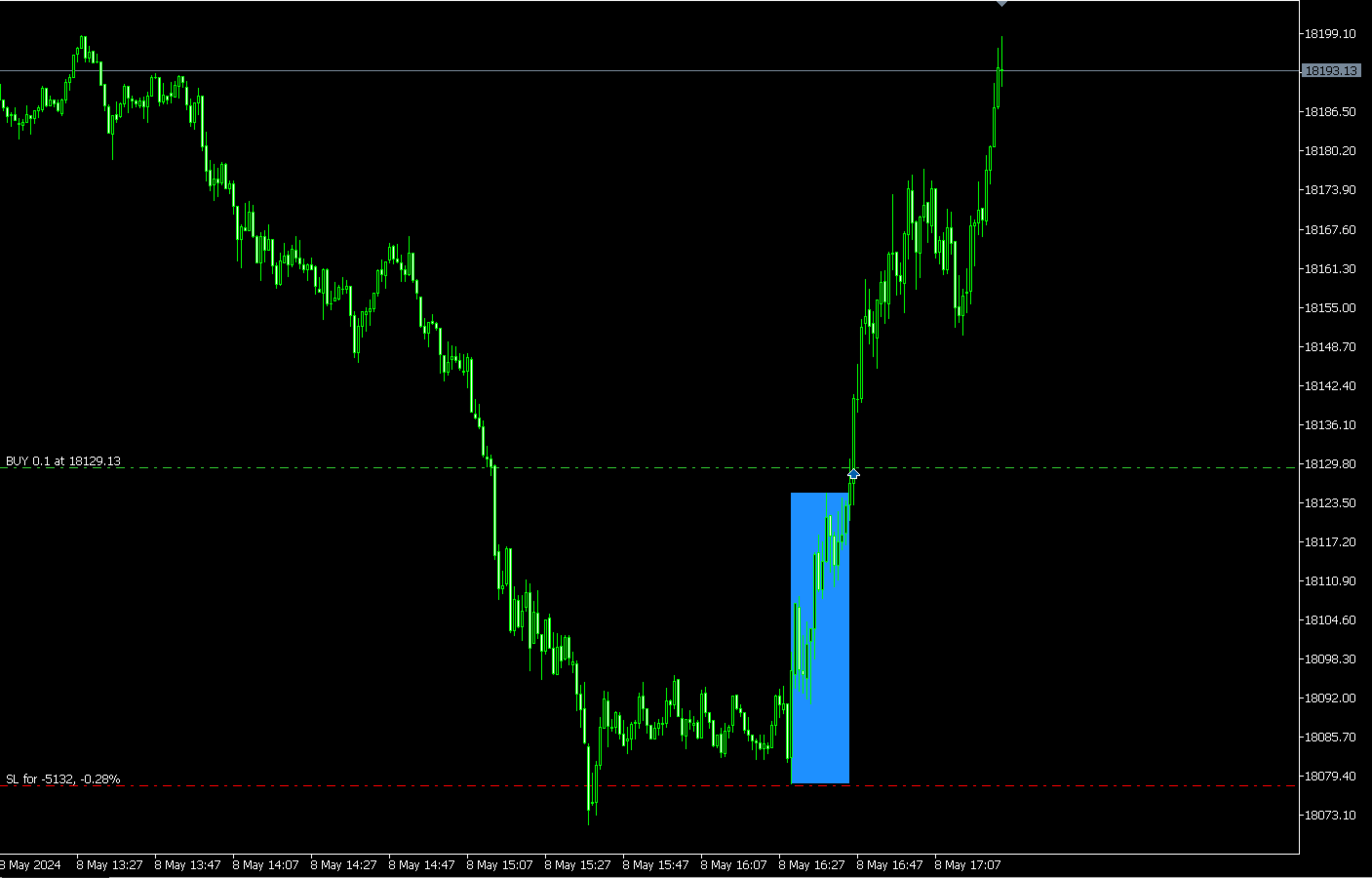
- Opening range definition. At the start of the session, during a configurable time window, the system records the highest and lowest price reached. That range is then fixed as the reference for the rest of the session.
- Breakout confirmation. Once the range window closes, the system requires a confirmed close beyond its extreme within a limited time window after the range opens. If no confirmed breakout occurs within that window, no trade is taken that session.
- Direction filter. The system offers two approaches: reacting to a breakout in either direction, or restricting the tradable direction based on the sign of the session's first candle. In addition, by default it requires price to be above a reference moving average for long trades, or below it for short trades.
- Session trade management. By default, only one trade is opened per session, with no re-entries, and the position is automatically closed at the end of the day if still open. Both behaviors are configurable.
POSITION MANAGEMENT
- Stop loss with four available modes: the opposite extreme of the opening range, an ATR multiple, a fraction of the range size, or a structural mode based on fractals with configurable minimum and maximum ATR limits.
- Four exit modes: end-of-day close with no fixed take profit, take profit as a multiple of the trade's risk, take profit as a multiple of the range size, or take profit at a multiple of risk with the end-of-day close as a fallback if it is not reached first.
- Automatic break-even, enabled by default, with activation and offset defined as multiples of the trade's risk.
- Optional trailing stop, disabled by default, with activation, distance, and minimum step also defined as multiples of the trade's risk.
- Configurable maximum leverage cap, as an additional safeguard independent of the per-trade risk calculation.
- Position management (break-even, trailing, and end-of-session close) is restart-safe: if the trade is still open, the system rebuilds the reference risk from the existing position. Own positions are identified by symbol and magic number, which is relevant on hedging accounts if several advisors trade the same symbol.
RISK MANAGEMENT
Trade size is defined using three volume calculation modes:
- Fixed lot.
- Percentage risk on the current balance (compounding).
- Percentage risk on a fixed base capital.
Volume is always derived from the actual stop loss distance of that specific trade, not from a lot table.
It also includes a risk limiter. Before sending the order, the advisor recalculates the actual monetary risk and skips the entry if it exceeds the defined tolerance over the intended risk. Available free margin is also checked before trading.
WHAT THIS ADVISOR DOES NOT DO
- It does not use martingale, averaging, grids, or loss-recovery techniques.
- It does not open opposite positions simultaneously.
- It does not rely on arbitrage, latency, or unusual execution conditions.
- It does not hold positions without a stop loss.
OPTIONAL FILTERS
In addition to the trend filter mentioned in the decision process, the system includes further filters, disabled by default: a spread filter, an ATR-slope filter (requires expanding volatility), a minimum-range filter (skips sessions with an excessively narrow opening range), and an opening-gap filter. All are independently configurable.
CHART VISUALIZATION
The advisor can draw each session's opening range directly on the chart, as a visual reference. This is informational only and does not influence trading decisions; it is automatically removed once the session or day closes.
INCLUDED CONFIGURATION
The advisor's default parameters are prepared for NASDAQ 100. The system uses its own internal timeframes for the opening range and for the ATR calculation, independent of the timeframe of the chart it is attached to.
For other instruments or sessions, it is recommended not to change the configuration directly, but to validate any adjustment through a rigorous testing process before trading it live.
VALIDATION PROCESS
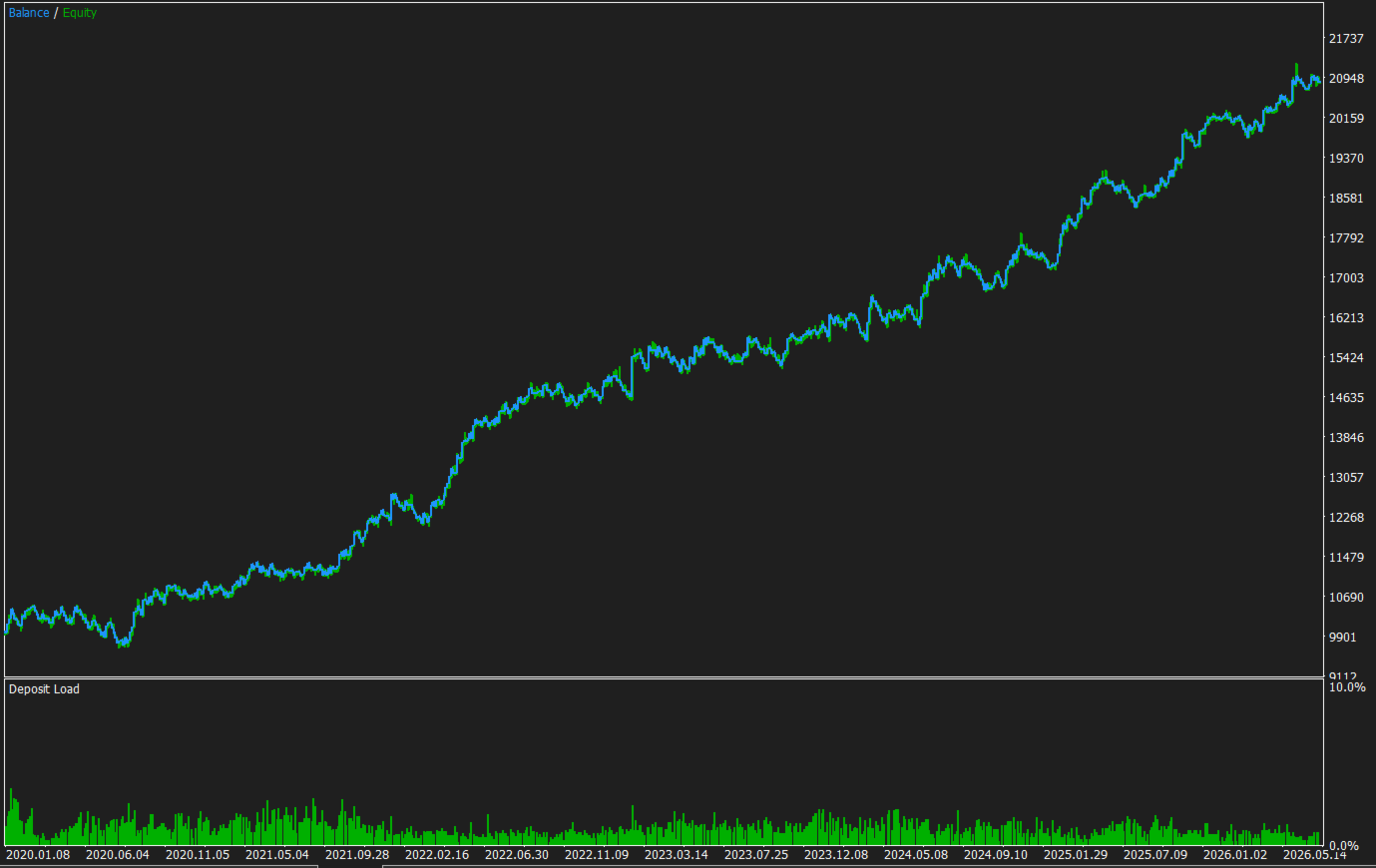
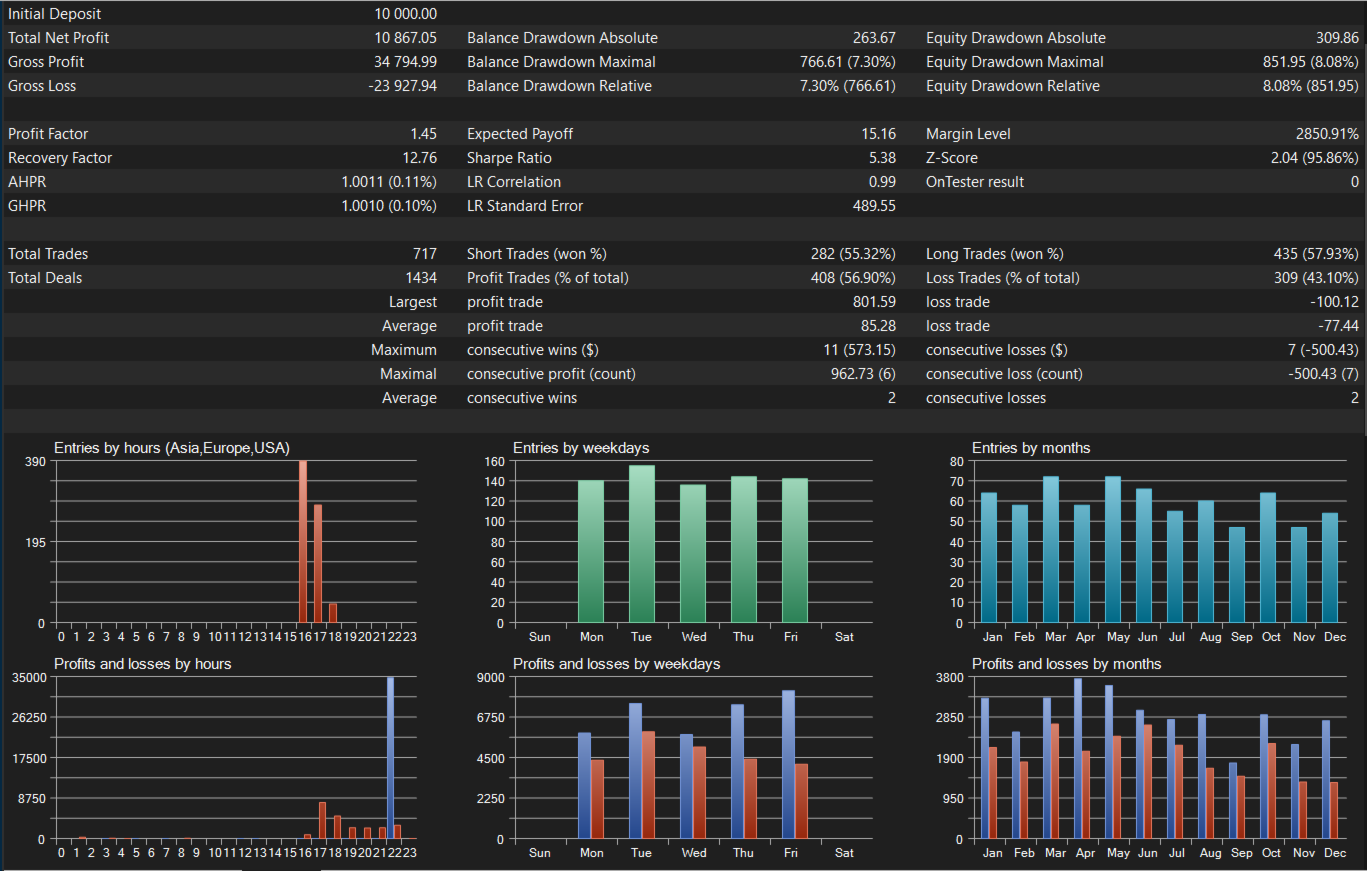
The configuration included for NASDAQ 100 was developed through in-sample selection, out-of-sample confirmation, and an additional forward test on a later period not used during development.
The goal of this process is greater robustness of behavior, not fitting the system to a specific historical dataset.
REQUIREMENTS
- MetaTrader 5.
- Algorithmic trading enabled in the terminal and allowed on the account.
- Active connection to the broker's server.
- Sufficient history on the timeframe used for the opening range and on the timeframe used for the ATR.
- History available on the timeframe used by the trend filter, if enabled.
- A broker providing tick value for the symbol, if volume is calculated as a percentage of risk.
- Sufficient free margin for the volume calculated for each trade.
HIGHLY RECOMMENDED
- Test on a demo account before trading on a live account.
- Test and fine-tune on a demo account using the actual capital you intend to trade with, since if the available capital is very small the system may not execute trades because the actual risk would exceed the configured limits, not because the EA is malfunctioning.
- Use this EA on NASDAQ 100, although testing and validation on other instruments and sessions is possible. The exact instrument name varies by broker (US100, NAS100, USTEC, NQ100, US Tech 100, among others).
- Check the time offset of the broker's server relative to the actual market open you want to trade before adjusting any schedule, since the entire system depends on this reference and an incorrect time setting is the most common reason trades fail to execute.
- Use an account type with no commission per trade, although this is not mandatory.
- Use a VPS to keep the EA running continuously.
- Use a different magic number per chart if running several instances.
BEFORE BUYING
The free trial version can be run in the Strategy Tester. We recommend testing it on the instrument and broker you intend to trade with, and then on a demo account, adjusting risk to your available capital, before going live. Past results do not guarantee future results; trading financial products involves risk, and each trader is responsible for their own investment decisions.
For questions, parameter adjustments, or support, please use the MQL5 chat.