News Command Center
- Utilitaires
- Version: 1.0

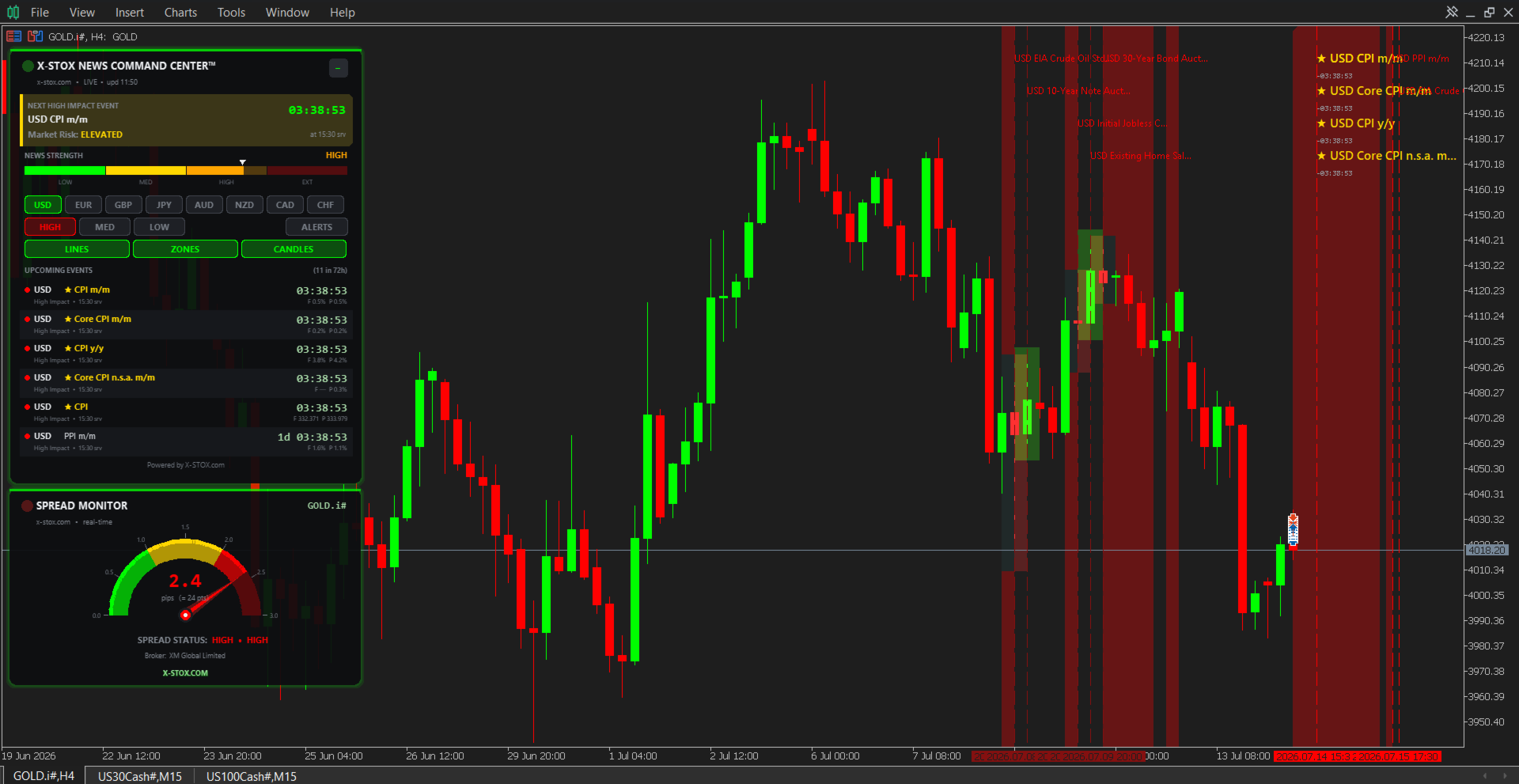
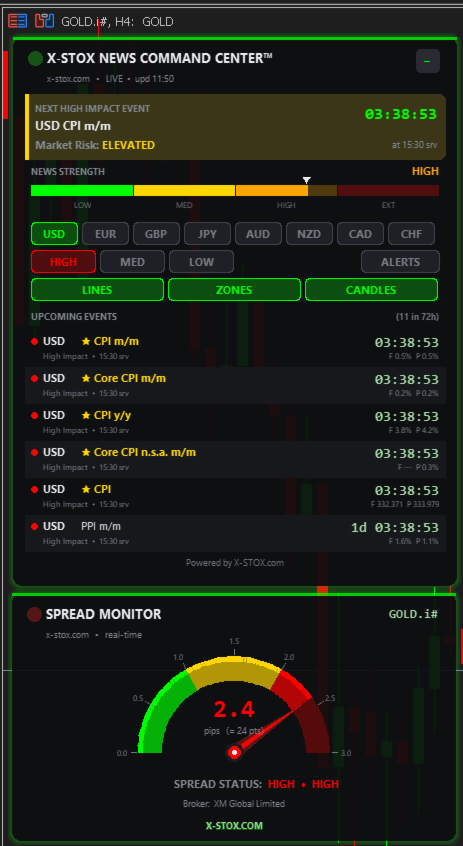
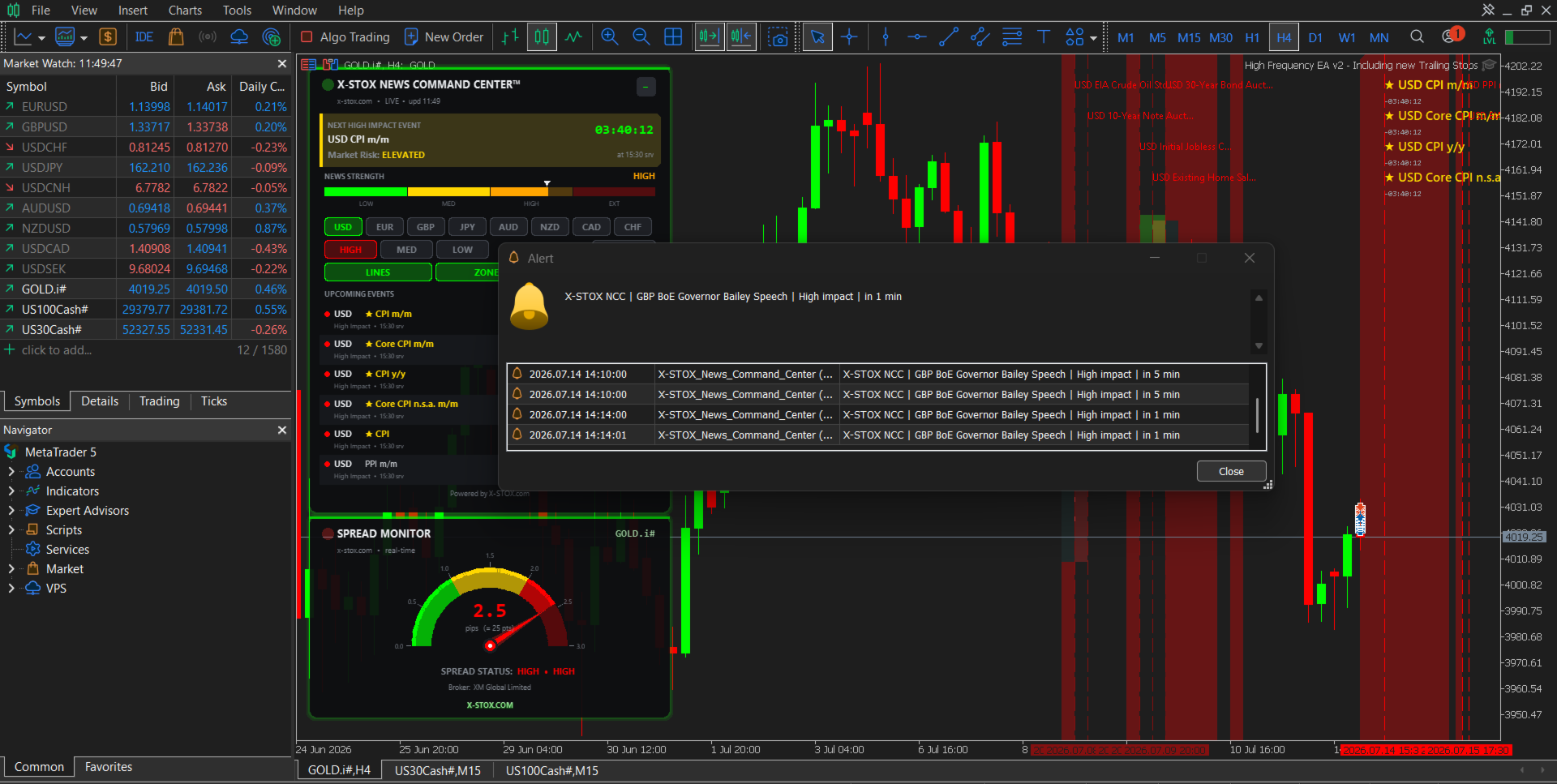
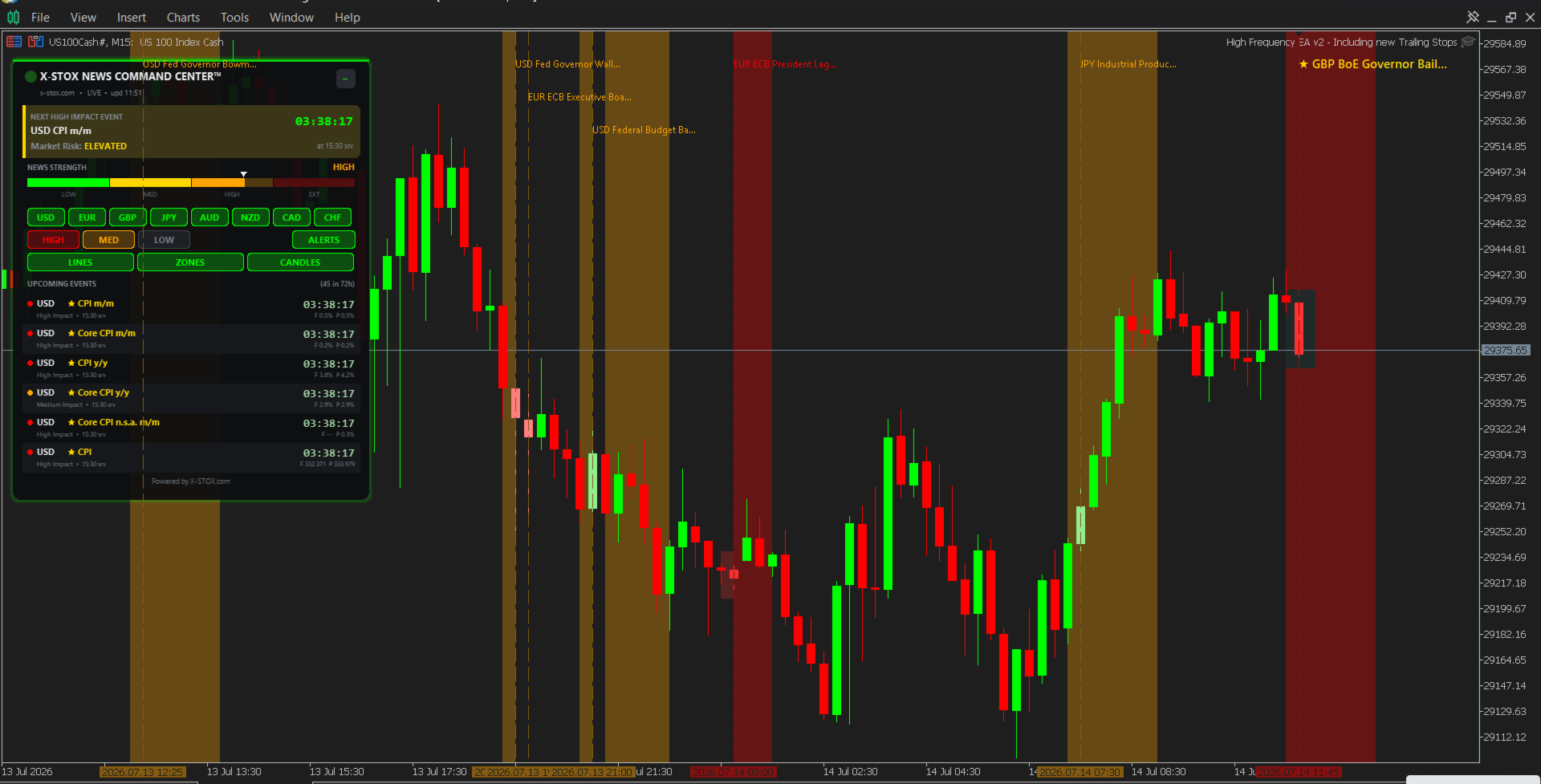
**X-STOX News Command Center** turns MetaTrader 5's built-in Economic Calendar into a clean, always-visible command dashboard — and, uniquely, lets your Expert Advisors *read the same news data* so they can protect your account around high-impact events.
Built as a single lightweight indicator. No DLLs. No WebRequest. No external servers. Everything runs on the calendar data already inside your MT5 terminal.
**— What it does —**
• **Floating dashboard** — a compact, movable panel showing upcoming and recent economic events at a glance: time, currency, impact level, and event name.
• **On-chart candle highlighting** — the candles where news lands are highlighted directly on your chart, so you instantly see which moves were news-driven.
• **Currency filter** — show only the currencies you trade (e.g. USD, EUR, GBP, XAU-related). Cut the noise.
• **Impact filter** — focus on High-impact events only, or include Medium/Low as you prefer.
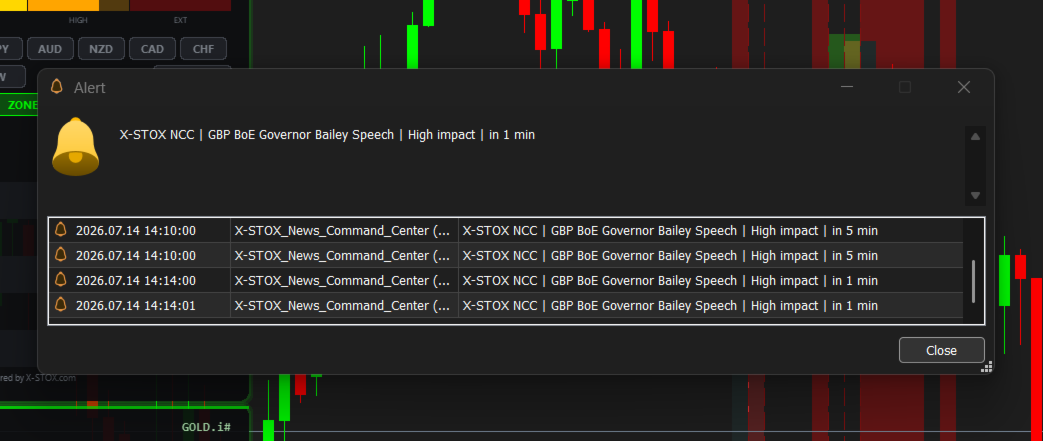
• **EA News Bridge** — the indicator publishes the current news state through MT5 Global Variables. Your own Expert Advisors (or third-party EAs that read Global Variables) can check "is high-impact news near?" and pause, widen stops, or skip entries automatically. This turns a visual tool into a risk-management layer for your whole setup.
**— Why it's different —**
Most "news" tools scrape unreliable web sources or need a WebRequest whitelist and break the moment a server goes down. News Command Center uses **only the native MT5 Economic Calendar**, so it works out of the box on any broker whose server provides calendar data, with zero configuration headaches.
**— Please read before buying (honest disclosures) —**
• This tool reads the **MT5 built-in Economic Calendar**. Calendar data must be enabled and available in your terminal (Tools → Options → Community, and a broker/server that provides calendar data). MetaQuotes demo servers provide it reliably.
• MetaTrader's calendar functions are **disabled inside the Strategy Tester by MetaQuotes** (error 4014). The free demo of this product therefore runs in a **special Tester Preview mode with clearly-labelled SAMPLE events** so you can evaluate the dashboard and layout. Live calendar data appears automatically on real (non-tester) charts.
• This is a **news-event and risk-awareness tool, not a live sentiment feed** and not an automated trading system. It does not place trades on its own. It does not predict market direction.
• It uses **no WebRequest and no external data sources** — by design.
**— Support —**
Questions, feature requests, or setup help: reach me through the MQL5 messaging system on my seller profile. Updates are released regularly.
*X-STOX — trading tools built by traders.*