Smart Reversal Pattern
- Indicateurs
-
Qiyas Baghirov
 Développeur en Trading Algorithmique & Expert Advisors (EA)
Je suis développeur spécialisé dans les systèmes de trading algorithmique et les Expert Advisors (EA) pour les plateformes MetaTrader. - Version: 1.0
- Activations: 15
SMART REVERSAL PATTERN INDICATOR — User Guide
1. Installation
- Open your MetaTrader 4 platform.
- Go to File → Open Data Folder.
- Open the folder:
MQL4 → Indicators - Copy the indicator file into this folder.
- Restart MetaTrader 4 or refresh the Navigator panel.
- Find SMART REVERSAL PATTERN INDICATOR in the Navigator.
- Drag and drop it onto your chart.
2. How the Indicator Works
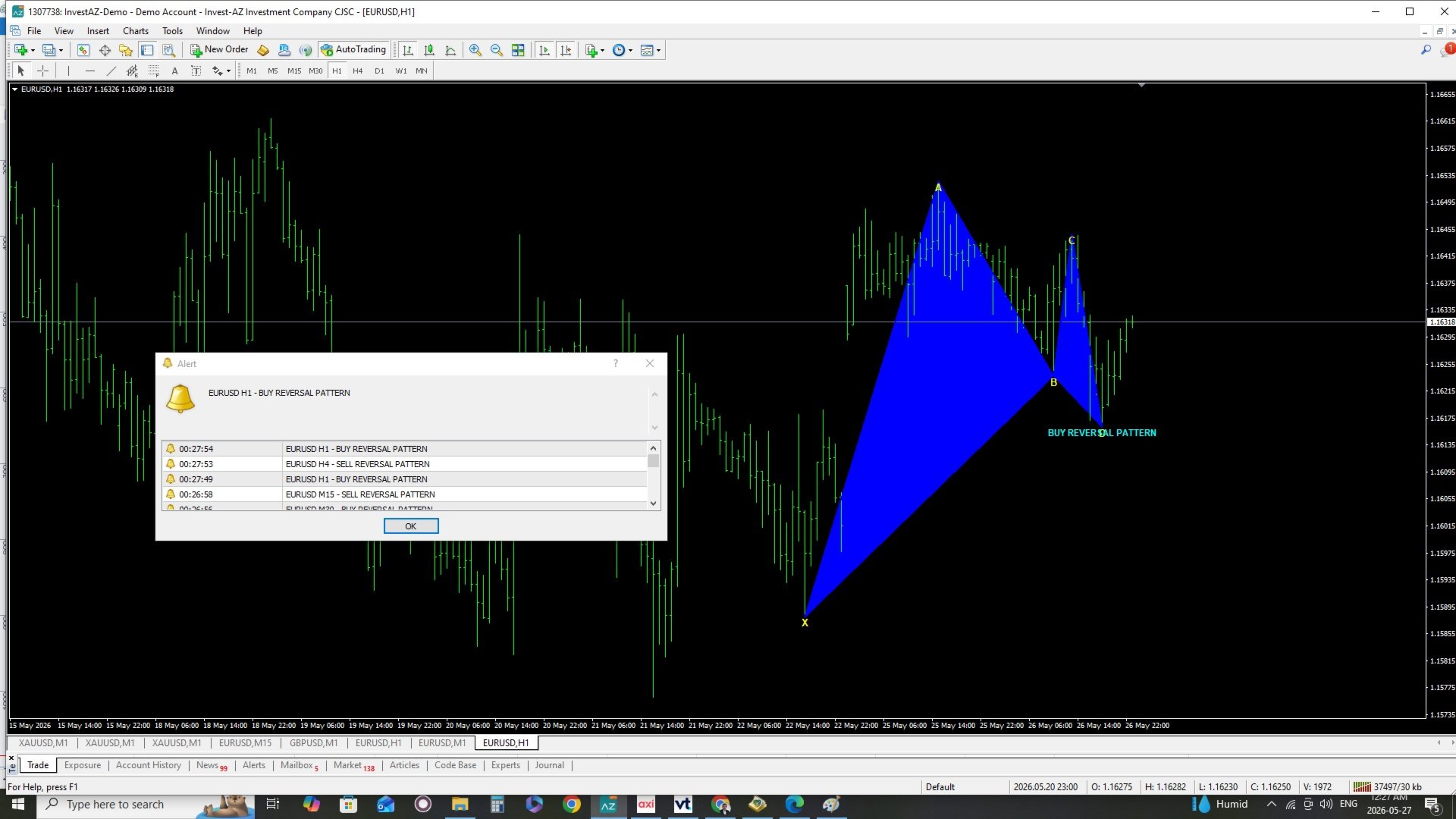
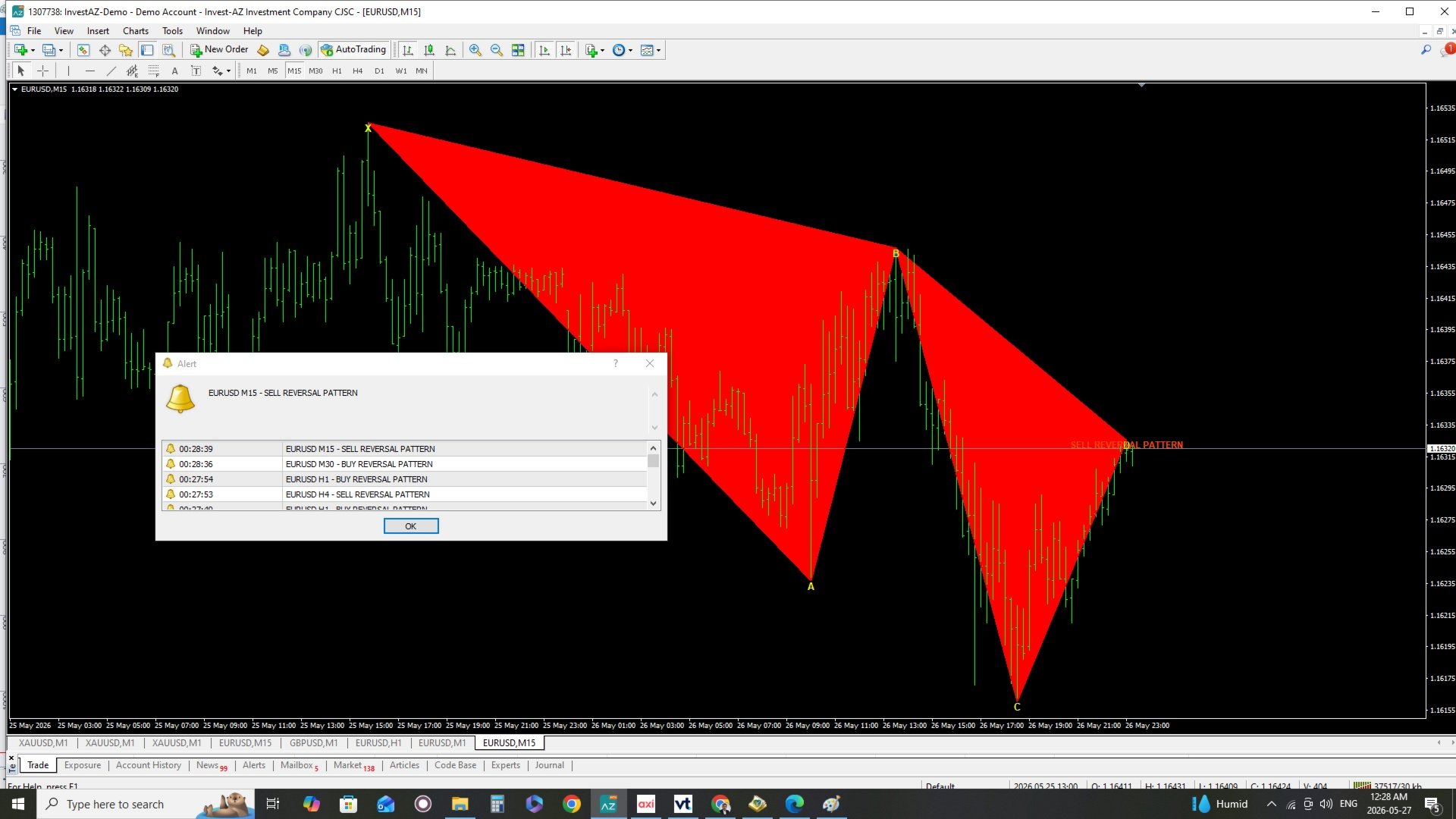
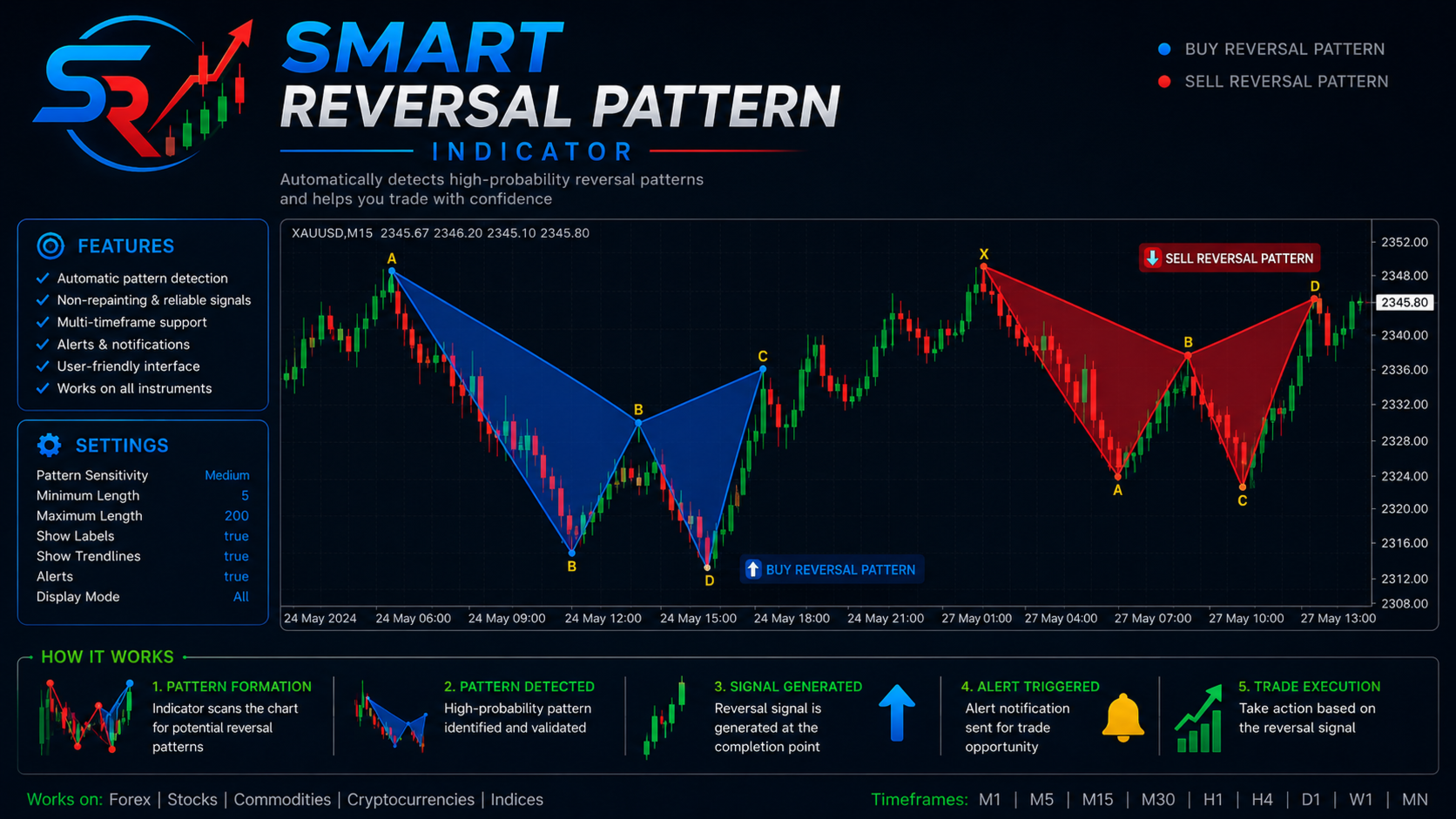
SMART REVERSAL PATTERN INDICATOR detects reversal pattern structures based on ZigZag swing points.
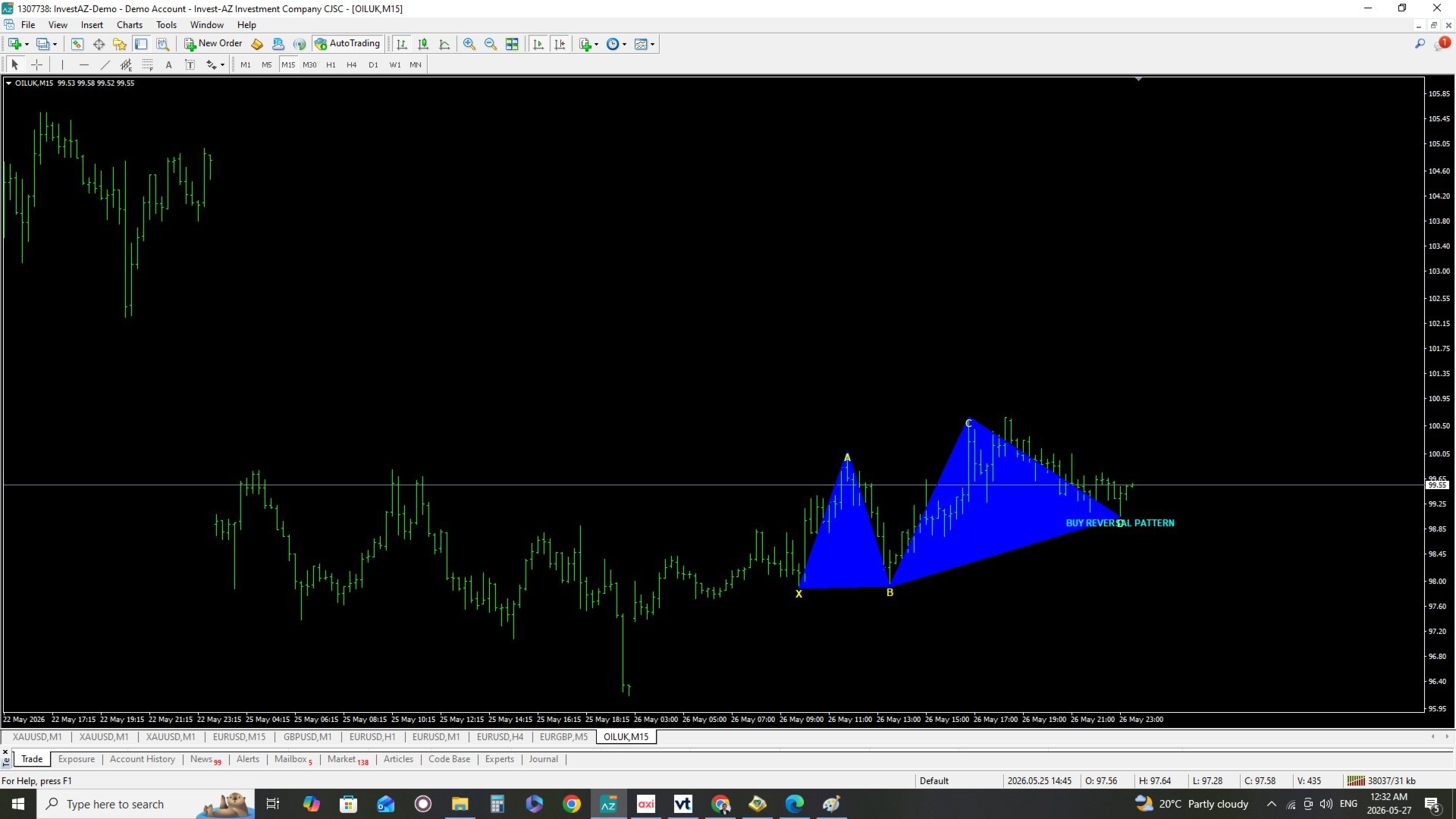
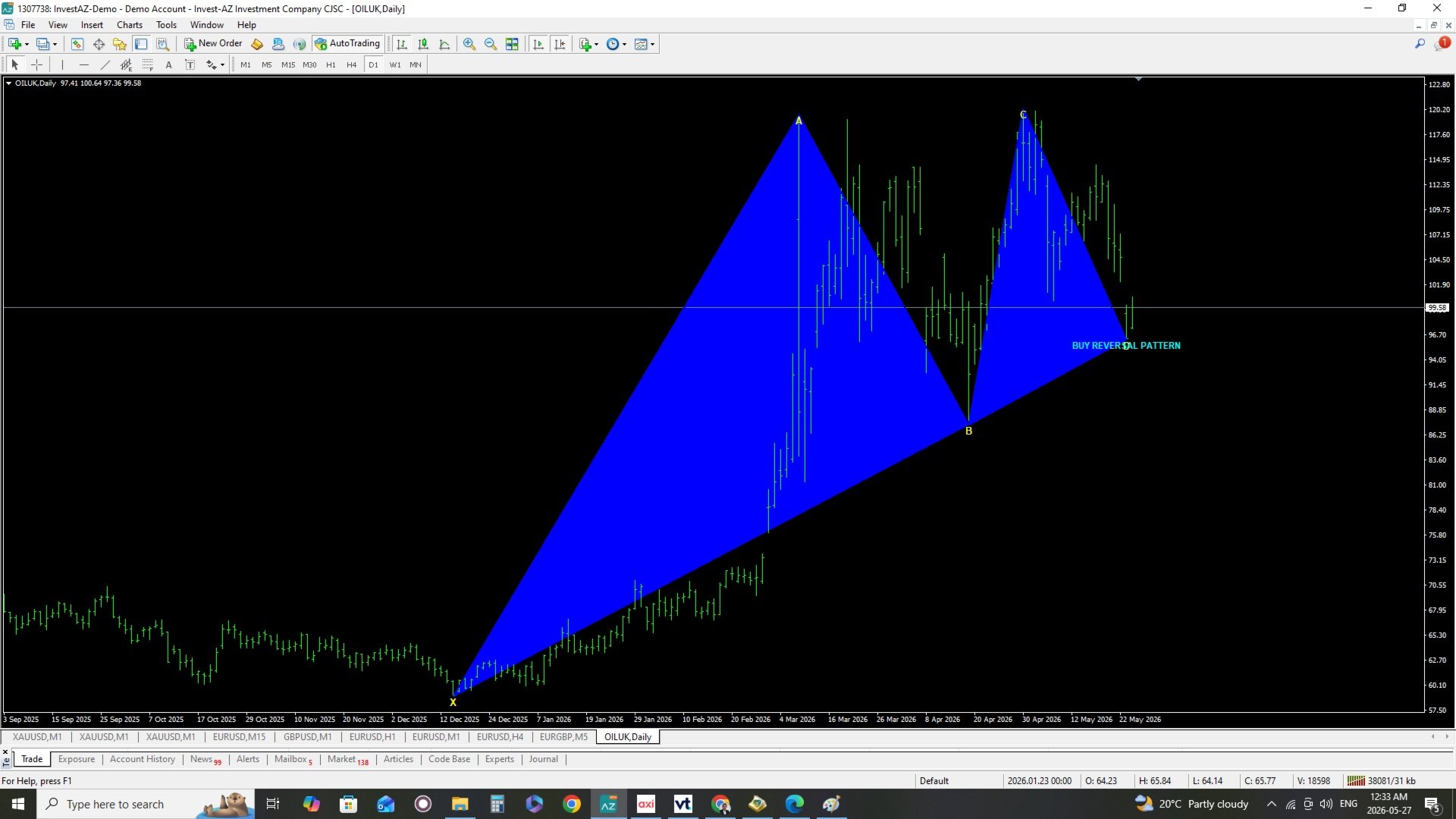
The indicator marks the latest reversal formation directly on the chart using trendlines, filled pattern zones, and X-A-B-C-D labels.
When a bullish reversal structure is detected, the pattern is displayed in blue.
When a bearish reversal structure is detected, the pattern is displayed in red.
The indicator can also send alerts when a new reversal pattern is detected.
3. Main Inputs
ZigZagDepth
Controls the sensitivity of swing detection. Higher values detect larger market swings.
ZigZagDeviation
Defines the minimum price deviation required for ZigZag movement.
ZigZagBackstep
Controls how close ZigZag points can be to each other.
LookbackBars
Defines how many candles the indicator scans for pattern detection.
BuyPatternColor
Color of bullish reversal patterns.
SellPatternColor
Color of bearish reversal patterns.
BuyTextColor
Text color for bullish reversal signal labels.
SellTextColor
Text color for bearish reversal signal labels.
PointTextColor
Color of X, A, B, C, and D labels.
ShowLabels
Shows or hides chart labels.
EnableAlert
Turns platform popup alerts on or off.
EnablePush
Enables mobile push notifications.
EnableEmail
Enables email notifications.
4. Signal Interpretation
BUY Reversal Pattern
A blue pattern means the indicator has detected a potential bullish reversal structure.
SELL Reversal Pattern
A red pattern means the indicator has detected a potential bearish reversal structure.
The signal should not be used alone. It is recommended to confirm the signal with market structure, support and resistance, trend direction, volatility, and risk management.
5. Recommended Usage
Use the indicator on liquid trading instruments such as Forex pairs, Gold, indices, or other active markets.
Recommended timeframes:
M15, M30, H1, H4
For scalping, lower timeframes can be used, but signals may be more frequent and require stronger confirmation.
6. Alerts
When alerts are enabled, the indicator notifies you when a new reversal pattern appears.
To use mobile push notifications:
- Open MetaTrader 4.
- Go to Tools → Options → Notifications.
- Enable Push Notifications.
- Enter your MetaQuotes ID.
- Enable EnablePush = true in the indicator settings.
To use email alerts:
- Go to Tools → Options → Email.
- Configure your email settings.
- Enable EnableEmail = true in the indicator settings.
7. Important Notes
This indicator is a technical analysis tool and does not guarantee future market movement.
Always use proper risk management.
Backtest and forward test the indicator on a demo account before using it on a real trading account.
Market conditions, spread, volatility, and broker execution may affect trading results.
8. Disclaimer
Trading Forex, CFDs, and other financial instruments involves risk. This indicator does not provide financial advice. The user is responsible for all trading decisions and risk management.