MT5 Trade Manager Pro
- Utilitaires
- Anthony Dewayne Wasome
- Version: 3.0
- Activations: 15
Product Description
Introduction
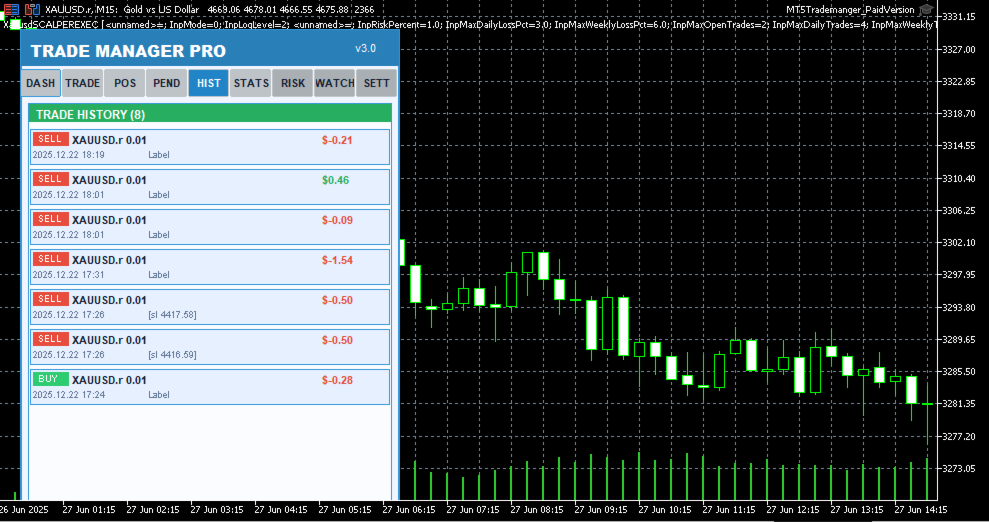
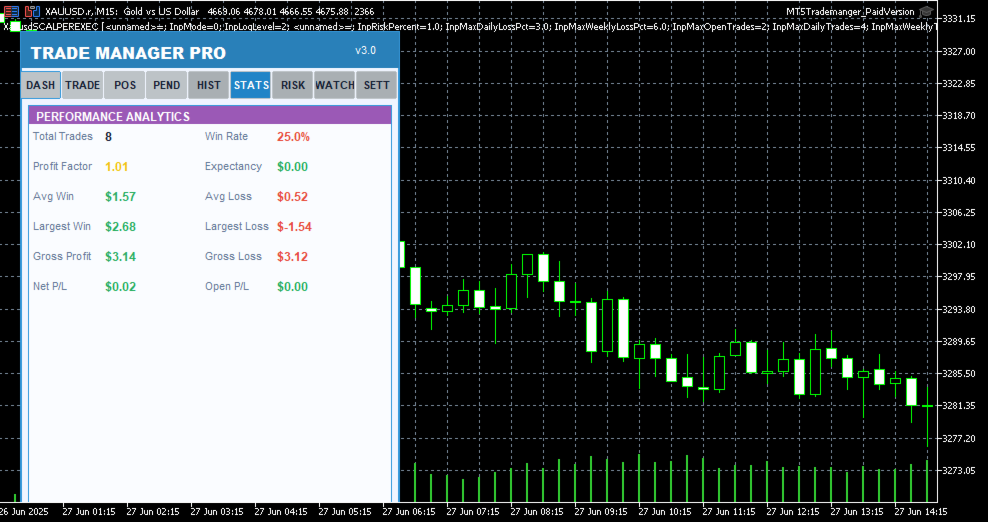
Trade Manager Pro is a comprehensive, all-in-one trade management dashboard for MetaTrader 5 that puts every essential trading tool at your fingertips. Designed for both beginners and experienced traders, this professional-grade indicator transforms your chart into a powerful command center where you can execute trades, manage positions, monitor risk, and analyze your performance — all from a single, elegantly designed panel.


Unlike cluttered, feature-heavy tools that overwhelm you with unnecessary complexity, Trade Manager Pro focuses on what truly matters: speed, precision, and control. Every feature has been carefully engineered to help you make faster decisions, protect your capital with intelligent risk management, and maintain full visibility over your trading activity across multiple symbols and sessions. Whether you are scalping on the M1 timeframe or swing trading on H4, this tool adapts to your style seamlessly.
Key Features at a Glance
The following table provides a high-level overview of the core feature categories included in Trade Manager Pro. Each section is accessible via the tabbed navigation panel and has been designed for rapid interaction with minimal clicks.
Category
Capabilities
Trade Execution
One-click Buy/Sell, custom lot sizes, SL/TP in pips, comment field, smart
Trade Manager Pro | Product Description
Category
Capabilities
lot calculator, trade confirmation dialog, pending order management (Buy Stop, Sell Stop, Buy Limit, Sell Limit)
Position Management
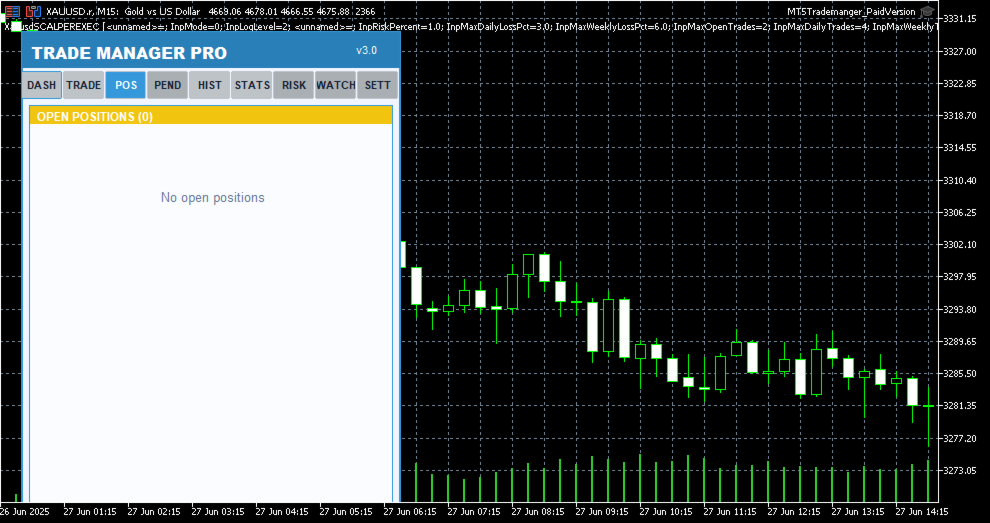
Real-time position list with ticket tracking, floating P/L display, individual close, partial close, close all, scroll through positions, position type badges
Risk Management
Trailing stop automation, break-even automation, daily loss limit, max spread protection, trade execution blocking during high spread, max open positions limit
Session Analytics
Asian/London/New York session P/L breakdown, daily P/L tracking, floating P/L summary, win rate calculation, total trade count
Watchlist
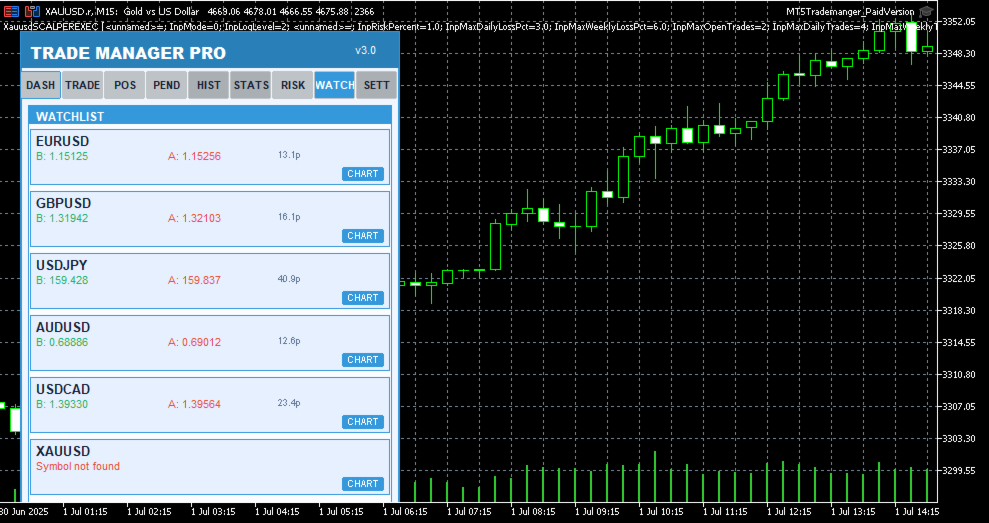
Multi-symbol price monitoring (6 symbols), one-click chart switching, real-time bid/ask display, spread visualization
Performance Stats
Win rate, total trades, winning trades, profit factor tracking, floating P/L across all positions
Trading Schedule
Customizable trading hours per day, weekday selection, auto block trades outside schedule, visual market closed indicator
UI / Themes
4 color themes (Light, Dark, Midnight, Forest), draggable panel, resizable layout, card-based sections, confirmation dialogs, status bar alerts
Table 1: Core Feature Categories
Detailed Feature Breakdown
One-Click Trade Execution
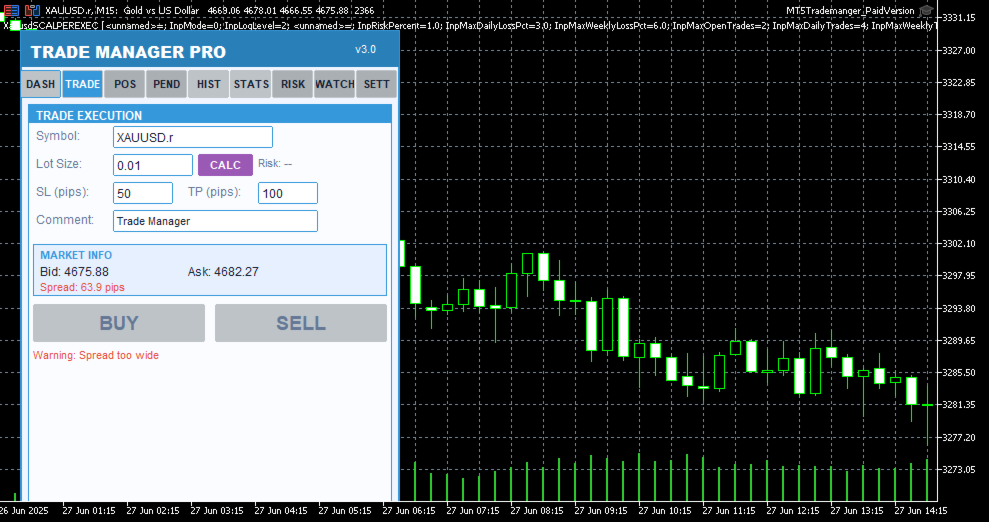
The Trade Execution page provides everything you need to open and manage trades rapidly. Enter your symbol, lot size, stop-loss in pips, take-profit in pips, and an optional comment — then hit Buy or Sell with a single click. The built-in smart lot calculator automatically determines the optimal lot size based on your risk percentage, account equity, and stop-loss distance, ensuring you never risk more than you intend to on any single trade. Before every execution, a confirmation dialog displays the trade details so you can verify your parameters before committing capital.
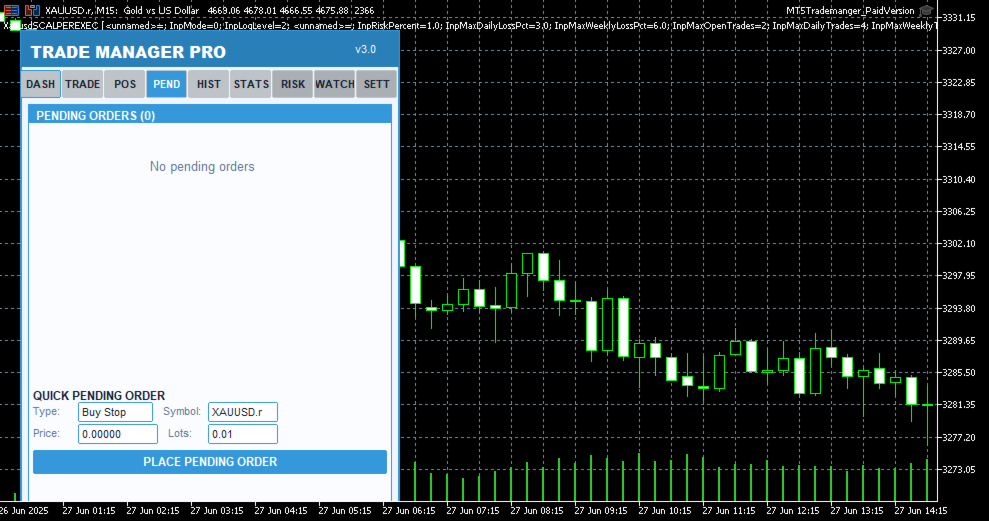
Pending order support is also included, allowing you to set up Buy Stop, Sell Stop, Buy Limit, and Sell Limit orders directly from the panel. Each pending order appears in a dedicated tab where you can monitor its status, view entry price, SL/TP levels, and delete orders that are no longer needed. The
Trade Manager Pro | Product Description
real-time market info section shows current bid, ask, and spread values so you always have full context before placing a trade.
Intelligent Risk Management
Risk management is the cornerstone of consistent profitability, and Trade Manager Pro delivers a comprehensive suite of automated risk controls that work silently in the background to protect your account. The trailing stop feature automatically adjusts your stop-loss as the market moves in your favor, locking in profits while giving your trades room to breathe. You configure the trigger distance and step size, and the system handles the rest on every tick.
The break-even automation moves your stop-loss to the entry price (plus a configurable profit buffer) once the price reaches your specified trigger level, effectively eliminating risk on the trade. The daily loss limit automatically blocks all new trade executions once your cumulative daily losses exceed your predefined threshold, preventing emotional revenge trading. Additionally, the spread monitor warns you when the current spread exceeds your maximum allowed level and can block trade execution entirely during periods of high spread, protecting you from entering trades with unfavorable execution conditions.
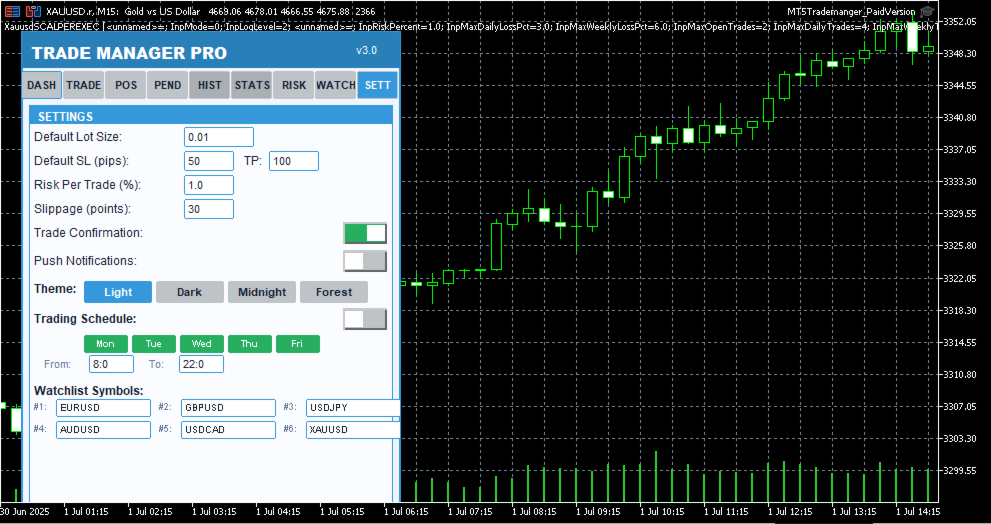
All risk management features can be toggled on or off individually via the Settings page, and your preferences are saved across sessions using GlobalVariables. This means your configuration persists even after restarting MetaTrader or switching between charts.
Session-Based Analytics
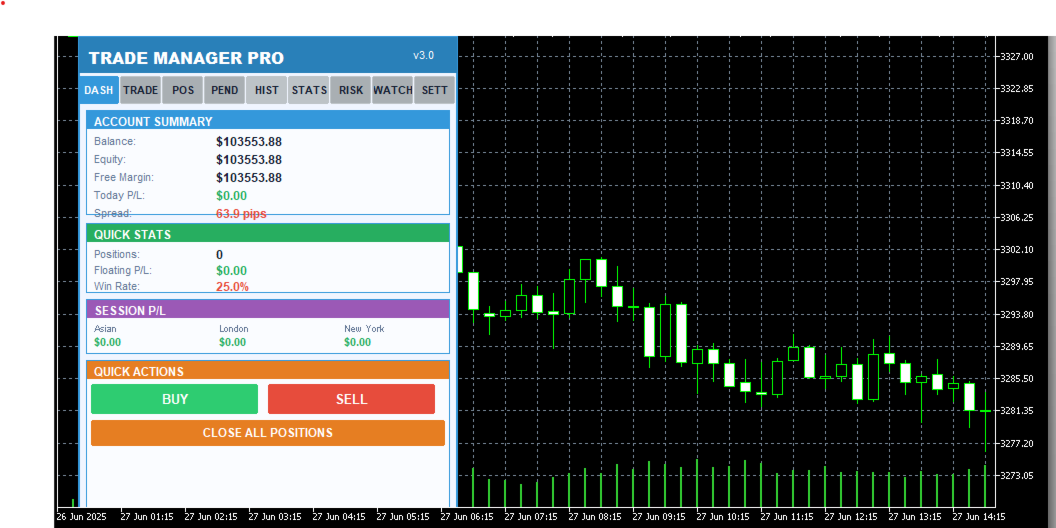
Understanding which trading sessions are most profitable for your strategy is essential for long-term improvement. Trade Manager Pro automatically tracks your closed-trade profit and loss across three major forex sessions: Asian (00:00–08:00 server time), London (08:00–16:00), and New York (13:00–22:00). The session P/L breakdown is displayed on the Dashboard page, giving you an instant snapshot of where your edge lies.
The dashboard also displays your account balance, equity, free margin, daily P/L, total open positions, floating P/L, and win rate. All values update in real time, providing you with a comprehensive overview of your account health without needing to switch between multiple terminal windows or external tools.
Multi-Symbol Watchlist
The Watchlist page lets you monitor up to six symbols simultaneously, displaying real-time bid and ask prices along with the current spread for each instrument. One-click chart switching allows you to instantly navigate to any watched symbol on your current chart, eliminating the need to manually search through the Market Watch window. Default symbols include EURUSD, GBPUSD, USDJPY, AUDUSD, USDCAD, and XAUUSD, covering the most popular forex pairs and gold.
Professional Themes & UI
Trade Manager Pro includes four professionally designed color themes that you can switch between instantly from the Settings page: Light (clean blue tones for daytime trading), Dark (low-contrast dark theme to reduce eye strain during extended sessions), Midnight (deep navy tones inspired by
Trade Manager Pro | Product Description
nighttime charting), and Forest (green-toned natural palette). Your theme preference is saved across sessions and applies to every element of the panel, including cards, buttons, labels, and status indicators.
The panel is fully draggable — click and drag the header to reposition it anywhere on your chart. All UI elements use card-based layouts with color-coded sections, making it easy to scan information at a glance. The status bar at the bottom provides real-time feedback for every action, including trade confirmations, error messages, and risk alerts, with color-coded messages that fade after five seconds to keep your workspace clean.
Why Traders Choose Trade Manager Pro
There are many trade management tools available on the MetaTrader Market, but Trade Manager Pro stands out for several reasons that directly impact your trading performance and daily workflow:
Everything in One Panel: No more juggling between multiple indicators, EAs, and scripts. Trade Manager Pro consolidates trade execution, position management, risk controls, analytics, and watchlist monitoring into a single, compact dashboard that sits cleanly on your chart. This reduces cognitive load and decision latency, especially during fast-moving market conditions where every second counts.
Battle-Tested Risk Controls: The automated trailing stop, break-even, daily loss limit, and spread monitor work together to create a safety net around your account. These features are not theoretical — they are the exact same risk management tools used by professional fund managers and proprietary trading desks, now accessible to retail traders in a simple, configurable interface.
Zero Learning Curve: Despite its extensive feature set, Trade Manager Pro is designed for immediate usability. The tabbed interface is intuitive, every button is clearly labeled, and all settings come pre-configured with sensible defaults. You can be up and running in under two minutes, and the confirmation dialogs ensure you never execute a trade by accident.
Session-Persistent Settings: Your theme preference, risk management toggles, trailing stop parameters, break-even settings, and daily loss limits are all saved using MetaTrader GlobalVariables. This means your configuration survives chart restarts, terminal restarts, and even computer reboots. Set it up once, and it stays configured until you decide to change it.
Lightweight & Non-Intrusive: Trade Manager Pro runs as an indicator (not an Expert Advisor), which means it does not interfere with your existing EAs, does not require special execution permissions, and uses minimal CPU and memory resources. The panel occupies a fixed, compact area on your chart and can be repositioned by dragging the header.
How to Get Started
Getting started with Trade Manager Pro takes less than two minutes. Follow these simple steps to
Trade Manager Pro | Product Description
begin using the panel on your charts:
Purchase and download Trade Manager Pro from the MetaTrader Market. The file will be automatically installed to your MetaTrader 5 terminal.
Open any chart in MetaTrader 5. From the Navigator panel, find Trade Manager Pro under the Indicators section and drag it onto your chart.
Configure your input parameters when prompted: set your default lot size, SL/TP in pips, magic number, risk percentage, and preferred theme. All values come pre-configured with sensible defaults.
The Trade Manager Pro panel will appear on your chart. Use the tabbed navigation to access Dashboard, Trade, Positions, Pending, History, Stats, Risk, Watchlist, and Settings pages.
Customize your risk management settings on the Settings page and toggle features on or off as needed. Your preferences are saved automatically.
Start trading! Use the one-click Buy/Sell buttons, manage positions from the Positions tab, and monitor your performance from the Dashboard.
Input Parameters
Trade Manager Pro provides a comprehensive set of input parameters organized into logical groups. The following table lists all configurable options along with their default values and descriptions. All runtime-changeable settings (risk toggles, theme, schedule) can also be modified via the Settings page without needing to reattach the indicator.
Parameter
Default
Description
DefaultLotSize
0.01
Default lot size for trade execution
DefaultSL
50
Default stop-loss in pips
DefaultTP
100
Default take-profit in pips
Slippage
30
Maximum allowed slippage in points
MagicNumber
123456
Expert advisor magic number for position filtering
RiskPercentPerTrade
1.0
Risk percentage per trade for smart lot calculator
UseAutoStopLoss
true
Automatically set stop-loss on trade execution
UseAutoTakeProfit
true
Automatically set take-profit on trade execution
UseTrailingStop
false
Enable automated trailing stop management
TrailingStopDistance
30
Trailing stop activation distance in pips
Trade Manager Pro | Product Description
Parameter
Default
Description
TrailingStopStep
10
Trailing stop step size in pips
UseBreakEven
true
Enable break-even automation
BreakEvenTrigger
30
Break-even trigger distance in pips
BreakEvenProfit
10
Break-even profit buffer in pips
UseMaxDailyLoss
true
Enable daily loss limit protection
MaxDailyLoss
500.0
Maximum allowed daily loss in account currency
MaxSpreadPips
30.0
Maximum allowed spread in pips (execution blocked above)
MaxOpenPositions
20
Maximum number of simultaneous open positions
StartTheme
THEME_LIGHT
Initial color theme (Light/Dark/Midnight/Forest)
PanelCorner
0
Panel anchor corner (0=top-left, 1=top-right, etc.)
PanelOffsetX
20
Horizontal offset from anchor corner in pixels
PanelOffsetY
30
Vertical offset from anchor corner in pixels
Table 2: Input Parameters Reference
System Requirements
Trade Manager Pro has been designed to run on any system that supports MetaTrader 5. The following are the minimum requirements for smooth operation:
MetaTrader 5 build 2361 or higher (recommended: latest build)
Windows 7 / 8 / 10 / 11, or MetaTrader 5 for macOS / Linux
Any internet connection sufficient for trading (trade execution requires broker connectivity)
Minimum screen resolution of 1280x720 (recommended: 1920x1080 or higher for optimal panel visibility)
Allow DLL imports and automated trading enabled in terminal settings
Version History
Trade Manager Pro | Product Description
Trade Manager Pro is actively maintained and updated based on trader feedback. Below is the changelog for recent versions: