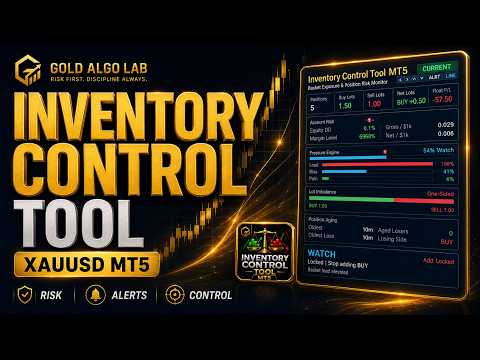
Inventory Control Tool MT5
- Utilitaires
-
Hoai Nam Trinh
 COMMENCEZ ICI - CARTE DES OUTILS GOLD ALGO LAB
Vous ne savez pas quel outil MT5 correspond le mieux à votre processus de trading sur XAUUSD ? - Version: 1.20
- Mise à jour: 24 juin 2026
- Activations: 20
Most basket-related blow-ups do not happen because of one bad trade. They happen because the trader kept adding while the inventory was already heavy, the losing side kept growing, and the structure quietly became unmanageable. By the time the account equity started moving, the basket was already too far in to exit cleanly.
| Current price: $39 - increases by $10 after every 20 purchases until reaching the final price of $79. Next price: $49. Complete Buyer Kit: 38 Professional Resources included at no additional cost. MT5 Presets, PDF Guides, Checklists, Mindmaps, Reference Cards, and Excel Workbooks - built from 8 years of developing structured XAUUSD trading workflows. After purchase, please message me via MQL5 inbox. Your complete Buyer Kit will be delivered within 24 hours. |
Inventory Control Tool MT5 was built to close that visibility gap.
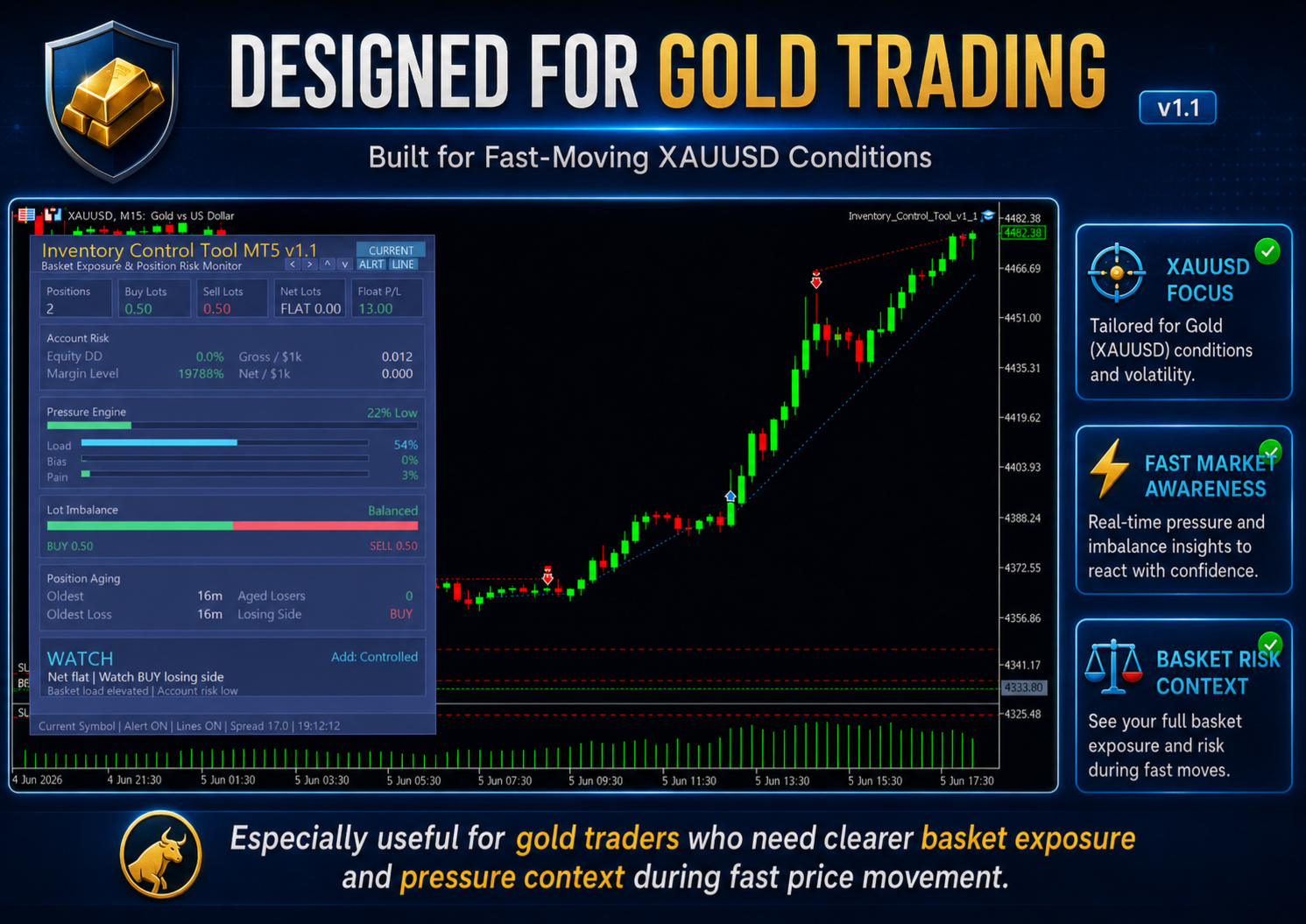
This is a manual trading utility for MetaTrader 5. It shows you the full structure of your open positions - exposure, directional imbalance, floating pressure, aging losers, and account-relative risk - in a single panel on the chart. It does not trade for you. It does not tell you where to enter. It gives you a clear read of what your basket actually looks like before you decide whether to add, hold, reduce, or step back.
What It Monitors
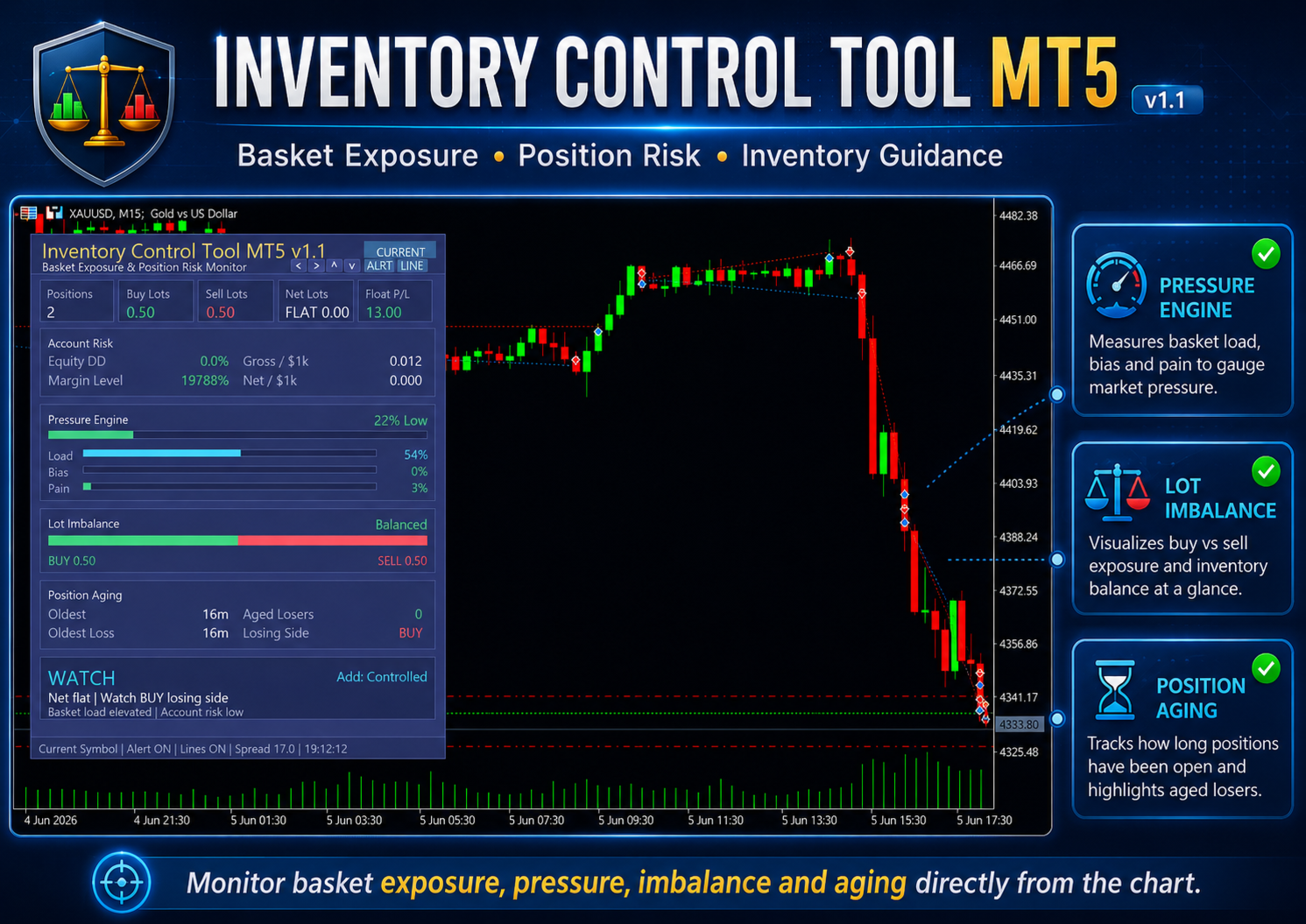
The panel runs in real time and covers six practical areas of basket risk.
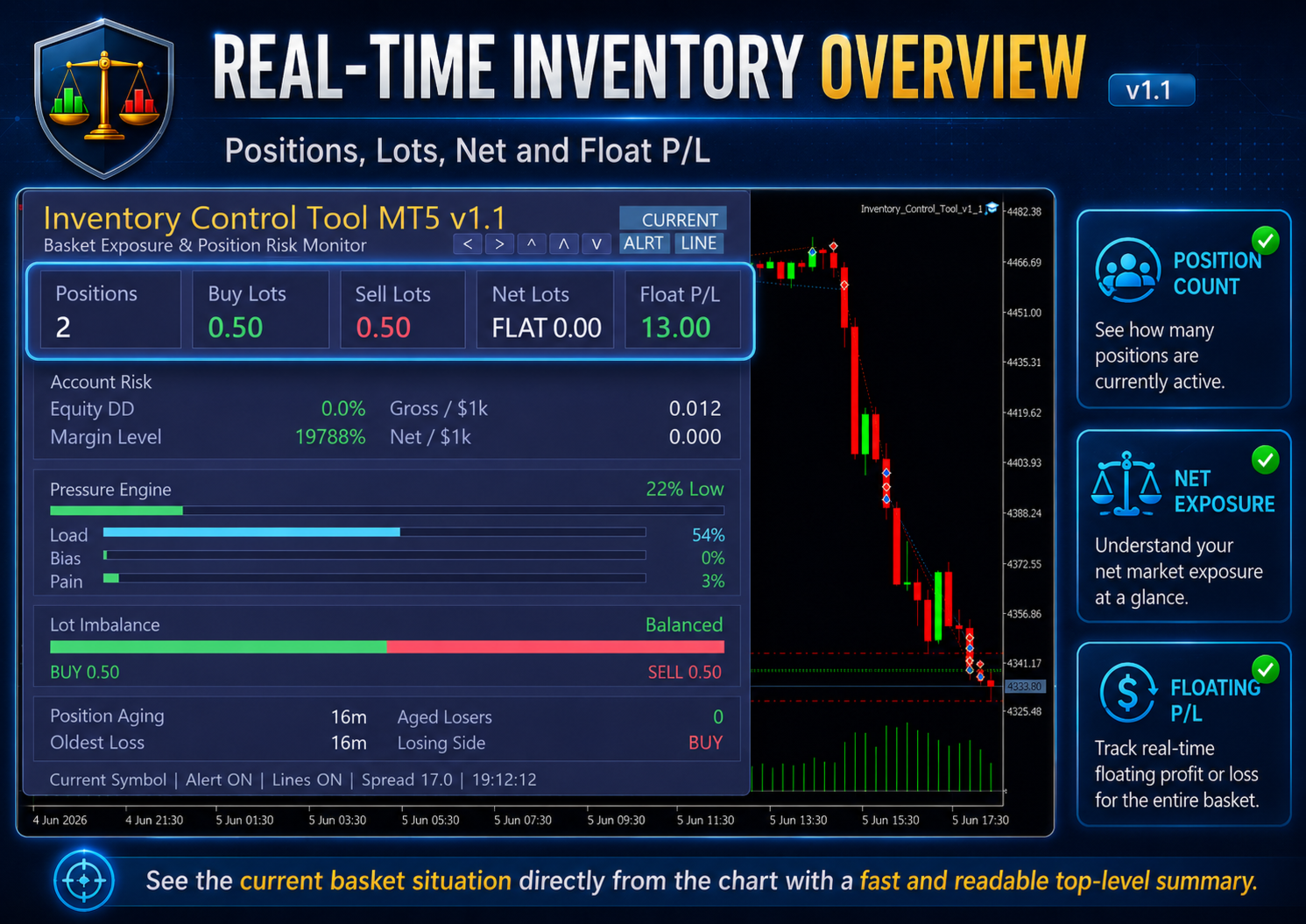
The top section gives you the basic inventory snapshot: number of open positions, BUY lots, SELL lots, net lots, and floating P/L. These numbers update continuously so you always have an accurate count without switching tabs or doing mental math.
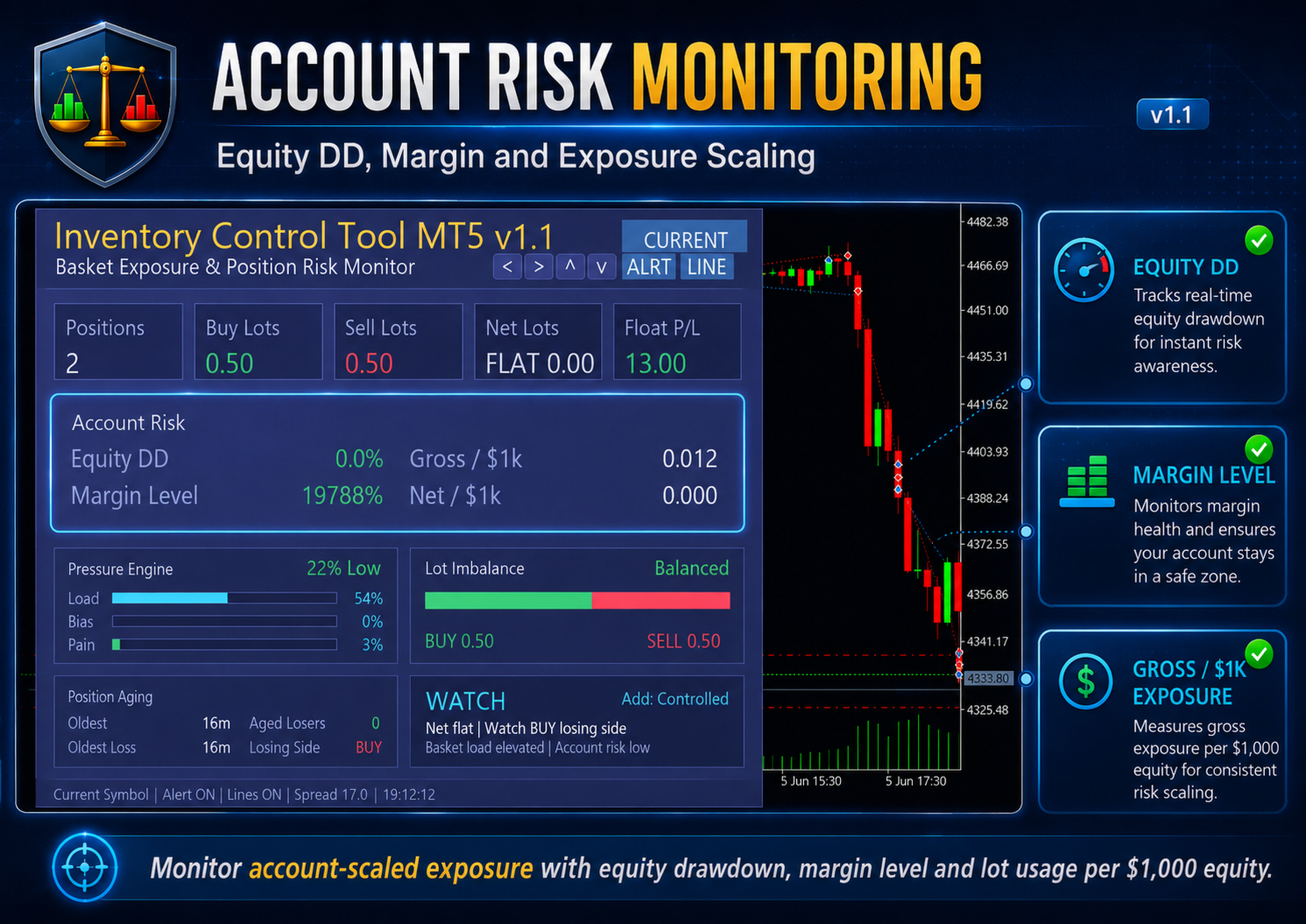
The Account Risk section scales the view to your actual account size. A 0.50 lot basket means something different on a $500 account versus a $50,000 account. This section shows equity drawdown, margin level, gross lots per $1,000 equity, and net lots per $1,000 equity so you can judge current exposure relative to what you are actually working with, not against a fixed threshold that may not fit your situation.
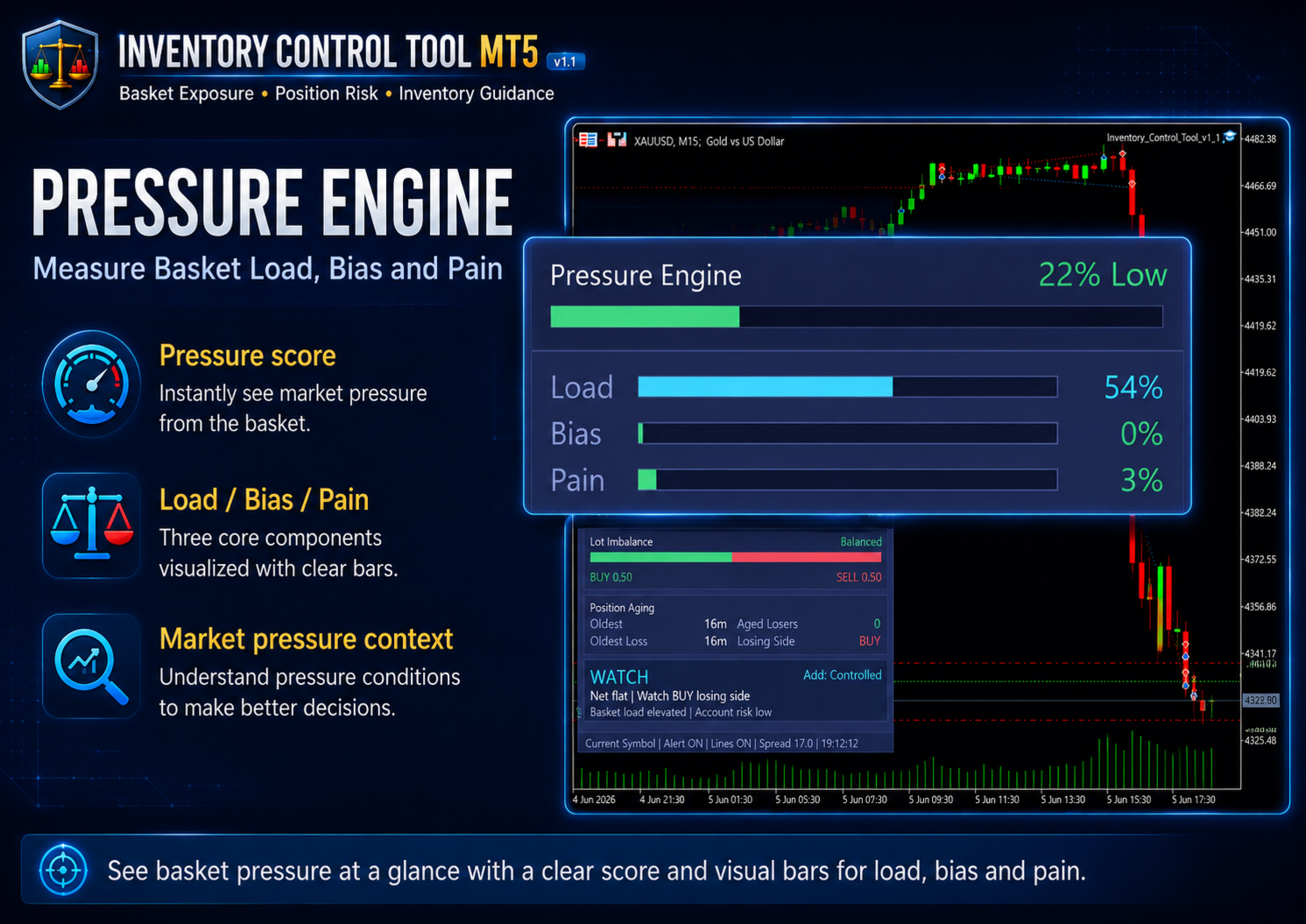
The Pressure Engine breaks inventory risk into three separate components and shows each one as a visual bar.
Load measures how heavy the basket is by position count and gross lots relative to your configured limits. Bias measures how directionally skewed the basket has become - how far the BUY and SELL sides have drifted apart. Pain reflects floating loss pressure, aged losers, and recovery difficulty. All three are combined into a single pressure score, shown as a percentage with a label from Low through Extreme.
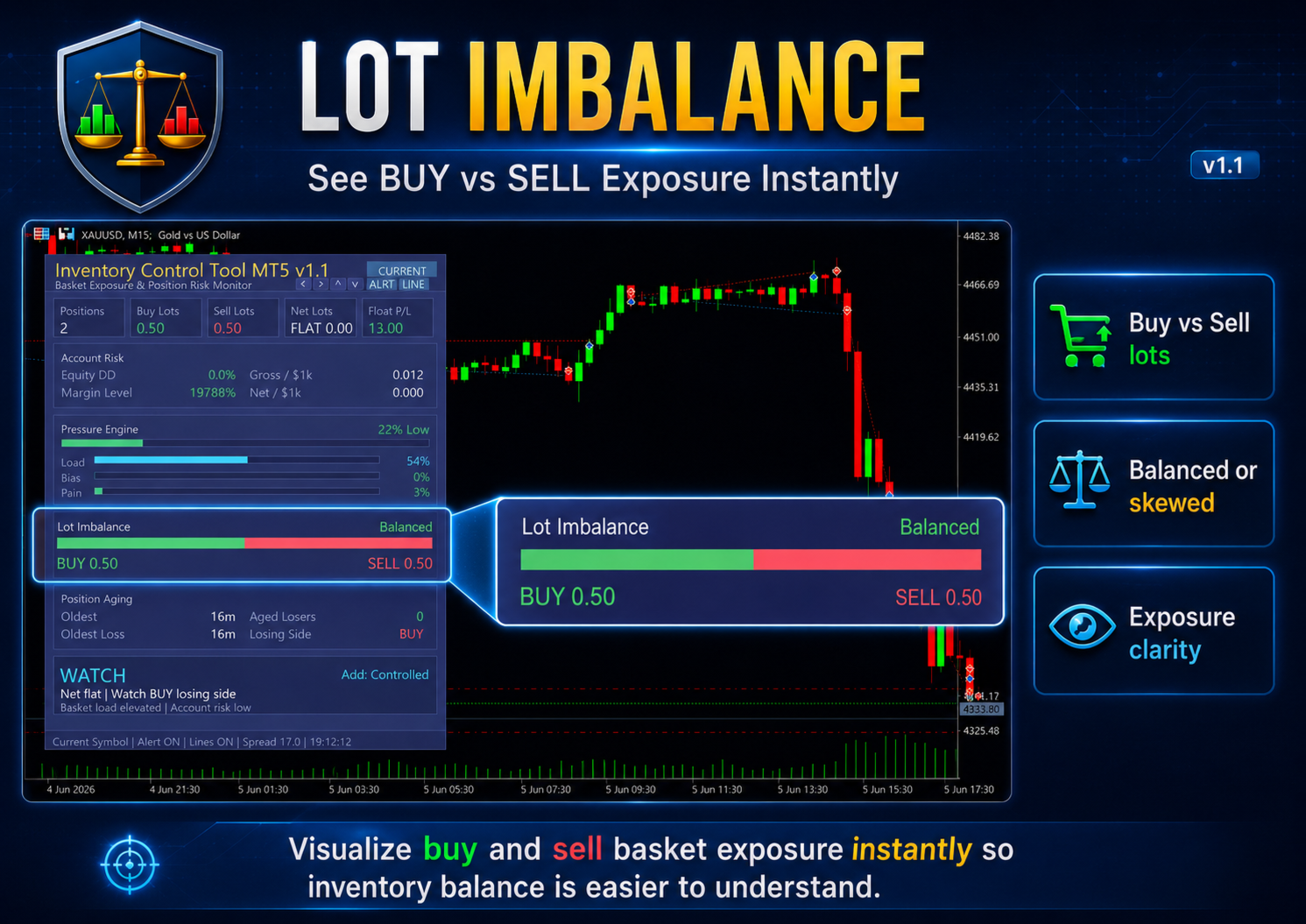
The Lot Imbalance bar gives a direct visual comparison of BUY exposure versus SELL exposure. When the two sides are balanced, the bar reads green and centered. As one side grows heavier, the bar shifts and changes color to reflect the imbalance. This is faster to read at a glance than raw lot numbers.
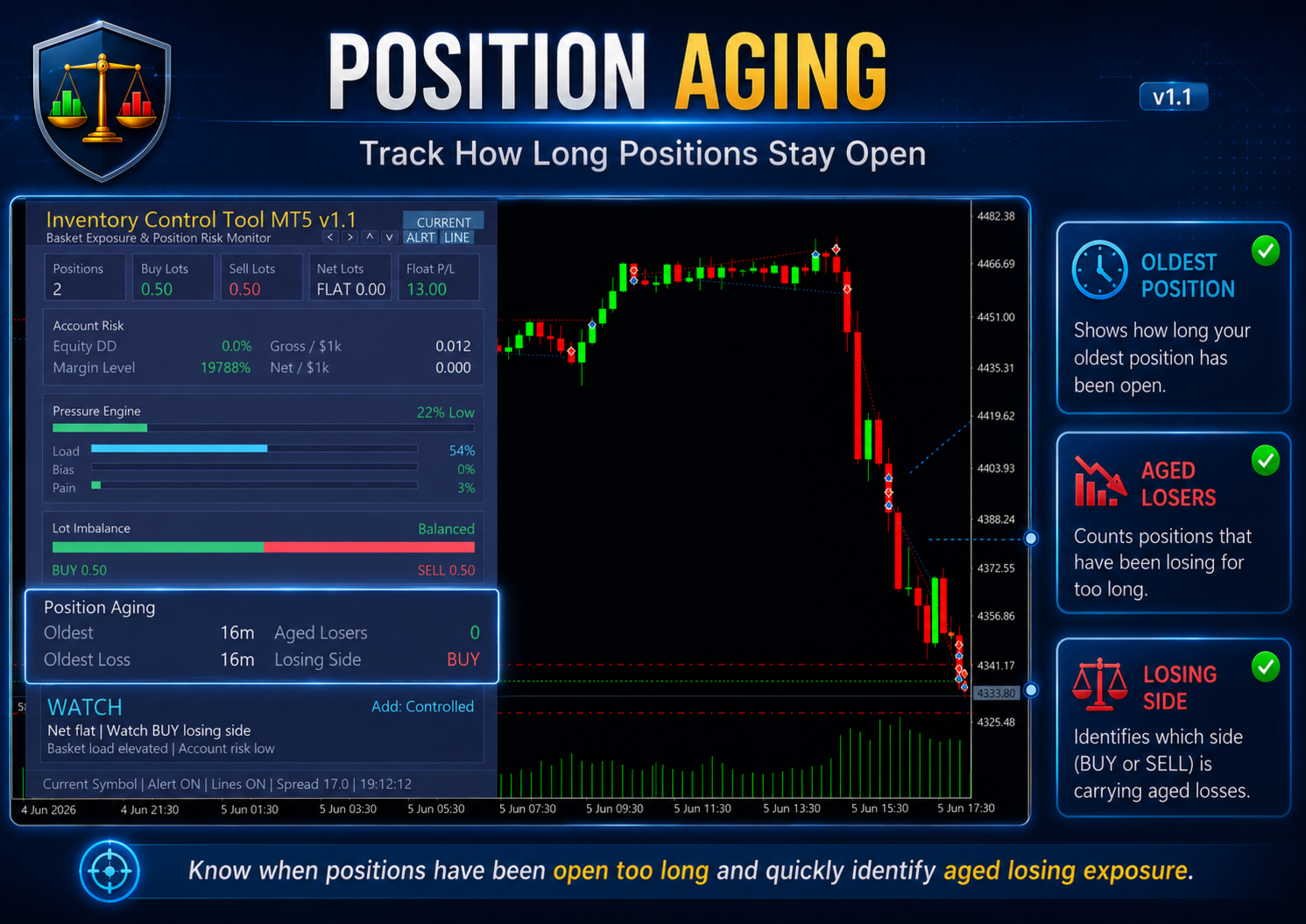
The Position Aging section is something most traders do not track consistently but should. It shows the age of your oldest position, the age of your oldest losing position, the count of aged losers beyond your defined threshold, and which side - BUY or SELL - is carrying the loss. Aged losing positions create compounding pressure that is easy to underestimate until it becomes an account problem.
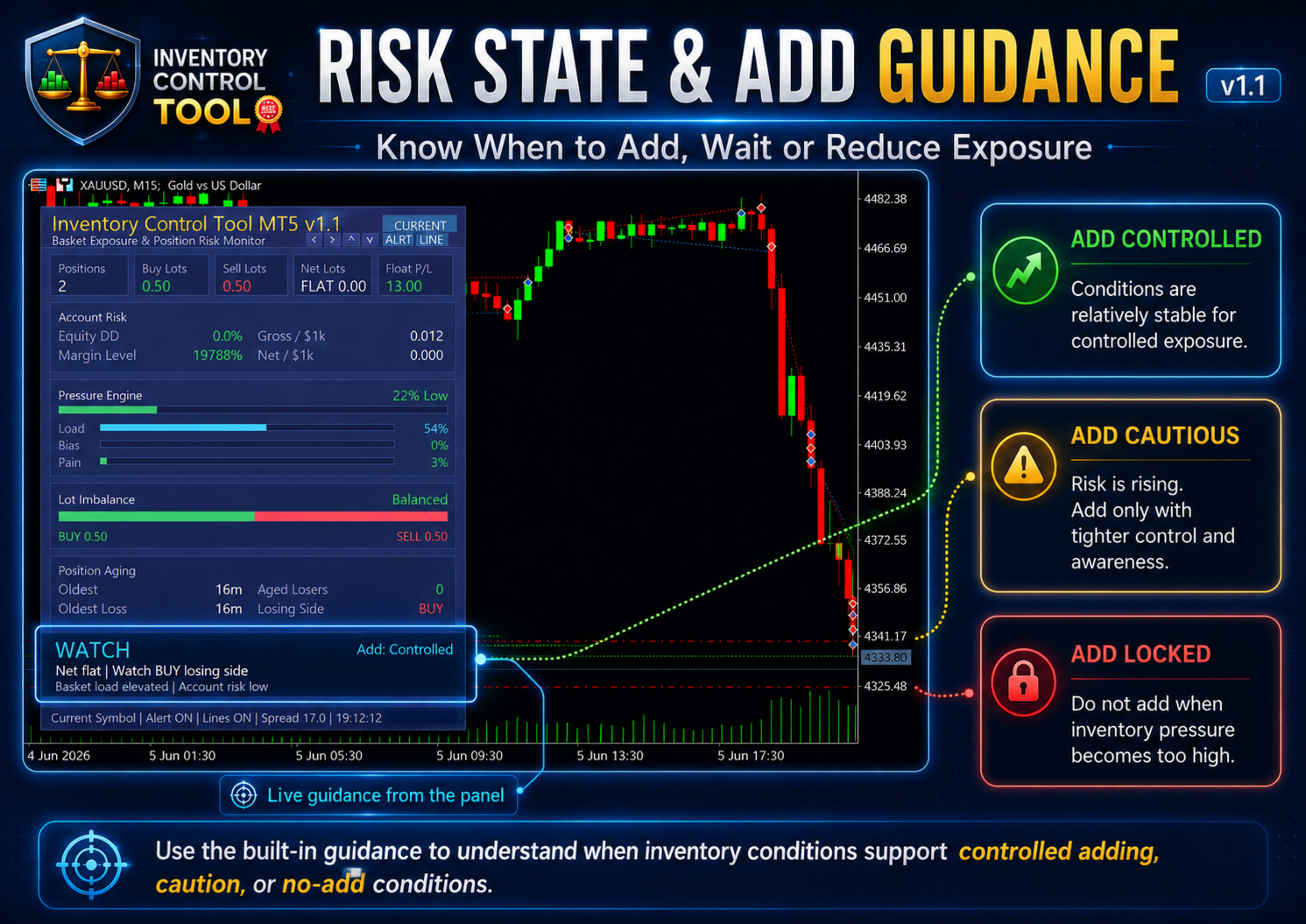
The bottom guidance area shows the current risk state and Add Status. These labels - Free, Controlled, Cautious, Locked - are not automated signals. They are inventory-driven assessments based on load, bias, pain, and recovery capacity. They help you answer a simple question before putting on the next trade: does the structure currently support more exposure, or should I wait?
Alert System
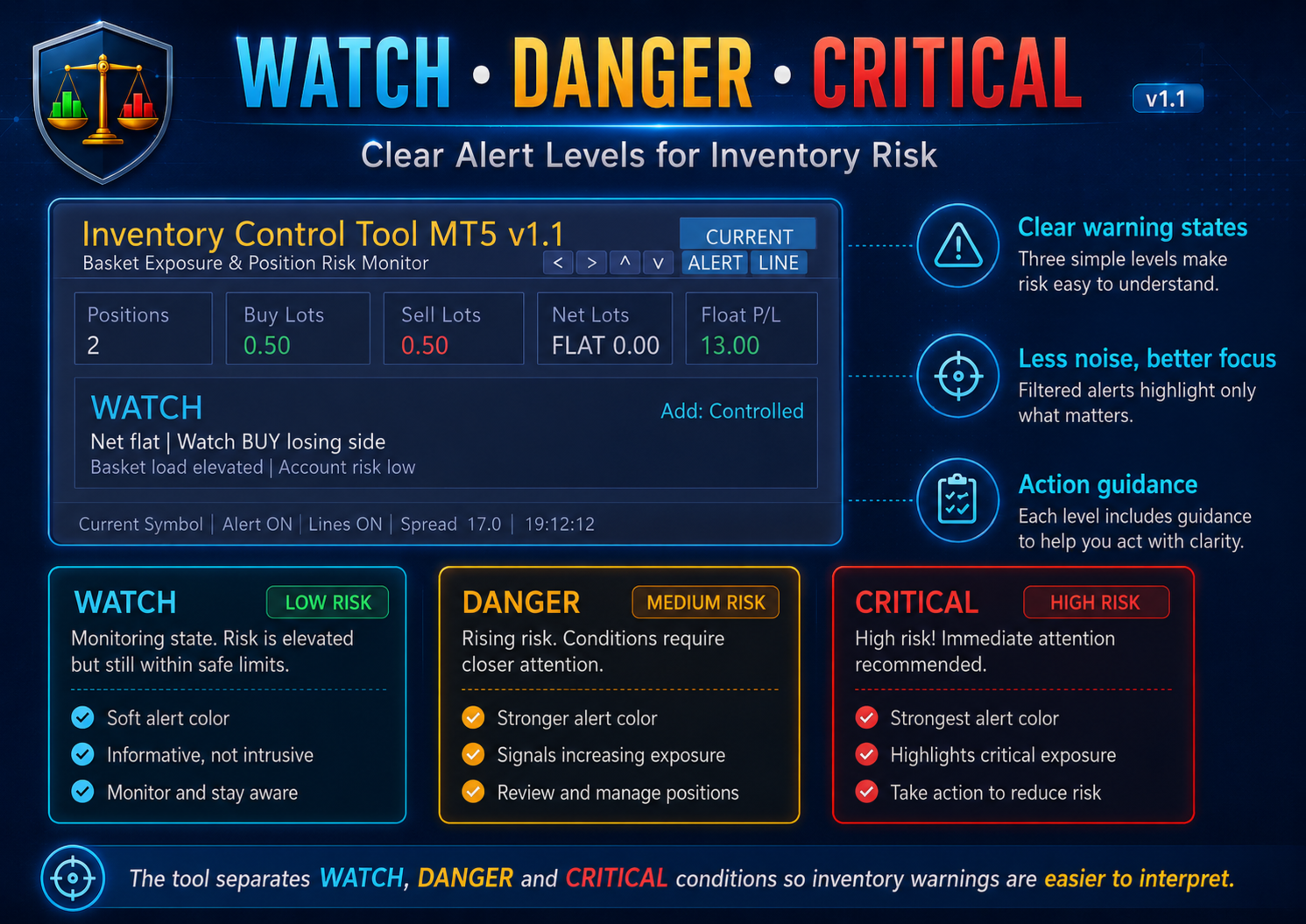
The tool includes three alert levels: WATCH, DANGER, and CRITICAL.
WATCH is a soft early warning. By default, it logs to the journal and displays visually on the panel without triggering a popup, so it does not interrupt the trading session for minor inventory changes. You can enable popup for WATCH alerts separately if you want that behavior.
DANGER and CRITICAL are stronger states. When the basket crosses these thresholds, the alert fires with a popup, and optionally with push notification, email, or sound depending on your settings. A cooldown timer prevents the same alert from repeating continuously during a prolonged pressure period.
Scope Modes
You can configure the tool to monitor different subsets of your open positions.
Current Symbol scans only positions on the chart symbol. All Symbols scans every open position across the entire account. Magic Number filters by a specific EA magic number so you can isolate one bot's basket. Manual Only shows only positions opened without a magic number, which is useful when you run EAs alongside manual trades and want to separate the two.
Visual Lines
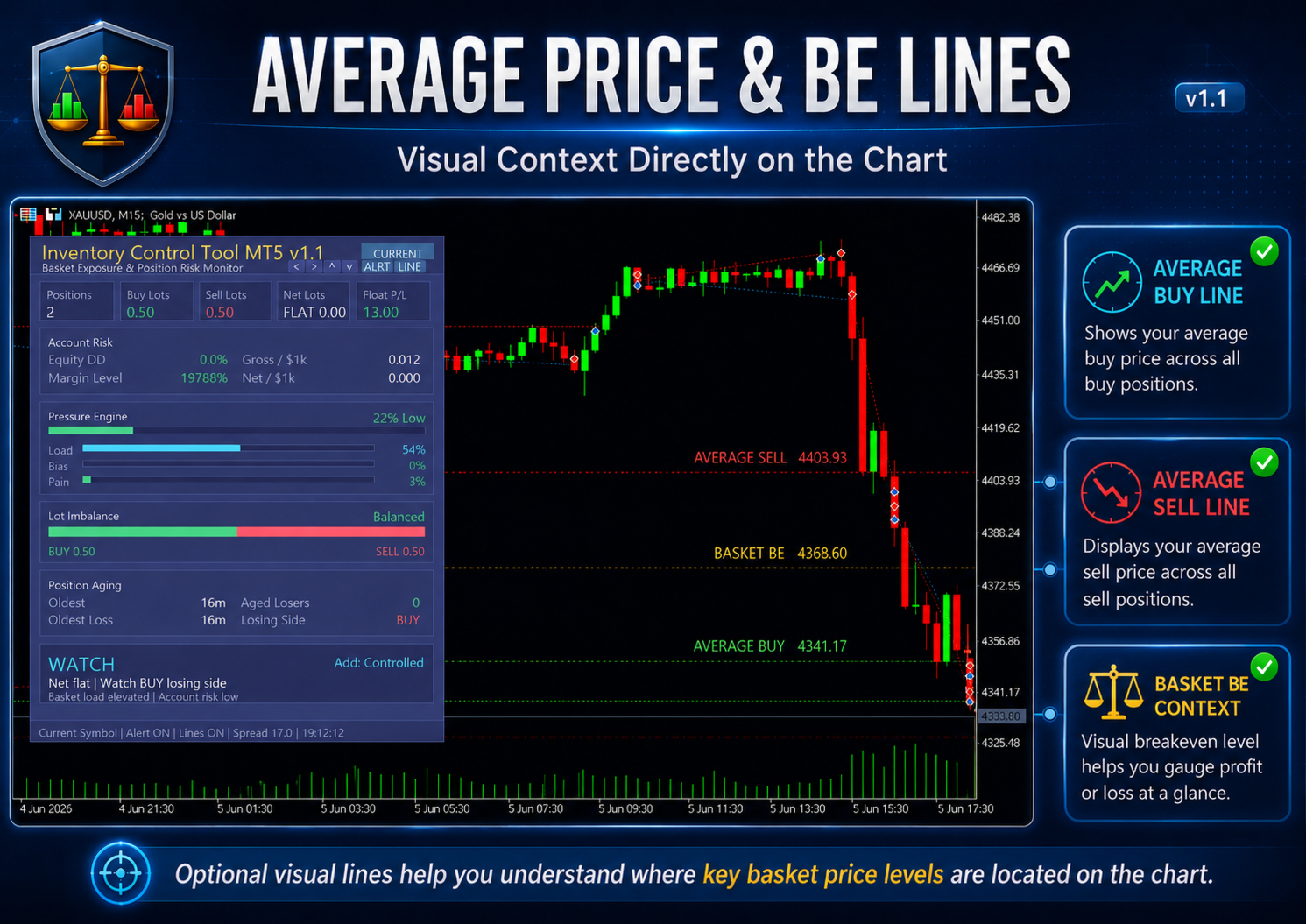
Optional average price lines for BUY positions and SELL positions can be displayed directly on the chart. A basket breakeven line is also available. These can be toggled from the panel without going into the input settings.
Panel Controls
The panel includes quick-access buttons for alert toggle and line toggle. Position can be adjusted using the arrow buttons in the header, and the panel position is saved between sessions if the save option is enabled. Compact mode reduces the panel height for smaller screens.
Who It Is For
Inventory Control Tool MT5 is designed for traders who carry more than one open position at a time and want clearer context before adding more.
It is most useful for XAUUSD traders managing multi-position baskets during fast market conditions, scalpers who accumulate positions quickly and need fast exposure readings, hedge or grid-style basket traders who benefit from seeing load and imbalance in one view, and manual traders who want account-scaled risk awareness rather than fixed lot-based thresholds.
The same logic applies to Forex pairs, indices, commodities, and other broker-supported symbols.
Recommended Use
Attach the tool to your main trading chart. Set the inventory thresholds to match your typical basket size and account scale. Run it through a demo session first to confirm the pressure readings make sense for your trading style.
During live sessions, check the panel before adding any new position. If the pressure reading is elevated or the Add Status shows Cautious or Locked, treat that as a reason to pause and reassess rather than continue building exposure. The panel does not make the decision - it gives you a clearer picture of what the current structure actually is.
What It Does Not Do
Inventory Control Tool MT5 does not open or close positions automatically. It does not provide entry signals, exit signals, or trading recommendations. It does not use grid or martingale logic. It does not manage risk on your behalf.
It is a monitoring and decision-support panel. The decisions remain yours.
Results will differ across accounts and brokers based on execution conditions, symbol specifications, spread, commission, swap, margin rules, and how each broker prices the instrument.
Full feature documentation: https://www.mql5.com/en/blogs/post/769009
Please test on a demo account first and adjust inputs to match your account size, symbol, and trading conditions before attaching to a live account.
Product Guide
Want to understand this tool before adding it to your workflow?
Every Gold Algo Lab product includes a comprehensive MQL5 Product Guide covering real trading scenarios, workflow, limitations, FAQs, and practical usage.
👉 Read the full guide here: https://www.mql5.com/en/blogs/post/772068
Not sure where this tool fits in your trading process?
Each Gold Algo Lab tool is built to solve one specific part of the trading workflow. The Gold Algo Lab Tool Map shows how our MT5 tools connect across 6 practical stages for XAUUSD traders: market context, setup selection, risk planning, trade execution, position management and account protection.
→ Gold Algo Lab Tool Map: Where to Actually Start With MT5 Tools for XAUUSD
https://www.mql5.com/en/blogs/post/771930
You do not need every tool. Start with the stage where your process breaks down most often, then build your workflow one layer at a time.
Risk Disclaimer
Trading financial markets involves substantial risk of loss. Inventory Control Tool MT5 is a monitoring utility. It can help you see basket exposure, account pressure, directional imbalance, and aged losing positions more clearly, but it cannot prevent losses or guarantee trading results. Past inventory readings do not predict future outcomes. Use it as a practical decision-support tool, not as a substitute for sound risk management and a tested trading plan.
Gold Algo Lab builds practical, risk-first MT5 tools for serious XAUUSD traders, shaped by 8 years of developing and trading real systems to help traders identify clearer setups, manage risk with greater confidence and execute with more discipline.