Visual Trend Direction and Force
- Indicateurs
-
AL MOOSAWI ABDULLAH JAFFER BAQER
 To trade successfully we need to go through the proven path that others had gone and reached!
Here are 17 quotes from such successful investors:
1- Limit your size in any position so that fear does not become the prevailing instinct guiding your judgment.
Joe Vidich - Version: 5.2
- Mise à jour: 20 octobre 2026
- Activations: 5
| Visual Trend Direction and Force: new interface and bug fixes |
|---|
| Test it free in the Strategy Tester before buying. Questions? Send me a private message. Send a screenshot of your order and get a free expert advisor. |
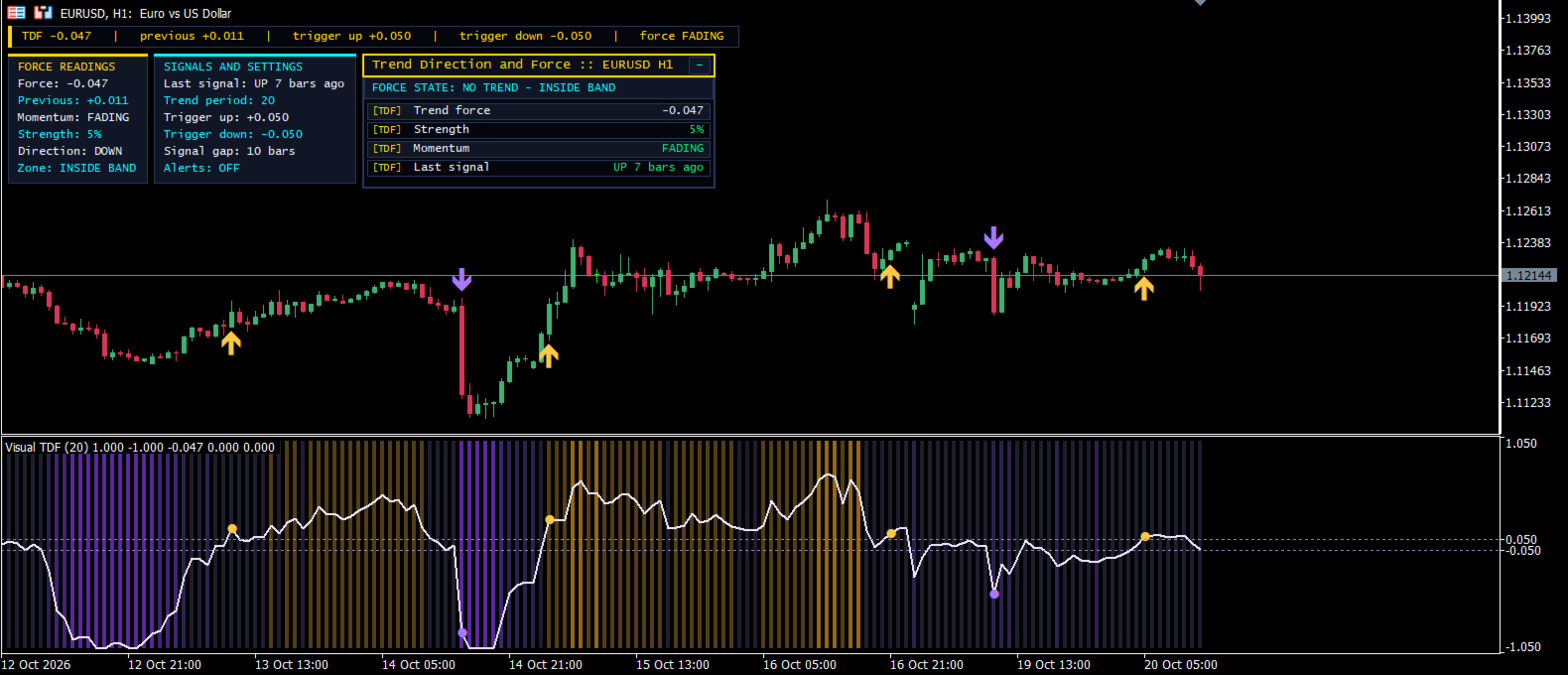
Visual Trend Direction and Force measures not only where the market is heading but how hard it is pushing. The indicator builds a force reading over a configurable trend period and compares it with two trigger levels that frame a no-trend band around zero. While the reading stays inside the band the market is treated as undecided; the moment force leaves the band, a dot marks a fresh directional impulse, up above the upper trigger and down below the lower one.
What is new
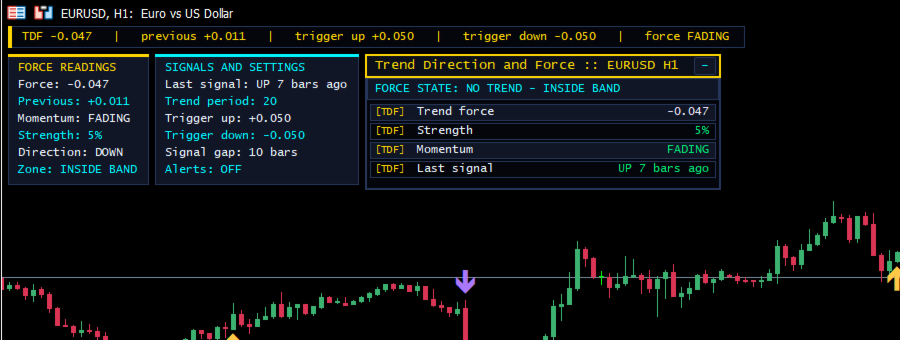
- New full-chart interface with an information panel showing live force readings, placed on the left and sized to the chart.
- New input to show or hide the information panel.
- Signal arrows now also appear on the main-chart candles.
- Fixed: alerts no longer fire for signals that are later removed by thinning; the gate is applied before the alert.
- Fixed: the full-history thinning pass on every tick is replaced by an incremental gate with the same result, so CPU use is lower.
- Fixed: array resizing on every new bar replaced by a reserve with a failure check, plus a point-size zero guard.
How to use it
- Attach the indicator to any symbol and timeframe.
- Treat a dot above the upper trigger as a bullish impulse and a dot below the lower trigger as a bearish one.
- Ignore moves while force stays inside the no-trend band.
- Use the minimum-bars setting to keep signals spaced out, and enable alerts if you want notifications.
Inputs
- Trend period: lookback used to compute the force reading (default 20).
- Trigger up level: upper edge of the no-trend band (default 0.05).
- Trigger down level: lower edge of the no-trend band (default -0.05).
- Dots when force leaves the no-trend band: shows or hides the signal dots.
- Pop-up alert on new signal: shows an alert when a new signal appears.
- Bars to wait between signals: minimum number of bars between two signals (default 10).
- Show information panel: shows or hides the on-chart panel.