
Gold Chaser
- Experts
- Version: 4.1
- Mise à jour: 30 avril 2026
- Activations: 10

The "Gold Chaser" expert advisor trades in fully automated mode these 4 symbols: XAUUSD (Gold), XAGUSD (Silver), US30, US500, XBRUSD (Oil) and BTCUSD (Bitcoin)
Possibilities of the "non-major" symbols really differ from what you are accustomed to with the usual set of symbols. First of all, gold moves very quickly. Like major symbols, gold reacts to political events, important economic events and speeches of VIP geeks. However, gold moves in a much more swaying manner. The same is applicable to silver, oil and certain cryptocurrencies
Starting from version 4.0, the EA is built from ensembles of models across different timeframes and architectures. The ensembles are selected from models that pass multiple tests based on different training periods. This is no longer about fitting to the results of a single test. It is about tuning meta-parameters that remain robust across different tests.
Run the expert advisor on one chart. Regardless of the current chart, the EA always trades all of its symbols at the same time.
The "Gold Chaser" expert advisor can be launched on the chart of any symbol and any timeframe.
The major timeframe is H8.
Recommended settings for live trading
Recommended chart / timeframe: daily chart of gold.
Volume per 1 trade is 0.01 for 1000 USD of deposit.
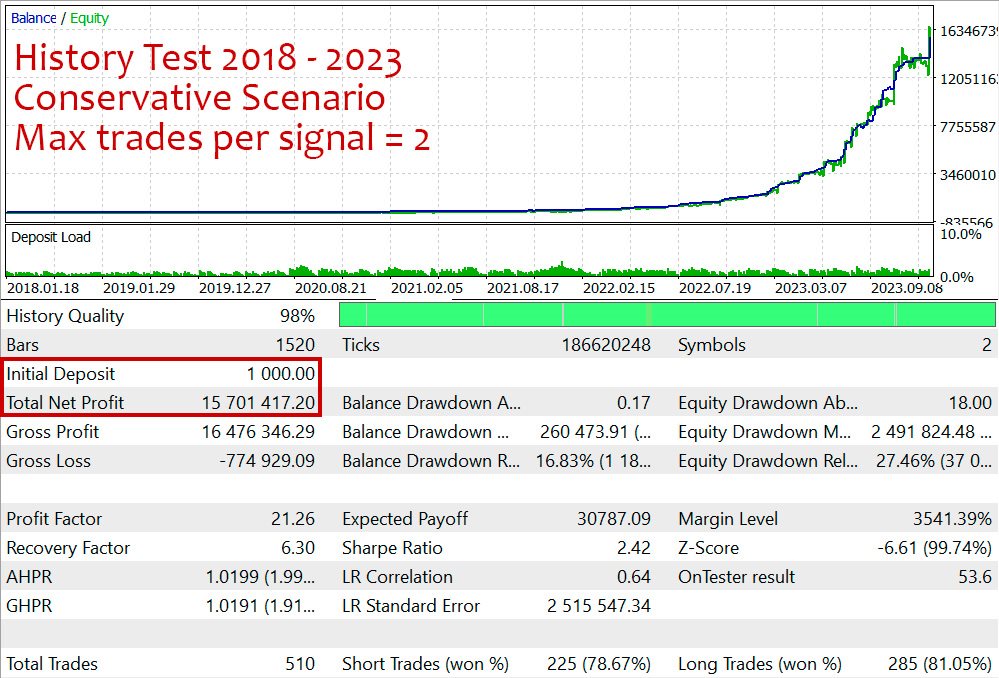
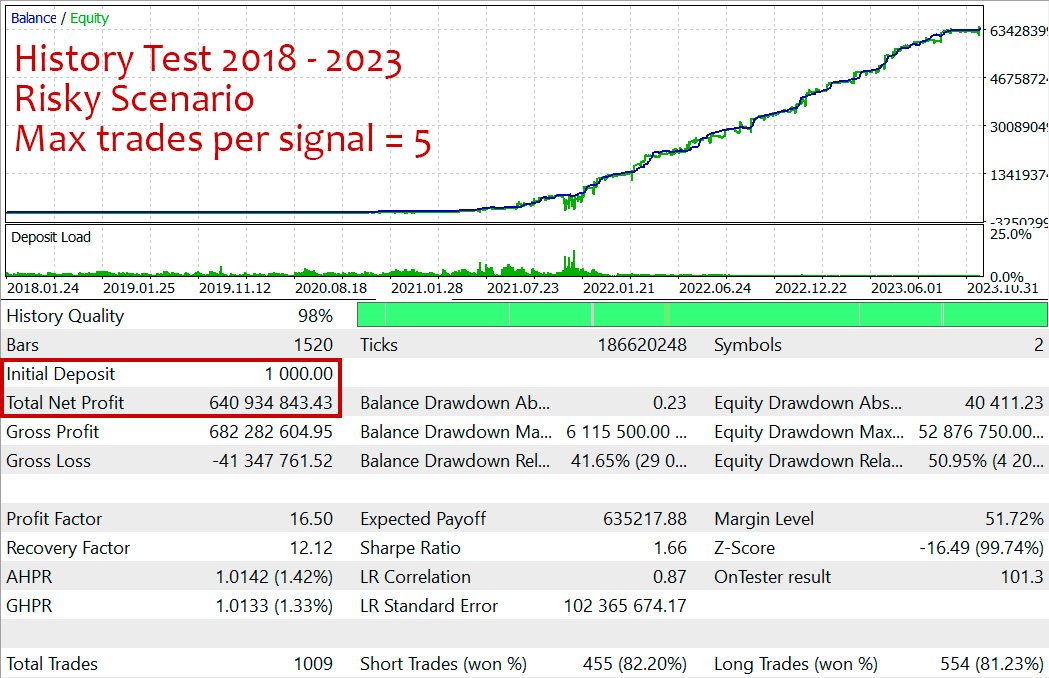
Max trades per signal = 2-4
Choose one index - either US30 or US500.
Expert Advisor properties
- UTC offset for broker time >> The time is used as an input to the neural network to indicate the start/end of different trading sessions. A 1-hour error will not significantly affect the result, but an error of several hours will “break” the forecasts. London is UTC+0, Paris is UTC+1 in winter, and +1 hour more in summer, etc.
- Max trades per signal >> how many to open on one symbol while the signal repeats. Trades will be spaced.
- Close all profit (%) >> a profit target as a percentage to allow closing all trades. Set 0 to switch off. After this function triggers, new trades will be opened next week.
- Resume trading on "Close all" >> if this is ON, the EA will start trading again the next day after hitting the "Close all profit (%)" target. If it's OFF (default), trading will wait until next week. Waiting usually gives better chances for new signals and fresh trades.
- Max spread >> the EA won't open or close trades if the spread is higher than this.
- Multi mode >> open all trades on one chart. False to open only trades for the symbol of the current chart.
- Comment
- Magic >> different magic numbers should differ by at least 2.
- Takeprofit
- Trail
- Stoploss >> the EA manages trades internally based on its calculations. The stoploss serves more as a nominal safeguard.
- Volume >> volume per trade. Fixed volume (example: 0.02) or percentage of available funds (example: 0.015%). The EA prints the real volume on the "Experts" tab when starting or changing the timeframe. Always use a fixed amount for accounts that use a deposit currency other than the US dollar (i.e. euro, yuan, bitcoin, Australian dollar, etc.).
- Name for Bitcoin >> check the full name in the "Market Watch" of your MetaTrader and put it in. "None" to disable.
- Name for US30 >> an index in the US stock exchange (prices in range 35K - 45K for the last year).
- Name for US500 >> an index in the US stock exchange (prices in range 4.5K - 6K for the last year).
- Name for XBRUSD
- Name for Silver
- Name for Gold















































Good!!