 MetaTrader 5
 Experts
 Indicateurs
 Scripts
 Bibliothèque
 Stockage
Voir comment télécharger gratuitement des robots de trading
Retrouvez-nous sur Facebook !
Rejoignez notre page de fans
Rejoignez notre page de fans
Vous avez aimé le script ? Essayez-le dans le terminal MetaTrader 5

Risk Order Script: Drop at Stop Loss for Auto Lot Size and R:R Take Profit - script pour MetaTrader 5

- Vues:
- 110
- Note:
- Publié:
-
 Vous manquez des opportunités de trading :
- Applications de trading gratuites
- Plus de 8 000 signaux à copier
- Actualités économiques pour explorer les marchés financiers
Inscription Se connecterVous acceptez la politique du site Web et les conditions d'utilisation
Si vous n'avez pas de compte, veuillez vous inscrire -
 Besoin d'un robot ou d'un indicateur basé sur ce code ? Commandez-le sur Freelance
Aller sur Freelance
Description
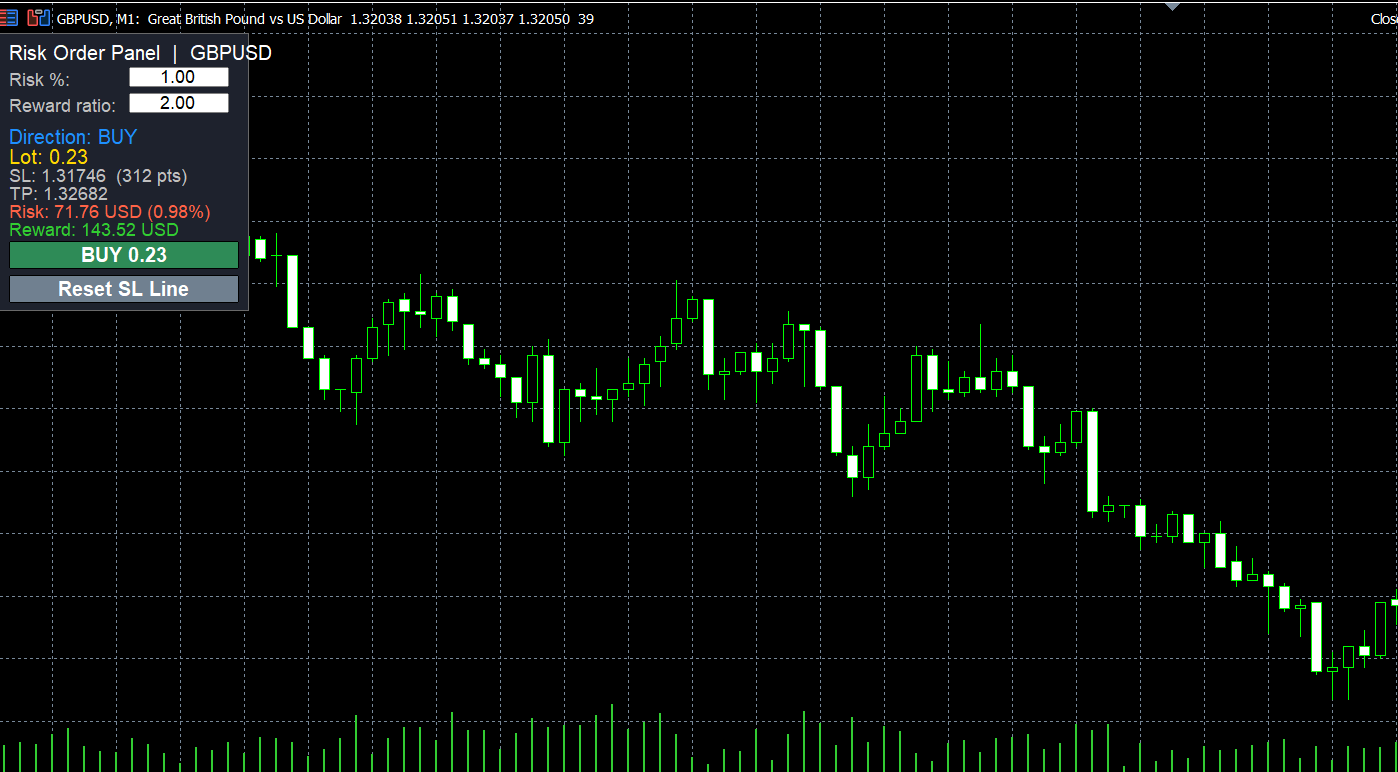
Calculating the correct lot size for every trade is slow and easy to get wrong, especially on gold and synthetic indices where tick values differ from forex. This script does it in one action: you drop it on the chart at the price where your stop loss should be, and it opens the trade with the correct lot size, stop loss and take profit.
Dropped below the current price, it opens a BUY. Dropped above the current price, it opens a SELL.
Input parameters
Risk per trade, % of account: how much of the account you are willing to lose if the stop loss is hit.
Risk is calculated from: account balance or equity.
Take profit as multiple of risk: 2.0 places the take profit at twice the stop loss distance (1:2). Set 0 for no take profit.
Show trade details and ask before sending: shows lot, entry, SL, TP, risk and reward in a confirmation window.
Magic number and Order comment: identify the trade for other tools or EAs.
Max slippage in points.
How to use
1. Copy the file to MQL5\Scripts and compile it.
2. Turn on the Algo Trading button.
3. Drag the script from the Navigator and drop it on the chart exactly at your stop loss price.
4. On the Common tab tick "Allow Algo Trading", set the inputs and click OK.
5. Check the details in the confirmation window and click Yes.
Safety features
Lot size is calculated with OrderCalcProfit, so it is correct for forex, metals, indices and synthetic instruments, including cross-currency pairs.
Lots are rounded down to the broker volume step, so the real risk never exceeds the chosen risk.
If the broker minimum lot would risk more than your setting, the script refuses the trade instead of opening it.
Checks the broker minimum stop distance and available free margin before sending.
Uses the filling mode allowed by the broker.
Recommended: any symbol, any timeframe.
 Economic Calendar Event Lines by Impact
Draws a dotted vertical line at the release time of each economic calendar event of the selected currencies, coloured by impact, from the built-in MetaTrader 5 calendar.
Six-Timeframe EMA Trend Direction Panel
Compares a fast and a slow EMA on M5, M15, M30, H1, H4 and D1 and shows UP, DOWN or FLAT for each timeframe in one panel on the chart.
Spread Statistics by Hour
Historical spread statistics by hour for many symbols at once (median, 75th percentile, mean), exported to CSV. Does not trade.
Mouteki DeMark Enhanced with FDI and Hurst Exponent - indicator for MetaTrader 5
Mouteki-DeMark trendline indicator enhanced with FDI and Hurst Exponent analysis, breakout targets, a market dashboard, and signal, invalidation and early-close alerts.