 MetaTrader 5
 Experts
 Indicateurs
 Scripts
 Bibliothèque
 Stockage
Rejoignez notre page de fans
- Vues:
- 223
- Note:
- Publié:
-
 Vous manquez des opportunités de trading :
- Applications de trading gratuites
- Plus de 8 000 signaux à copier
- Actualités économiques pour explorer les marchés financiers
Inscription Se connecterVous acceptez la politique du site Web et les conditions d'utilisation
Si vous n'avez pas de compte, veuillez vous inscrire -
 Besoin d'un robot ou d'un indicateur basé sur ce code ? Commandez-le sur Freelance
Aller sur Freelance
Besoin d'un robot ou d'un indicateur basé sur ce code ? Commandez-le sur Freelance
Aller sur Freelance
- Clean, dependency-free source code (standard library only)
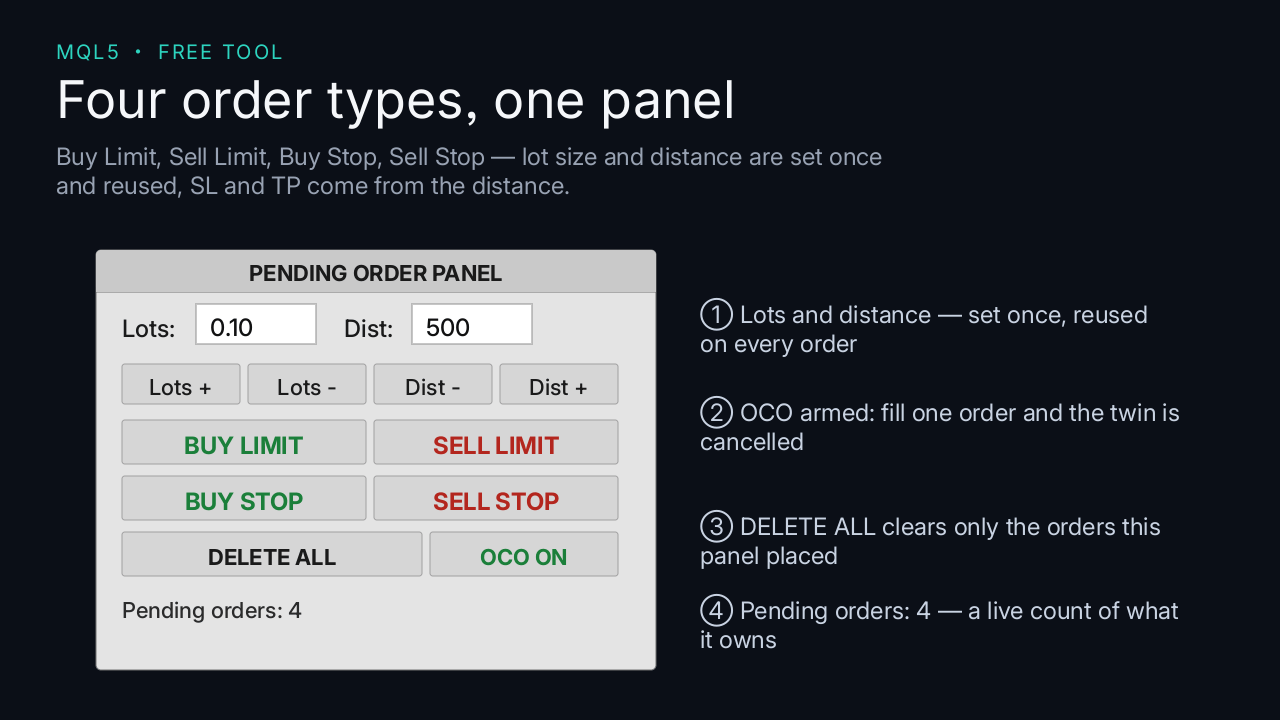
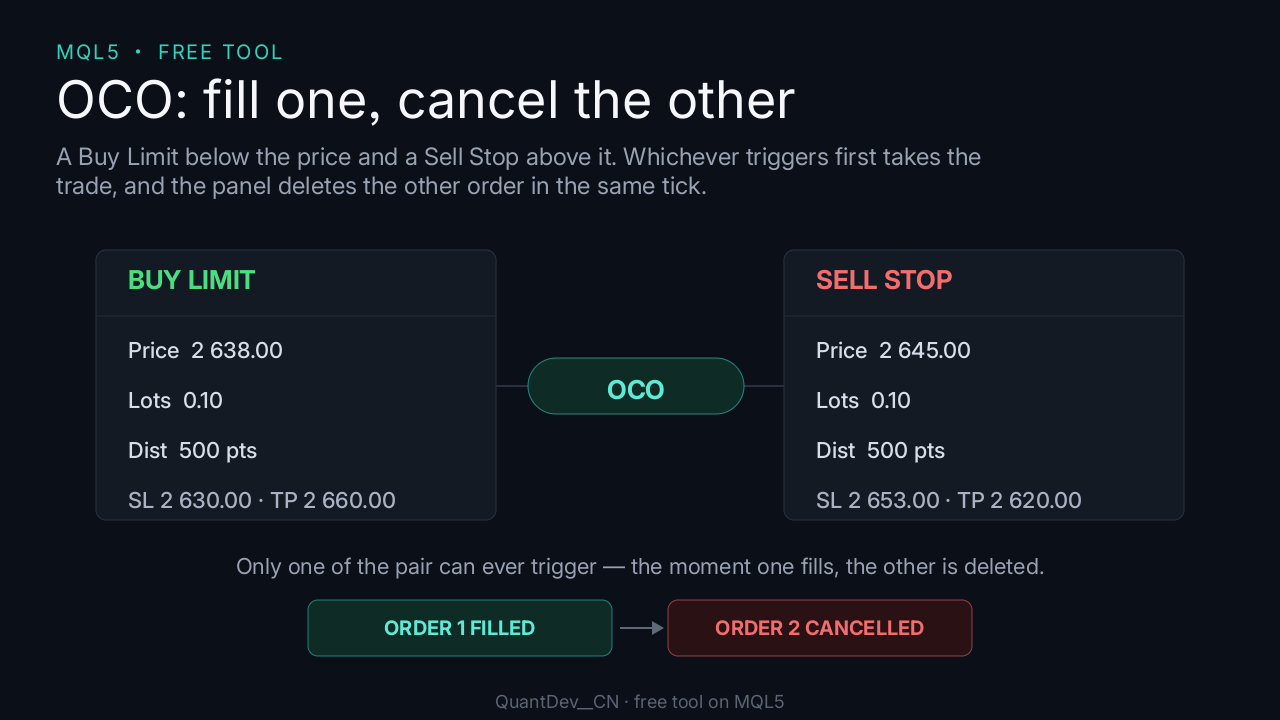
6. Toggle OCO to enable or disable one-cancels-the-other pairing.
Important notes
- No trading result is guaranteed in any way.
Traduit du chinois par MetaQuotes Ltd.
Code original : https://www.mql5.com/zh/code/78307
 Trend Buy/Sell Zones with Auto Lot Size - Risk Panel
Highlights potential buy zones in uptrends and sell zones in downtrends on closed candles (no repainting), with automatic lot size for your balance and a daily loss guard.
 GM Matrix Monitor — read-only risk dashboard for your EA matrix
Read-only panel showing per-magic net P/L, account drawdown, daily-loss breaker progress and freeze/liquidate thresholds. Does NOT trade.
Prior Bar Break Odds with Level Bars and a Rolling Hit Rate
Measures, on the chart's own history, how often a bar takes out the prior high or the prior low after bullish and after bearish bars, at up to five levels spaced by the average range. Each level carries a probability bar, and a table scores the favored side over all bars and over the last 200.
ICT Premium / Discount and OTE - dealing range, standard deviations, IPDA ranges
ICT dealing range from confirmed swings: premium and discount zones, equilibrium, the OTE band (62 - 79 %, 70.5 %), standard deviation targets and the IPDA 20 / 40 / 60-day ranges. No repaint. Alerts and EA buffers.