 MetaTrader 5
 Experts
 Indicateurs
 Scripts
 Bibliothèque
 Stockage
Rejoignez notre page de fans

WaveMaster Pro EA - expert pour MetaTrader 5

- Vues:
- 158
- Note:
- Publié:
- Mise à jour:
-
 Vous manquez des opportunités de trading :
- Applications de trading gratuites
- Plus de 8 000 signaux à copier
- Actualités économiques pour explorer les marchés financiers
Inscription Se connecterVous acceptez la politique du site Web et les conditions d'utilisation
Si vous n'avez pas de compte, veuillez vous inscrire -
 Besoin d'un robot ou d'un indicateur basé sur ce code ? Commandez-le sur Freelance
Aller sur Freelance
Besoin d'un robot ou d'un indicateur basé sur ce code ? Commandez-le sur Freelance
Aller sur Freelance
The official execution companion for WaveMaster Oscilloscope.
MANDATORY REQUIREMENT — READ FIRST
This EA does not generate signals on its own.
It is a companion Expert Advisor designed specifically to read, interpret, and execute the signals produced by the WaveMaster Oscilloscope indicator.
>> The WaveMaster Oscilloscope indicator is REQUIRED for this EA to function.
It is available for free on the MQL5 Market:
>> WaveMaster OscilloscopeWithout this indicator installed, the EA will not initialize and will not trade. This is by design — the intelligence lives in the indicator; the EA is the execution engine.
Installation order:
-
Download and install the free WaveMaster Oscilloscope indicator first
-
Download and install WaveMaster Pro EA
-
Attach the EA to any chart — it will auto-detect and load the indicator
-
Enable AutoTrading in MT5 and you're ready
WaveMaster Pro EA is the natural extension of the WaveMaster Oscilloscope — a clean, professional bridge that turns visual market intelligence into disciplined, automated execution.
Every signal computed by the oscilloscope (PROBE direction, ANOMALY energy, RSI rhythm, MOMENTUM velocity, machine learning probability, and the combined Signal Score) is exported into structured buffers. WaveMaster Pro EA reads those buffers tick-by-tick and translates them into precise trading decisions — no guessing, no manual clicking, no missed moves.
It is designed the way a professional execution engine should be:
transparent, disciplined, and fully under your control.
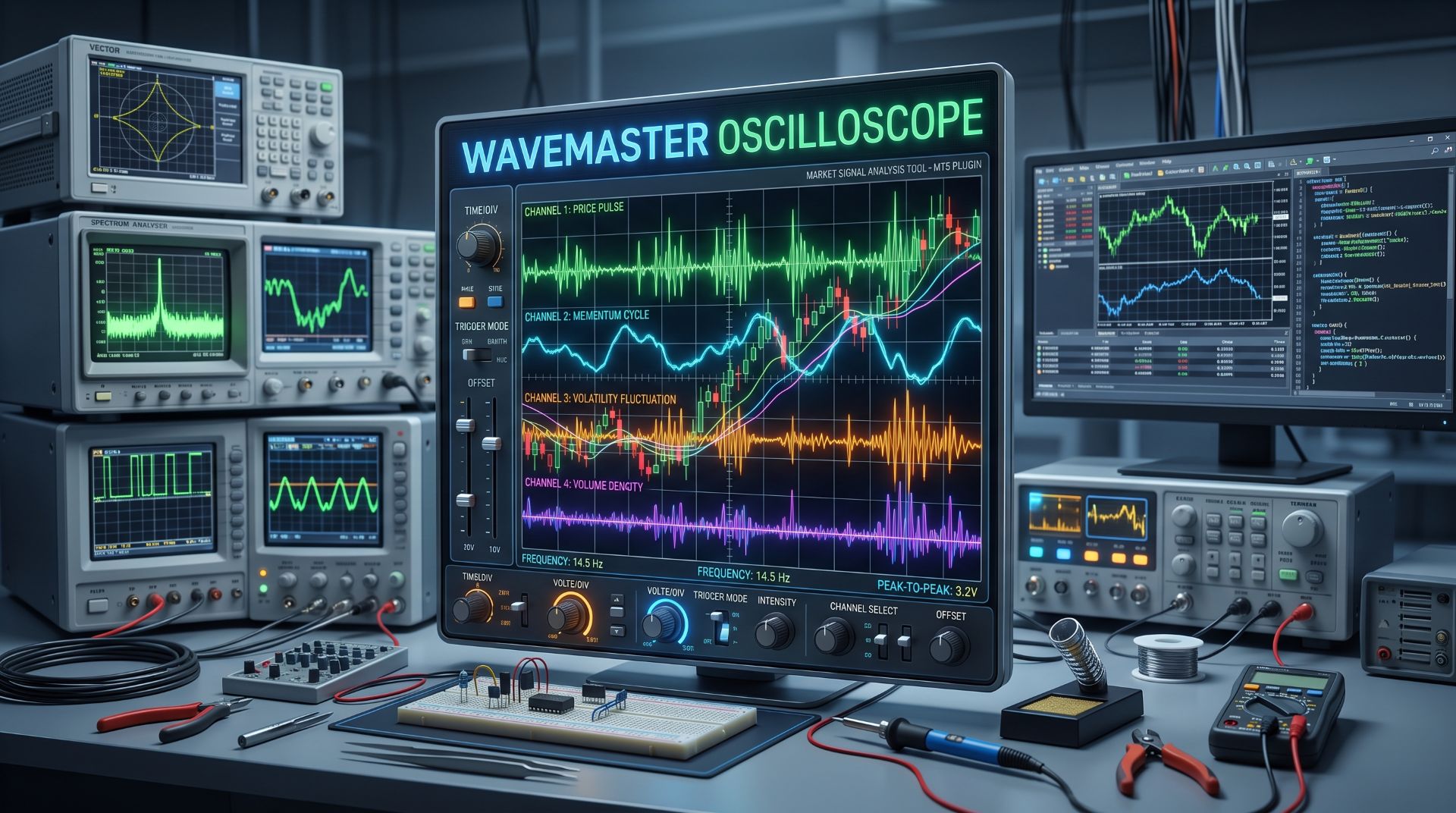
What Makes WaveMaster Pro EA Different
- Plug-and-Trade Architecture — auto-detects the oscilloscope indicator on first launch and attaches it visibly to your chart, no manual setup needed.
- Signal-Aware, Not Signal-Spam — rising-edge detection ensures one clean trade per signal event, not repeated entries on the same move.
- Adaptive Risk Engine — fixed lot or percentage-based risk, calculated from the actual stop-loss distance, not a rough approximation.
- Dynamic SL / TP — choose between fixed-point distances or ATR-based adaptive levels that breathe with volatility.
- Break-Even Automation — protects profit the moment a trade reaches your threshold, with configurable buffer.
- Intelligent Trailing Stop — follows price only in your favor, never retreats, always respects the break-even floor.
- Full Session & Spread Filters — trade only when the market is right: your hours, your spread limits.
- Daily Guardrails — maximum daily trades and maximum daily drawdown auto-pause trading before you blow your rules.
- Real-Time Control Panel — a draggable, one-click panel with AutoTrade toggle and Close-All button directly on your chart.
- Backtest-Ready — fully compatible with MT5 Strategy Tester for pre-deployment validation and parameter tuning.
- Multi-Broker Symbol Compatible — works on any broker, any symbol suffix, with no manual path configuration.
- 100% Source Transparency — the EA logic is clean, readable, and open — no hidden modules, no obfuscated black boxes.
Core Features at a Glance
| Category | Feature |
|---|---|
| Signal Source | Reads buffer #11 (signal), #7 (ML prob), #9 (score), #8 (adaptive threshold), #1 (anomaly) |
| Entry Logic | Rising-edge detection — one trade per fresh signal |
| Lot Sizing | Fixed lot OR risk % of account balance |
| SL/TP Modes | Fixed points OR ATR-multiplier dynamic |
| Position Protection | Break-even, trailing stop, broker stop-level aware |
| Filters | Spread, time-of-day, daily trade count, daily loss % |
| Alerts | Popup, Push, Sound, Email |
| Panel | AutoTrade ON/OFF + Close All, draggable |
| Testing | Native MT5 Strategy Tester support |
The Control Panel
The EA places a compact, draggable panel on your chart:
- AutoTrade: ON / OFF — one-click suspension of all new entries (open positions remain managed)
- Close All — instantly closes every position opened by this EA (other EAs and manual trades are untouched)
- Drag by title bar — moves with your chart layout, no overlap
- Color-coded status — green when active, red when suspended
Technical Application — How to Use It
Prerequisites
- MetaTrader 5 (any recent build)
- The free WaveMaster Oscilloscope indicator installed:
- WaveMaster Oscilloscope
- AutoTrading enabled in the terminal
- The chart symbol added to Market Watch
Installation Steps
Step 1 — Install the Indicator (Mandatory)
- Open MetaTrader 5
- Navigate to Toolbox → Market tab
- Search for "WaveMaster Oscilloscope" or open the direct link above
- Click Download to install it into MQL5\Indicators\Market\
Step 2 — Install the EA
- Navigate to Toolbox → Market tab
- Locate WaveMaster Pro EA in your purchases
- Click Download — it installs into MQL5\Experts\Market\WaveMaster Oscilloscope
Step 3 — Attach to Chart
- Open any chart (any symbol, any timeframe)
- Drag WaveMaster Pro EA from the Navigator onto the chart
- The EA will auto-detect and attach the indicator — you'll see the oscilloscope appear on the chart
- Confirm the settings dialog
Step 4 — Configure & Trade
- Set your preferred lot sizing, SL/TP mode, and filters
- Ensure AutoTrade is ON (green button on the panel)
- Ensure MT5's Algo Trading toolbar button is green
- Watch the log — first entry will fire on the next valid signal
Recommended Settings
| Profile | Lot Mode | SL/TP Mode | Trailing | BE |
|---|---|---|---|---|
| Conservative | Risk % = 1.0 | ATR × 2.0 / 4.0 | ON | ON |
| Balanced | Risk % = 2.0 | Fixed (150/300) | ON | ON |
| Aggressive | Fixed 0.01–0.05 | Fixed (100/200) | ON | ON |
Backtesting
Before going live, always validate on the Strategy Tester:
- Disable InpShowIndicatorVisual and InpShowPanel (visual elements are useless in tester)
- Set InpAutoAttach = false for headless backtest mode
- Run optimization across your target symbol and timeframe
The EA is fully compatible with Every-tick based on real ticks mode.
Important Notes
- Timeframe change requires re-attach — if you switch timeframe while the EA is running, remove both EA and indicator, then re-attach the EA on the new timeframe. This is an MT5 limitation with indicator-EA binding.
- Daily limits reset at midnight (server time)
- Cooldown between trades prevents rapid-fire re-entry on prolonged signals
- The EA manages only its own positions (identified by Magic Number) — your manual trades and other EAs are never touched
Who Is This For?
- Traders who use WaveMaster Oscilloscope and want their signals executed automatically with discipline
- Systematic traders who need clean, rule-based execution on top of a professional signal source
- Anyone who values transparency — full source, no hidden logic, no artificial complexity
- Traders who want risk control baked in — not bolted on as an afterthought
The Bottom Line
WaveMaster Pro EA is what happens when a professional oscilloscope meets a disciplined execution engine.
It does not try to be smarter than the indicator.
It does not pretend to predict markets on its own.
It simply executes — cleanly, safely, and exactly the way you configure it.
Let the oscilloscope read the market.
Let the EA execute the plan.
Package Contents
- WaveMaster_Pro_EA.ex5 — compiled EA
- WaveMaster_Pro_EA.mq5 — full source code (open for your review)
- Complete in-code documentation of buffer mapping and iCustom integration
Reminder: This EA requires the free WaveMaster Oscilloscope indicator:
WaveMaster Oscilloscope
Disclaimer
Trading involves substantial risk. Past performance is not indicative of future results. This EA is a tool — it does not guarantee profits. Always test on demo before live deployment. Use appropriate risk management and never risk capital you cannot afford to lose.
Stochastic Daily Breakout for Gold, +245 Percent in a 2021-2026 Backtest
Gold EA that trades both directions: when the stochastic signal line turns, it places a stop order at yesterday's high or low, filtered by a Bollinger band. Self-contained, no custom indicators. Backtest on XAUUSD H1, July 2021 to September 2026: +245% on a 1,000 USD deposit at a fixed 0.01 lot, 23.9% maximum equity drawdown.
 Prop Firm Risk Calculator - Position Size and Loss Limits
Calculates position size and daily / max loss limits for prop firm accounts and shows them in a panel on the chart.
History Integrity Auditor
Audits the bar history your terminal actually holds, which is the history every backtest and every indicator reads. Six checks per symbol: impossible OHLC values, broken bar times, bars missing while the broker's own session table says it was quoting, empty and flat bars, bars that disagree with the broker's own M1 series, and spread sanity. The headline figure is session coverage, not a grid percentage that mostly measures how many weekends you audited. Every finding goes to CSV with its bar time, and the audited bars plus the session table can be dumped so the whole report can be recounted by something other than this tool.
Market Behavior Analyzer: Swing Structure and Market Context
The Market Behavior Analyzer is a practical indicator designed to make market structure easier to read directly from the chart. It identifies significant swing points, classifies them as Higher Highs, Higher Lows, Lower Highs, and Lower Lows, and tracks the movement between them in pips. It also provides a Market Story panel and an interactive Swing Inspector for examining impulses, pullbacks, retracements, swing duration, and the developing market structure.