Sandro Begashvili / Profile
- Information
|
2 years
experience
|
5
products
|
52
demo versions
|
|
3
jobs
|
0
signals
|
0
subscribers
|
I build trading software for MetaTrader 4 and MetaTrader 5: Expert Advisors, custom indicators and graphical trade panels. Describe your idea and I will turn it into working, documented code.
WHAT I BUILD
Expert Advisors (EA) - automated strategies for MT4 and MT5
Indicators - custom analysis tools with alerts and multi-timeframe support
Trade panels (GUI) - one-click trading and risk management interfaces
Scripts and utilities - order handling, reporting and data export
METHODS I WORK WITH
Smart Money Concept and Price Action
Machine learning algorithms applied to market data
Mathematical optimization for parameter tuning and strategy design
LANGUAGES
MQL5, MQL4, Python, Pine Script
HOW I WORK
You send the idea in plain words, a screenshot or an existing script. I reply with the scope, the timeframe and the price before any work starts. Every job is delivered with the source logic explained and a short manual, so you can maintain and extend it later.
HIRE ME
Freelance order: https://www.mql5.com/en/job/new?prefered=sandrobegashvil
PRODUCTS
📥 Trading Simulator in Strategy Tester for MT5: https://www.mql5.com/en/market/product/107411
📥 Trading Simulator in Strategy Tester for MT4: https://www.mql5.com/en/market/product/132410
📥 Rhino PDF Trade Report MT5: https://www.mql5.com/en/market/product/189458
📥 Rhino PDF Trade Report MT4: https://www.mql5.com/en/market/product/189468
CONTACT
Telegram: https://t.me/MrMQL5Developer
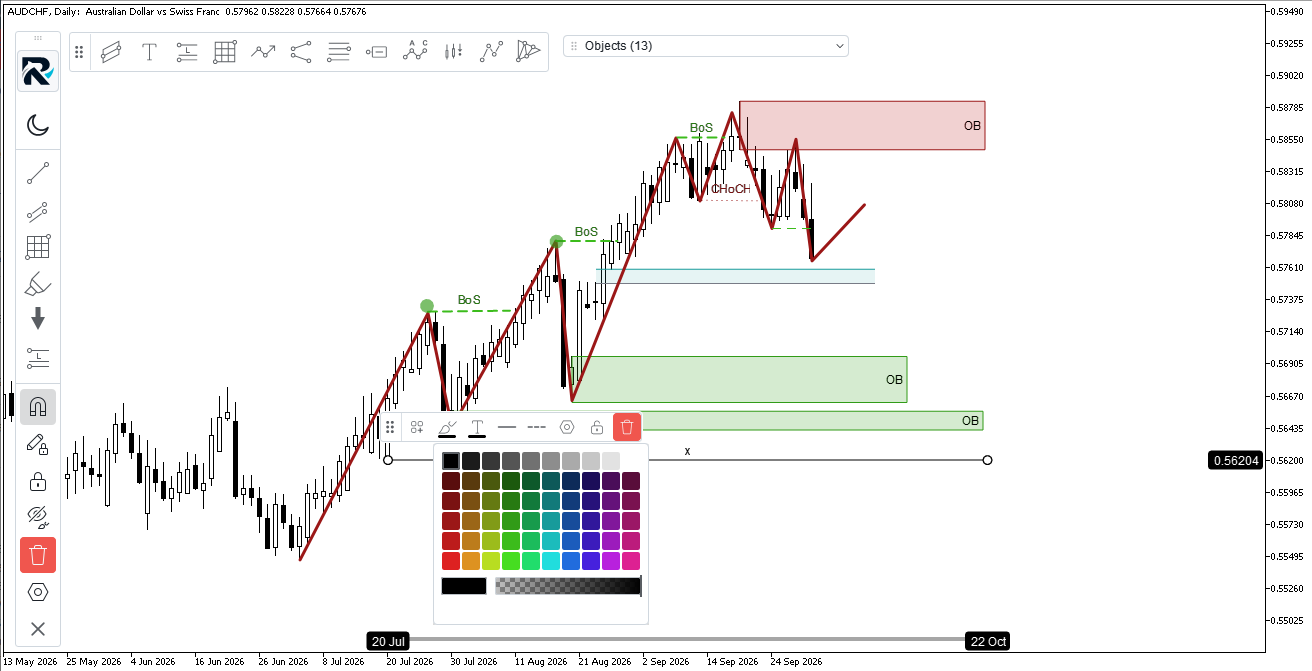
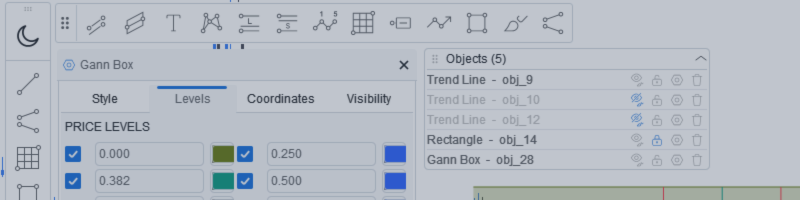
Rhino Chart Drawing Tools — TradingView-style drawing tools for MetaTrader 5 54 drawing tools , a proper toolbar, a favorites strip, a quick styling bar, a settings panel for every object and an object manager — all rendered with a vector engine instead of MetaTrader's built-in objects. If you have ever wished the MT5 chart drew the way TradingView does, this is that. The tools Lines — trend line, ray, extended line, horizontal and vertical line, horizontal ray, cross line, trend angle, arrow
Tired of screenshots and spreadsheets when someone asks for your track record? Rhino PDF Trade Report exports your full MetaTrader account history to a print-ready PDF — in one click.
✅ Performance overview: net result, win rate, profit factor, expectancy
✅ Equity curve + win/loss and buy/sell breakdown
✅ Results by weekday and by symbol — see what actually makes you money
✅ Full trade register: every closed trade, entry/exit, SL/TP, swap, commission, net profit
✅ True vector output — razor-sharp, selectable text, tiny file size
Filter by date range, number of trades, or a single symbol. Works on any broker, live or demo, hedging or netting. Perfect for investors, prop-firm applications, your accountant, or your own trading journal.
And it's completely FREE.
📥 MT5 version: https://www.mql5.com/en/market/product/189458
📥 MT4 version: https://www.mql5.com/en/market/product/189468
If it saves you time, a review helps more than you'd think. 🙏
#MetaTrader #MT4 #MT5 #Forex #TradingTools #AlgoTrading #TradingJournal #PropFirm
How export the trades in fantastic PDF file in MetaTrader
Rhino PDF Trade Report — export your MT4 trading history to PDF Turn your MetaTrader 4 account history into a clean, print-ready PDF trading report in one click. Run the script, pick a date range or a number of trades, and get a document you can send to an investor, attach to a prop-firm application, file for your accountant, or keep as a trading journal. No screenshots, no spreadsheets, no copy-paste. Free. What you get Page 1 — performance overview Net result, number of trades
Rhino PDF Trade Report — export your MT5 trading history to PDF Turn your MetaTrader 5 account history into a clean, print-ready PDF trading report in one click. Run the script, pick a date range or a number of trades, and get a document you can send to an investor, attach to a prop-firm application, file for your accountant, or keep as a trading journal. No screenshots, no spreadsheets, no copy-paste. Free. What you get Page 1 — performance overview Net result, number of trades
I added new features to Trade Manager (MT5 / MT4), which help you to handle your trading strategy better and better:
1) Add a new Advanced Risk Management Option. Using this feature, you can set Total SLs/TPs of Open Positions of Each Symbol with only one Click.
Let assume you have 4 open Position on EURUSD with different Entry Point and Volumes. Now you want set the Total SLs at level with Total Loss = $100, you can drag advanced tools and set it at $100 loss and Click OK. It automatically moves all the SLs to that level which cause $100 loss. Also same process for TPs.
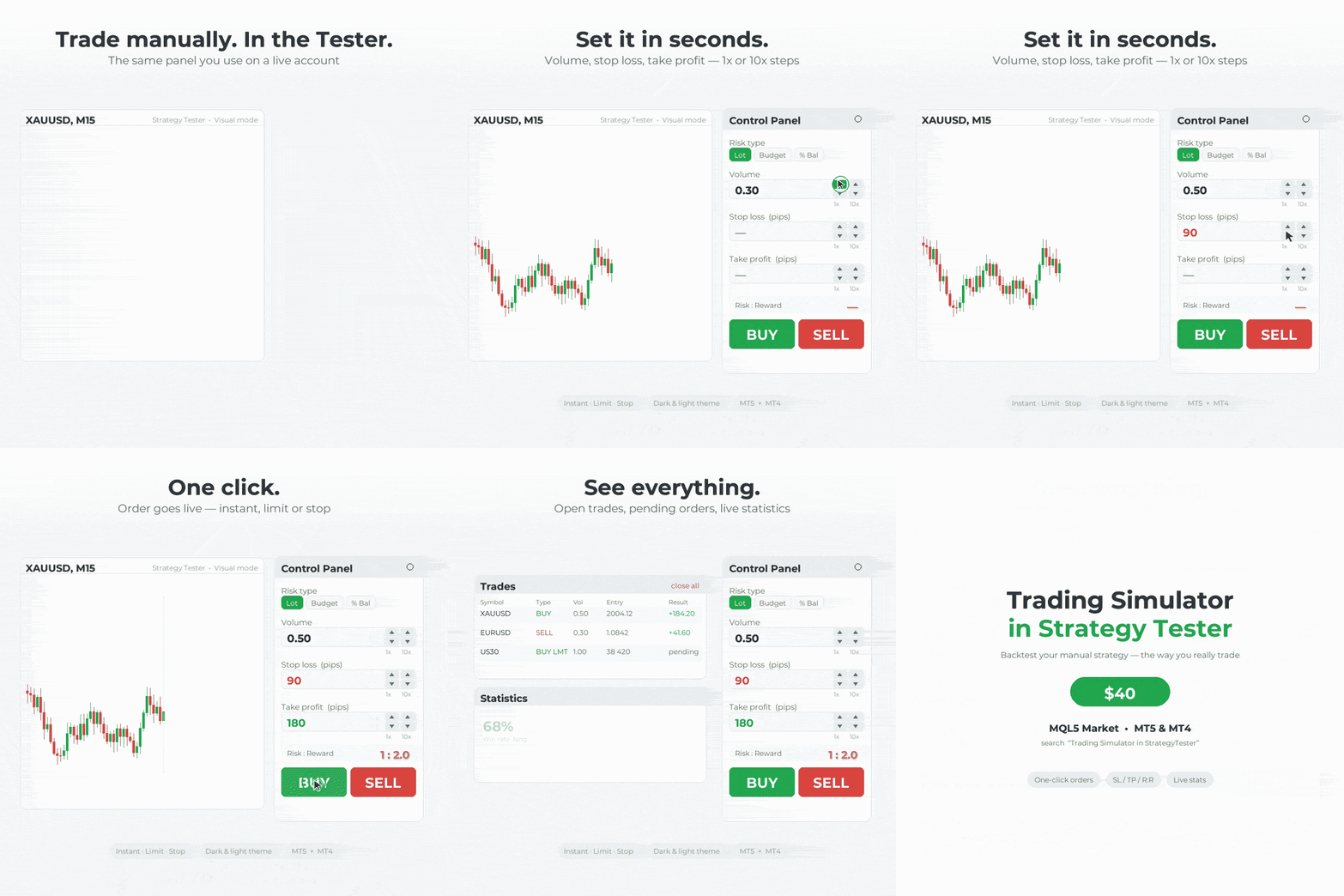
Trading Simulator in StrategyTester MT5: https://www.mql5.com/en/market/product/107411
Trading Simulator in StrategyTester MT4: https://www.mql5.com/en/market/product/132410
2) Add an advanced Calendar which allow you to see at each day number of Trades and PNL with one click.
as you click on each day in Calendar you can see the Summary of Trades in that day.
Rhino Backtest Manager - Trade Manager for Live Trading and the Strategy Tester Rhino Backtest Manager is a trade management panel that works both in live trading and in the MetaTrader 4 Strategy Tester. It allows you to place and manage orders manually inside the tester using the same interface as on a live account, so a strategy can be tested on historical data and then traded without changing tools. The panel calculates position volume from your risk settings, shows the money value of every
In this version I added many new features which allow you to do smooth trading in Live and Tester Mode. This Trade Manager works in Both Live and Tester mode. Simply you can run it in Tester mode and Test your Strategy manually.
MT5 available here: https://www.mql5.com/en/market/product/107411
MT4 available here: https://www.mql5.com/en/market/product/132410
What is New?!
✔️New User-Friendly Design
✔️Optimized for Live Trading (without Lag)
✔️Add more details to Trades Window
✔️Add Risk Reward Ratio Buttons
✔️Add Advanced Trade Box Manager
✔️Add Info to Orders and Positions
✔️Add Daily Profit/Loss Monitor
✔️Add Statistical report from trades
✔️Add Message Dialog Box
✔️Solve Bugs of previous Version
✔️Add Two Light and Dark Theme
✔️Create Sticky Label for Positions and Orders
✔️Add Watchlist to Live Trade
✔️Draggable TradeBox to set EntryPrice, Stoploss, Takeprofit In Live Mode
✔️Close/Open Windows
MT5 available here: https://www.mql5.com/en/market/product/107411
| Specification quality | 5.0 | |
| Result check quality | 5.0 | |
| Availability and communication skills | 5.0 |
| Specification quality | 5.0 | |
| Result check quality | 5.0 | |
| Availability and communication skills | 5.0 |
| Specification quality | 5.0 | |
| Result check quality | 5.0 | |
| Availability and communication skills | 5.0 |
Rhino Backtest Manager - Trade Manager for Live Trading and the Strategy Tester Rhino Backtest Manager is a trade management panel that works both in live trading and in the MetaTrader 5 Strategy Tester. It allows you to place and manage orders manually inside the tester using the same interface as on a live account, so a strategy can be tested on historical data and then traded without changing tools. The panel calculates position volume from your risk settings, shows the money value of every