Median World
- Utilities
-
Abdullah Uygar Tuna
 IT professional focused on algorithmic trading, quantitative analysis and practical MetaTrader 5 tools. I publish what I test, including what does not work.
- Version: 1.0
- Activations: 5
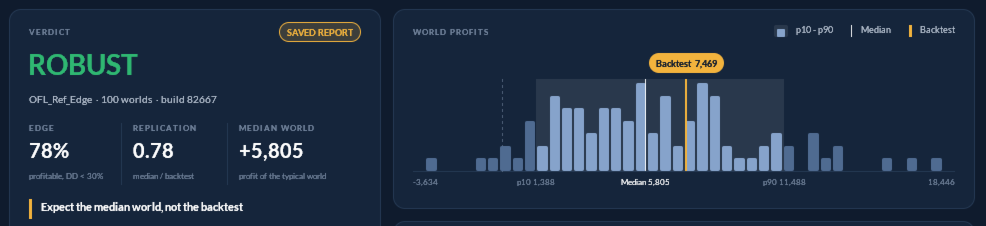
Median World tests whether your EA's backtest depends on one price path. It builds 30 to 1000 alternative histories (200 by default) from your symbol's M1 data, you run one optimisation over them, and it shows how the typical world compares with your backtest. Not a forecast. No trading.
A backtest shows what an Expert Advisor did on the one price path that actually happened. It cannot show how much of that result came from the strategy and how much from that particular path. Median World measures this.
How it works
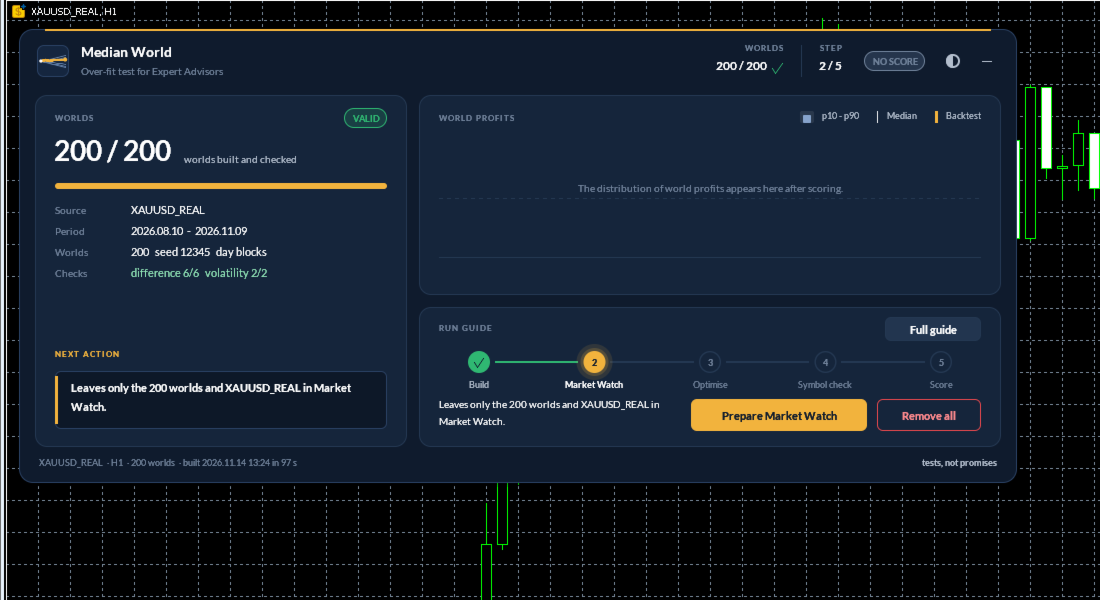
1. Build. Attach Median World to a chart of the symbol your EA trades, choose a period and the number of worlds (default 200, from 30 to 1000) and press Build. It cuts the M1 history into whole days (or sessions), removes the drift, and reassembles the days in a new random order on the real calendar. Each world is saved as a custom symbol with the same contract specifications as the original. Before a build is accepted, it checks that the worlds differ from the real path and from each other, and that volatility matches the original overall and hour by hour. A build that fails a check is rejected and the reason is shown.
2. Test. Press Prepare Market Watch, open the Strategy Tester and run your EA once with fixed parameters, using "All symbols selected in Market Watch". Export the results to XML. Run one single test on the first world and save its report: this lets the tool confirm that your EA trades only its chart symbol. The panel lists every setting.
3. Score. Press Score. You get:
- Edge: the share of worlds that ended profitable with equity drawdown below your limit (default 30%).
- Replication: median world profit divided by the backtest profit.
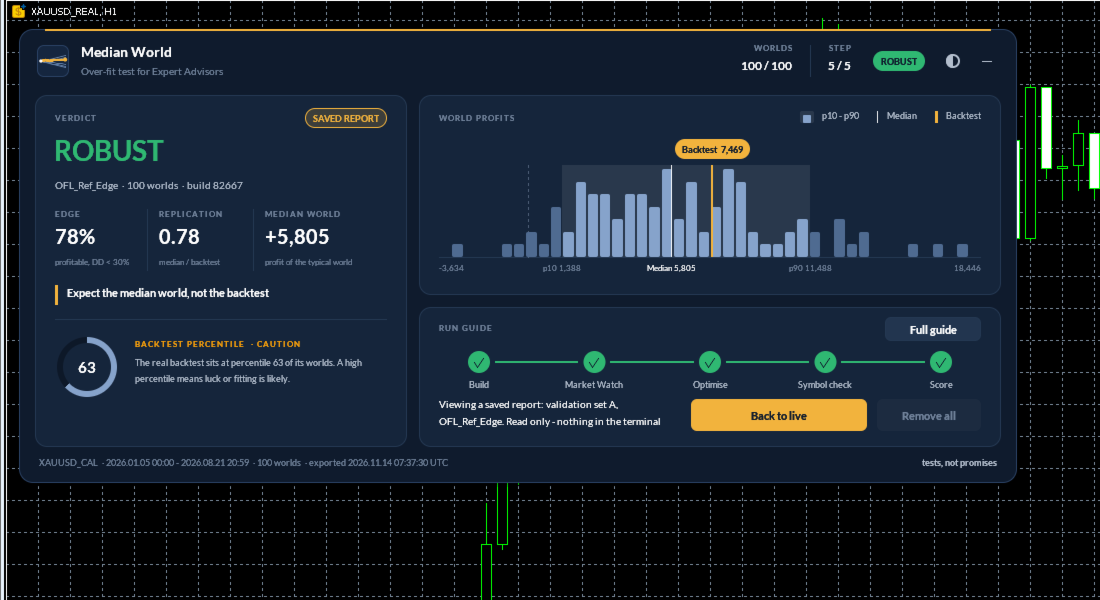
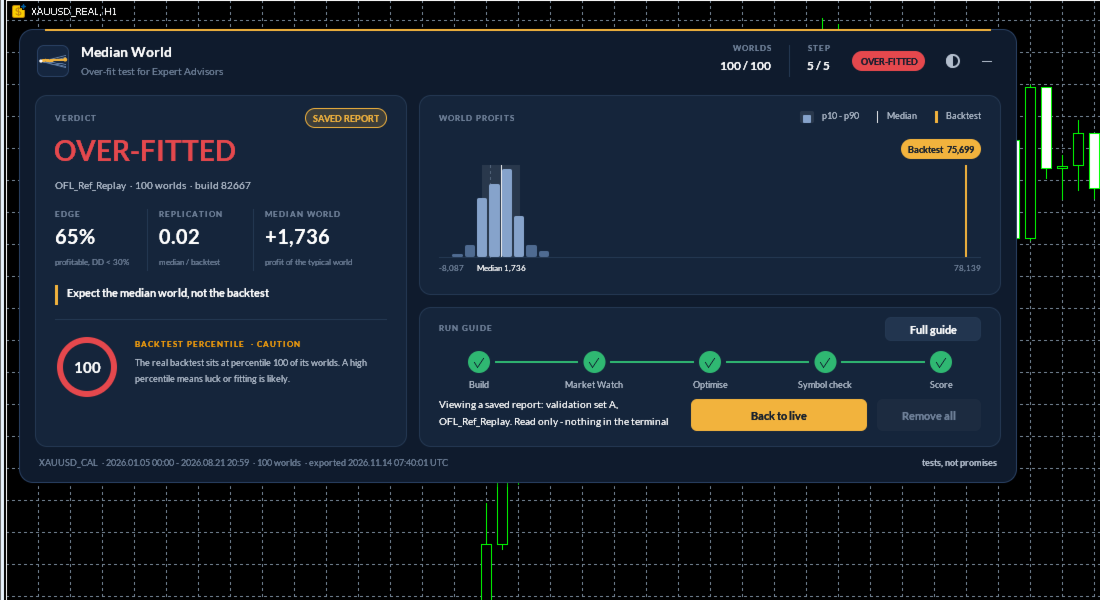
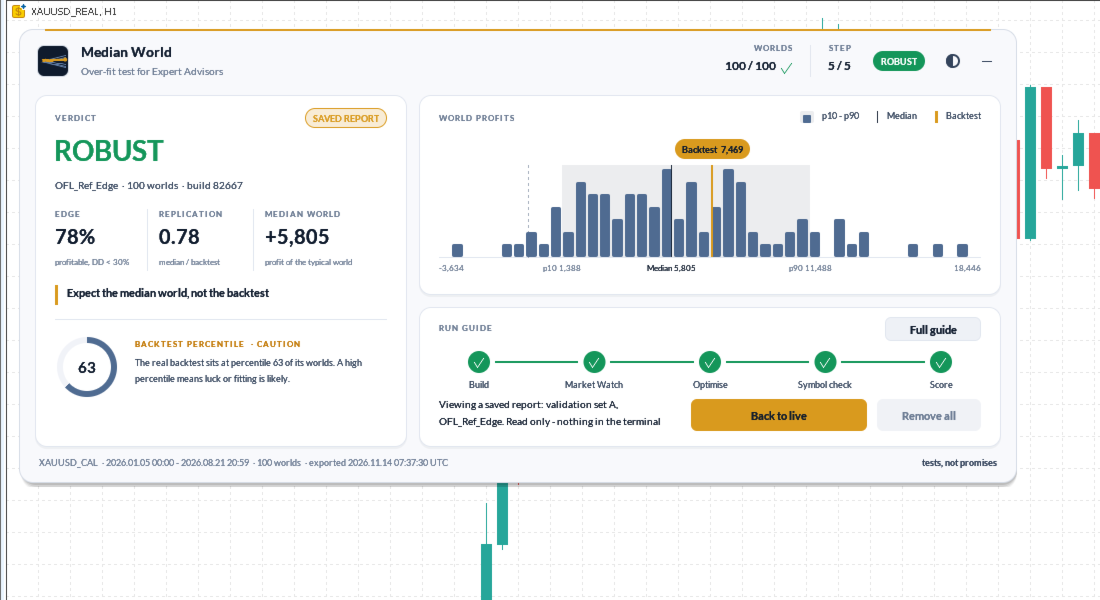
- The p10, median and p90 world profit, and the percentile of your real backtest among the worlds.
- A plain verdict: ROBUST, INCONCLUSIVE, NO EDGE, OVER-FITTED or NOT TESTABLE.
- A consistency check against earlier builds of the same EA. It is shown for information only and never changes the verdict.
The practical reading: plan with the median world, not with the backtest.
The tool refuses to score when the result could mislead. This includes too few or too similar worlds, a results file that is older than the build or was already analysed, worlds from an earlier build, real symbols mixed into the run, and EAs that use other symbols.
What it does not do
- It is not a forecast. The worlds are rebuilt from past prices and say nothing certain about the future.
- It works with single-symbol EAs only. An EA that reads other symbols is declined.
- You start the optimisation yourself, because MetaTrader 5 does not allow a program to start the Strategy Tester.
- Day blocks keep intraday behaviour but not volatility clustering from one day to the next.
- The worlds have no real ticks. Use "1 minute OHLC" or "Every tick" modelling.
- It does not trade, uses no DLL and makes no network requests. It writes only custom symbols and files in MQL5\Files. Remove all worlds deletes everything it created.
Requirements and resources
You need M1 history for the symbol. By default Median World uses the last 7 months up to the newest bar; you can change the number of months or set fixed dates. Before anything is built it shows a disk estimate and the free space and asks for confirmation; it refuses a build that would leave less than 1 GB free. 200 worlds of 7 months use about 3 GB (worlds and tester cache) and build in about half a minute; disk use and tester time grow in proportion to the number of worlds. Tester time depends on your EA. Seven months of M1 data are about 150,000 to 210,000 bars, so set Tools > Options > Charts > Max bars in chart to Unlimited; the tool tells you when this limit cut the history.
Trying it: MetaTrader 5 cannot create custom symbols inside the Strategy Tester, so the utility does nothing in the tester and the Market demo cannot show its function. Please use the one-month rental to try it.
How it was checked
Three reference EAs were tested on a calibration symbol with a known planted effect. These are Strategy Tester results on synthetic data, not trading results. An EA trading the planted effect was rated ROBUST on three independent builds. A random-entry EA was rated NOT TESTABLE because its own backtest lost money. An EA replaying trades fitted with hindsight was rated OVER-FITTED, with its backtest at the 100th percentile of its worlds.
Questions are answered in the product comments and through MQL5 private messages.