Custom indicator not showing on chart after update 1491


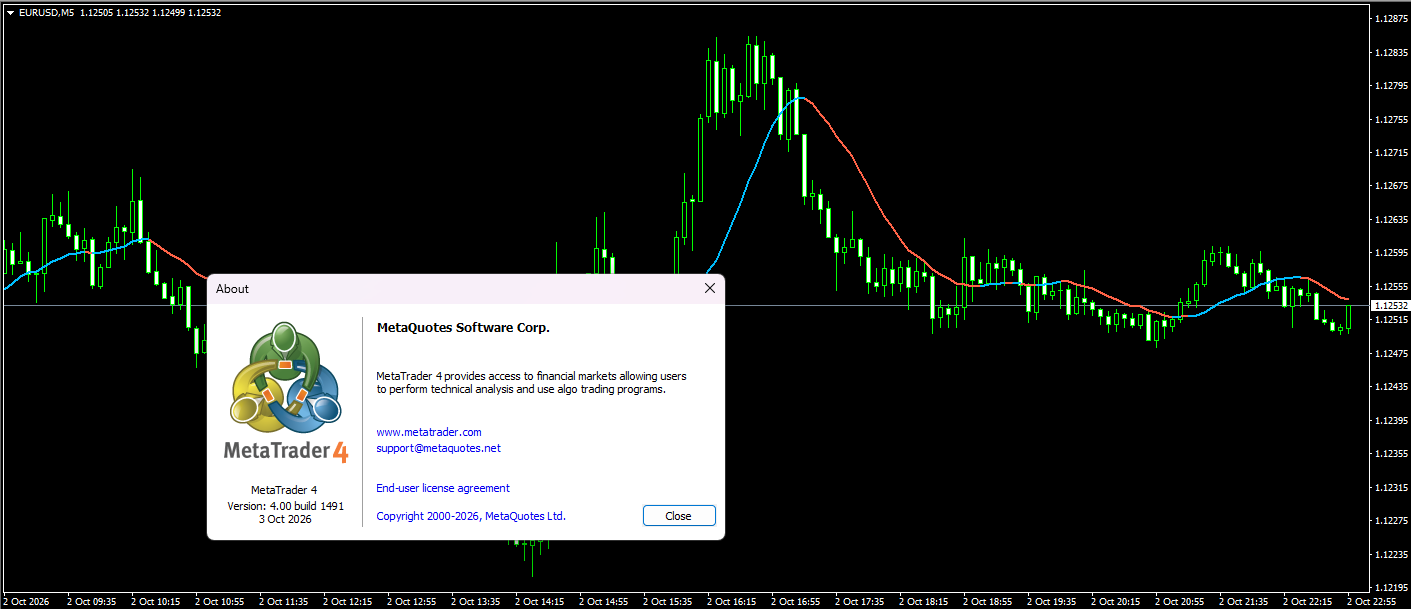
Hi, I'm using a custom moving average indicator. After updating to build 1491 Metatrader 4, the indicator goes missing from the chart whenever I start MetaTrader. When I reapply the template, it sometimes shows all the indicators I saved, but other times it only shows one . 

1. All indicators are shown on the chart

2. In the indicator list there are 3 moving average , but the chart only show 1


askingz:

Hi, I'm using a custom moving average indicator. After updating to build 1491 Metatrader 4, the indicator goes missing from the chart whenever I start MetaTrader. When I reapply the template, it sometimes shows all the indicators I saved, but other times it only shows one . 

1. All indicators are shown on the chart

2. In the indicator list there are 3 moving average , but the chart only show 1


Perhaps the settings for the three indicator instances are the same (after the update), which is why only one line is being displayed. Check it out.

 
askingz:

Hi, I'm using a custom moving average indicator. After updating to build 1491 Metatrader 4, the indicator goes missing from the chart whenever I start MetaTrader. When I reapply the template, it sometimes shows all the indicators I saved, but other times it only shows one . 

1. All indicators are shown on the chart

2. In the indicator list there are 3 moving average , but the chart only show 1


try saving the chart as a new template. then load that new template. see if your issue persisits with the new template. This was common issue in olden days that occured after almost every update of mt4.
 
stranger7 #:

Perhaps the settings for the three indicator instances are the same (after the update), which is why only one line is being displayed. Check it out.

It's different because I keep using a saved template that is supposed to show all the indicators. However, it doesn't just happen when launching the MetaTrader 4 app. Even when manually applying the template, it sometimes fails to load everything—showing only one or two indicators—so I have to keep clicking the template until it finally displays all of them.
 
Michael Charles Schefe #:
try saving the chart as a new template. then load that new template. see if your issue persisits with the new template. This was common issue in olden days that occured after almost every update of mt4.
The issue still persists. After fixing the layout by applying my saved template across several charts, the indicators go missing every time MetaTrader 4 is restarted. I have to repeatedly reapply the template to each chart until all of them load correctly.
 
Here is the link to the indicator I use, which appears to be the latest version:
If anyone wants to try and reproduce the bug, please note that I have already tested this version and the issue still persists.
 
Same problem here after updating to build 1491.

Custom indicators appear in the indicator list (Ctrl+I), but some of them are not drawn on the chart.

It happens when a saved template is loaded. Sometimes all indicators show up, sometimes only some of them, so the result is different every time.

A minimal test: I put several instances of the same custom indicator on a clean chart. Everything was fine. I saved it as a template and loaded it again, and the lines were missing.

The Experts/Journal tab shows "loaded successfully" for every indicator, with no errors.

MT4 also crashes from time to time (exception code 0xc0000005).

Everything worked normally before the update. I'm on Windows 11 version 26H2 (OS build 26300.9550), which was installed around the same time, so I can't say yet whether the cause is the MT4 build or Windows.

Which Windows version are you on? If you are not on 26H2 and still see this, it would point to build 1491 itself.

Has anyone found a workaround, or is there an earlier build we can go back to?
 
lert pty #:
Same problem here after updating to build 1491.

Custom indicators appear in the indicator list (Ctrl+I), but some of them are not drawn on the chart.

It happens when a saved template is loaded. Sometimes all indicators show up, sometimes only some of them, so the result is different every time.

A minimal test: I put several instances of the same custom indicator on a clean chart. Everything was fine. I saved it as a template and loaded it again, and the lines were missing.

The Experts/Journal tab shows "loaded successfully" for every indicator, with no errors.

MT4 also crashes from time to time (exception code 0xc0000005).

Everything worked normally before the update. I'm on Windows 11 version 26H2 (OS build 26300.9550), which was installed around the same time, so I can't say yet whether the cause is the MT4 build or Windows.

Which Windows version are you on? If you are not on 26H2 and still see this, it would point to build 1491 itself.

Has anyone found a workaround, or is there an earlier build we can go back to?
I'm using Windows 10, so I think the problem is build 1491. When using an older version of MetaTrader, the program prompts for an update. Even if you click 'no', it continues to update anyway.
 
askingz #:
Here is the link to the indicator I use, which appears to be the latest version:
If anyone wants to try and reproduce the bug, please note that I have already tested this version and the issue still persists.

Did you recompile it with MetaEditor build 1491 ?

No problem.


lert pty #:
Same problem here after updating to build 1491.

Custom indicators appear in the indicator list (Ctrl+I), but some of them are not drawn on the chart.

It happens when a saved template is loaded. Sometimes all indicators show up, sometimes only some of them, so the result is different every time.

A minimal test: I put several instances of the same custom indicator on a clean chart. Everything was fine. I saved it as a template and loaded it again, and the lines were missing.

The Experts/Journal tab shows "loaded successfully" for every indicator, with no errors.

MT4 also crashes from time to time (exception code 0xc0000005).

Everything worked normally before the update. I'm on Windows 11 version 26H2 (OS build 26300.9550), which was installed around the same time, so I can't say yet whether the cause is the MT4 build or Windows.

Which Windows version are you on? If you are not on 26H2 and still see this, it would point to build 1491 itself.

Has anyone found a workaround, or is there an earlier build we can go back to?

You need to be more specific. 

What indicators, can you provide such indicator ? 

When is MT4 crashing ? Doing what ?
 
Alain Verleyen #:
recompile it with MetaEditor build 1491

Have you tried using more than one moving average? If you save it and keep clicking the template, it will sometimes show a missing indicator.

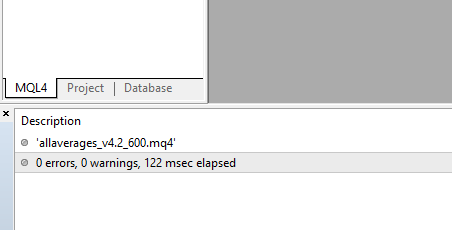
No error when i recompile in build 1491