 MetaTrader 5
 专家
专家
 指标
指标
 程序库
程序库
 实用工具
实用工具
 窗口小部件
窗口小部件
 规则
规则
适用于MetaTrader 5的EA交易和指标 - 557
 使用EA交易和指标,使外汇交易获得更多盈利。EA交易可使您自动开启和关闭交易,而指标将帮助您更准确地预测市场行为。
该页面提供MetaTrader 5应用程序的目录。
使用EA交易和指标,使外汇交易获得更多盈利。EA交易可使您自动开启和关闭交易,而指标将帮助您更准确地预测市场行为。
该页面提供MetaTrader 5应用程序的目录。 
EU_Savings_Box (MT5 Expert Advisor)
This is 100% Algo Forex Trading Robot and is programmed for Long Term Investment with Low Risk. It uses no martingale, no grid, no scalping. The strategy combines 3 reliable and properly filtered indicators and price action to determine safe market entry and exit levels. This strategy has over 70% winning rate within 18 year plus. It is recommended for those looking for EA that can be trusted for many years. Moreover, you can adapt this EA to your preferred t

Close Assistant (CA) is a full featured utility for monitoring and closing a set of positions placed by trader or EA. It closes filtered orders in specified time or level or candle patterns or when a certain profit or loss of the total positions is reached. CA uses Zero Profit Lock function to save deposit when total profit falls to zero. Profit and loss levels can be set in fixed amount of account currency or percentage of balance or equity or margin. CA only monitors and works on filtered pos
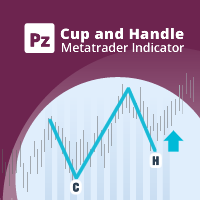
杯子和手柄模式是类似于杯子和手柄的技术价格结构,其中杯子呈“ U”形,并且手柄略有向下漂移。图案的右侧-手柄-小于左侧-杯形,并且从顶部回撤不超过50%。它既可以是延续模式,也可以是逆转模式。 [ 安装指南 | 更新指南 | 故障排除 | 常见问题 | 所有产品 ] 清除交易信号 可自定义的颜色和尺寸 实施绩效统计 可自定义的尺寸和图案特征 显示适当的止损和获利水平
它是不可重涂和不可重涂的 它实现了电子邮件/声音/视觉警报
输入参数
幅度:幅度表示替代价格点之间的最小柱线量。要找到大图案,请增加幅度参数。要查找较小的模式,请减小幅度参数。 杯子平整度比率:此参数描述杯子的顶部相对于杯子大小的“平整度”。较高的值将发现更严格的模式,但频率较低。较低的值将找到更多的模式。 最小句柄回撤:模式句柄中需要的最小百分比回撤。 最大。回撤:模式句柄中可能的最小百分比回撤。 最大历史柱数:指标在图表中加载时要评估的过去柱数。 显示统计信息:显示或隐藏统计信息显示板和效果数据。 显示止损/止盈水平:显示或隐藏止损和止盈水平。
绘图选项:看涨或看跌的线条和标签的颜色和大小以及字体大小。 突破:突破

Blue Marlin Bollinger Bands Breakout This EA has built-in Bollinger Bands indicators to check the trends by breakout before performing any trading action. It's engine is provided with: trailing Stop Loss; bad time to trade filter for each day of the week; define in minutes the profitable orders duration; enable and disable martingale mode; define the maximum spread value to trade; define the minimum equity percentage to allow trading; the input values are already optimized for EURUSD at timefr

The revolutionary automatic adviser of the new generation with three parameters:
Target profit per month (from 10% to 100%) Degree of risk (SuperLow, Low, Medium, High) Stop Loss Limit, USD Set up to work on EURUSD timeframe M15. Works on HEDGING accounts with a leverage of 1:500 and a Deposit from 500USD. Enough for work:
Decide on the size of the deposit that you can trust him
Set the value of the desired profit per month (from 10 to 100 percent) Select the degree of risk (Low, Medium,

An indicator for finding patterns of candles. Through this indicator it is possible to recognize several patterns of candlesticks: hammer, inverted hammer, doji, maximum swallow, minimum swallow and inside bar. The patterns can be found by modifying the values of the indicator parameters. In this way it becomes possible to recognize an infinity of patterns.
How to use: Add the indicator to the chart.
Parameters: [doji -> max body size] represents the maximum body size of the doji (difference b

自动执行 ACB 突破交易流程 ACB Breakout Arrows EA 会分析当前图表上的突破信号,并通过内置的 ACB Breakout Arrows 和 ACB Trade Filter 逻辑管理交易。将 EA 加载到需要监控的品种和时间周期图表,启用自动交易,然后根据测试计划设置仓位、交易时段、筛选器和退出规则。 所需指标和依赖项已经嵌入 EA,无需另行下载。这些指标面板不会显示在图表上。EA 会显示自己的交易操作,并在启用 Logging 后把运行信息记录到平台 Journal 中。 在开仓前确认入场条件 Signal Sensitivity 控制突破需要达到的强度,只有满足条件时箭头逻辑才会接受信号。Bars for SL 控制在止损方法使用指标价位时所参考的 K 线数量。 启用 ACB Trade Filter 后,EA 可以要求箭头、柱状图和趋势状态保持一致: 买入确认: 向上箭头、绿色柱状图和看涨趋势。 卖出确认: 向下箭头、红色柱状图和看跌趋势。 混合状态: 灰色柱状图和横盘趋势会阻止新的入场。 控制仓位大小和退出方式 仓位大小: 选择固定手数,或根据 Risk



A robot that real-time supervise your open position and close it once the price level touches (or is close to touch) a previously selected trendline. You don't have to constantly watch your open position and wait for the proper time to close it. It automatically does this entire process and gives you time to spot new market opportunities. It can be attached to multiple charts and assist multiple open positions at the same time. Setup steps
D raw a trendline on chart (using your mouse) Allow
價格偏離MA 單獨窗口中的指標顯示移動平均線指定值的價格偏差(%)的值。 它既可用於固定頭寸,也可用於開倉。 輸入參數: 1.計算移動平均線的平均週期。 2.平均法。 它可以是任何ENUM_MA_METHOD值: MODE_SMA - 簡單平均; MODE_EMA - 指數平均; MODE_SMMA - 平滑平均值; MODE_LWMA - 線性加權平均。 3.二手價格。 可以是ENUM_APPLIED_PRICE價格常數之一: PRICE_CLOSE - 收盤價; PRICE_OPEN - 開盤價; PRICE_HIGH - 期間的最高價格; PRICE_LOW - 期間的最低價格; PRICE_MEDIAN - 中位數價格,(高+低)/ 2; PRICE_TYPICAL - 典型價格,(高+低+收盤)/ 3; PRICE_WEIGHTED - 加權平均價格,(高+低+收盤+收盤)/ 4。


KT COG Robot is a fully automated Expert Advisor based on the KT COG Indicator . The COG indicator was originally presented by John F. Ehlers in the May 2002 edition of Technical Analysis of Stocks & Commodities magazine. The EA fires a long trade when COG line cross above the signal line and a short trade is fired when the COG line cross below the signal line.
Adaptive Filtration
Our adaptive filtration algorithm combines the original COG formula with the major trend direction and market ac

KT波动率振荡器通过数学公式分析过去和当前的市场数据,以振荡器的形式显示结果。振荡器中波浪的增长和减弱分别对应于资产的高波动性和低波动性。 简单来说,波动率就是衡量资产在一定时间内价格波动幅度的指标。没有波动性,市场上的价格变化将非常有限,交易者也将难以从价格波动中获利。
外汇市场中波动率的应用
在外汇市场中利用波动率,可以帮助你更有效地进行交易,同时让你的预期更加符合实际情况。
高波动性
基于趋势的交易系统在高波动市场中表现出色,因为价格波动幅度大,趋势持续时间长,直到出现趋势反转。 如果突破发生在高波动期间,突破系统可以从市场中获得更多的点数收益。 低波动性
均值回归系统在低波动性环境下表现良好,因为市场有回归均值的特性。 基于通道的系统在市场盘整期,即低波动阶段,能够更加有效地发挥作用。
非方向性指标 KT波动率振荡器是一种非方向性指标,不与市场的牛市或熊市趋势直接相关。波动性的上升可能出现在牛市或熊市两种情形下。
输入参数
波动率周期: 一个整数值,用于设定计算的周期。 文本信息: 在图表上显示或隐藏信息文本。
----- 警报设置 ----- 声音警报

KT Advance Ichimoku plot the arrows and provide alerts for the four trading strategies based on Ichimoku Kinko Hyo indicator. The generated signals can be filtered by other Ichimoku elements.
Four Strategies based on the Ichimoku Kinko Hyo
1.Tenkan-Kijun Cross Buy Arrow: When Tenkan-Sen cross above the Kijun-Sen. Sell Arrow: When Tenkan-Sen cross below the Kijun-Sen. 2.Kumo Cloud Breakout Buy Arrow: When price close above the Kumo cloud. Sell Arrow: When price close below the Kumo cloud. 3.C

Einstein Pivot Point indicator shows you hourly, weekly or monthly pivot points and support and resistance levels. You can choose 3 different formula for the support and resistance levels (Classic Formula, Woodie Pivot Points and Fibonacci Pivot Points). Einstein Pivot Point will automatically calculate the p ivot point and support and resistance levels on the basis of market data.
Trading requires reference points (support and resistance), which are used to determine when to enter the

Magic Moving MT5是MetaTrader5终端的专业指标。
与移动平均线不同,Magic Moving提供了更好的信号,并能够识别长期趋势。
在指标中,您可以设置警报(警报,电子邮件,推送),以便您不会错过任何一个交易信号。
指标的优点 完美的倒卖。 产生最小的假信号。 适合初学者和有经验的交易者。 适用于所有时间。 适用于任何金融工具:外汇,差价合约,二元期权。 该指标不重新绘制。 向电子邮件和移动设备发送信号。 推荐的符号 欧元/美元,英镑/美元,澳元/美元,美元/加元,黄金。
使用建议 当价格向上穿过指标线时,打开买入订单。 当价格向下穿过指标线时,打开卖出定单。
参数 Period -增加值会减慢指标,从而提高信号质量并减少其数量。 降低价值更适合激进的交易者。 PRICE -价格指标计算,打开或关闭可以选择。 Alert -启用/禁用警报。 如果启用true,则禁用false。 Email -启用/禁用发送电子邮件。 如果启用true,则禁用false。 Push -启用/禁用发送消息到移动终端。 如果启用true,则禁用false。

The strategy: EA strategy is inspired from a profitable strategy of Mr Rob Hoffman (One of the best traders in the world with multiple prizes on manual trading) . 1.Entry: The EA search for IRB bars (Inventory retracement bar), and place sell pending order or buy pending order according to the trend confirmed by the calculation of a 20 EMA slope degree. We believe that most of IRB Bar are caused by huge institutions (Hedge funds …), so the idea is to take benefits from their very profitable robo

1.这是什么: 下载Market Watch中所有的Symbol数据到系统。PS:不是把数据输出到文档。 2.为什么要用这个: 如果系统中没有数据:网络链接不好的时候,用MT5看一个Symbol需要等待很长时间;在不同Symbol或不同TimeFrame切换,如果系统没有数据也需要等待很久;如果进行长时间回测,系统没有数据,需要下载很长时间。 所以提前把历史数据下载到系统中,能提高工作效率。 3.怎么使用: parameters: input bool bool_usualtimeframe=true; //true-系统默认TimeFrames; || false-所有的TimeFrames. input bool bool_allSymbol=true; //true-Market Watch中所有品种; || false-根据你的输入 input string input_Symbol=NULL; //上面参数为false时,输入你的Symbol名称 input datetime time_Start=D'2017.01.01'; //默认数据下载开始时间 input int s
Тем, кто изучил книги Билла Вильямса "Новые измерения в биржевой торговле" и "Торговый Хаос (второе издание)" и пробовал торговать по этим методикам, становится ясно, что стандартного набора индикаторов недостаточно для полноценной работы. Индикатор Trading Chaos Map рисует "карту рынка", позволяя вам видеть графики так же, как автор трилогии. В параметрах предусмотрены опции включения и отключения каждого сигнала. Вы можете использовать ту или иную методику, либо использовать их вместе. Может
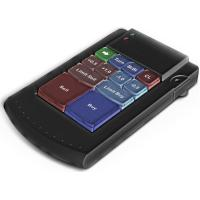
Teclado trader, é uma BIBLIOTECA que você pode chamar no OnChartEvent para abrir posição de compra/venda/zerar, os botões padrões são: V = venda C = compra Z = zerar posições a mercado S = zerar posições opostas e depois a mercado X = zerar posições opostas
Além da função de teclado, é possível mostrar os estados do ExpertAdvisor usando o MagicId, com informação de:
lucro mensal, semanal, diario, e posição aberta, para isto use o OnTick, ou qualquer outro evento (OnTimer / OnTrade / OnBookEven

Moriarty is fully automatic advisor based on Scalping, but also uses Martingale strategy. This advisor does not depend on timeframes and uses heuristic algorithms for opening/closing orders. It can work on several currency pairs simultaneously. The best results were achieved on the Hedged accounts.
Usage Run the advisor on a chart.
Parameters Moriarty Take profit in pips: minimal number of pips that is required to close order with profit Lots: size of lot Step: martingale step Martingale: mul
A new and exclusive panel, Strategy Maker, for creating custom strategies. You can use your own parameter for entry (manual) or address the magic number of another expert advisor in the same Symbol for the entry. Put de gain, the space between the grid, stop in money or in points and create a dynamic strategy! Characteristics: Works in any type of account and broker. Easy to use. Simple interface and intuitive. Extremely customizable trading strategies. Quickly response for any command. Can work
Minions Labs' Candlestick Pattern Teller It shows on your chart the names of the famous Candlesticks Patterns formations as soon as they are created and confirmed. No repainting.
That way beginners and also professional traders who have difficulties in visually identifying candlestick patterns will have their analysis in a much easier format. Did you know that in general there are 3 types of individuals: Visual, Auditory, and Kinesthetic? Don't be ashamed if you cannot easily recognize Candlesti

See AutoTrade deals ONLY on select charts If you attach this indicator to the chart, all the Autotrade deals will be removed from chart display. This solves the problem that deals on chart is turned on Universally. Now turn on the Universal show deal on charts. Attach this indicator to the charts that you do not want to see the deals.
E.g. if you are trading m1 chart, it may clutter your h1 chart bar.

The advisor NewsCatcher Visual automatically downloads actual data from the mql5.com calendar. The advisor can work in the "autoclick" mode, that is it can open trades automatically by comparing actual and forecast values. It also allows to manually open both instant and pending orders with a set volume.
Recommendations
By default the advisor NewsCatcher Visual applies the "autoclick" strategy to all events of high volatility. This allows the advisor to work in the fully automatic mode. However

NewsCatcher Pro opens both pending and market orders based on data from the mql5.com calendar. In live mode, NewsCatcher Pro automatically downloads the calendar, opens orders, trails and closes orders. NewsCatcher Pro can trade any event from the calendar with any symbol available in MetaTrader, including Gold, Oil and cross-rates. To change the default symbol, go to the event view you want to change it for. NewsCatcher Pro uses two strategies: Strategy 1 (pending orders): the advisor opens two

MA Crossover Master The strategy is based on price crossover with Moving Average indicator, confirmed by Fractal Adaptive Moving average and RSI indicator. The default settings are just place holders and not necessarily the best. Use the settings that best suites you or your strategy. OpenBUY - Set to true to allow buy trades. This setting is true by default. OpenSELL - Set to true to allow sell trades. This setting is true by default. StartTakeProfit - take profit value for open orders (d

ReverseTrend MT5
Introducing ReverseTrend - your fully automatic trading advisor designed for night scalping, utilizing the Bollinger Bands indicator for entry signals, focusing exclusively on BUY positions. This EA does not employ the risky martingale strategy, ensuring a safer trading approach.
Key Features: Proven Long-Term Performance : ReverseTrend MT5 has shown remarkable results over a 5-year testing period from 2017 to 2024, with significant gains like +94.6% on EURAUD, +468% on EURCAD

Intersection EA is a fully automated software (trading robot), executing trading orders on the currency market in accordance with the algorithm and unique trading settings for each currency pair. Intersection EA is perfectly suitable for beginner traders as well as for professionals who got solid experience in trading on financial markets. Traders and programmers of Kalinka Capital OU company, worked hard developing the Intersection EA forex robot, starting from the year 2011. Initially, this s

Take Your Profit X3 MT5 Take your Profit is a fully automatic multi-currency expert Advisor that trades on the Forex market using a trend strategy based on a breakout or rebound from moving Average or Double Exponential Moving Average with the possibility of placing up to three take profits in one trade. The EA can be run on any instruments with any TF, but the best results are obtained on TF: M30, H1, H4. The deal is opened by fully fixing the price above or below the moving average. Entry int
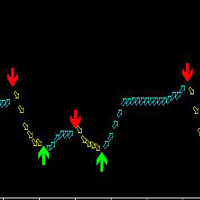
这款指标适合MT5上的任何品种,也适合任何周期,但是最适合的周期是30分钟和4小时,使用简单,箭头出现绝对不改变,不漂移,不会马后炮。 这款指标的原理是根据ATR和自定义MA,再加上混合计算,研发出来的,准确率高。 买涨:看绿色向上的箭头; 买跌:看红色向下的箭头; 箭头出现即可立即下单! 建议两个周期一起看,会更准确,也就是先参考大周期的趋势(大周期里面的大箭头走过后),再看小周期的箭头! 下面是更好的使用方法: 智币A使用!两个周期一起看更准确,比如,你看5分钟箭头做单,就先看看15分钟上是不是相同趋势(也就是相同箭头中),如果是相同就做单,大周期上不同就不要做单!: 如果15分钟当前是向上箭头后,5分钟周期出现向上箭头就做多单(买涨); 如果15分钟当前是向下箭头后,5分钟周期出现向下箭头就做空单(买跌); 如果看1分钟做单,就再看看5分钟周期;。如果看15分钟做单,就再看看1小时周期;。如果看30分钟或1小时做单,就再看看4小时周期;。如果看4小时做单,就再看看日图!。
WindExpansion is a fully automated solution to get a smart edge type from the market: it will enter when the “smart money” is starting to heavy push the market (after accumulation/distribution phases that form tiny ranges) and volume is expanding due big interest to sustain the price caused by psychological buying/selling pressure; when this situation happens many traders will try to fade the move but “big dogs” will be stronger and collect profits by the crowd; when the opposite situation happe
WindFlow is a powerful solution for manual traders that will drive your trading decisions in no time. I designed this indicator taking into account three main concepts: momentum, break of recent trend and volatility. Just like the wind's flow any trend can have small correction or major change in its direction based on the main trend's strength, so at glance you can have a very good idea on the next "wind's direction" when you look at your charts.
How to properly use WindFlow? WindFlow is the p

五种一目均衡表策略,全自动交易 KT Ichimoku Trader 是一款 Expert Advisor(智能交易系统),使用五种经典的 Ichimoku Kinko Hyo(一目均衡表)策略自动开仓和平仓。您开启想要的策略,每种策略都独立交易:有自己的入场规则、自己的出场规则,并且每种策略同一时间最多只有一笔持仓。 每次入场都在已收盘的K线上检查。新K线开盘时,EA 读取刚刚收盘的那根K线,只有当该策略的所有入场规则都满足、并且您开启的所有过滤器都同意时,才会开仓。只要缺少一条规则,就不会开仓,即使图表看起来已经接近信号。 每种策略何时开仓和平仓 Tenkan-Kijun Cross。 当 Tenkan-sen(转换线)向上穿过 Kijun-sen(基准线)时买入,反向交叉时卖出。在 Advanced 模式下,买入还需要交叉发生在 Kumo 云层上方、未来云层为看涨,并且 Chikou Span(延迟线)位于过去价格之上;卖出则需要相反的条件。当 Tenkan-sen 反向穿回 Kijun-sen 时平仓。 Kumo Cloud Breakout。 当前一根K线仍位于云层顶部下方,


F ully automated Expert Advisor using the advanced grid algorithm and constrained Martingale (MT4 version: GS grid ). Set up to work on EURUSD timeframe M15. Test 2021 shows a high percentage of winning orders: more than 98%. Works on HEDGING accounts with a leverage of 1:500 and a Deposit from 1000USD. Can use the news feed from Forex Factory to prevent trading during news release (Filter News Forex Factory=true;). To access the options terminal menu on the Expert Advisors tab, you must enable
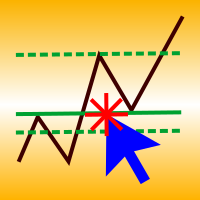
A simple panel to help you to place orders on the chart using the mouse. Hold Left Shift or Left Ctrl and the panel will show the lines where it will place the order already with stop loss and take profit. Use Shift to place buy orders and Ctrl to place sell orders, the panel will switch between stop or limit orders depending if the mouse is above or below the price. Please be aware that Ctrl key is used by Metatrader to copy an object, try to avoid using this panel with charts where you copy ob
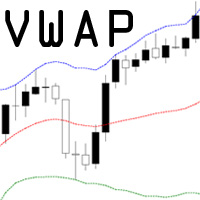
VWAP = Volume Weighted Average Price The concept of VWAP is not equal to a normal Moving Average. The VWAP starts always with zero at the beginning of a new day and successively forms an average to the traded volume relative to price. Professional trading firms and institutions use VWAP for a measure of the real weighted trend of an underlying. With the addition of the standard deviation you can spot support and resist at the outer boundaries.

Hamster Pro Hamster Pro
(Very Fast, Easy Setup, More Power!) The Hamster Pro is a Trading Robot with no use of Classic martingale. Schedule scalping Options. it uses some Indicators as a filter to maximize Correct entries.
Recommendations : Lot = 0.01. Balance = 100 USD. Pair = EURUSD. TimeFrame = 5Min. Broker = Trusted Brokers
Inputs descriptions : Initial Lot - Initial lot size. Virtual Take Profit - virtual take profit. Virtual Stop Loss - virtual stop loss. Max Orders - the

HelloTrader is a completely new product view for the MetaTrader platform. Immediately after launching, the utility displays randomly one of the lines of the phrase, quotes of famous people or an aphorism in the upper left corner of the terminal. Every 5 minutes the recording changes. The Demo version includes 32 phrases, quotes or aphorisms in English only.
The utility starts working immediately after launch and no longer has any settings or functions. The only task is to randomly display quot
FREE

Gap Trader Expert Advisor exploits one of the most common phenomena of the Forex market namely the weekend gap, a price difference between the last Friday’s closing price and the coming Monday’s opening one. This price jump is due to the fact that the interbank currency market continues to react on fundamental news during the weekend, opening on Monday at the most liquid level. Weekend Gaps are consistently been filled by the market and therefore fanatically traded by Forex expert traders. Gap

Fx Karakurt Работа робота, это увеличение лота и их усреднение, основное отличие, это пропорциональная торговля. Благодаря этому параметры советника не будут переоптимизированны. Советник торгует одновременно в обе стороны, без индикатора. Самая важная информация о работе выводится на график. Главное правило- это правильно оптимизировать советник. Покупки и продажи оптимизируются отдельно, для этого следует выключить LONG TRADES OPEN или SHORT TRADES OPEN. Начинать оптимизировать советник
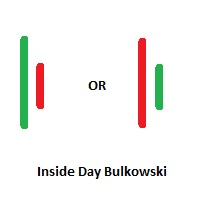
Inside Days Candlestick Bulkowski The Inside days candlestick is a well-known candle pattern composed of two candles. This indicator for showing outside days candlestick that describe by Thomas Bulkowski.
If you need for MetaTrader 4 version, please visit here: https://www.mql5.com/en/market/product/34725
Feature Highlights Show inside days candlestick. Customizable "Symbol". Customizable symbol distance from candlestick.
Input Parameters Symbol - Input symbol code from "wingdings" for inside

这个专家是一个独特的、易于使用的高质量的工具,因为我们纳入了MACD、Stochastic指标,EA使用趋势策略的优点在于保持长期盈利方向上才做单。它使用户的利润/损失有良好的组合实现。EA使用MACD与Stochastic指标查找信号。 入场规则: 多单:当在负值区域,MACD线向上穿越SIGNAL时,并且在MACD开仓水平下方时,同时Stochastic交叉在zoneBuy下方,然后又穿越zoneBuy线到zoneBuy上方时做多。 空单:当在正值区域,MACD线向下穿越SIGNAL线时,并且在MACD开仓水平的上方时,同时Stochastic交叉在zoneSell上方,然后又穿越到zoneSell的下方时做空。 退出规则: 多单:当在正值区域,MACD线向下穿越SIGNAL线时,并且在MACD关仓水平上方时关闭多单。 空单:当子啊负值区域,MACD线向上穿越SIGNAL线时,并且在关仓水平下方时关闭空单。 EA的新闻交易是基于经典DYMacdSto策略的。您只需要从EA属性参数进行新闻时间和入场周期配置,其余部分由机器人自动处理。例如设置新闻时间是19:59到 20:05,入场周

Forex Abrams Основа работы EA, это увеличение лота и их усреднение, но основное отличие, это пропорциональная торговля. Благодаря этому параметры советника не будут переоптимизированны. Советник торгует одновременно в обе стороны, без индикатора. Самая важная информация о работе выводится на график. Самое главное, это правильно оптимизировать советник. Покупки и продажи оптимизируются отдельно, для этого следует выключить LONG TRADES OPEN или SHORT TRADES OPEN. Далее следует выключить Step Pro

Советник Forex Ilan Barbudos -это аналог советника торгующий на одном графика в разные стороны одновременно(для этого требуется соответственный счёт который это позволяет), с добавлением множества дополнительных логик и возможностей для торговли, с оставленными настройками советника . Советник торгует по системе Мартингейл с увеличением последующих лотов в серии ордеров, с целью их усреднения. Первые ордера робот выставляет по двум свечам. Так же советник имеет возможность прекращать торговлю в
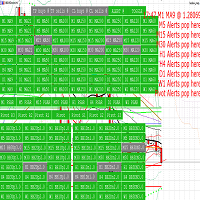
Provides automated (HFT) trading, manual trading, and alerts, with a manager panel.
Utilises bollinger bands, moving averages, Parabolic SAR, pivots and pending orders with range breakout. Allows linking takeprofit, stoploss, Sound & push-notifications, buy & sell triggers, to customizable indicators; 8 moving averages, 3 Bollinger bands, PSAR, and daily pivots.
A grasp of the configurability:
Active market hours requirement for all majors.
set timer intervals per timeframe trade trigger.
M

CyberTrend is a fully automatic Expert Advisor based on advanced algorithms for short term trend prediction. This EA uses several custom made indicators combined with candles prediction that helps to achieve a very high-rate of winning trades. This EA successfully passed long term back-test with real tick data, variable spread, real commision and swap from Metatrader 5 Strategy Tester. CyberTrend is also fully adjustable by user. Please read the blog to get more information about FAQ and setti

HelloTrader is a completely new product view for the MetaTrader platform. Immediately after launching, the utility displays randomly one of the lines of the phrase, quotes of famous people or an aphorism in the upper left corner of the terminal. Every 5 minutes the recording changes.
The structure includes more than 1000 phrases, quotes and aphorism in Russian and English.
In the input parameters, you can choose the Russian language display of records, the default is English.
The utility star
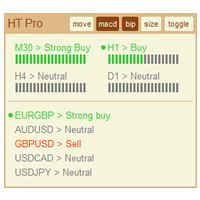
The indicator High Trend Pro monitors a big number of symbols in up to 4 timeframes simultaneously and calculates the strength of their signals. The indicator notifies you when a signal is the same in different timeframes. The indicator can do this from just one chart. Therefore, High Trend Pro is a multicurrency and multitimeframe indicator. High Trend Pro uses emproved versions of popular and highly demanded indicators for calculating its signals. High Trend Pro calculates the signal strength
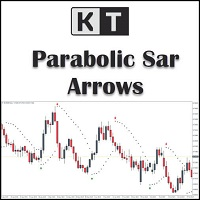
KT Psar Arrows使用标准的抛物线转向指标(Parabolic SAR)在图表上绘制箭头。当蜡烛的最高点触及SAR时绘制看涨箭头;当蜡烛的最低点触及SAR时绘制看跌箭头。信号在实时生成,无需等待K线收盘。
特点
对于想要基于抛物线SAR指标开发交易策略的交易者来说,这是一个非常有用的工具。 可以用于寻找市场中的转折点。 支持自定义PSAR参数输入。 提供所有MT4的提醒功能。
注意事项:抛物线SAR是一个滞后且严格机械化的指标。每一笔潜在交易都应该通过明确定义的规则进行筛选。
输入参数 PSAR步长:输入步长值。 PSAR最大值:输入最大值。 显示PSAR点:显示/隐藏PSAR点。即使不显示PSAR点,箭头功能也能正常工作。 其余输入项均为直观设置,无需特别说明。

DYJBands使用Bands带信号开仓关仓:当价格回落时,它在较低频段买进,而在较高频段卖出.在相反的信号下或通过止盈,止损,追踪止损关仓. 这个专家使用了资金管理,传统的止损,止盈,追踪止损.每次交易限定的订单数量,这确保交易的最大安全.EA不使用高风险的交易方法,并且可以在大多数货币对和时间范围内进行交易.此外,它不会花费太多,而且它的设置非常简单,这对有经验的和新手交易者都是有好处的.EA默认设置参数设置适合GBPUSD在图表周期H1运行.此外, EURUSD, USDJPY, USDCAD和XAUUSD或其他等货币对的设置将在评论部分提供. EA的新闻交易是基于经典DYJBands策略的。您只需要从EA属性参数进行新闻时间和入场周期配置,其余部分由机器人自动处理。例如设置新闻时间是19:59 到 20:05,入场周期选择TimeFrame=M1至TimeFrame=H1.EA默认是任何时间都能交易。3段工作时间参数是日内范围的。 例如,如果要设置从19:00 PM到05:00 AM的工作时间,则必须定义两个不同的时间间隔,例如19:00至23:59和00:00至05:00。

If you want to share your trading signal, but you do not want to distribute your investor password, this product is fit with you. "Just copier Pro" is designed to copy trading without any complicated settings. The copy can be done in one PC or over the internet. One EA can be set as master (provider) or slave (receiver). The receiver lot can be set to multiple providers lots. In "Globe" mode, the signal provider (master) have to give the password to signal receiver, (the password that is set in

The utility TradeKeeper Pro allows you to open a trade manually with a magic and a volume of your choice. It does not open its own trades, it can only open a trade by your command.
TradeKeeper Pro can trail any open trades by the iSAR (parabolic) indicator, and a simple trail. It can set the stoploss level at the open price as soon as possible. To trail any open trades for any instruments, it suffices to launch the utility in one chart. TradeKeeper Pro can close any trades or pending orders of a

Auto Fibonacci indicator that draws the Fibonacci retracement on the swing you are looking at, and redraws it the moment you zoom or scroll the chart. Zoom in on a pullback and the levels measure that pullback. Zoom out and they measure the whole trend. There are no anchor points to drag and no levels to redraw after every new high. Key features Measures the highest high and the lowest low on your screen, the current candle included. Follows zoom, scroll and window size at once, even when the ma

KT Pin Bar identifies the pin bar formation which is a type of price action pattern which depicts a sign of reversal or rejection of the trend. When combined with support and resistance, BRN and other significant levels, Pin Bar pattern proved to be a very strong sign of reversal.
Basically, a pin bar is characterized by a small body relative to the bar length which is closed either in upper or lower 50% part of its length. They have very large wicks and small candle body.
A pin bar candlestic
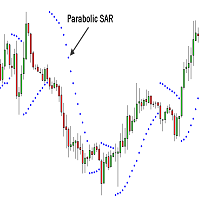
Professional Constrictors Expert Advisor follows the market using the Parabolic Stop and Reverse system indicator. At each Parabolic SAR indicator signal, a position is opened in the direction approaching the indicator. In case of an opposite signal, a new position closing the previous one is opened (in other words, positions are opened and closed partially). Thus, the EA constantly follows the price. The EA has been designed for working in the flat market. It features a critical drawdown,

RoboSar is a professional robot based on the Parabolic SAR indicator. The Expert Advisor is designed for the analysis of trending markets. On the "bull market" the indicator is below the prices, on the "bearish market" it is above the price. If the price crosses the Parabolic SAR lines, the indicator reverses, and its further values are located on the other side of the price. In case of such an indicator reversal, the reference point is the previous period's high or low. The reversal of the in

Outside Days Candlestick Bulkowski The Outside days candlestick is a well-known candle pattern composed of two candles. This indicator for showing outside days candlestick that describe by Thomas Bulkowski.
If you need for MetaTrader 4 version, please visit here: https://www.mql5.com/en/market/product/34411
Feature Highlights Show outside days candlestick. Customizable "Symbol". Customizable symbol distance from candlestick.
Input Parameters Symbol - Input symbol code from "wingdings" for out

"Quick Copier" is designed to copy trading without any complicated settings. It copies master orders faster than "Just Copier" (https://www.mql5.com/en/market/product/20920). Please also check this product at fxina.hostingerapp.com. The copy can be done in one PC. One EA can be set as master (provider) or slave (receiver). The receiver lot can be set to multiple providers lots. Any type of copy is available. MT4 -> MT5 MT4 -> MT4 MT5 -> MT5 MT5 -> MT4 If you want to copy MT4 -> MT5 or MT5 -> MT

The Expert Advisor builds a grid of orders at prices near support or resistance levels. Entry points are calculated by the EA using the author's algorithm and based on a variety of factors. The EA uses several time ranges for analysis. The built-in trend filter allows to make more accurate entries with a greater likelihood of closing them with profit and thus reducing the number of simultaneously open orders. All orders are closed upon reaching the expected profit. Through the use of TakeProfit

这个工具用于产生某个货币对的K线倒影图表,适用于外汇交易。
例如货币对为EURUSD,则会生成一个名为EURUSD_ref的自定义货币对,并打开该货币对的图表。自定义货币对的价格是原来货币对的价格的倒数,即相当于一个新货币对USDEUR,其价格K线图看起来就象EURUSD图表的倒影或者镜像。
用法很简单,将它放到随便某个图表上,新的图表就会打开,然后实时地画出对应的价格K线图。但是不可以将应用加载到由指标生成的倒影图表上运行。
=================================================================================== ==========================================================================
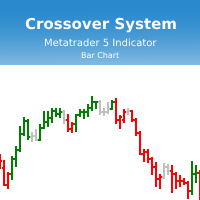
Индикатор Crossover System основан на трех скользящих средних, который изменяет цвет баров в зависимости от определенных условий скользящих средних. Этот индикатор позволит реализовывать системы из одной скользящей средней, из двух скользящих средних и из трех скользящих средних. Параметры индикатора: fastperiod - период быстрой скользящей средней fastMethod - метод построения быстрой скользящей средней fastPrice - метод вычисления быстрой скользящей средней fastshift - сдвиг быстрой скользя
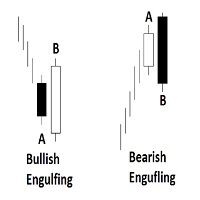
Engulfing Candlestick Bulkowski The engulfing candlestick is a well-known candle pattern composed of two candles. This indicator for showing engulfing candlestick that describe by Thomas Bulkowski.
If you need for MetaTrader 4 version, please visit here: https://www.mql5.com/en/market/product/34193
Feature Highlights Show bullish engulfing and bearish engulfing. Customizable "Up Symbol". Customizable "Down Symbol". Customizable symbol distance from candlestick. Customizable "Down Color". Custo

KT COG is an advanced implementation of the center of gravity indicator presented by John F. Ehlers in the May 2002 edition of Technical Analysis of Stocks & Commodities magazine. It's a leading indicator which can be used to identify the potential reversal points with the minimum lag. The COG oscillator catches the price swings quite effectively.
MT4 version of the same indicator is available here KT COG Advanced MT4
Calculation of COG The COG indicator is consist of the two lines. The main l

KT Momentum Arrows 会在K线收于自适应价格带之外时,用箭头标出看涨或看跌的动量突破。 价格带会随价格偏离程度和波动率变化而调整。蓝色向上箭头确认收盘价突破上轨,红色向下箭头确认收盘价跌破下轨。信号在K线收盘后固定,因此以后复盘时箭头不会移到其他K线上。 箭头告诉你什么 箭头标出动量推动价格越过价格带的那根K线。你可以把它作为入场触发信号,也可以结合自己的趋势、支撑阻力或价格行为方法进行确认。价格带会继续显示在价格周围,方便判断突破是在延续,还是后续动能正在减弱。 在同一张图表上比较信号 可选的表现统计面板会汇总所选历史范围内出现的箭头,并显示信号总数、成功与失败次数、成功率以及平均点数波动。结果线还可以连接各个信号之间测量到的行情变化。这个视图最适合在相同图表条件下,对同一品种和周期的不同设置进行比较。 影响结果的关键设置 历史K线数量: 决定参与计算和表现统计的图表历史范围。 幅度系数: 调整价格带偏离程度与波动率的组合方式。请根据实际交易的品种和周期进行测试。 表现分析: 显示或隐藏统计数据,并可分别设置结果线的颜色、宽度和样式。 提醒: 可为新的已确认信号启用声
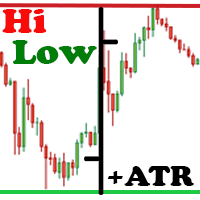
The Hi Low Last Day ( Hi Lo Last Day ) indicator shows the high and low of the last trading day and the second trading day, as well as the minimum and maximum of last week . There are many trading strategies on the daily levels. This indicator is indispensable when using such trading strategies. In fact, everything is simple in trading, you just need to understand and accept it for yourself. There is only price!!! What is price? This is the level on the chart. The level is the price that the buy

The purpose of this utility is to manage one or more subwindow in the same chart by opening and closing them through a button or the keyboard keys
How it works: If you want to handle more than one subwindow you need to reinstall the indicator . In this case some setups has to be customized onlu in the last subwindow installed and others setups in the installed subwindow during the first time installation. They are denoted in the input rispectively as ' LW ' and ' IW '.
First of all install

This indicator helps you control several pairs in a small workspace, therefore, it is not necessary to open several charts on the platform to do so. The indicator shows sequentially up to 6 different pairs, besides that each of these pairs has a button with which you can stop the indicator to observe the selected pair. Place the indicator on a chart to monitor several pairs and the rest of your space use it on the chart of the pair you wish to observe in detail. MT4 version Parameters Ob
MetaTrader市场提供了一个方便,安全的购买MetaTrader平台应用程序的场所。直接从您的程序端免费下载EA交易和指标的试用版在测试策略中进行测试。
在不同模式下测试应用程序来监视性能和为您想要使用MQL5.community支付系统的产品进行付款。
