 MetaTrader 5
 专家
专家
 指标
指标
 程序库
程序库
 实用工具
实用工具
 窗口小部件
窗口小部件
 规则
规则
适用于MetaTrader 4的新EA交易和指标 - 191
 EA交易自动执行市场交易,而指标可使您更准确地分析报价并预测价格行为。
通过这些应用程序,您将能够更明智地在MetaTrader 4执行交易,抓住更多的交易机会。
EA交易自动执行市场交易,而指标可使您更准确地分析报价并预测价格行为。
通过这些应用程序,您将能够更明智地在MetaTrader 4执行交易,抓住更多的交易机会。 
** All Symbols x All Time frames scan just by pressing scanner button ** *** Contact me to send you instruction and add you in "Divergence group" for sharing or seeing experiences with other users. Introduction MACD divergence is a main technique used to determine trend reversing when it’s time to sell or buy because prices are likely to drop or pick in the charts. The MACD Divergence indicator can help you locate the top and bottom of the market. This indicator finds Regular divergence for pul
http://onlineskoleniakurzywebinareburza.cheapindex.com/happy77-system-3-robot-2-in-1-en/
See new video Nasdaq100 from 25K TO 80K IN 3 MONTH,UK100,Forex reults https://youtu.be/z4A0i-EJDuE System3 use Move average+own indicators,+Our Science Reseach rules +special functions for save+reduce drawdown We trade it success 20 yrs.
Contact us on mesenger -Profitable setting set files from us free you need know buy or sell for product from chance for more profits
Aviable profitable setting tested ab
[ MT5 Version ]
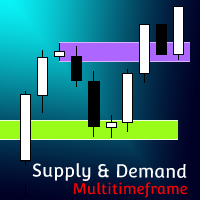
Supply and Demand Multitimeframe Supply and Demand Multitimeframe is the first indicator in the market that combines multiple aspects like trading volume, price structure and momentum to identify Supply and Demand zones for every asset. The Supply and Demand indicator analyzes simultaneously up to 4 different TFs and represents their information in the current graph. Its interactive UI highlights everytime the price enters a Supply or Demand zone even if the zones are not visibl
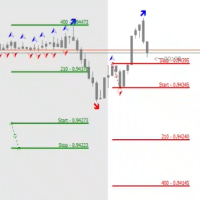
The STP Trade Manager is a utility tailored to the ST Patterns strategy by Vladimir Poltoratskiy ( www.stpatterns.com )
While specifically made for this strategy, it can also be used for other trade management. Especially when you have a need for quickly making trades and risk management.
It is a huge time saver and helps in quickly drawing the different ST Patterns corridors.
People familiar with the ST Patterns strategy will recognize and above all; appreciate the functions of this EA.
This

A complete Session Timer that shows the current time, session information with remaining time, chart display of range (high-low) and open price, of current and previous sessions for major markets, and option to add an additional city. A friendly user interface with clickable icons, customizable panel location and format, selection of colors and text. It automatically handles the DST (daylight saving) settings. It also shows the GMT/UTC and server (broker) time. And includes a Candle timer option
FREE
Cross Perfect Trend Signal is an indicator that generates trade arrows. It generates trade arrows with its own algorithm. These arrows give buying and selling signals. The indicator certainly does not repaint. Can be used in all pairs. Sends a signal to the user with the alert feature.
Trade rules Enter the signal when the buy signal arrives. In order to exit from the transaction, an opposite signal must be received. It is absolutely necessary to close the operation when an opposite signal is r

BUILD YOUR GRID
The expert is a system to help any trader to make a grid of orders (without martingale, lite martingale, or full martingale) easy and simple. Please make your test to find your settings. Default settings are just to take an idea of how the expert works. The expert can make according or contrary grid of orders. You can set the expert to work in hedge mode if the losses are huge. The system uses a high-risk strategy. It's better to test it first in a demo account.
Version for MT5
FREE
Trend easy простой трендовый индикатор в виде гистограмы. окно индикатора разделено на две части верхняя гистограма движение в бай, нижняя гистограма движениие в сел. Кроме гистограмы, сигнал индикатора дублируется на графике стрелками. В меню индикатора имеется количество баров в истории индикатора
значения периода для определения тренда разрешение рисования стрелок на графике код и цвета стрелок алерты и отступ стрелок
FREE

A simple and useful Current Price Panel, which displays magnified current Bid, Ask prices and spread, movable anywhere on chart window using the mouse. Also provides an option to have as text at a static location showing bid or ask price along with spread, shown at any location on the chart. Allows display as pips or points along with spread highlighted in distinct color if it crosses the threshold point for the previous 100 ticks. Includes an option to show or hide the last digit (pipette) of t
FREE

Gold Ranger is a fully automatic trading robot. It uses market trend to send orders and uses averaging only for recovery purposes. This robot is specifically designed for Gold or XAUUSD with H1 time frame, but it also can be used in all time frame and all trading pairs.
Setting Parameters: Expert Name - EA name and trades comment. Magic Number - EA identification number to identify trades. direct - Open position direction. Lotsize - Lot size. AutoLots - True will turn on auto lot calculation.

Торговая стратегия. Советник применяет в торговле 4 трендово-сеточные стратегии с различными параметрами. Тем самым обеспечивается распределение рисков по торговым объемам в рынке. Авторская система определения тренда и учет волатильности торгуемой пары позволяют автоматически подстраиваться советнику под настроения рынка. Используется автоматическая фиксация убытка при достижении заданной в настройках просадки. Доступно широкое количество фильтров сигналов, которые позволяют минимизировать лож
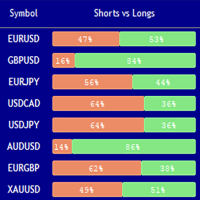
Market Sentiment Indicator Market Sentiment is a Trading Tool which allows you to see the positions of other currency traders. Until now, only institutional traders had access to such data which gave them a serious advantage over retail traders because of obvious reasons. With Market Sentiment, you too will finally know what other traders are doing which makes it easy to beat them on the forex battlefield.
Data comes from MyFxbook Community Outlook data feed and is based on up to 100 000 live

Benefits of the Surfboard indicator :
Entry signals without repainting If a signal appears and is confirmed, it does NOT disappear anymore, unlike indicators with repainting, which lead to major financial losses because they can show a signal and then remove it. perfect opening of trades The indicator algorithms allow you to find the Peak and floor position to enter a deal (buy or sell an asset), which increases the success rate for each and every trader using it. Surfboard works with any asset

Time frame: M1
Leverage : Higher the better
Spread: Lower the better
Account type : All types
(EA may enter hedge positions, if you want to disable this feature deactivate either Buy, or Sell from the setting)
Please please do not take unnecessary risks. (Trading is risky, and there are no guarantees for winning)
We wish you successful trading. (Trading is risky, and there are no guarantees for winning
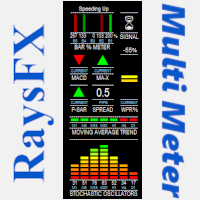
Questo indicatore è studiato per analizzare:
Lo Stochastic Oscillators , la Moving Averages , il MACD , il crossover MA , e per finire i Parabolic SAR. Il tutto viene racchiuso in un grafico che indicherà con frecce e spettri il momento ideale per aprire un trade. "La precisione dei segnali dipende sempre dai valori impostati, con i valori stock si ha un ottima affidabilità "
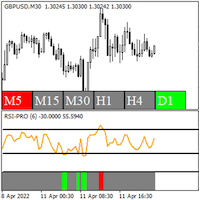
RSI Pro Indicator - Shows accurate RSI signals with modifiable price applications - Shows accurate RSI overbought and oversold levels - Shows multiple timeframe RSI overbought and oversold conditions on a single chart - 3 green bar sections in a row is an uptrend pattern - 3 red bar sections in a row is a downtrend pattern
The RSI Pro Indicator is a highly useful tool for determining overbought and oversold conditions and spotting RSI patterns, as well as spotting overbought and oversold condi

RSI Scanner is a multi symbol multi timeframe RSI dashboard that monitors Relative Strength Index indicator for price entering and exiting overbought and oversold in up to 28 symbols and 9 timeframes.
Download Demo here (Scans only M1 and W1) Settings description here MT5 version here
RSI Scanner features: Signals RSI entering and exiting the overbought and oversold zones. Monitors 28 customizable instruments and 9 timeframes at the same time. You can choose between 3 alert modes: Singl
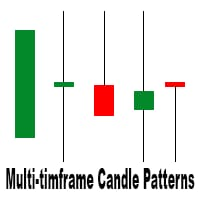
This is a multi-timeframe candle patterns indicator. It scans the chart for Hammer , Engulfing candle , Doji candle and Three white soldiers / black crows setups.
FEATURES: Main panel showing timeframe s from M5 - W1, last signal and last signal time of the selected candle pattern. You can switch between the timeframes by clicking on them. A panel with buttons to switch from one candle pattern to another on the main panel. Arrows to help you locate the candle pattern. A scale showing you what ca

The EA is mainly used for XAUUSD trading, and the main strategy is to make orders based on the candle chart and fiboracci pullback point,The time period can be set according to the active time of transactions in different countries Initial deposit: initial $5000, and manage the position according to the proportion of 0.05 lots per $5000 Time frame: H4 is awesome

The Awesome Oscillator (AO) is one of the most popular indicators that are used to measure momentum in the stock and commodity markets. It was developed by Bill Williams, a famous charting enthusiast and technical analyst who approached the markets on a psychological level. In this article, we will detail the calculations used to compile the Awesome Oscillator to then move on to applying the indicator in practice. We are also going to look at how the AO is different from other oscillators, as we

Esse indicador mede o 1º Canal de referencia e a 1º Zona Neutra * configurar o canal macro para verificar a frequencia MAIOR H1 H4 1D * configurar o canal micro para verificar a frequencia Menor 1M 5M 15M Como instalar o Indicador fimathe. E uma pré mentoria tem uma estrategia Secreta bonus nesse video . assitao o video para enteder as logicas que podemos iniciar com esse indicador.
https://www.youtube.com/playlist?list=PLxg54MWVGlJzzKuaEntFbyI4ospQi3Kw2
FREE
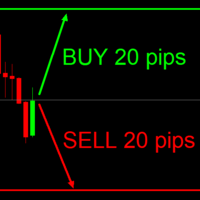
This indicator is very useful for day traders or short term traders. No need to calculate the number of pips manually, just look at the chart and you will see the Virtual Take Profit / Virtual Stop Loss target line and evaluate whether the entry point is feasible to reach the intended target or not.
Enter the intended Take Profit / Stop Loss pips for your trade. The indicator will display Virtual Take Profit / Virtual Stop Loss lines for you to easily see if the target is feasible or not.
FREE
Индикатор Strong Reversal Points H1 показывает стрелками сильные разворотные точки на таймфрейме H1. Индикатор не перерисовывает! Для максимального винрейта торгуйте только на таймфрейме H1 и только 3 (три) основные валютные пары: EURUSD, GBPUSD, USDCAD! Обязательно! Перед торговлей или тестом (прогоном в тестере) убедитесь в том, что в вашем терминале MT4 установлен правильный час открытия торгов в Нью-Йорке (параметр Terminal_NewYork_Open_Hour). Нужен час открытия Нью-Йорка именно по времени в

This is a fully FIFO compliant EA that performs money management as well as risk management. It is ideal for American residents who deal with FIFO limitations and low 1:50 leverage. The EA entry point is fully customizable and traders can conveniently modify the inputs to serve their own risk apatite. Here is the signal I created to track the progress of this EA live: https://www.mql5.com/en/signals/1491511 Since it uses martingale strategy, a gradual delay strategy is defined in the EA that clo
我为您带来唐·击 (Don hits) 激进交易专家,它是一个多向系统,涵盖所有时间和所有货币,具有回撤控制 这个系统使用我的马丁格尔逻辑之一,跟踪较短时间和较长时间发生的情况,也会决定是否有必要干预回撤,我知道很多人不喜欢马丁格尔 或者边缘系统,因为他们习惯了烧账,但相信我,我的系统是不同的,它是一个逻辑实现来覆盖错误并不断留在路上,这些系统可以有很高的DD,这就是为什么他们有一个内部 旨在控制这一点的系统,请记住,马丁家族是在市场上创造最多利润的家族
一种采用网格交易先进技术的激进系统,管理整个市场,可以通过唐点击进入,因为最先进的技术是控制进入和退出的保护,也就是说,我们将积极进入一个 但具有严格而复杂的不断累积防御系统
这些条目将受到多个内部指标的监控,以了解我们是否处于某些市场状况的边缘或底部。 此外,我们将知道如何以特殊的方式控制波动性,因为我们将拥有有关市场新闻的API信息。
我的策略 EA 有一段鲜活的历史
Don Hits 的设计初衷是让每日利润保持恒定
现场表演 如果您想要我的信号预设,请私下询问我,仅限我的客户
https://ww
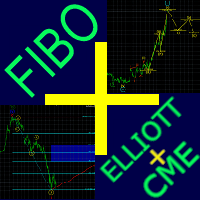
Fibo + Elliott + CME
The Expert Adviso r is designed as an assistant for manual trading. Ready-made trading system based on Elliott waves and Fibonacci retracement levels . It is simple and affordable. Display of the marking of Elliott waves (main or alternative option) on the chart. Construction of horizontal levels, support and resistance lines, a channel. Superposition of Fibonacci levels on waves 1, 3, 5, A Display data from CME (CME - Chicago Mercantile Exchange Chicago Mercantile Excha

在此向大家介绍一款我本人使用多年的机器人。该产品支持半自动和全自动交易模式。 >>> Chat <<< 本程序包含基于经济日历新闻的灵活交易设置功能。不支持策略测试器检验。仅可进行实际操作。需在终端设置允许URL 列表中添加新闻网站。点击服务 > 设置 > 智能交易系统。选中“允许WebRequest对下列URL发出请求:”。添加下列(删除空格):https:// nfs.faireconomy.media 下載最新的設定檔: https://www.mql5.com/en/blogs/post/747929 訊號監控: https://www.mql5.com/en/signals/author/test-standart 请参考博客中各类参数说明自行实现个性化设置 : https://www.mql5.com/en/blogs/post/748545 。
主要默认设置说明 单一图表英镑/GBP(英镑美元/GBPUSD、欧元英镑/EURGBP、英镑日元/GBPJPY、英镑加拿大元/GBPCAD、英镑澳大利亚元/GBPAUD、英镑瑞士法郎/GBPCHF)货币对操作。英镑/

直接在图表上监控每次布林带触碰 KT Bollinger Bands Alert 在图表上显示布林带上轨、中轨和下轨,并监控当前蜡烛是否触碰您选择的轨道。您可以启用符合自己交易方法的触碰事件,让指标在关键时刻提醒您,同时继续关注其他市场机会。 随时查看三条轨道的当前数值 可选价格标签会在图表上跟随上轨、中轨和下轨的实时数值。三条轨道均可独立设置颜色,便于在您的图表布局中清楚区分外部边界和中间基准线。 设置计算方式和提醒流程 布林带设置: 调整周期、偏差、位移和应用价格。 图表历史: 选择布林带显示的历史柱数量。 轨道选择: 分别开启或关闭上轨、中轨和下轨触碰提醒。 提醒间隔: 设置两次提醒之间的最少分钟数,以管理重复的触碰通知。 按需要选择通知方式 声音、弹窗、电子邮件和手机推送通知可任意组合使用,声音文件也可以选择。提醒消息会标明交易品种、时间周期和被触碰的轨道,便于快速返回相应图表。 无论您关注外轨测试、中轨附近的反应,还是波动边界的变化,KT Bollinger Bands Alert 都能围绕交易者熟悉的布林带提供清晰的图表显示和实用的提醒流程。

KT SuperTrend 在价格图表上提供一条清晰的方向线。处于上涨趋势时,线条以阶梯形式位于价格下方,可作为跟踪走势的参考。处于下跌趋势时,线条移动到价格上方并跟随市场下行。由于距离基于平均真实波幅计算,线条会随着波动率的扩大或收缩而自动适应。 当K线收盘穿过 SuperTrend 线时,方向会发生变化。收盘价位于线上方会标记上涨趋势信号,收盘价位于线下方则会标记下跌趋势信号。图表还会持续显示最近的信号方向和入场价格,因此您无需翻查旧K线也能了解当前状态。 分三步阅读图表 查看当前线条: 线条位于价格下方时支持上涨判断,位于价格上方时支持下跌判断。 比较不同周期: 内置扫描器显示从 M1 到月线的 SuperTrend 方向。您所交易的多个周期方向一致时,整体市场结构会更容易判断。 检查最近一次变化: 通过图表上的最近信号和入场价格,了解当前方向从何时开始,以及价格从那时起已经运行了多远。 控制线条的反应速度 周期决定波动率读数使用多少价格历史,乘数决定价格与线条之间的距离。较紧的设置反应更快,方向变化也更频繁。较宽的设置会给价格更多空间,并更关注较大的走势。您可以根据实际交易的品
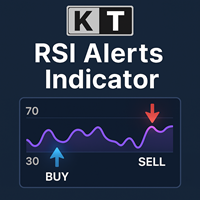
KT RSI Alerts 是对相对强弱指标(RSI)振荡器的个性化实现,能够在以下四种自定义事件中提供信号和提醒: 当 RSI 进入超买区域时。 当 RSI 离开超买区域时。 当 RSI 进入超卖区域时。 当 RSI 离开超卖区域时。
功能特点 非常适合关注 RSI 在超买/超卖区域中变动的交易者使用。 代码轻巧,不占用大量内存和资源,运行效率高。 实现了所有 MetaTrader 的提醒和通知功能。
相对强弱指数(RSI)的历史 RSI 由 J. Welles Wilder 开发,并于 1978 年首次发表于其著作《技术交易系统的新概念》和当年 6 月的《Commodities》杂志中。RSI 被归类为动量指标,它衡量价格变动的速度和幅度。RSI 的计算方法是将上涨收盘次数与下跌收盘次数的比值转换为指数值。

一眼掌握市场方向 KT Trend Filter 将改进的趋势分析方法转化为价格图表上的一条清晰彩色线。无需叠加多个指标,即可快速识别市场处于上涨、下跌还是横盘状态。默认 Trend Period 为 200,可提供较广泛的方向视角,同时让当前状态保持清晰可见。 把趋势方向变成清晰的视觉信息 蓝色 Uptrend: 突出显示看涨市场状态,帮助您专注于符合自己策略的做多机会。 鲑红色 Downtrend: 突出显示看跌市场状态,帮助您专注于符合自己策略的做空机会。 卡其色 Sideways: 当趋势条件不够清晰时,更容易识别盘整和混合方向。 在当前交易图表上,可将该线作为进场、持仓管理和多周期配合的快速视觉筛选工具。 通过九个时间周期掌握更完整的趋势画面 可选的 MTF Scanner 会显示 M1、M5、M15、M30、H1、H4、D1、W1 和 MN1 的 Uptrend、Downtrend 或 Sideways 状态。无需切换图表,即可将当前周期与更短和更长周期进行比较。只需要图表线时可以隐藏该面板。 已完成K线形成新的 Bullish、Bearish 或 Sideways 状态时

KT Forex Volume 以彩色柱状图的形式显示货币对的买入和卖出成交量。成交量由某一资产的买入和卖出交易构成。 在外汇市场中: 如果买入量大于卖出量,该货币对的价格通常会上涨。 如果卖出量大于买入量,该货币对的价格通常会下跌。
功能特点 通过使用点差成交量数据进行确认,避免不良交易。 帮助您跟随市场上的大资金参与者。 集成所有 Metatrader 警报提醒功能。
关于 Tick 成交量的使用 与其他市场不同,现货外汇市场是一个非集中式市场,因此零售交易者很难获得真实准确的成交量数据。 资深外汇交易员 Caspar Marney 于 2011 年提交的一份研究报告指出,Tick 成交量与实际成交量之间存在高度相关性和准确性。
柱状图计算公式
KT Forex Volume 指标基于 Chaikin 振荡器计算得出。该振荡器由 Marc Chaikin 提出,通过测量快速和慢速移动平均线之间的累积/分布关系来构建。
N = [(收盘价 - 最低价) - (最高价 - 收盘价)] / (最高价 - 最低价) M = N * 成交量(周期) ADL = M(前一周期) + M
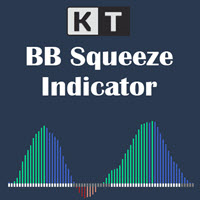
在动量扩张前看见波动率收缩 KT BB Squeeze 将波动状态与动量方向集中在一个清晰的振荡器中。它比较 Bollinger Bands 与 Keltner Channels,显示市场处于压缩还是扩张阶段,同时用零轴上下的柱状图呈现动量的发展。 灰色圆点: Bollinger Bands 位于 Keltner Channels 内部,表示挤压或收缩阶段。 白色圆点: Bollinger Bands 位于 Keltner Channels 外部,表示扩张阶段。 围绕零轴读取四种动量状态 彩色柱状图将方向和强弱分开呈现,便于判断多头或空头动量是在增强还是开始减弱。 绿色柱: 多头动量位于零轴上方并继续增强。 蓝色柱: 多头动量仍在零轴上方,但正在减弱。 红色柱: 空头动量位于零轴下方并继续增强。 鲑红色柱: 空头动量仍在零轴下方,但正在减弱。 标记扩张信号并跟踪动量减弱 当挤压之后出现白色扩张圆点,而且零轴上方或下方的动量正在增强时,指标可以在价格图表上绘制多头或空头垂直线。记录信号后,可选的动量减弱提醒会在当前走势发生变化时再次提示您。 从实用的默认视图开始 预设的 Momentum
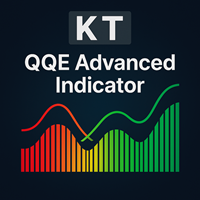
KT QQE Advanced 是对经典 QQE 振荡指标的改良版本,通过彩色柱状图配合快线与慢线 Trailing Line(TL)更直观、更精细地呈现市场动向,让交易者在瞬息万变的行情中也能一眼捕捉强弱转换、动能变化与潜在买卖区间。
与传统 QQE 不同,KT QQE Advanced 采用柱状体并附带超买/超卖水平,使过度延伸的行情一目了然,有助于及时做出高概率决策。
应用场景
借助多周期(MTF)扫描器,跨越所有时间周期快速捕捉买卖信号。 更精准地判断趋势方向,避免逆势操作。 及时识别超买/超卖状态,规避追高杀跌风险。 直观展示价格动能强弱,辅助顺势加仓或减仓。
输入参数 RSI 周期 平滑周期 MTF 扫描器 提醒设置
QQE 究竟是什么? QQE 全称 Quantitative Qualitative Estimation(定量定性估测)。它基于超平滑 RSI 与 ATR 的结合,既保留 RSI 的动量属性,又通过波动率因子过滤噪音。 不同于普通 RSI,QQE 采用 Wilder RSI,并用改良的指数移动平均进行平滑处理。 Wilder 平滑公式:前一 MA

ORB-Williams FPO 交易機器人是結合了不同的開盤區間突破 (ORB) 策略(包括 Toby Crabel 的策略)以及其他趨勢指標以獲得更好的入場信號,以及前者的退出策略拉里威廉姆斯的盈利開盤 (FPO)。
您可以看到我對信號的真實自動交易的結果: https://www.mql5.com/en/signals/1481106?source=Site +Signals+Favorites
開盤區間突破 (ORB) 是一個價格變化區間,每個時段都會產生支撐位和阻力位的組合,將自身定位為有利於突破區間,當上行突破時,它是買入信號或做多,當它崩潰時,它是賣出或做空的信號。
這些水平主要取決於系統具有的幾個參數,因此根據我們賦予這些參數的值,系統的結果可能會有很大差異。有問題的參數是“no_trade_hour”和“trade_hour”。這兩個參數雖然是整數,但實際上代表一天中的時間。
系統採用4種範圍計算方法:樞軸點;克拉貝爾;最大最小值;樞軸 MaxMin。
系統從“open_hour”參數標記的時間到價格突破支撐位或阻力位的突破方向開倉。
FPO 代表 Fi

Indicator of EARLY determination of the beginning of a new trend.
In addition, the indicator determines the global direction of the trend by the number of points: if there are more green dots (parameter Calculation of the global trend) - the trend is up; if there are more red dots, the trend is down.
The indicator does not redraw on the first candle.
The indicator can be used as an independent trading system, and as an addition to any other trading system.
The indicator can be used on any t

Ready trading strategy. The indicator shows price reversal points on the chart. In places of a possible price reversal, the indicator draws an arrow. If the indicator draws a green arrow, then the price will move up. If the indicator draws a red arrow, then the price will move down. The indicator also draws an average line on the chart. It is displayed in yellow. With a probability of 95%, if the indicator draws a green arrow, and the price is below the line, then in the near future the price w

Trading with the help of the MACD indicator has become even more convenient. Flexible settings will help you choose what you really need in your trading. Use the strategy that you need - the indicator uses 3 strategies. Download the demo right now! I recommend watching my advisor - Night Zen EA Subscribe to my telegram channel, link in my profile contacts - my profile See also my other products on mql5.com - my products Advantages of the indicator: In this indicator, the interpretation of th
FREE

OCTO TACK TREND INDICATOR
Summary/Description: Trend indicator showing signals to execute orders in favor of the current trend Get ready to have the best trend indicator you've ever tried. No repainting in any way, guaranteed It generates clear signals and always in favor of the trend (see screenshots) You just have to wait for the alert to indicate it and earn pip Are you tired of indicators that never work? Here we have the solution, try the free version and if you want to have more signals
FREE

OCTO TACK TREND PRO INDICATOR Summary/Description: Trend indicator Shows signals that tell you the current market trend Shows different signals to execute orders in favor of the current trend
Get ready to have the best trend indicator you've ever tried. It does not repaint in any way, once a signal has been captured, it remains there until it is finalized. It generates clear signals and always in favor of the trend (see screenshots) Just be attentive and wait for the alert to tell you when a ne

The indicator is a polyline (ZigZag segment) that tracks and connects the extreme points of the chart price that are at least a specified size apart from each other in points on the price scale.
The one and only setting is the minimum size (in points) of a ZigZag segment. The indicator displays levels to determine a possible trend reversal:
level "LevelForUp" - the breaking of this level determines the possible reversal of the trend up (to buy);
level " LevelForDown " - the breaking o

Attention!!! Do not try to test the EA in the MT4 Tester, it is simply impossible, because the EA opens positions on 27 different instruments and 8 timeframe . The tester is able to test only one pair. Multi-currency tester is possible only in MT5. Instructions for launching a multi-currency tester in MT5: https://youtu.be/WrQQwMQclrY How EA works: 1. The main strategy for the breakdown of local extremes is used. 2. An additional algorithm is used to control losing trades and redistribute

MT4 的 Expert Advisor 风险管理器对于每个交易者来说都是一个非常重要的工具,用于管理他的交易风险并保持余额安全。超过 60% 的交易者因为没有很好地管理风险而损失了他们的投资。
使用风险管理专家顾问,您将能够控制您交易账户中的风险。风险和利润控制可以以货币形式和百分比形式进行。
要让智能交易系统工作,只需将其附加到货币对图表并以存款货币或当前余额的百分比设置可接受的风险值。
顾问功能
该风险经理将帮助您控制风险: 为了交易 当天 一个星期 一个月 你也可以控制 交易时允许的最大手数 每天最大订单数 每天最大利润 设置股票获利了结 不仅如此,如果您在设置中指定自动设置,顾问还可以为您设置默认的止损和止盈。
设置说明:
价格:当前价格;如果您想打开市场交易,您可以将其设置为 Auto,如果您想以特定价格打开交易,您可以将其设置为 Manuel。
S.L. :您可以设置每点或您想要的特定价格的止损。
T.P. :您可以设置每点或您想要的特定价格的获利。
利润:您从交易中获得的点数和当前货币美元的利润。
损失:如果交易以点数或当前货币美元
An indicator for you follow the trend. We are providing a group of indicators that can support you decisions...
At this one you are having access to the trend indicator. Please review the others indicators for trend availables... That you give you the ability to understand the market flow and also you will be developing your pacience...
Trend the market as professional... We are using the Average True Range Indicator! Hope you enjoy.
An indicator for you follow the trend candles.
We are providing a group of indicators that can support your decisions...
At this one you are having access to the candle trend indicator. Please review the others indicators for trend availables...
That you give you the ability to understand the market flow and also you will be developing your pacience... Trend the market as professional...
We are using the Average True Range Indicator! Hope you enjoy.

The market eagle - it is a Secure Automated Software for trade Forex market and indices. This EA takes perspective of the market looking like an eagle. From a distance, observe the entire market amphitheater detecting the entry points and the best points to implement the algorithm based on the set that we indicate in the input.This system allows us to use the key points of the market to adapt them to our algorithms, trend and countertrend.The system uses multiple lot depending on the algorith
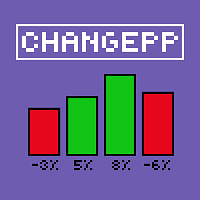
About the ChangePP indicator
The ChangePP indicator displays the percentage price change for the selected period according to the selected parameters and builds the corresponding bars in the indicator subwindow.
Clicking on a bar or pair name opens the corresponding chart with the period specified in the input parameters.
Without a doubt, the ChangePP trading indicator will be useful for traders using the correlation of currency pairs, as well as for analyzing the situation on the market.
FREE

StatBar 1.6 Indicator showing balance, earnings for today, yesterday and the day before yesterday. The indicator also shows: - Server; - GMT; - Server time; - Shoulder; - Spread.
Description of variables: extern int Magic = "-1"; // Magic for statistics -1 = all 0 = manual extern string Symboll = "-1"; // Symbol for statistics -1 = all 0 = current EURUSD = for EURUSD
FREE

Night scalping trading in the horizontal Bollinger channel. No risky strategies. All trades are protected by a stop loss. Accounting for the features of real accounts. It is possible to work with a minimum initial deposit of $10. Strategy. At night, near the rollover, market movements usually slow down, since at this time there are no strong disturbing factors. Price movements become small, but quite predictable. As a rule, they have the form of harmonic fluctuations. These movements can be used
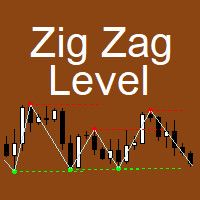
The indicator implements the author's approach to the construction of the popular "Zig-Zag" indicator.
The advantages of the "ZIgZag Level" indicator is that it filters out market noise and shows levels.
"ZIg Zag Level" is based on peaks and troughs, displays levels.
These levels can be disabled and configured.
The indicator displays the price of the level, the price tag can be disabled.
The "zigzag" line between the points can also be disabled.
The indicator has a built-in notification s

TrendMMK is an extremely simple indicator. The Buy and Sell signal changes as soon as the indicator flips over the closing price. When the TrendMMK closes below the Price, a Buy signal is generated, and when the TrendMMK closes above the Price, a Sell signal is generated.
TrendMMK is a trending indicator, and like all trending indicators it works well in trending markets. However, it does give lesser false signals than a lot of other indicators and hence if you are an intraday trader who want

Eakao is a trending following EA. This EA uses some custom indicators to detect entry signal. There are 2 trades opened per signal, one trade has fixed take profit, EA will use breakeven and trailing stop for another trade. The fixed stop loss and take profit are always set for each trade. Beside stop loss, this EA uses an exit indicator to exit the trade before stop loss or take profit are triggered. This EA has smart money management. Users only need to determine the accepted loss for each tr

Levels Pro System рассчитывает канал движения цены, учитывая волатильность инструмента, бары и тренд, - и на основании расчетных данных показывает тренд и чертит уровни поддержки/сопротивления в очень удобном визуальном представлении. В индикатор встроена система определения критических точек (критических баров), которая позволяет трейдеру значительно проще выявлять истинный пробой уровня, ложный пробой, отскок от уровня, возможный сигнал на ранней стадии движения цены итд. Таким образом, торгов

Grid trading is executed when orders are placed above or below a set price, creating a grid of orders with rising and falling prices. Our patented trader makes it possible to open new grids at the average price, thereby increasing the chances of recovering a negative floating balance.
Unlike other trading strategies, our focus is on decreasing Bollinger bands. This means that if the market has abruptly moved into a region and is weakening, it is more vulnerable to a reversal. This innovative a

Этот индикатор является уникальным в своём роде, больше всего подходит для скальпинга на XAUUSD а также для торговли на более старших таймфреймах!
Уведомление сообщит самые важные точки входа, поэтому следует торговать по тренду. Идеален для скальпинга! The Best Trend Signals - трендовый мультивалютный индикатор, может использоваться на любых финансовых инструментах валюта, криптовалюта, металлы, акции, индексы. Рекомендуемый тайм-фрейм M15, M30, H1, H4, D1.
Как торговать с помощью индикатора
FREE

ATR Scanner Pro is a multi symbol multi timeframe volatility scanner that monitors and analyzes Average True Range indicator value in up to 28 symbols and 9 timeframes in 3 modes : ATR value: As a volatility dashboard it shows the ATR indicator value in all pairs and timeframes and signals when the ATR value reaches a maximum or minimum in a given duration. Short term ATR/Long term ATR ratio: It shows ratio of 2 ATRs with different periods. It's useful in detecting short term volatility and e

Leave a review for this product, and receive another "Free" product that you want. You can see my other products here: https://www.mql5.com/en/users/zakri/seller
Grid Wizard EA has 4 built-in strategies that are really powerful. This EA is a winner EA. It can work on every symbol and timeframe, preferably H1.
Tests show it was profitable since 2010.
Entry Mode:
Both Directions, Same Basket - This strategy opens buy and sell trades at the same time, they are closed together.
Both Directions, S

Simple Strategy Checklist Panel, as its name suggests, is a panel that works as a checklist, and can place up to twenty lines of text. This was created for traders who want to have their trading plan or to-do list at hand, a simple but useful product for many.
I will write this pointless paragraph since Metatrader asks me to put a minimum of 6300 characters, so I also explain that the list can also be used to make purchases from the supermarket! Example bread, milk, flour and much more... Enjo
FREE

Представдяю вашему вниманию Trall StopLoss. Посмотрим что он умеет;)
#Order сразу выставляем в 0!!!
#Start это через сколько пунктов начнет срабатывать трал.
#Distance первая дистанция с которой начинает работать трал.
#DistanceTrall это стандартный трал, который просто смещает StopLoss на заданное количество пунктов.
#SL устанавливает StopLoss на заданное количества пунктов.
#MultiplicationTakeProfit устанавливает TakeProfit = SL*MultiplicationTakeProfit
#Trall а вот здесь начинается ин
FREE
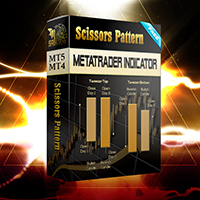
Configure scaffolding charts and signals based on the scissor pattern, which works great at low times.
Buy and sell signs based on 2 previous candle patterns
It works on the active time form, and when detecting the pattern in 4 time frames, 5 minutes, 15 minutes, 30 minutes and one hour, the alert can be set to notify us of the formation of this pattern.
MetaTrader version 5 click here
How to use:
When there is an opportunity to buy or sell, the marker places a scissors mark on the candlest
FREE

Super Turbo AI is a Multi Currency Trading Robot which has been carefully designed and rigorously tested for successful and consistent long term trading activities with each trade been potentially profitable. The over twelve years Optimization and back testing stages have both been well completed and default setting is best suited to the EURUSD pair. Attached also is the same EURUSD setting which can continually be used for months and even years to come (please visit the Comments section to dow

Slow trading, low risk low return strategy open position only buy no stoploss , option ea : close equity target, stop equity target. Take profit step by step. For minimum blance please download excel file, and try ea in demo account before purchase link download how our ea works is * Recommended free swap account (islamic account) * trading with own money * ea will open buy, the price goes down will buy again and so on ea will stop when the highest price is according to settings * floating min

DayNight HighLow is base on support and resistance levels, as well as averages of highs and lows. It detects trade direction and sends notification to your mobile phone so that you can enter/exit a trade without having to be seated in front of desktop computer all day and night. Although you have to execute/send an order yourself, you can setup rules through the setting made available for proper lots size base on the available balance/fund you are trading with. The opportunity to take a profit

DayNight moving averages along with support and resistance make a remarkable difference if properly utilized This indicator detects trade direction and sends notification to your mobile phone so that you can enter/exit a trade without having to be seated in front of desktop computer all day and night. Although you have to execute/send an order yourself, you can setup rules through the setting made available for proper lots size base on the available balance/fund you are trading with. The opport
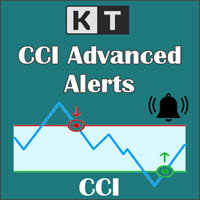
KT CCI Alerts is a personal implementation of the Commodity Channel Index (CCI) oscillator that provide signals and alerts on four custom events: When CCI enter in an overbought zone. When CCI exit from an overbought zone. When CCI enter in an oversold zone. When CCI exit from an oversold zone.
Features A perfect choice for traders who speculate the CCI movements within an overbought/oversold zone. Lightly coded without using extensive memory and resources. It implements all Metatrader alerts.

The Vortex Indicator was first presented by Douglas Siepman and Etienne Botes in January 2010 edition of Technical Analysis of Stocks & Commodities. Despite its based on a complex implosion phenomenon, the vortex is quite simple to interpret. A bullish signal is generated when +VI line cross above the -VI line and vice versa. The indicator is mostly used as a confirmation for trend trading strategies. The Vortex was inspired by the work of Viktor Schauberger, who studied the flow of water in tur

Time frame: M1
Leverage : Higher the better
Spread: Lower the better
Account type : All types
(EA may enter hedge positions, if you want to disable this feature deactivate either Buy, or Sell from the setting)
Please please do not take unnecessary risks. (Trading is risky, and there are no guarantees for winning)
We wish you successful trading. (Trading is risky, and there are no guarantees for winning
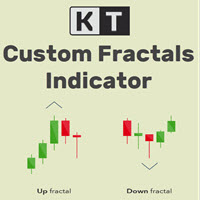
KT Custom Fractals is a personal implementation of the Fractal indicator first introduced by Bill Williams. With KT Custom Fractals you can choose a custom number of bars to allow to the left and right side of the fractal. For example, you can display the fractals that have "three" successive bars with the highest high in the middle and one lower high on both sides , or you can display the fractals that have "Eleven" consecutive bars with the lowest low in the middle and five higher lows on bot

KT Fractal Channel Breakout draws a continuous channel by connecting the successive Up and Down fractals. It provides alerts and also plots the Up and Down arrows representing the bullish and bearish breakout of the fractal channel.
Features
If you use Bill Williams fractals in your technical analysis, you must also include it in your trading arsenal. It can be very effective and useful for stop-loss trailing. A new market trend often emerges after a fractal channel breakout in a new direction.

EA only work XAGUSD symbol Slow trading, low risk low return strategy open position only buy no stoploss , option ea : close equity target, stop equity target. Take profit step by step. For minimum blance please download excel file, and try ea in demo account before purchase link download forex robot ea xagusd miner forex robot to generate profits with very low risk, such as owning a mine but does not require high-spec hardware which is very expensive, rather than buying mining hardware, it is
MetaTrader市场是您可以下载免费模拟自动交易,用历史数据进行测试和优化的唯一商店。
阅读应用程序的概述和其他客户的评论,直接下载程序到您的程序端并且在购买之前测试一个自动交易。只有在MetaTrader市场可以完全免费测试应用程序。
