 MetaTrader 5
 专家
 指标
 程序库
 实用工具
 窗口小部件
 规则
适用于MetaTrader 4的新EA交易和指标 - 281
 EA交易自动执行市场交易,而指标可使您更准确地分析报价并预测价格行为。
通过这些应用程序,您将能够更明智地在MetaTrader 4执行交易,抓住更多的交易机会。
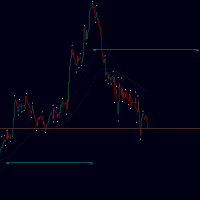
Targets is an indicator to determine potential turning points , targets are calculated to determine levels in which the sentiment of the market could change from "bullish" to "bearish." This indicator can be used in any timeframe and any currency pair: IN CASE YOU DON'T SEE THE INDICATOR WHEN YOU ADD IT TO YOUR CHARTS JUST OPEN THE INDICATOR MENU AND CLOSE THE MENU AGAIN PLEASE TAKE NOTICE: For best results use this indicator as an extra tools after you have completed your regular analysis an
FREE
This indicator allows to hide OBV (on all MT4 timeframes) from a date define by the user with a vertical line (Alone) or a panel (with "Hidden Candles"). Indicator Inputs: Apply To Information on "On Balance Volume" indicator is available here: https://www.metatrader4.com/en/trading-platform/help/analytics/tech_indicators/on_balance_volume ************************************************************* Hey traders!! Give me your feeds! We are a community here and we have the same objective....
FREE
This indicator allows to hide moving average (on all MT4 timeframes) from a date define by the user with a vertical line (Alone) or a panel (with "Hidden Candles"). Indicator Inputs: MA Period MA Shift MA Method MA Apply To Information on "Moving Average" indicator is available here: https://www.metatrader4.com/en/trading-platform/help/analytics/tech_indicators/moving_average ************************************************************* Hey traders!! Give me your feeds! We are a community h
FREE
This indicator allows to hide Parabolic SAR (on all MT4 timeframes) from a date define by the user, with a vertical line (Alone) or a panel (with "Hidden Candles"). Indicator Inputs: Step Maximum Color Width Information on "Parabolic SAR" indicator is available here: https://www.metatrader4.com/en/trading-platform/help/analytics/tech_indicators/parabolic ************************************************************* Hey traders!! Give me your feeds! We are a community here and we have the sa
FREE
This indicator allows to hide Stochastic oscillator (on all MT4 timeframes) from a date define by the user, with a vertical line (Alone) or a panel (with "Hidden Candles"). Indicator Inputs: % K Period % D Period Slowing Apply To Method Information on "Stochastic Oscillator" indicator is available here: https://www.metatrader4.com/en/trading-platform/help/analytics/tech_indicators/stochastic_oscillator ************************************************************* Hey traders!! Give me your
FREE
This indicator allows to hide Volume (on all MT4 timeframes) from a date define by the user with a vertical line (Alone) or a panel (with "Hidden Candles"). The color of each bar depends if this one is higher or lower of the previous bar. Indicator Inputs: No inputs for this indicator Information on "Volume" indicator is available in this post: https://www.mql5.com/en/forum/134260 ************************************************************* Hey traders!! Give me your feeds! We are a commun
FREE
This indicator allows to hide MACD oscillator (on all MT4 timeframes) from a date define by the user, with a vertical line (Alone) or a panel (with "Hidden Candles"). Indicator Inputs: Fast EMA Period Slow EMA Period Signal SMA Period Apply To Information on "MACD" indicator is available here: https://www.metatrader4.com/en/trading-platform/help/analytics/tech_indicators/macd ************************************************************* Hey traders!! Give me your feeds! We are a community h
FREE
This indicator allows to hide CCI oscillator (on all MT4 timeframes) from a date define by the user, with a vertical line (Alone) or a panel (with "Hidden Candles"). Indicator Inputs: Period Apply To Information on "Commodity Channel Index" indicator is available here: https://www.metatrader4.com/en/trading-platform/help/analytics/tech_indicators/commodity_channel_index ************************************************************* Hey traders!! Give me your feeds! We are a community here and
FREE
This indicator allows to hide RSI (on all MT4 timeframes) from a date define by the user with a vertical line (Alone) or a panel (with "Hidden Candles" utility). Indicator Inputs: Period Apply To Information on "Relative Strength Index" indicator is available here: https://www.metatrader4.com/en/trading-platform/help/analytics/tech_indicators/relative_strength_index ************************************************************* Hey traders!! Give me your feeds! We are a community here and we
FREE
This indicator allows to hide Ichimoku Kinko Hyo (on all MT4 timeframes) from a date define by the user, with a vertical line (Alone) or a panel (with "Hidden Candles"). Indicator Inputs: Tenkan-sen Kijun-sen Senkou Span B Information on "Ichimoku Kinko Hyo" indicator is available here: https://www.metatrader4.com/en/trading-platform/help/analytics/tech_indicators/ichimoku ************************************************************* Hey traders!! Give me your feeds! We are a community here
FREE

Add indicator "Symbol Name Drawer " on chart. Indicator creates text object with name of current symbol.
You can change symbols on chart and indicator automatically changes text.
Free to use. Simple tool.
If you have any suggestion you can write me about it in comments. I try to improve this tool in future versions. Thanks for using my indicator. If you want to order something special in mql4 or mql5 message.
FREE
This indicator allows to hide ATR oscillator (on all MT4 timeframes) from a date define by the user, with a vertical line (Alone) or a panel (with "Hidden Candles"). Indicator Inputs: Period Information on "Average True Range" indicator is available here: https://www.metatrader4.com/en/trading-platform/help/analytics/tech_indicators/average_true_range ************************************************************* Hey traders!! Give me your feeds! We are a community here and we have the same
FREE
This indicator allows to hide Bollinger Bands (on all MT4 timeframes) from a date define by the user, with a vertical line (Alone) or a panel (with "Hidden Candles"). Indicator Inputs: Period Deviations Shift Apply To Color Style Width Information on "Bollinger Bands" indicator is available here: https://www.metatrader4.com/en/trading-platform/help/analytics/tech_indicators/bollinger_bands ************************************************************* Hey traders!! Give me your feeds! We are
FREE

Expert adviser candle_EA1_DZ1 The pending order strategy has gained high popularity among Forex traders. This situation was caused by the high efficiency of such a work tactic, which allows to reduce the psychological pressure on the market participant and to open profitable positions in the situation of the sharp price changing. EA Settings: Use default settings Symbol : Recommended EURUSD. Time Frame: 15-30 - Recommended 1h Deposit Recommended : $1000 USD for lout 0.10 Use a brok

GAP TRADING ROBOT
Welcome to the Gap Trading Robot wich is based on certain Gaps in the Market. =================================
The Ea has the following settings Recommended Time Frame EURO/USD 4Hours but works on all Pairs. On the lower Frames there are too many small trades but its up to yourself. I would recommend to test it on a Cent Account if you are not sure. The Ea has been created by myself and i use it as well for my private trading. The EA has more settings It can be used as
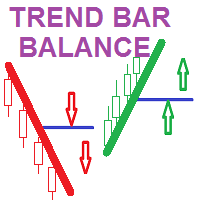
Trend Bar Balance Indicator Simple indicator based on trend detection and support resistance breakage It detects the major trend and the minor support and resistance levels *** a signal for UP /BUY is detected and alerted in a BULL trend and a resistance level break *** a signal for DOWN /SELL is detected and alerted in a Bear trend and a support level break THE POWER OF THIS INDICATOR I USE IT WHEN YOU COMBINE ITS DAILY SIGNALS FROM DIFFERENT CHART SYMBOLS AT SAME TIME AND CLOSE ALL ORDERS BY

Это наш самый серьёзный проект экстра-класса ориентированный на максимальный успех и дальнейшее улучшение. Успейте купить торгового робота всего за 60 $. В дальнейшем будет однозначное увеличение стоимости. Мы вам предлагаем: Стоимость эксперта 60 $. Онлайн поддержку и последующее улучшение проекта. Стабильнейший алгоритм исключающий критические ошибки.
Технические аспекты робота.
Раскрывать всё мы не хотим и не будем. Однозначно можем сказать что принцип работы основывается на сеточной торгов

Stop controller – утилита, которая следит за тем, чтобы у ордеров были установлены стоп-приказы и за уровнем просадки или прибыли. Стоп-приказы можно установить, как пользовательские, так и расчётные. Также она способна сопровождать рыночные ордера. Сопровождение выглядит следующим образом: утилита отслеживает промежуточные между ценой открытия и тейкпрофитом цели и частично закрывает сделки, при этом переводя стоплосс на уровень предыдущей цели. Частичное закрытие ордеров можно отключить. Чтобы
FREE
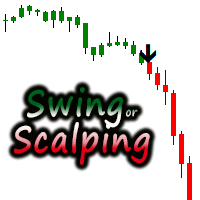
Coloured price charts, generating black arrows. User can change the colours of the arrows in the colour section of the indicator. It is consider a great scalping tool on lower time-frames, while higher time frames will have fewer opportunities but trades will possibly last longer. There is an input for Alert on or off. This can be used effectively on M15/M30 Chart until up to H4 chart time. It is best if the user has some experience with money management, utilising trailing stop to protect

BlueDigitsFx 官方生态系统入口 此免费工具是 BlueDigitsFx 交易基础设施生态系统的一部分。 通过 BlueDigitsFx 官方机器人获取更新、工作流程资源、产品发布信息以及官方生态系统访问权限。 Telegram 生态系统
官方网站
BlueDigitsFx Symbol Changer MT4 —— 一键切换交易品种,提升 MetaTrader 4 分析效率 BlueDigitsFx Symbol Changer 是一款轻量级 MT4 工具,可让交易者快速切换当前图表的交易品种,同时保留指标、图形对象、模板以及图表设置。 该工具专为需要分析多个交易品种的 MetaTrader 4 交易者而设计,帮助他们无需重新打开图表或重建工作区即可快速切换市场。 通过在切换品种时保持相同的图表布局,交易者能够更高效地扫描市场、更快速地比较不同品种,并保持整洁有序的分析流程。
主要功能 一键切换交易品种 —— 无需打开新图表即可快速切换当前图表的交易品种。 保留图表设置 —— 指标、图形对象、模板和图表设置保持不变。 更快速的多市场分析 —— 使用同一布局分析多个货
FREE

隆重推出 Period Separator Pro Utility,这是一款功能强大的工具,旨在通过在图表背景上绘制多时间框架交易时段来增强您的交易体验。该实用程序通过方便的快捷按钮面板提供独特的用户体验,让您轻松查看和管理不同的时间范围。 使用 Period Separator Pro Utility,您可以轻松地同时可视化多个句点分隔符。例如,您可以将 15 分钟、30 分钟、1 小时、4 小时、每日、每周和每月的周期分隔符叠加到 5 分钟图表上。此功能使您能够全面了解不同时间范围内的市场。此外,该实用程序会在打开新蜡烛时通知您,确保您随时了解关键的市场动向。 该实用程序的一个宝贵功能是它能够显示打开的蜡烛在重要时间范围内关闭的剩余时间。它不仅限于当前时间范围,还为您提供 M1、M5、M15、M30、H1、H4 和 D1 的剩余时间。此信息使您能够更好地管理您的交易决策并有效地安排您的进场和退场时间。 Period Separator Pro Utility 拥有一系列可定制的功能,以满足您的喜好和要求。您可以快速激活或停用每个周期分隔符和剩余时间单独显示,让您完全控制图表上显

Bond14 在没有指标交易机器人的情况下,它使用对已打开订单的分析来做出交易决策。使用具有灵活设置和限制的订单网格。智能交易系统始终在市场中。 设置说明 Lot - 订单量,如果 value = 0,则订单量自动确定, Choice_method - 从账户余额或自由资金中计算订单量, 风险 - 自动确定订单量的百分比水平, Drawdown_Percentage - 以百分比表示的回撤限制,负数, Lot_Multiplier - 网格订单数量的乘数, Grid_Step - 网格订单之间的距离, Delta_Step - 增加网格订单之间的距离, Take_Profit - 盈利水平,计算值,取决于订单总量, MagicNumber - 顾问的订单标识符, New_Cycle - 启用/禁用新周期的自动启动, MaxOrders - 网格订单的最大数量, 滑点 - 滑点, Profit_Plus - 利润随着订单量的增加而增加, 金字塔 - 使用最大总手数, clrp - 颜色, _x - 沿 X 轴的坐标, _y - 沿 Y 轴的坐标, CommentsCount - 评论

GridBreakTimeSuper is a Utility created based on grid trading strategies. It opens any number of Buystops and Sellstops orders respectively as defined by the User with a predetermined gap up and down from the current price as also set by the User. This EA works based on time set by the User for opening and closing of all orders and trades once in a day according to the time set by user. The general idea here is that each currency pair has specific time that breakout is always most likely as ther

Moss use mean reversion trade. Orders are opening and closing by indicators, and not important it's profit or loss. it's using martingalse in it strategy. You can set limit of equity drawdown, and Moss be close opened orders, if equity drawdown more then this parameter. Moss trade better, if it's works at non trended pair (for example AUDCAD). But it's can be optimised for different pairs. You can cofig it for use same strategy with two different parameter sets. Moss trade only at candle open, s

The expert system works with a deposit of $ 100! The elementary unit of analysis is tick. The classic scalping trading method. It is also worth noting that at an acceptable level of spread, the bot goes through any historical period on any currency pair.
The key is the spread, it works with the default settings, it is possible to work with a spread of up to 10. If the spread is greater than 10, then you need to select other settings. Testing with a spread of up to 10 on all ticks. Testing on o

Greasy scalper is an indicator for scalping. Shows in which direction now with a high probability there will be a price movement. This may be a movement of several points, or several tens of points. But most likely this movement will happen with a high degree of probability. And the larger the timeframe, the greater the likelihood that the price will go in the direction of the arrow. Knowing this information, we can use it for profit. We can open short trades in the direction of the arrow. As s
FREE

Common information
Sniper Trade Panel - panel for manual trading, which automatically calculates the volume of an order depending on the stop loss value and the specified risk.
How it works
On the panel we set the risk value (%); Press the "SL" (Stoploss) button, a line appears on the chart (which shows where the stop loss of the new order will be); We move this line to the level where our future stop loss will be located (below the price level for the buy order, above the price level for the
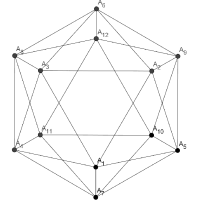
Extremums is an indicator of trend and trading signals, based on the principle of a combined analysis of calculated reference points within the channel as well as overbought and oversold levels.
The indicator forms arrows (by default, red and blue). The indicator is set in the usual way to any trading symbol with any time interval.
Indicator Benefits High accuracy; Work with any trade symbols; It works at any time intervals; Not redrawn. Input parameters Period - indicator period; LevelUp - o

The "New Candle" is an Expert Advisor that has an algorithm running beneath it that looks at price action. The EA is a market scalper, which means that trades run for a short period of time and the Take Profit is small, which is the definition of scalping. To the contrary of indicators which are lagging, price action is always running with the price.
Best settings for the Expert Advisor : - Lot : It depends on the Account Balance. Default for the EA is 0.01 lot (micro lot). - TP : Take profit s
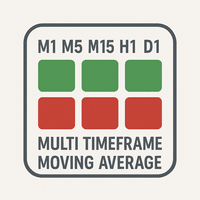
The "MTF Moving Average Panel" indicator is more of a helping tool than an indicator, it serves to help know the trend direction for the current currency pair of all timeframes in one place. It is best used with other indicators and signals, to help filter the signals according the trend based on multiple timeframes.
Indicator inputs : - Moving Average period : Default is set to 34. - Moving Average method : The method of calculation of the Moving Average. Default is set to Exponential. - Movin
FREE
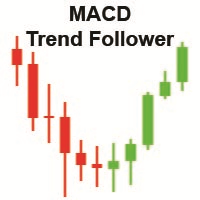
The "MACD Trend Follower" is an indicator based on the MACD oscillator. It serves to spot the trend direction by giving it a fixed color until the trend changes (the trend direction colors are customizable). The default MACD settings for the indicator has been changed to adapt to the fast moving Forex market, but they can be changed to suit the trader.
Recommended settings for the indicator : - MACD Fast EMA : 8 Periods. - MACD Slow EMA : 13 Periods. - MACD SMA : 5 Periods.
Indicator inputs :
FREE

This expert is very simple and basic, it is based on the crossover of 2 Moving Average of the choice of the user. The indicator settings can be customized to your need and way of trading.
Expert Advisor Inputs: - Fast MA : The fast moving average. Default is set to 10. - Slow MA : The slow moving average. Default is set to 20. - Lot : The trading order lot. Default has been set to 0.01 lot (micro lot). - TP : The take profit. Default has been set to 10 pips. - SL : The stop loss. Default has be
FREE
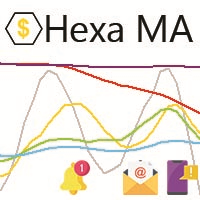
"The trend is your friend, until the end when it bends". The "Hexa MA" custom indicator is a trend following indicator. It uses 6 Moving Averages to spot the trend and follow, and also to filter the bad signals for the fast Moving Averages. The basic is simple, yet the strategy is powerful.
Recommended settings for the indicator : - Moving Average periods : SMA 5, SMA 10, SMA 20, SMA 50, SMA 100, SMA 200. - Timeframe : M15 is the default. But any timeframe can be used. - Currency pair : Since i
FREE
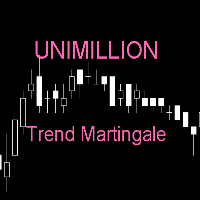
Martingale trend strategy.
Robot opens default order according to the Parabolic trend indicator. If the robot is mistaken in the trend direction, it closes the wrong order and opens a new one in the opposite direction with a larger lot.
If the direction chosen by the robot is right, it opens another order in this direction using a standard lot.
Input parameters LotStart - default lot (manual). TakeProfit - Takeprofit, pips. StopLoss - Stoploss, pips. Multiplier - multiplier for lot calcul
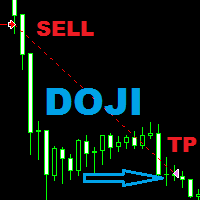
This expert uses suport and resistance in combination with ATR to place pending orders at those levels . For closing it uses Doji candle pattern or the closing at the end of the day . It is mainly built for the EUR/USD pair , M 15 Timeframe . Every position has Stop Loss and Take Profit , does not use grid , martingale or other dangerous trading methods . The expert also has Trail Stop and Breakeven functions for users who want to use them . Recommended on : EUR/USD only - M 15 Timeframe .
In the age of speed, everyone wants to gets what he/she wants quickly. Trading is all about gaining money, and scalping is a way of doing it in a short time. The "Scorpion Scalper Pro" has been named on the scorpion because of its speed. The indicator serves to provide signals for the M15 timeframe. It also sends Alerts (window alert, email alert, push notification alert) whenever a buy/sell signal occurs, and the alerts are customizable (they can be turned ON or OFF).
Indicator inputs : - Buy

What makes the "Oil Formula" custom indicator special, is that it is not based on indicators, but on an algorithm that predicts to the best possibility of the price direction. The signals given by the indicator can be filtered using one of the built-in MetaTrader 4 indicators, or other strategies for optimal results. It also sends Alerts (window alert, email alert, push notification alert) whenever a buy/sell signal occurs, and the alerts are customizable (they can be turned ON or OFF).
Indicat
Level high low Pro. the indicator is based on the trading system developed by forex trading experts; this indicator is based entirely on it.
it perfectly determines the highs and lows of the price
great for picking strategies
also knows how to work and trend
works great on binary options for binocular ...
Options worth making a deal for 1-3 candles. its advantages: You can choose absolutely any tool. no need to heap a lively chart with various indicators that contradict each other, or buil
The "MACD Swing" custom indicator is based on the MACD oscillator with custom settings and an algorithm that both serves to generate signals of buy or sell depending on the market status. It also sends alerts (window alert, email alert, push notification alert) whenever a buy/sell signal occurs, and the alerts are customizable (they can be turned ON or OFF).
Indicator inputs : - Signal arrow size : buy/sell signal arrow size (between 1 and 5). - Signal arrow distance from the candle : buy/sell

该软件适用于两种人: 1.如果你已经有很好的指标了,那么,你可以购买该工具调用指标下单,该软件有很好的风控。 2.如果你还没有好的ea或者指标,但是认为,好的指标可以带来收益,也愿意去寻找,那么你也可以购买该ea。 当你购买后, 1.作者可以帮你修改一个ea的源码(由于作者时间有限,仅限一次,并且小改动)。 2.如果你觉得该软件有需要改进的地方,可以提给作者,如果是通用的功能,作者评估后将尽力满足。 如果对该产品感兴趣或者有疑问,以及需要任何帮助,可以添加作者微信/whatsapp/telegram:17317545896 -----------------------------------------------------------------------------------------------------------------------------------------------
这是一个可以调用指标的通用EA。可以调用当个指标信号进行下单,最多可以同时调用3个指标共振下单,可以下载进行回测,判断指标是否有效。下面有参数的详细说明: In

Trender EA - автоматическая система, в основе которой заложен принцип торговли по тренду. Сначала система идентифицирует направление тренда и после этого ищет точки для входа в сделку. Уровень стоплосс определяется автоматически, а тейкпрофит на основе рассчитанного стоплосса. Советник оснащён системой сопровождения сделки "От цели к цели" - системы способной брать несколько целей с частичным прикрытием сделки. Настройки: Параметр Описание ID EA Идентификатор ордеров советника Mode trade Режи
FREE

This practical tool let you setup your keyboard to have shortcuts and hotkeys to change Chart TimeFrame.
Bring your trading to another level by actually take fast and smooth control of switching Time Frames without losing time clicking all over the Meta Trader Terminal. This tool is born due to scalping issues, where switching from higher timeframe and lower timeframes is really mandatory to make a multi timeframe analysis of the trading setup. Uplift your trading activity, by letting your ke
FREE

Автоматический эксперт TwoWayScalper работает одновременно в Long и Short. Эксперт может работать по одной из трех стратегий,включение и отключение которых осуществляется в настройках советника. Не использует индикаторы и работает на всех временных периодах. Используемая стратегия - скальпинг. В зависимости от выбранной стратегии и настроек советника, торговля ведется с использованием мартингейла и без. Используемый лот двух видов: фиксированный и риск от баланса.

DCC Trader
https://youtu.be/2wCzTFIGNp4 Welcome to the DCC Trader ================================= Please see attached the screenshot from the Backtest. It is only a 2 year history but it shows that this EA can generate good growth. The Ea has the following settings Recommended Time Frame EURO/GBP Day On the lower Frames there are too many small trades but its up to yourself. I would recommend to test it on a Cent Account if you are not sure. The Ea has been created by myself and i use it

Welcome to the Swiss Trader ================================= Please see attached the screenshot from the Backtest. It is only a 5 year history but it shows that this EA can generate good longterm growth. The Ea has the following settings Recommended Time Frame EUro / CHF Day On the lower Frames there are too many small trades but its up to yourself. I would recommend to test it on a Cent Account if you are not sure. The Ea has been created by myself and i use it as well for my private trading

Limitless Lite follow trend. Color change trend changed.
Works in EURUSD/GBPUSD/XAUUSD/US500/USDCAD/JP225/USDTRY/USDMXN and all pairs
Best timeframes 1H/4H/DAILY
Signal on close of a bar.
DOES NOT repaint. DOES NOT repaint. DOES NOT repaint. DOES NOT repaint.
DOES NOT recalculate. DOES NOT recalculate. DOES NOT recalculate. DOES NOT recalculate NOTE : TREND CHANGED FOLLOW ARROW
Settings : No Settings, change color
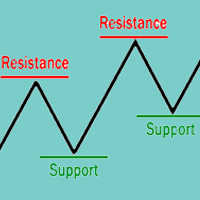
The concepts of support and resistance are undoubtedly two of the most highly discussed attributes of technical analysis and they are often regarded as a subject that is complex by those who are just learning to trade. This article will attempt to clarify the complexity surrounding these concepts by focusing on the basics of what traders need to know. You'll learn that these terms are used by traders to refer to price levels on charts that tend to act as barriers from preventing the price of an

From the data of some candles we calculate the price direction. In more than 90% of cases, the indicator indicates correctly. Arrows indicate, that you can open a long or short order. If you use it for trading, pay attention to money management!
There are no parameters to set. Only drug and drop this indicator on chart and enjoy! It is a very simply indicator.
Only used on EUR/USD H1 timeframe!

移动平均线 EA MT4 是一款全自动智能交易系统,可将移动平均线交易提升到一个全新的水平。 移动平均线 EA MT4 可以在 MA 向上(蓝色 MA)时打开一个买入交易,或者在 MA 向下(红色 MA)时打开一个卖出交易,或者可以在每个新蜡烛上打开一个新的相同方向的交易,只要斜率 移动平均线的方向保持不变。 一系列独特的设置使这款 EA 用途极为广泛。 此 EA 附带为许多符号提供的设置文件,专门针对 ECN Raw Spread ICMarkets 帐户(基于纽约的 GMT+3 时区服务器)进行了优化。 可以使用其他经纪人或账户类型,但您可能需要进行任何必要的时间调整以适合您的经纪人/账户。 建议: 我的智能交易系统并不是能预测市场的魔法工具,而是经过精心编写、稳健可靠的程序,旨在在不使用马丁格尔或网格策略的情况下实现稳定的收益。要取得成功,需要耐心和纪律。我会定期优化所有EA,每年发布两次新的参数集,并每月评估其表现。请始终只使用我推荐的参数集,并将每个品种的风险控制在0.5%或以下。 有关我的最新建议,请访问回测和设置文件博客: 单击此处 。 在外汇市场中获利是最具挑战性的事情

Japanese Candlestick Patterns EA MT4 是一款完全自动化的 Expert Advisor,具有 8 种内置策略,基于众所周知的 Japanese Candlestick Patterns。 它具有独特的设置数量,使其在所有市场条件下都非常灵活。 此 EA 附带许多符号/工具的新设置文件,特别针对 ECN Raw Spread ICMarkets 账户(纽约 GMT+3 时区服务器)进行了优化。 可以使用其他经纪人或账户类型,但您可能需要进行任何必要的时间调整以适合您的经纪人/账户。 建议: 我的智能交易系统并不是能预测市场的魔法工具,而是经过精心编写、稳健可靠的程序,旨在在不使用马丁格尔或网格策略的情况下实现稳定的收益。要取得成功,需要耐心和纪律。我会定期优化所有EA,每年发布两次新的参数集,并每月评估其表现。请始终只使用我推荐的参数集,并将每个品种的风险控制在0.5%或以下。 有关我的最新建议,请访问回测和设置文件博客: 单击此处 。 在外汇市场中获利是最具挑战性的事情之一。这是一场与大型市场参与者(如机构交易者、银行等)的持续较量,他们的主要目标就

我想提请你注意一个独特的,独一无二的顾问。 您可以从指标,形态,烛台形态,回归方向(趋势)和各种自定义功能(网格,尾随,重复移动等)创建自己的策略。)。
顾问函数:
1. 能够启用买/卖/buy_sell方向之一
2. 固定手数或存款的百分比
3. TR-在点数或波浪指标
4. SL-输入点数或波动指标
5. SL支持:
-抛物线追踪止损
-网格与鞅很多类型的增加(增加很多通过自己的公式)
-重新进入x2-代替第一个止损,挂单被放置在相同的手
-重新进入X3-这里接下来的两个止损被替换为挂单
6. 盈亏平衡-当N数通过时,EA会将订单移动到开行
7. 头寸反转-掉期买/卖方向
8. 海象级别是资金管理设置,即当达到此值时,EA停止打开新订单
9. 损失百分比或存款损失水平-当所有未平仓的存款头寸达到此损失百分比时,EA关闭所有交易
10. 以分钟为单位的订单延迟-在指定的分钟数(启用此功能时)后打开订单)
11. Intaymframe-默认值是当前值,即如果EA在当前图表上运行,则可以修复工作的TF

The script is created to save all graphic objects to a file, restore them from a file and delete all objects on the chart. Data is saved in the .csv file in the client terminal folder in the MQL4\files subfolder. If you do not specify a file name when saving or restoring objects, then the name of the current trading instrument, for example, EURUSD or USDJPY, will be used as it. To use a script, just drag and drop it onto the chart.
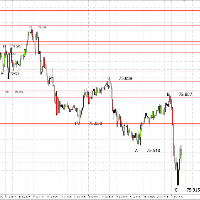
ZZFLET在圖表上繪製單位,最大10分鐘/最大。前3個字形之後,您可以更改文本的顏色,線條的顏色,字體大小,限制平面本身的線條的粗細。 該指標主要適合作為較小TF的平面指標,對於較大TF,它將作為支撐和阻力線的指標,根據通常的鋸齒形進行繪製,如有必要,應將其添加到圖表中。 ZZFLET zài túbiǎo shàng huìzhì dānwèi, zuìdà 10 fēnzhōng/zuìdà. Qián 3 gè zìxíng zhīhòu, nín kěyǐ gēnggǎi wénběn de yánsè, xiàntiáo de yánsè, zìtǐ dàxiǎo, xiànzhì píngmiàn běnshēn de xiàntiáo de cūxì. Gāi zhǐbiāo zhǔyào shìhé zuòwéi jiào xiǎo TF de píngmiàn zhǐbiāo, duìyú jiào dà TF, tā jiāng zuòwéi zhīchēng hé zǔlì xiàn de zhǐbiāo, gēnjù tōngcháng de jùchǐ

結合BinaryMiner和Root-Diamond最佳設置的全自動交易平台
內置配置。
1.從存款中自動計算深淵。
2.從多頭或空頭頭寸的結算水平只開一個頭寸
3,在逆勢趨勢下實現無損失的安全性
4個二元指標過濾市場,並確定市場走勢附近的波動。
所有合併配置均保證了長期收入
// ---------可配置參數---------- //
工作頻率M1
1.交易保證金百分比-默認設置為100%
2.自動計算交易量-默認設置為false-如果為true,則顧問將計算全部存款的交易量
3.手動計算交易量-默認設置1-1手/最小手,請諮詢數據提供商
4. LEVEL-交易水平-默認設置1-推薦從10到59
// ----------二進制指標---------- // BOOL_F&BEAR_F-默認設置0-兩種力的推薦設置0-可以採用-20至+20的值
該指示器可預測下一個波動。
BOOL_N&BEAR_N-默認設置0-兩種力的推薦設置5-可以取0到30之間的值
該指示器指示反作用力的強度。
BOOL_C&BEAR_C-默認設置0-兩種力的推薦設置1.5
FREE

To maximize profit this EA can open 3 trades per signal using different strategies on each.
Trade 1 is from signal to next signal. Also use Trailing stop based on Fibonacci. Trade 2 Set take profit at Fibonacci level. Trade 3 Set take profit at Fibonacci level. Also use Trailing stop based on Fibonacci. Settings Activate Buy 1 //--------To enable long trades for operation 1 Activate Sell 1 //--------To enable short trades for operation 1 Activate Buy 2 //--------To enable long trades

Oscillator based on data convergences between volume and liquidity. It is recommended to use it in pairs with high volume and liquidity of exchange, such as EURUSD. Preferably, in TF 4H or higher. How to use:
When the lines converge and intersect in OVERPURCHASE, it is recommended to sell. When the lines converge and intersect in SURVEY, it is recommended to buy.
Any questions, do not hesitate to contact me by chat for questions. If you consider it to be fake, or you feel that it works badly

Определения текущей тенденции одна из самых важных задач трейдера не зависимо от стиля торговли. Индикатор Price Detect поможет с достаточно высокой вероятностью это сделать. Price Detect - индикатор распознавания тенденции, использующий авторский алгоритм расчета. Показания индикатора не изменяются не при каких условиях. Также с помощью индикатора можно наблюдать за коррекцией цены в сторону глобального тренда, определять возможные границы окончания отката. Индикатор подходит для любой валютн
WOLFE WAVE PATTERNs First discovered by Bille Wolfe . The wolfe wave is a 5 wave price action pattern that is formed by supply and demand in a market and the fight to reach equilibrium in the market . The entry spot of the pattern is defined by the breakout of the trend created by wave 1 and wave 3 . This pattern forms in any market where there is supply and demand thus it can also be used to trade commodities and stocks. Wolfe Waves are reversal patterns that usually carry a low risk margin. P

The trading robot uses a unique system for determining critical price levels. In these areas, the adviser determines the most likely price movement and begins its work.
An advanced system of profit and loss control allows the amount of profit to prevail over the amount of loss.
Each advisor order has a stop loss.
Hazardous trading methods are not used. The default settings are suitable for (5M timeframe): EURGBP, USDCAD, EURUSD, AUDUSD, USDJPY, EURJPY. No additional set files are

Fully automatic trading system .This robot implements 3 strategies:morning flat breakout, channel breakout at a specified interval, and night scalper .Supported GBPUSD H1 pair .All trades have a visible stop loss and take profit .The EA has flexible settings and you can perform optimization yourself, including on other financial instruments.The robot has been successfully tested over a 10-year history with 99.9% simulation quality.Each of the strategies can be excluded if necessary . Important!

Inside the Black Hole It is an advanced trading system. This is a fully automatic Expert Advisor.
Inside the black hole. It is a 100% automatic system, the system controls both the inputs and the batches, the operator just has to place the robot on the graph and let it act It is an ideal system for people who do not want complications or strange configurations. The system is self-sufficient, performing all the work. Is a revolution in the customization of the trading. You can downl

NitroFX is a fully automated Expert Advisor. NitroFX is a systematic trading system that involves planning, trading strategies, conducting multiple back tests, and collecting statistics, which will help the system to be more accurate and increase profitability. NitroFX uses effective risk management tools, Trailing stop and Breakeven point . A trailing stop is a stop that automatically adjusts to market movement. This means it will follow your position when the market moves in your favor, and

An expert of a new type Formulas has been created - it works using sharp tick movements. The uniqueness of the expert is that it can be launched on any hour period, any currency pair, and on the server of any broker. What makes the expert attractive enough to use for trading. It is recommended to work on liquid forex pairs with a low spread. The lower the commission and spread, the greater the profit. You can start using it with $ 100 and a lot of 0.01. A small initial deposit also contributes
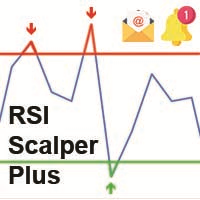
The RSI Scalper Plus is an indicator based on the RSI oscillator with an algorithm that filters bad signals. The RSI is basically based on the Overbought and Oversold zones. The indicator generates BUY & SELL signals with arrows showing when to buy and when to sell. Signals can be set in the input menu : - An alert window : TRUE to show the alert windows, FALSE to hide it. - Push Notification : TRUE to send a push notification to mobile phone connected to the MT4, FALSE is default. - Email Notif
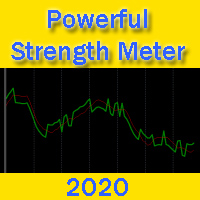
Powerful Strength Meter - a trend direction indicator. The indicator measures the strength of the trend and shows the trader signals in the form of two lines: red and green. Indicator signals are very easy to read. If the green line crosses the red line up - this is a buy signal. This means that now the price will go up. If the green line crosses the red line from top to bottom - this is a sell signal. The larger the time frame, the more accurate the indicator signals. You can also, for example
FREE
The script changes the timeframe of all open charts on the MetaTrader platform in a simple click without having to do it manually by going through all the open charts and changing them one by one, it is handy when there are many open charts. The script lets you choose which timeframe to apply to the open charts. The timeframes available in the dropdown menu are the ones already available on the MetaTrader platform : M1, M5, M15, M30, H1, H4, D1, W1, MN1.
FREE

This robot scalper is built on the algorithm of advancing price movement. The robot analyzes the market for the "N" number of bars and sets virtual points of peak minimum and maximum waves of movement on the analyzed history. Further, the robot at each tick measures the speed of price movement. If the price moves at a certain speed to a virtual point, the robot opens a buy or sell order, depending on the situation. After the order is open, StopLoss and TakeProfit are placed, and the transaction

MQL4 Expert parsing signals from Telegram bot and executing the orders. Install EA, Telegram. Create a telegram bot which will distribute signal and specify it's token in EA input settings as well as key words which will be used to parse a signal. You can change or add key words by your own. Default values (lot, stops) are used in case the incoming signal don't include them. Specify "Allow DLL imports" in EA Settings.

Traders can use the Trends Histogram indicator to identify potential areas of profit taking in the next section of an uptrend or downtrend. So it is for direct entry into the market.
The indicator is used in the same way as any of these indicators individually or in combination with other indicators. This indicator shows an uptrend and a downtrend (green histogram).
Only one input parameter is available: Length. It affects the scale of indicator price coverage. Installed input parameters can

This development is a scalping system. The Forex Go bot shows excellent results, which can be seen in the screenshots. You can shamelessly start the protest and the bot with such a rite, self-confidently churning in your abilities. The bot can be tested on high currency pairs and high periods. In order to install the test tester so it is indicated on the screenshots, for correct test. You need to trade on timeframes M1-M15. Expert Advisor is designed to trade on any instrument. It is preferable
学习如何在MetaTrader AppStore上购买EA交易,MetaTrader平台的应用程序商店。
MQL5.community支付系统支持通过PayPay、银行卡和热门付款系统进行交易。为更好的客户体验我们强烈建议您在购买前测试EA交易。
