QuantRail Level Grid
- Uzmanlar
- Sürüm: 1.25
- Etkinleştirmeler: 5

QuantRail Level Grid is a multi-symbol Expert Advisor for MetaTrader 5 with basket management and an optional recovery mode designed to reduce exposure gradually during drawdown.
Gradual exposure reduction during drawdown
A grid basket can accumulate several open positions while it is losing. Recovery mode can suspend additional entries in that basket and reduce its exposure one position at a time. A configurable share of the net realized results from other baskets can be allocated to a virtual recovery credit, which the EA can use to close individual positions in recovery.
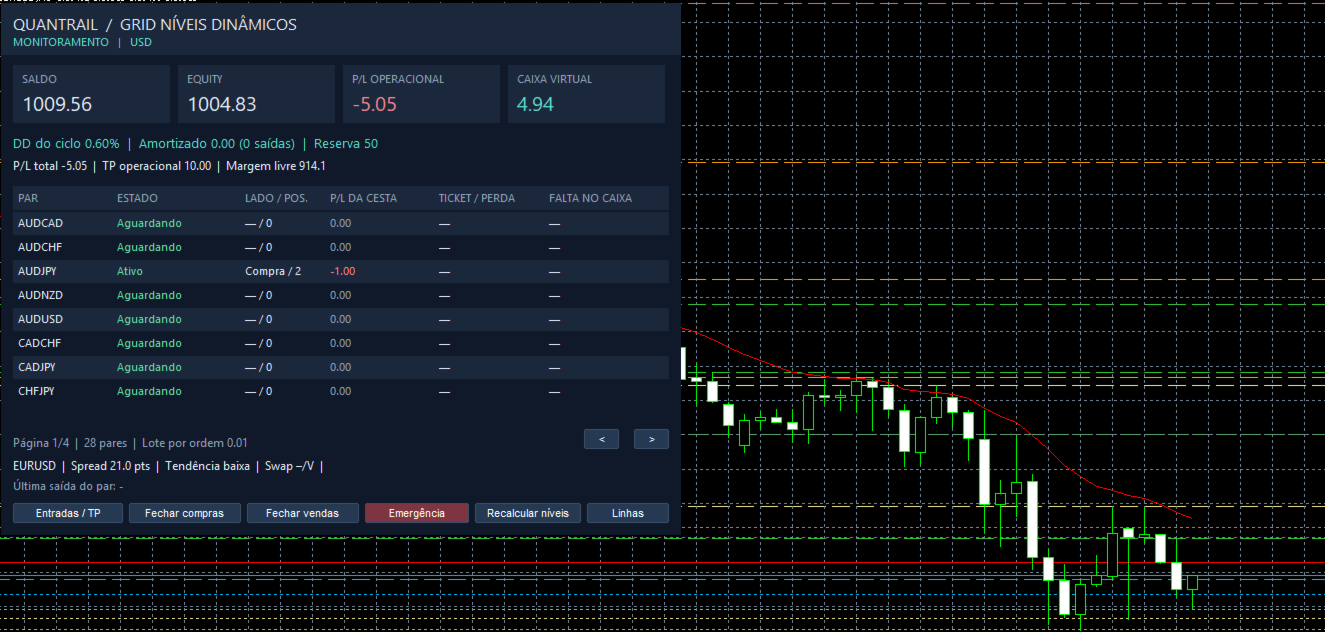
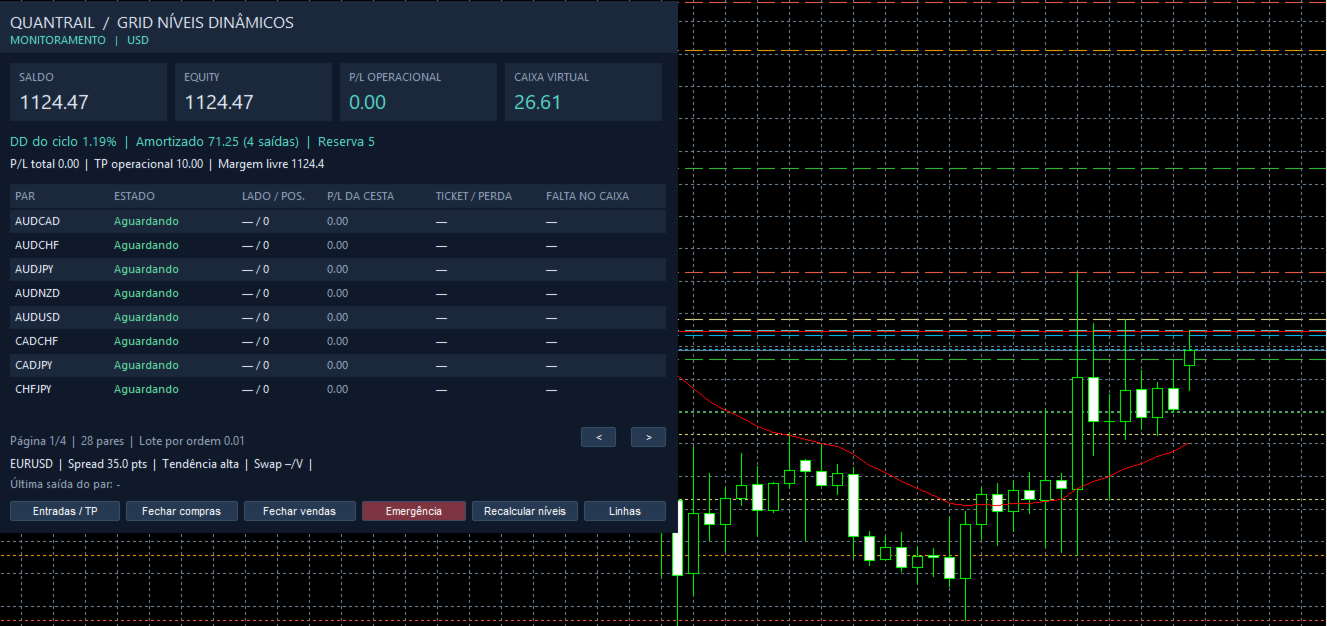
The dashboard shows the available recovery credit, the total loss realized through recovery closures, and the baskets currently in recovery. Open positions remain reflected in account equity and portfolio risk controls. Recovery credit is an internal accounting figure. Closing a losing position realizes its loss and reduces future exposure.
Main features
-
Multi-symbol operation from one chart. Monitor up to 32 configured symbols and manage one basket per symbol.
-
Configurable timeframes and filters. Adjust the monitored timeframes and the trend, RSI, divergence, volatility, spread, swap, and news filters.
-
Balance-based position sizing. Order size follows balance tiers. Adding positions to a basket does not multiply the lot size.
-
Basket and portfolio management. Set take-profit and stop levels for individual baskets, a portfolio take-profit target, and, in recovery mode, exposure limits, a freeze on additional grid entries, and a portfolio equity stop.
-
On-chart dashboard. Monitor balance, equity, free margin, profit or loss by symbol, position count, basket status, and recovery credit. Use the dashboard controls to pause entries, close positions, or trigger an emergency close.
-
Configurable data source. The EA calculates levels locally by default and supports an optional external data feed.
Key inputs
-
Pairs and ActiveTF select the symbols and timeframes to monitor.
-
EnableRecovery activates recovery mode. IsolationLossPercent and ProfitToRecoveryPercent configure basket isolation and the allocation to recovery credit.
-
MaxCurrencySidePositions, FreezeGridDrawdown, and StopEquityDrawdown configure exposure and drawdown controls in recovery mode.
-
GlobalTPPercent, TPBase, TP, SLBase, and SL configure portfolio and basket exits.
-
OnlyPositiveSwap, MaxSpreadPoints, SlippagePoints, and NewsFilter configure entry filters and execution settings.
Compatibility
This version requires a MetaTrader 5 hedging account to manage individual positions. Use visual mode in the Strategy Tester to view the dashboard. Automated exits require the terminal to be connected and authorized to trade. Recovery reduces exposure as positions close. Actual drawdown depends on market conditions and execution.
AUDCAD,AUDCHF,AUDJPY,AUDNZD,AUDUSD,CADCHF,CADJPY,CHFJPY,EURAUD,EURCAD,EURCHF,EURGBP,EURJPY,EURNZD,EURUSD,GBPAUD,GBPCAD,GBPCHF,GBPJPY,GBPNZD,GBPUSD,NZDCAD,NZDCHF,NZDJPY,NZDUSD,USDCAD,USDCHF,USDJPY