ATR Structure Signal Assistant
- Göstergeler
- Sürüm: 2.34
- Güncellendi: 21 Ekim 2026
- Etkinleştirmeler: 5

Brief Description:
An assistant for analyzing market dynamics and volatility across timeframes (MT), featuring an automated position simulator based on the "R" (risk multiple) concept.
Decision-Support Assistant (based on multi-timeframe ATR analysis)
This tool is a professional, multi-timeframe (MTF) entry system designed to identify high-probability trend continuation (CONT) and trend reversal (RV) patterns.
Key Strengths and Technical Structure
- A robust, three-layer "pinned" multi-timeframe (MTF) engine:
Configurable for any timeframe (fractal or sequential timeframes are recommended). The system simultaneously processes the "Structural Timeframe" (STF - e.g., M30), the "Pattern Timeframe" (PTF - e.g., M15), and the "Trigger Timeframe" (TTF). Because the trigger engines are mathematically "locked" to your selected timeframe (TTF), changing the chart's timeframe for visual inspection will never alter or shift the generated signals. - Built-in Position Simulator and Smart Risk Management:
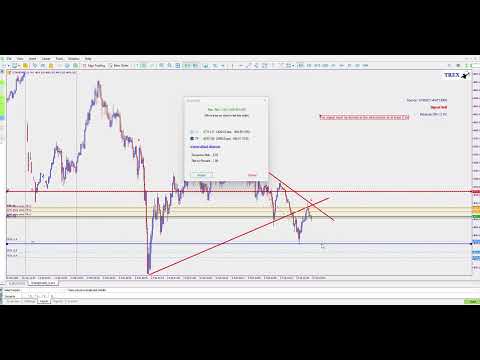
For every trade, the tool automatically plots precise zones (reference levels at 11%, 13%, 22%, and 33%), a dynamic Stop-Loss, and three Take-Profit targets (TP13, TP22, TP33) directly onto the chart. The Stop-Loss is calculated dynamically using the ATR (Average True Range) indicator. For risk management, utilize an expert advisor (EA) that manages position sizing based on a percentage of your account balance. - Automatic "Quiet Hours" Filter:
This tool automatically detects the primary market hours for a given symbol and disables itself during the first hour after the market opens and the final hour before it closes. This prevents trading during periods of low liquidity, when spreads (the difference between the buy and sell price) tend to widen. - Ultra-fast Execution:
The system utilizes a novel storage structure based on "bars," combined with precise filtering within each candle. This enables rapid backtesting via the MT5 platform's Strategy Tester and ensures high-performance, lag-free operation during live trading.
The lifecycle of the simulator lasts as long as it remains visible on the chart. Once the simulator disappears, its validity has expired.
Input Parameters
Position Simulator:
- TP1 (Default: 3.0) – R-multiple for the target zone at the 13% entry level.
- TP2 (Default: 2.0) – R-multiple for the target zone at the 22% entry level.
- TP3 (Default: 1.0) – R-multiple for the target zone at the 33% entry level.
- ShowSimTP (true/false) – Toggles the visibility of Take Profit target lines on the chart.
Timeframe Settings:
- STF (Default: PERIOD_M30) – Higher Structure Timeframe.
- PTF (Default: PERIOD_M15) – Intermediate Pattern Timeframe.
- TTF (Default: PERIOD_M5) – The "Trigger Timeframe" used for entering trades based on the time-based setup.
Display Panel:
- PanelCorner, PanelXDist, PanelYDist, PanelFontSize – These parameters control the positioning and size of the "Live Status Panel" on the chart.
Alerts and Notifications:
- AlertPopup, AlertMobile, AlertSound – These "one-shot" alerts provide comprehensive trade details—including entry points (at the 13%, 22%, and 33% levels), Stop Loss (SL), and Take Profit (TP)—sent directly to your MT5 terminal and mobile app.
Testing in Strategy Tester
To perform testing within the MetaTrader environment, ensure that the timeframe selected in the strategy tester matches the "Trigger Timeframe" (TTF) input parameter of the indicator, and set the "Modeling" mode to "Every tick."
If you need any further explanation or have any questions about using the indicator, please feel free to send me a direct message and I will gladly guide you.