DYJ Hedging ODE Beta EA
- Uzmanlar
- Sürüm: 2.4
- Güncellendi: 2 Eylül 2026
- Etkinleştirmeler: 5

DYJ Hedging ODE Beta EA is a professional, highly customizable hedging and synergy trading system designed for MetaTrader 5. It integrates two distinct trading logic cores—BEAT
and ODE—allowing traders to combine signals dynamically, manage separate magic numbers, and execute sophisticated hedging or reverse-trading strategie
Strategy Overview
Dual-Core Engine & Synergy Mechanism (BEAT & ODE)
-
BEAT Core Layer: Acts as the efficient execution and signal pre-filtering module, responsible for baseline trend capture and directional control to provide a stable entry benchmark for complex hedging.
-
ODE Dynamic Evolution Layer: Integrates Ordinary Differential Equations (ODEs) and physical dynamic models (such as velocity, acceleration, and damping resistance), transforming market price fluctuations into a continuous dynamic system. By computing system state variables in real time, it precisely captures trend inflection points and momentum exhaustion zones.
-
Hedging & Reverse Trading Modes: Supports both positive synergy and cross-hedging between the BEAT and ODE cores. Traders can independently configure Magic Numbers for both logic streams, enabling isolated multi-directional position management or advanced inter-strategy hedging.
-
Dynamic Position Balancing: Dynamically adjusts hedging ratios and risk exposure in real time based on differential evolution states, effectively mitigating extreme market volatility and ranging whipsaws while significantly reducing directional blow-up risks.
-
Fully Customizable Parameters: Exposes complete mathematical model coefficients, damping factors, step sizes, and risk thresholds to meet the rigorous optimization and backtesting demands of professional quantitative traders.
-
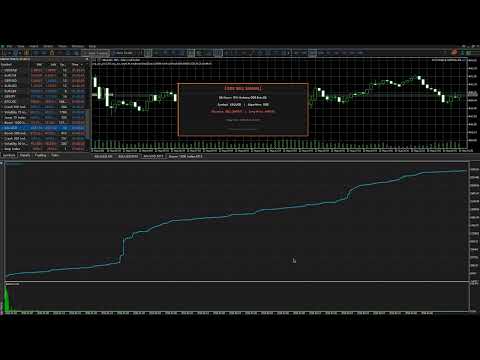
Interactive Visual Dashboard: Features a built-in Canvas graphical dashboard that displays real-time dual-core operational statuses, dynamic parameters, and a profit/loss overview, ensuring complete transparency throughout strategy execution.
Whether you want to trade them individually, combine their signals using logical operators (OR/AND), or deploy reverse-mode risk balancing, this EA provides absolute control over your trading automation.
Key Features
-
Dual-Core Signal Engine: Choose between BEAT, ODE, or combined logic (BOTH_OR / BOTH_AND) to fine-tune entry triggers.
-
Independent Magic Number Management: Track and separate trades by specific magic numbers ( InpODEMagic and InpBetaMagic ), with the flexibility to calculate profit curves globally by account or individually by magic number.
-
Advanced Reverse & Hedging Modes: Configure separate reverse trading modes ( InpIsBetaReverseMode and InpIsODEReverseMode ) to turn the EA into a powerful hedging or counter-trend system.
-
Controlled Martingale Option: Includes a customizable multiplier ( InpMartingaleMult ) to scale recovery trades safely within user-defined maximum trade limits.
-
Visual Canvas & Alerts: Built-in real-time UI dashboard canvas support ( InpIsDisplayCanvas and InpIsDisplayAlertCanvas ) for instant visual feedback on charts.
-
Bilingual Support: Switch effortlessly between English and Chinese interface logs/messages via InpLanguage .
Input Parameters
General & Time Settings
-
InpLanguage = LANGUAGE_ENGLISH (Interface language option: default LANGUAGE_ENGLISH ; optional LANGUAGE_CHINESE )
-
InpSignalType = SIG_BEAT (Core signal combination method: SIG_BEAT beat signal / SIG_ODE ordinary differential equation signal / SIG_BOTH_OR OR logic combination / SIG_BOTH_AND AND logic combination)
-
InpT1 = 2026.06.01 00:00 (Start time filter switch for strategy execution)
-
InpT2 = 2026.12.31 23:59 (End time filter switch for strategy execution)
-
InpProfitsCurveType = CURVE_BY_ACCOUNT (Profit curve calculation mode: CURVE_BY_ACCOUNT calculated by entire account / CURVE_BY_MAGIC calculated by magic number only)
-
InpIsUseNewbars = false (Whether to execute trades only on the first tick of a brand-new K-line/bar)
-
InpIsDisplayCanvas = false (Whether to enable visual graphical dashboard on the chart, such as DYJ ODE_CANVAS rendering)
-
InpIsDisplayAlertCanvas = true (Whether to enable popup alert notifications on the chart dashboard)
-
InpIsPrintHistoryPosition = false (Whether to print detailed historical order execution logs in the terminal)
-
InpODEMagic = 7654321 (Unique magic number identification code for ODE strategy module orders)
-
InpBetaMagic = 1234567 (Unique magic number identification code for Beta strategy module orders)
-
InpMartingaleMult = 2.0 (Martingale multiplier, i.e., position doubling progression parameter, set to 2)
-
InpLotSize = 0.01 (Initial base trading lot size, can be adjusted to 0.2 according to recommended configuration in actual trading)
-
InpIsBetaReverseMode = true (Whether to enable reverse trading logic and hedging mode for the Beta strategy)
-
InpIsODEReverseMode = false (Whether to enable reverse trading logic for the ODE strategy)
-
InpMaxBetaTrades = 1 (Maximum number of simultaneous open orders allowed for the Beta module — strictly limited to 1 order at a time)
-
InpMaxOdeTrades = 1 (Maximum number of simultaneous open orders allowed for the ODE module — strictly limited to 1 order at a time)
-
InpVelocityThreshold = 1.5 (Momentum velocity trigger threshold used to capture market rate of change)
-
InpTickThrottleSeconds = 1 (Tick throttling and latency parameter, used to control high-frequency trigger frequency or simulate delay stress testing)
-
InpIsAgainBetaAlert = false (Whether the Beta strategy enables duplicate alert triggering in the same direction)
-
InpIsAgainODEAlert = false (Whether the ODE strategy enables duplicate alert triggering in the same direction)
Recommended Configuration
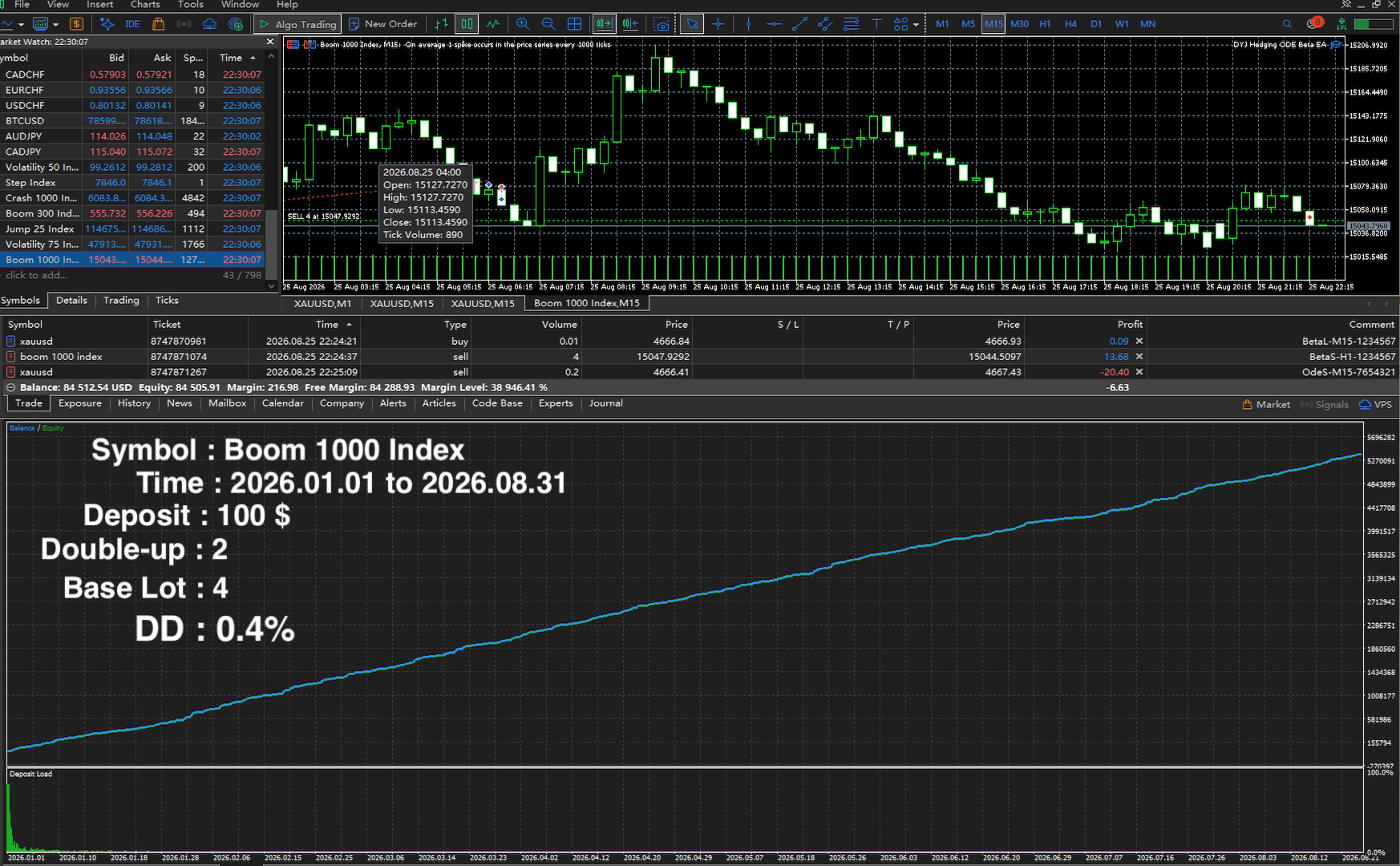
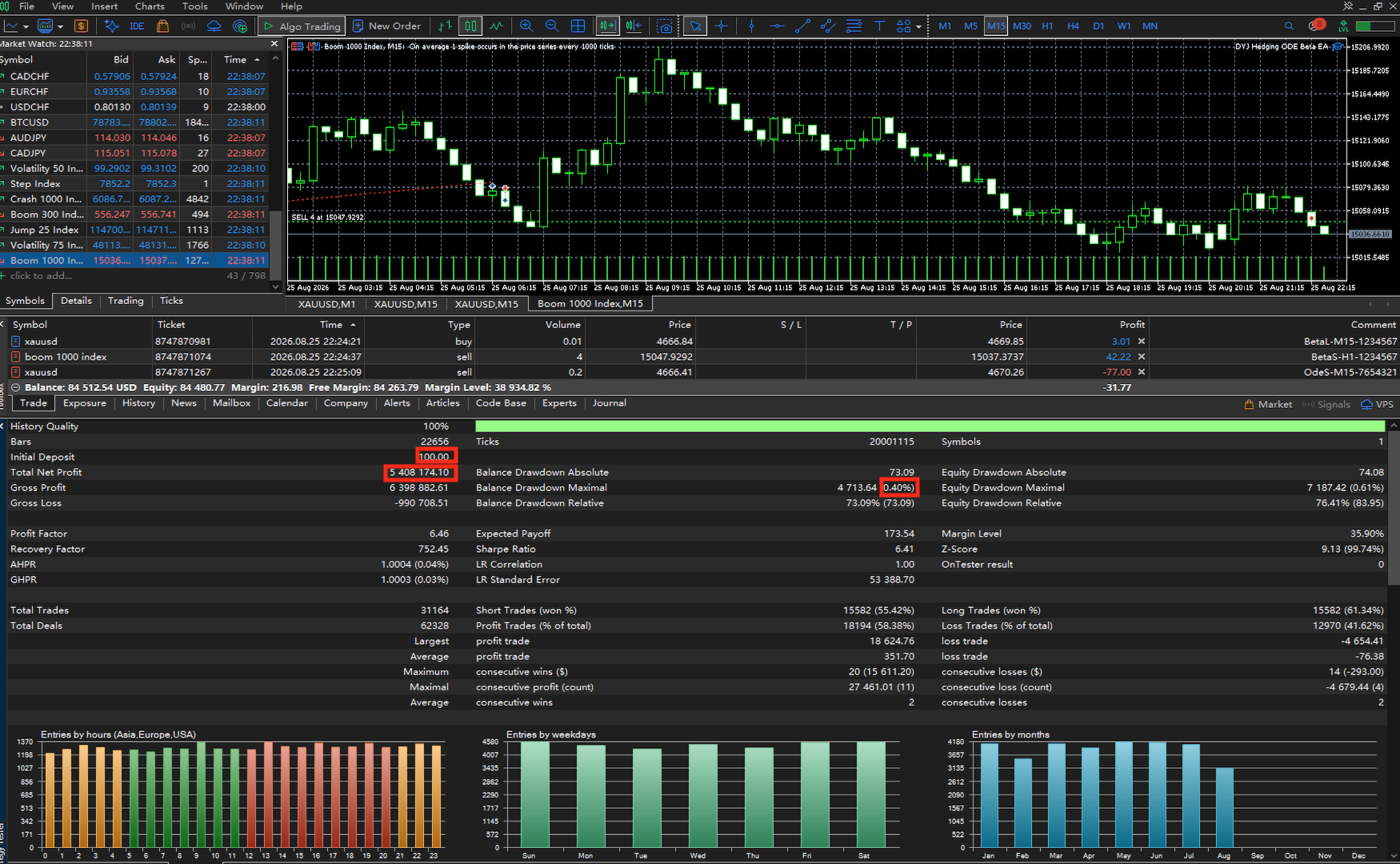
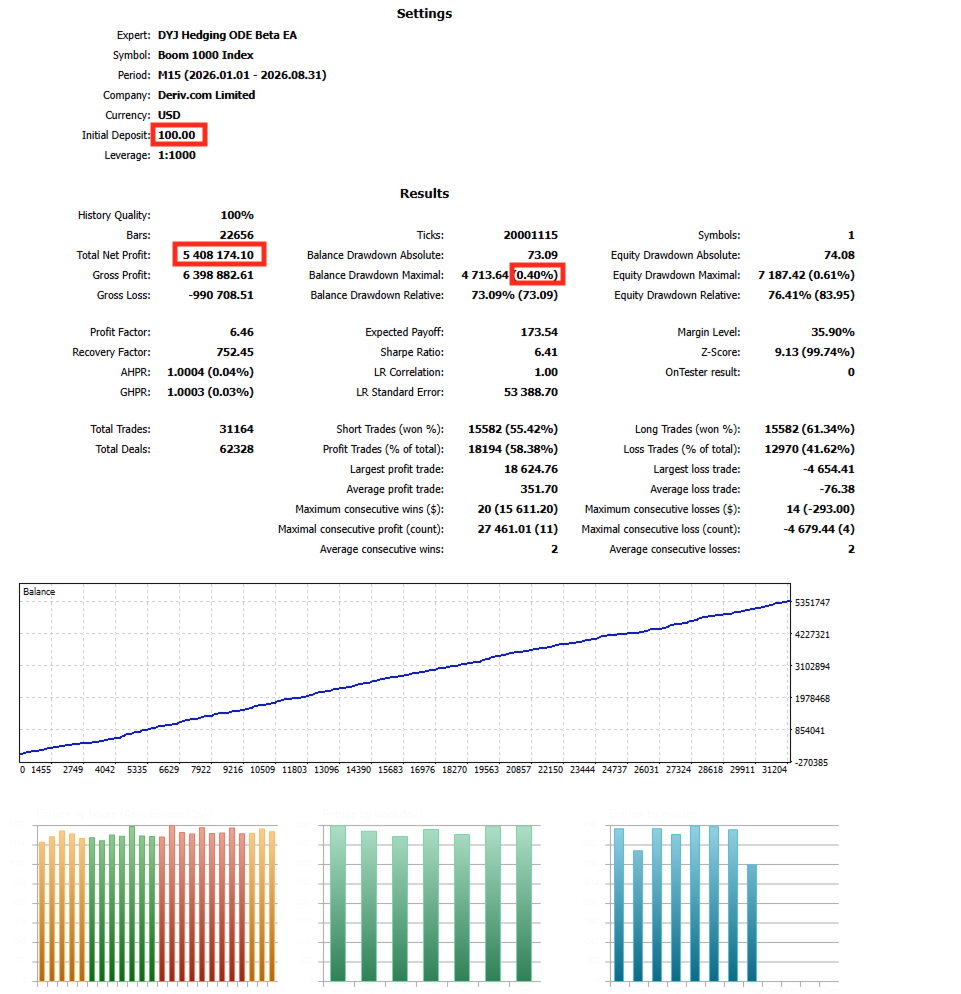
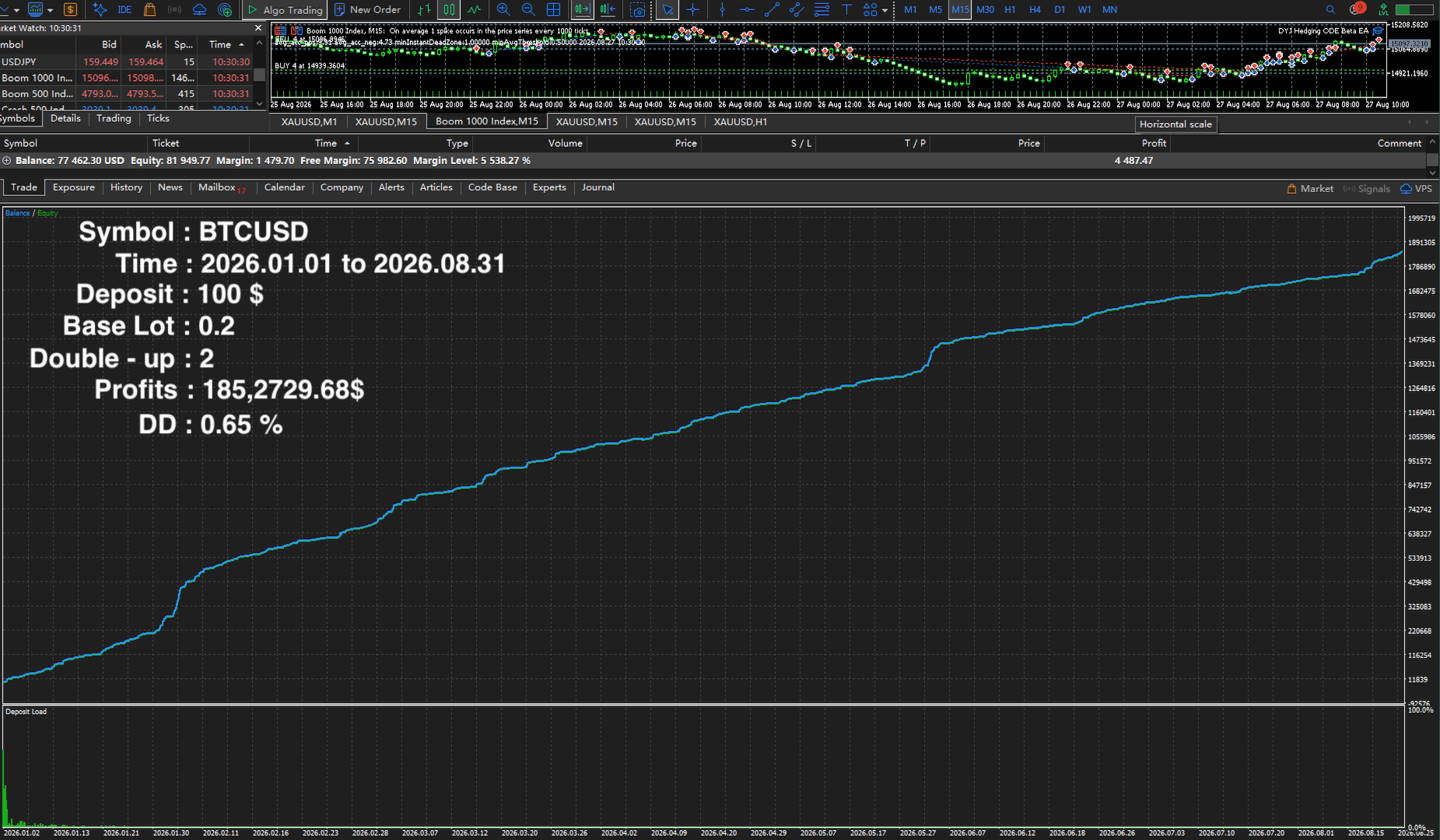
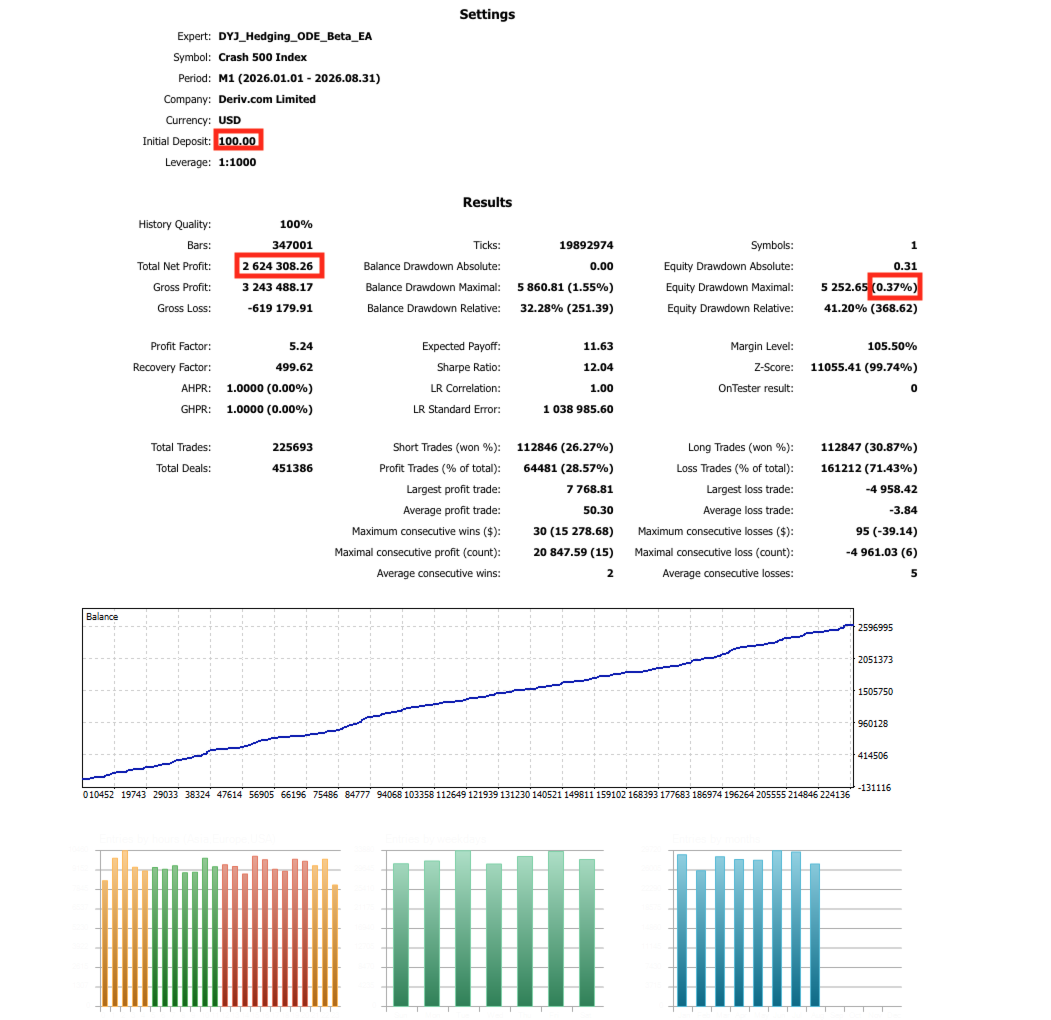
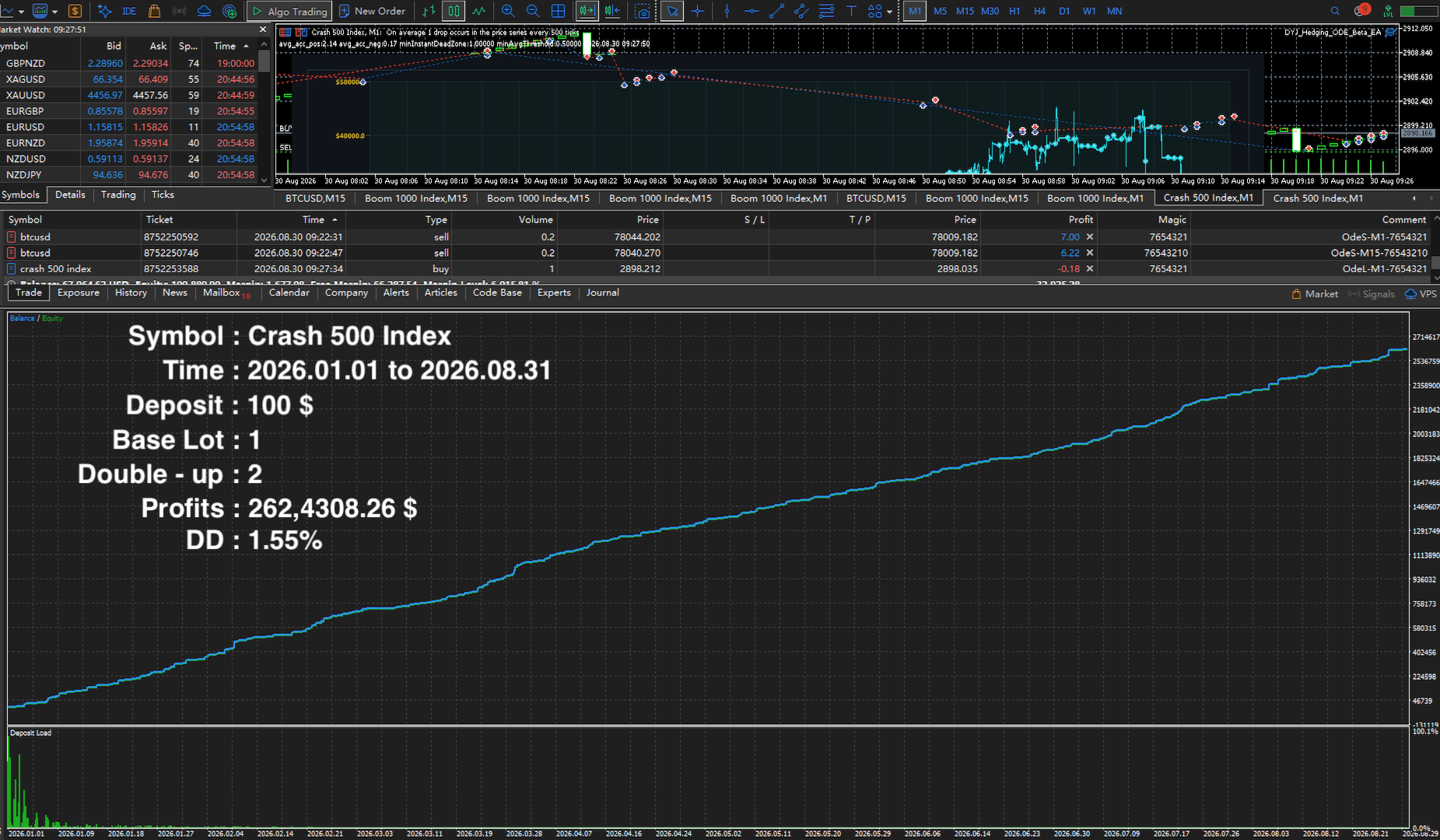
Option 1: Boom 1000 Index,Step Index,Jump 10 Index,Crash 1000 Index (Synthetic Index High-Explosive Mode)
-
Trading Symbol ( Symbol ): Boom 1000 Index
-
Timeframe ( Timeframe ): Custom / Short timeframe (optimized for capturing Spike explosions) M15 or M1 etc
-
Recommended Deposit ( Deposit ): Minimum 100 USD , Recommended 1,000 USD (to support capital tier jumps brought by the progression doubling)
-
Initial Trading Lot Size ( InpLotSize ): Set to 4 (High-explosive starting lot size)
-
Core Martingale Multiplier ( InpMartingaleMult ): Set to 2.0 (2x progression)
-
Tick Throttling & Latency Parameter ( InpTickThrottleSeconds ): Set to 1
-
Single Position Upper Limit ( InpMaxBetaTrades / InpMaxOdeTrades ): Both set to 1 (Strictly ensuring 1 order at a time, no grid holding, no multi-order accumulation)
-
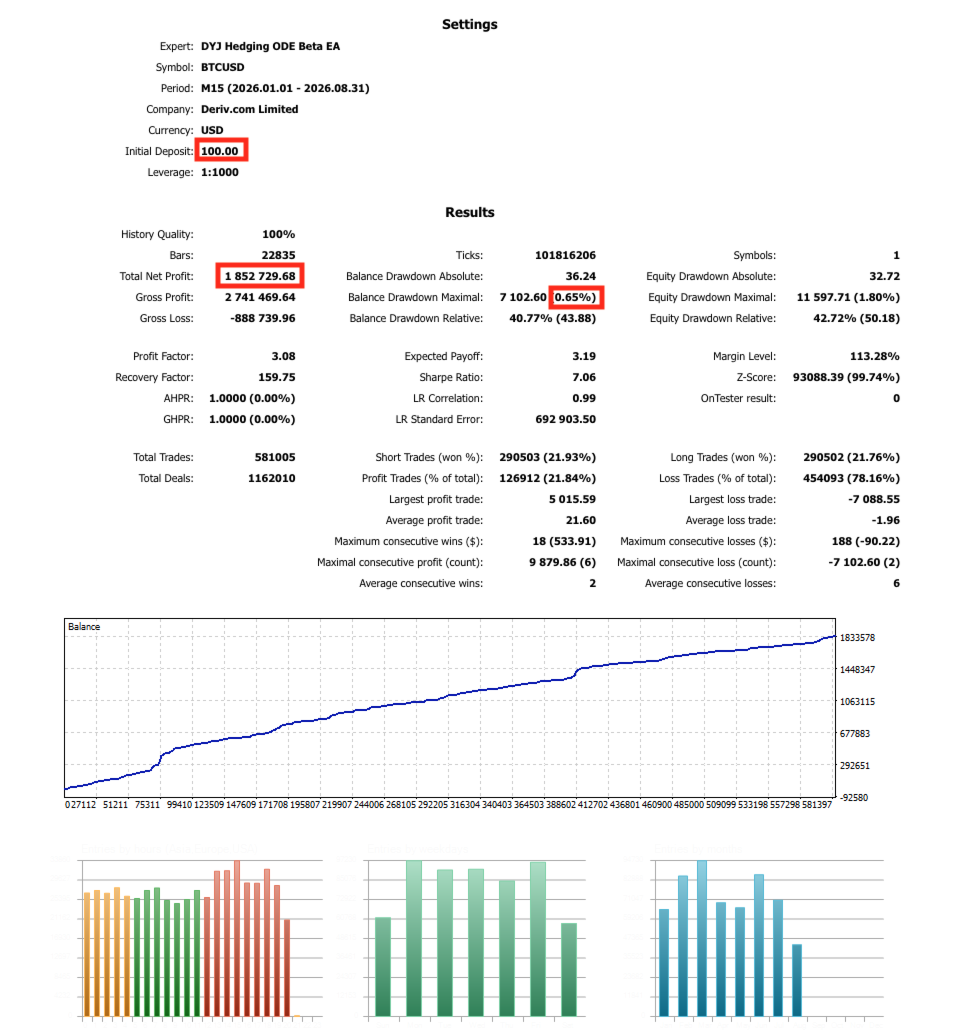
Trading Symbol ( Symbol ): XAUUSD (Gold)
-
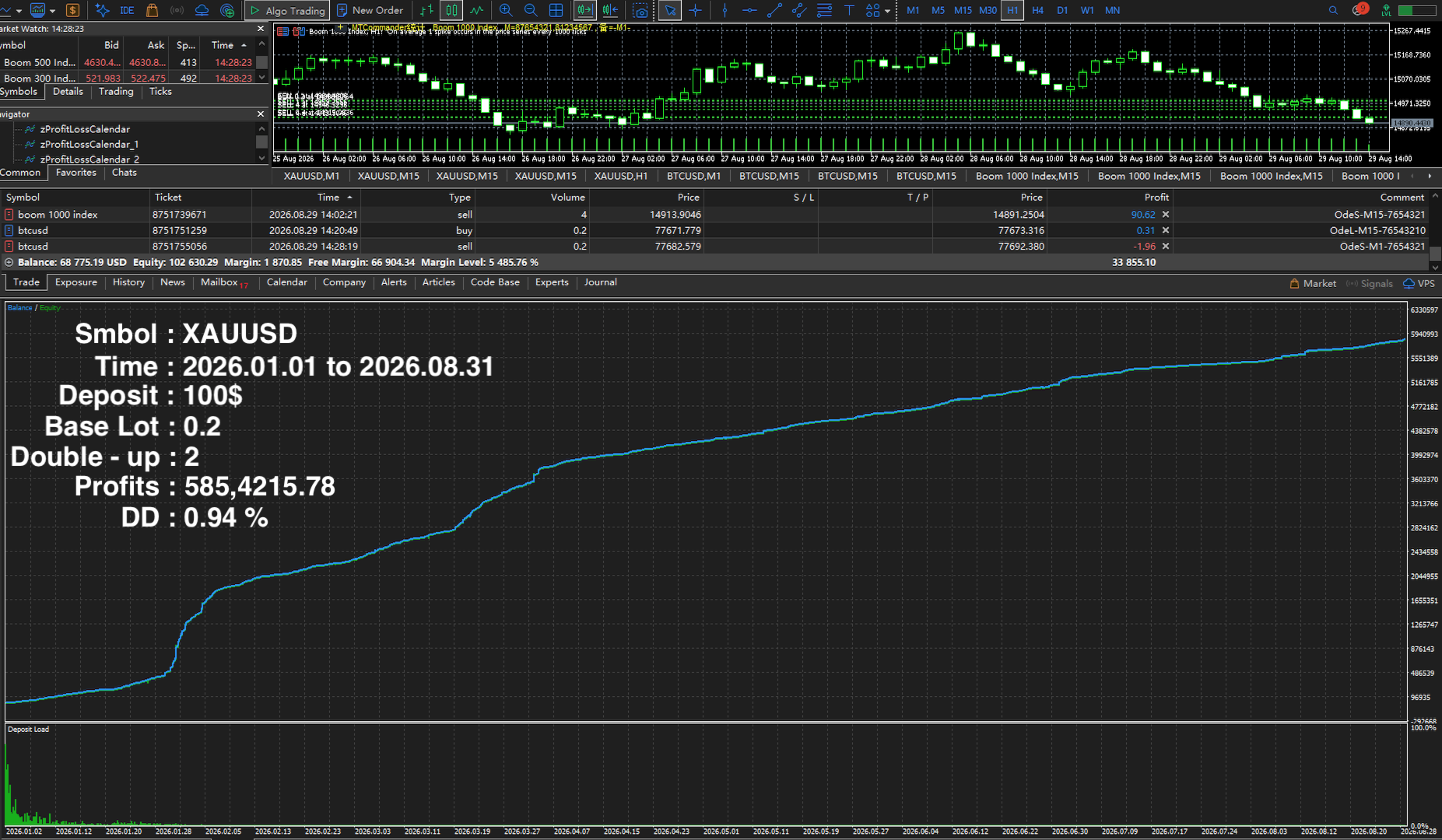
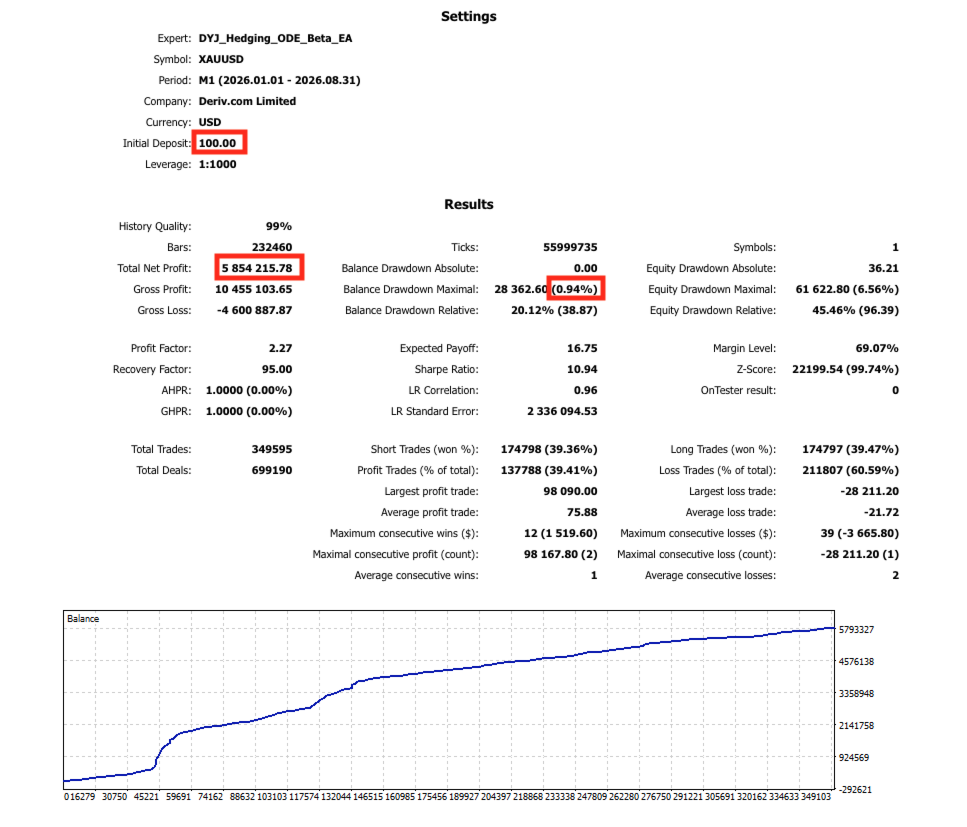
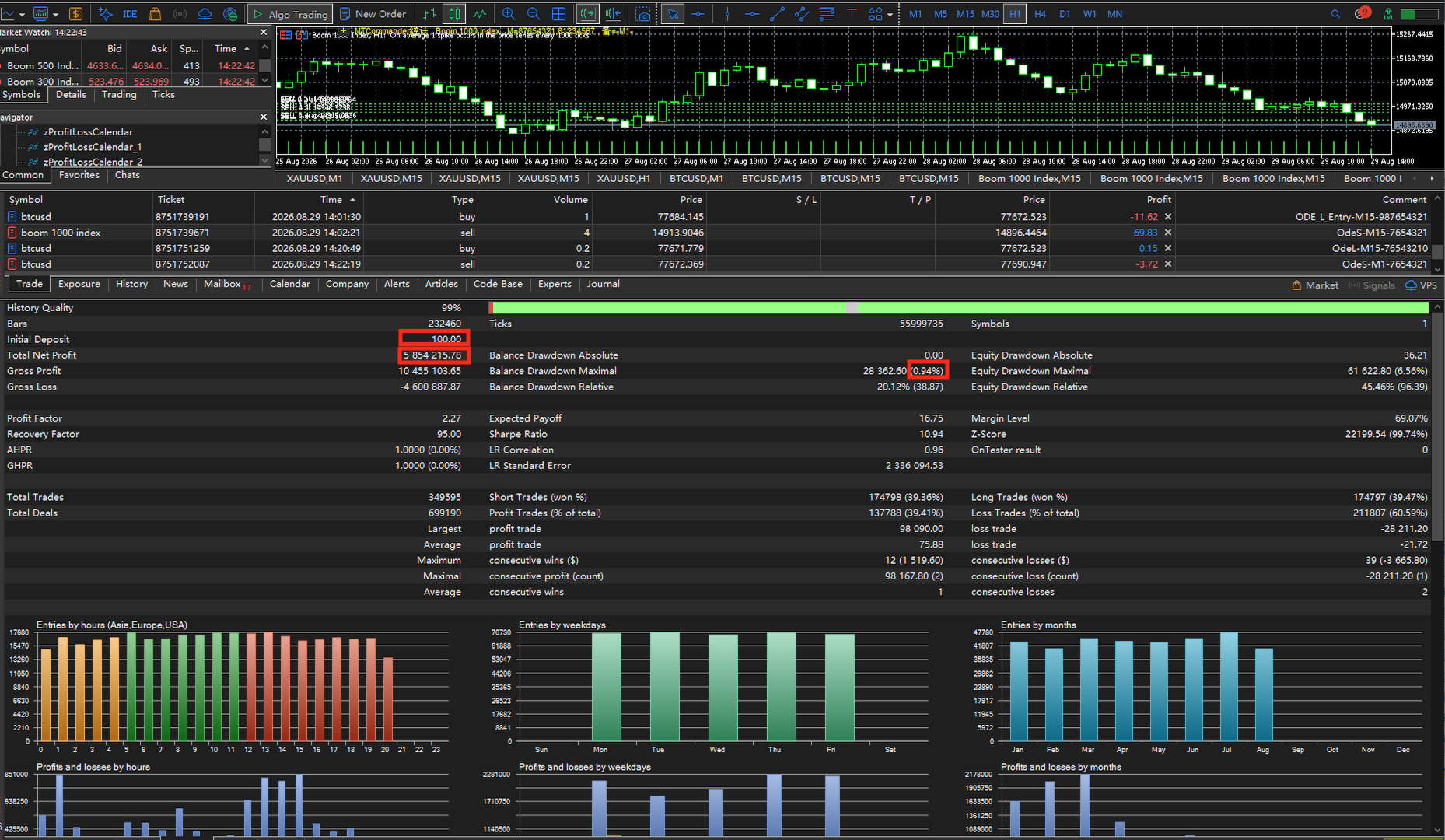
Timeframe ( Timeframe ): M15 (15-minute chart, or custom timeframe based on market volatility) M15 or M1 (Better performance, with a lower drawdown of 0.94%) etc
-
Recommended Deposit ( Deposit ): Minimum 100 USD , Recommended 1,000 USD
-
Initial Trading Lot Size ( InpLotSize ): Recommended to set to 0.2
-
Core Martingale Multiplier ( InpMartingaleMult ): Set to 2.0 (2x progression)
-
Tick Throttling & Latency Parameter ( InpTickThrottleSeconds ): Set to 1 (Used to control high-frequency trigger frequency or simulate delay stress testing)
-
Single Position Upper Limit ( InpMaxBetaTrades / InpMaxOdeTrades ): Both set to 1 (Strictly ensuring 1 order at a time, no grid holding, no multi-order accumulation)
-
Trading Environment: It is recommended to run with low-latency, fast-execution ECN spread accounts to ensure precise entry based on the InpVelocityThreshold = 1.5 velocity threshold.
Scheme 1 & Scheme 2: Parameter Configuration & Latency Guide
To achieve the best performance for Scheme 1 and Scheme 2, it is recommended to use a low-latency broker server (applicable to both Real and Demo accounts).
Key Considerations & Parameter Adjustments
Server Latency Standard: Lower latency is always better (ideally between 0–10ms).
Settings for Higher Latency: If your server latency cannot meet this standard, please adjust the parameters as follows:
InpIsUseNewbars = true
InpMartingaleMult = 1 (No Martingale)
InpLotSize = 0.001 (Fixed lot size, automatically retrieves the minimum trading volume of the instrument. Change to 1 if a 1-lot size is required.)
Parameter Template Download:
I have posted the parameter template in the comment section for everyone to download and use! Click here to download the Link directly.
Disclaimer: Trading leveraged financial instruments carries a high level of risk. Before committing any funds to live trading, please ensure you conduct thorough backtesting and stress testing of the above corresponding parameters (including the throttle delay of InpTickThrottleSeconds = 1 and the 2.0 martingale multiplier) within the MetaTrader 5 Strategy Tester.