BTS TM Basic
- Uzmanlar
- Sürüm: 1.0
- Etkinleştirmeler: 5

1. One-Click Trade Management
You stay in charge of your entries — the EA handles the rest. The moment you open a trade by hand, it's detected and managed automatically: stop loss set, take-profits placed, and the position watched tick by tick. There are no orders to drag, no levels to type, and nothing to babysit once you're in.
2. Automatic Split Into Three Take-Profits
Instead of betting everything on a single exit, your entry is divided into up to three positions, each with its own target. As price runs, the trade banks profit in stages — locking in early gains while leaving runners on for the bigger move. You choose 1, 2, or 3 levels depending on how aggressively you want to scale out.
3. Shared Stop Loss Across the Trade
Every position created from one entry shares a single stop loss. Your risk on the whole trade stays defined and easy to read, no matter how many take-profit legs are running. If you adjust the stop, the whole group moves together.
4. Lot-Size Presets
Each lot size you trade can carry its own complete setup. Enter 0.10 and the EA applies one set of stops and targets; enter 0.50 and it applies a different one. Your strategy is selected automatically by the size you type into the order box — so you can run several distinct setups at once without touching a single setting.
5. Separate Settings for Buys and Sells
Long and short trades each get their own stop and target distances. This lets your management reflect how a market really moves in each direction, rather than forcing one symmetrical rule onto both sides.
6. Basket Close on Combined Profit
When a group of trades reaches a combined profit target in your account currency, the EA closes them all together in one action. It's an effortless way to bank a whole session's gains at a set dollar figure, without manually closing positions one by one.
7. Automatic Break-Even
Once a trade moves a chosen distance into profit, the stop is shifted to break-even on its own. A trade that's going your way becomes risk-free automatically, protecting your capital even if you've stepped away from the screen.
8. Trailing Stop
As price advances in your favour, the stop follows behind at a distance you set, then locks in profit if the market reverses. It's a simple, hands-off way to ride extended moves while staying protected.
9. Leader-Follower Stop Sync
Adjust one stop on the chart and every other trade in that direction follows it instantly. A whole basket of positions can be managed as if it were a single trade, with one drag of the mouse.
10. Optional DCA Layering
For traders who use grid or averaging methods, the EA can add positions as price moves against the trade, all sharing the same stop and target. It's switched off by default and fully optional — turn it on only if it matches your style and risk tolerance.
11. Live On-Chart Dashboard
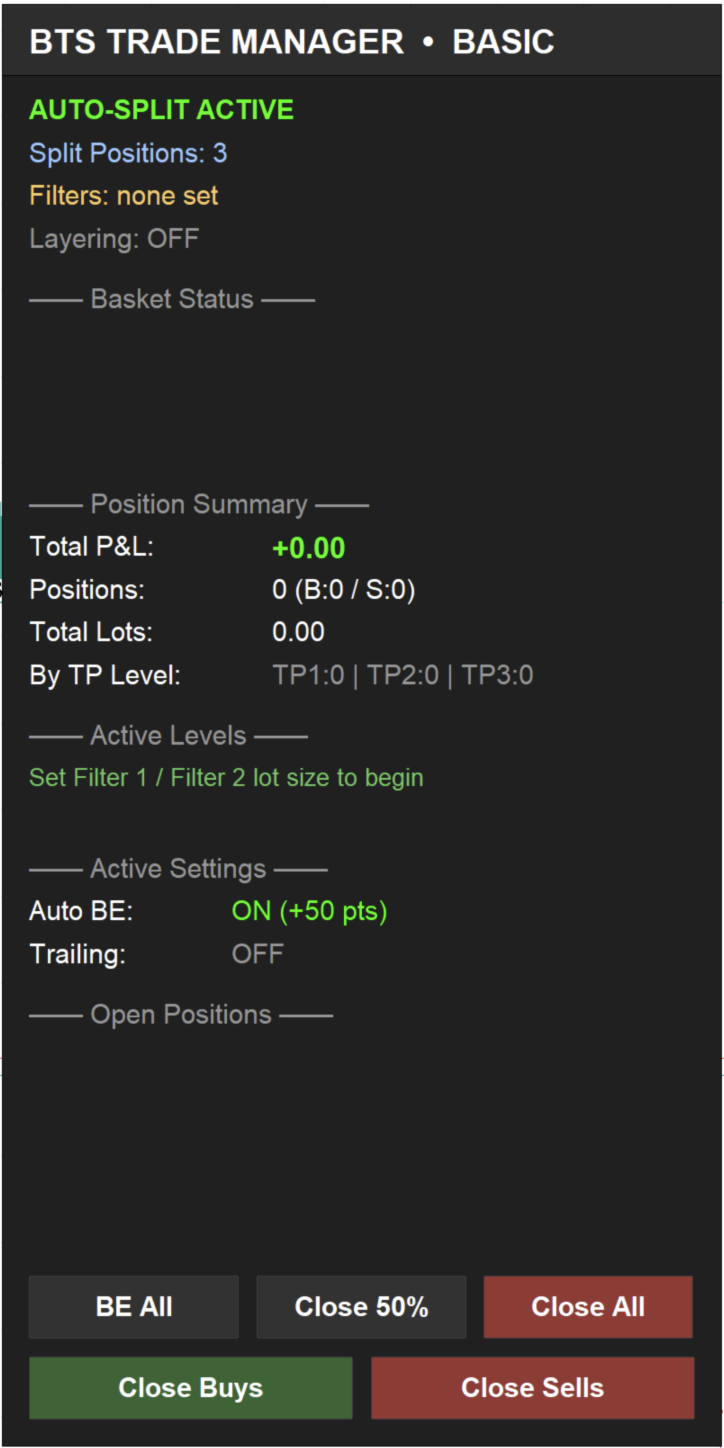
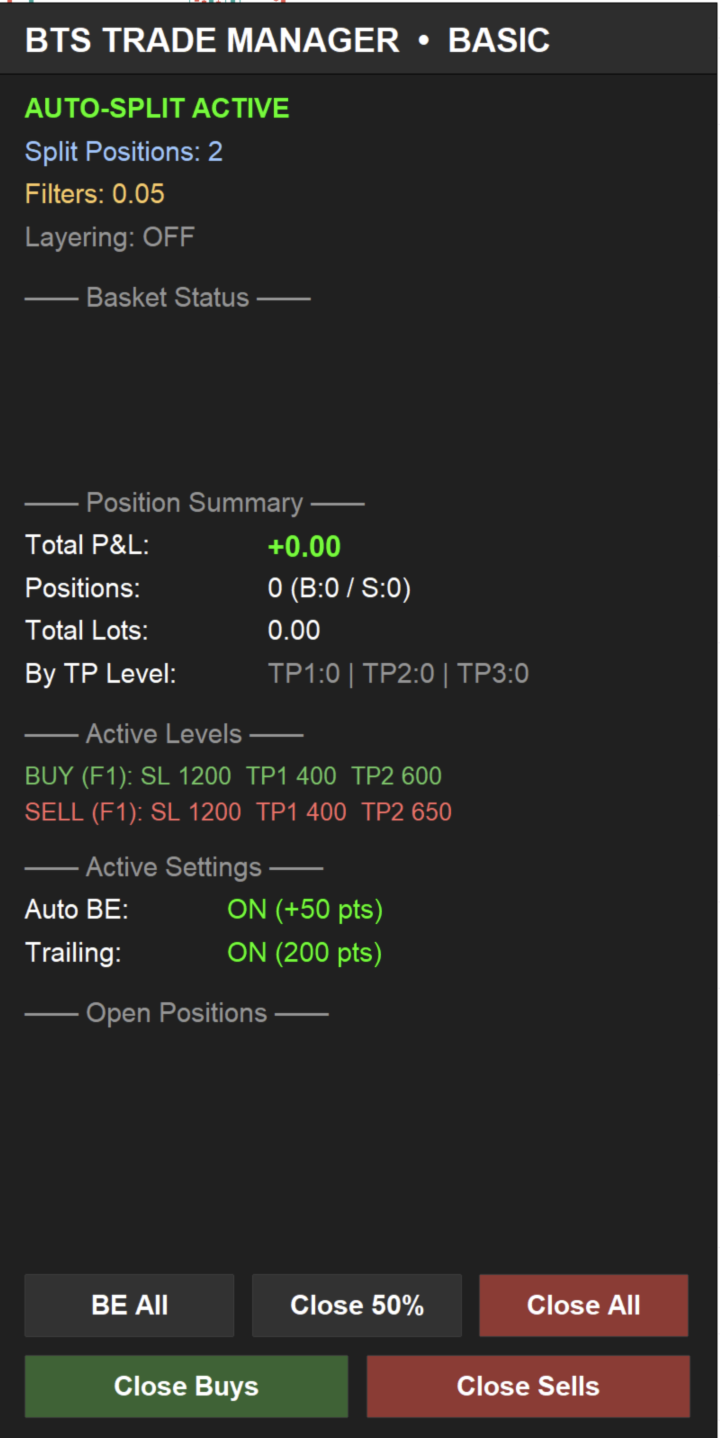
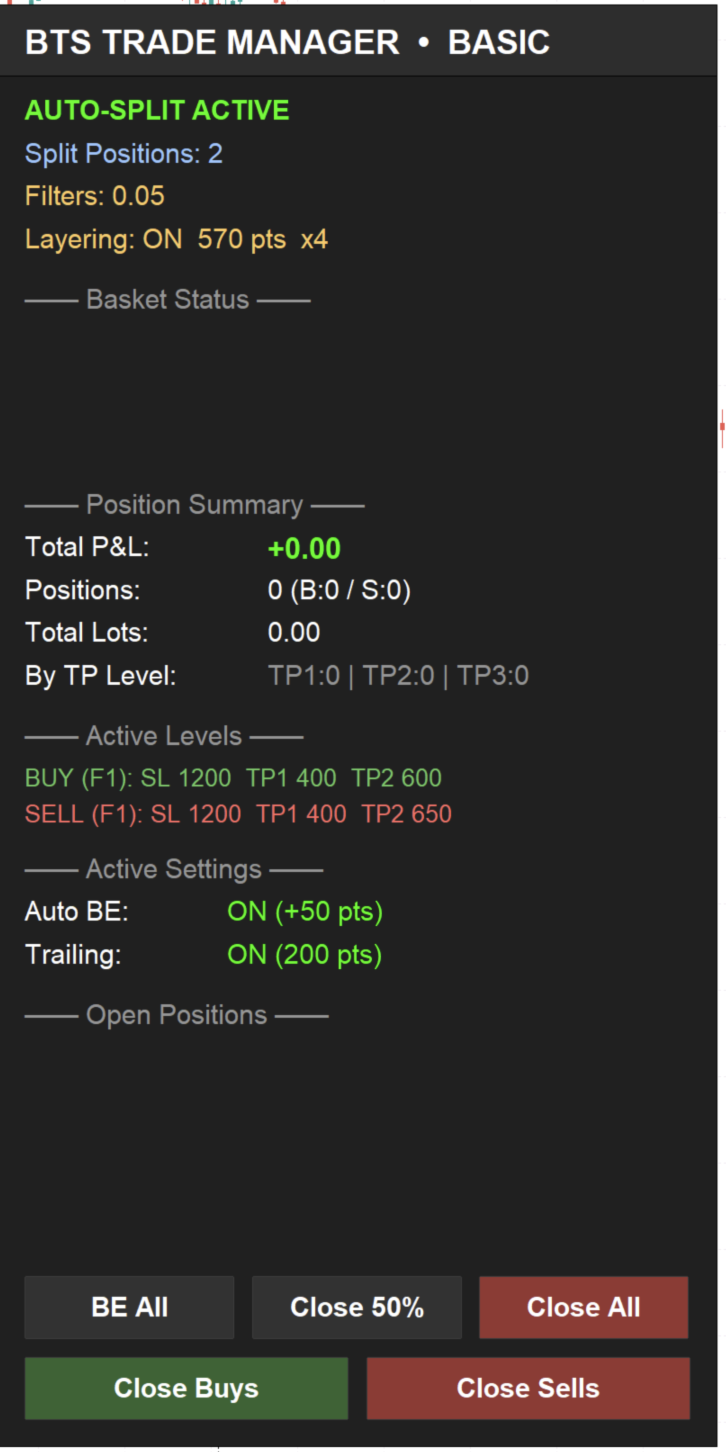
A clean, always-on panel shows your total profit, open positions, lot totals, and progress toward each basket target at a glance. Built-in buttons let you instantly close everything, close only buys, or close only sells — control that's right there on the chart when you need it.
12. Works on Any Symbol
The EA is optimised well to work on metals, forex pairs, indices, and other instruments. It's designed with prop-firm rules in mind, making it a natural fit for traders managing funded accounts.