Pulse Pullback
- Uzmanlar
-
Alice Nampanya
 TradelyLabs is a software company focused on developing professional Expert Advisors, indicators, and automation tools for MetaTrader 5 .
Our mission is simple: build transparent, reliable, and well engineered trading software that helps traders automate their strategies with confidence. - Sürüm: 2.0
Pulse Pullback — Trend Following EA
Enter trends at optimal pullback levels — automatically, every time
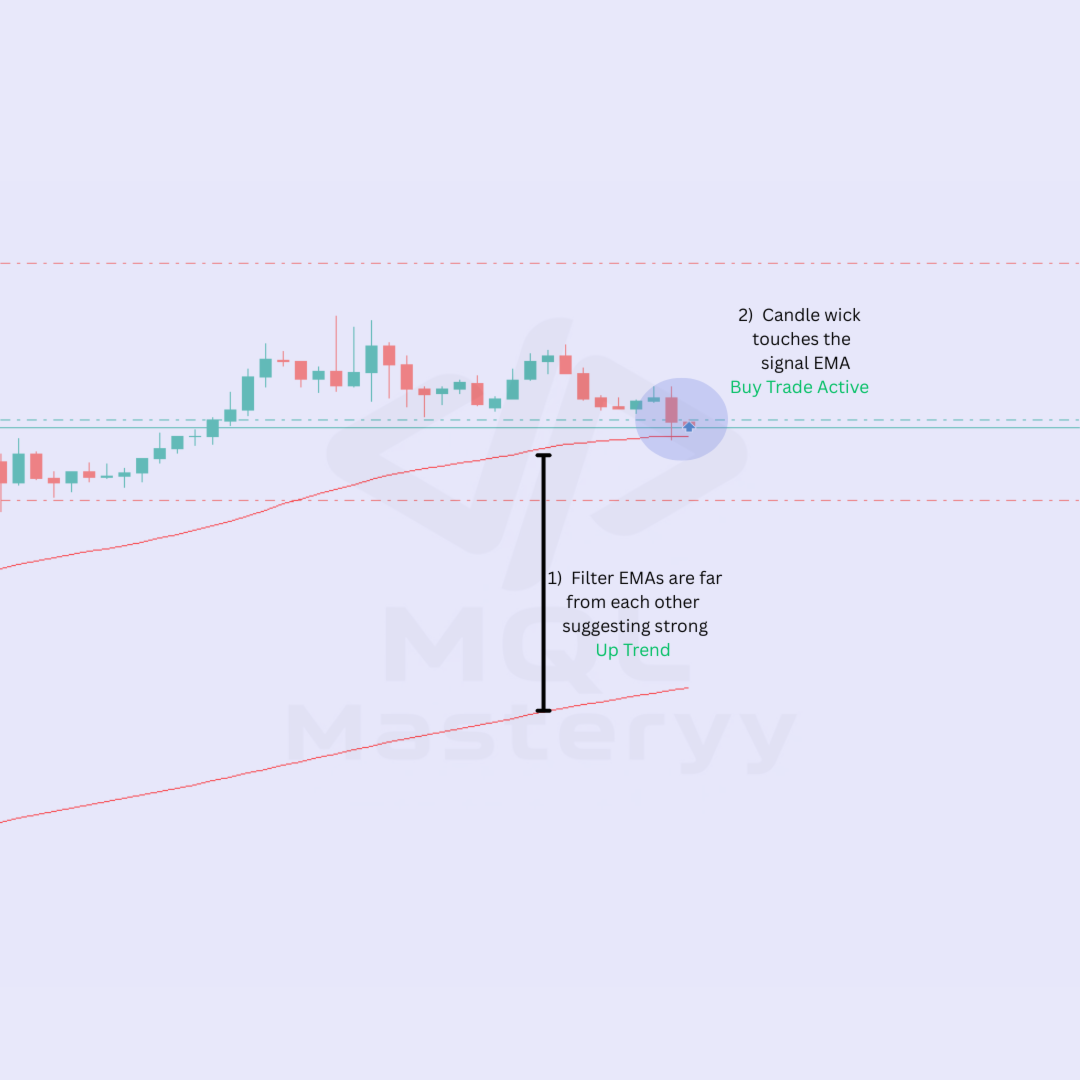
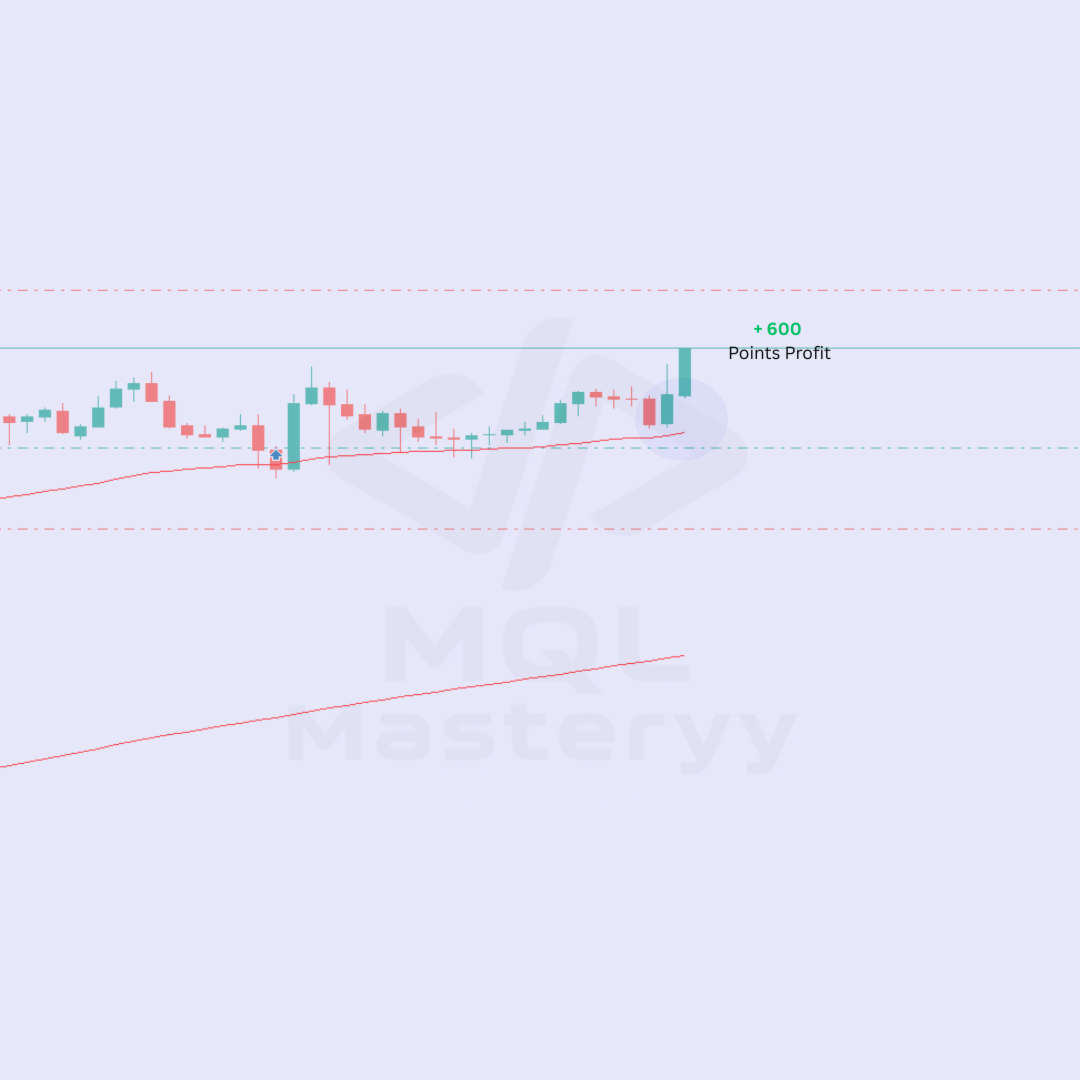
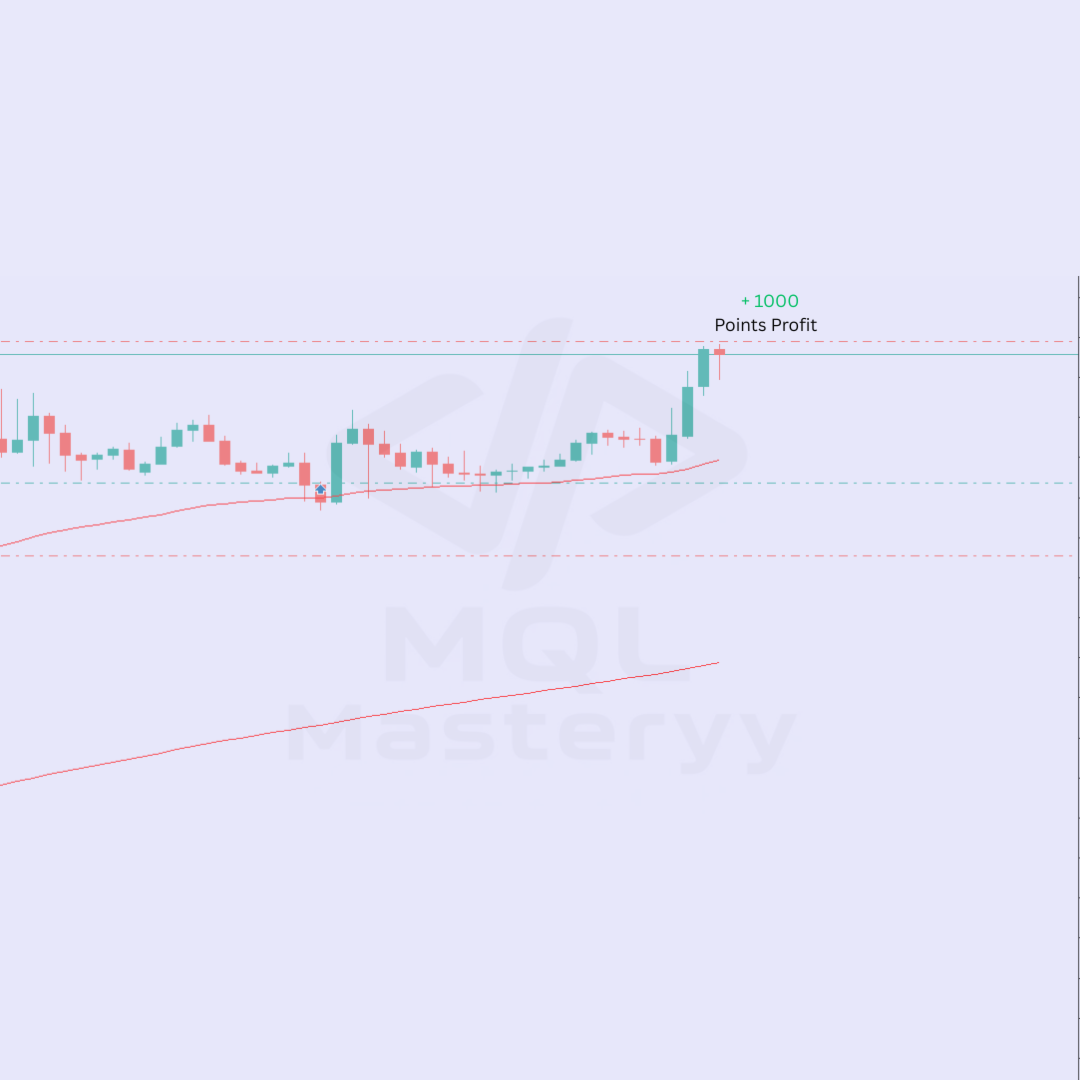
Trading with the trend is one of the most reliable approaches in financial markets. The challenge is identifying when a pullback is actually a continuation opportunity rather than a reversal. Pulse Pullback EA handles this for you by combining two EMAs — one to set the trend direction and one to mark the pullback entry zone. When price touches the faster EMA while the slower EMA confirms the overall direction, the EA enters. It then manages the position with your choice of exit methods, from simple fixed targets to trailing stops or breakeven protection.
Advantages
- No need to watch charts — The EA handles entry detection, position management, and exit, so you do not have to monitor screens throughout the day.
- Choose your exit style — Fixed targets for simplicity, trailing stops to lock in profits, or breakeven for risk-free trades — pick what suits your trading style.
- Works on any timeframe — The pullback-to-EMA logic adapts to intraday and swing trading timeframes without changing parameters.
- Common-sense safety — Spread checks, margin validation, and sideways market detection keep you out of unfavorable conditions automatically.
Features
- Dual EMA trend system — 200-period EMA sets the bias, 50-period EMA marks the pullback entry zone. Only trades in the direction of the larger trend.
- Candle close confirmation — Entry triggers only after the candle closes at the pullback level, filtering out false touches and intraday noise.
- Sideways market filter — Automatically skips trades when the two EMAs are too close together, avoiding choppy ranging conditions.
- Flexible lot sizing — Choose between a fixed lot size or let the EA calculate position size based on a percentage of your account balance.
- Three exit modes — Fixed SL/TP for straightforward rules, trailing stop that follows price as it moves in your favor, or breakeven stop that locks in a minimum profit.
- Hedging and netting compatible — Works on both account types without any configuration changes.
How to Get Started
1. Attach Pulse Pullback EA to any chart and timeframe.
2. Configure your preferred exit mode — start with Fixed if you are new to the EA.
3. Set your risk parameters: choose fixed lot or risk percentage.
4. Let the EA handle entry detection and position management automatically.
Usage Tips
- Start with the Fixed exit mode to observe the EA's behavior before switching to Trailing or Breakeven.
- The EA performs best on trending pairs such as GBPUSD, EURUSD, and USDJPY.
- H1 and H4 timeframes produce a good balance of signal frequency and reliability.
- Set the minimum EMA distance to at least 50 points to keep the sideways filter active.
- Keep max spread between 20-30 points to ensure entries during tight market conditions.
- If using Trailing mode, set the activation threshold high enough to account for normal price fluctuations.
Technical Information
- Uses 50-period EMA as pullback level and 200-period EMA as trend direction filter
- Enters on confirmed candle close after price touches the 50 EMA
- Signal detection runs on new bar only; stop management runs on every tick
- No grid, no martingale, no hedging required — standard single-position logic
- Automatically adapts to 5-digit and 4-digit broker pricing
- Compatible with ECN and standard account types
Requirements
- Platform: MetaTrader 5
- Recommended pairs: EURUSD, GBPUSD, USDJPY, AUDUSD — any trending instrument
- Timeframe: H1 or H4 (works on any timeframe)
- Minimum deposit: $100 (for micro lots)
- Broker type: ECN or Standard
- Leverage: 1:30 or higher recommended
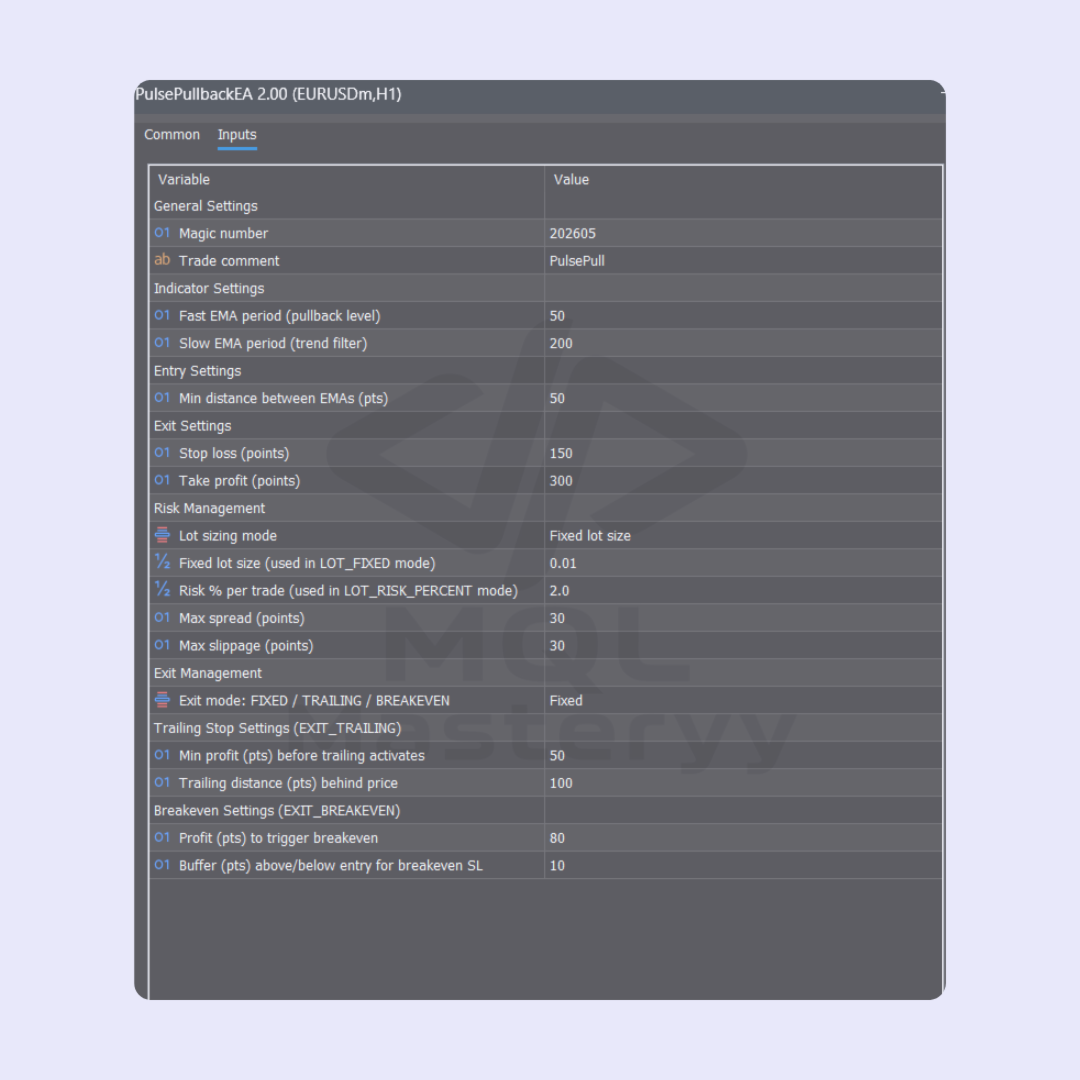
Input Parameters
- General Settings — Magic number and trade comment for position identification
- Indicator Settings — Fast EMA period (pullback level) and slow EMA period (trend filter)
- Entry Settings — Minimum distance between EMAs to avoid sideways markets
- Exit Settings — Stop loss and take profit distances in points
- Risk Management — Lot sizing mode (fixed or risk percentage), lot size, risk percentage, max spread, and max slippage
- Exit Management — Choose between fixed, trailing, or breakeven exit
- Trailing Stop Settings — Profit activation threshold and trailing distance behind price
- Breakeven Settings — Profit trigger and buffer above or below entry
MQL Masteryy, private trader and automation developer
Risk Disclosure
Trading financial markets involves substantial risk of loss. Past performance does not guarantee future results. This product is not suitable for all investors. Never risk more than you can afford to lose. Results shown in back tests are hypothetical and may not reflect live trading conditions. This is a trend-following strategy that may experience consecutive losses during trend reversals.