Liquidity Sweep
- Göstergeler
- Sürüm: 1.1
- Güncellendi: 28 Nisan 2026
- Etkinleştirmeler: 5

Liquidity Sweep is a practical and easy-to-use MT5 indicator that marks possible sweep areas around swing highs and swing lows. It is built for users who want a cleaner way to view where price has moved beyond a previous high or low and then returned back inside the level.
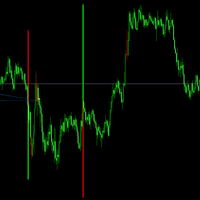
The indicator works directly on the main chart window and analyzes recent swing points based on the selected swing setting. When a sweep condition is found, it draws clear upward or downward zones on the chart so the area can be reviewed without manually checking every swing high and swing low.
To improve visual analysis, the indicator can also display sweep areas from the current timeframe and from a selected higher timeframe. This helps users view local sweep zones and higher-timeframe sweep zones on the same chart while keeping the layout simple and organized.
What this indicator can detect
- Wick sweeps above swing highs
- Wick sweeps below swing lows
- Breakout and retest sweep areas
- Upward sweep zones
- Downward sweep zones
- Current timeframe sweep areas
- Higher-timeframe sweep areas
- Dark and light chart theme toggle
Key advantages
- Automatically marks possible sweep areas
- Helps identify areas where price has swept a previous high or low
- Supports wick-based sweep detection
- Supports breakout and retest sweep detection
- Can show current timeframe and higher-timeframe zones
- Optional zone extension for future chart reference
- Adjustable swing sensitivity and lookback range
- Customizable upward and downward zone colors
- Separate width settings for current timeframe and higher-timeframe zones
- Clean chart-window design
- Built-in dark and light chart theme toggle
- Lightweight and simple to use
Zone meaning
Upward Sweep Zone = price moved below a swing low and returned back above the level
Downward Sweep Zone = price moved above a swing high and returned back below the level
Current TF Zone = sweep area detected from the current chart timeframe
MTF Zone = sweep area detected from the selected higher timeframe
Input parameters
- InpSwings – Swing strength used to detect swing highs and swing lows
- InpMode – Sweep detection mode
- InpBullColor – Upward sweep line color
- InpBearColor – Downward sweep line color
- InpBullLineFade – Faded upward reference line color
- InpBearLineFade – Faded downward reference line color
- InpExtend – Enable or disable forward extension of valid sweep zones
- InpMaxBars – Maximum number of bars for zone extension
- InpBullArea – Upward area color
- InpBearArea – Downward area color
- InpCurrentBullArea – Current timeframe upward zone color
- InpCurrentBearArea – Current timeframe downward zone color
- InpMtfBullArea – Higher-timeframe upward zone color
- InpMtfBearArea – Higher-timeframe downward zone color
- InpLookbackBars – Number of historical bars scanned
- InpMaxObjects – Maximum number of chart objects drawn by the indicator
- InpShowCurrentTf – Show or hide current timeframe sweep areas
- InpShowMtf – Show or hide higher-timeframe sweep areas
- InpMtfTimeframe – Higher timeframe used for MTF sweep detection
- InpCurrentWidth – Line width for current timeframe sweep areas
- InpMtfWidth – Line width for higher-timeframe sweep areas
- InpShowThemeToggleButton – Show or hide the chart theme toggle button
- InpStartLightMode – Start the chart in light mode
- InpThemeButtonX – Theme button X distance
- InpThemeButtonY – Theme button Y distance
Who this indicator is for
This indicator is suitable for users who use sweep areas as part of:
Market structure review
Support and resistance review
Pullback review
Retest review
Multi-timeframe chart reading
Discretionary chart analysis
Important
Liquidity Sweep is a chart analysis tool. It does not open, close, or manage orders. Sweep areas should be used as part of a broader chart review process and not as a standalone instruction for entries or exits. For best results, combine it with structure context, trend context, support and resistance, and your own rules.